Montgomery County Renunciation of Transfer on Death Instrument (Surviving Spouse) Form
Last validated October 24, 2026 by our Forms Development TeamFormatted for recording in Montgomery County, for property anywhere in the county: rural and unincorporated areas as well as Butler, Coffeen, Donnellson, Farmersville, Fillmore, Harvel, Hillsboro, Irving and 9 more.
- 3 documents included
- Immediate PDF download
- Formatting guarantee
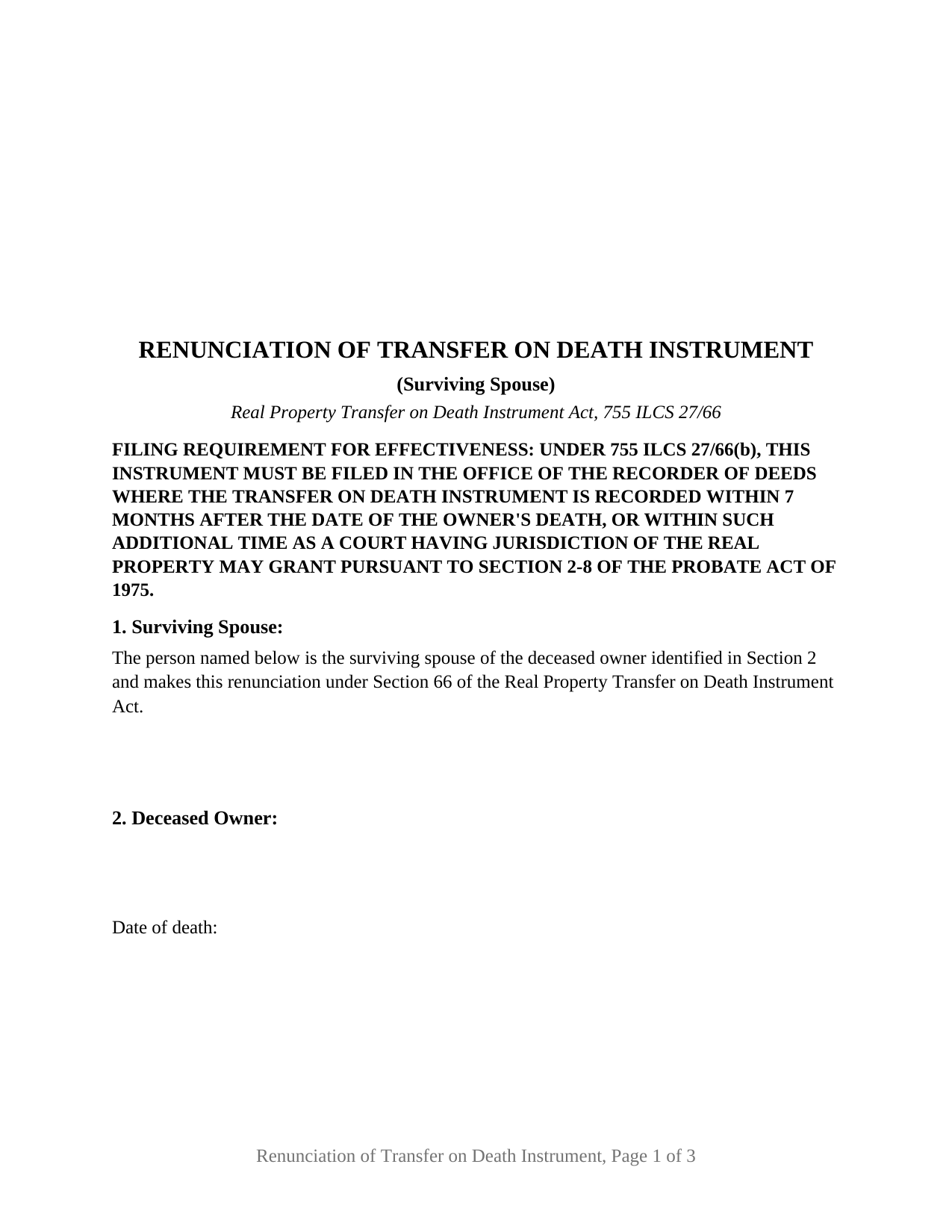
Montgomery County Renunciation of Transfer on Death Instrument (Surviving Spouse) Form
Fill in the blank Renunciation of Transfer on Death Instrument (Surviving Spouse) form formatted to comply with all Illinois recording and content requirements.
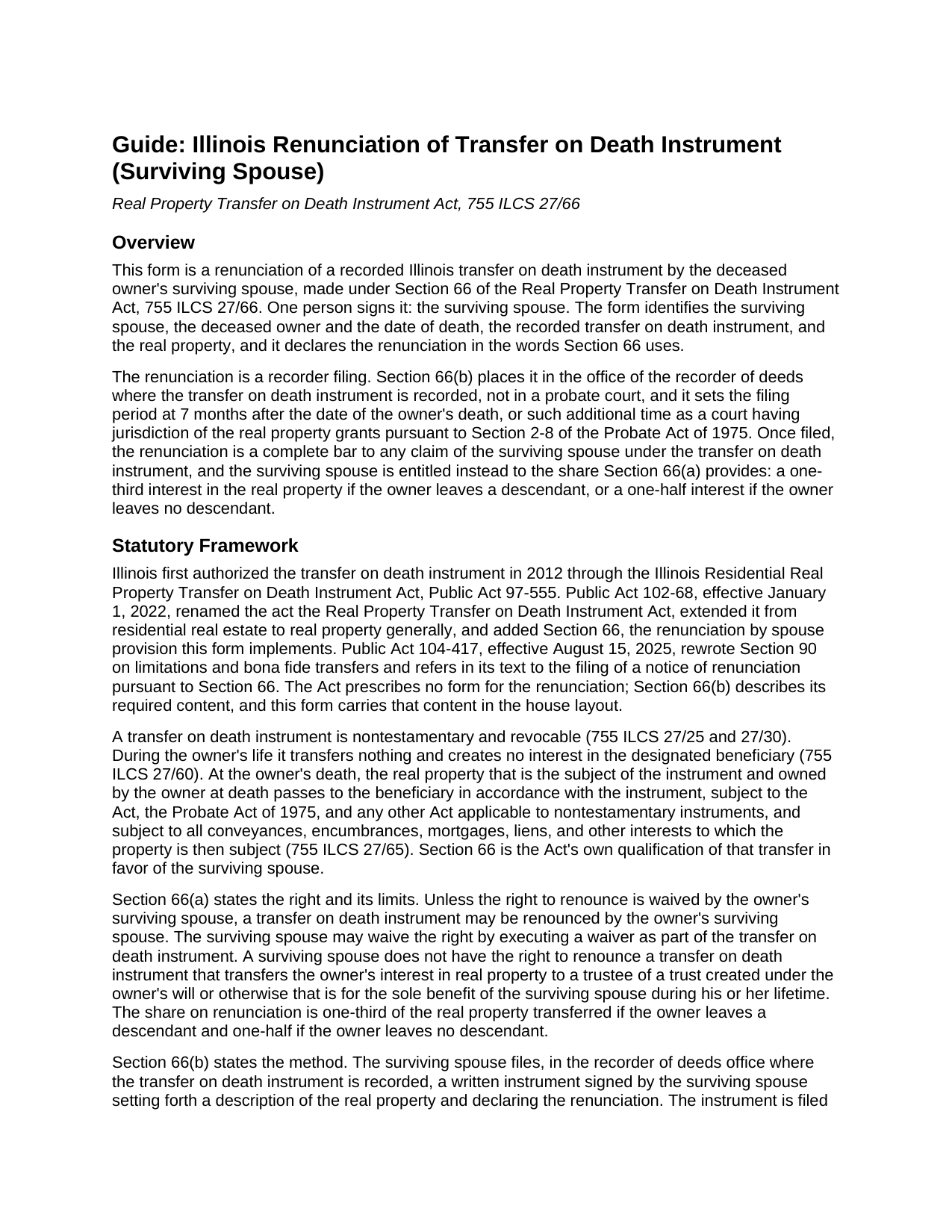
Montgomery County Renunciation of Transfer on Death Instrument (Surviving Spouse) Guide
Line by line guide explaining every blank on the Renunciation of Transfer on Death Instrument (Surviving Spouse) form.
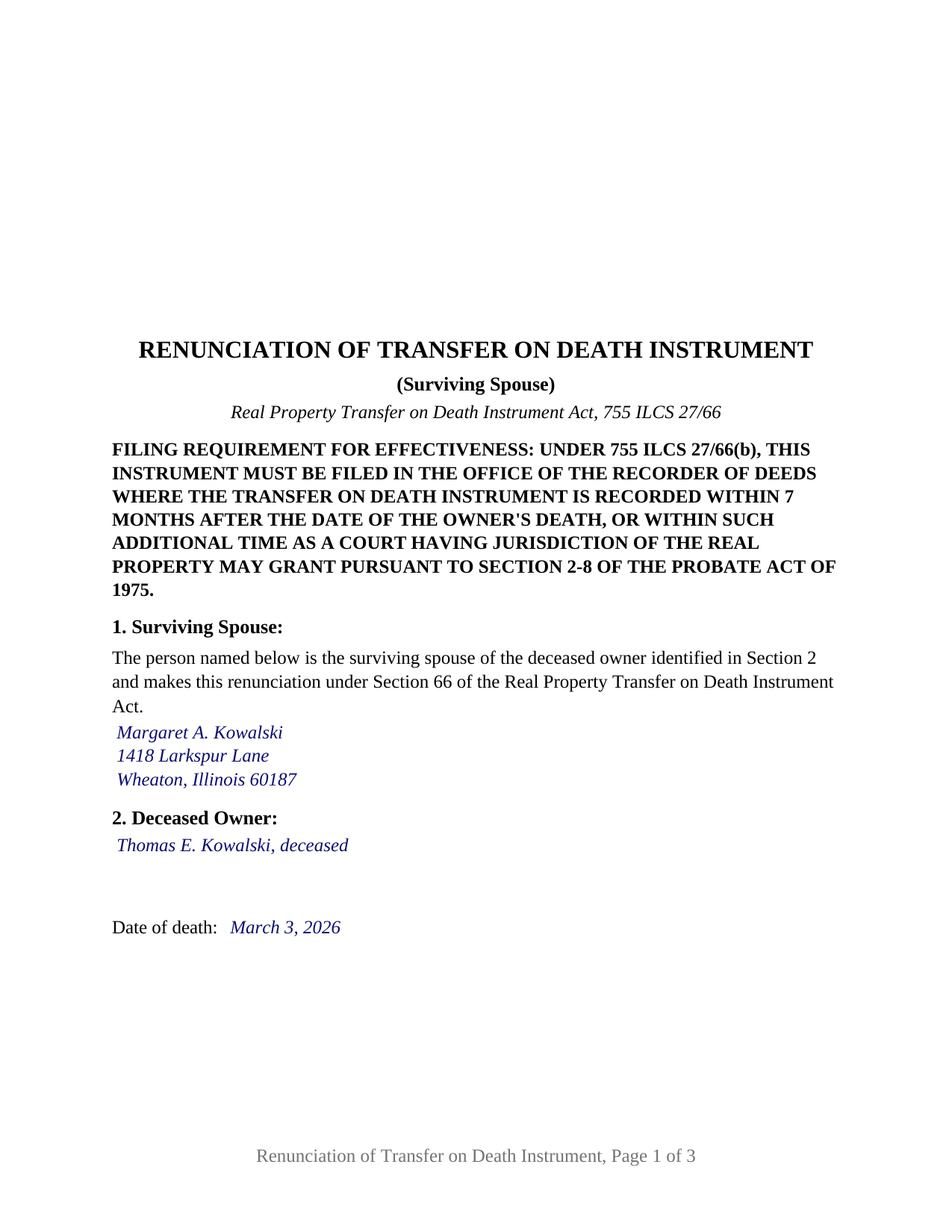
Montgomery County Completed Example of the Renunciation of Transfer on Death Instrument (Surviving Spouse) Document
Example of a properly completed Illinois Renunciation of Transfer on Death Instrument (Surviving Spouse) document for reference.
All 3 documents above included • One-time purchase • No recurring fees
Immediate Download • Secure Checkout
Additional Illinois and Montgomery County documents included at no extra charge:
Where to Record Your Documents
Montgomery County Clerk & Recorder
Hillsboro, Illinois 62049-0595
Hours: 8:00 to 4:00 Monday through Friday
Phone: (217) 532-9530
Recording Tips for Montgomery County:
- Bring your driver's license or state-issued photo ID
- Ensure all signatures are in blue or black ink
- Request a receipt showing your recording numbers
- Ask about accepted payment methods when you call ahead
- Ask for certified copies if you need them for other transactions
Cities and Jurisdictions in Montgomery County
Properties in any of these areas use Montgomery County forms:
- Butler
- Coffeen
- Donnellson
- Farmersville
- Fillmore
- Harvel
- Hillsboro
- Irving
- Litchfield
- Nokomis
- Ohlman
- Panama
- Raymond
- Taylor Springs
- Waggoner
- Walshville
- Witt
Hours, fees, requirements, and more for Montgomery County
How do I get my forms?
Forms are available for immediate download after payment. The Montgomery County forms will be in your account ready to download to your computer. An account is created for you during checkout if you don't have one. Forms are NOT emailed.
Are these forms guaranteed to be recordable in Montgomery County?
Yes. Our form blanks are guaranteed to meet or exceed the applicable formatting requirements used for recording in Montgomery County, including margin requirements, font requirements, and other layout standards. This guarantee applies to formatting, not to the legal sufficiency of information entered by the user or the suitability of a form for a particular transaction.
Can I reuse these forms?
Yes. You can reuse the forms for your personal use. For example, if you have multiple properties in Montgomery County you only need to order once.
What do I need to use these forms?
The forms are PDFs that you fill out on your computer. The free Adobe Acrobat Reader is recommended, and most PDF apps also work. You do NOT enter your property information online - you download the blank forms and complete them privately on your own computer.
Are there any recurring fees?
No. This is a one-time purchase. Nothing to cancel, no memberships, no recurring fees.
How much does it cost to record in Montgomery County?
Recording fees in Montgomery County vary. Contact the recorder's office at (217) 532-9530 for current fees.
Questions answered? Let's get started!
An Illinois transfer on death instrument moves real estate to a named beneficiary at the owner's death without probate, but it does not move it past the owner's surviving spouse. Section 66 of the Real Property Transfer on Death Instrument Act, 755 ILCS 27/66, lets the surviving spouse renounce the instrument and take a statutory share of the property instead. This form is that renunciation, signed by one person, the deceased owner's surviving spouse, and filed with the recorder of deeds where the transfer on death instrument was recorded.
A statutory share carved out of a TOD instrument
Under Section 66(a), unless the surviving spouse waived the right as part of the transfer on death instrument, the spouse may renounce it and is then entitled to a one-third interest in the real property the instrument transferred if the owner leaves a descendant, or a one-half interest if the owner leaves no descendant. One exception is built in: no right to renounce exists where the instrument transfers the property to a trustee of a trust for the sole benefit of the surviving spouse during the spouse's lifetime.
The right arrived with Public Act 102-68 in 2022, which also expanded transfer on death instruments, sometimes called TOD deeds or beneficiary deeds, from residential real estate to Illinois real property generally. A 2025 amendment to Section 90 ties purchaser and lender protection to the same filing.
Filed with the recorder, not the probate court
A will renunciation goes to the probate court; a transfer on death renunciation goes to the recorder. Section 66(b) requires a written instrument signed by the surviving spouse, setting forth a description of the real property and declaring the renunciation, filed in the recorder of deeds office where the transfer on death instrument is recorded. The filing is the act: once of record, it is a complete bar to any claim of the surviving spouse under the instrument, and the statutory share takes its place.
Because the document is recorded, it carries what Illinois recorders look for on an instrument affecting title: the preparer statement, the return address, the document number of the instrument it relates to, a legal description and permanent index number, a typed name beside the signature, and an acknowledgment certificate in the Illinois statutory short form, with the top of the first page left open for the recorder's stamp.
Seven months, measured from the date of death
The filing period runs 7 months from the date of the owner's death, or such additional time as a court having jurisdiction of the real property grants under Section 2-8 of the Probate Act of 1975. The form records the date of death on its own line, so the period the statute measures is stated on the face of the instrument. The guide covers the extension mechanism and the Section 66(c) and 66(d) rules on accelerated future interests and apportionment among the other beneficiaries.
What the surviving spouse form recites
The form recites exactly one signer: the surviving spouse of the deceased owner, identified by name and mailing address in Section 1 beneath fixed text stating that status. It carries one signature block and one acknowledgment certificate, completed by the notary where the spouse actually appears. Sections 2 through 4 name the deceased owner and the date of death, identify the transfer on death instrument by date, recording date, document number, and county, and set out the legal description, street address, and permanent index number of the real property. Section 5 is the operative renunciation in the words of Section 66, claiming the interest a renouncing spouse is entitled to under Section 66(a) and stating the complete-bar effect of Section 66(b). The form states no fraction, because Section 66(a) fixes one-third or one-half by whether the owner leaves a descendant, and that determination belongs to the statute rather than to a blank. A beneficiary's disclaimer, a notice of death affidavit, and a petition for additional filing time are different instruments, prepared separately and not included in this package. Where the transfer on death instrument carried a waiver of the right to renounce, or named a trust for the spouse's sole lifetime benefit, Section 66 supplies no right for this form to declare.
The package includes the fillable renunciation form, a completed example filled in for a DuPage County fact pattern, and the guide that walks through every numbered section, the signing formalities, and the recorder filing. The description and the guide describe the form and the governing Illinois statutes in general terms; they are not legal advice.
Important: Your property must be located in Montgomery County to use these forms. Documents should be recorded at the county recording office listed above.
This Renunciation of Transfer on Death Instrument (Surviving Spouse) meets all recording requirements specific to Montgomery County.
Our Promise
The documents you receive here are guaranteed to meet or exceed the applicable Montgomery County recording format requirements. If there is a rejection caused by our formatting, we will correct the issue or refund your payment. This guarantee applies to document formatting only and does not extend to information entered by the user, the selection of the form, or the legal effect of the completed document.
Save Time and Money
Get your Montgomery County Renunciation of Transfer on Death Instrument (Surviving Spouse) form done right the first time with Deeds.com Uniform Conveyancing Blanks. At Deeds.com, we understand that your time and money are valuable resources, and we don't want you to face a penalty fee or rejection imposed by a county recorder for submitting nonstandard documents. We constantly review and update our forms to meet rapidly changing state and county recording requirements for roughly 3,500 counties and local jurisdictions.
4.8 out of 5 - ( 4,836 Reviews )
Charles C. 5 out of 5 stars
Using an I pad and cannot type on form that was downloaded. I do not have a computer Charles
Thank you for your feedback Charles. You might want to make sure you have the Adobe app on your Ipad: https://itunes.apple.com/us/app/adobe-fill-sign/id950099951?mt=8
franklin m. 5 out of 5 stars
good format, helpful instructions
Thank you!
Susan C. 5 out of 5 stars
easy to use to get copy of documents. given your website by recorder in the country offices.
Thank you Susan, we appreciate your feedback.
Gerry V. 5 out of 5 stars
Easy to use, fast and reliable. love deeds.com
We appreciate your business and value your feedback. Thank you. Have a wonderful day!
Chase J. 5 out of 5 stars
This is the best service. It has made my life so easy when I have to record things with the county! Thanks so much for such a streamlined no hassle process.
We appreciate your business and value your feedback. Thank you. Have a wonderful day!
Elizabeth K. 5 out of 5 stars
Really great experience. Thanks!
Thank you for your feedback. We really appreciate it. Have a great day!
Timothy G. 5 out of 5 stars
Downloadable documents, instructions and a completed sample form were just what I needed. Very pleased and easy to use. Deeds.com will be my first stop for any future documents I may need. Thank you!
We appreciate your business and value your feedback. Thank you. Have a wonderful day!
Roger W H. 5 out of 5 stars
So far GOOD, just can't locate legal description. Will sign in later when have correct info. Thanx!! Rog
Thank you!
Kenneth J. 5 out of 5 stars
I thought the forms were good but expensive, Spending almost 30 dollars for a 3 page form was a stiff price to pay. I won't be getting any more
Thank you for your feedback. We really appreciate it. Have a great day!
Robert K. 5 out of 5 stars
This document was exactly what I needed and with the corresponding sample I was easily able to complete it. This saved me a lot of money by not having to hire an attorney to fill out a form. Thank you!
Thank you for your feedback. We really appreciate it. Have a great day!
Edward L. 5 out of 5 stars
Excellent web site with just the right documents. Filled a very important need in less tha 2 minutes time.
We appreciate your business and value your feedback. Thank you. Have a wonderful day!
Beverly L J. 3 out of 5 stars
The process for receiving the quitclaim document worked well. I couldn't use the document. If I had been able to view the document before I had to pay for it, I would have known, but that isn't how your process works. However, that's the only snag I found. Otherwise the process for paying and downloading the document worked well. Thank you.
Thank you for your feedback Beverly. We certainly do not want you to pay for something you are unable to use. To that end we have canceled your order and refunded your payment. We do hope that you find something more suitable to your needs. Have a wonderful day.
Renee K. 5 out of 5 stars
So very easy to upload documents to the site and communication is very quick. It made our transactions so effortless.
Thank you!
Andre W. 5 out of 5 stars
I was truly impress with the customer service. The young lady that assisted me was AWESOME. She was very professional,patienc was extraordinary and very knowledgable. Thank you thank you
Thank you for your feedback. We really appreciate it. Have a great day!
Kevin H. 5 out of 5 stars
I was able to find the forms I needed and questions answered
Thank you for your feedback. We really appreciate it. Have a great day!