Richland County Transfer on Death Instrument (Married Owner with Spousal Waiver of Renunciation) Form
Last validated October 23, 2026 by our Forms Development TeamFormatted for recording in Richland County, for property anywhere in the county: rural and unincorporated areas as well as Calhoun, Claremont, Dundas, Noble, Olney, Parkersburg.
- 3 documents included
- Immediate PDF download
- Formatting guarantee
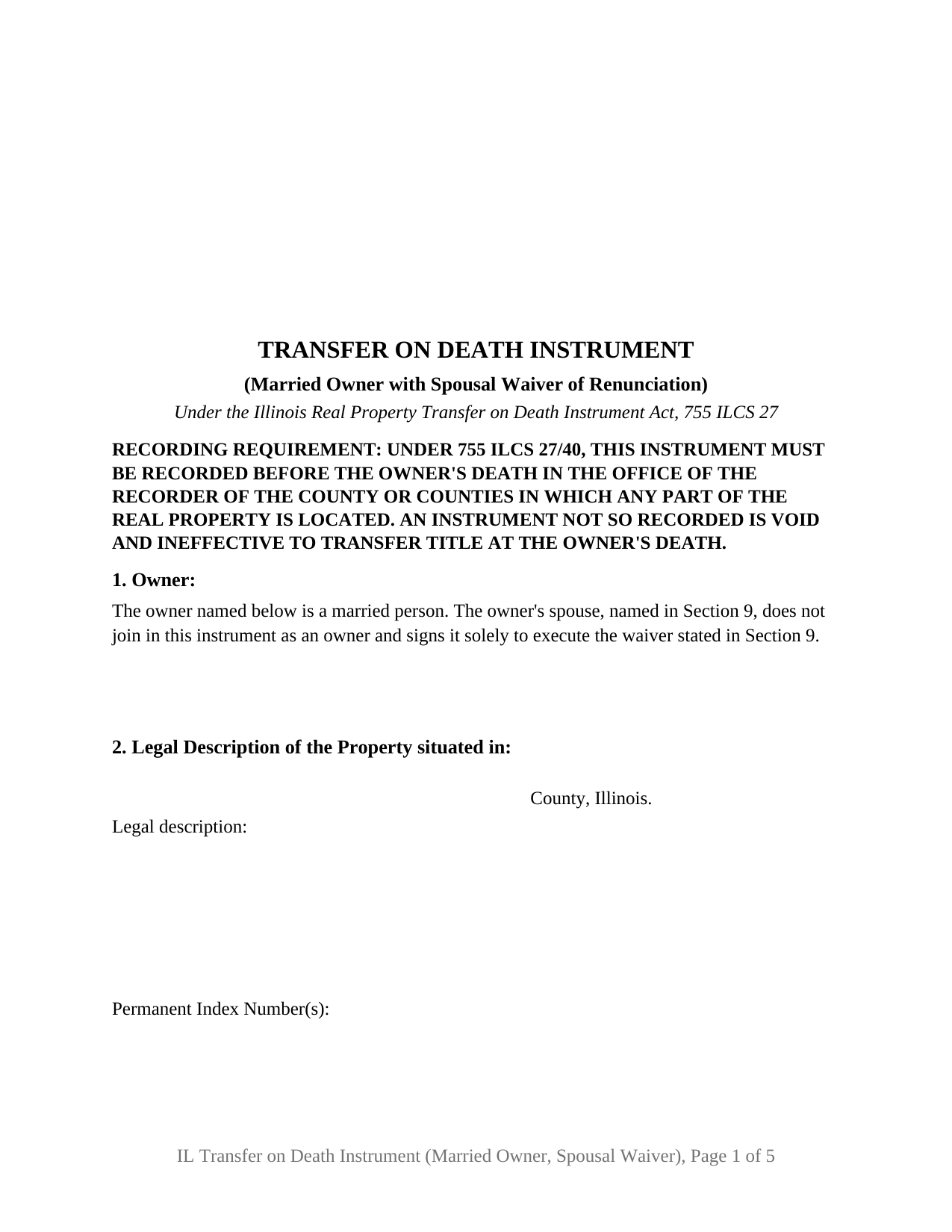
Richland County Transfer on Death Instrument (Married Owner with Spousal Waiver of Renunciation) Form
Fill in the blank Transfer on Death Instrument (Married Owner with Spousal Waiver of Renunciation) form formatted to comply with all Illinois recording and content requirements.
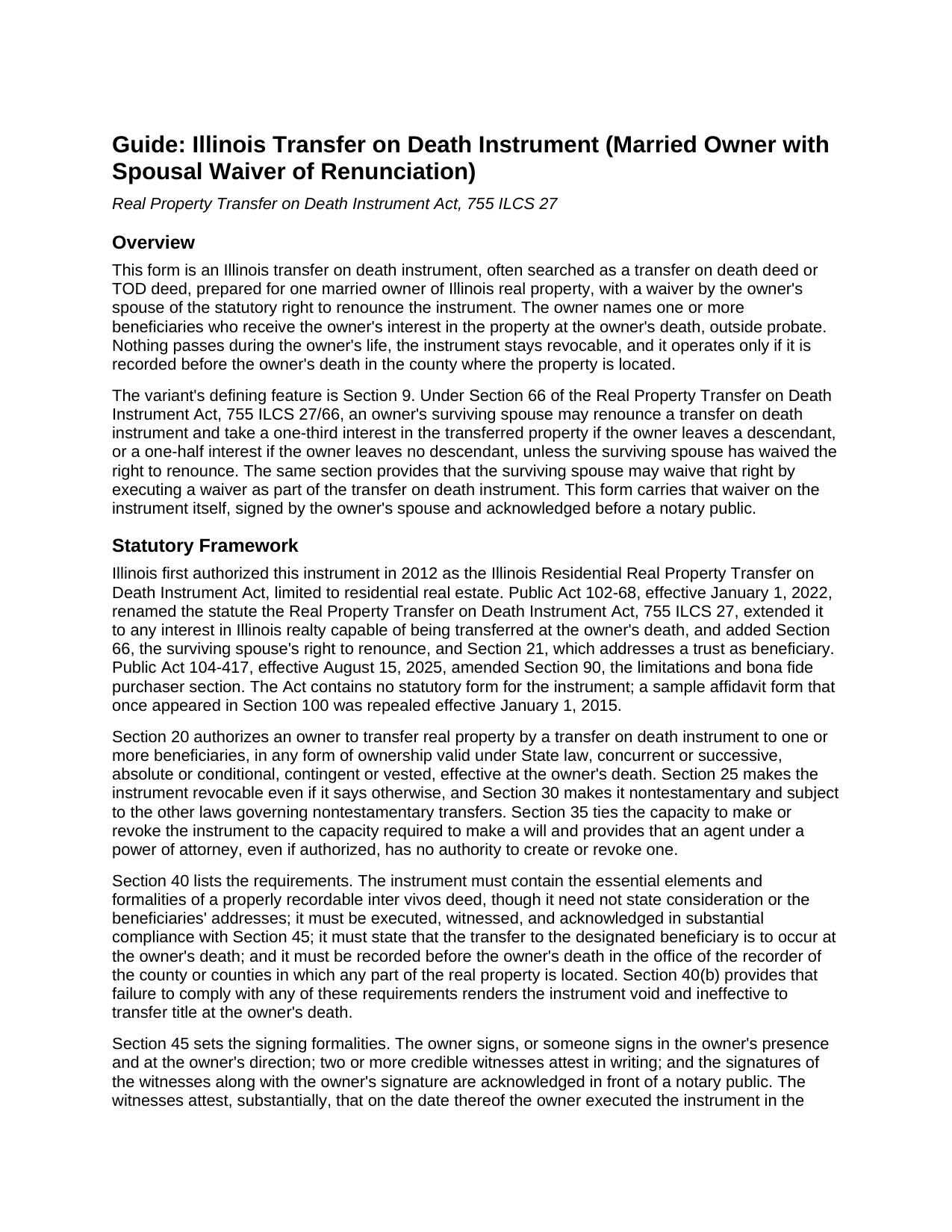
Richland County Transfer on Death Instrument (Married Owner with Spousal Waiver of Renunciation) Guide
Line by line guide explaining every blank on the Transfer on Death Instrument (Married Owner with Spousal Waiver of Renunciation) form.
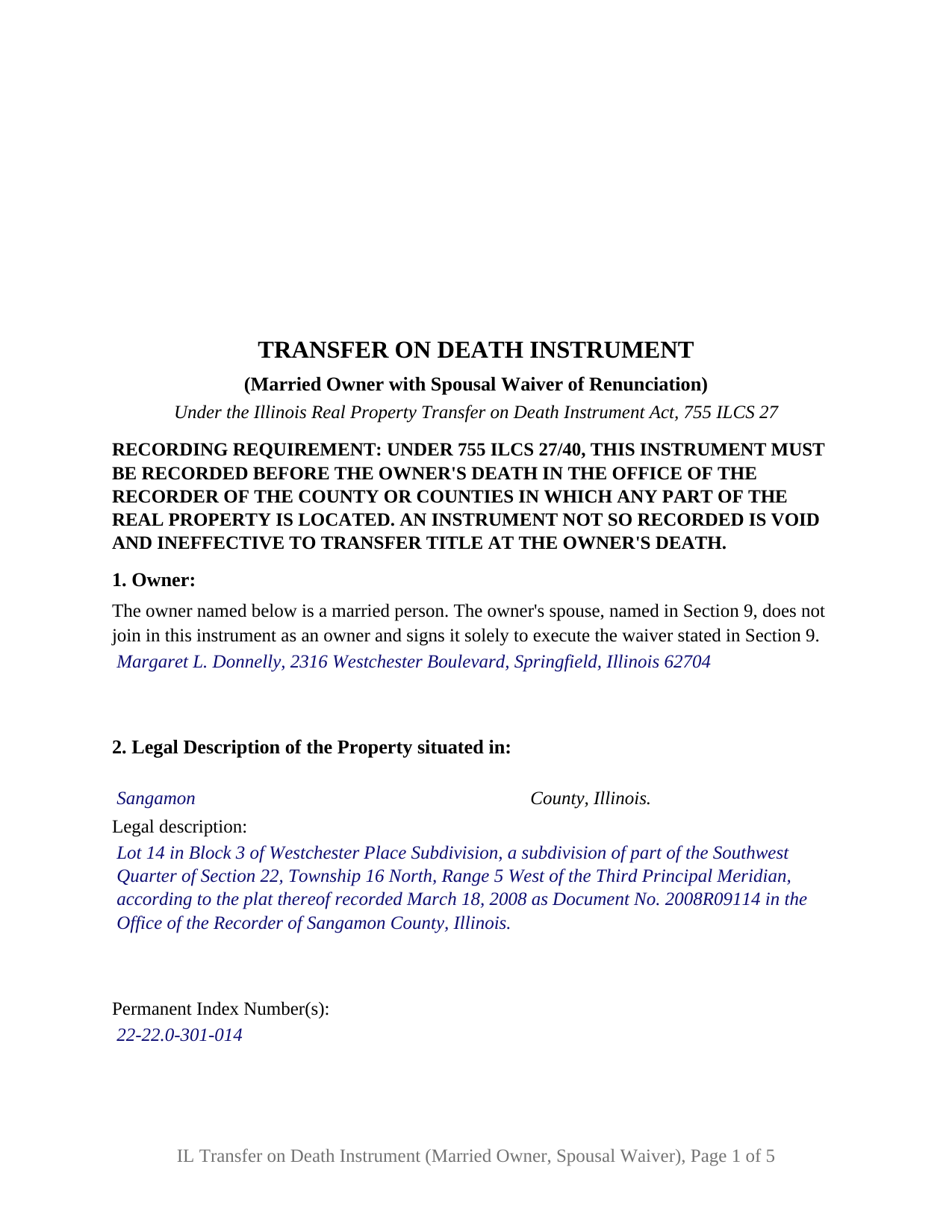
Richland County Completed Example of the Transfer on Death Instrument (Married Owner with Spousal Waiver of Renunciation) Document
Example of a properly completed Illinois Transfer on Death Instrument (Married Owner with Spousal Waiver of Renunciation) document for reference.
All 3 documents above included • One-time purchase • No recurring fees
Immediate Download • Secure Checkout
Additional Illinois and Richland County documents included at no extra charge:
Where to Record Your Documents
Richland County Clerk/Recorder
Olney, Illinois 62450
Hours: 8:00 to 4:00 Monday through Friday
Phone: (618) 392-3111
Recording Tips for Richland County:
- Bring your driver's license or state-issued photo ID
- Ensure all signatures are in blue or black ink
- Ask for certified copies if you need them for other transactions
- Ask if they accept credit cards - many offices are cash/check only
- Check that your notary's commission hasn't expired
Cities and Jurisdictions in Richland County
Properties in any of these areas use Richland County forms:
- Calhoun
- Claremont
- Dundas
- Noble
- Olney
- Parkersburg
Hours, fees, requirements, and more for Richland County
How do I get my forms?
Forms are available for immediate download after payment. The Richland County forms will be in your account ready to download to your computer. An account is created for you during checkout if you don't have one. Forms are NOT emailed.
Are these forms guaranteed to be recordable in Richland County?
Yes. Our form blanks are guaranteed to meet or exceed the applicable formatting requirements used for recording in Richland County, including margin requirements, font requirements, and other layout standards. This guarantee applies to formatting, not to the legal sufficiency of information entered by the user or the suitability of a form for a particular transaction.
Can I reuse these forms?
Yes. You can reuse the forms for your personal use. For example, if you have multiple properties in Richland County you only need to order once.
What do I need to use these forms?
The forms are PDFs that you fill out on your computer. The free Adobe Acrobat Reader is recommended, and most PDF apps also work. You do NOT enter your property information online - you download the blank forms and complete them privately on your own computer.
Are there any recurring fees?
No. This is a one-time purchase. Nothing to cancel, no memberships, no recurring fees.
How much does it cost to record in Richland County?
Recording fees in Richland County vary. Contact the recorder's office at (618) 392-3111 for current fees.
Questions answered? Let's get started!
This Illinois transfer on death instrument is prepared for one married owner and carries, on the instrument itself, the spouse's waiver of the statutory right to renounce. The owner names who receives the owner's interest in Illinois real property at death, outside probate; the waiver under Section 66 of the Real Property Transfer on Death Instrument Act, 755 ILCS 27, closes a door the Act otherwise leaves open to a surviving spouse.
The door a surviving spouse can open
Since January 1, 2022, Section 66 has let an owner's surviving spouse renounce a transfer on death instrument and take a one-third interest in the transferred property if the owner leaves a descendant, or a one-half interest if the owner leaves none, by filing a written renunciation with the county recorder within 7 months after the owner's death. A transfer on death deed, as the instrument is often called, that names children from an earlier marriage or anyone other than the spouse is exposed to that filing.
The same section supplies the answer: the surviving spouse may waive the right to renounce by executing a waiver as part of the transfer on death instrument. This form places that waiver in its own numbered section, with the spouse's name, the fixed waiver sentence citing Section 66, a spouse signature line, and a separate acknowledgment certificate, so the waiver is recorded with the instrument before the owner's death.
One owner, one spouse who signs only the waiver
The form recites exactly one owner, a married person, and states that the owner's spouse does not join as an owner and signs solely for the waiver. That is the pattern of an owner who holds the property in his or her own name, acquired before the marriage, inherited, or held with someone other than the spouse. Spouses who hold title together as joint tenants or tenants by the entirety present a two-owner pattern this form is not set up as; Section 70 governs instruments executed by joint owners.
During the owner's life nothing changes: under Section 60 the instrument does not affect the owner's right to sell, mortgage, or transfer the property and creates no interest in the beneficiary. At death the beneficiary takes subject to the liens and other matters then affecting the property, without covenant or warranty of title.
Two witnesses, two certificates
Under Section 45 the owner signs in the presence of two credible witnesses, the witnesses attest in writing that the owner signed in their presence as a free and voluntary act while of sound mind and memory, and the signatures of the owner and the witnesses are acknowledged before a notary public. The form prints the attestation in the statute's substance, two witness blocks, and one acknowledgment certificate for the owner and both witnesses. The spouse's waiver signature has its own certificate, and the spouse is never one of the two witnesses, so the interested-witness rule in Section 45(c) is not engaged by the spouse's signature.
Recording before death is the condition on everything else. Section 40 requires the instrument to be recorded, before the owner dies, in every county where any part of the property lies, and makes an unrecorded instrument void. The form reserves the recorder's 3 by 5 inch space on the first page, carries the preparer statement and return address the Counties Code requires, and prints the paragraph (e) transfer tax exemption notation Illinois recorders look for on an instrument given without consideration.
What the waiver reaches
The waiver reaches the Section 66 right to renounce and nothing more. It is not a homestead release, and it has no work to do where the instrument transfers the property to a trustee of a trust for the sole benefit of the surviving spouse, a transfer Section 66 already exempts from renunciation. The guide covers each point with its citation, along with Section 95, under which the instrument is prepared only by a licensed attorney while an owner's own preparation is preserved, the lapse and revocation rules, and the Section 75 notice of death affidavit, which is prepared separately and is not included in this package.
The package includes the fillable transfer on death instrument, a completed example filled in for a realistic Sangamon County fact pattern, and the guide that walks through every numbered section and the recording process. This description and the guide describe the form and the governing Illinois statutes in general terms; they are not legal advice.
Important: Your property must be located in Richland County to use these forms. Documents should be recorded at the county recording office listed above.
This Transfer on Death Instrument (Married Owner with Spousal Waiver of Renunciation) meets all recording requirements specific to Richland County.
Our Promise
The documents you receive here are guaranteed to meet or exceed the applicable Richland County recording format requirements. If there is a rejection caused by our formatting, we will correct the issue or refund your payment. This guarantee applies to document formatting only and does not extend to information entered by the user, the selection of the form, or the legal effect of the completed document.
Save Time and Money
Get your Richland County Transfer on Death Instrument (Married Owner with Spousal Waiver of Renunciation) form done right the first time with Deeds.com Uniform Conveyancing Blanks. At Deeds.com, we understand that your time and money are valuable resources, and we don't want you to face a penalty fee or rejection imposed by a county recorder for submitting nonstandard documents. We constantly review and update our forms to meet rapidly changing state and county recording requirements for roughly 3,500 counties and local jurisdictions.
4.8 out of 5 - ( 4,859 Reviews )
John H. 1 out of 5 stars
Re: Idaho Affidavit of Successor: Decedent's residence may be a state other than Idaho. Death certificate documnet# field is too small.
Thank you for your feedback. We have emailed you an amended document to address your specific needs outlined in your feedback, hope this helps. Have a wonderful day.
Rafael R. 5 out of 5 stars
This was my first time using Deed.com. It was easier than I expected. The service is more convenient than filing documents in person or by mail. The response from Deeds.com upon the submission of my order was almost instantaneous.
We appreciate your business and value your feedback. Thank you. Have a wonderful day!
Iryna D. 5 out of 5 stars
Exelent work!
We appreciate your business and value your feedback. Thank you. Have a wonderful day!
Charles W. 5 out of 5 stars
I was vey pleased with this service. It offered all of the necessary step by step information guides for completing the forms. Again, thank you!
We appreciate your business and value your feedback. Thank you. Have a wonderful day!
Thomas G. 1 out of 5 stars
Wasn’t what I expected
Sorry to hear that your expectations were missed. Your order has been canceled. We do hope that you find something more suitable to your expectations elsewhere. Do keep in mind that purchasing legal forms should not be an exploratory endeavor.
Kevin E. 5 out of 5 stars
Great app works very well thank you very much
Thank you!
Giuseppina M. 5 out of 5 stars
Fast, reliable excellent service
Your feedback is greatly appreciated. Thank you for taking the time to share your experience!
Robert B. 5 out of 5 stars
Very easy to use.
Thank you for your feedback. We really appreciate it. Have a great day!
Sherry C. 5 out of 5 stars
more than 5 stars really! best company to do business with. I was helped and got everything I needed, then helped again by this company when I asked for a refund. their response was our office took care of it and you got your refund! what kind of professional company is this! they are very helpful!
Your review means a lot to us. Thank you for taking the time.
Linda D. 3 out of 5 stars
It was easy to download the form I wanted BUT there were 2 other options listed for "open/download." I didn't want to risk more charges for something I couldn't determine I needed so I passed them up. There were a few others listed with the option to "view" so I did that, without down-loading, and there were no additional charges. I would've liked that opportunity for 2 others that didn't offer "view" so maybe deeds.com missed a sale?
Thank you for your feedback Linda. All the documents available for download in your account are included with your payment, no additional charges.
Robert O. 5 out of 5 stars
A very easy site to use and got the documents that I needed without any problems. Would highly recommend this site.
Thank you Robert, Have a great day!
John L. 5 out of 5 stars
In Colorado a Release of a Deed of Trust without the original note must be efiled - the Recorder said it had to be Simplifile or CSC Global neither of whom are designed to do a 1 off filing (you have to subscribe). Fortunately, I found Deeds.com - they were great. helped me work through a couple clerical issues and it is done. I am so happy and pleased. I would give them more stars if I could. I will spread the word among the realtors and title companies who couldn't help that there is a better option.
Thank you, John. We’re glad we could help get the Colorado release submitted and recorded. We appreciate the kind words and especially appreciate you spreading the word to others who may run into the same filing roadblocks.
Sue C. 5 out of 5 stars
Very helpful. Easy to use. Able to avoid the cost of having an attorney prepare the document I needed.
Your appreciative words mean the world to us. Thank you and we look forward to serving you again!
David M. 5 out of 5 stars
A real boon to those of us who are not attorneys but wish to protect our assets and avoid probate court issues. Thank you for a great service.
We appreciate your business and value your feedback. Thank you. Have a wonderful day!
Robin G. 5 out of 5 stars
Easy to navigate! Will use your services again!
Thank you!