Whitley County Quitclaim Deed (Corporation Grantor) Form
Last validated October 5, 2026 by our Forms Development TeamFormatted for recording in Whitley County, for property anywhere in the county: rural and unincorporated areas as well as Churubusco, Columbia City, Larwill, South Whitley.
- 3 documents included
- Immediate PDF download
- Formatting guarantee
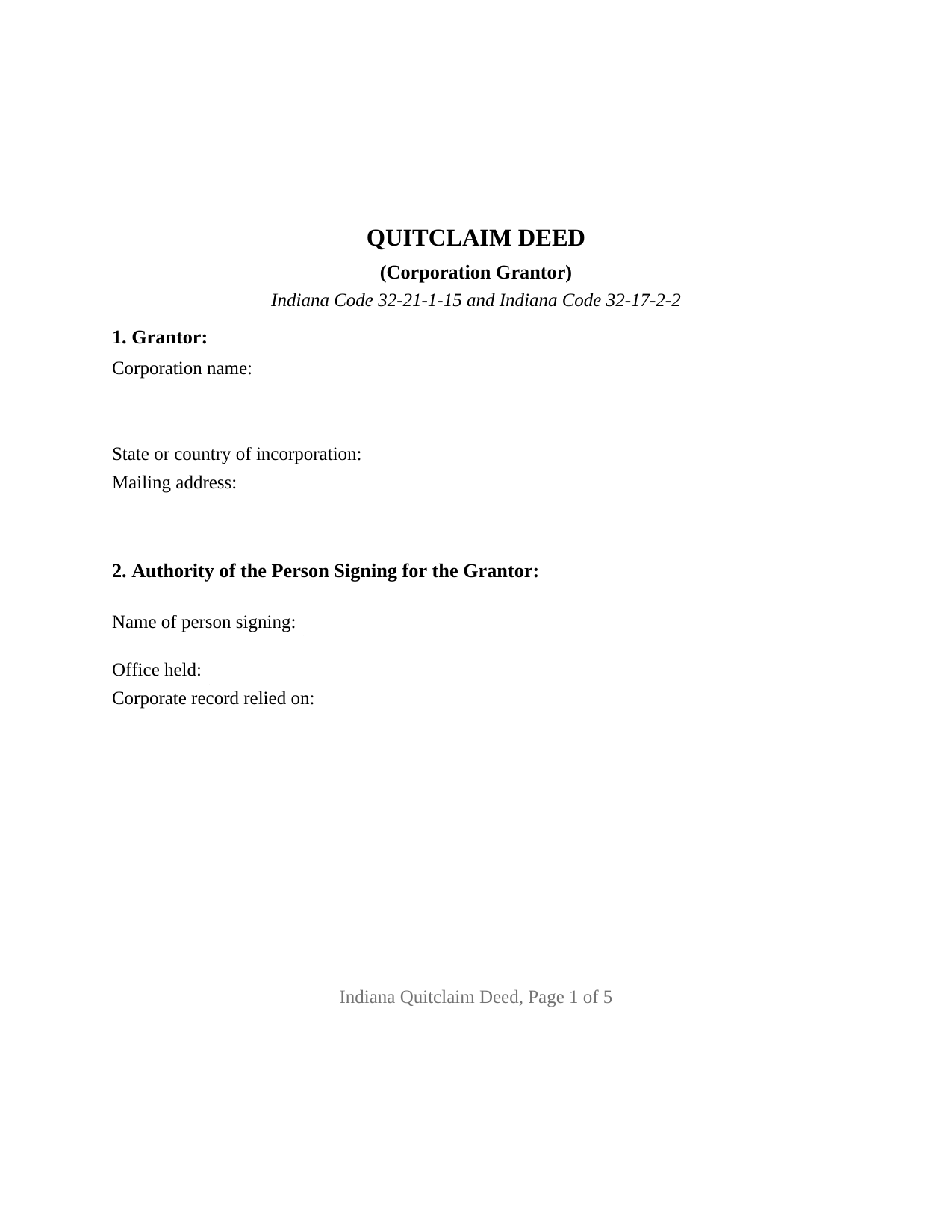
Whitley County Quitclaim Deed (Corporation Grantor) Form
Fill in the blank Quitclaim Deed (Corporation Grantor) form formatted to comply with all Indiana recording and content requirements.
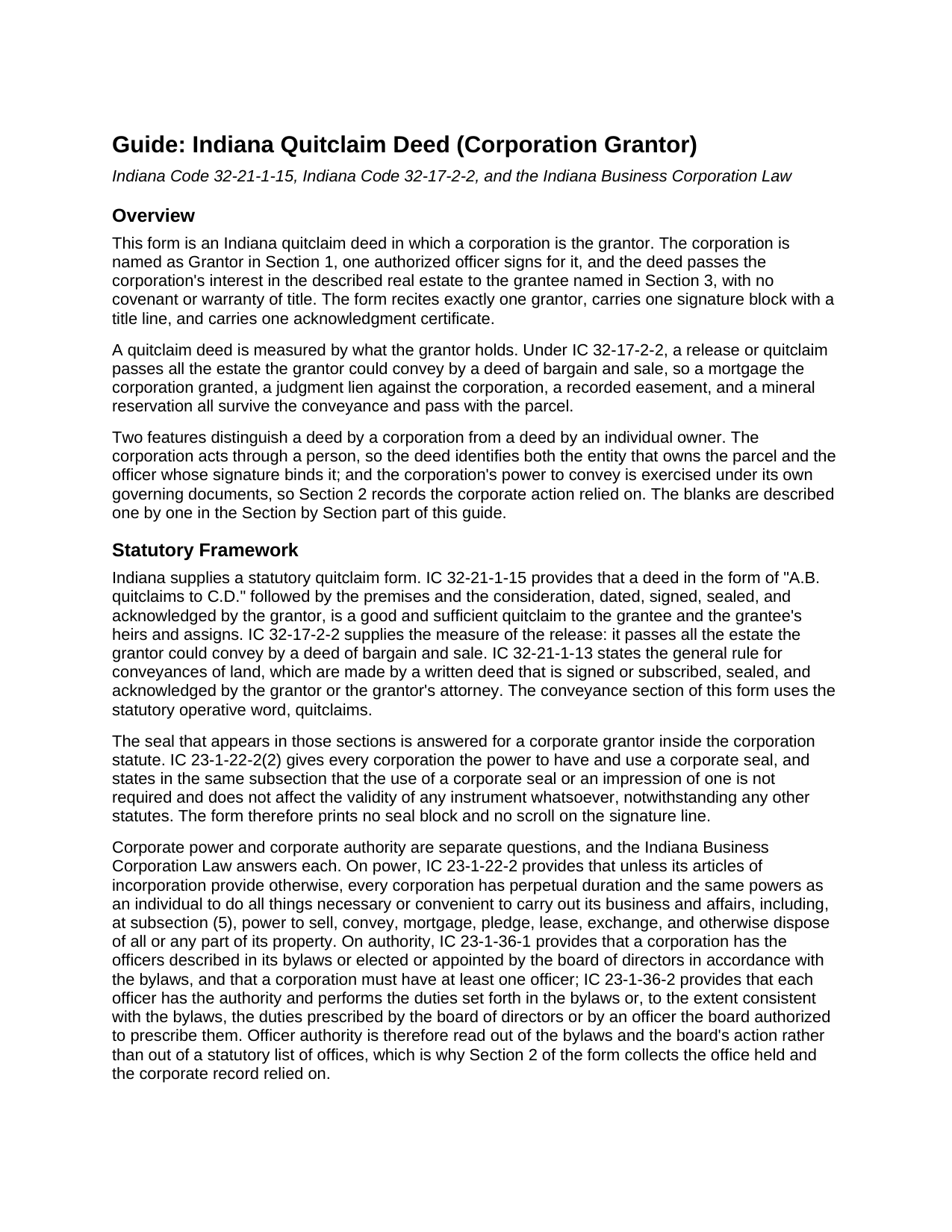
Whitley County Quitclaim Deed (Corporation Grantor) Guide
Line by line guide explaining every blank on the Quitclaim Deed (Corporation Grantor) form.
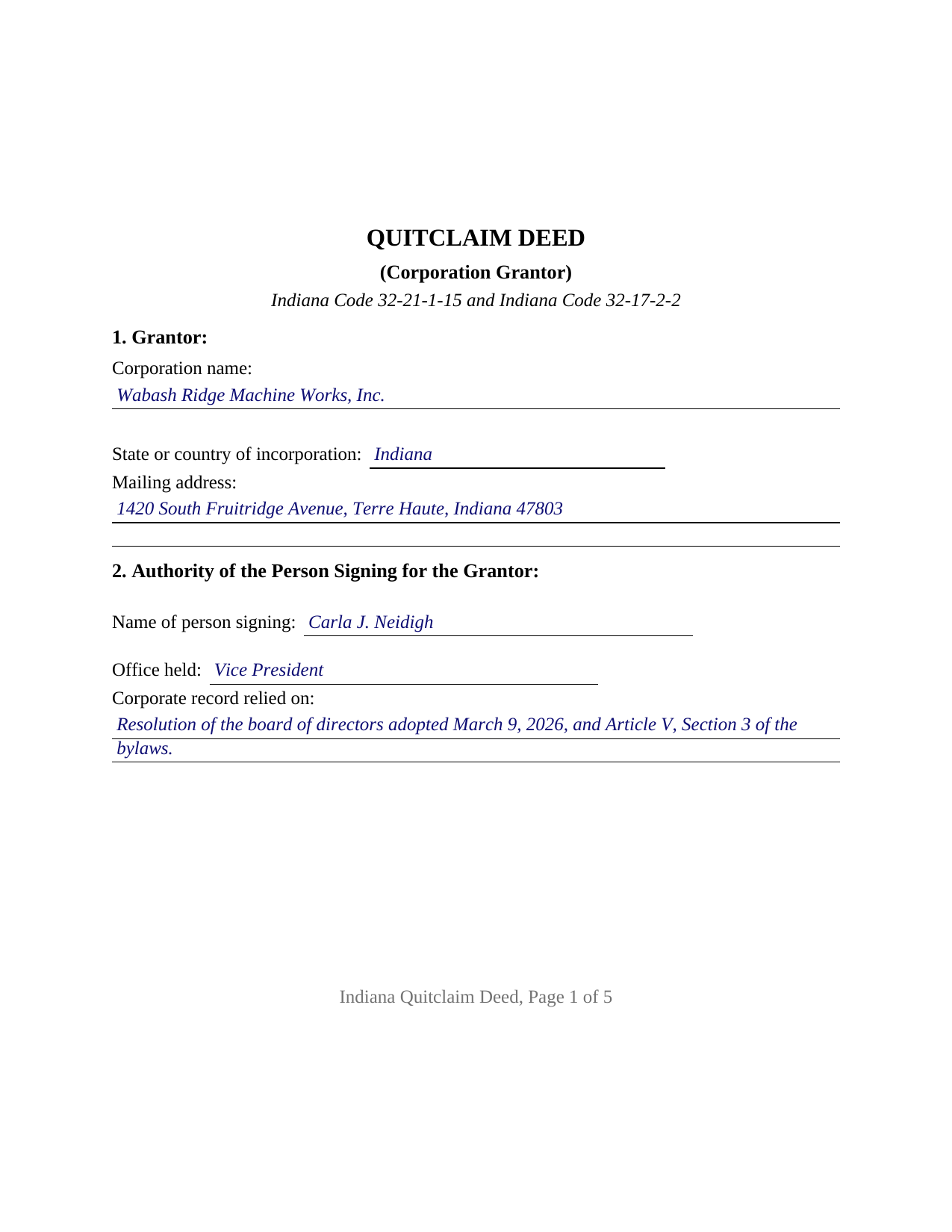
Whitley County Completed Example of the Quitclaim Deed (Corporation Grantor) Document
Example of a properly completed Indiana Quitclaim Deed (Corporation Grantor) document for reference.
All 3 documents above included • One-time purchase • No recurring fees
Immediate Download • Secure Checkout
Additional Indiana and Whitley County documents included at no extra charge:
Where to Record Your Documents
Whitley County Recorder
Columbia City, Indiana 46725
Hours: 8:00 to 4:30 Monday through Friday
Phone: (260) 248-3106
Recording Tips for Whitley County:
- Bring your driver's license or state-issued photo ID
- Ensure all signatures are in blue or black ink
- Recording fees may differ from what's posted online - verify current rates
- Request a receipt showing your recording numbers
- Ask about accepted payment methods when you call ahead
Cities and Jurisdictions in Whitley County
Properties in any of these areas use Whitley County forms:
- Churubusco
- Columbia City
- Larwill
- South Whitley
Hours, fees, requirements, and more for Whitley County
How do I get my forms?
Forms are available for immediate download after payment. The Whitley County forms will be in your account ready to download to your computer. An account is created for you during checkout if you don't have one. Forms are NOT emailed.
Are these forms guaranteed to be recordable in Whitley County?
Yes. Our form blanks are guaranteed to meet or exceed the applicable formatting requirements used for recording in Whitley County, including margin requirements, font requirements, and other layout standards. This guarantee applies to formatting, not to the legal sufficiency of information entered by the user or the suitability of a form for a particular transaction.
Can I reuse these forms?
Yes. You can reuse the forms for your personal use. For example, if you have multiple properties in Whitley County you only need to order once.
What do I need to use these forms?
The forms are PDFs that you fill out on your computer. The free Adobe Acrobat Reader is recommended, and most PDF apps also work. You do NOT enter your property information online - you download the blank forms and complete them privately on your own computer.
Are there any recurring fees?
No. This is a one-time purchase. Nothing to cancel, no memberships, no recurring fees.
How much does it cost to record in Whitley County?
Recording fees in Whitley County vary. Contact the recorder's office at (260) 248-3106 for current fees.
Questions answered? Let's get started!
A corporation owns Indiana real estate in its own name, and a deed moving it answers a question the record cannot: which officer may sign, and on what authority. This Indiana quitclaim deed is configured around that question. One corporation is named as Grantor, one officer executes it, and Section 2 states the office held and the corporate record relied on. The grantee takes the corporation's interest as the record leaves it, without warranty.
Power to Convey, and Authority to Sign
Indiana keeps those ideas apart. Power belongs to the entity: IC 23-1-22-2 gives every corporation, unless its articles of incorporation provide otherwise, power to sell, convey, and otherwise dispose of all or any part of its property. Authority belongs to the bylaws: IC 23-1-36-1 gives a corporation the officers its bylaws describe or the board of directors elects, and IC 23-1-36-2 gives each officer the authority those bylaws or the board prescribe. No Indiana statute names an office that automatically signs deeds, so Section 2 puts the office and the authorizing record on the deed itself.
The Shareholder Question Behind a Corporate Deed
A second layer sits above the signature. Under IC 23-1-41-1, shareholder approval is not required unless the articles of incorporation call for it. IC 23-1-41-2 reaches the other kind of disposition: one leaving the corporation without a significant continuing business activity, measured by a conclusive twenty five percent test. Selling one parcel while the business continues sits outside that section; deeding away the only substantial asset is what it reaches.
A Seal Indiana Stopped Asking For
IC 32-21-1-13 describes a conveyance of land as signed, sealed, and acknowledged, raising a question for an entity grantor. The corporation statute answers in the breath in which it grants the seal power: IC 23-1-22-2(2) provides that use of a corporate seal is not required and does not affect the validity of any instrument whatsoever. No seal line is printed here.
What a Corporate Quitclaim Carries
IC 32-21-1-15 builds the Indiana form on quitclaims, and IC 32-17-2-2 sets its reach at everything the signer could pass by a bargain and sale deed, so a mortgage the corporation granted, a docketed judgment, and an easement ride through. Along a corporate chain it has its own history. IC 23-1-40-6 vests the real estate of every corporation party to a merger in the survivor without reversion or impairment, so today's grantor may be a company that never appears in the deed bringing the parcel in. IC 23-1-45-5 runs the other way: dissolution does not transfer title, and a dissolved corporation stays in existence to wind up.
One Corporation, One Signature Block
The form recites exactly one Grantor, a corporation identified by name, state of incorporation, and mailing address. One signature block sits above the printed name line of IC 36-2-11-16(c), followed by a title line repeating the Section 2 office and one acknowledgment certificate. That certificate carries what IC 33-42-0.5-2 attaches to a signature made in a representative capacity: a declaration, before the notarial officer, of proper authority and of signing as the act of the entity identified in the record. Record patterns presenting this configuration include a corporation selling ground it no longer uses, one releasing its interest in a strip after a boundary agreement, and one deeding a parcel to a shareholder surrendering shares. A corporation formed elsewhere states its jurisdiction in Section 1, since IC 23-0.5-5-2 provides that failing to register here does not impair a foreign entity's act. It is not set up for title in two corporations, for a corporation holding with an individual, for a limited liability company or trustee, for individual owners, or for a deed under a power of attorney.
Three Desks Before the Record
Consideration sets the first stop, since a transfer for value is a conveyance under IC 6-1.1-5.5 that sends a sales disclosure form to the county assessor. The auditor's taxation endorsement under IC 36-2-11-14 follows, and the recorder takes the deed on the flat fee of IC 36-2-7-10, with no Indiana transfer tax.
The purchase delivers three files: the fillable Indiana quitclaim deed for a corporation grantor, built to the state recording format; a completed example in which an Indiana corporation conveys a Terre Haute parcel recorded in Vigo County; and a guide covering every entry, the certificate, and filing steps. A board resolution or written consent stays in the corporation's records, prepared outside this package. These pages are informational and describe Indiana law generally; they are not legal advice.
Important: Your property must be located in Whitley County to use these forms. Documents should be recorded at the county recording office listed above.
This Quitclaim Deed (Corporation Grantor) meets all recording requirements specific to Whitley County.
Our Promise
The documents you receive here are guaranteed to meet or exceed the applicable Whitley County recording format requirements. If there is a rejection caused by our formatting, we will correct the issue or refund your payment. This guarantee applies to document formatting only and does not extend to information entered by the user, the selection of the form, or the legal effect of the completed document.
Save Time and Money
Get your Whitley County Quitclaim Deed (Corporation Grantor) form done right the first time with Deeds.com Uniform Conveyancing Blanks. At Deeds.com, we understand that your time and money are valuable resources, and we don't want you to face a penalty fee or rejection imposed by a county recorder for submitting nonstandard documents. We constantly review and update our forms to meet rapidly changing state and county recording requirements for roughly 3,500 counties and local jurisdictions.
4.8 out of 5 - ( 4,819 Reviews )
LeAnne B. 5 out of 5 stars
Using Deeds.com was the best decision I made when completing new deeds for a minor subdivision on my property. It was affordable and questions were answered in a timely fashion. No fuss, no muss, just got the job done.
Thanks for your feedback. We’re glad we could help.
Audrey T. 4 out of 5 stars
The info was good for the money, but not all that I needed.
Thank you for your feedback. We really appreciate it. Have a great day!
Joseph B. 1 out of 5 stars
Multiple attempts to straight answers to very simple straight forward questions about why my submission is not being accepted have gone unanswered. It's been two days and no answer that solves my problem.
Sorry we were unable to assist you Joseph. We do hope that you find something more suitable to your needs elsewhere. Have a wonderful day.
James S. 5 out of 5 stars
unbelievable Deeds Rocks Start to finish 2=Day Recommended by Coconino County Recorders office in Arizona there were incomplete sections. I would correct and resubmit . All done Yeah!!!!!!
Thank you for your feedback. We really appreciate it. Have a great day!
John T. 5 out of 5 stars
Great site, I was able to navigate with ease. We appreciate all those who contributed in making this possible
Thank you!
Deborah P. 5 out of 5 stars
Very good information. Easy access and easy to download. All the forms needed for TOD to be notarized and recorded with the county office. Much better than working with a Trust and the expense of lawyers, especially when several parties are involved and the owner of said property knows exactly to whom the property should go. Having forms and instructions available for the public to have their wishes recorded and confirmed makes handling final planning much easier and prevents family members from having the unnecessary task of going through court to solve property distribution issues. Thank you for this site and the forms you provide. I will recommend Deeds.com to those I know who are making final plans.
We appreciate your business and value your feedback. Thank you. Have a wonderful day!
Terry S. 4 out of 5 stars
I was very happy with the document package that I purchased. It contained all of the necessary documents and a few extras I had not thought about. Perhaps if you provided a link to download all of the documents with one click, it would make it a little easier.
Thank you for your feedback. We really appreciate it. Have a great day!
Kayreen B. 5 out of 5 stars
Very happy with my experience with using Deeds.com! Especially easy to use with the sample page of what a form looks like filled out. saved a lot of money and it worked!
We appreciate your business and value your feedback. Thank you. Have a wonderful day!
Virginia M. 5 out of 5 stars
This was the easiest web page ive ever navigated .Found just what i needed fast !
Thank you!
Teri A S. 5 out of 5 stars
Received the quit claim form as ordered. Seemed clear and concise, easy to follow instructions and the completed example was helpful.
Thank you Teri, have a great day!
Stephanie S. 5 out of 5 stars
I received my information almost immediately. I read a few more things on the website and then refreshed and it was there! SO much easier than having to go to the office myself - thanks!!
Thank you!
Michael M. 5 out of 5 stars
This company gets it right! All the forms you need for your jurisdiction along with guides, and more
Thank you for your feedback. We really appreciate it. Have a great day!
DAVID W. 5 out of 5 stars
Very easy to work with. A lot less money than a lawyer.
Thank you for your kind words and for choosing us.
James B. 5 out of 5 stars
Does everything I expected it to do. Very helpful. It is in compliance with applicable Nevada State regulations
Thank you for your feedback. We really appreciate it. Have a great day!
JD S. 5 out of 5 stars
I used Deeds.com recently. They were quick and got the job done quickly. Their online portal was extremely easy to use. I will definitely use them again.
Thank you!