Monroe County Quitclaim Deed (LLC Grantor) Form
Last validated October 26, 2026 by our Forms Development TeamFormatted for recording in Monroe County, for property anywhere in the county: rural and unincorporated areas as well as Bloomington, Clear Creek, Ellettsville, Harrodsburg, Smithville, Stanford, Stinesville, Unionville.
- 3 documents included
- Immediate PDF download
- Formatting guarantee
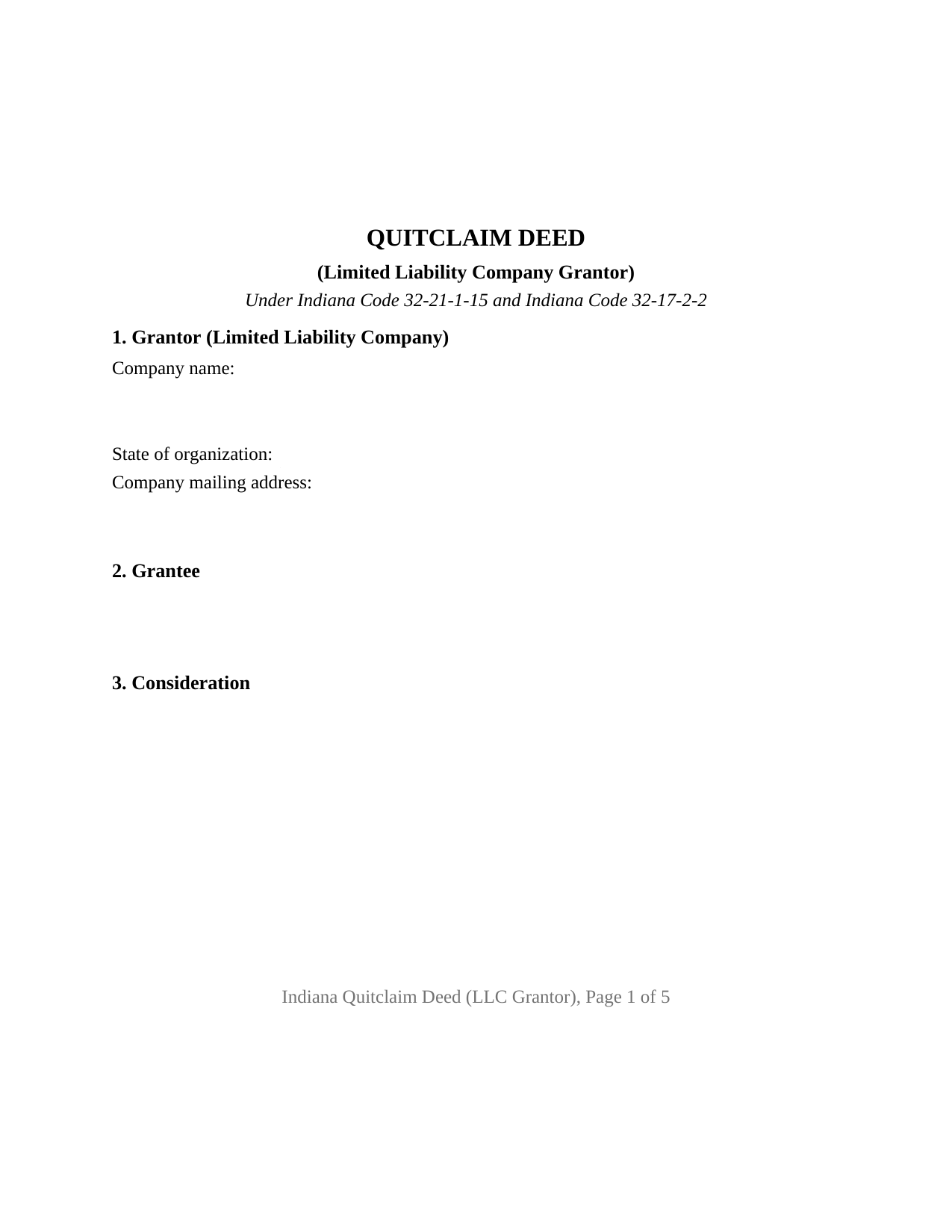
Monroe County Quitclaim Deed (LLC Grantor) Form
Fill in the blank Quitclaim Deed (LLC Grantor) form formatted to comply with all Indiana recording and content requirements.
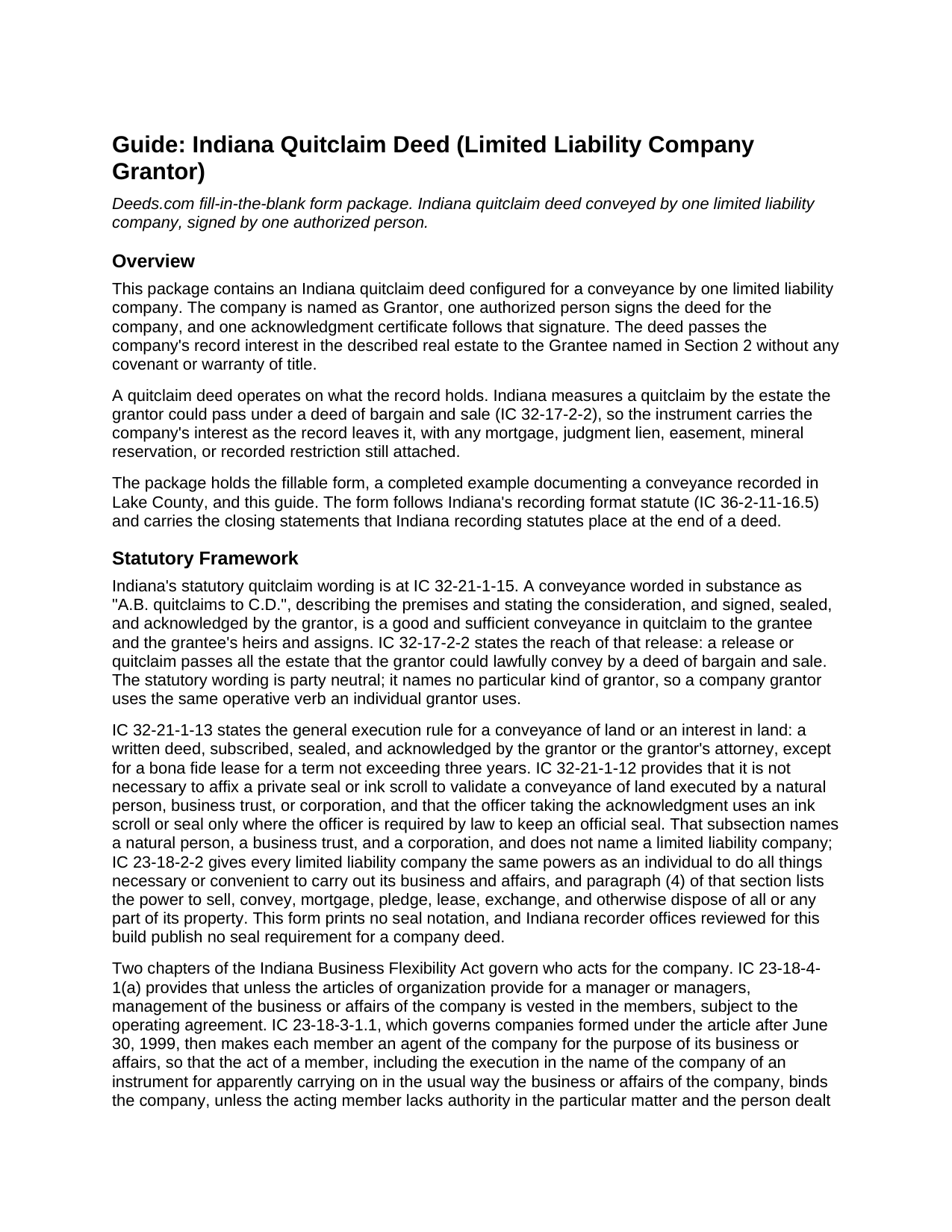
Monroe County Quitclaim Deed (LLC Grantor) Guide
Line by line guide explaining every blank on the Quitclaim Deed (LLC Grantor) form.
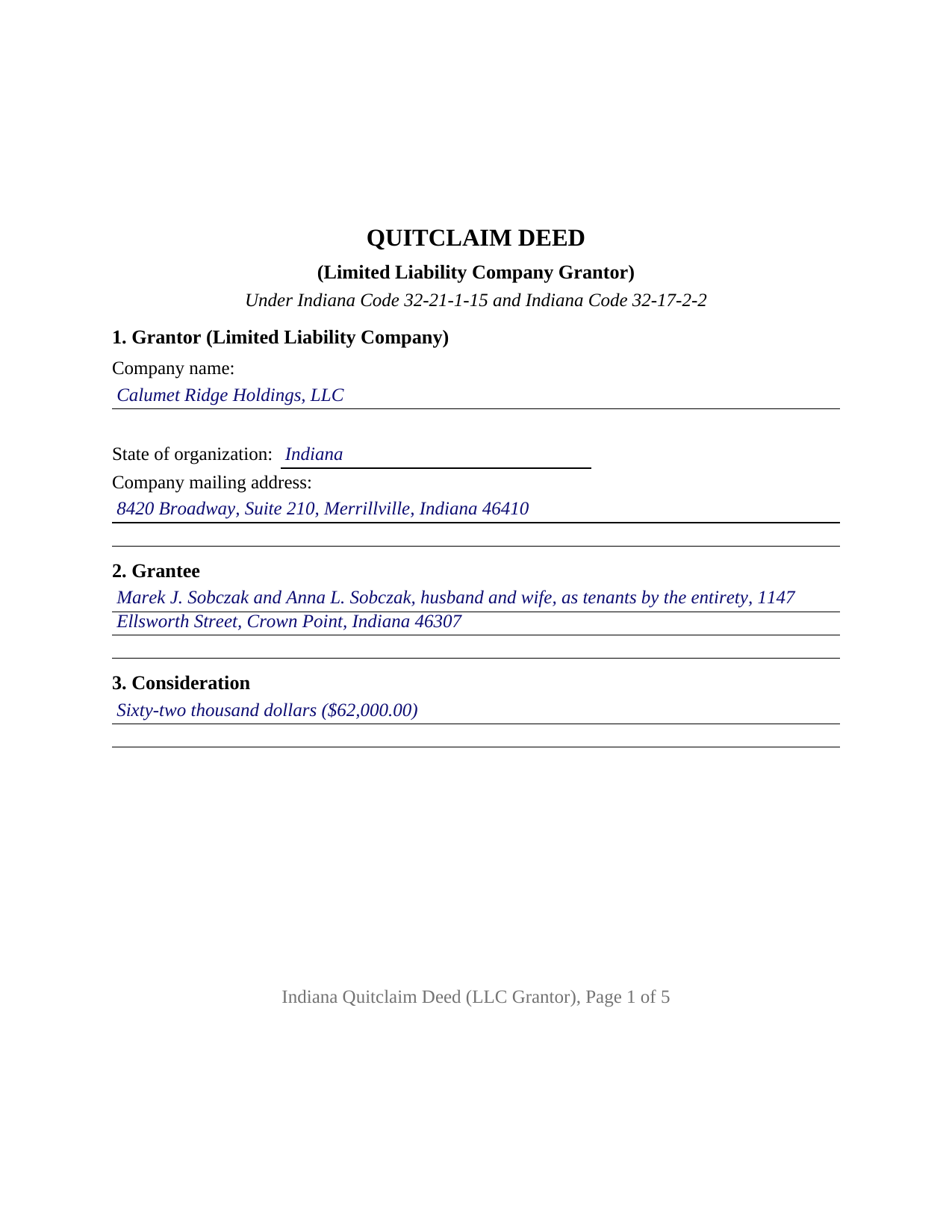
Monroe County Completed Example of the Quitclaim Deed (LLC Grantor) Document
Example of a properly completed Indiana Quitclaim Deed (LLC Grantor) document for reference.
All 3 documents above included • One-time purchase • No recurring fees
Immediate Download • Secure Checkout
Additional Indiana and Monroe County documents included at no extra charge:
Where to Record Your Documents
Monroe County Recorder
Bloomington, Indiana 47404 /47402
Hours: 8:00 to 4:00 Monday through Friday
Phone: (812) 349-2520
Recording Tips for Monroe County:
- Bring your driver's license or state-issued photo ID
- Ensure all signatures are in blue or black ink
- Both spouses typically need to sign if property is jointly owned
- Bring extra funds - fees can vary by document type and page count
- Check margin requirements - usually 1-2 inches at top
Cities and Jurisdictions in Monroe County
Properties in any of these areas use Monroe County forms:
- Bloomington
- Clear Creek
- Ellettsville
- Harrodsburg
- Smithville
- Stanford
- Stinesville
- Unionville
Hours, fees, requirements, and more for Monroe County
How do I get my forms?
Forms are available for immediate download after payment. The Monroe County forms will be in your account ready to download to your computer. An account is created for you during checkout if you don't have one. Forms are NOT emailed.
Are these forms guaranteed to be recordable in Monroe County?
Yes. Our form blanks are guaranteed to meet or exceed the applicable formatting requirements used for recording in Monroe County, including margin requirements, font requirements, and other layout standards. This guarantee applies to formatting, not to the legal sufficiency of information entered by the user or the suitability of a form for a particular transaction.
Can I reuse these forms?
Yes. You can reuse the forms for your personal use. For example, if you have multiple properties in Monroe County you only need to order once.
What do I need to use these forms?
The forms are PDFs that you fill out on your computer. The free Adobe Acrobat Reader is recommended, and most PDF apps also work. You do NOT enter your property information online - you download the blank forms and complete them privately on your own computer.
Are there any recurring fees?
No. This is a one-time purchase. Nothing to cancel, no memberships, no recurring fees.
How much does it cost to record in Monroe County?
Recording fees in Monroe County vary. Contact the recorder's office at (812) 349-2520 for current fees.
Questions answered? Let's get started!
An Indiana limited liability company holds real estate in its own name and cannot sign its own name. This quitclaim deed is configured for that split: the company is named as Grantor, one authorized person signs the deed for it, and the instrument states the capacity that person signs in. What reaches the grantee is the company's record interest in the parcel, carrying no warranty of title.
Who Signs for an Indiana LLC
Indiana answers the signing question in the Business Flexibility Act, and the answer turns on the articles of organization: IC 23-18-4-1 vests management in the members unless the articles provide for a manager or managers. IC 23-18-3-1.1 then makes each member an agent of a member managed company, so that an instrument executed in the company name in the usual course of its business binds the company; where the articles name managers, a member acting solely as a member is not an agent and each manager is. IC 23-18-3-2.5 gives an officer under a written operating agreement that same agent status. Section 6 collects the signer's capacity and the company record or action relied on, so the deed shows the source of authority on its face.
What the Company Passes
The operative verb is the statutory one. IC 32-21-1-15 builds Indiana's quitclaim wording on quitclaims, and IC 32-17-2-2 fixes the reach at whatever estate the signer could pass under a deed of bargain and sale. For a company grantor that measure is the parcel as the company's own chain leaves it: a mortgage the company gave, a judgment against the company, a recorded easement, or a mineral reservation all survive it. The power exercised is statutory too: IC 23-18-2-2 lists the company power to sell, convey, and otherwise dispose of its property. What the form prints is the statutory wording a search for an Indiana quit claim deed for an LLC describes.
An Acknowledgment Taken in a Representative Capacity
Indiana defines what the notarial officer takes from a signer acting for someone else. Under IC 33-42-0.5-2, where a record is signed in a representative capacity, the acknowledgment is that individual's declaration before the officer that the individual signed with proper authority and signed the record as the act of the entity identified in it. The certificate in this form carries that substance, with a by-line for the signer's name and company capacity, and it collects the county of commission that IC 33-42-9-12 makes certificate content.
One Company, One Signature Block
The form recites exactly one Grantor, a limited liability company identified by name, state of organization, and mailing address, with one signature block above the printed name line of IC 36-2-11-16(c), a title line matching Section 6, and one acknowledgment certificate. The deed states that the person signing signs for the Grantor and not individually. Record patterns presenting this configuration include a company releasing a rental parcel to a buyer, a company distributing a parcel to its member while winding up, and a transfer to a related entity. The form is not set up for record title standing in two companies, for a company and an individual holding together, for individual owners of record, or for a conveyance out of a trust. Marriage never reaches a deed like this one, because the record owner is the company: Indiana abolished dower and curtesy (IC 29-1-2-11), and the entireties presumption of IC 32-17-3-1 arises from a conveyance made to spouses.
The Filing Route a Company Deed Takes
Consideration decides the first stop. IC 6-1.1-5.5-1 treats a transfer of a real property interest for valuable consideration as a conveyance, so a company sale carries a sales disclosure form to the county assessor while a distribution made for nothing does not. The auditor's taxation endorsement under IC 36-2-11-14 comes next, the recorder takes the deed on the flat statewide charge of IC 36-2-7-10, and Indiana adds no transfer tax. Recording in the county holding the land fixes the grantee's priority under IC 32-21-4-1.
What the Download Contains
Three items arrive with the purchase: the fillable Indiana LLC quitclaim deed built to the state recording format, a completed example in which an Indiana company conveys a Crown Point lot recorded in Lake County, and a guide covering every entry, the notarial certificate, and the county filing steps. A members' consent or managers' resolution stays in the company's records and is prepared separately, outside this package. These pages describe Indiana law in general terms and are informational; they are not legal advice.
Important: Your property must be located in Monroe County to use these forms. Documents should be recorded at the county recording office listed above.
This Quitclaim Deed (LLC Grantor) meets all recording requirements specific to Monroe County.
Our Promise
The documents you receive here are guaranteed to meet or exceed the applicable Monroe County recording format requirements. If there is a rejection caused by our formatting, we will correct the issue or refund your payment. This guarantee applies to document formatting only and does not extend to information entered by the user, the selection of the form, or the legal effect of the completed document.
Save Time and Money
Get your Monroe County Quitclaim Deed (LLC Grantor) form done right the first time with Deeds.com Uniform Conveyancing Blanks. At Deeds.com, we understand that your time and money are valuable resources, and we don't want you to face a penalty fee or rejection imposed by a county recorder for submitting nonstandard documents. We constantly review and update our forms to meet rapidly changing state and county recording requirements for roughly 3,500 counties and local jurisdictions.
4.8 out of 5 - ( 4,839 Reviews )
Christine M. 5 out of 5 stars
Forms were top notch, easy to complete, printed beautifully, recorded with no revisions. Highly recommend for anyone preparing their own deeds.
Thank you for the kind words Christine. Have an amazing day!
Nancy J. 5 out of 5 stars
It is helpful that an example of filled out form is included.
We appreciate your business and value your feedback. Thank you. Have a wonderful day!
Gordon W. 5 out of 5 stars
Nice forms but it sure would have been nice to be able to at least print the guide and the example so that I don't spend all of my time bouncing back and forth between windows on a laptop.
Thank you for your feedback. We really appreciate it. Have a great day!
Anita A. 5 out of 5 stars
No review provided.
Thank you!
Donaldo C. 5 out of 5 stars
Deeds.com is very helpful when filling a Deed. I appreciate that. Thank you.
Thank you!
Tony R. 5 out of 5 stars
As advertised. Thanks.
We appreciate your business and value your feedback. Thank you. Have a wonderful day!
Gerlinde H. 5 out of 5 stars
This was fantastic. I downloaded the document, filled it out, printed it, had it notarized and drove to the recorders office and had it recorded within less than 15 minutes. Instructions are precise and easy to understand. You saved me hundreds of dollars a lawyer would have charged for the same work.
We appreciate your business and value your feedback. Thank you. Have a wonderful day!
Susann T. 5 out of 5 stars
I have been very happy with the prompt assistance that I have received from deeds.com! How refreshing this is when so often good customer service seems rare these days!
Thank you for your feedback. We really appreciate it. Have a great day!
Karen L. 4 out of 5 stars
Good service could give a little more detail on where to location some of the information needed. Overall fairly simply to use.
Thank you for your feedback. We really appreciate it. Have a great day!
Will O. 5 out of 5 stars
Saved me so much time and $!!
Thank you!
Nick A. 5 out of 5 stars
Easy to use website. Found what I was looking for.
Thank you for your feedback. We really appreciate it. Have a great day!
Paula M. 5 out of 5 stars
So far it seems good. I am still trying to send information to this company so they can help me with the deed.
Thank you for your feedback. We really appreciate it. Have a great day!
Narcedalia G. 5 out of 5 stars
Easy to use quick responses with accurate information and great customer service. No need to say more!
Your feedback is greatly appreciated. Thank you for taking the time to share your experience!
Debby P. 5 out of 5 stars
First time user and the service was great.. I typically go to recording kiosk at the libraries. This was fast and easy.. I appreciate the great service
Thank you for your feedback. We really appreciate it. Have a great day!
Jeffrey L. 5 out of 5 stars
I like using Deeds.com for all of our out-of-state deeds because they make the process almost completely hassle free for us and our clients. I am confident that the service they provide for us is the absolute best anywhere. Because of Deeds.com, we look great to our clients and our people enjoy a level of trust that other firms do not offer them.
Thank you for your feedback. We really appreciate it. Have a great day!