Howard County Quitclaim Deed (Married Grantor with Non-Owner Spouse Joinder) Form
Last validated November 2, 2026 by our Forms Development TeamFormatted for recording in Howard County, for property anywhere in the county: rural and unincorporated areas as well as Greentown, Hemlock, Kokomo, Oakford, Russiaville, West Middleton.
- 3 documents included
- Immediate PDF download
- Formatting guarantee
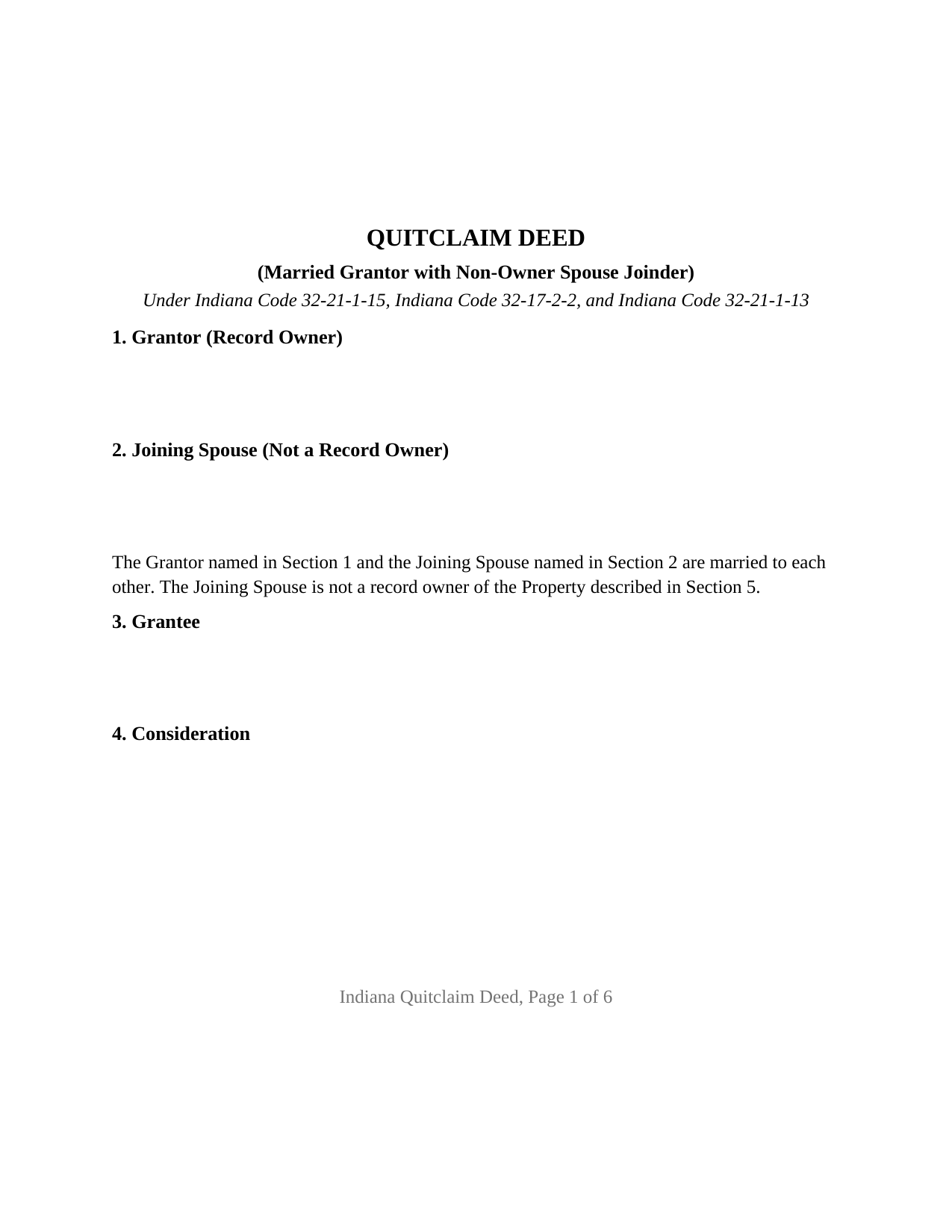
Howard County Quitclaim Deed (Married Grantor with Non-Owner Spouse Joinder) Form
Fill in the blank Quitclaim Deed (Married Grantor with Non-Owner Spouse Joinder) form formatted to comply with all Indiana recording and content requirements.
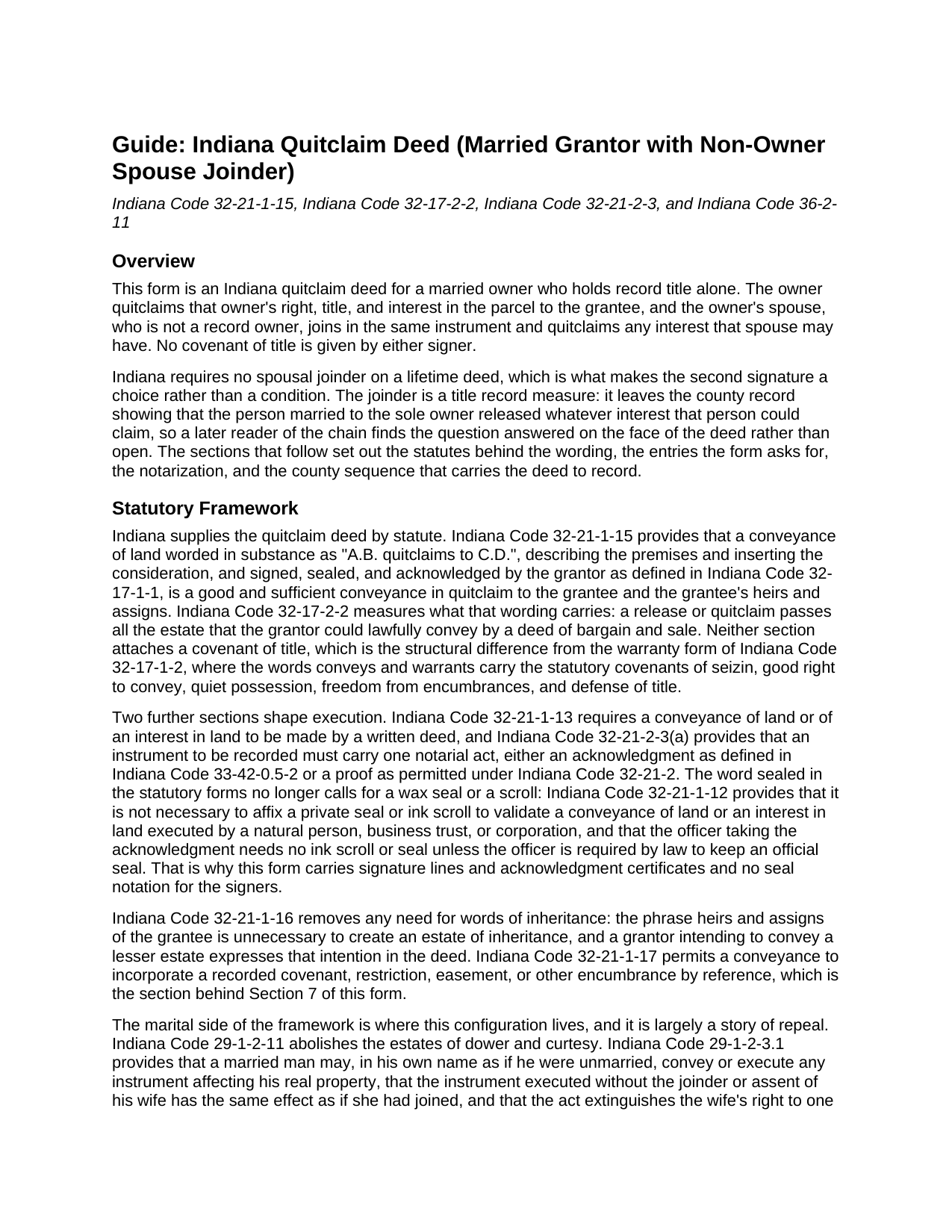
Howard County Quitclaim Deed (Married Grantor with Non-Owner Spouse Joinder) Guide
Line by line guide explaining every blank on the Quitclaim Deed (Married Grantor with Non-Owner Spouse Joinder) form.
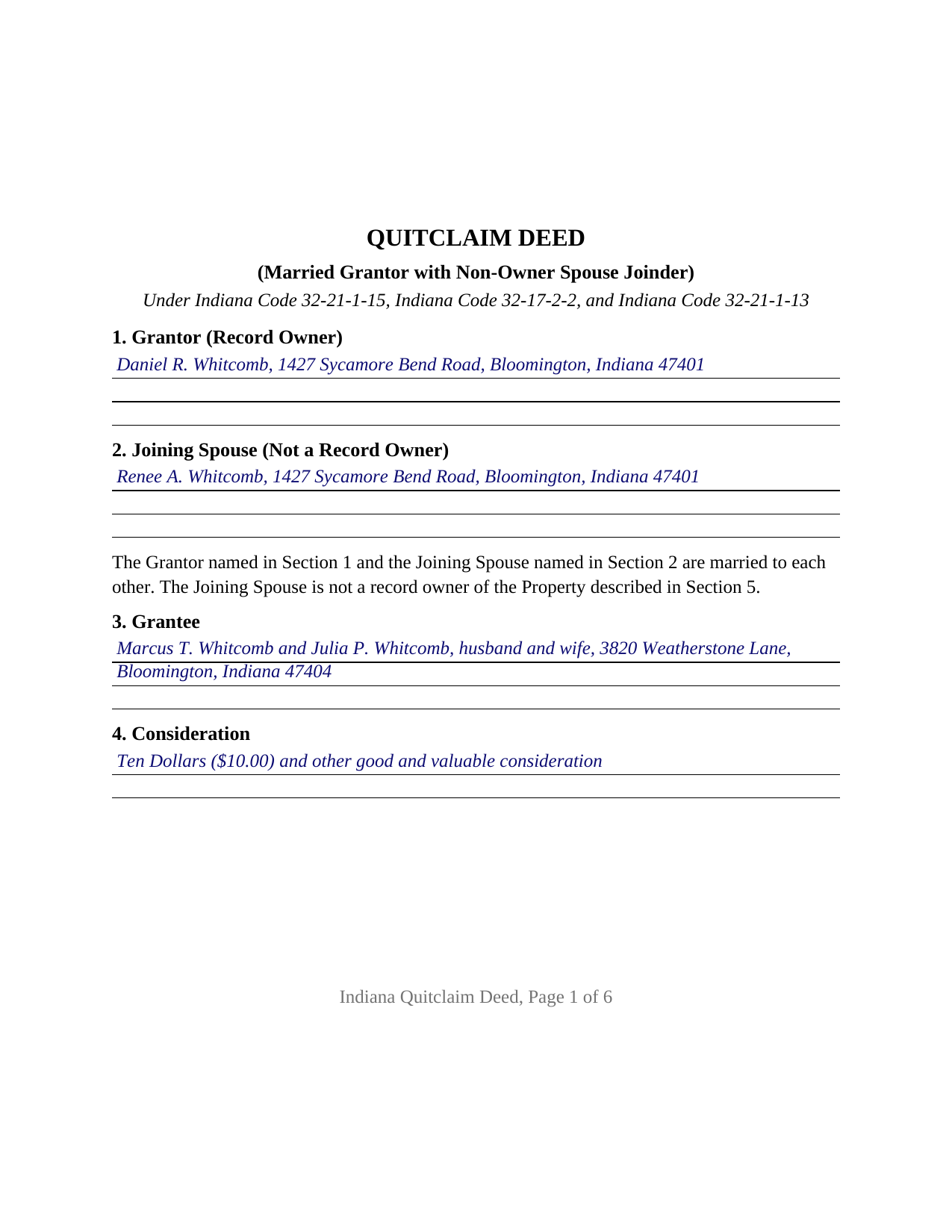
Howard County Completed Example of the Quitclaim Deed (Married Grantor with Non-Owner Spouse Joinder) Document
Example of a properly completed Indiana Quitclaim Deed (Married Grantor with Non-Owner Spouse Joinder) document for reference.
All 3 documents above included • One-time purchase • No recurring fees
Immediate Download • Secure Checkout
Additional Indiana and Howard County documents included at no extra charge:
Where to Record Your Documents
Howard County Recorder
Kokomo, Indiana 46901
Hours: Monday - Friday 8:00 AM - 4:00 PM
Phone: (765) 456-2210
Recording Tips for Howard County:
- Bring your driver's license or state-issued photo ID
- Ensure all signatures are in blue or black ink
- Ask about accepted payment methods when you call ahead
- Ask for certified copies if you need them for other transactions
- Ask if they accept credit cards - many offices are cash/check only
Cities and Jurisdictions in Howard County
Properties in any of these areas use Howard County forms:
- Greentown
- Hemlock
- Kokomo
- Oakford
- Russiaville
- West Middleton
Hours, fees, requirements, and more for Howard County
How do I get my forms?
Forms are available for immediate download after payment. The Howard County forms will be in your account ready to download to your computer. An account is created for you during checkout if you don't have one. Forms are NOT emailed.
Are these forms guaranteed to be recordable in Howard County?
Yes. Our form blanks are guaranteed to meet or exceed the applicable formatting requirements used for recording in Howard County, including margin requirements, font requirements, and other layout standards. This guarantee applies to formatting, not to the legal sufficiency of information entered by the user or the suitability of a form for a particular transaction.
Can I reuse these forms?
Yes. You can reuse the forms for your personal use. For example, if you have multiple properties in Howard County you only need to order once.
What do I need to use these forms?
The forms are PDFs that you fill out on your computer. The free Adobe Acrobat Reader is recommended, and most PDF apps also work. You do NOT enter your property information online - you download the blank forms and complete them privately on your own computer.
Are there any recurring fees?
No. This is a one-time purchase. Nothing to cancel, no memberships, no recurring fees.
How much does it cost to record in Howard County?
Recording fees in Howard County vary. Contact the recorder's office at (765) 456-2210 for current fees.
Questions answered? Let's get started!
Indiana asks for one signature on this deed and gets two. The record owner is married, holds the parcel in that owner's name alone, and quitclaims it; the spouse, who is not on the record, signs the same instrument and releases any interest that spouse may have. This Indiana quitclaim deed is configured for that pair of signers, and neither gives a covenant of title.
A Second Signature the Statutes Do Not Ask For
Indiana retired the rules that once made a spouse's signature necessary on a lifetime deed. Dower and curtesy are abolished by IC 29-1-2-11. IC 29-1-2-3.1 goes further: an instrument a married owner executes without the spouse's joinder has the same effect as if the spouse had joined, and it extinguishes the spouse's claim to one third of the real property and any other right, choate or inchoate, arising from the marital relationship. IC 31-11-7-2 puts a married woman's property rights on the same footing as an unmarried woman's. The joinder here is an addition to the record rather than a statutory condition: a later reader of the chain finds the spouse's release on the face of the deed.
What the Joining Spouse Passes
The operative word for both signers comes from IC 32-21-1-15, and IC 32-17-2-2 fixes its reach: a release or quitclaim carries all the estate the signer could lawfully convey by a deed of bargain and sale. For a spouse who is not a record owner, that may be a real interest and it may be nothing, since the release is measured by what the spouse holds, not by what the deed says about it. The instrument states that the two are married and that the spouse is not a record owner, then quitclaims any interest the spouse may have, including any arising by reason of the marital relationship, without warranty. An Indiana quit claim deed with spousal joinder, or a marital interest release, is this instrument.
One Name on the Record, Two Signers on the Deed
The form recites one grantor signing in an individual capacity and one joining spouse identified in the instrument as a non-owner, with a single grantee entry. Each signs above the printed name line that IC 36-2-11-16(c) requires, and each takes an acknowledgment certificate, so the two can appear before a notarial officer on different dates or in different states; that second certificate is the form's own architecture rather than an Indiana requirement. Record patterns presenting this configuration include a parcel that reached one spouse through an estate distribution, a home bought before the wedding and never re-titled, and a sole owner moving that parcel to an adult child. The form is not set up for real estate titled in both spouses, a conveyance by co-owners of record, an entity or trustee instrument, or a deed signed under a power of attorney.
Two Signers, Twice the Name Matching
A joinder doubles the identity work Indiana recorders review. IC 36-2-11-16(c) calls for the printed name of each person executing the instrument beneath that person's signature, reading the same way in the body, in the acknowledgment, and on the printed name line, for the spouse exactly as for the grantor. The deed then closes with the statements Indiana places at the end of a conveyance: the tax statement address and the grantee's street address under IC 32-21-2-3(e), the preparer statement, and the redaction affirmation of IC 36-2-11-15.
Three Offices and One Deadline
Because a quitclaim deed that becomes a source of title for value falls inside the IC 6-1.1-5.5 definition of a conveyance document, a sales disclosure form reaches the county assessor first. The auditor's taxation endorsement under IC 36-2-11-14 follows, and the recorder for the county holding the parcel then takes the instrument on the flat twenty five dollar fee of IC 36-2-7-10; Indiana adds no transfer tax. A separate timing rule sits beside this: once a transfer on death deed is of record, IC 32-21-1-15(b) voids a later conveyance not itself recorded before the owner's death, and that designation instrument is prepared and recorded on its own, outside this package.
What the Download Holds
Three files come with the purchase: the quitclaim deed as a fillable PDF formatted to Indiana's recording standards, a completed example in which a Monroe County owner and his spouse convey to a married couple, and a guide covering the entries, both certificates, the joinder, and the county filing sequence. These pages describe Indiana law generally and are informational, not legal advice.
Important: Your property must be located in Howard County to use these forms. Documents should be recorded at the county recording office listed above.
This Quitclaim Deed (Married Grantor with Non-Owner Spouse Joinder) meets all recording requirements specific to Howard County.
Our Promise
The documents you receive here are guaranteed to meet or exceed the applicable Howard County recording format requirements. If there is a rejection caused by our formatting, we will correct the issue or refund your payment. This guarantee applies to document formatting only and does not extend to information entered by the user, the selection of the form, or the legal effect of the completed document.
Save Time and Money
Get your Howard County Quitclaim Deed (Married Grantor with Non-Owner Spouse Joinder) form done right the first time with Deeds.com Uniform Conveyancing Blanks. At Deeds.com, we understand that your time and money are valuable resources, and we don't want you to face a penalty fee or rejection imposed by a county recorder for submitting nonstandard documents. We constantly review and update our forms to meet rapidly changing state and county recording requirements for roughly 3,500 counties and local jurisdictions.
4.8 out of 5 - ( 4,847 Reviews )
JAY W. 5 out of 5 stars
ok
Thank you!
franklin m. 5 out of 5 stars
good format, helpful instructions
Thank you!
Lara C. 5 out of 5 stars
Love it! It was super easy. Will be back!
Thank you for your feedback. We really appreciate it. Have a great day!
Angela D. 5 out of 5 stars
The only problem I had was that it doesn't let you create a file for all documents to go into as one. Mahalo Angie
Thank you for your feedback. We really appreciate it. Have a great day!
JOHN H. 5 out of 5 stars
It was simple and fast thanks so much.
We appreciate your business and value your feedback. Thank you. Have a wonderful day!
Aubrey M. 5 out of 5 stars
I am an attorney who was trying to draft some deeds in arizona. The deed templates coupled with the document instructions saved me hours work. At 1st I was skeptical, so spent hours figuring out how to draft the documents, but could have saved so much time If I had just spend the $20 sooner. Would use again is needed a deed format as a basis for my drafting.
Thank you for your feedback. We really appreciate it. Have a great day!
Karen L. 5 out of 5 stars
My card was charged twice in error, I contacted deeds.com and within minutes, the error was corrected! Fast service, thank you deed.com
Thank you!
George L. W. 5 out of 5 stars
Where have you been all my life?
Thank you!
Debra W. 5 out of 5 stars
I was trying to get a lien released for the last 3 month with Maricopa County and once I utilized your system it was complete within 24 hours of my filing. Great company and customer service, thank you!
Thank you for your feedback. We really appreciate it. Have a great day!
Robert F. 5 out of 5 stars
This service is excellent. I submitted a Quickclaim Deed so my home would be in the name of a Living Trust I had just created. This was my first attempted at any of this and the staff person, KVH, who reviewed my Deed was extremely helpful and quick to respond to any questions I had and to make sure the Deed had the correct information before submittal to the county for recording. I started the process one afternoon and by the next day, the Deed was submitted to, and recorded in, my county. I will use them again whenever needed.
We appreciate your business and value your feedback. Thank you. Have a wonderful day!
Lutz P. 5 out of 5 stars
Your forms are great but I couldn’t use them with my computer and acrobats reader didn’t work. And then my thermal printer would only print 1/3 size pages with no way to fix it. I ordered a new color printer and we’ll see what happens.
Thank you, Lutz. We're glad you like the forms, and we're sorry getting them working turned into such a hassle. That shrunken page is typical of thermal printers: most use narrow receipt or label paper, so a full page gets scaled down to fit, and no setting can change that. Thermal paper also fades over time, which you don't want on a document you're recording, so the new printer is the right call. When it arrives, print on plain white paper with “Actual size” selected in the print settings so the page comes out full size with its margins intact. If Acrobat Reader gives you trouble again, save the form to your computer first and open the saved file in Acrobat Reader rather than in your web browser. Still stuck? Contact our support team and we'll walk you through it.
Edward M. 5 out of 5 stars
Thank you very much Very satisfied
Thank you for your feedback. We really appreciate it. Have a great day!
Kevin V. 5 out of 5 stars
Quick and trouble free experience!
Thank you for your feedback. We really appreciate it. Have a great day!
Donald H. 5 out of 5 stars
I'm so happy I used Deeds.com for my TOD Deed form. The TOD Deed Guide and the completed example of the TODD document were immensely helpful. I definitely give you a 5-star rating. Thank you so much. don
Thank you for taking the time to write. It’s good to hear the TOD Deed Guide and the completed example helped you get the form done with confidence. That’s exactly why we include them.
We appreciate the 5-star rating and your business. If you ever need another form or have a question down the road, we’re here.
Mary W. 5 out of 5 stars
Easy to access and good instructions. Where to mail would be the only thing I would add.
Thank you for your feedback. We really appreciate it. Have a great day!