Allen County Transfer on Death Deed Beneficiary Affidavit Form
Last validated October 13, 2026 by our Forms Development TeamFormatted for recording in Allen County, for property anywhere in the county: rural and unincorporated areas as well as Arcola, Fort Wayne, Grabill, Harlan, Hoagland, Huntertown, Leo, Monroeville and 5 more.
- 3 documents included
- Immediate PDF download
- Formatting guarantee
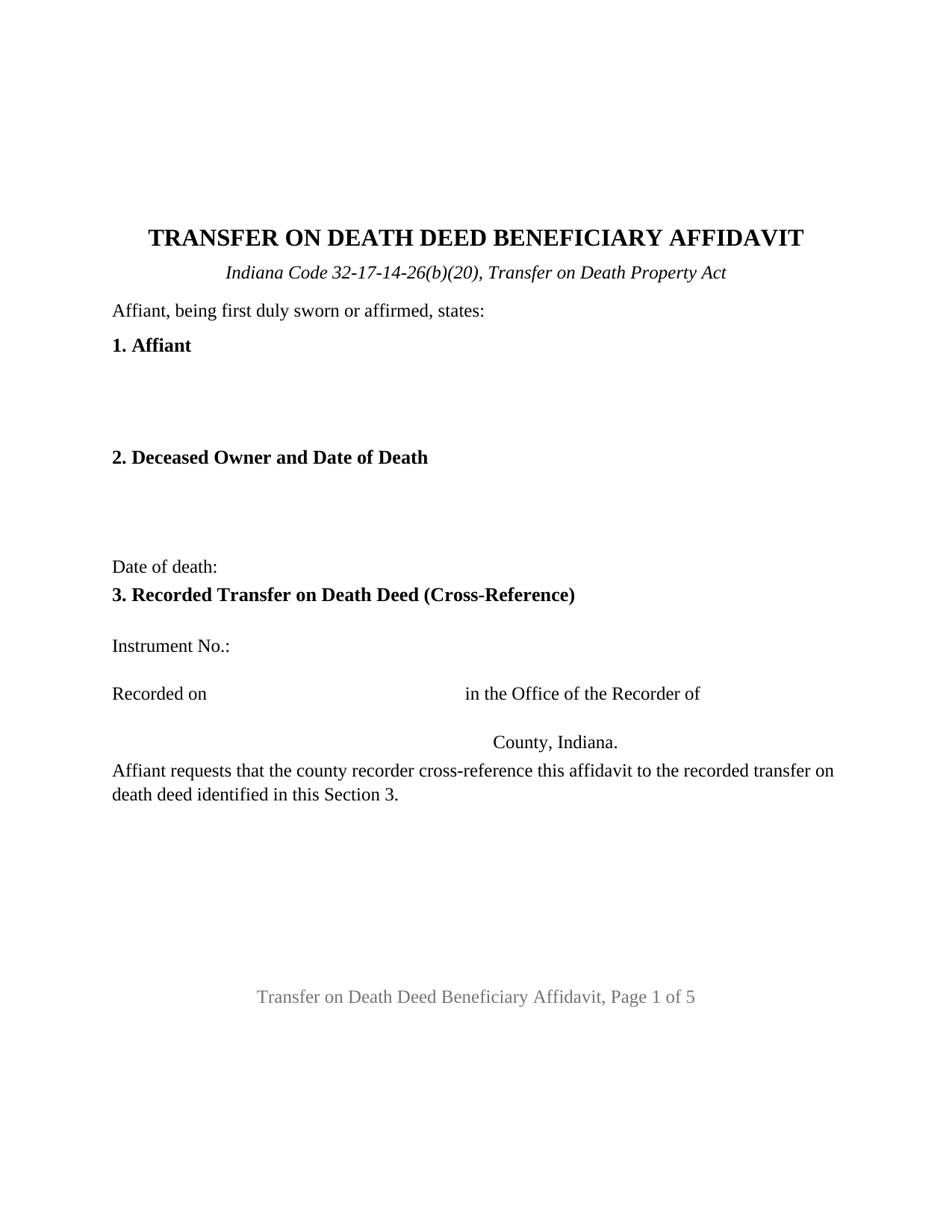
Allen County Transfer on Death Deed Beneficiary Affidavit Form
Fill in the blank Transfer on Death Deed Beneficiary Affidavit form formatted to comply with all Indiana recording and content requirements.
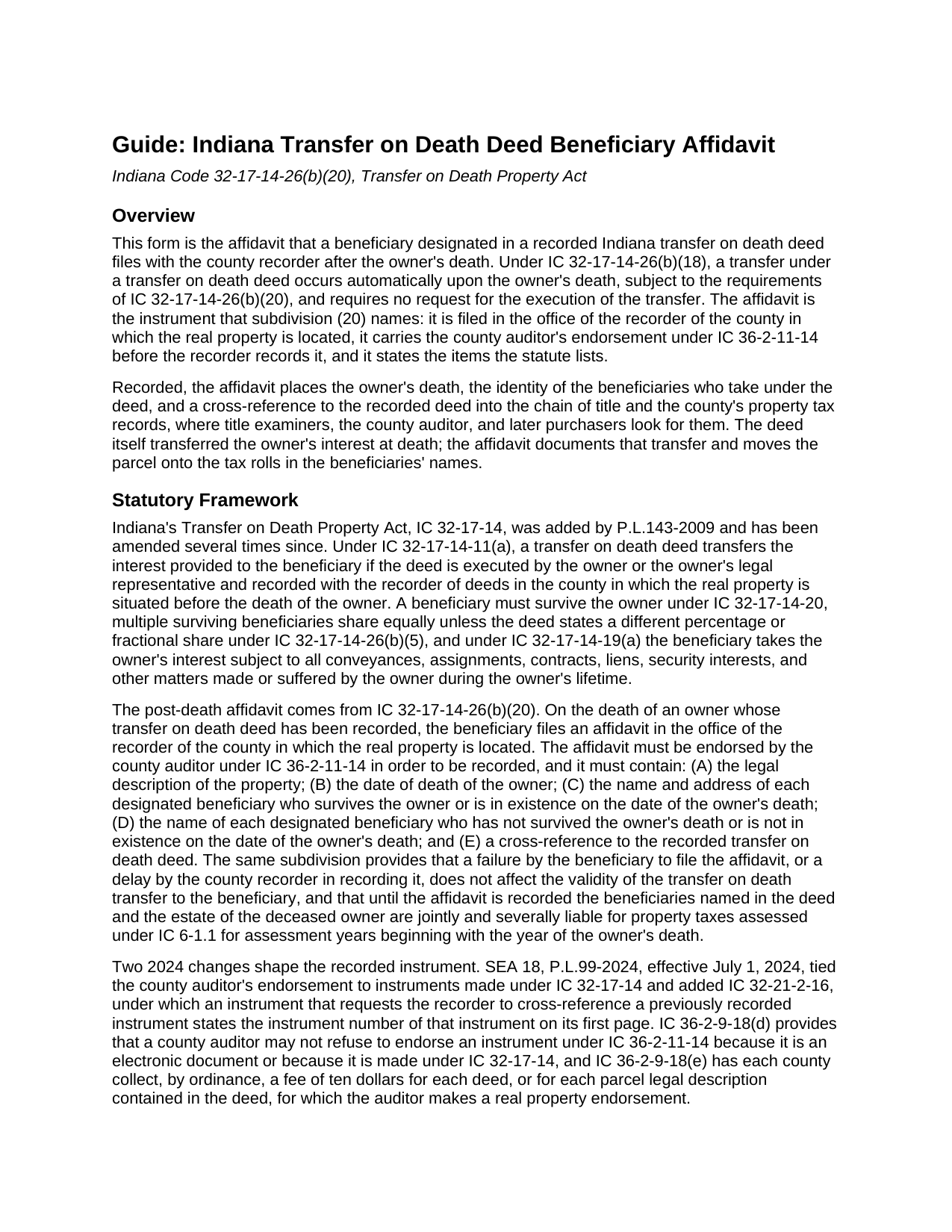
Allen County Transfer on Death Deed Beneficiary Affidavit Guide
Line by line guide explaining every blank on the Transfer on Death Deed Beneficiary Affidavit form.
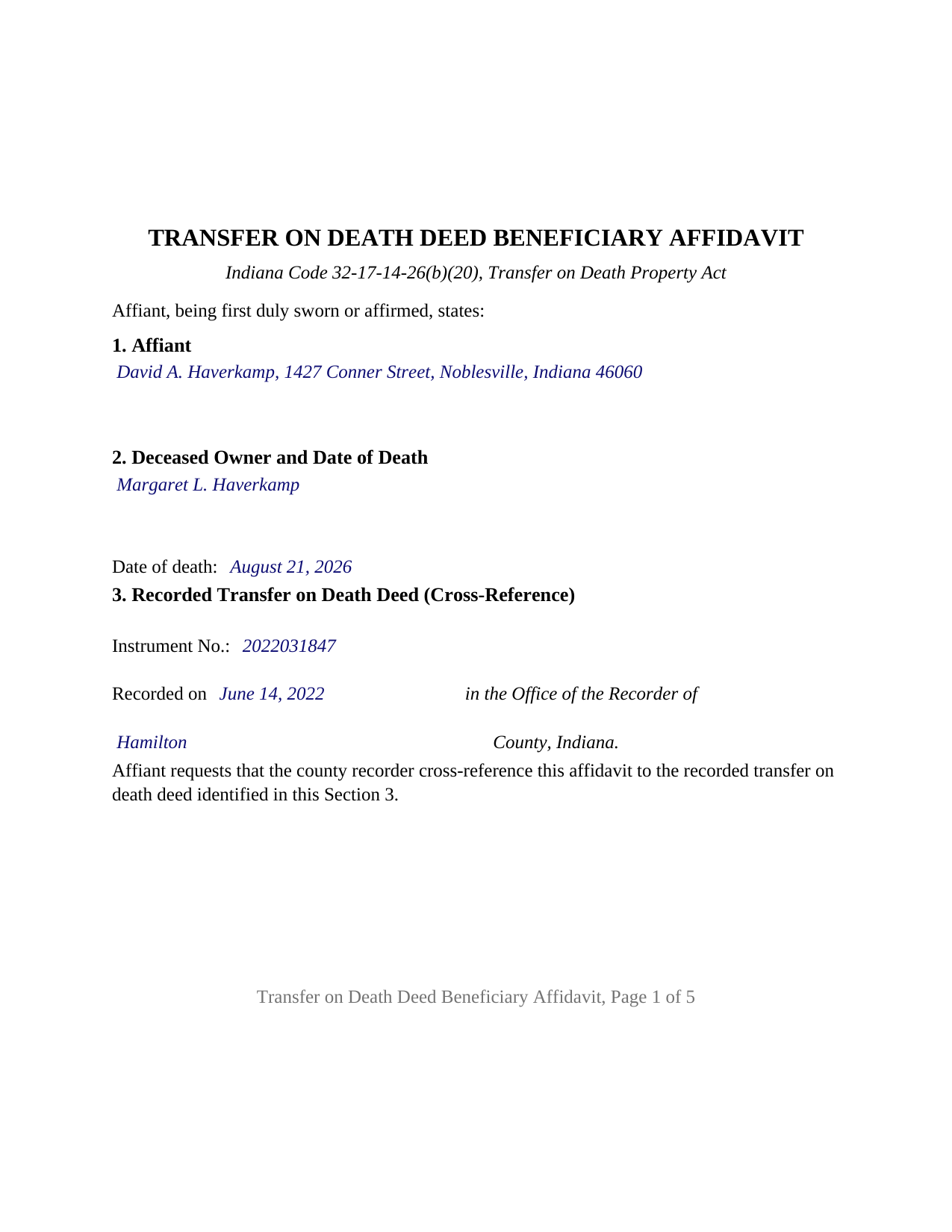
Allen County Completed Example of the Transfer on Death Deed Beneficiary Affidavit Document
Example of a properly completed Indiana Transfer on Death Deed Beneficiary Affidavit document for reference.
All 3 documents above included • One-time purchase • No recurring fees
Immediate Download • Secure Checkout
Additional Indiana and Allen County documents included at no extra charge:
Where to Record Your Documents
Allen County Recorder's Office
Fort Wayne, Indiana 46802
Hours: 8:00am to 5:00pm M-F
Phone: (260) 449-7165
Recording Tips for Allen County:
- Bring your driver's license or state-issued photo ID
- Ensure all signatures are in blue or black ink
- Ask about accepted payment methods when you call ahead
- Ask for certified copies if you need them for other transactions
- Ask if they accept credit cards - many offices are cash/check only
Cities and Jurisdictions in Allen County
Properties in any of these areas use Allen County forms:
- Arcola
- Fort Wayne
- Grabill
- Harlan
- Hoagland
- Huntertown
- Leo
- Monroeville
- New Haven
- Spencerville
- Woodburn
- Yoder
- Zanesville
Hours, fees, requirements, and more for Allen County
How do I get my forms?
Forms are available for immediate download after payment. The Allen County forms will be in your account ready to download to your computer. An account is created for you during checkout if you don't have one. Forms are NOT emailed.
Are these forms guaranteed to be recordable in Allen County?
Yes. Our form blanks are guaranteed to meet or exceed the applicable formatting requirements used for recording in Allen County, including margin requirements, font requirements, and other layout standards. This guarantee applies to formatting, not to the legal sufficiency of information entered by the user or the suitability of a form for a particular transaction.
Can I reuse these forms?
Yes. You can reuse the forms for your personal use. For example, if you have multiple properties in Allen County you only need to order once.
What do I need to use these forms?
The forms are PDFs that you fill out on your computer. The free Adobe Acrobat Reader is recommended, and most PDF apps also work. You do NOT enter your property information online - you download the blank forms and complete them privately on your own computer.
Are there any recurring fees?
No. This is a one-time purchase. Nothing to cancel, no memberships, no recurring fees.
How much does it cost to record in Allen County?
Recording fees in Allen County vary. Contact the recorder's office at (260) 449-7165 for current fees.
Questions answered? Let's get started!
When an Indiana owner who recorded a transfer on death deed dies, the deed finishes its work on its own: under IC 32-17-14-26(b)(18) the transfer occurs automatically at death, with no request, no court, and no new conveyance. What does not happen on its own is the record catching up: the recorder's index still shows the deceased owner, and the auditor's tax rolls still bill that owner, until a beneficiary files the affidavit IC 32-17-14-26(b)(20) requires. This Indiana Transfer on Death Deed Beneficiary Affidavit is that filing.
The transfer already happened; the record has to catch up
The deed, recorded during the owner's life and not part of this package, is what passed title. Whether called a transfer on death deed, a TOD deed, or a beneficiary deed, it passed the owner's interest at the moment of death, subject under IC 32-17-14-19(a) to every mortgage, lien, and easement that bound the owner. The affidavit is the sworn record of that transfer, not the transfer itself: a failure to file it, or a recorder's delay in recording it, does not affect the validity of the transfer. The statute attaches a cost to waiting instead. Until the affidavit is recorded, the beneficiaries named in the deed and the deceased owner's estate are jointly and severally liable for the property taxes assessed for the years beginning with the year of death.
Five facts the statute lists, and a cross-reference on page one
IC 32-17-14-26(b)(20) spells out the contents: the legal description; the owner's date of death; the name and address of each designated beneficiary who survived the owner or was in existence at the owner's death; the name of each designated beneficiary who did not; and a cross-reference to the recorded deed. Each item has its own numbered section, and because the affidavit asks the recorder to cross-reference the deed, IC 32-21-2-16 places the deed's instrument number on the first page, where the form puts it.
Through the auditor's office before the recorder's
The county auditor endorses the affidavit first: IC 36-2-11-14 lets the recorder record an instrument made under IC 32-17-14 only with that endorsement, and since July 1, 2024 the auditor may not refuse it because the instrument is a transfer on death instrument. Each county collects a ten dollar endorsement fee per deed or per parcel under IC 36-2-9-18(e), and the parcel number, the tax statement mailing address, and the beneficiaries' addresses appear on the form because the auditor transfers the parcel on the tax records from it. The recorder's fee is a flat twenty-five dollars under IC 36-2-7-10, Indiana has no transfer tax, and the affidavit ends with the preparer statement and Social Security redaction affirmation IC 36-2-11-15 requires.
A sworn statement with the acknowledgment recorders look for
An affidavit is sworn. The affiant signs before a notarial officer who administers an oath or affirmation and completes a verification on oath or affirmation, the act IC 33-42-0.5-35 defines as a declaration that a statement in a record is true. Indiana's recording statute, IC 32-21-2-3(a), separately names an acknowledgment or a proof as the notarial act of any recorded instrument. The certificate on this form sets forth both: the affidavit is subscribed, sworn to or affirmed, and acknowledged before the officer at one appearance, a certificate IC 33-42-9-12(f) treats as sufficient because it sets forth the officer's actions.
What this affidavit recites
The form recites one affiant, an individual designated as a beneficiary in the recorded deed, signing with one signature block and one certificate; its beneficiary sections list every surviving designated beneficiary, the affiant among them, and every nonsurviving one, so one affidavit documents the transfer to several beneficiaries. An adult child who took a parent's house under a recorded deed, two siblings named together in one deed, and the beneficiaries of a widowed owner whose deed operated at the second death present the pattern this affidavit recites. A trustee, an entity officer, or a legal representative signs in a representative capacity the form is not set up as, and two affiants on one instrument is a configuration the form does not carry.
The package includes the fillable affidavit, a completed example on a Hamilton County fact pattern, and a guide that walks through every numbered section, the certificate, and the two county offices in turn. This description and the guide describe the form and the governing Indiana statutes in general terms; they are not legal advice.
Important: Your property must be located in Allen County to use these forms. Documents should be recorded at the county recording office listed above.
This Transfer on Death Deed Beneficiary Affidavit meets all recording requirements specific to Allen County.
Our Promise
The documents you receive here are guaranteed to meet or exceed the applicable Allen County recording format requirements. If there is a rejection caused by our formatting, we will correct the issue or refund your payment. This guarantee applies to document formatting only and does not extend to information entered by the user, the selection of the form, or the legal effect of the completed document.
Save Time and Money
Get your Allen County Transfer on Death Deed Beneficiary Affidavit form done right the first time with Deeds.com Uniform Conveyancing Blanks. At Deeds.com, we understand that your time and money are valuable resources, and we don't want you to face a penalty fee or rejection imposed by a county recorder for submitting nonstandard documents. We constantly review and update our forms to meet rapidly changing state and county recording requirements for roughly 3,500 counties and local jurisdictions.
4.8 out of 5 - ( 4,837 Reviews )
Rhonda P. 5 out of 5 stars
Very quick and easy! Didn't even have to leave the house and I didn't have to send via USPS which is nice since we are in a pandemic. The convenience of this site is worth the extra money. Would definitely use this site again.
We appreciate your business and value your feedback. Thank you. Have a wonderful day!
victoria r. 5 out of 5 stars
Easiest and most efficient process awesome online communication
Thank you!
Shannon F. 5 out of 5 stars
Quality, professional forms. Good value.
We appreciate your business and value your feedback. Thank you. Have a wonderful day!
Dhanminder D. 5 out of 5 stars
The service was great. Thank you.
Thank you!
Marc Z. 5 out of 5 stars
Thank you for having an easy to navigate website with updated documents! Had everything I needed, took care of business and on to the next transaction.- Aloha
Thank you Marc. Have a fantastic day!
JAMSHEAD T. 5 out of 5 stars
An excellent service. Exactly what one would hope for in the 21st century.
Thank you for your feedback. We really appreciate it. Have a great day!
WAYNE C. 5 out of 5 stars
Wonderful forms, been coming here for years (since 2012) for my deed forms and they have never failed.
We appreciate your business and value your feedback. Thank you. Have a wonderful day!
Quanah N. 5 out of 5 stars
Instruction easy to follow
Thank you!
Roger W H. 5 out of 5 stars
So far GOOD, just can't locate legal description. Will sign in later when have correct info. Thanx!! Rog
Thank you!
Charles F. 5 out of 5 stars
Quick and Easy
Thank you for your feedback. We really appreciate it. Have a great day!
Loren H. 5 out of 5 stars
I really appreciate your forms according to South Dakota laws and statues. Your forms allow me to effectively do estate planning without extensive legal expenses. The "Revocable Transfer of Death Deed" is perfect to protect against extensive probate problems for seniors in retirement. Thank you and May God Bless.
We appreciate your business and value your feedback. Thank you. Have a wonderful day!
Laryn A. 5 out of 5 stars
Very happy with the beneficiary deed forms packet. It was helpful to have an example of a properly filled out form. The only suggestion would be is to show where the exemption code should be placed on the form.
Thank you for your feedback. We really appreciate it. Have a great day!
Ralph H. 5 out of 5 stars
They must have busy when I applied. The screen said it should be done in under10 mins unless heavier traffic. I was a little nervous because of a time deadline. It was completed in 45 mins and for under $30 it was worth every penny to have my deed details at my fingertips. So I give it a 5 on ease of use and quick handling. You can get it done less expensively, but great in a time crunch.
We appreciate your business and value your feedback. Thank you. Have a wonderful day!
RONALD L W. 5 out of 5 stars
Easy access of downloadable forms for use by Pennsylvania, Allegheny County residents.
Thank you for your feedback. We really appreciate it. Have a great day!
Margaret C. 4 out of 5 stars
I recieved my document in a reasonable amount of time. I thought being a member i would be able to look up more than 1 document but it keeps asking me for more money. I requested help, asking if I need to pay for each document but have not yet been answered. I appreciate the fact I got 1 document I needed quickly.
Thank you!