Woodson County Transfer on Death Affidavit Form
Last validated September 29, 2026 by our Forms Development TeamFormatted for recording in Woodson County, for property anywhere in the county: rural and unincorporated areas as well as Piqua, Toronto, Yates Center.
- 3 documents included
- Immediate PDF download
- Formatting guarantee
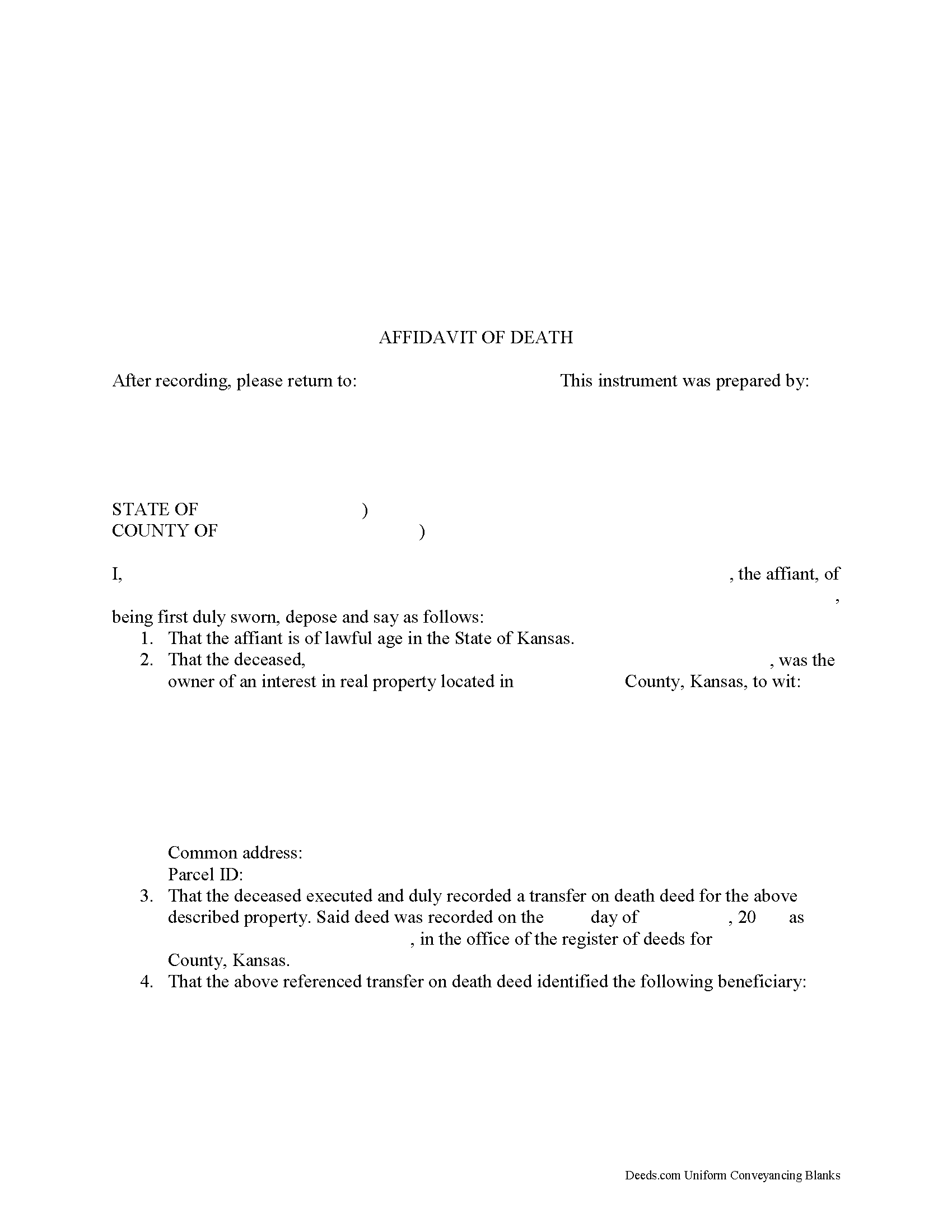
Woodson County Transfer on Death Affidavit Form
Fill in the blank form formatted to comply with all recording and content requirements.
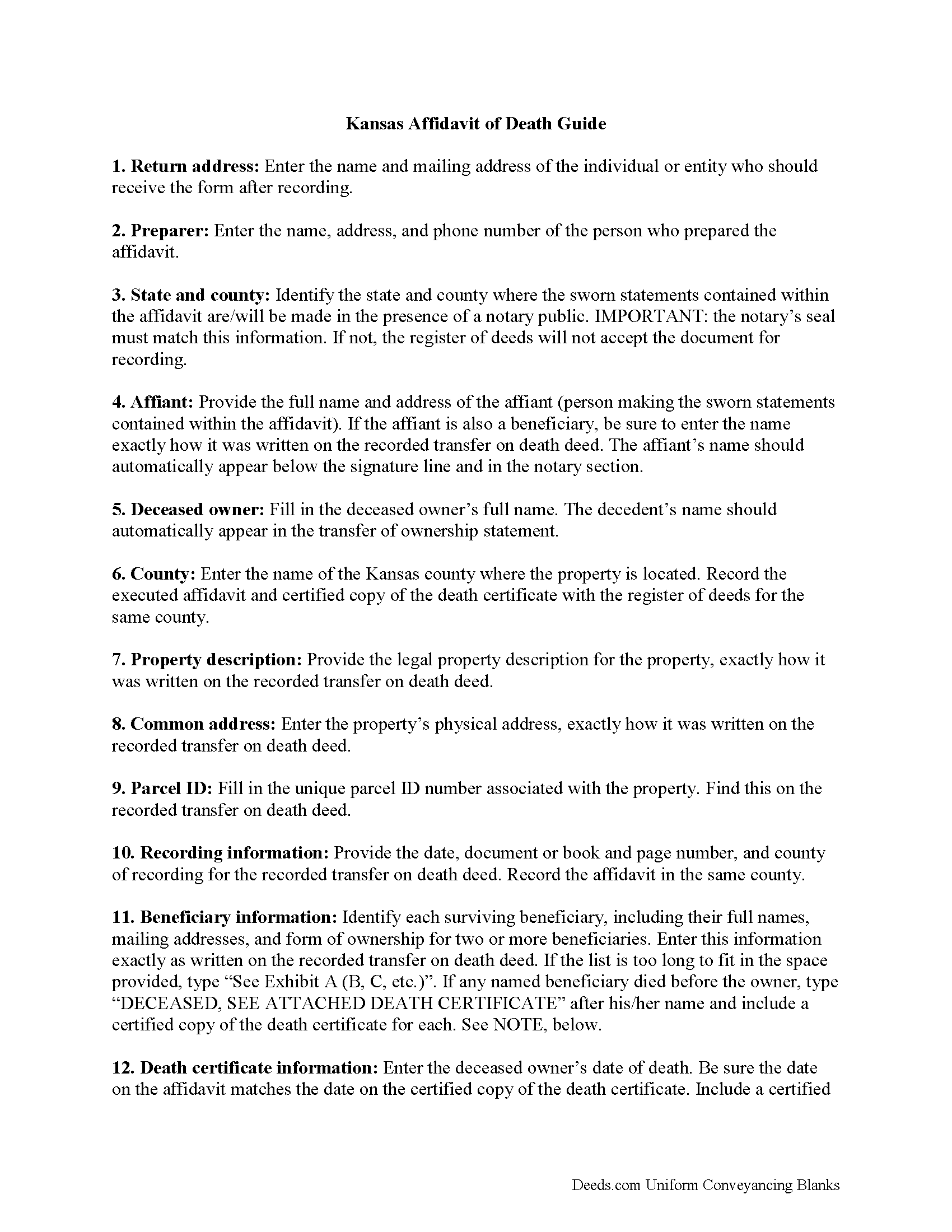
Woodson County Transfer on Death Affidavit Guide
Line by line guide explaining every blank on the form.
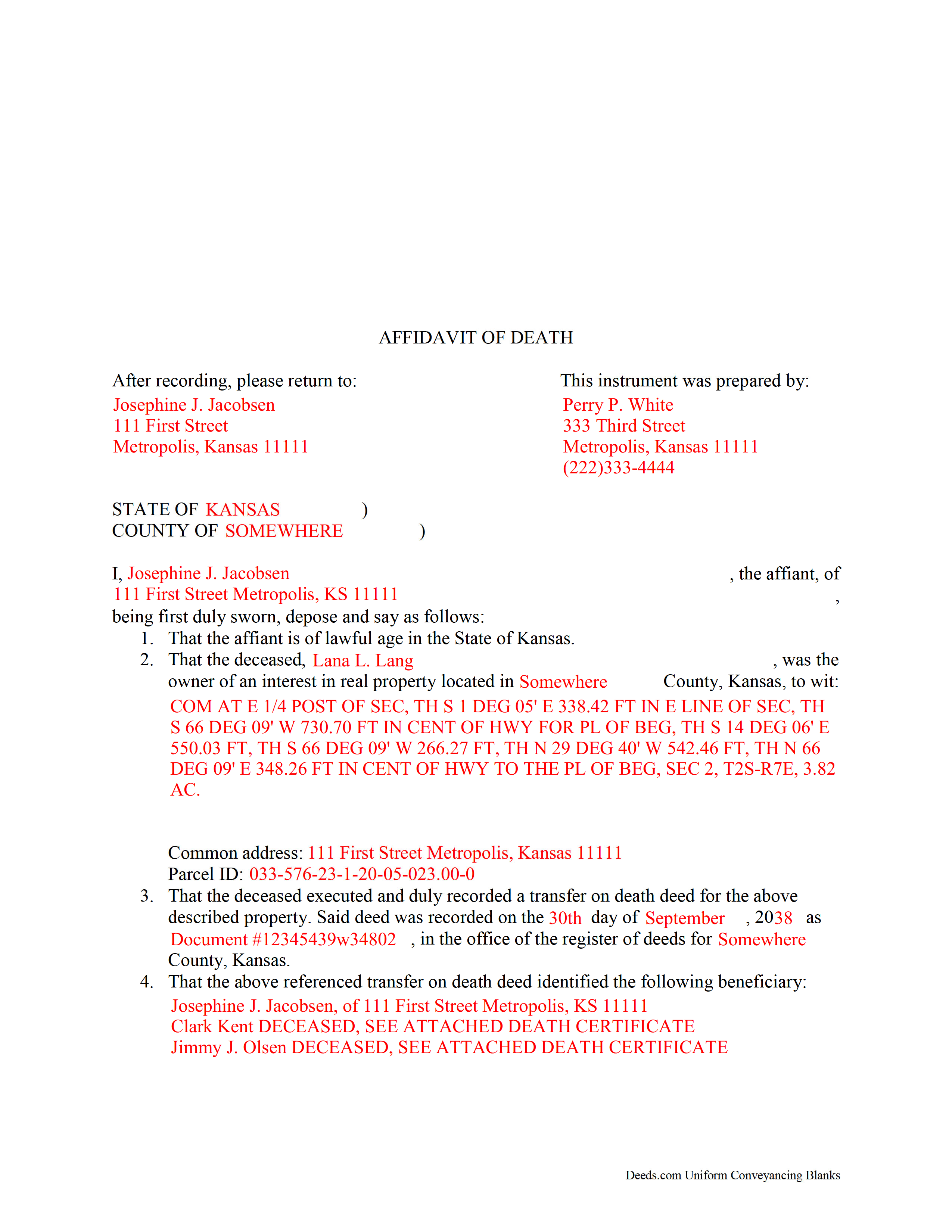
Woodson County Completed Example of the Transfer on Death Affidavit Document
Example of a properly completed form for reference.
All 3 documents above included • One-time purchase • No recurring fees
Immediate Download • Secure Checkout
Additional Kansas and Woodson County documents included at no extra charge:
Where to Record Your Documents
Woodson County Register of Deeds
Yates Center, Kansas 66783
Hours: 8:00 to 12:00 & 1:00 to 5:00 Mon-Fri
Phone: (620) 625-8635
Recording Tips for Woodson County:
- Bring your driver's license or state-issued photo ID
- Ensure all signatures are in blue or black ink
- Documents must be on 8.5 x 11 inch white paper
- Double-check legal descriptions match your existing deed
- Verify all names are spelled correctly before recording
Cities and Jurisdictions in Woodson County
Properties in any of these areas use Woodson County forms:
- Piqua
- Toronto
- Yates Center
Hours, fees, requirements, and more for Woodson County
How do I get my forms?
Forms are available for immediate download after payment. The Woodson County forms will be in your account ready to download to your computer. An account is created for you during checkout if you don't have one. Forms are NOT emailed.
Are these forms guaranteed to be recordable in Woodson County?
Yes. Our form blanks are guaranteed to meet or exceed the applicable formatting requirements used for recording in Woodson County, including margin requirements, font requirements, and other layout standards. This guarantee applies to formatting, not to the legal sufficiency of information entered by the user or the suitability of a form for a particular transaction.
Can I reuse these forms?
Yes. You can reuse the forms for your personal use. For example, if you have multiple properties in Woodson County you only need to order once.
What do I need to use these forms?
The forms are PDFs that you fill out on your computer. The free Adobe Acrobat Reader is recommended, and most PDF apps also work. You do NOT enter your property information online - you download the blank forms and complete them privately on your own computer.
Are there any recurring fees?
No. This is a one-time purchase. Nothing to cancel, no memberships, no recurring fees.
How much does it cost to record in Woodson County?
Recording fees in Woodson County vary. Contact the recorder's office at (620) 625-8635 for current fees.
Questions answered? Let's get started!
Using a Kansas Affidavit of Death to Complete a Transfer on Death
In Kansas, the county assessor's office initiates the transfer of real property rights under a transfer on death deed. There are several steps to take, however, before that can happen.
When the property owner dies, an individual with personal knowledge of the intended transfer, whether the named beneficiary or someone else, makes the sworn statements contained within an affidavit of death. The affidavit, along with an official copy of the deceased owner's death certificate, is filed for record with the register of deeds for the county where the land is located.
The register of deeds then forwards the details to the county assessor's office, where they match the information on the affidavit with the deed records. After the assessor's office verifies the details, they begin the process to transfer the previous owner's rights to the beneficiary.
(Kansas Transfer on Death Affidavit Package includes form, guidelines, and completed example)
Important: Your property must be located in Woodson County to use these forms. Documents should be recorded at the county recording office listed above.
This Transfer on Death Affidavit meets all recording requirements specific to Woodson County.
Our Promise
The documents you receive here are guaranteed to meet or exceed the applicable Woodson County recording format requirements. If there is a rejection caused by our formatting, we will correct the issue or refund your payment. This guarantee applies to document formatting only and does not extend to information entered by the user, the selection of the form, or the legal effect of the completed document.
Save Time and Money
Get your Woodson County Transfer on Death Affidavit form done right the first time with Deeds.com Uniform Conveyancing Blanks. At Deeds.com, we understand that your time and money are valuable resources, and we don't want you to face a penalty fee or rejection imposed by a county recorder for submitting nonstandard documents. We constantly review and update our forms to meet rapidly changing state and county recording requirements for roughly 3,500 counties and local jurisdictions.
4.8 out of 5 - ( 4,812 Reviews )
Stephen D. 5 out of 5 stars
Very good hope to use in the future.
Thank you for your feedback. We really appreciate it. Have a great day!
Kathy Ann M. 5 out of 5 stars
Got the report. However, Retrieving process was not clear.
Thank you for your feedback. We really appreciate it. Have a great day!
Audra W. 5 out of 5 stars
Excellent source for obtaining documents and instructions.
Thank you!
Mary B. 5 out of 5 stars
Your information was orderly and very clear and helpful. Thanks!
Thank you for your feedback. We really appreciate it. Have a great day!
Judith D. 5 out of 5 stars
If my availability does not coincide with your business hours it should not prevent me from uploading my documents and making payment. You should allow people to upload their documents at any time with the understanding that you will process them on your next business day.
Thank you!
Martin T. 5 out of 5 stars
The deed I needed was available to me easily. I was able to fill it out with the help of the example deed provided. I am very satisfied with the value received for the price paid.
Thank you!
Joseph K. 5 out of 5 stars
I'm very impressed. We're a small nonprofit, and we usually walk our documents into our county offices for recording. So I was a little bit skeptical about how things would work if we did it electronically. But it was a smooth, quick, painless, and reasonably priced process. I expect that this will be our preferred method even after county offices re-open.
Thank you for your feedback. We really appreciate it. Have a great day!
Ron E. 5 out of 5 stars
Seems like this is a very easy process to get what you need.
We appreciate your business and value your feedback. Thank you. Have a wonderful day!
Lori G. 5 out of 5 stars
This was so easy and seemless. I wish I had found deeds.com for eRecording sooner! I submitted my documents from the comfort of my office, they were great about communicating in a timely manner with updates. The next day I had copies of my recorded documents! I would highly recommend deeds.com!
We appreciate your business and value your feedback. Thank you. Have a wonderful day!
Joni S. 5 out of 5 stars
Excellent service, no hassle, easy to use, affordable, best service -- hands down. I thought it would be difficult for me to record a deed in Florida while residing in California but you made it so easy. I will tell everyone about your service. Thank you.
Your feedback is greatly appreciated. Thank you for taking the time to share your experience!
Martin E. 5 out of 5 stars
documents and guidance need to properly comply with court
Thank you!
Pedro M. 5 out of 5 stars
Very good service......
Your feedback is greatly appreciated. Thank you for taking the time to share your experience!
JESSICA B. 5 out of 5 stars
easy to move through the site and create an account.
Thank you!
brian d. 5 out of 5 stars
I am a Loan Officer and this website saves me a bunch of time. Love it!
We appreciate your business and value your feedback. Thank you. Have a wonderful day!
Sara R. 5 out of 5 stars
The deed is presently at the auditors office and will be recorded after approval from zoning board. As far as I know, everything is going along well. A self addressed envelope was left at recorder's office for return after recording is complete.
Thank you!