Ohio County Memorandum of Contract Form
Last validated September 21, 2026 by our Forms Development TeamFormatted for recording in Ohio County, for property anywhere in the county: rural and unincorporated areas as well as Beaver Dam, Centertown, Cromwell, Dundee, Fordsville, Hartford, Horse Branch, Mc Henry and 4 more.
- 3 documents included
- Immediate PDF download
- Formatting guarantee

Ohio County Memorandum of Contract Form
Fill in the blank Memorandum of Contract form formatted to comply with all Kentucky recording and content requirements.
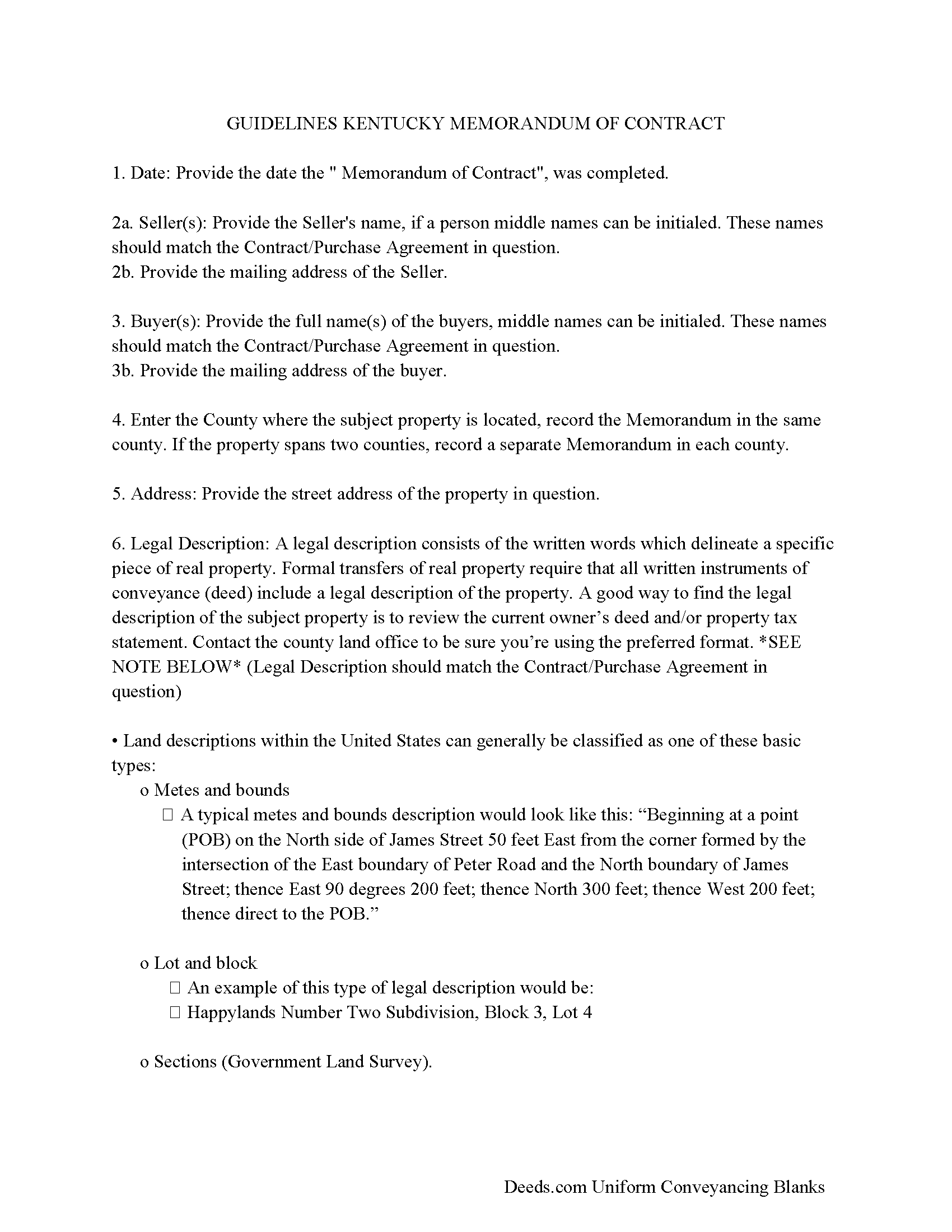
Ohio County Memorandum Guidelines
Line by line guide explaining every blank on the form.
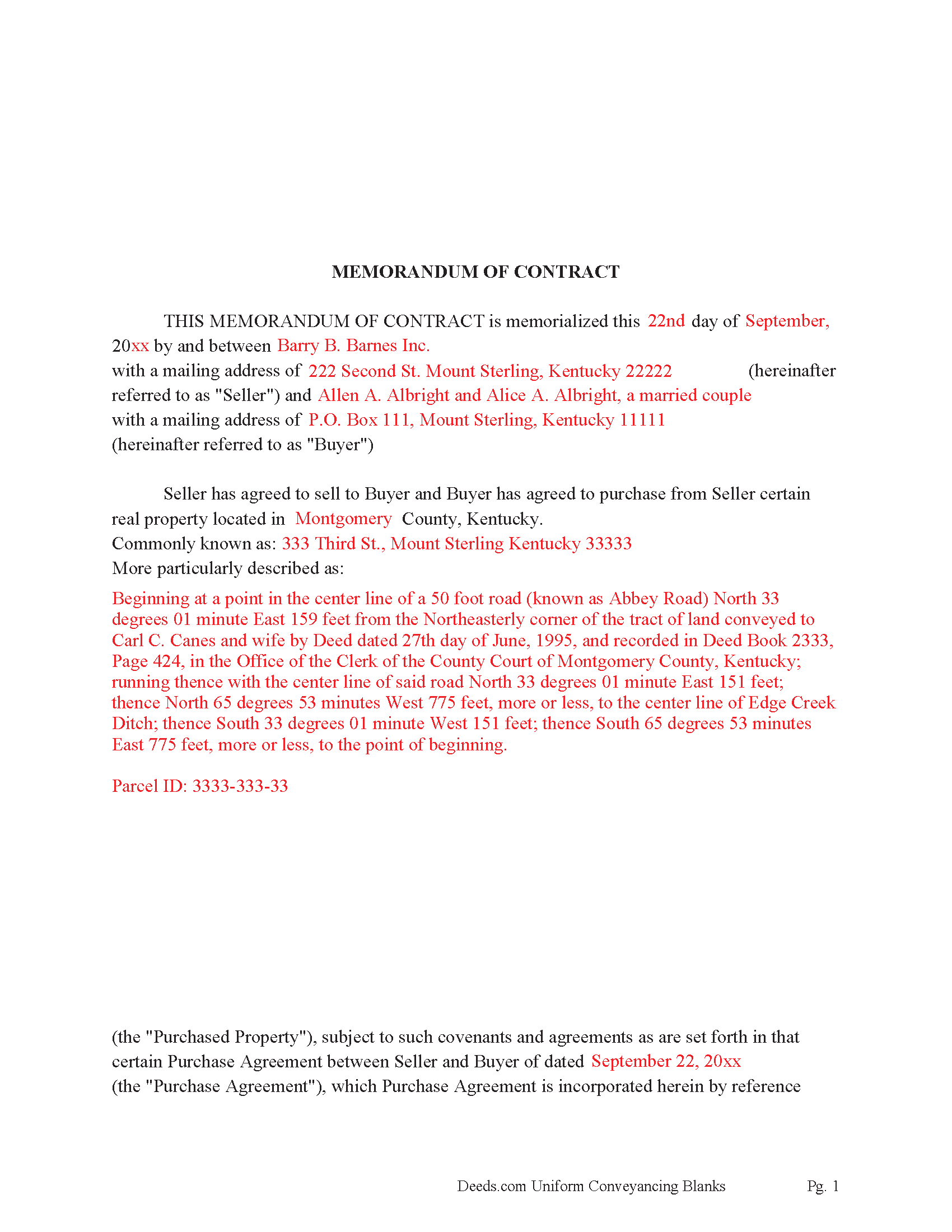
Ohio County Completed Example of the Memorandum of Contract Document
Example of a properly completed Kentucky Memorandum of Contract document for reference.
All 3 documents above included • One-time purchase • No recurring fees
Immediate Download • Secure Checkout
Additional Kentucky and Ohio County documents included at no extra charge:
Where to Record Your Documents
Ohio County Clerk
Hartford, Kentucky 42347
Hours: 8:00 to 4:30 Monday through Friday; first and last Sat 8:00 to 12:00
Phone: (270) 298-4422
Recording Tips for Ohio County:
- Bring your driver's license or state-issued photo ID
- Ensure all signatures are in blue or black ink
- Ask about accepted payment methods when you call ahead
- Ask for certified copies if you need them for other transactions
- Ask if they accept credit cards - many offices are cash/check only
Cities and Jurisdictions in Ohio County
Properties in any of these areas use Ohio County forms:
- Beaver Dam
- Centertown
- Cromwell
- Dundee
- Fordsville
- Hartford
- Horse Branch
- Mc Henry
- Olaton
- Reynolds Station
- Rockport
- Rosine
Hours, fees, requirements, and more for Ohio County
How do I get my forms?
Forms are available for immediate download after payment. The Ohio County forms will be in your account ready to download to your computer. An account is created for you during checkout if you don't have one. Forms are NOT emailed.
Are these forms guaranteed to be recordable in Ohio County?
Yes. Our form blanks are guaranteed to meet or exceed the applicable formatting requirements used for recording in Ohio County, including margin requirements, font requirements, and other layout standards. This guarantee applies to formatting, not to the legal sufficiency of information entered by the user or the suitability of a form for a particular transaction.
Can I reuse these forms?
Yes. You can reuse the forms for your personal use. For example, if you have multiple properties in Ohio County you only need to order once.
What do I need to use these forms?
The forms are PDFs that you fill out on your computer. The free Adobe Acrobat Reader is recommended, and most PDF apps also work. You do NOT enter your property information online - you download the blank forms and complete them privately on your own computer.
Are there any recurring fees?
No. This is a one-time purchase. Nothing to cancel, no memberships, no recurring fees.
How much does it cost to record in Ohio County?
Recording fees in Ohio County vary. Contact the recorder's office at (270) 298-4422 for current fees.
Questions answered? Let's get started!
This form serves as notice that the Seller has agreed to sell, and Buyer has agreed to buy a specific property. Record this instrument when a Contract for Deed, Land Contract or Buy-Sell Purchase Agreement has been completed. This is done for a variety of reasons.
When parties want the details of a contract to be kept private.
When the Seller doesn't record the original Contract, very important for the Buyer to record a Memorandum of Contract. It serves as notice that the buyer is in fact purchasing the property, providing protection from further liens or encumbrances being placed on the property by the Seller. Memorandums are frequently recorded by buyers alone.
When owner financing is involved, and a buyer needs to finance property at a later point in time, a Lending Institution will most likely require a recorded Memorandum document. Further, banks like to see a history of payments, at least 12 months, often referred to as "Seasoning" a recorded Memorandum proves the subject property was under contract at a specific time.
(Kentucky Memorandum Package includes form, guidelines, and completed example) For use in Kentucky Only.
Important: Your property must be located in Ohio County to use these forms. Documents should be recorded at the county recording office listed above.
This Memorandum of Contract meets all recording requirements specific to Ohio County.
Our Promise
The documents you receive here are guaranteed to meet or exceed the applicable Ohio County recording format requirements. If there is a rejection caused by our formatting, we will correct the issue or refund your payment. This guarantee applies to document formatting only and does not extend to information entered by the user, the selection of the form, or the legal effect of the completed document.
Save Time and Money
Get your Ohio County Memorandum of Contract form done right the first time with Deeds.com Uniform Conveyancing Blanks. At Deeds.com, we understand that your time and money are valuable resources, and we don't want you to face a penalty fee or rejection imposed by a county recorder for submitting nonstandard documents. We constantly review and update our forms to meet rapidly changing state and county recording requirements for roughly 3,500 counties and local jurisdictions.
4.8 out of 5 - ( 4,828 Reviews )
JESUS G. 5 out of 5 stars
Easy And fast to use just scan upload and pay the fee and they take care of the rest.
Thank you!
Richard H. 5 out of 5 stars
Thank You! Very informative and helpful!
We appreciate your business and value your feedback. Thank you. Have a wonderful day!
jon m. 5 out of 5 stars
Great last minute forms saved me a critical time when I had no access to my own resources. Five Star Customer service.
We appreciate your business and value your feedback. Thank you. Have a wonderful day!
Michael S. 1 out of 5 stars
I'll give you a review. YOur deeds are way, way, TOO EXPENSIVE Michael Spinks, Attorney
Thank you for your feedback. We're sorry to hear that you're dissatisfied with our pricing.
We take pride in the quality of our products, and our prices reflect the costs involved in sourcing, producing, and ensuring the high standards we've set. It's a balancing act between affordability and maintaining these standards.
We're aware that everyone has a budget to consider, and we're constantly working on optimizing our pricing. However, we won't compromise the quality of our products for the sake of cutting costs. We believe in fair value, and we hope our customers do too.
Vicki J. 5 out of 5 stars
Reasonably priced and Extremely easy to use.
We appreciate your business and value your feedback. Thank you. Have a wonderful day!
Jim F. 5 out of 5 stars
Site was easy to navigate and helped me to quickly locate the documents I was searching for. Thank you!
Your appreciative words mean the world to us. Thank you.
Jay T. 5 out of 5 stars
I filled out the deed, had it notarized, and recorded. No problems. I put this off for so long. Once I had the form it was recorded in one day.
Thank you for your feedback. We really appreciate it. Have a great day!
Robert F. 5 out of 5 stars
Great, quick and easy to use
Thank you for your feedback. We really appreciate it. Have a great day!
DARLA L. 5 out of 5 stars
I was happy with the quick response to obtain the requested forms. Effective and easy website to use.
We appreciate your business and value your feedback. Thank you. Have a wonderful day!
Jackqueline S. 5 out of 5 stars
I received my property deed quickly. All pertinent information required was received in less than 30 minutes.
Thank you for your feedback. We really appreciate it. Have a great day!
David O. 5 out of 5 stars
I had overwhelming emotions taking my deceased wife's name off my condo, so it took me a year to steel myself to submit the form. I filed in Multnomah county, OR which also requires a cover sheet documented here: https://www.multco.us/recording/recording-requirements But, I'm totally happy with the service and quality from Deeds.com getting me what I needed to get this done.
Your feedback is greatly appreciated. Thank you for taking the time to share your experience!
karen w. 5 out of 5 stars
outstanding forms and information. stay safe and healthy everyone.
Thank you Karen, you do the same please.
Joy V. 5 out of 5 stars
Very helpful and efficient!
Thank you for your feedback. We really appreciate it. Have a great day!
Flordeliza R. 5 out of 5 stars
Once I was able to get my scanner working and provide good quality scans, the turnaround was quick and my documents were recorded and returned to me the same day with the Recorder's Stamp for download. Deeds.com staff was able to guide me to make sure my package was complete. Thank you!
We appreciate your business and value your feedback. Thank you. Have a wonderful day!
David D. 5 out of 5 stars
Two thumbs up!
Thank you!