Montgomery County Certificate of Trust Form
Last validated September 1, 2026 by our Forms Development TeamFormatted for recording in Montgomery County, for property anywhere in the county or independent city: rural and unincorporated areas as well as Ashton, Barnesville, Beallsville, Bethesda, Boyds, Brinklow, Brookeville, Burtonsville and 22 more.
- 3 documents included
- Immediate PDF download
- Formatting guarantee
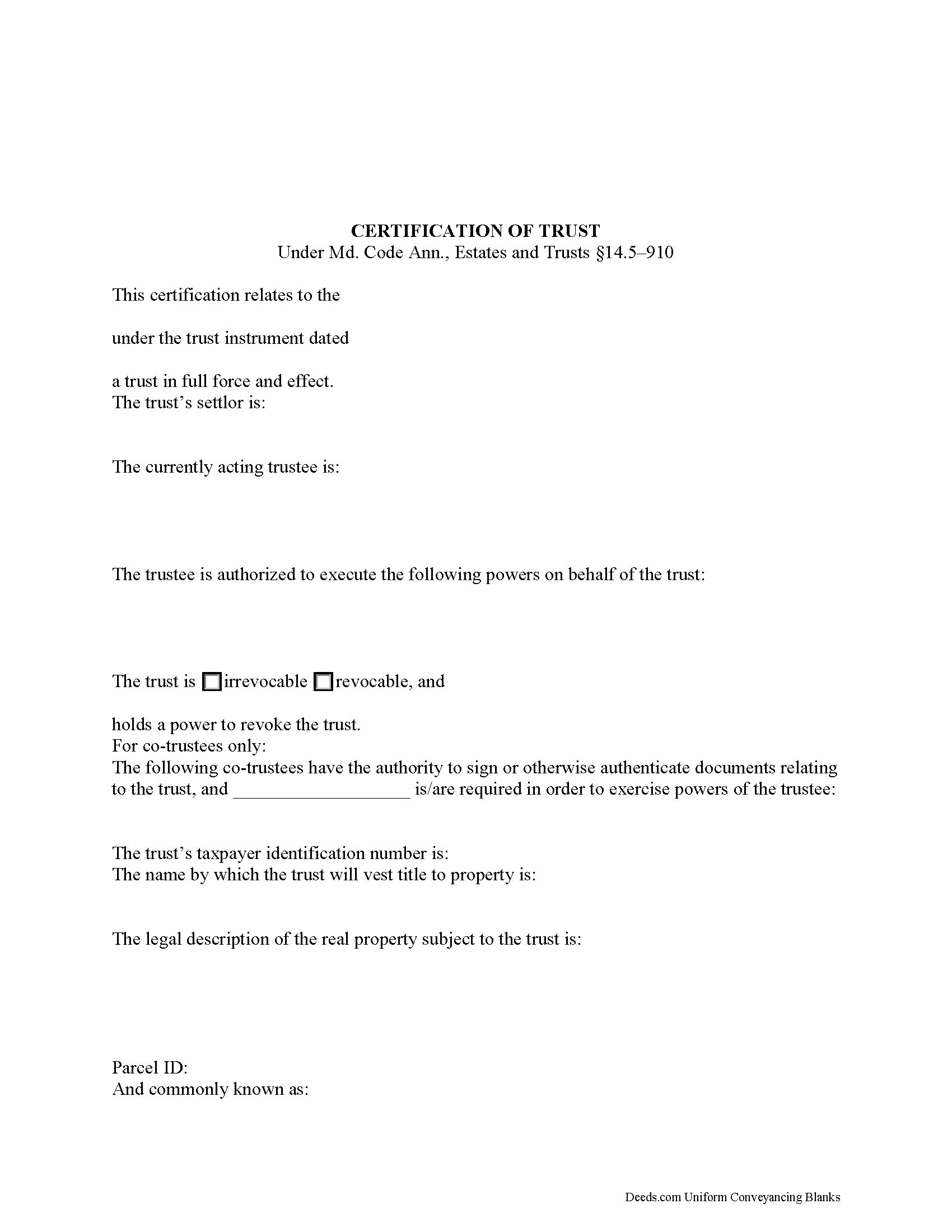
Montgomery County Certificate of Trust Form
Fill in the blank form formatted to comply with all recording and content requirements.
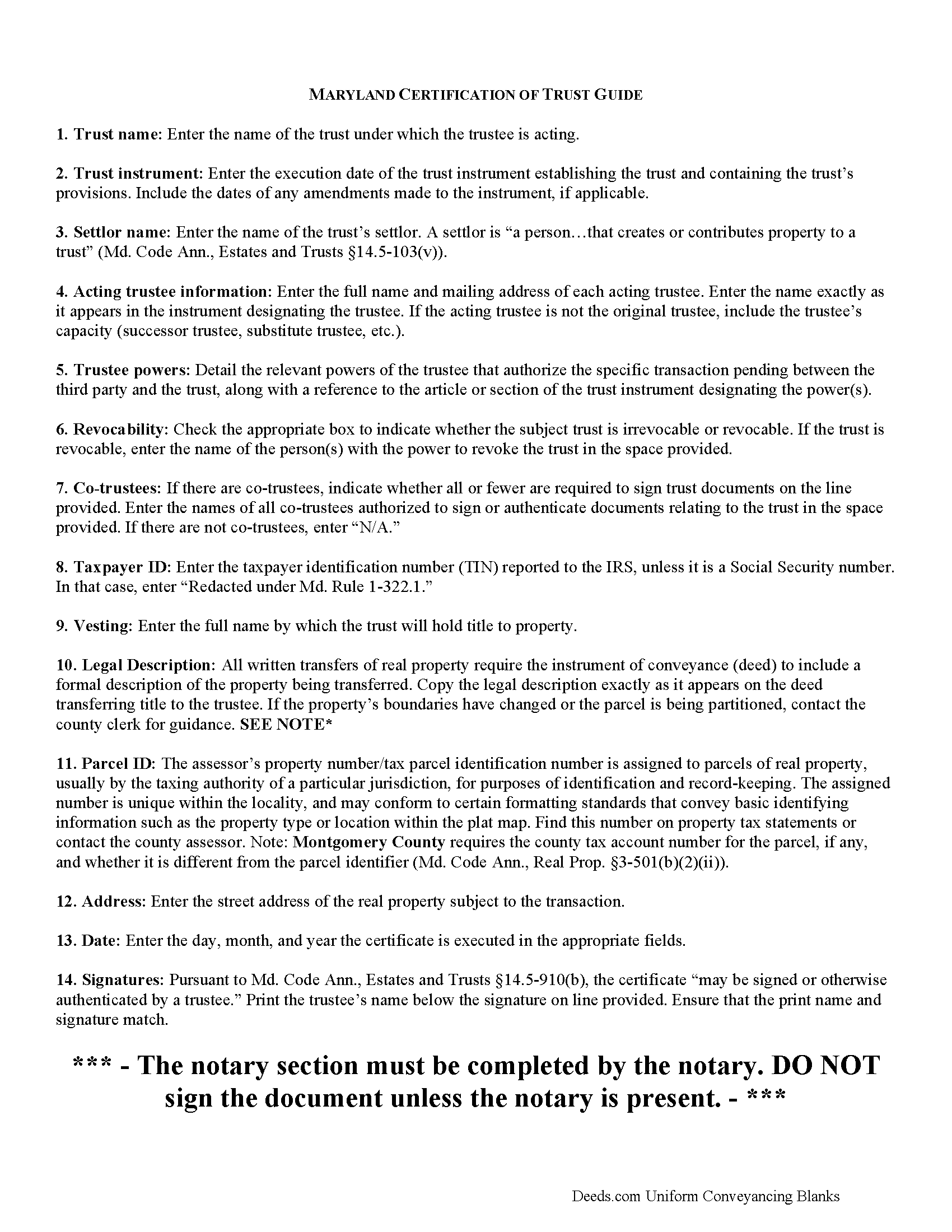
Montgomery County Certificate of Trust Guide
Line by line guide explaining every blank on the form.
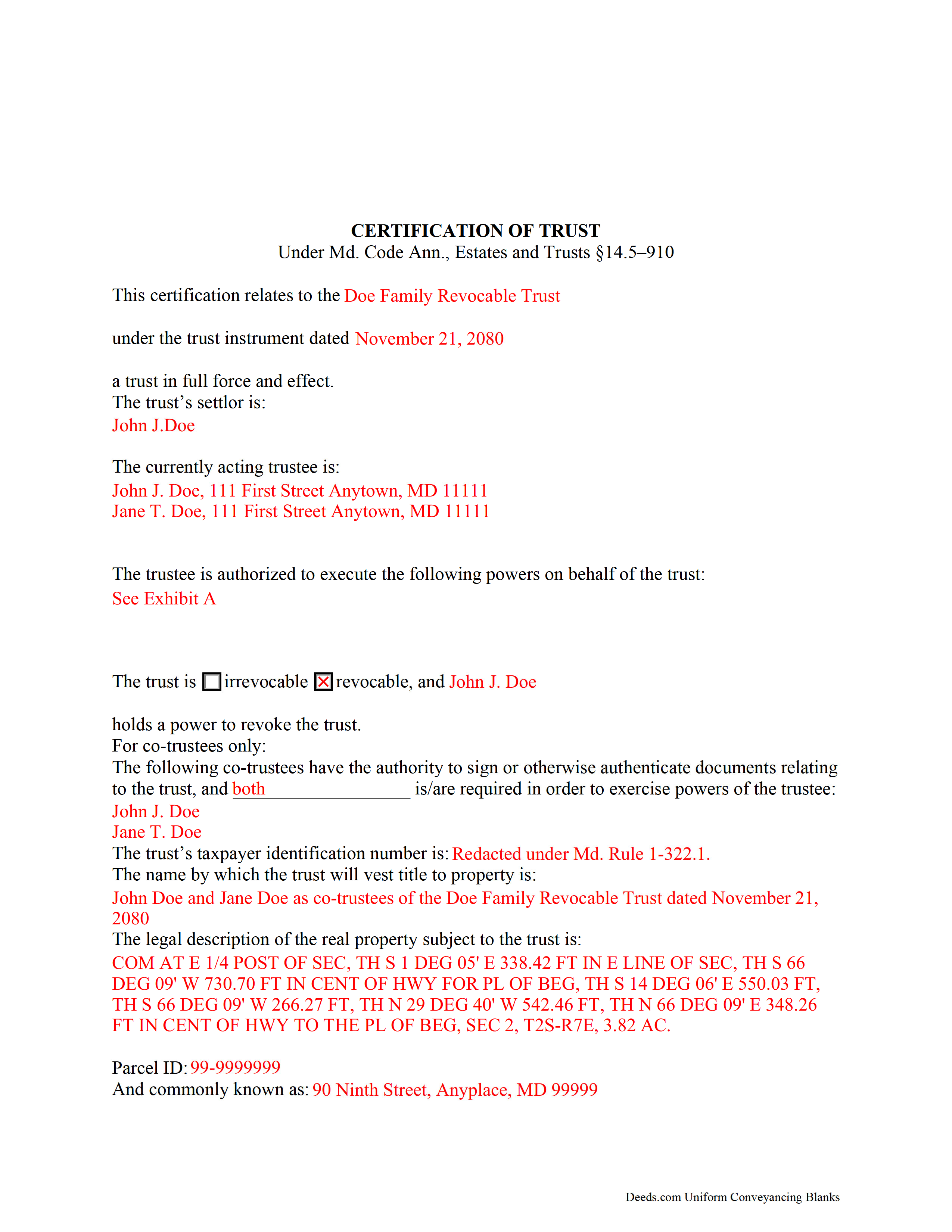
Montgomery County Completed Example of the Certificate of Trust Document
Example of a properly completed form for reference.
All 3 documents above included • One-time purchase • No recurring fees
Immediate Download • Secure Checkout
Additional Maryland and Montgomery County documents included at no extra charge:
Where to Record Your Documents
Montgomery County Circuit Court - Land Records
Rockville, Maryland 20850
Hours: 8:30 to 4:30 M-F / Recording until 4:00 pm
Phone: (240) 777-9470
Recording Tips for Montgomery County:
- Bring your driver's license or state-issued photo ID
- Ensure all signatures are in blue or black ink
- Ask for certified copies if you need them for other transactions
- Ask if they accept credit cards - many offices are cash/check only
- Check that your notary's commission hasn't expired
Cities and Jurisdictions in Montgomery County
Properties in any of these areas use Montgomery County forms:
- Ashton
- Barnesville
- Beallsville
- Bethesda
- Boyds
- Brinklow
- Brookeville
- Burtonsville
- Cabin John
- Chevy Chase
- Clarksburg
- Damascus
- Derwood
- Dickerson
- Gaithersburg
- Garrett Park
- Germantown
- Glen Echo
- Kensington
- Montgomery Village
- Olney
- Poolesville
- Potomac
- Rockville
- Sandy Spring
- Silver Spring
- Spencerville
- Suburb Maryland Fac
- Takoma Park
- Washington Grove
Hours, fees, requirements, and more for Montgomery County
How do I get my forms?
Forms are available for immediate download after payment. The Montgomery County forms will be in your account ready to download to your computer. An account is created for you during checkout if you don't have one. Forms are NOT emailed.
Are these forms guaranteed to be recordable in Montgomery County?
Yes. Our form blanks are guaranteed to meet or exceed the applicable formatting requirements used for recording in Montgomery County, including margin requirements, font requirements, and other layout standards. This guarantee applies to formatting, not to the legal sufficiency of information entered by the user or the suitability of a form for a particular transaction.
Can I reuse these forms?
Yes. You can reuse the forms for your personal use. For example, if you have multiple properties in Montgomery County you only need to order once.
What do I need to use these forms?
The forms are PDFs that you fill out on your computer. The free Adobe Acrobat Reader is recommended, and most PDF apps also work. You do NOT enter your property information online - you download the blank forms and complete them privately on your own computer.
Are there any recurring fees?
No. This is a one-time purchase. Nothing to cancel, no memberships, no recurring fees.
How much does it cost to record in Montgomery County?
Recording fees in Montgomery County vary. Contact the recorder's office at (240) 777-9470 for current fees.
Questions answered? Let's get started!
How to Execute a Maryland Certification of Trust
The certification of trust is codified under 14.5--910 of the Estates and Trusts Article of the Maryland Code. The document is an abbreviation of a trust instrument, verifying the trust's existence and the trustee's authority to enter into the impending transaction.
A certification of trust contains only information essential to the transaction at hand; for example, it need not provide the dispositive terms of the trust, so the identities of trust beneficiaries remain private. The rights of certain persons to obtain the trust instrument are reserved for the instances stated under Md. Code Ann., Estates and Trusts 14.5-910(h).
The information required in a Maryland certification of trust includes a statement that the trust exists, the date of the trust instrument under which it was formed, and the identity of the trust's settlor. A settlor is defined under the Maryland Trust Act as "a person...that creates or contributes property to a trust" and can include more than one person (Md. Code Ann., Estates and Trusts 14.5-103(v)).
The certificate includes the name and address of each acting trustee at the time of the certificate's execution, as well as a description of the powers the trustee has related to the pending transaction. For example, if a certificate of trust is presented by a trustee wishing to execute a trustee's deed, a power of sale should be referenced. Recipients of the certificate can request, in addition, the excerpts from the trust instrument which designate the trustee and establish the relevant powers (Md. Code Ann., Estates and Trusts 14.5-910(e)).
The document also identifies the trust as either revocable or irrevocable and, if the former, the identity of anyone having a power to revoke the trust. For living trusts, the settlor generally retains this power. In the case of co-trustees, the certificate tells which can authenticate documents and whether all or fewer are required in exercising trustee powers. Any trustee may sign a certification of trust in the presence of a notary public.
The taxpayer identification number (TIN) of the trust is required, unless this number is the Social Security number (SSN) of the settlor. Irrevocable trusts are assigned their own taxpayer ID, separate from a SSN.
Finally, the certificate contains the name by which the trust is to hold title to assets, including real property. Where the certificate is used in transactions involving real property, a legal description of the property subject to the trust should be included. The certificate must contain a statement "that the trust has not been revoked, modified, or amended in a manner that would cause the representations in the certification of trust to be incorrect" (Md. Code Ann., Estates and Trusts 14.5-910(c)).
Recipients of a certificate may rely on the correctness of its content, and are protected under Md. Code Ann., Estates and Trusts 14.5-910(f).
Contact an attorney with any questions regarding Maryland trusts and certifications of trust, as trust law can quickly become complicated and each situation is unique.
(Maryland COT Package includes form, guidelines, and completed example)
Important: Your property must be located in Montgomery County to use these forms. Documents should be recorded at the county or independent city recording office listed above.
This Certificate of Trust meets all recording requirements specific to Montgomery County.
Our Promise
The documents you receive here are guaranteed to meet or exceed the applicable Montgomery County recording format requirements. If there is a rejection caused by our formatting, we will correct the issue or refund your payment. This guarantee applies to document formatting only and does not extend to information entered by the user, the selection of the form, or the legal effect of the completed document.
Save Time and Money
Get your Montgomery County Certificate of Trust form done right the first time with Deeds.com Uniform Conveyancing Blanks. At Deeds.com, we understand that your time and money are valuable resources, and we don't want you to face a penalty fee or rejection imposed by a county recorder for submitting nonstandard documents. We constantly review and update our forms to meet rapidly changing state and county recording requirements for roughly 3,500 counties and local jurisdictions.
4.8 out of 5 - ( 4,836 Reviews )
Philip S. 5 out of 5 stars
You're service saved the day! I had gone to several lawyers and title companies who all said, at a Minimum, preparing a deed costs $1000... Through your service and some work reading about the requirements as well as calling my county clerks office, I was able to complete the deed and it read accepted and recorded today! Thanks so much.
Thank you for your feedback. We really appreciate it. Have a great day!
STACIA V. 4 out of 5 stars
I filled out the forms that were somewhat easy. I was surprised that it was recorded by the county recording office. I just hope that it really worked. I think it did. I will find out later this year.
Thank you!
Shawn B. 5 out of 5 stars
Very convenient and easy to use. The quick response time was very much appreciated!
We appreciate your business and value your feedback. Thank you. Have a wonderful day!
Susan S. 5 out of 5 stars
I just started using Deeds.com but so far it has been a very easy and pleasant experience. I work in the area of family law and I was thrilled to find a service that offers the recoding of deeds via e-recording.
Glad we could be of service Susan, thank you for your kind words. Have an amazing day!
Richard W. 5 out of 5 stars
Very happy I tried your service/product. The quit deed forms were excepted by the register of deeds with no issue. Thank You
We appreciate your business and value your feedback. Thank you. Have a wonderful day!
Mary Ann H V. 5 out of 5 stars
I'm very happy with your service! It saved me, at least, hundreds of dollars vs. going through a lawyer in a different state.
We appreciate your business and value your feedback. Thank you. Have a wonderful day!
Scott O. 5 out of 5 stars
Very efficient and surprisingly quick.
Thank you for your feedback. We really appreciate it. Have a great day!
Woody P. 5 out of 5 stars
I was informed that a quit Claim Deed that I had submitted, did not meet county requirements. I ordered the correct form and was surprised that the form included instructions and a sample "completed" form for me to follow. I found it al very helpful. Thank you !!!
Thank you!
Dennis S. 3 out of 5 stars
I am still working on the forms. I am having problems doing the forms as you can only save as pdf and it is difficult to change or modify the pdf. You have to purchase a pdf convertor program. but all seems to be there to do the deed submittals.
Thank you for your feedback. We really appreciate it. Have a great day!
Robin B. 5 out of 5 stars
I came, I saw, I ordered, I downloaded.
Thank you!
Ed H. 5 out of 5 stars
I filled out the Kansas form and presented it to the Clerk of Deeds in Rawlins Co and there were no problems and no expensive attorney involved for a simple transaction.
Your feedback is greatly appreciated. Thank you for taking the time to share your experience!
Sandra T. 5 out of 5 stars
I hope this will address all I need to make sure my father is not being taken for granted by my siblings and a nephew and his wife. thank you
Thank you!
Joe F. 5 out of 5 stars
TOOK ME SEVERAL DAYS TO FIND A SITE THAT DIDNT CHARGE $100 JUST TO USE ONE FORM. THANKS
Thank you for your feedback. We really appreciate it. Have a great day!
Martha G. 5 out of 5 stars
Well-designed site. Incredibly easy to find what I needed, very reasonable cost.
Thank you for your feedback. We really appreciate it. Have a great day!
Charles F. 5 out of 5 stars
I found the information easy to understand, and the forms to be correct for my needs.
Your insights are invaluable to us and help us strive for better service. Thank you for taking the time to share your thoughts.