Worcester County Personal Representative Deed Form
Last validated October 26, 2026 by our Forms Development TeamFormatted for recording in Worcester County, for property anywhere in the county or independent city: rural and unincorporated areas as well as Berlin, Bishopville, Eden, Girdletree, Newark, Ocean City, Pocomoke City, Showell and 3 more.
- 3 documents included
- Immediate PDF download
- Formatting guarantee
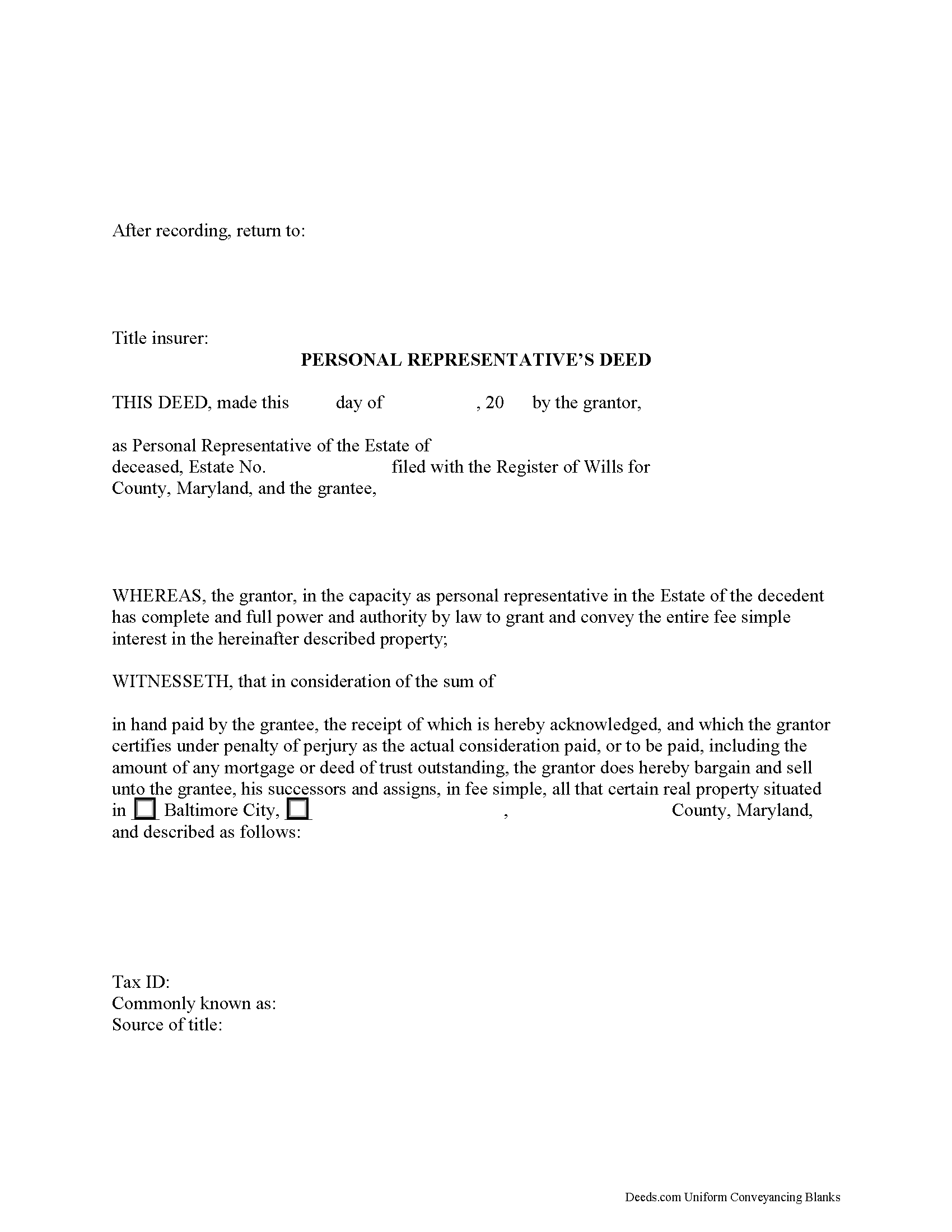
Worcester County Personal Representative Deed Form
Fill in the blank form formatted to comply with all recording and content requirements.
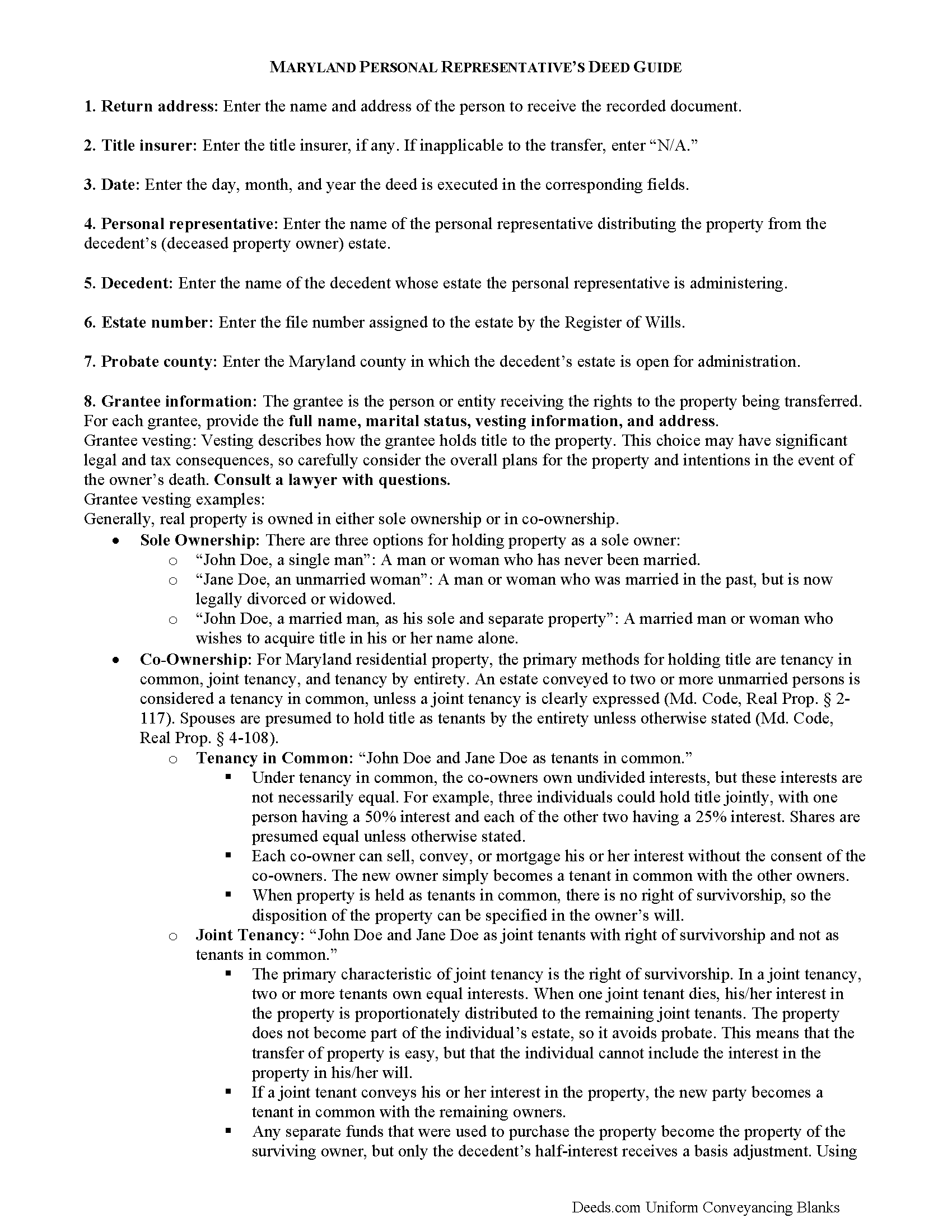
Worcester County Personal Representative Deed Guide
Line by line guide explaining every blank on the form.
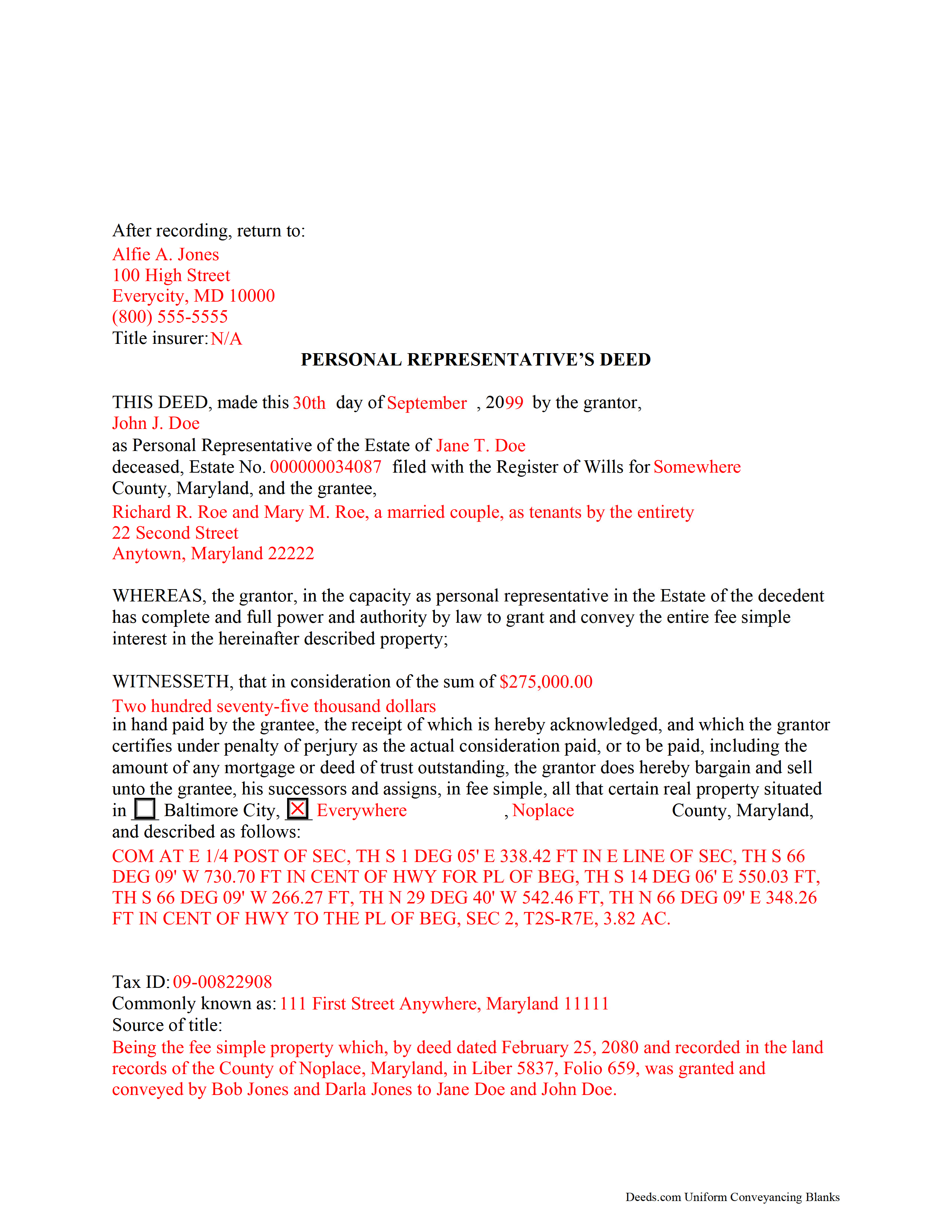
Worcester County Completed Example of the Personal Representative Deed Document
Example of a properly completed form for reference.
All 3 documents above included • One-time purchase • No recurring fees
Immediate Download • Secure Checkout
Additional Maryland and Worcester County documents included at no extra charge:
Where to Record Your Documents
Circuit Court Clerk's Office
Snow Hill, Maryland 21863
Hours: 8:30 to 4:30 Monday through Friday
Phone: 410-632-5500
Recording Tips for Worcester County:
- Bring your driver's license or state-issued photo ID
- Ensure all signatures are in blue or black ink
- Recorded documents become public record - avoid including SSNs
- Recording fees may differ from what's posted online - verify current rates
- Request a receipt showing your recording numbers
Cities and Jurisdictions in Worcester County
Properties in any of these areas use Worcester County forms:
- Berlin
- Bishopville
- Eden
- Girdletree
- Newark
- Ocean City
- Pocomoke City
- Showell
- Snow Hill
- Stockton
- Whaleyville
Hours, fees, requirements, and more for Worcester County
How do I get my forms?
Forms are available for immediate download after payment. The Worcester County forms will be in your account ready to download to your computer. An account is created for you during checkout if you don't have one. Forms are NOT emailed.
Are these forms guaranteed to be recordable in Worcester County?
Yes. Our form blanks are guaranteed to meet or exceed the applicable formatting requirements used for recording in Worcester County, including margin requirements, font requirements, and other layout standards. This guarantee applies to formatting, not to the legal sufficiency of information entered by the user or the suitability of a form for a particular transaction.
Can I reuse these forms?
Yes. You can reuse the forms for your personal use. For example, if you have multiple properties in Worcester County you only need to order once.
What do I need to use these forms?
The forms are PDFs that you fill out on your computer. The free Adobe Acrobat Reader is recommended, and most PDF apps also work. You do NOT enter your property information online - you download the blank forms and complete them privately on your own computer.
Are there any recurring fees?
No. This is a one-time purchase. Nothing to cancel, no memberships, no recurring fees.
How much does it cost to record in Worcester County?
Recording fees in Worcester County vary. Contact the recorder's office at 410-632-5500 for current fees.
Questions answered? Let's get started!
When someone dies, his or her property will more than likely be subject to probate. Probate is the court-supervised process of transferring a decedent's property to those entitled to receive it. In Maryland, the Orphans' Court handles probate in each judicial jurisdiction.
Excluding property held with a survivorship interest, beneficiary designation, or in a trust, all the decedent's property is subject to administration through probate. In Maryland, the process of estate administration is governed by the Maryland Estates and Trusts Code.
Probate is initiated in the Office of the Register of Wills. Following petition for probate, the court appoints a personal representative (PR) of the estate. In some states, the PR may be called an "executor" (when named by the decedent's will) or an "administrator" (when selected by the court). Maryland, however, uses the general term "personal representative" (PR) in both instances.
The court issues letters of administration to commence the PR's duties. This includes marshalling the decedent's assets, taking inventory of the estate, paying the relevant taxes, valid debts, and administrative costs, and distributing the estate to heirs.
When the decedent dies leaving a will, he is said to have died testate. A testator (person who executes a will) directs the distribution of his or her property by executing a will. The person named as personal representative in the will has a duty to bring the will to the Register of Wills to open probate.
When the decedent dies without a will, he is said to have died intestate. Maryland's laws of intestate succession provide instruction for who has priority to serve as personal representative of a decedent's intestate estate and who will inherit the decedent's property after applicable taxes, debts, and administrative fees have been paid.
As part of administration, the PR may be required to devise real estate pursuant to the terms of the decedent's will or to make a distribution of real property to an heir. The decedent may even have left instructions in the will to sell his or her real property, or the PR may need to sell real property to pay the estate's debts. In Maryland, personal representatives may execute all statutory powers without first gaining court approval, including selling property (Md. Code, Estates and Trusts 7-401).
To transfer title to real property from a decedent's estate, the PR executes a personal representative's deed. Maryland's statutory personal representative's deed under Real Property Code 4-202 conveys the whole interest and estate to the grantee "unless a limitation or reservation shows, by implication or otherwise, a different intent" (Real Property Code 2-101).
Typically, personal representative's deeds, like other fiduciary deeds, contain special warranty covenants of title. Under Md. Code, Real Property 2-106, a grantor of a special warranty deed covenants that "he will warrant forever and defend the property to the grantee against any lawful claim and demand of the grantor and every person claiming or to claim by, through, or under him."
A personal representative's deed contains information relevant to the probate case, such as the name of the personal representative, the decedent's name, the file number assigned to the estate by the Register of Wills, and the county in which probate is opened. It should meet all other standards of form and content for documents pertaining to an interest in real property in the State of Maryland. A PR deed must be signed by the PR in the presence of a Notary Public before recording in the Land Records Division of the Circuit Court in the jurisdiction where the subject real estate is located.
The information presented in this article is general in nature and does not replace the advice of a lawyer. Before recording a deed, consult a lawyer to ensure all state, county, municipal, and situation-specific requirements are being met.
Contact a lawyer with questions about estate administration and preparing a personal representative's deed in Maryland.
(Maryland PRD Package includes form, guidelines, and completed example)
Important: Your property must be located in Worcester County to use these forms. Documents should be recorded at the county or independent city recording office listed above.
This Personal Representative Deed meets all recording requirements specific to Worcester County.
Our Promise
The documents you receive here are guaranteed to meet or exceed the applicable Worcester County recording format requirements. If there is a rejection caused by our formatting, we will correct the issue or refund your payment. This guarantee applies to document formatting only and does not extend to information entered by the user, the selection of the form, or the legal effect of the completed document.
Save Time and Money
Get your Worcester County Personal Representative Deed form done right the first time with Deeds.com Uniform Conveyancing Blanks. At Deeds.com, we understand that your time and money are valuable resources, and we don't want you to face a penalty fee or rejection imposed by a county recorder for submitting nonstandard documents. We constantly review and update our forms to meet rapidly changing state and county recording requirements for roughly 3,500 counties and local jurisdictions.
4.8 out of 5 - ( 4,839 Reviews )
Kahn B. 4 out of 5 stars
The Quitclaim deed seems pretty simple However I wonder if I can fll out the paper as easily as it looks I appreciate very much the sample and the direction for filling out the deed. Now I am in the process of gathering document to fill out the deed and I think only when after everything done, I may have a clear idea how good the Quitclaim Deed is. I hope I can follow instruction and will successfully done the paperwork. Thank you very much.
Thank you for your feedback. We really appreciate it. Have a great day!
Anita C. 5 out of 5 stars
I found this site when looking for help filing a quitclaim deed to change my property deed to my married name. I received the correct forms, an example filled out, and a guide specific to my state. I have already submitted it for review to my county assessor's office (they were extremely helpful also) and it looks as if it should sail through. Thank you Deeds.com!
Thank you for your feedback. We really appreciate it. Have a great day!
Bradley B. 5 out of 5 stars
Just as advertised.
Thank you for your feedback. We really appreciate it. Have a great day!
Marianne L. 5 out of 5 stars
I filled in the form, following the instructions. I submitted to the County Recorder, no problem. Thank you.
Thanks for your feedback. We’re glad we could help.
Carol S. 5 out of 5 stars
Excellent ...easy, timely!
Thank you for your feedback. We really appreciate it. Have a great day!
Christian M. 5 out of 5 stars
Easy to find the necessary documents needed
We appreciate your business and value your feedback. Thank you. Have a wonderful day!
Thomas F. 5 out of 5 stars
Haven't filed yet but it seems everything I need is here. Easy process
Thank you!
Thomas K. 5 out of 5 stars
Very easy to navigate, download,and print forms!
Thank you!
Sam A. 5 out of 5 stars
User friendly website and deeds are very easy to maneuver. I'm very happy with everything Deeds.com has to offer. It truly helped me with the business that I had to take care of.
Thank you!
Ryan P. 5 out of 5 stars
It was a pleasant surprise to find out how easy the site was to use! Clear directions! very user friendly!
Thank you!
Jim W. 5 out of 5 stars
ALL I CAN SAY IS WOW. I AM SO GLAD THAT SOMEONE THOUGHT OF THIS OPROCESS FOR NON-TITLE COMPANIES, SMALL COMPANIES, ETC. I REALLY APPRECIATED THE SERVICE WHEN I RECORDED MY FIRST SET OF DOCS HERE. THEY WERE A MESS AND I HAD A LOT OF QUESTIONS. AGAIN THANK YOU!
Thank you for your feedback. We really appreciate it. Have a great day!
JOHN L. 5 out of 5 stars
Not just good, very good. Very intuitive and very responsive. It just works!
Thank you for your feedback. We really appreciate it. Have a great day!
Teresa H. 5 out of 5 stars
cost effective and quick!
Thank you!
James C. 4 out of 5 stars
Worked well.
Thank you!
Dianne W. 5 out of 5 stars
Thank you for responding so quickly to my question. I was able to locate the form and get everything downloaded. Once I saw the icon, it was easy peasy!!
Thank you!