Calvert County Quitclaim Deed (Corporation Grantor) Form
Last validated October 12, 2026 by our Forms Development TeamFormatted for recording in Calvert County, for property anywhere in the county or independent city: rural and unincorporated areas as well as Barstow, Broomes Island, Chesapeake Beach, Dowell, Dunkirk, Huntingtown, Lusby, North Beach and 6 more.
- 3 documents included
- Immediate PDF download
- Formatting guarantee
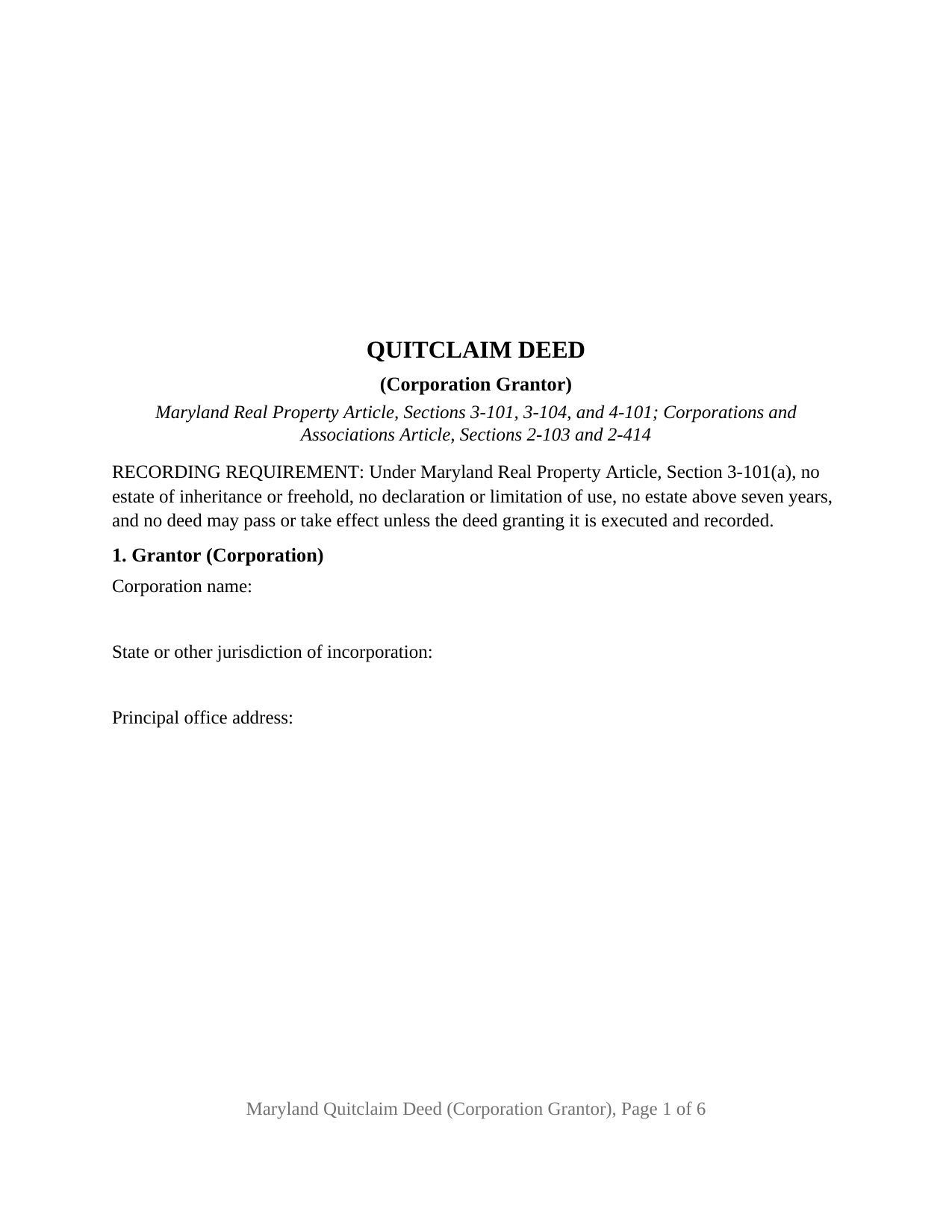
Calvert County Quitclaim Deed (Corporation Grantor) Form
Fill in the blank Quitclaim Deed (Corporation Grantor) form formatted to comply with all Maryland recording and content requirements.
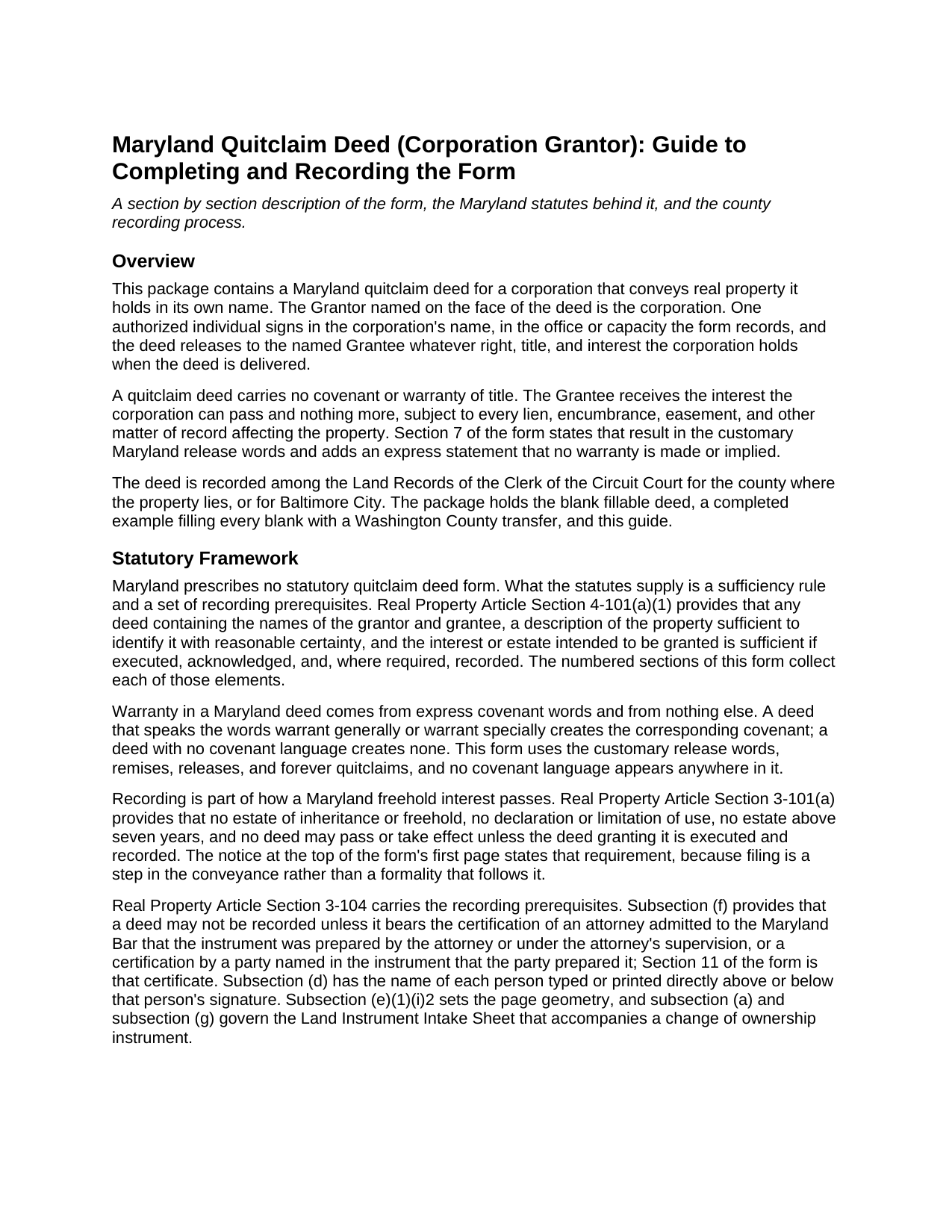
Calvert County Quitclaim Deed (Corporation Grantor) Guide
Line by line guide explaining every blank on the Quitclaim Deed (Corporation Grantor) form.
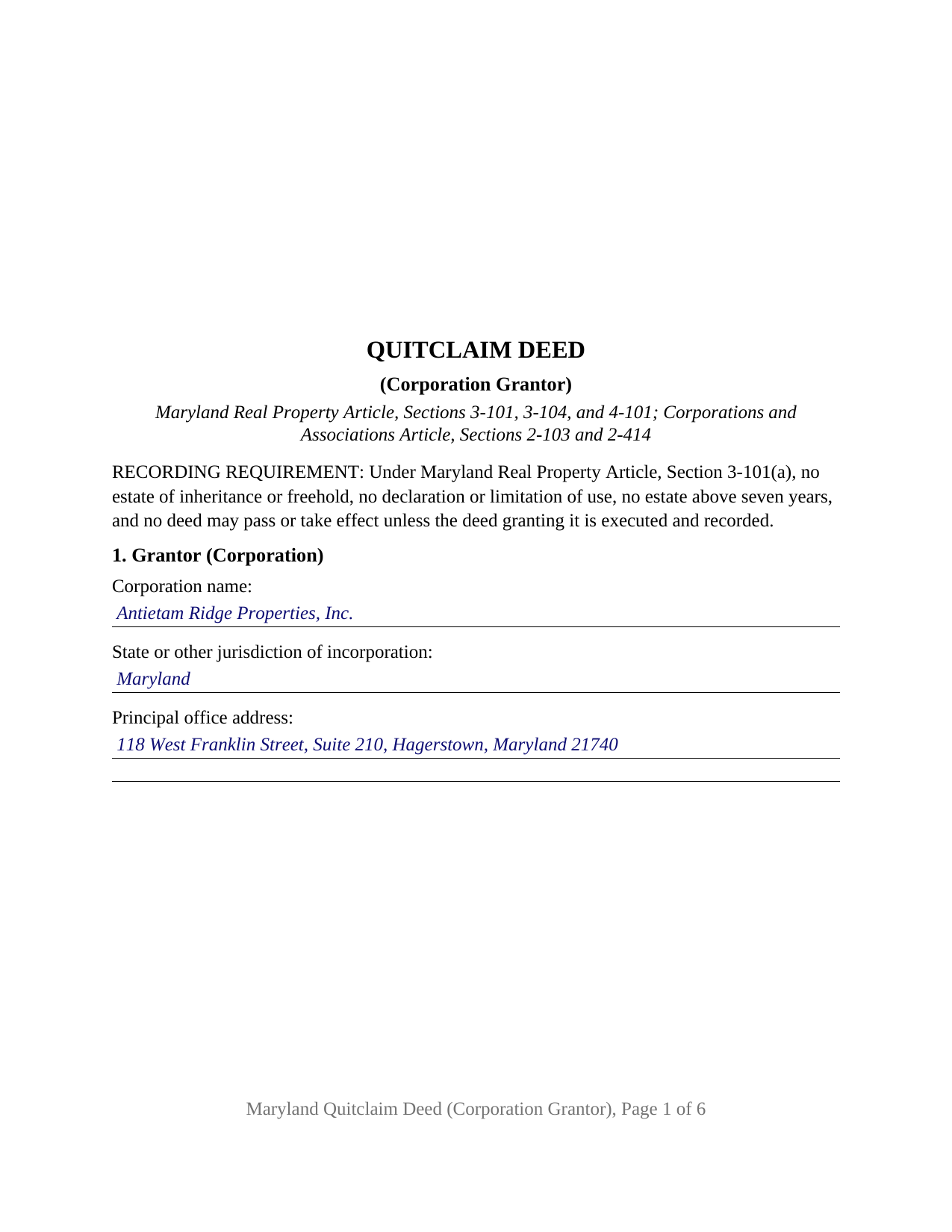
Calvert County Completed Example of the Quitclaim Deed (Corporation Grantor) Document
Example of a properly completed Maryland Quitclaim Deed (Corporation Grantor) document for reference.
All 3 documents above included • One-time purchase • No recurring fees
Immediate Download • Secure Checkout
Additional Maryland and Calvert County documents included at no extra charge:
Where to Record Your Documents
Circuit Court Clerk's Office
Prince Frederick, Maryland 20678
Hours: 8:30 to 4:30 M-F
Phone: (410) 535-1600 Ext. 2267
Recording Tips for Calvert County:
- Bring your driver's license or state-issued photo ID
- Ensure all signatures are in blue or black ink
- Documents must be on 8.5 x 11 inch white paper
- Double-check legal descriptions match your existing deed
- Verify all names are spelled correctly before recording
Cities and Jurisdictions in Calvert County
Properties in any of these areas use Calvert County forms:
- Barstow
- Broomes Island
- Chesapeake Beach
- Dowell
- Dunkirk
- Huntingtown
- Lusby
- North Beach
- Owings
- Port Republic
- Prince Frederick
- Saint Leonard
- Solomons
- Sunderland
Hours, fees, requirements, and more for Calvert County
How do I get my forms?
Forms are available for immediate download after payment. The Calvert County forms will be in your account ready to download to your computer. An account is created for you during checkout if you don't have one. Forms are NOT emailed.
Are these forms guaranteed to be recordable in Calvert County?
Yes. Our form blanks are guaranteed to meet or exceed the applicable formatting requirements used for recording in Calvert County, including margin requirements, font requirements, and other layout standards. This guarantee applies to formatting, not to the legal sufficiency of information entered by the user or the suitability of a form for a particular transaction.
Can I reuse these forms?
Yes. You can reuse the forms for your personal use. For example, if you have multiple properties in Calvert County you only need to order once.
What do I need to use these forms?
The forms are PDFs that you fill out on your computer. The free Adobe Acrobat Reader is recommended, and most PDF apps also work. You do NOT enter your property information online - you download the blank forms and complete them privately on your own computer.
Are there any recurring fees?
No. This is a one-time purchase. Nothing to cancel, no memberships, no recurring fees.
How much does it cost to record in Calvert County?
Recording fees in Calvert County vary. Contact the recorder's office at (410) 535-1600 Ext. 2267 for current fees.
Questions answered? Let's get started!
One officer's signature carries a corporate deed in Maryland, and the General Assembly has stripped the old ceremony off it. This fill-in-the-blank quitclaim deed is drawn for that arrangement: the Grantor is a corporation, named with its jurisdiction of incorporation and principal office, and one authorized individual signs in the corporation's name. What passes is the interest the corporation holds at delivery, free of any covenant or warranty of title.
No seal, no attesting secretary, no countersignature
Real Property Article Section 4-101(b) answers the question a corporate deed raises first. The absence of a seal or attestation leaves validity untouched, and the subsection then speaks directly to entities: a corporate seal is not required for the execution of any deed or other instrument, notwithstanding any provision to the contrary in the corporation's charter, bylaws, or other documents. A bylaw calling for the seal cannot make an unsealed recorded deed defective, so the execution block holds one signature line, one printed name line, and a date.
Where the signer's authority sits
Corporate power and personal authority are separate questions. Corporations and Associations Article Section 2-103 lists the general powers a Maryland corporation holds whether or not its charter repeats them, and paragraph (6) includes the power to sell, transfer, convey, and otherwise dispose of any or all of its assets. Authority to exercise it is internal: Section 2-414(a) fixes an officer's authority by the bylaws and by resolution of the board of directors, and Section 2-414(b) leaves a third party's rights unaffected by such a bylaw or resolution absent knowledge of it. Section 2 of the deed collects the individual, the office or capacity, and the authorization relied on. A capacity recital states the authority asserted; the minute book documents it.
Ordinary business or extraordinary action
One line in the corporation statute changes what a conveyance takes. Section 3-105 governs a transfer of all or substantially all of a corporation's assets: the board resolves on it and directs it to the stockholders, whose approval takes two-thirds of all votes entitled to be cast. Section 3-104(a) exempts other transactions absent a contrary charter or bylaw, among them a transfer in the ordinary course of the business actually conducted. Which side of that line a parcel falls on turns on corporate facts, not on the deed.
What the corporation configuration recites
The form recites exactly one Grantor, a corporation identified by name, jurisdiction of incorporation, and principal office, and exactly one individual signing in its name, with the office or capacity recorded beside the signature. It carries one acknowledgment certificate written for a representative signer under State Government Article Section 18-216(c), and a certificate of preparation carrying its own capacity blank. A residency section answers Tax-General Article Section 10-912 in the recitals, the certification path that statute allows inside a deed; the Comptroller's withholding publication puts the nonresident entity figure at 8.25 percent. Patterns presenting this configuration appear across the land records: a corporation releasing a residual interest an earlier instrument left in its name after a reorganization, a closely held corporation releasing a parcel to a stockholder in a redemption, and a corporation that took title by deed in lieu of foreclosure passing it on. The form is not set up for a conveyance the governing documents require two officers to sign, for a limited liability company, partnership, or business trust as Grantor, for an owner signing personally, or for a trustee, personal representative, or attorney-in-fact.
Reaching the Land Records
Filing is part of this conveyance, not a step after it: Section 3-101(a) provides that no freehold estate, and no deed, passes or takes effect unless the deed granting it is executed and recorded. Section 11 carries the preparation certificate Section 3-104(f) demands, printed names sit with the signatures under Section 3-104(d), and the page answers Section 3-104(e)(1)(i)2 in 12 point type: three inches of official-use space atop page one, an inch clear at both sides. A clerk gained the power to refuse a nonconforming instrument on October 1, 2025. Consideration is recited under Tax-Property Article Section 12-104, and the taxes read from that figure at the counter, where a Land Instrument Intake Sheet accompanies the deed.
The download holds the blank fillable deed configured for a corporate grantor, a completed example working a Washington County release through every blank, and a plain-language guide covering the sections in order, officer authority, grantee vesting, notarization, and recording. It describes Maryland law and this form, and it is not legal advice.
Important: Your property must be located in Calvert County to use these forms. Documents should be recorded at the county or independent city recording office listed above.
This Quitclaim Deed (Corporation Grantor) meets all recording requirements specific to Calvert County.
Our Promise
The documents you receive here are guaranteed to meet or exceed the applicable Calvert County recording format requirements. If there is a rejection caused by our formatting, we will correct the issue or refund your payment. This guarantee applies to document formatting only and does not extend to information entered by the user, the selection of the form, or the legal effect of the completed document.
Save Time and Money
Get your Calvert County Quitclaim Deed (Corporation Grantor) form done right the first time with Deeds.com Uniform Conveyancing Blanks. At Deeds.com, we understand that your time and money are valuable resources, and we don't want you to face a penalty fee or rejection imposed by a county recorder for submitting nonstandard documents. We constantly review and update our forms to meet rapidly changing state and county recording requirements for roughly 3,500 counties and local jurisdictions.
4.8 out of 5 - ( 4,829 Reviews )
Dyanna B. 5 out of 5 stars
Got what I needed. Easy access.
Thank you for your positive words! We’re thrilled to hear about your experience.
Wayne R. 5 out of 5 stars
Couldn't believe how simple it was to do such a very important family support task and the price was right! Thank you
We appreciate your business and value your feedback. Thank you. Have a wonderful day!
katherine a. 5 out of 5 stars
loved the ease of use for the forms. went on line to find out about Adobe Reader, too. Had a test to see if I had it. Took few seconds. Then on to ordering and downloading which took only 5 minutes for the three forms I wanted. Thanks, Katie Anderson
Thank you for your feedback. We really appreciate it. Have a great day!
Steven C. 5 out of 5 stars
Easy but a little overpriced
We appreciate your business and value your feedback. Thank you. Have a wonderful day!
David L. 5 out of 5 stars
Really a great service for a reasonable price. Will definitely use again.
Thank you for your feedback. We really appreciate it. Have a great day!
Doreen A. 5 out of 5 stars
Easy to navigate Efficient Service
Your kind words warm our hearts. Thank you for sharing your experience!
Mary Ann H V. 5 out of 5 stars
I'm very happy with your service! It saved me, at least, hundreds of dollars vs. going through a lawyer in a different state.
We appreciate your business and value your feedback. Thank you. Have a wonderful day!
Barbara E. 5 out of 5 stars
The online forms were very helpful and self-explanatory. My husband and I used several as we completed our estate planning documents. Thank you for these forms.
Thank you for your feedback. We really appreciate it. Have a great day!
Carol M. 5 out of 5 stars
Great service
Thank you!
Felicia T. 5 out of 5 stars
Great service with all the added resources on the form I requested. Question: How long do the forms stay available on my account?
Thanks for the feedback Felicia. Our goal is to keep the documents available in your account indefinitely. It's a good idea to download the documents and store them yourself just in case.
LeRoy E. 5 out of 5 stars
So thankful I found this. I was feeling stressed out and reluctant about doing this on my own.
Thank you!
Michael M. 5 out of 5 stars
Thanks worked out great as the form was perfect and no problems filing it with the county.
Thank you for your feedback. We really appreciate it. Have a great day!
Heidi J. 3 out of 5 stars
The form was useful, however the formatting is terrible once completed. A lot of white space with no option to remove extra spacing or to improve the overall formatting.
Thank you for your feedback, Heidi. We’re glad to hear the form itself was useful. We also understand your concern about the formatting and extra spacing once completed. Our forms are designed to meet strict county recording requirements, which can sometimes result in additional white space. That said, we’re always working to improve usability and presentation without compromising acceptance. Your input helps us identify where refinements are possible, and we’ll keep it in mind as we continue updating our templates.
Michael G M. 5 out of 5 stars
The download files should have the name of the form included. The present numeric soup is frustrating to navigate.
Thank you for your feedback. We really appreciate it. Have a great day!
James M. 5 out of 5 stars
Awesome product. Quick and easy. Thanks
Happy we could assist. Thank you for sharing your experience.