Norfolk County Assignment of Mortgage Form
Last validated October 16, 2026 by our Forms Development TeamFormatted for recording in Norfolk County, for property anywhere in the county: rural and unincorporated areas as well as Avon, Babson Park, Bellingham, Braintree, Brookline, Brookline Village, Canton, Cohasset and 31 more.
- 6 documents included
- Immediate PDF download
- Formatting guarantee
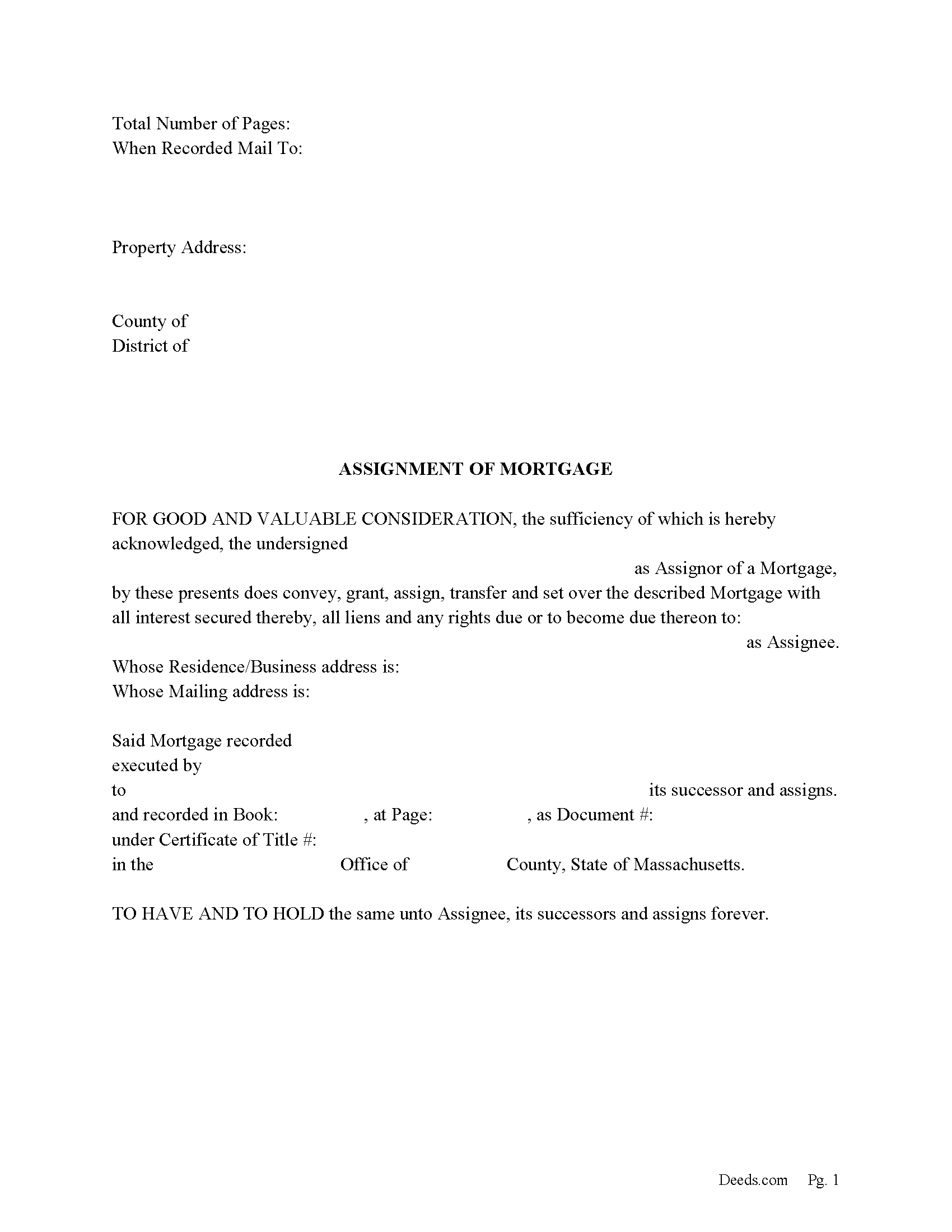
Norfolk County Assignment of Mortgage Form
Fill in the blank form formatted to comply with all recording and content requirements.
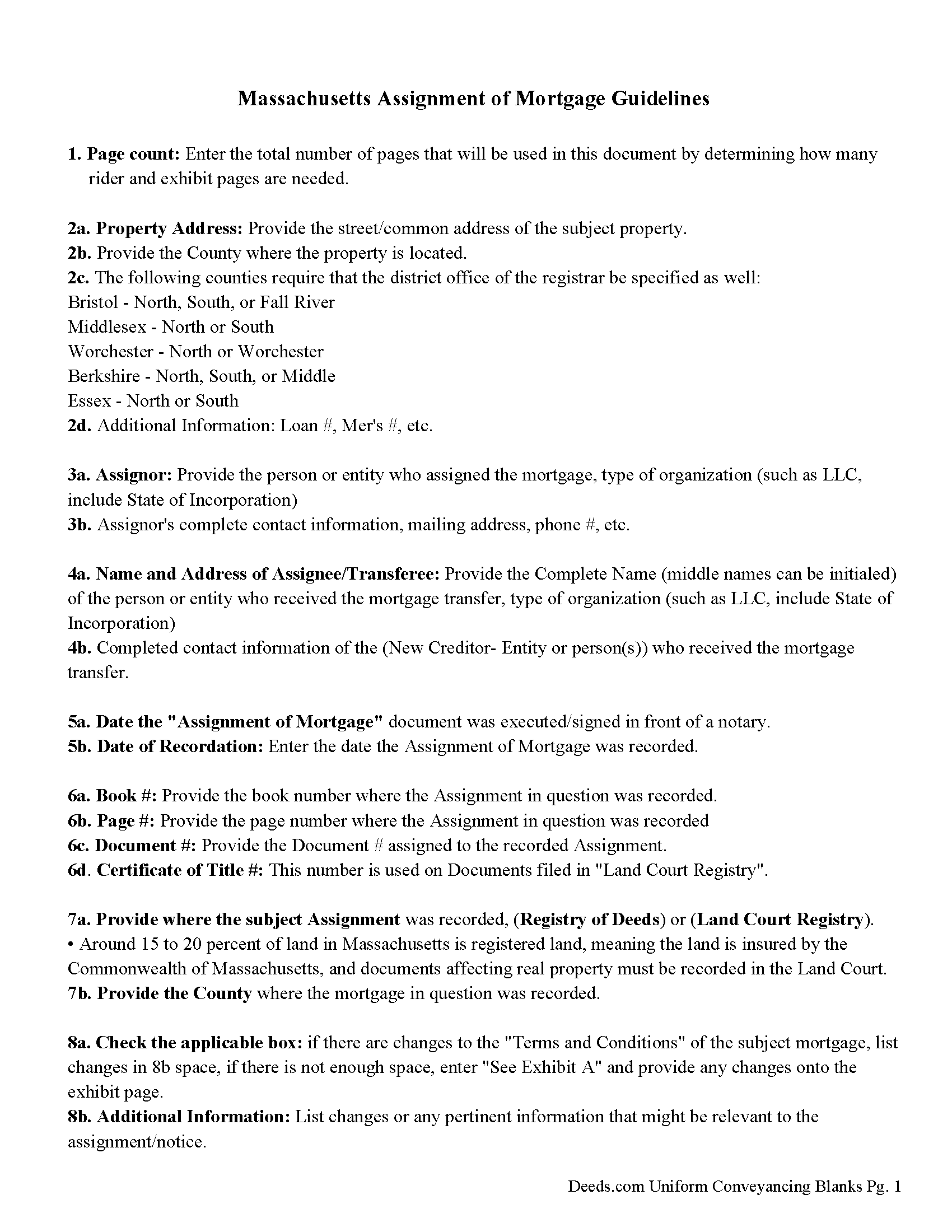
Norfolk County Guidelines for Assignment of Mortgage
Line by line guide explaining every blank on the form.
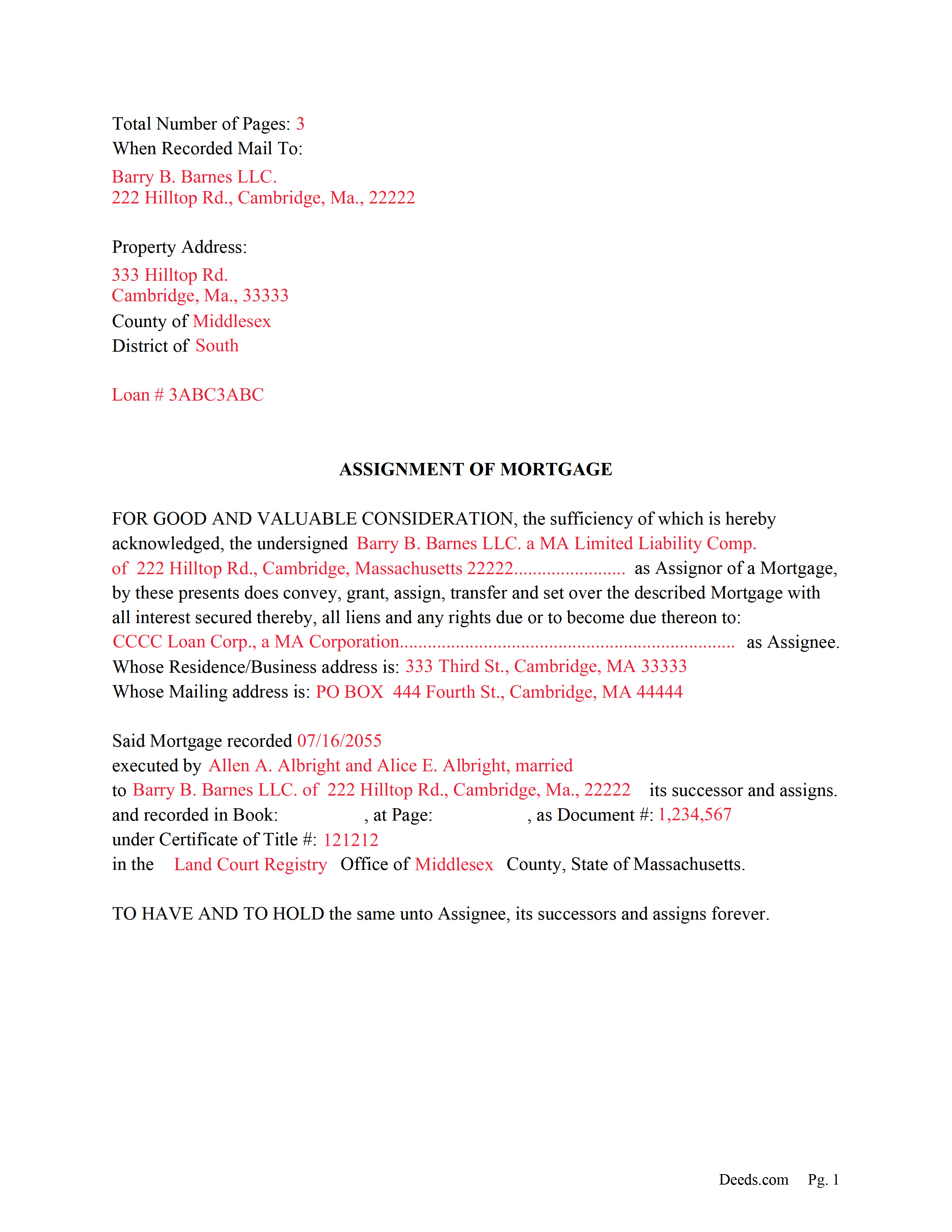
Norfolk County Completed Example of the Assignment of Mortgage Document
Example of a properly completed form for reference.
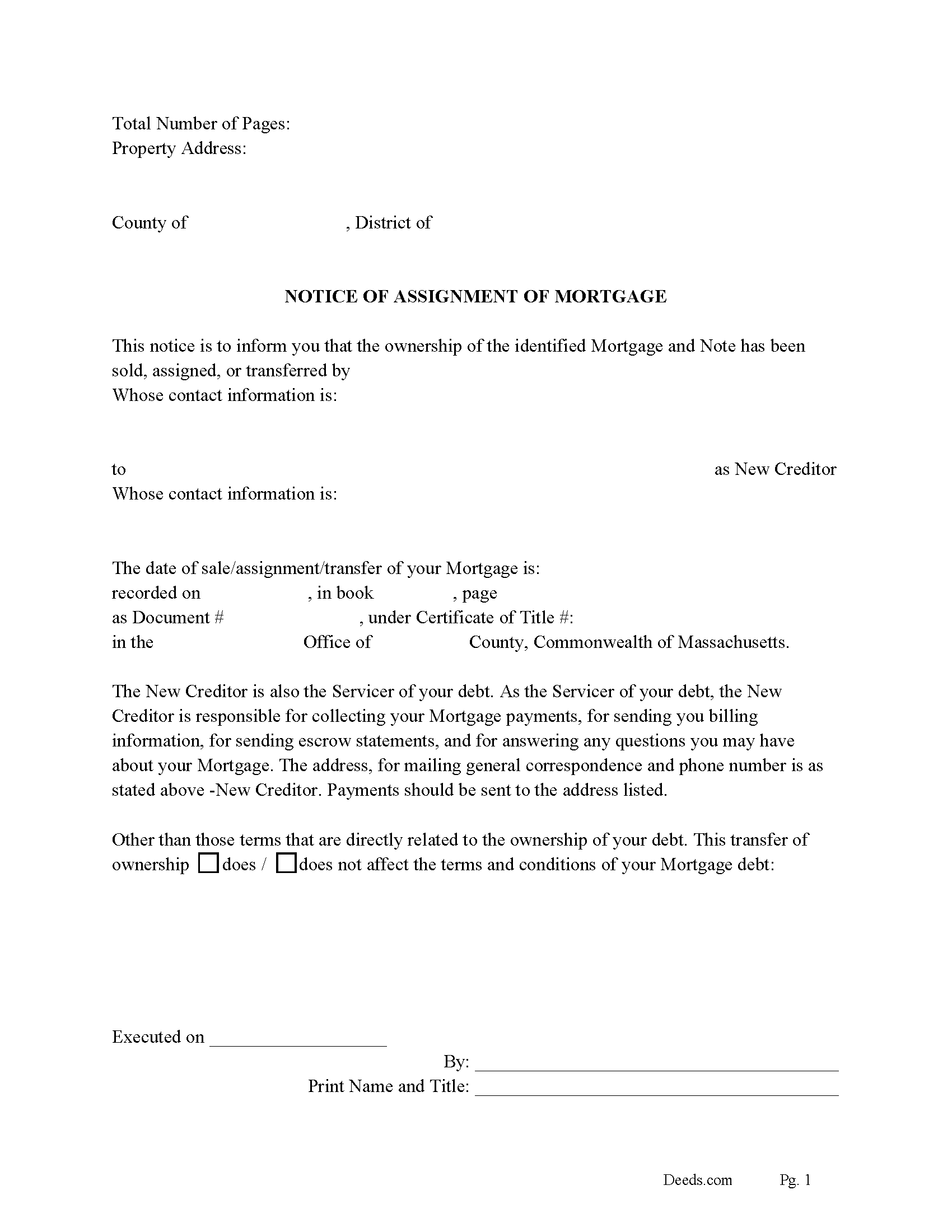
Norfolk County Notice of Assignment of Mortgage Form
Fill in the blank form formatted to comply with all recording and content requirements.
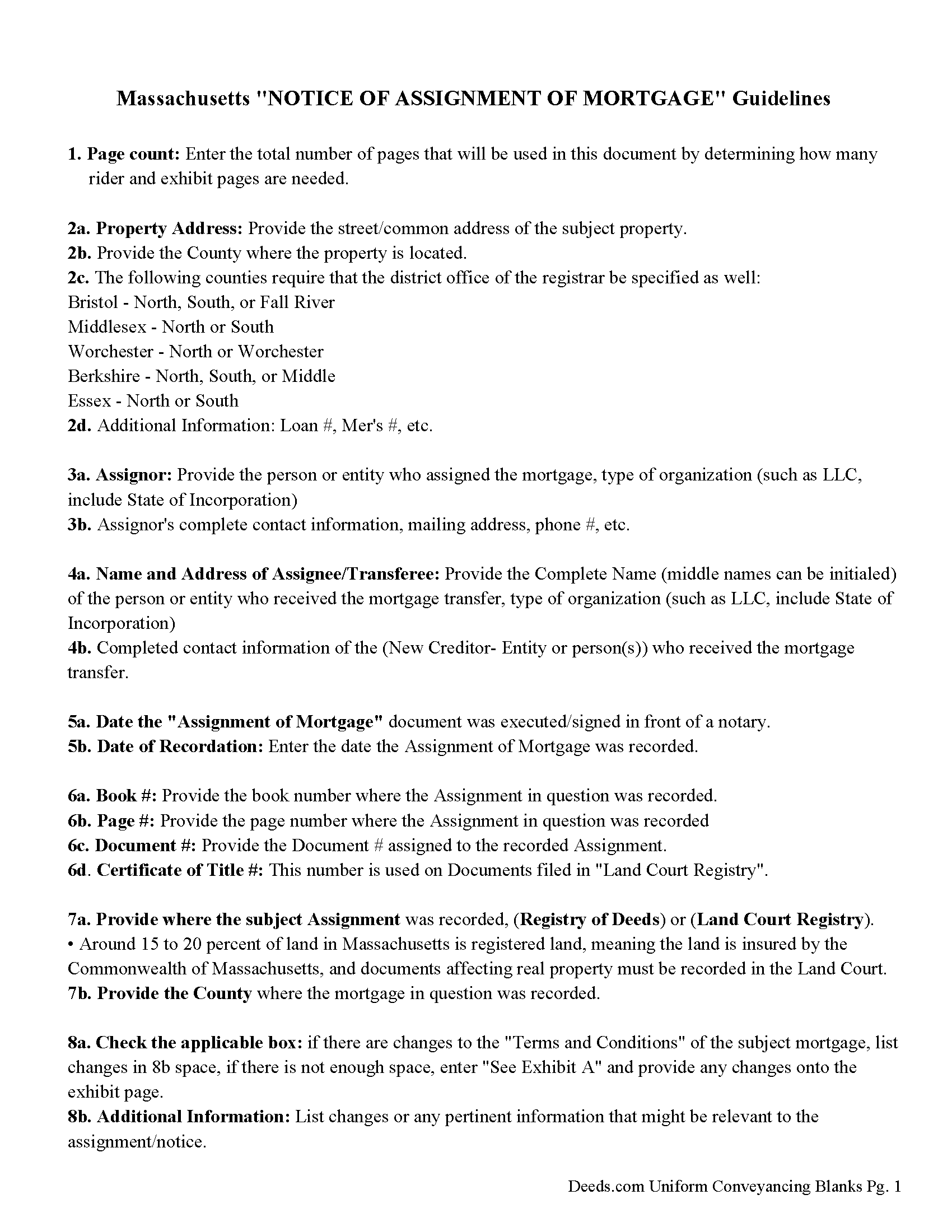
Norfolk County Notice of Assignment Guidelines
Line by line guide explaining every blank on the form.
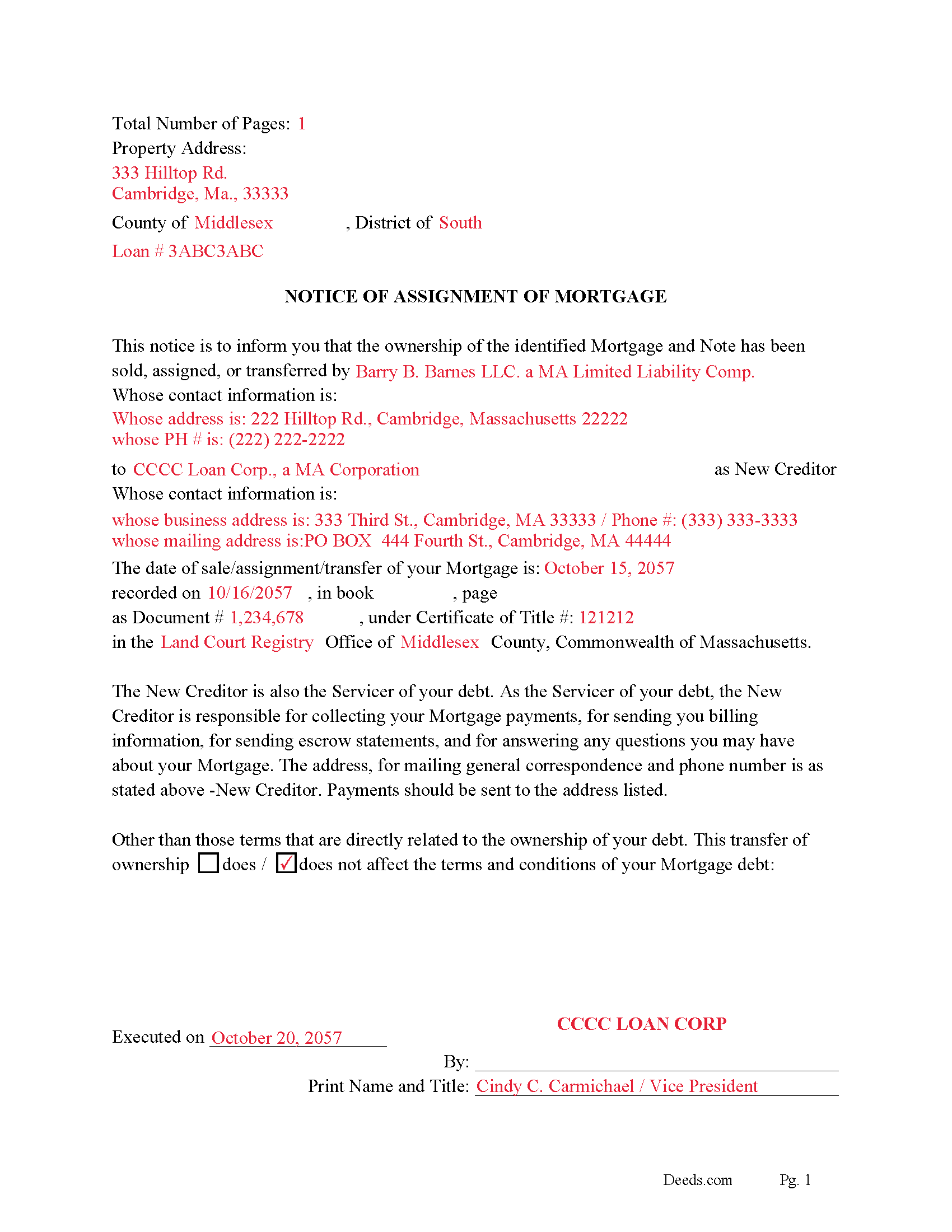
Norfolk County Completed Example of the Notice of Assignment Document
Example of a properly completed form for reference.
All 6 documents above included • One-time purchase • No recurring fees
Immediate Download • Secure Checkout
Additional Massachusetts and Norfolk County documents included at no extra charge:
Where to Record Your Documents
Norfolk County Registry of Deeds
Dedham, Massachusetts 02026-0069
Hours: 8:30 to 4:30 M-F / Recording: 9:00 to 4:00
Phone: (781) 461-6101
Recording Tips for Norfolk County:
- Bring your driver's license or state-issued photo ID
- Ensure all signatures are in blue or black ink
- Ask about their eRecording option for future transactions
- Avoid the last business day of the month when possible
- Both spouses typically need to sign if property is jointly owned
Cities and Jurisdictions in Norfolk County
Properties in any of these areas use Norfolk County forms:
- Avon
- Babson Park
- Bellingham
- Braintree
- Brookline
- Brookline Village
- Canton
- Cohasset
- Dedham
- Dover
- East Walpole
- East Weymouth
- Foxboro
- Franklin
- Holbrook
- Medfield
- Medway
- Millis
- Milton
- Milton Village
- Needham
- Needham Heights
- Norfolk
- North Weymouth
- Norwood
- Plainville
- Quincy
- Randolph
- Sharon
- Sheldonville
- South Walpole
- South Weymouth
- Stoughton
- Walpole
- Wellesley
- Wellesley Hills
- Westwood
- Weymouth
- Wrentham
Hours, fees, requirements, and more for Norfolk County
How do I get my forms?
Forms are available for immediate download after payment. The Norfolk County forms will be in your account ready to download to your computer. An account is created for you during checkout if you don't have one. Forms are NOT emailed.
Are these forms guaranteed to be recordable in Norfolk County?
Yes. Our form blanks are guaranteed to meet or exceed the applicable formatting requirements used for recording in Norfolk County, including margin requirements, font requirements, and other layout standards. This guarantee applies to formatting, not to the legal sufficiency of information entered by the user or the suitability of a form for a particular transaction.
Can I reuse these forms?
Yes. You can reuse the forms for your personal use. For example, if you have multiple properties in Norfolk County you only need to order once.
What do I need to use these forms?
The forms are PDFs that you fill out on your computer. The free Adobe Acrobat Reader is recommended, and most PDF apps also work. You do NOT enter your property information online - you download the blank forms and complete them privately on your own computer.
Are there any recurring fees?
No. This is a one-time purchase. Nothing to cancel, no memberships, no recurring fees.
How much does it cost to record in Norfolk County?
Recording fees in Norfolk County vary. Contact the recorder's office at (781) 461-6101 for current fees.
Questions answered? Let's get started!
Use this form to assign an existing mortgage to another party.
Formatted for recordation in the [Registry of Deeds] or [Land Court Registry], approximately 15 to 20% of land in Massachusetts is registered land, meaning the land is insured by the Commonwealth of Massachusetts, and documents affecting real property must be recorded in the Land Court.
Section 28. In an assignment of a mortgage of real estate the word ''assign'' shall be a sufficient word to transfer the mortgage, without the words ''transfer and set over''.
Mortgage broker endorsement included.
Section 6D. Every mortgage and assignment of mortgage secured by residential property, as defined in section 1 of chapter 255E, presented for record, in which a mortgage broker, as defined in said section 1 of said chapter 255E, is involved shall contain or have endorsed upon it the name, post office address and license number of the mortgage broker and, if applicable, the mortgage loan originator, as defined in section 1 of chapter 255F, responsible for placing the mortgage loan with the mortgagee. This endorsement, or notation that no mortgage broker or mortgage loan originator was involved in the mortgage, if known, shall be recorded as part of the mortgage or assignment of mortgage. Failure to comply with this section shall not affect the validity of any mortgage or the recording of any mortgage or assignment of mortgage.
When a mortgage is assigned, proper disclosures must be presented to current borrower(s). Generally within 30 days to avoid penalty. Included is a "NOTICE OF ASSIGNMENT OF MORTGAGE" document.
(Massachusetts Assignment of Mortgage Package includes form, guidelines, and completed example) For use in Massachusetts only.
Important: Your property must be located in Norfolk County to use these forms. Documents should be recorded at the county recording office listed above.
This Assignment of Mortgage meets all recording requirements specific to Norfolk County.
Our Promise
The documents you receive here are guaranteed to meet or exceed the applicable Norfolk County recording format requirements. If there is a rejection caused by our formatting, we will correct the issue or refund your payment. This guarantee applies to document formatting only and does not extend to information entered by the user, the selection of the form, or the legal effect of the completed document.
Save Time and Money
Get your Norfolk County Assignment of Mortgage form done right the first time with Deeds.com Uniform Conveyancing Blanks. At Deeds.com, we understand that your time and money are valuable resources, and we don't want you to face a penalty fee or rejection imposed by a county recorder for submitting nonstandard documents. We constantly review and update our forms to meet rapidly changing state and county recording requirements for roughly 3,500 counties and local jurisdictions.
4.8 out of 5 - ( 4,828 Reviews )
Willard V. 3 out of 5 stars
While it's nice to get all the forms and info in one package for a reasonable cost, the fixed format of the form does not allow for a lengthy meet and bounds property description for real property. Also, the Cover Sheet has big fillable sections with no instructions about what's supposed to go there. I tried the "Contact Us" link, but all it does is spin saying it's trying verify the security of my connection. Looks like I;m going to have to create my own deed in MS Word instead of just filling in the blacks of the PDF file that I downloaded. Bummer!
Your feedback is a crucial part of our dedication to ongoing improvement. Thank you for your insightful comments.
Thomas D. 2 out of 5 stars
The documents themselves are fine and the information provided with them is helpful. I find the actual processing of the documents, however, to be difficult particularly once the document has been saved. First, I note that the box for the date only allows entry of the last 2 digits of the year. Unfortunately, my download only allows me to enter one of the 2 digits required. When I delete it repeatedly, it eventually allows both digits to be entered but puts them in extremely small text and in superscrypt. I have not found a solution to this problem and am not sure the deed can even be recorded with this problem. Another problem is that if you try to revise the document after you have saved it the curser goes to the end of the line after each key entry. This means that there basically is no way to efficiently save the document for reworking later since you will have to delete everything you have entered in the text box unless you only need to make a single keystroke change or are willing to replace the curser after each entry. Try that with a long property description! Please note that I am using a Mac to prepare my documents and perhaps this is part of an "incompatibility problem". However, I didn't see a disclaimer regarding Mac use and so would expect the documents to perform correctly. Overall, I give the program a "2 star" rating because I am experiencing significant difficulties in entering dates in the documents even before saving them and because saving your work for later revision appears to be basically unworkable.
Thank you for your feedback Thomas, we appreciate you being specific about the issues you encountered. Adobe and Mac have a fairly long history of issues working together.
Lutz P. 5 out of 5 stars
Your forms are great but I couldn’t use them with my computer and acrobats reader didn’t work. And then my thermal printer would only print 1/3 size pages with no way to fix it. I ordered a new color printer and we’ll see what happens.
Thank you, Lutz. We're glad you like the forms, and we're sorry getting them working turned into such a hassle. That shrunken page is typical of thermal printers: most use narrow receipt or label paper, so a full page gets scaled down to fit, and no setting can change that. Thermal paper also fades over time, which you don't want on a document you're recording, so the new printer is the right call. When it arrives, print on plain white paper with “Actual size” selected in the print settings so the page comes out full size with its margins intact. If Acrobat Reader gives you trouble again, save the form to your computer first and open the saved file in Acrobat Reader rather than in your web browser. Still stuck? Contact our support team and we'll walk you through it.
TRACEY W. 5 out of 5 stars
The system is very easy to use. I wasn't able to access what I needed but my fees were refunded without issue.
We appreciate your business and value your feedback. Thank you. Have a wonderful day!
Keith K. 5 out of 5 stars
More expensive that I would have thought.
Thank you for your feedback. We really appreciate it. Have a great day!
Emily P. 5 out of 5 stars
Amazing service, thanks for all your help!
Thank you for your feedback. We really appreciate it. Have a great day!
Will O. 5 out of 5 stars
Saved me so much time and $!!
Thank you!
Thomas M. 5 out of 5 stars
Great Service. I had to record 13 deeds in various Oregon counties, with o previous experience, and the process was straightforward with excellent instruction. Thank you.
Thank you for your feedback. We really appreciate it. Have a great day!
Zachary F. 3 out of 5 stars
I am a lawyer and purchased a specialized type of deed for a special scenario. The product received was functional, but not great. Wording is slightly clunky and the form layout was not convenient for making a professional final product. The wording also didn't contemplate a remote-state probate, which is a common scenario. Something about the PDF prevented me from doing cut and paste, so I had to do OCR to get the relevant text for inserting in my existing draft deed. Finally, while the site claims it is customized for the exact state and county, it does not appear to be well-customized for that purpose and I had to use other language (not sourced from the deeds.com document) to meet local norms.
Thank you for your feedback. We really appreciate it. Have a great day!
Richard T. 5 out of 5 stars
Amazing service from competent individuals that really go above and beyond to get you documents processed.
Thank you!
Karen T. 5 out of 5 stars
Thank you for the feedback. I reviewed this with my client/friend and she is following up with the appropriate people, including the Police and a lawyer. Thank you for your help.
Thank you!
Eileen B. 5 out of 5 stars
I was quoted $525 to do the exact same thing from Deeds.com for only $25. Seems like a no brainer to me!
Thank you for your feedback. We really appreciate it. Have a great day!
Vicki C. 5 out of 5 stars
I purchased a Deed on Death for Washington State. Very user friendly site. Thank you 5star
Thank you for your feedback. We really appreciate it. Have a great day!
John W. 5 out of 5 stars
The Staff are very helpful if needed and the process is amazingly simple and efficient!
Thank you!
Danna F. 5 out of 5 stars
VERY INFORMATIVE
Thank you!