Waseca County Affidavit of Identity and Survivorship for Transfer on Death Deeds Form
Last validated October 1, 2026 by our Forms Development TeamFormatted for recording in Waseca County, for property anywhere in the county: rural and unincorporated areas as well as Janesville, New Richland, Waldorf, Waseca.
- 3 documents included
- Immediate PDF download
- Formatting guarantee
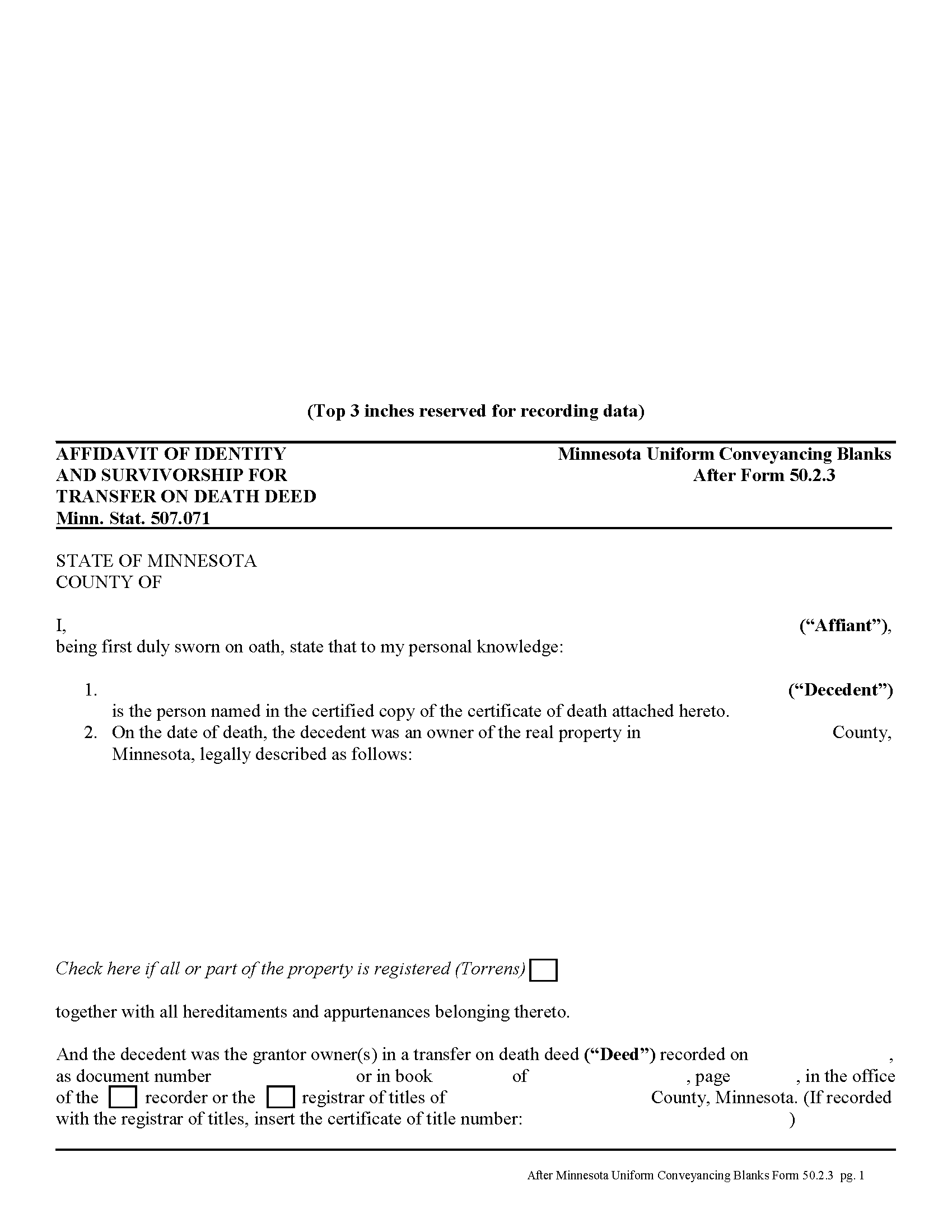
Waseca County Affidavit of Identity and Survivorship for Transfer on Death Deeds Form
Fill in the blank form formatted to comply with all recording and content requirements.
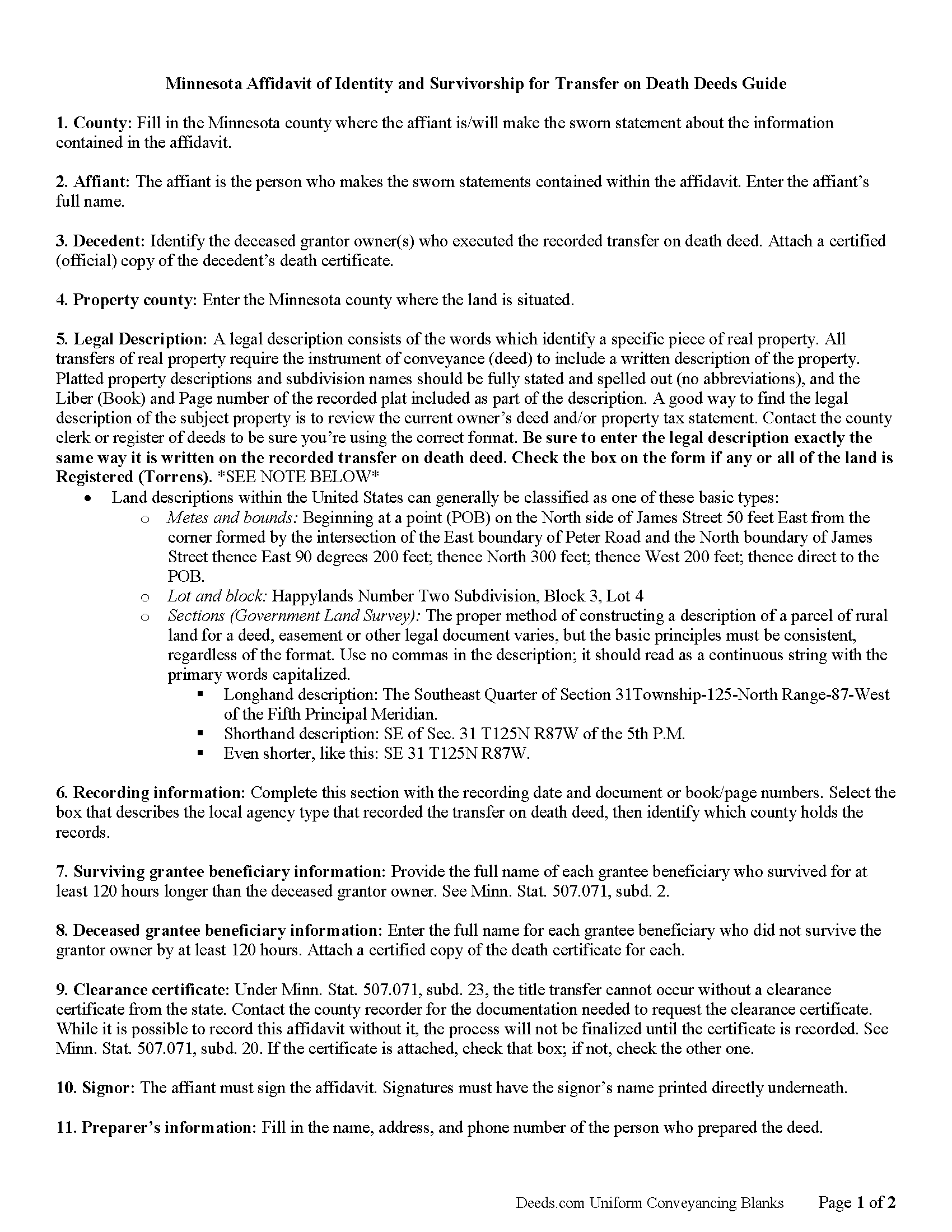
Waseca County Affidavit of Indentity and Survivorship for Transfer on Death Deed Guide
Line by line guide explaining every blank on the form.
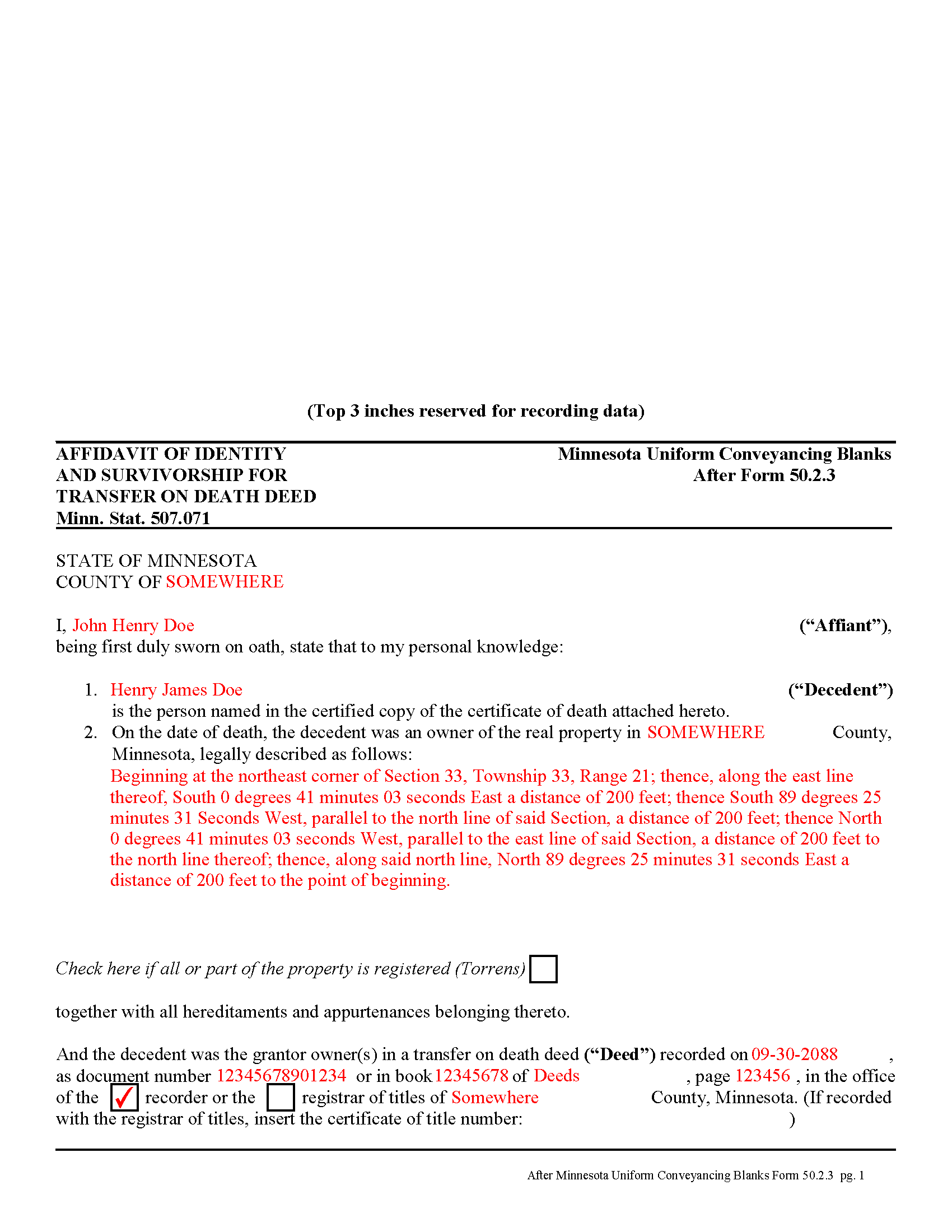
Waseca County Completed Example of the Affidavit of Identity and Survivorship for TODD Document
Example of a properly completed form for reference.
All 3 documents above included • One-time purchase • No recurring fees
Immediate Download • Secure Checkout
Additional Minnesota and Waseca County documents included at no extra charge:
Where to Record Your Documents
Waseca County Recorder
Waseca, Minnesota 56093
Hours: 8:00am to 4:30pm M-F
Phone: (507) 835-0670
Recording Tips for Waseca County:
- Bring your driver's license or state-issued photo ID
- Ensure all signatures are in blue or black ink
- Make copies of your documents before recording - keep originals safe
- Recorded documents become public record - avoid including SSNs
- Recording fees may differ from what's posted online - verify current rates
Cities and Jurisdictions in Waseca County
Properties in any of these areas use Waseca County forms:
- Janesville
- New Richland
- Waldorf
- Waseca
Hours, fees, requirements, and more for Waseca County
How do I get my forms?
Forms are available for immediate download after payment. The Waseca County forms will be in your account ready to download to your computer. An account is created for you during checkout if you don't have one. Forms are NOT emailed.
Are these forms guaranteed to be recordable in Waseca County?
Yes. Our form blanks are guaranteed to meet or exceed the applicable formatting requirements used for recording in Waseca County, including margin requirements, font requirements, and other layout standards. This guarantee applies to formatting, not to the legal sufficiency of information entered by the user or the suitability of a form for a particular transaction.
Can I reuse these forms?
Yes. You can reuse the forms for your personal use. For example, if you have multiple properties in Waseca County you only need to order once.
What do I need to use these forms?
The forms are PDFs that you fill out on your computer. The free Adobe Acrobat Reader is recommended, and most PDF apps also work. You do NOT enter your property information online - you download the blank forms and complete them privately on your own computer.
Are there any recurring fees?
No. This is a one-time purchase. Nothing to cancel, no memberships, no recurring fees.
How much does it cost to record in Waseca County?
Recording fees in Waseca County vary. Contact the recorder's office at (507) 835-0670 for current fees.
Questions answered? Let's get started!
Affidavit of Identity and Survivorship for Transfer on Death Deeds -- Minnesota Form 50.2.3
Minnesota's transfer on death deeds are governed by Minn. Stat. 507.071.
To complete the transfer of property rights after the grantor owner's death, the beneficiary must file an affidavit of identity and survivorship in the county where the land is located (subd.20). The affidavit must contain details about the deceased grantor owner, all beneficiaries, surviving or deceased, a legal description of the real estate, recording information from the transfer on death deed, and the address of the individual or entity who should receive future tax statements.
In addition to the affidavit, include an official copy of the grantor owner's death certificate and a clearance certificate from the Minnesota Department of Human Services. All three forms are required, and may be filed as a unified document with references on the affidavit to the death certificate and clearance certificate, but each may also be recorded individually. Note that the transfer is not completed until all three forms are filed for record.
The beneficiary may complete an online request from the DHS website: https://edocs.dhs.state.mn.us/lfserver/Public/DHS-5893-ENG to obtain the clearance certificate.
Individual counties may require additional information -- check with the local agency responsible for maintaining land records with any questions.
(Minnesota AOS Package includes form, guidelines, and completed example)
Important: Your property must be located in Waseca County to use these forms. Documents should be recorded at the county recording office listed above.
This Affidavit of Identity and Survivorship for Transfer on Death Deeds meets all recording requirements specific to Waseca County.
Our Promise
The documents you receive here are guaranteed to meet or exceed the applicable Waseca County recording format requirements. If there is a rejection caused by our formatting, we will correct the issue or refund your payment. This guarantee applies to document formatting only and does not extend to information entered by the user, the selection of the form, or the legal effect of the completed document.
Save Time and Money
Get your Waseca County Affidavit of Identity and Survivorship for Transfer on Death Deeds form done right the first time with Deeds.com Uniform Conveyancing Blanks. At Deeds.com, we understand that your time and money are valuable resources, and we don't want you to face a penalty fee or rejection imposed by a county recorder for submitting nonstandard documents. We constantly review and update our forms to meet rapidly changing state and county recording requirements for roughly 3,500 counties and local jurisdictions.
4.8 out of 5 - ( 4,834 Reviews )
lamar J. 5 out of 5 stars
Easy to understand and work with Very pleased with the information I Received
We appreciate your business and value your feedback. Thank you. Have a wonderful day!
Craig M. 5 out of 5 stars
Fantastic! So much easier than going and recording it at the recorders office!
Glad we could help Craig, thanks for the kind words.
ralph f. 5 out of 5 stars
I VERY MUCH APPRECIATE THE PROMPT RESPONSE & HELPFULNESS. I WILL DEFINITELY USE THIS SERVICE IN THE FUTURE. THANK YOU!
Thank you Ralph, we appreciate your feedback.
Vickie W. 5 out of 5 stars
Very easy to download and appreciated the other information and affidavits.
We appreciate your business and value your feedback. Thank you. Have a wonderful day!
Vernon H. 5 out of 5 stars
Great process and very easy to complete
Thank you!
Josephine H. 5 out of 5 stars
Wonderful site. Pretty complete and super easy to use. Thank you.
Thank you for your feedback. We really appreciate it. Have a great day!
Jana C H. 5 out of 5 stars
Form was the one I needed and the instructions along with a sample form was all I needed.
We appreciate your business and value your feedback. Thank you. Have a wonderful day!
Annette L. 5 out of 5 stars
Wow -- amazingly fast turnaround and excellent customer service and communication. Thank you for saving me hours of time and effort!
We appreciate your business and value your feedback. Thank you. Have a wonderful day!
Ida L. 5 out of 5 stars
The form was easy to complete and print. Best price found online.
Thank you!
DARRYL B. 5 out of 5 stars
Professional and convenient.
Thank you for your feedback. We really appreciate it. Have a great day!
Melissa S. 5 out of 5 stars
As a person working in the title industry, I recommend this site to everyone needing a blank deed. Thank you for staying user friendly.
Thank you, Melissa! An endorsement from someone who works with these transactions every day carries real weight with us. We work hard to keep the whole process painless, so it's wonderful to hear it's landing that way. All the best to you!
Alan S. 5 out of 5 stars
Great job! Fast and easy. Terrific communications.
Thank you!
Lori M. 5 out of 5 stars
So easy to use. The directions are very clear.
Thank you!
James C. 4 out of 5 stars
First time user and was directed there from a search on my home state for a state form. The downloaded form was complete with instructions and sample filled out form. I was not happy about the cost for the form, but it did the job.
Thank you for your feedback. We really appreciate it. Have a great day!
John B. 4 out of 5 stars
I purchased the Notice of Completion form because the City of Chula Vista did not have a "fillable" version of this form on their website. The Deeds.com version of this form is somewhat different than the City's version (8 numbered paragraphs vs. 11 numbered paragraphs.) However, it contains the same information in a different format. This form provided more blank space to fill in important items- like a long ownership name- than the version on the City's website. The recorder's office was satisfied with this form as I hand-delivered it to the Recorder's Office and they approved it for recording. Overall, I found this form easy to use and found the extra blank space for writing on the form helpful. My one comment for possible improvement is: it would be even more helpful (particularly for attorney users) to have strike-out capability. I would have liked having the ability to strike-out inapplicable portions of long awkward sentences. Still, I would use this form again.
Your feedback means a lot to us. Thank you.