Dakota County Correction Deed Form
Last validated November 13, 2026 by our Forms Development TeamFormatted for recording in Dakota County, for property anywhere in the county: rural and unincorporated areas as well as Burnsville, Castle Rock, Farmington, Hampton, Hastings, Inver Grove Heights, Lakeville, Mendota and 5 more.
- 3 documents included
- Immediate PDF download
- Formatting guarantee
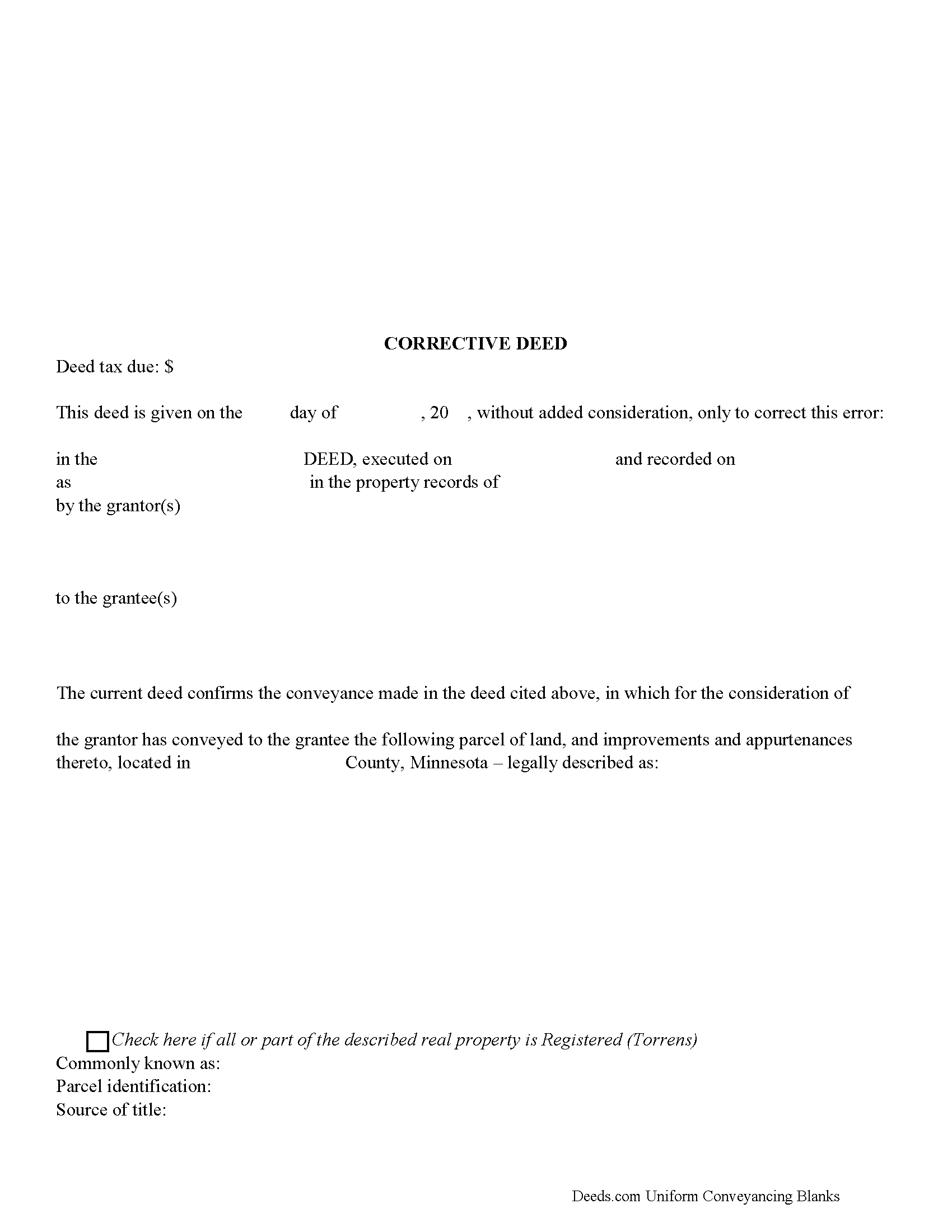
Dakota County Corrective Deed Form
Fill in the blank form formatted to comply with all recording and content requirements.
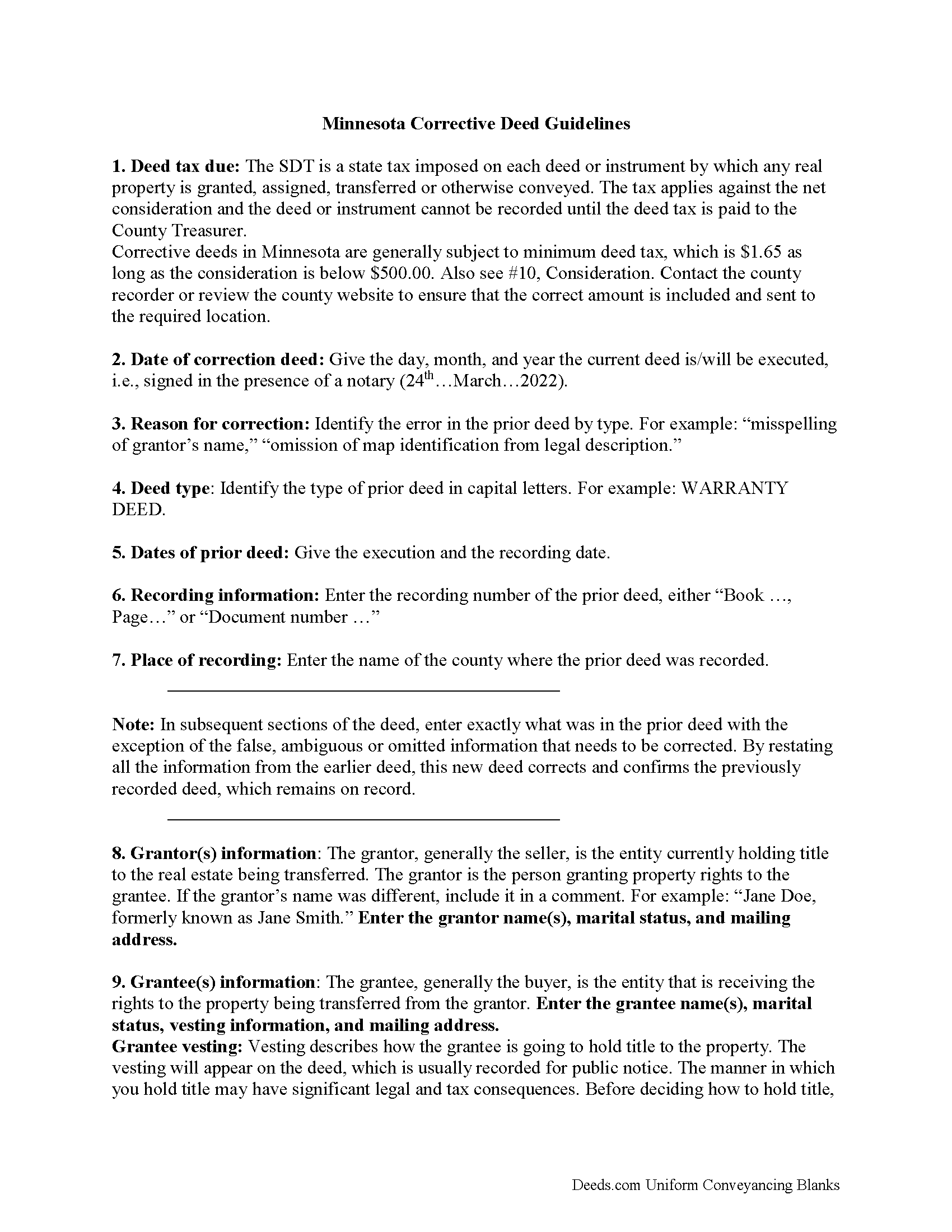
Dakota County Correction Deed Guide
Line by line guide explaining every blank on the form.
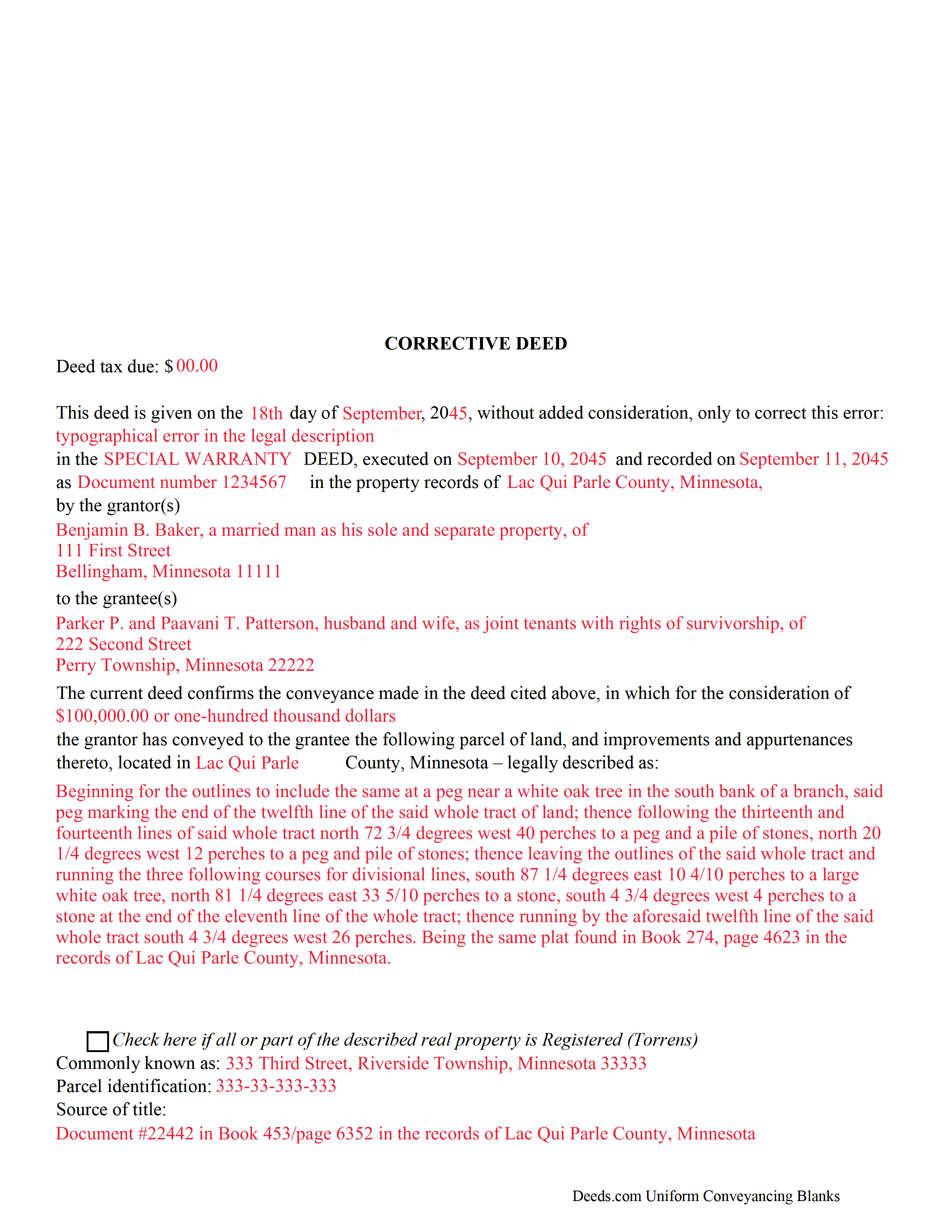
Dakota County Completed Example of the Corrective Deed Document
Example of a properly completed form for reference.
All 3 documents above included • One-time purchase • No recurring fees
Immediate Download • Secure Checkout
Additional Minnesota and Dakota County documents included at no extra charge:
Where to Record Your Documents
Property Taxation & Records
Hastings, Minnesota 55033
Hours: 8:00 to 4:30 M-F
Phone: (651) 438-4355
Recording Tips for Dakota County:
- Bring your driver's license or state-issued photo ID
- Ensure all signatures are in blue or black ink
- Verify all names are spelled correctly before recording
- White-out or correction fluid may cause rejection
- Ask about their eRecording option for future transactions
Cities and Jurisdictions in Dakota County
Properties in any of these areas use Dakota County forms:
- Burnsville
- Castle Rock
- Farmington
- Hampton
- Hastings
- Inver Grove Heights
- Lakeville
- Mendota
- Randolph
- Rosemount
- Saint Paul
- South Saint Paul
- Vermillion
Hours, fees, requirements, and more for Dakota County
How do I get my forms?
Forms are available for immediate download after payment. The Dakota County forms will be in your account ready to download to your computer. An account is created for you during checkout if you don't have one. Forms are NOT emailed.
Are these forms guaranteed to be recordable in Dakota County?
Yes. Our form blanks are guaranteed to meet or exceed the applicable formatting requirements used for recording in Dakota County, including margin requirements, font requirements, and other layout standards. This guarantee applies to formatting, not to the legal sufficiency of information entered by the user or the suitability of a form for a particular transaction.
Can I reuse these forms?
Yes. You can reuse the forms for your personal use. For example, if you have multiple properties in Dakota County you only need to order once.
What do I need to use these forms?
The forms are PDFs that you fill out on your computer. The free Adobe Acrobat Reader is recommended, and most PDF apps also work. You do NOT enter your property information online - you download the blank forms and complete them privately on your own computer.
Are there any recurring fees?
No. This is a one-time purchase. Nothing to cancel, no memberships, no recurring fees.
How much does it cost to record in Dakota County?
Recording fees in Dakota County vary. Contact the recorder's office at (651) 438-4355 for current fees.
Questions answered? Let's get started!
Use the corrective deed to amend a previously recorded deed of conveyance with an error that could affect the title.
In Minnesota, there are two options for correcting a deed, re-recording the corrected original deed and recording a newly drafted corrective deed. When re-recording the original deed, make corrections directly on the document, but keep in mind that legal documents cannot be altered with strikeout, whiteout, line through or correction tape. Check with the county's recording office before choosing this option to verify local requirements regarding title pages, required attachments and how to handle the correcting itself.
A re-recorded document must be re-signed by the original parties and re-acknowledged and contain a correction statement that gives the reason for the re-recording and refers to the prior recording. Keep in mind that adding extra pages for the various required statements and the signatures will increase the overall page count of the re-recording, which may affect recording fees.
The easiest and cleanest option is to record a new corrective deed, which mostly restates the prior deed, but also contains the reason for the correction, reference to the prior deed by date, recording number and title, as well as the actual corrected information. By restating all the information from the earlier deed, the new deed corrects and confirms the previously recorded deed, which remains on record.
Take advantage of the statutorily defined right to have a corrective instrument inspected by the county attorney, who, "on finding that such deed is given for the purpose of correcting a defect in the title, or on account of a technical error in a prior conveyance," will certify those findings so that the deed can be recorded even if "there are unpaid taxes or assessments upon such land." (Minn. Stat. 272.15) As far as deed tax is concerned, corrective deeds in Minnesota are generally subject to minimum deed tax. Contact the county recorder or review the county website to ensure that the correct amount is included and sent to the required location.
(Minnesota CD Package includes form, guidelines, and completed example)
Important: Your property must be located in Dakota County to use these forms. Documents should be recorded at the county recording office listed above.
This Correction Deed meets all recording requirements specific to Dakota County.
Our Promise
The documents you receive here are guaranteed to meet or exceed the applicable Dakota County recording format requirements. If there is a rejection caused by our formatting, we will correct the issue or refund your payment. This guarantee applies to document formatting only and does not extend to information entered by the user, the selection of the form, or the legal effect of the completed document.
Save Time and Money
Get your Dakota County Correction Deed form done right the first time with Deeds.com Uniform Conveyancing Blanks. At Deeds.com, we understand that your time and money are valuable resources, and we don't want you to face a penalty fee or rejection imposed by a county recorder for submitting nonstandard documents. We constantly review and update our forms to meet rapidly changing state and county recording requirements for roughly 3,500 counties and local jurisdictions.
4.8 out of 5 - ( 4,853 Reviews )
Ronald B. 5 out of 5 stars
Simple to use, download, fill-in and print.
We appreciate your business and value your feedback. Thank you. Have a wonderful day!
Della M. 5 out of 5 stars
Very easy to purchase with immediate use of all of the forms that you need for probate of property. My parents had died and left equal shares of their home to my 2 brothers and I.
Thank you!
Donald H. 5 out of 5 stars
EXCELLENT,,super good. Quick & easy
Thank you!
IVAN G. 5 out of 5 stars
This Guys are accurate and FAST, Thanks Staff- KVH.!!!! you were awesome!!
We appreciate your business and value your feedback. Thank you. Have a wonderful day!
Richard C. 5 out of 5 stars
Amazing from start to finish!
Thank you for your feedback. We really appreciate it. Have a great day!
Rajesh S. 5 out of 5 stars
It was a wonderful and less time-consuming experience. Got my job done in a timely manner.
Thank you, Rajesh. We appreciate you taking the time to share your experience. Glad everything came together quickly and got the job done.
Justin F. 5 out of 5 stars
Provided the template and guide I was looking for. Reasonable pricing,
Thank you!
Missie R. 5 out of 5 stars
Very fast and professionally handled.
Thank you!
Brenda K R. 5 out of 5 stars
Hello, I like how easy the form is to follow. I'm unsure however of how to proceed as what I am trying to do is have my name added to the deed so in event of death I have ownership.
Thank you for your feedback. We really appreciate it. Have a great day!
Eppie G. 5 out of 5 stars
Perfect
Thank you!
Larry C. 5 out of 5 stars
Very easy and convenient, thank you so much.
Thank you!
Bernice L. 5 out of 5 stars
Finally able to print out the forms after a few tries. Honestly, I think it could have been designed a little better. I am almost 80; however, very computer savvy, but finally managed to get what I needed.
Thank you for your feedback. We really appreciate it. Have a great day!
James S. 5 out of 5 stars
The affidavit guidance was a great help and helped reduce the stress that usually comes with dealing with legalese. The Preliminary Change of Ownership that CA requires is quite complex since it covers a hoard of situations. I was left with a bit of uncertainty, but I definitely wouldn't want to try it without guidance.
Thank you for your feedback. We really appreciate it. Have a great day!
A. S. 3 out of 5 stars
First, I am glad that you gave a blank copy, an example copy, and a 'guide'. It made it much easier to do. Overall I was very happy with your products and organization... however, things got pretty confusing and I have a pretty 'serious' law background in Real Estate and Civil law. With that said, I spent about 10+ hours getting my work done, using the Deed of Trust and Promissory note from you and there were a few problems: First, it would be FANTASTIC if you actually aligned your guide to actually match the Deed or Promissory Note. What I mean is that if the Deed says 'section (E)' then your guide shouldn't be 'randomly' numbered as 1,2,3, for advice/instructions, but should EXACTLY match 'section (E)'. Some places you have to 'hunt' for what you are looking for, and if you did it based on my suggestion, you wouldn't need to 'hunt' and it would avoid confusion. 2nd: This one really 'hurt'... you had something called the 'Deed of Trust Master Form' yet you had basically no information on what it was or how to use it. The only information you had was a small section at the top of the 'Short Form Deed of Trust Guide'. Holy Cow, was that 'section' super confusing. I still don't know if I did it correctly, but your guide says only put a return address on it and leave the rest of the 16 or so page Deed of Trust beneath it blank... and then include your 'Deed of Trust' (I had to assume the short form deed that I had just created) as part of it. I had to assume that I had to print off the entire 17 page or so title page and blank deed. I also had to assume that the promissory note was supposed to be EXHIBIT A or B on the Short Form Deed. It would be great if someone would take a serious look at that short section in your 'Short Form Deed of Trust Guide' and realize that those of us using your products are seriously turning this into a county clerk to file and that most of us, probably already have a property that has an existing Deed... or at least can find one in the county records if necessary... and make sure that you make a distinction between the Deed for the property that already exists, versus the Deed of Trust and Promissory note that we are trying to file. Thanks.
Thank you for your feedback. We'll have staff review the document for clarity. Have a great day!
Mary B. 5 out of 5 stars
I was very pleased with my experience on Deeds.com. I hand purchased the wrong papers and they credited my account so I could purchase the correct papers. I will use them again
We appreciate your business and value your feedback. Thank you. Have a wonderful day!