Dakota County Trustee Deed Individual Form
Last validated October 2, 2026 by our Forms Development TeamFormatted for recording in Dakota County, for property anywhere in the county: rural and unincorporated areas as well as Burnsville, Castle Rock, Farmington, Hampton, Hastings, Inver Grove Heights, Lakeville, Mendota and 5 more.
- 3 documents included
- Immediate PDF download
- Formatting guarantee
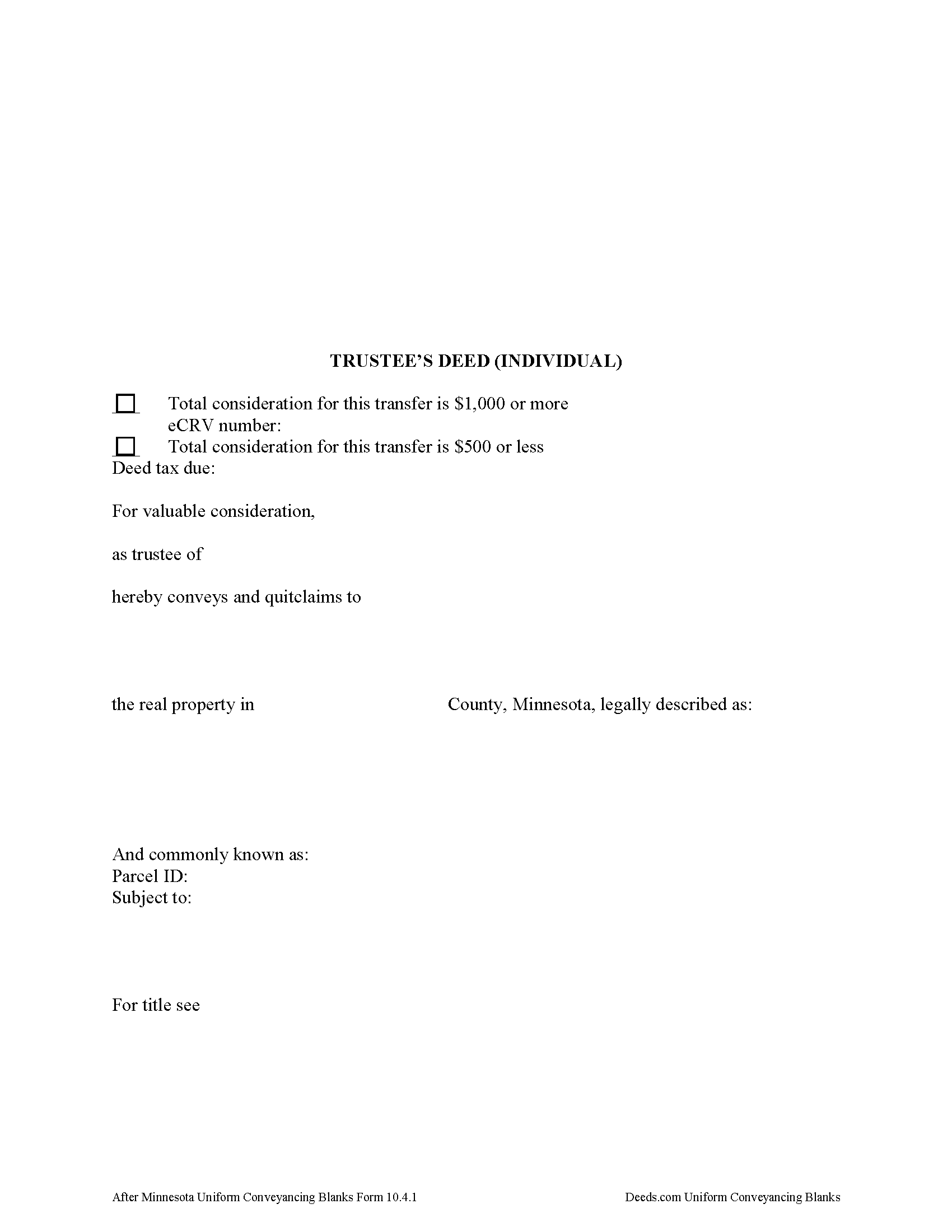
Dakota County Trustee Deed Form
Fill in the blank form formatted to comply with all recording and content requirements.
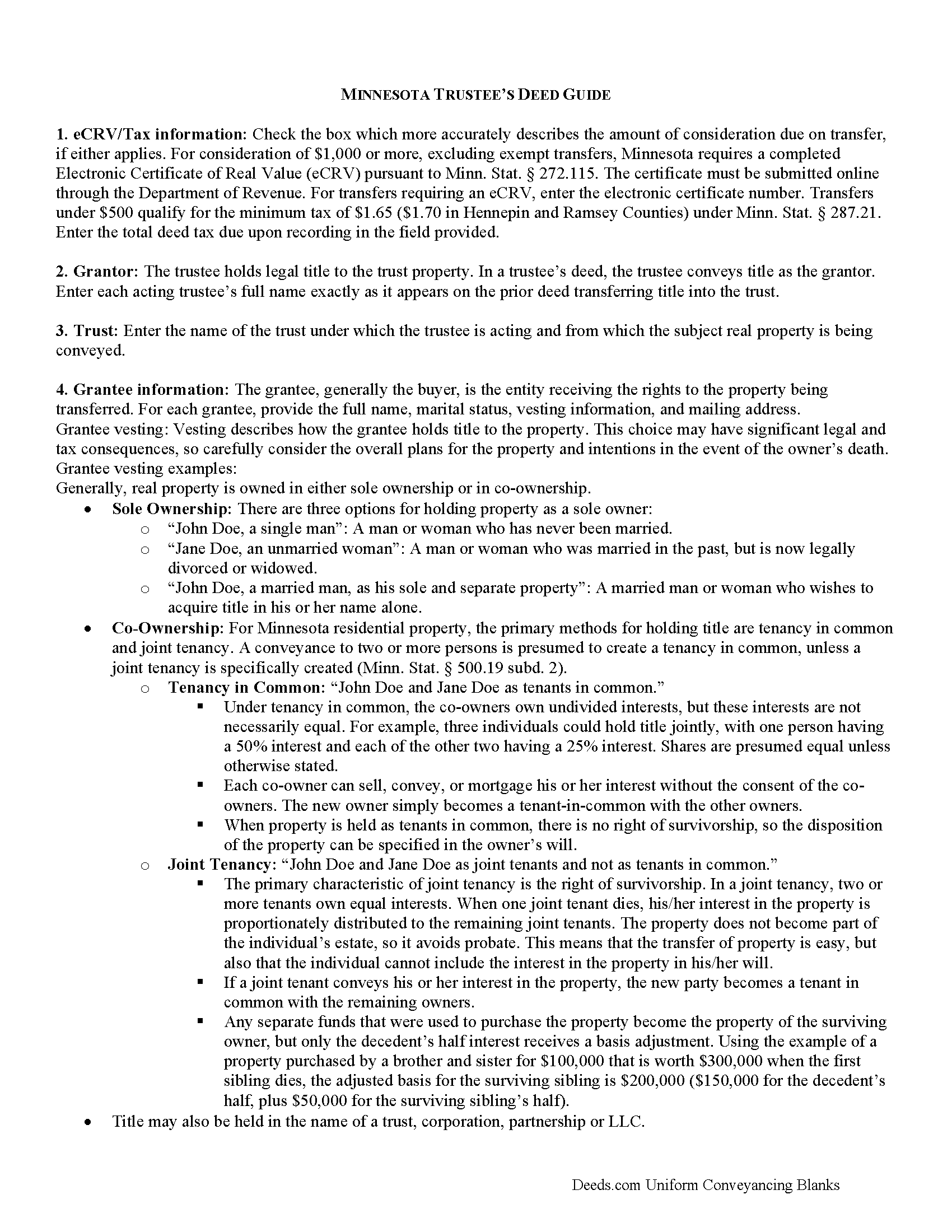
Dakota County Trustee Deed Guide
Line by line guide explaining every blank on the form.
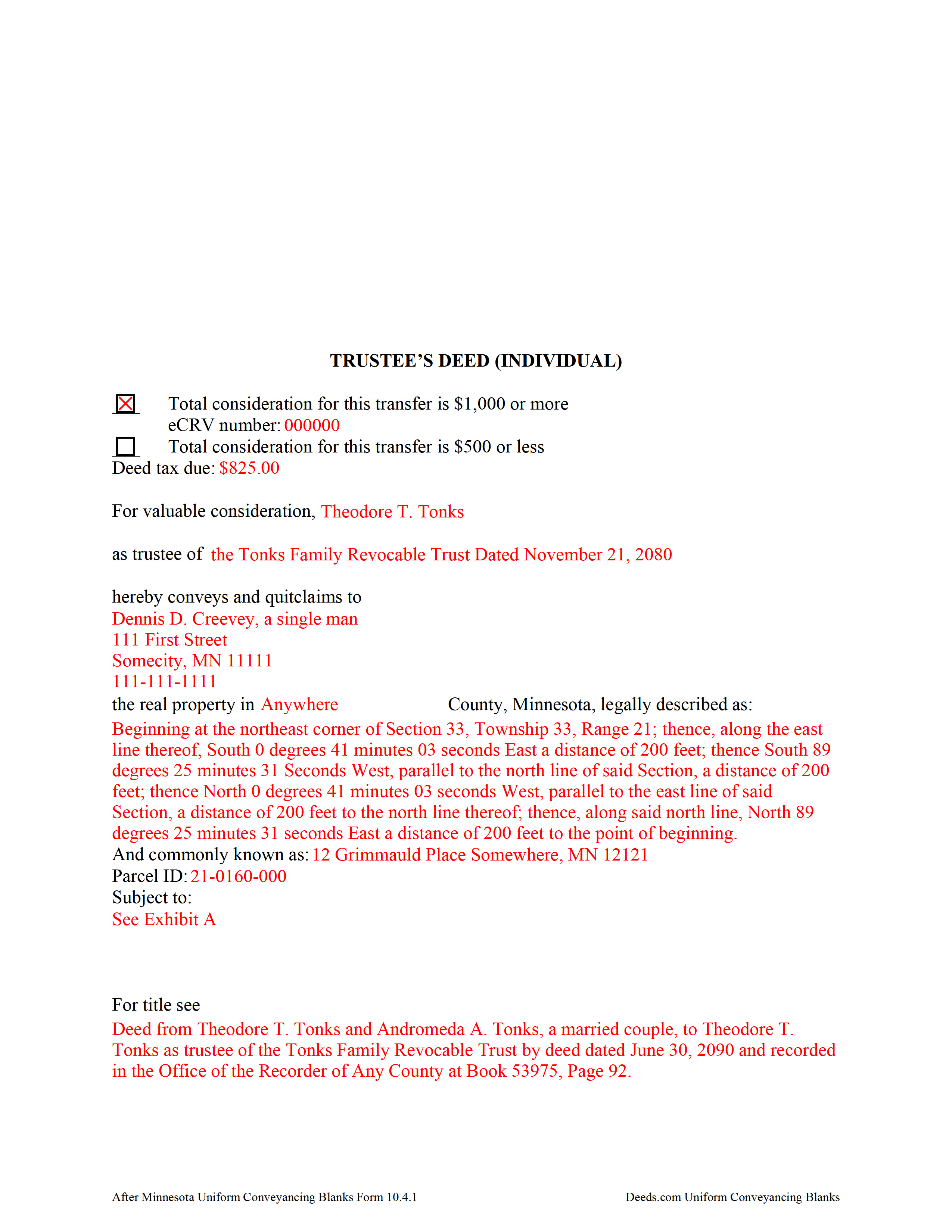
Dakota County Completed Example of the Trustee Deed Document
Example of a properly completed form for reference.
All 3 documents above included • One-time purchase • No recurring fees
Immediate Download • Secure Checkout
Additional Minnesota and Dakota County documents included at no extra charge:
Where to Record Your Documents
Property Taxation & Records
Hastings, Minnesota 55033
Hours: 8:00 to 4:30 M-F
Phone: (651) 438-4355
Recording Tips for Dakota County:
- Bring your driver's license or state-issued photo ID
- Ensure all signatures are in blue or black ink
- Bring extra funds - fees can vary by document type and page count
- Check margin requirements - usually 1-2 inches at top
- Leave recording info boxes blank - the office fills these
Cities and Jurisdictions in Dakota County
Properties in any of these areas use Dakota County forms:
- Burnsville
- Castle Rock
- Farmington
- Hampton
- Hastings
- Inver Grove Heights
- Lakeville
- Mendota
- Randolph
- Rosemount
- Saint Paul
- South Saint Paul
- Vermillion
Hours, fees, requirements, and more for Dakota County
How do I get my forms?
Forms are available for immediate download after payment. The Dakota County forms will be in your account ready to download to your computer. An account is created for you during checkout if you don't have one. Forms are NOT emailed.
Are these forms guaranteed to be recordable in Dakota County?
Yes. Our form blanks are guaranteed to meet or exceed the applicable formatting requirements used for recording in Dakota County, including margin requirements, font requirements, and other layout standards. This guarantee applies to formatting, not to the legal sufficiency of information entered by the user or the suitability of a form for a particular transaction.
Can I reuse these forms?
Yes. You can reuse the forms for your personal use. For example, if you have multiple properties in Dakota County you only need to order once.
What do I need to use these forms?
The forms are PDFs that you fill out on your computer. The free Adobe Acrobat Reader is recommended, and most PDF apps also work. You do NOT enter your property information online - you download the blank forms and complete them privately on your own computer.
Are there any recurring fees?
No. This is a one-time purchase. Nothing to cancel, no memberships, no recurring fees.
How much does it cost to record in Dakota County?
Recording fees in Dakota County vary. Contact the recorder's office at (651) 438-4355 for current fees.
Questions answered? Let's get started!
What's in a Minnesota Trustee's Deed?
Minnesota allows for two main types of trustees deeds: one between individuals, and one for use by business entities. The primary differences between the two forms are that the deed intended for businesses contains details about the corporate entity and the laws under which it was formed, and a corporate notary acknowledgement, while the form for individuals does not require that information. This article focuses on the trustee's deed for individuals.
A trustee's deed conveys title to real property held in a non-testamentary trust. The deed is named for the executing trustee, unlike other deed forms, which are named for the warranties of title they contain. Trustees are authorized to sell property under Minn. Stat. 501C.0816.
In a trust arrangement, the trustee holds legal title to property conveyed to the trust by the settlor, for the benefit of the trust's beneficiaries. A beneficiary is someone with a present or future interest in the trust (Minn. Stat. 501C. 0103). The settlor establishes the provisions of the trust, including the designation of a trustee and a trust beneficiary, in the trust instrument, which typically is not recorded.
In Minnesota, the trustee's deed is a modified quitclaim deed, containing the granting language "convey and quitclaim." A quitclaim deed merely grants "all right, title, and interest of the grantor in the premises described" to the grantee, and contains no warranty of title (Minn. Stat. 707.07).
The deed names the trustee and the trust on behalf of which the trustee is authorized to act. As with all other forms of conveyance, the deed requires the name, vesting information, and address of the grantee. In addition, the deed recites the full legal description of the premises conveyed, and indicates whether the deed is to be recorded in the abstract or Torrens system (the Office of the Recorder for the county in which the property is situated handles recording for both systems).
In a nutshell, the Torrens system is a system of recording whereby the state guarantees the title through a more rigorous certification process; conveyances submitted in the abstract system meeting basic recording requirements will be recorded, but the title is not guaranteed.
Finally, all conveyances in Minnesota need to contain the drafter's information, and an address to which property tax statements can be sent.
Minnesota statutes require an Electronic Certificate of Real Value (eCRV) to accompany deeds with a consideration of $1,000 or more (Min. Stat. 272.115). The certificate is submitted online through the Department of Revenue. For transfers requiring an eCRV, the electronic certificate number must be reflected on the first page of the documents. Considerations of $500 or less qualify for the minimum deed tax. Because the eCRV contains more specific information for a majority of documents, the consideration statement reflected on the face of the deed is typically generic.
Pursuant to Minn. Stat. 103I.235, sellers of real property must submit a well disclosure certificate, along with the $50 well disclosure certificate fee, before agreeing to a transfer. Subd. 1(c) of that statute explains that the certificate is unnecessary "if the seller does not know of any wells on the property" and includes a statement to that effect on the deed. A deed may also state that the status of wells on the property has not changed since the previously filed certificate. Finally, recite the electronic well disclosure certificate number if relevant to the property.
All acting trustees must sign the deed in the presence of a notary public or other authorized officer before submitting the deed for recording at the county level. A certificate of trust and/or affidavit of trustee may be required alongside the trustee's deed.
Each situation is unique, so contact an attorney with any questions about trustee's deeds, trusts, and directions relating specifically to your situation.
(Minnesota Trustee Deed Individual Package includes form, guidelines, and completed example)
Important: Your property must be located in Dakota County to use these forms. Documents should be recorded at the county recording office listed above.
This Trustee Deed Individual meets all recording requirements specific to Dakota County.
Our Promise
The documents you receive here are guaranteed to meet or exceed the applicable Dakota County recording format requirements. If there is a rejection caused by our formatting, we will correct the issue or refund your payment. This guarantee applies to document formatting only and does not extend to information entered by the user, the selection of the form, or the legal effect of the completed document.
Save Time and Money
Get your Dakota County Trustee Deed Individual form done right the first time with Deeds.com Uniform Conveyancing Blanks. At Deeds.com, we understand that your time and money are valuable resources, and we don't want you to face a penalty fee or rejection imposed by a county recorder for submitting nonstandard documents. We constantly review and update our forms to meet rapidly changing state and county recording requirements for roughly 3,500 counties and local jurisdictions.
4.8 out of 5 - ( 4,818 Reviews )
Audra P. 5 out of 5 stars
Deeds.com was so easy to use and understand. So fairly priced too in my opinion, worth every penny! Thank you deeds.com and I'm grateful my county uses and encourages using them.
We appreciate your business and value your feedback. Thank you. Have a wonderful day!
Roy C. 5 out of 5 stars
Great Product no problems filing
Thank you for your feedback. We really appreciate it. Have a great day!
Doreen P. 5 out of 5 stars
I have uploaded 2 documents for E recording, I have searched thinking it would prompt me to a business customer service contact info tel no. ? I am concerned as to the fees related to the recording of both instruments? please advise? thank you
Thank you for your feedback. We really appreciate it. Have a great day!
David D. 5 out of 5 stars
Two thumbs up!
Thank you!
Ralph E. 5 out of 5 stars
I wish I had found this site earlier!!! Not only was it helpful and just what I needed but I got my information so fast AND on the weekend. I would recommend this site to everyone. I plan on using it more. Its cheap and I can get my information while sitting at home. Very impressed!
Thank you for the kinds words Ralph. Have a great day!
Cheryl L. 5 out of 5 stars
So very easy to deal with and purchase. It was exactly what I was looking for. Thank you
Thank you, Cheryl! Glad the form was exactly what you needed and the process was straightforward. We appreciate you taking the time to share your experience.
James A. 5 out of 5 stars
Thanks for you help to get me out of a quick problem. Downloads were great. I recommend this service for the arcane situations of legal angst.
We appreciate your business and value your feedback. Thank you. Have a wonderful day!
Russell L. 5 out of 5 stars
Your Personal Representative's Deed and example for the state of PA were extremely helpful. Exactly what I needed! Two feedback comments: 1. Valuation Factors/Short List in my download is an outdated table dated July 2020. The PA Dept of Revenue website has a more current table dated June 2021. (Maybe same for Valuation Factors/Long List, which I didn't use.) 2. Notarization section on deed page 3 has a gender-related input needed, which confused the Notary Public representative where I live in the state of CO. Notary input the word she to apply to my wife, but wasn't clear to him if the gender input applied to the Grantor or the Notary. He assumed Grantor. Also in our non-binary world, some might find that wording offensive. Thanks again for your documents. Russ Lewis
Thank you!
Michael C. 3 out of 5 stars
No Search feature on the site? How do I look for forms?
Thank you for your feedback. We really appreciate it. Have a great day!
Regina G. 5 out of 5 stars
Very good customer service. Would recommend them highly.
Thank you!
John E. 5 out of 5 stars
This process exceeded my expectations. A great customer experience!
We appreciate your business and value your feedback. Thank you. Have a wonderful day!
ALAN C. 5 out of 5 stars
Everything was as advertised, and easily downloaded.
We appreciate your business and value your feedback. Thank you. Have a wonderful day!
Rosa D. 5 out of 5 stars
Obtaining a quick claim deed from this website was easy and friendly I must say. Thank you so much.
Thank you for your feedback. We really appreciate it. Have a great day!
Amy S. 5 out of 5 stars
Easy to use, clear instructions. Perfect for what we needed.
Thank you for choosing our service. We appreciate your review.
Sharon D. 5 out of 5 stars
Very easy to understand forms...
We appreciate your business and value your feedback. Thank you. Have a wonderful day!