Steele County Limited Warranty Deed from Individual to Joint Tenant Excluding Assessment Form
Last validated October 16, 2026 by our Forms Development TeamFormatted for recording in Steele County, for property anywhere in the county: rural and unincorporated areas as well as Blooming Prairie, Ellendale, Hope, Medford, Owatonna.
- 3 documents included
- Immediate PDF download
- Formatting guarantee
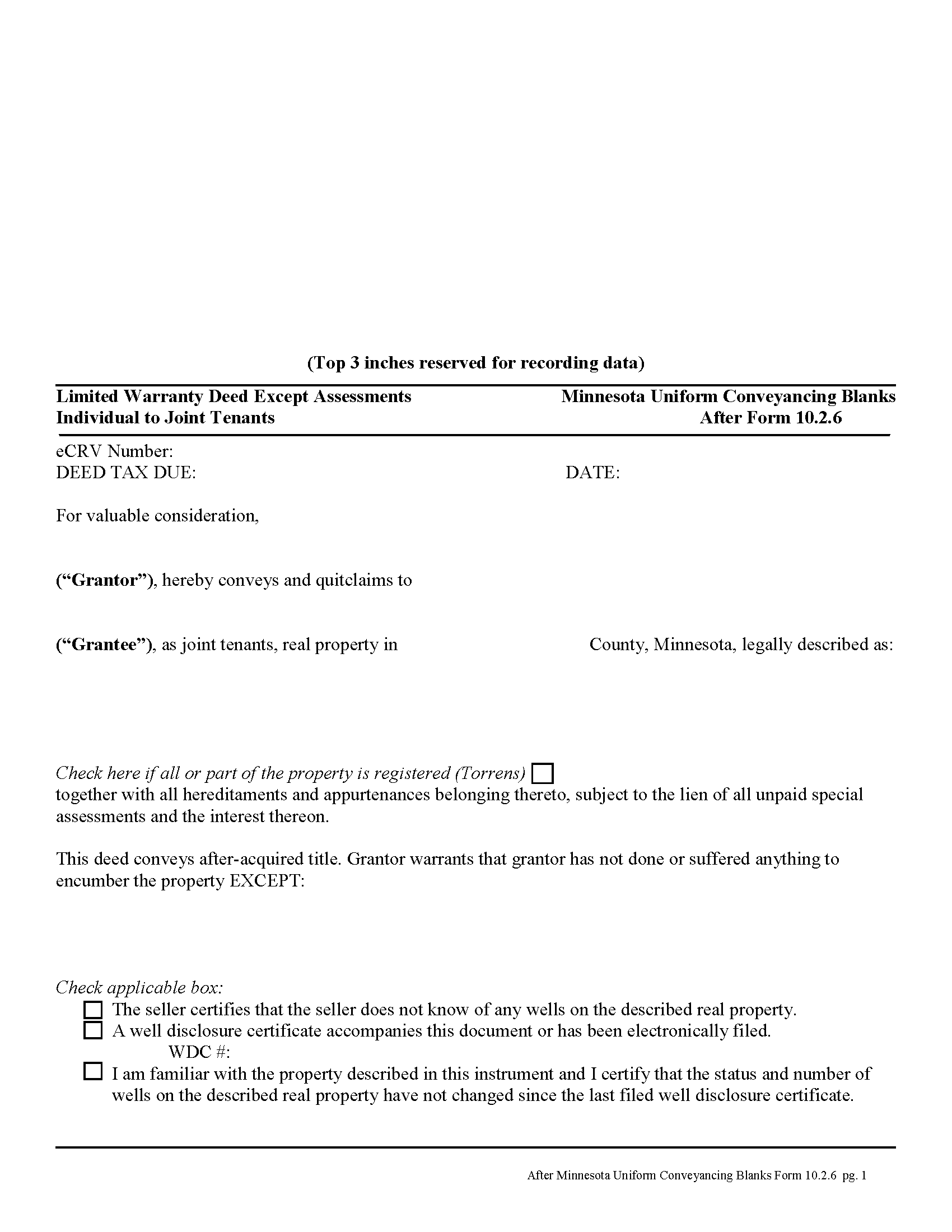
Steele County Limited WD from Individual to Joint Tenant Excluding Assessment Form
Fill in the blank form formatted to comply with all recording and content requirements.
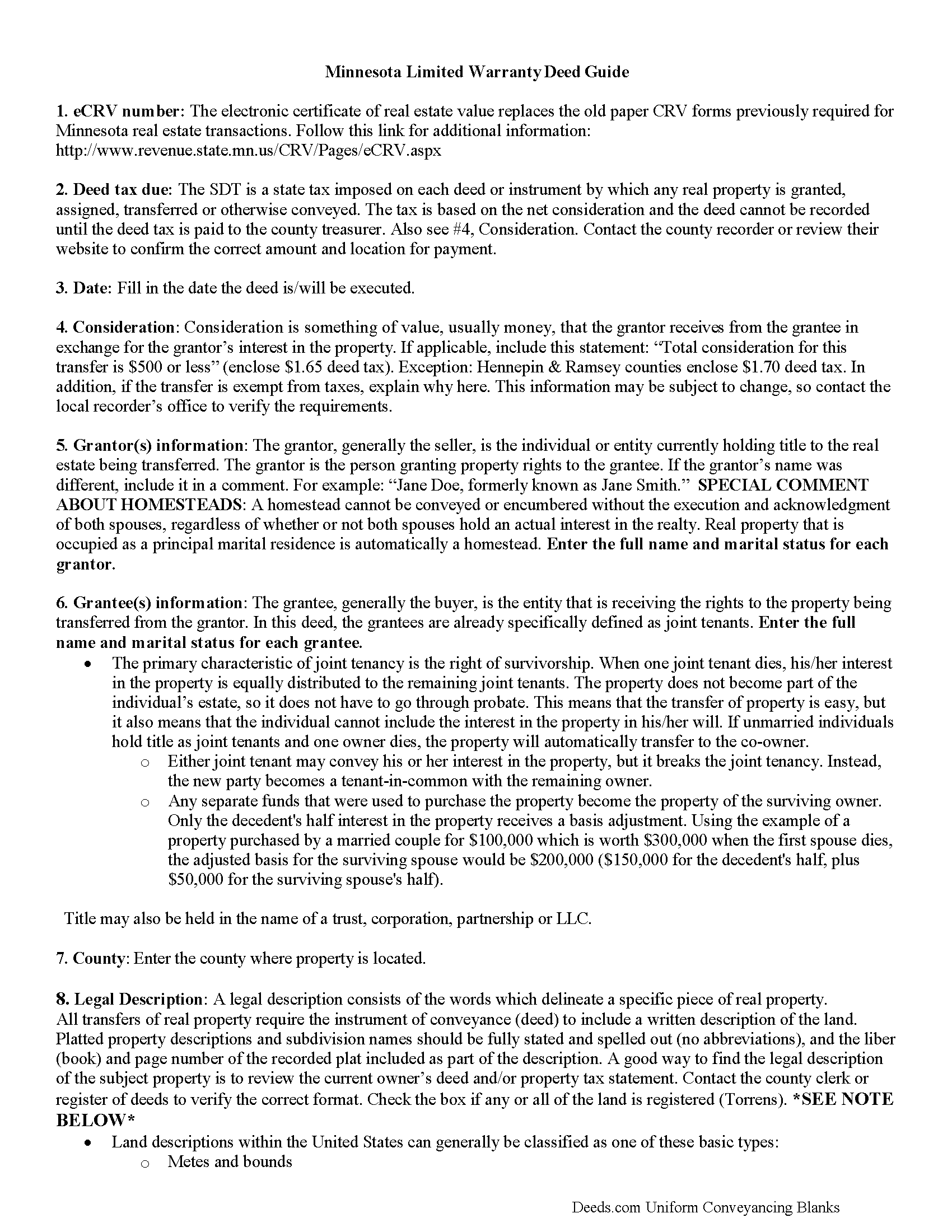
Steele County Limited Warranty Deed from Individual to Joint Tenant Excluding Assessment Guide
Line by line guide explaining every blank on the form.
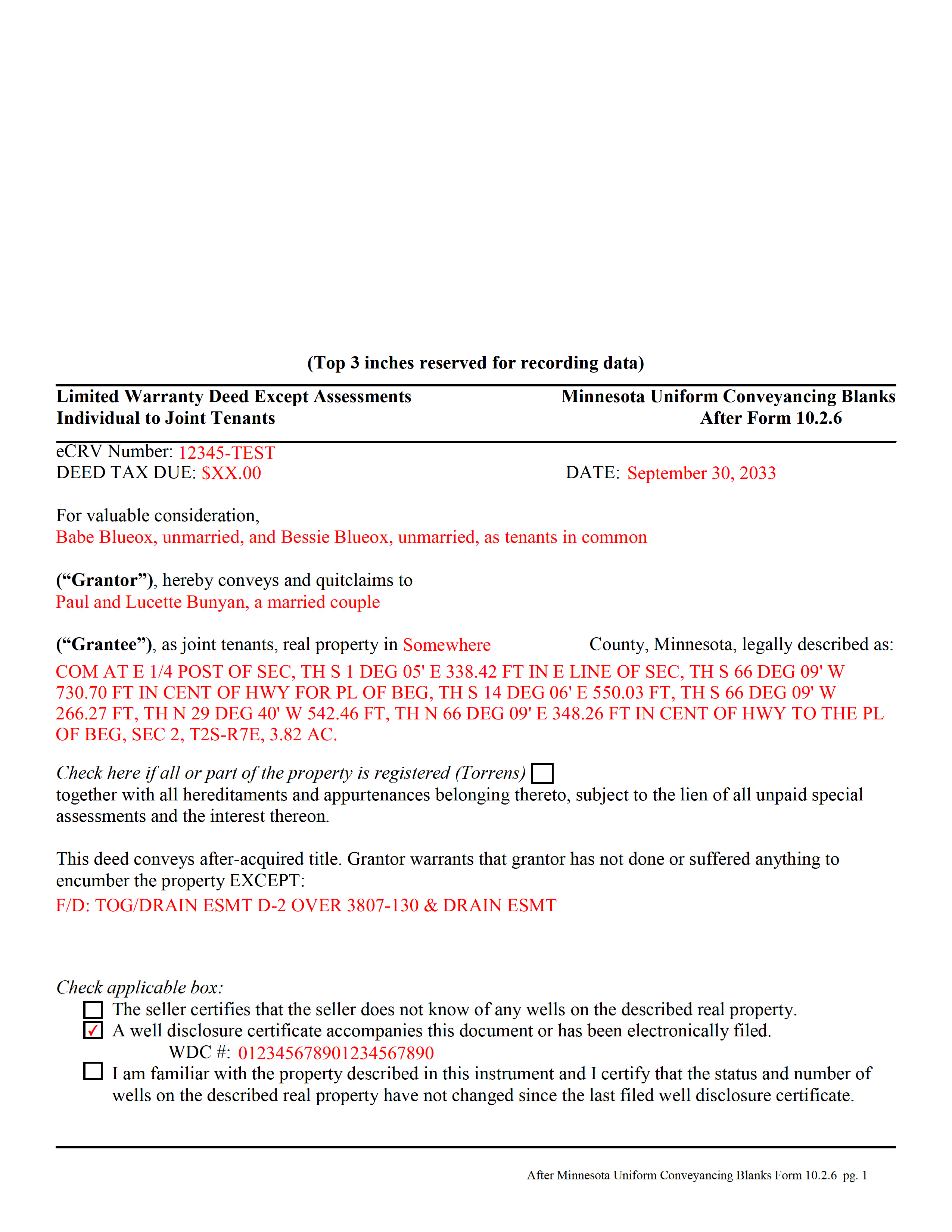
Steele County Completed Example of the Limited WD from Individual to Joint Tenant Excluding Assessment Document
Example of a properly completed form for reference.
All 3 documents above included • One-time purchase • No recurring fees
Immediate Download • Secure Checkout
Additional Minnesota and Steele County documents included at no extra charge:
Where to Record Your Documents
Steele County Recorder
Owatonna, Minnesota 55060
Hours: 8:00am-5:00pm Monday through Friday
Phone: (507) 444-7450
Recording Tips for Steele County:
- Bring your driver's license or state-issued photo ID
- Ensure all signatures are in blue or black ink
- Avoid the last business day of the month when possible
- Both spouses typically need to sign if property is jointly owned
- Bring extra funds - fees can vary by document type and page count
Cities and Jurisdictions in Steele County
Properties in any of these areas use Steele County forms:
- Blooming Prairie
- Ellendale
- Hope
- Medford
- Owatonna
Hours, fees, requirements, and more for Steele County
How do I get my forms?
Forms are available for immediate download after payment. The Steele County forms will be in your account ready to download to your computer. An account is created for you during checkout if you don't have one. Forms are NOT emailed.
Are these forms guaranteed to be recordable in Steele County?
Yes. Our form blanks are guaranteed to meet or exceed the applicable formatting requirements used for recording in Steele County, including margin requirements, font requirements, and other layout standards. This guarantee applies to formatting, not to the legal sufficiency of information entered by the user or the suitability of a form for a particular transaction.
Can I reuse these forms?
Yes. You can reuse the forms for your personal use. For example, if you have multiple properties in Steele County you only need to order once.
What do I need to use these forms?
The forms are PDFs that you fill out on your computer. The free Adobe Acrobat Reader is recommended, and most PDF apps also work. You do NOT enter your property information online - you download the blank forms and complete them privately on your own computer.
Are there any recurring fees?
No. This is a one-time purchase. Nothing to cancel, no memberships, no recurring fees.
How much does it cost to record in Steele County?
Recording fees in Steele County vary. Contact the recorder's office at (507) 444-7450 for current fees.
Questions answered? Let's get started!
A limited warranty deed is used in Minnesota real estate transactions where the grantor guarantees that, during the time of ownership, the grantor did nothing undisclosed to encumber the land. The deed also passes after-acquired title (any future rights the grantor gains to the same land transferred by the deed).
By excluding assessments from the covenants of title, the grantor alerts the grantee to the fact that one or more outstanding assessment liens and any associated interest may still be attached to the title.
The basic forms and requirements for real estate deeds in Minnesota are governed by Minn. Stat. 507. Properly completed statutory deeds are effective in most cases, but leave the possibility for errors based on incorrect or missing information. To reduce confusion about the different real estate transactions, Minnesota suggests requirements for uniform conveyancing forms, each with a specific purpose.
This deed form, specifically intended for real property transfers from individual owner(s) to joint tenants, matches the format, content, and requirements set forth in the most recent update.
(Minnesota LWD Ind to JT Excluding Assessment Package includes form, guidelines, and completed example)
Important: Your property must be located in Steele County to use these forms. Documents should be recorded at the county recording office listed above.
This Limited Warranty Deed from Individual to Joint Tenant Excluding Assessment meets all recording requirements specific to Steele County.
Our Promise
The documents you receive here are guaranteed to meet or exceed the applicable Steele County recording format requirements. If there is a rejection caused by our formatting, we will correct the issue or refund your payment. This guarantee applies to document formatting only and does not extend to information entered by the user, the selection of the form, or the legal effect of the completed document.
Save Time and Money
Get your Steele County Limited Warranty Deed from Individual to Joint Tenant Excluding Assessment form done right the first time with Deeds.com Uniform Conveyancing Blanks. At Deeds.com, we understand that your time and money are valuable resources, and we don't want you to face a penalty fee or rejection imposed by a county recorder for submitting nonstandard documents. We constantly review and update our forms to meet rapidly changing state and county recording requirements for roughly 3,500 counties and local jurisdictions.
4.8 out of 5 - ( 4,836 Reviews )
Richard S. 5 out of 5 stars
Nicely done. Smooooth
Thank you for your feedback. We really appreciate it. Have a great day!
ALICIA G. 5 out of 5 stars
To set the service was incredibly easy and the results came back very fast. Very reasonable price.
Thank you for your feedback. We really appreciate it. Have a great day!
Rhonda L. 5 out of 5 stars
This was one of the most simple but efficient process. Walked me thru every step. Total process was less than 2 weeks.
Thank you!
Mary N. 5 out of 5 stars
Very easy to use.
Thank you Mary.
Chrisona S. 5 out of 5 stars
Received the forms as promised. Very satisfied.
Thank you!
Carla H. 4 out of 5 stars
This is a very useful site for downloading legal forms - just be sure you're getting the form you need before buying. Unfortunately I selected the wrong form initially and had to buy a 2nd form to correct my error. I saw no way of communicating my error at that point - i.e., loss of one star.
Thank you for your feedback. We really appreciate it. Have a great day!
Sherri S. 5 out of 5 stars
Appreciate your diligent assistance.
Thank you!
Niki G. 5 out of 5 stars
Absolutely love the Golden Girls homage in the quit claim deed example. Funny stuff!
Thanks for the feedback Niki. Glad you enjoyed our attempt to spice up the mundane. Have an amazing day.
STANLEY K. 5 out of 5 stars
I AM DELIGHTED TO BE PARTY TO DEEDS.COM. THE PROCESS IS DOWN-TO-EARTH AND VERY USER FRIENDLY. I MUST SAY THAT JUST THE SAVINGS IN TRAVEL TIME AND MONEY IS IN ITSELF VERY REFRESHING. THIS ON LINE PROCESS IS SO CONVENIENT FOR MY OVERALL EFFORT AND OF COURSE FOR OUR CLIENTS AS WELL. I GOT BACKED UP IN RECORDING WHEN THE VIRUS BEGAN RAGING AND PERSONAL VISITS TO LAND RECORDS BECAME A THING OF THE PAST.I FOUND THE SITE WITH A SUGGESTION FROM DC LAND RECORDS' ASSISTANT BY PHONE. I ONLY WISH I'D KNOWN ABOUT THIS AWESOME SERVICE BEFORE 2020. HATS OFF TO DEEDS.COM!
Thank you for your feedback. We really appreciate it. Have a great day!
willie jr t. 5 out of 5 stars
Awesome! Thanks so so much!
Thank you!
Mary S. 5 out of 5 stars
Very helpful and an easy site to use so far.
Thank you for your feedback. We really appreciate it. Have a great day!
Ryan P. 5 out of 5 stars
It was a pleasant surprise to find out how easy the site was to use! Clear directions! very user friendly!
Thank you!
Susan S. 5 out of 5 stars
Ordered the forms, completed them, had them notarized, then erecorded all in under 2 hours. Would have been faster but had to wait for the bank to open for notary. Might try the online notary next time. Fantastic experience.
We appreciate your business and value your feedback. Thank you. Have a wonderful day!
Lawrence D. 5 out of 5 stars
My first time using it; very fast service. I am an estate planning attorney (44 years). None of my old title company contacts are around anymore to provide deed copies, so this is a great source. I will be using it again.
Thank you Lawrence, we appreciate your feedback. Have a fantastic day!
Melinda P. 5 out of 5 stars
I received my documents immediately! Thats was a huge relief!
We appreciate your business and value your feedback. Thank you. Have a wonderful day!