Traverse County Quitclaim Deed Divorce Form
Last validated October 27, 2026 by our Forms Development TeamFormatted for recording in Traverse County, for property anywhere in the county: rural and unincorporated areas as well as Browns Valley, Dumont, Tintah, Wheaton.
- 3 documents included
- Immediate PDF download
- Formatting guarantee
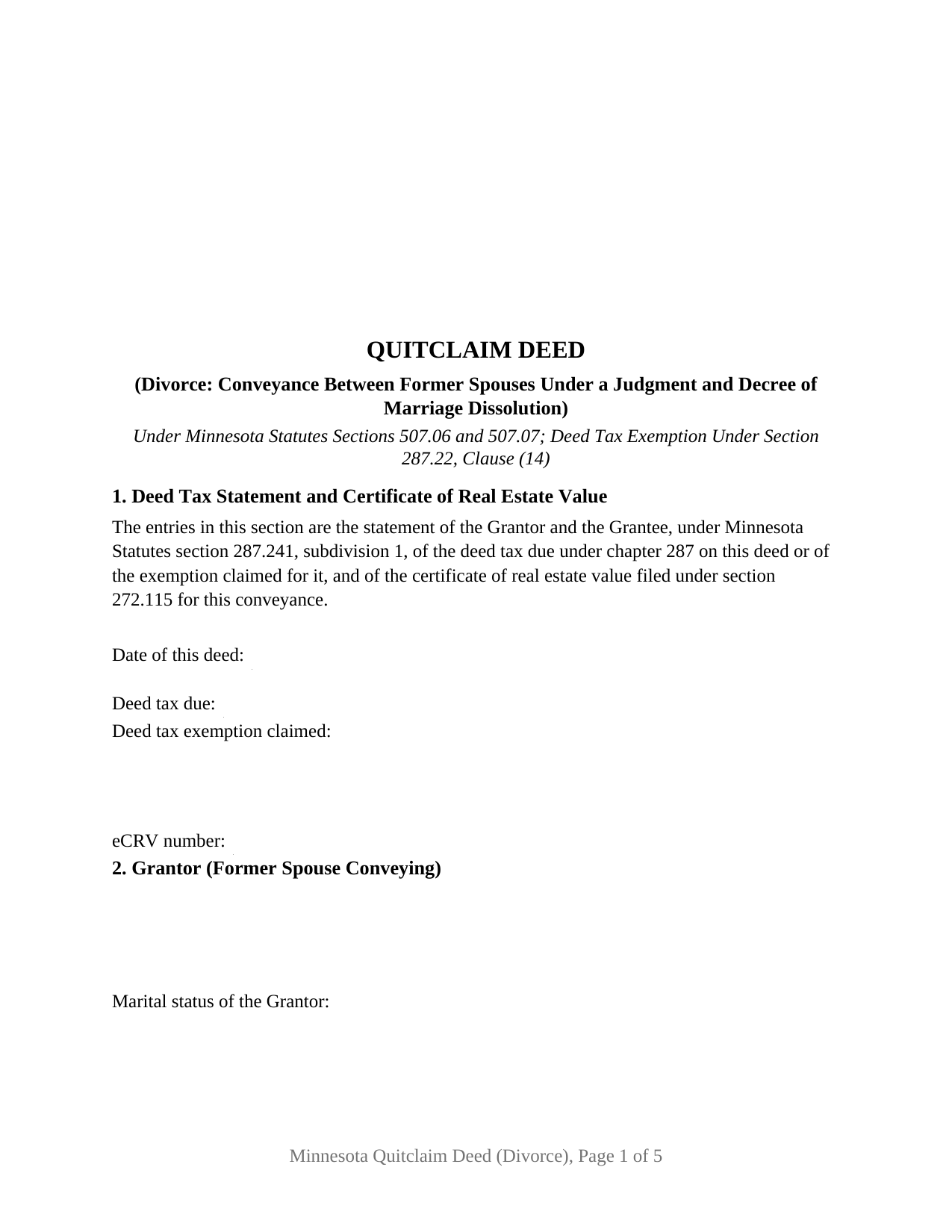
Traverse County Quitclaim Deed Divorce Form
Fill in the blank Quitclaim Deed Divorce form formatted to comply with all Minnesota recording and content requirements.
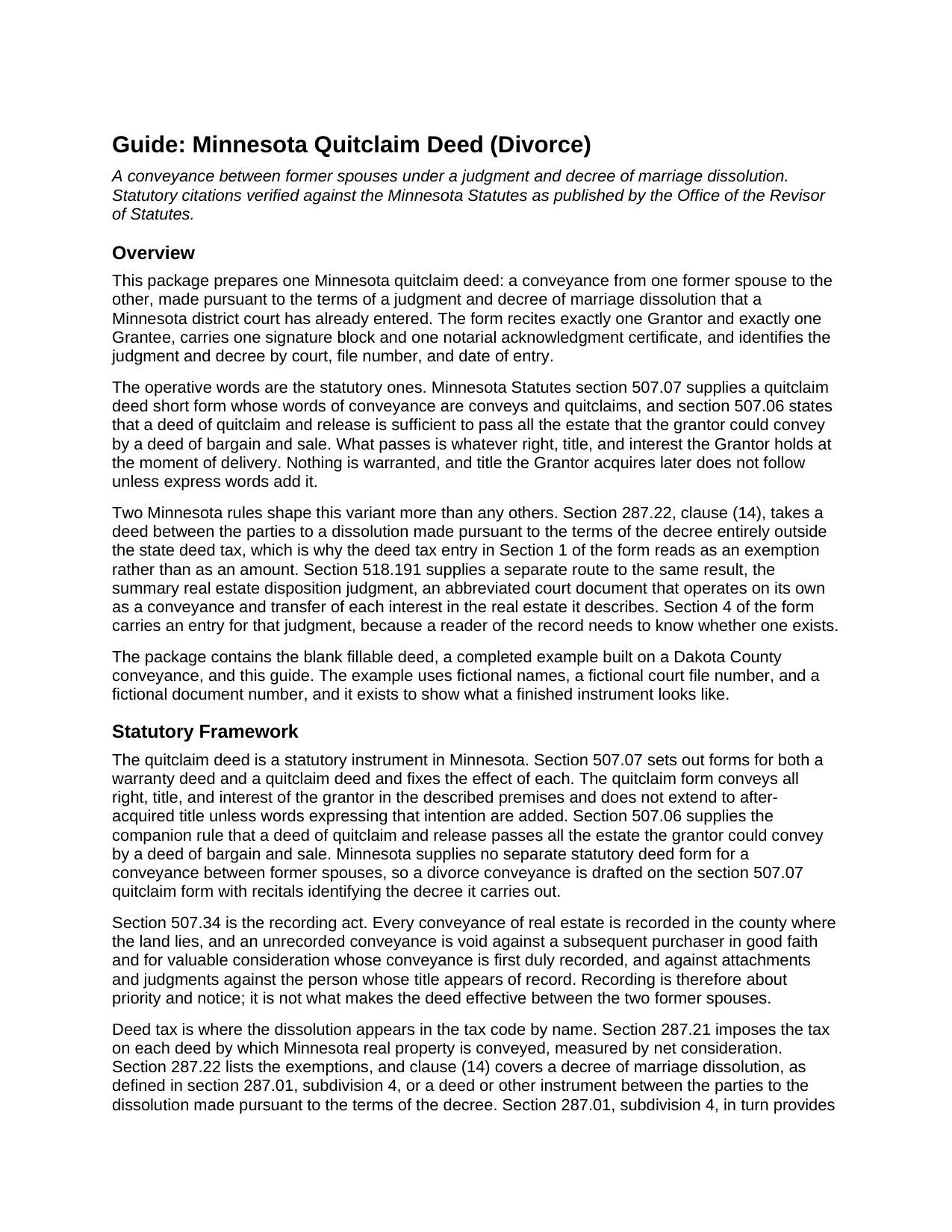
Traverse County Quitclaim Deed Divorce Guide
Line by line guide explaining every blank on the Quitclaim Deed Divorce form.
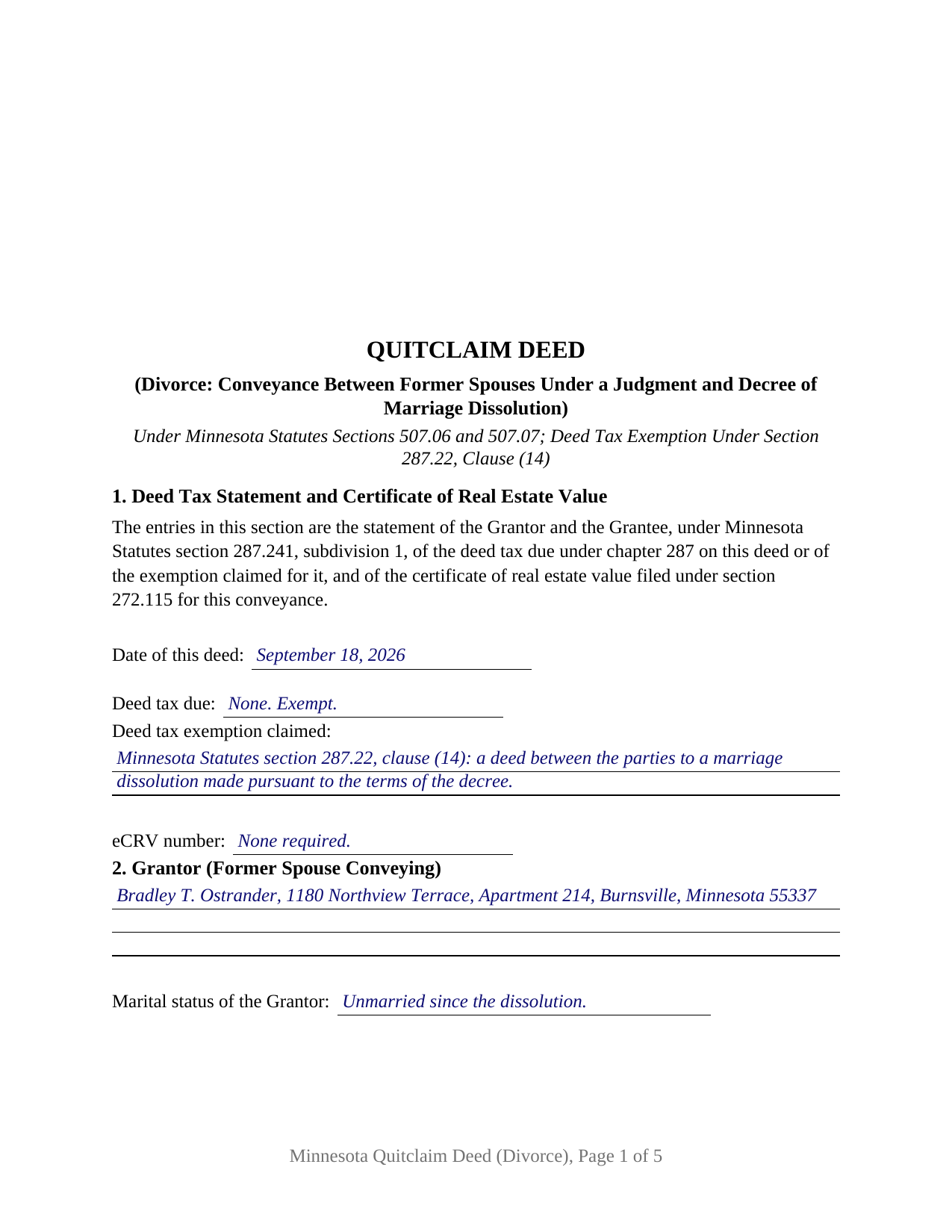
Traverse County Completed Example of the Quitclaim Deed Divorce Document
Example of a properly completed Minnesota Quitclaim Deed Divorce document for reference.
All 3 documents above included • One-time purchase • No recurring fees
Immediate Download • Secure Checkout
Additional Minnesota and Traverse County documents included at no extra charge:
Where to Record Your Documents
Traverse County Recorder
Wheaton, Minnesota 56296
Hours: 8:00am to 4:30pm M-F
Phone: (320) 422-7745
Recording Tips for Traverse County:
- Bring your driver's license or state-issued photo ID
- Ensure all signatures are in blue or black ink
- Avoid the last business day of the month when possible
- Both spouses typically need to sign if property is jointly owned
- Bring extra funds - fees can vary by document type and page count
Cities and Jurisdictions in Traverse County
Properties in any of these areas use Traverse County forms:
- Browns Valley
- Dumont
- Tintah
- Wheaton
Hours, fees, requirements, and more for Traverse County
How do I get my forms?
Forms are available for immediate download after payment. The Traverse County forms will be in your account ready to download to your computer. An account is created for you during checkout if you don't have one. Forms are NOT emailed.
Are these forms guaranteed to be recordable in Traverse County?
Yes. Our form blanks are guaranteed to meet or exceed the applicable formatting requirements used for recording in Traverse County, including margin requirements, font requirements, and other layout standards. This guarantee applies to formatting, not to the legal sufficiency of information entered by the user or the suitability of a form for a particular transaction.
Can I reuse these forms?
Yes. You can reuse the forms for your personal use. For example, if you have multiple properties in Traverse County you only need to order once.
What do I need to use these forms?
The forms are PDFs that you fill out on your computer. The free Adobe Acrobat Reader is recommended, and most PDF apps also work. You do NOT enter your property information online - you download the blank forms and complete them privately on your own computer.
Are there any recurring fees?
No. This is a one-time purchase. Nothing to cancel, no memberships, no recurring fees.
How much does it cost to record in Traverse County?
Recording fees in Traverse County vary. Contact the recorder's office at (320) 422-7745 for current fees.
Questions answered? Let's get started!
Minnesota gives a divorce two ways onto the land records, and this is the one the parties sign themselves. The decree can reach the county index as a court document, or as a quitclaim deed from the former spouse who gave up the property to the one who kept it. The Minnesota Quitclaim Deed (Divorce) prepares the second: one Grantor, one Grantee, one signature, and a numbered section naming the decree behind it.
The court's own instrument, and why the deed asks about it
Section 518.191 of the Minnesota Statutes is the route needing no deed at all. Where a judgment and decree of dissolution describes real estate, the court directs a party or counsel to prepare a summary real estate disposition judgment, an abbreviated document listing the entry date, any name change the decree granted, each parcel's legal description, and who took which interest. Once entered, it operates as a conveyance and transfer of each interest in the real estate it describes, and it is prima facie evidence of the facts it states. Section 4 of this form carries an entry for it, because an examiner reading the deed needs to know whether the court already spoke. That judgment issues from the dissolution file, recorded separately and not included here.
One statute names divorce in the deed tax code
Deeds are taxed under section 287.21 at 0.0033 of net consideration above $3,000. Clause (14) of section 287.22 lifts this conveyance out of that tax entirely: a decree of marriage dissolution, or a deed between the parties to the dissolution made pursuant to the terms of the decree, is exempt, and section 287.01, subdivision 4, folds the summary judgment into the same definition. The exemption still has to appear on the paper, since section 287.241, subdivision 1, bars recording a taxable deed stating neither the tax due nor an exemption. Section 1 prints that statement, and the completed example fills the line in with clause (14) by name.
What a divorce quitclaim deed recites
The form names exactly one Grantor, the former spouse conveying, with a marital status line beneath the name, and exactly one Grantee, the former spouse receiving, with room for a name restored through the decree. Section 9 speaks the section 507.07 words conveys and quitclaims, and recites in the same breath that the two parties were married to each other and that the decree named in Section 4 dissolved that marriage. One signature block and one acknowledgment certificate in the section 358.66 individual short form close the instrument, because one person signs and a Grantee does not sign a Minnesota deed. Two transactions present this configuration: a decree awarding the homestead to one party, with the other signing so the index shows one name where it showed two, and a decree entered years ago that nothing followed until a sale surfaced the gap. It is not set up for two owners signing together, for a conveyance to a buyer or a relative, or for a deed signed while the dissolution is still pending.
Why no second signature line appears
Section 507.02 makes both spouses' signatures a validity condition for a married owner's conveyance of the homestead. It does not reach the Grantee here: under section 518.06, subdivision 1, a decree of dissolution completely terminates the marital status of both parties, leaving no marital interest to release. It can reach back to the Grantor who has married again and lives in the property as a homestead, which is what the marital status entry in Section 2 records.
What moves, and what stays behind
Section 507.07 fixes the effect of those statutory words: all right, title, and interest of the grantor passes, later-acquired title does not follow unless added words say so, and no covenant of title comes along. A recorded mortgage stays exactly where it was, and the deed touches neither it nor the note behind it, which is why the completed example carries that mortgage forward in Additional Provisions. The county sequence is fixed too: section 272.12 puts the auditor's transfer entry ahead of the recorder, or of the registrar of titles for registered land, and section 507.34 rewards whoever records first.
A divorce quit claim deed and a quit claim deed after divorce reach this same instrument. Included here: the fillable form, a completed example built on a Dakota County conveyance, and a guide walking every numbered section and each county step. The materials are informational and are not legal advice.
Important: Your property must be located in Traverse County to use these forms. Documents should be recorded at the county recording office listed above.
This Quitclaim Deed Divorce meets all recording requirements specific to Traverse County.
Our Promise
The documents you receive here are guaranteed to meet or exceed the applicable Traverse County recording format requirements. If there is a rejection caused by our formatting, we will correct the issue or refund your payment. This guarantee applies to document formatting only and does not extend to information entered by the user, the selection of the form, or the legal effect of the completed document.
Save Time and Money
Get your Traverse County Quitclaim Deed Divorce form done right the first time with Deeds.com Uniform Conveyancing Blanks. At Deeds.com, we understand that your time and money are valuable resources, and we don't want you to face a penalty fee or rejection imposed by a county recorder for submitting nonstandard documents. We constantly review and update our forms to meet rapidly changing state and county recording requirements for roughly 3,500 counties and local jurisdictions.
4.8 out of 5 - ( 4,840 Reviews )
Miles B. 5 out of 5 stars
Fast, professional work at a great price.
We appreciate your business and value your feedback. Thank you. Have a wonderful day!
carrie m. 5 out of 5 stars
I was excited because I really wanted to see and get a copy of the Deed to my property. The personal/Staff responsible for setting up that plan did an excellent/outstanding job. Thanks so much and keep up the great work. Carrie
Thank you for your feedback. We really appreciate it. Have a great day!
Barbara B. 5 out of 5 stars
Great forms and instructions!
Thank you Barbara.
Richard S. 2 out of 5 stars
Not user friendly, and not an Adobe fan. The first page of Quitclaim Deed form cuts off the Parcel Identification line on the bottom. Also quite a few forms showed up to be downloaded , after I paid, so I was unsure if all the forms were part of the quitclaim package. I have adobe but was unable to locate the forms in adobe on my computer after I downloaded them. Just wanted to print out one quitclaim deed form, which would have taken less that 3 minutes. instead it took 97 minutes. Thank you, though, for having the form there.
Thank you for your feedback. We really appreciate it. Have a great day!
L B W. 4 out of 5 stars
Bottom line - it was certainly worth the $21 (+-?) I paid for the form and instructions, etc. Admittedly the form is a little inflexible in terms of editing for readability but I understand that offering greater flexibility would likely make theft more likely. So I'm happy with what I got. One suggestion - add more info about what's required in the "Source of Title" section.
Thank you for your feedback. We really appreciate it. Have a great day!
Brenda K R. 5 out of 5 stars
Hello, I like how easy the form is to follow. I'm unsure however of how to proceed as what I am trying to do is have my name added to the deed so in event of death I have ownership.
Thank you for your feedback. We really appreciate it. Have a great day!
Thomas S. 5 out of 5 stars
Very nice.
Thank you!
Roger G. 4 out of 5 stars
was difficult to find the location on the website to actually download the form I needed. Initially was directed only to information pages related to the form I needed
Thank you for your feedback. We really appreciate it. Have a great day!
Jennifer M. 5 out of 5 stars
Consistent and quick. This site saves me so much time away from my desk. It's a great resource for my small business!
We appreciate your business and value your feedback. Thank you. Have a wonderful day!
Marjorie D. 5 out of 5 stars
Makes recording fast and easy. Great service!
Knowing our customers are happy is our top priority. Thank you for the wonderful feedback!
Nellouise S. 5 out of 5 stars
Documents are ok but I needed to reword some of the verbiage and it cannot be edited without paying a monthly or annual membership. otherwise it is a very nice site.
Thank you for your feedback. We really appreciate it. Have a great day!
Bruce C. 5 out of 5 stars
Easy to navigate. The guide and sample helped a lot, including the availability of "Exhibit A". Knowing your documents are guaranteed to be in the required format and the ease of using your forms has been a great service, Thank you!
Your feedback is greatly appreciated. Thank you for taking the time to share your experience!
Roxanne G. 5 out of 5 stars
That was easy(I think). Hopefully they saved to my computer intact so I don't have to come back begging for a repeat. Great service!
Thank you!
Charlotte V. 5 out of 5 stars
t was a bit confusing at first. I am really old though. It was fairly easy to use. I will continue to use Deeds. com for all my future needs. Thank you Deeds.com for making life so much easier.
We are grateful for your feedback and looking forward to serving you again. Thank you!
Kirstie W. 3 out of 5 stars
In California, the recorder charges a $75 fee for EVERY PAGE of any document related to real estate, with a $225 maximum. So the easement deed this company made is 3 pages, when it could easily have fit in 2 pages (including the notary page). So they just cost me an extra $75. Do better!
Thanks for the feedback. One correction, because it matters for anyone reading this: California's $75 fee (SB 2, Government Code 27388.1) is charged per document title, not per page, and the $225 cap applies to transactions with multiple documents or titles. Page count only affects the base recording fee, which is $3 per additional page. A three-page easement deed carries the same $75 as a two-page one would. Recording fees are set and collected by the county, not by Deeds.com, and the county recorder's published fee schedule is the place to confirm what you were charged.