Walthall County Assignment of Deed of Trust Form
Last validated November 16, 2026 by our Forms Development TeamFormatted for recording in Walthall County, for property anywhere in the county: rural and unincorporated areas as well as Tylertown.
- 6 documents included
- Immediate PDF download
- Formatting guarantee
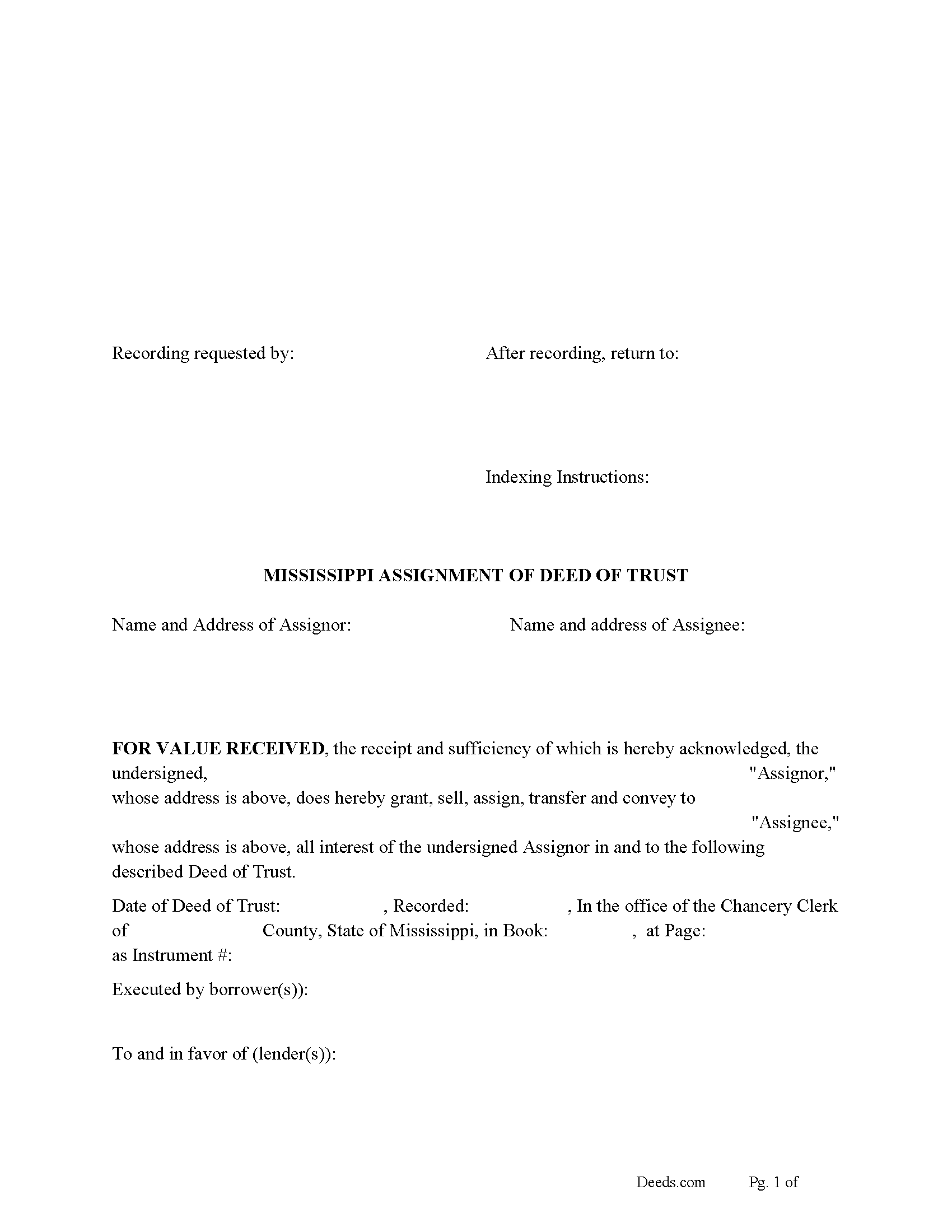
Walthall County Assignment of Deed of Trust Form
Fill in the blank form formatted to comply with all recording and content requirements.

Walthall County Guidelines for Assignment of Deed of Trust
Line by line guide explaining every blank on the form.

Walthall County Completed Example of the Assignment of Deed of Trust Document
Example of a properly completed form for reference.
Walthall County Notice of Assignment of Deed of Trust Form
Fill in the blank form formatted to comply with content requirements.
Walthall County Notice of Assignment Guidelines
Line by line guide explaining every blank on the form.
Walthall County Completed Example of Notice of Assignment Document
Example of a properly completed form for reference.
All 6 documents above included • One-time purchase • No recurring fees
Immediate Download • Secure Checkout
Additional Mississippi and Walthall County documents included at no extra charge:
Where to Record Your Documents
Walthall County Chancery Clerk
Tylertown, Mississippi 39667
Hours: 8:00 to 5:00 M-F
Phone: (601) 876-3553
Recording Tips for Walthall County:
- Bring your driver's license or state-issued photo ID
- Ensure all signatures are in blue or black ink
- Double-check legal descriptions match your existing deed
- Verify all names are spelled correctly before recording
- White-out or correction fluid may cause rejection
Cities and Jurisdictions in Walthall County
Properties in any of these areas use Walthall County forms:
- Tylertown
Hours, fees, requirements, and more for Walthall County
How do I get my forms?
Forms are available for immediate download after payment. The Walthall County forms will be in your account ready to download to your computer. An account is created for you during checkout if you don't have one. Forms are NOT emailed.
Are these forms guaranteed to be recordable in Walthall County?
Yes. Our form blanks are guaranteed to meet or exceed the applicable formatting requirements used for recording in Walthall County, including margin requirements, font requirements, and other layout standards. This guarantee applies to formatting, not to the legal sufficiency of information entered by the user or the suitability of a form for a particular transaction.
Can I reuse these forms?
Yes. You can reuse the forms for your personal use. For example, if you have multiple properties in Walthall County you only need to order once.
What do I need to use these forms?
The forms are PDFs that you fill out on your computer. The free Adobe Acrobat Reader is recommended, and most PDF apps also work. You do NOT enter your property information online - you download the blank forms and complete them privately on your own computer.
Are there any recurring fees?
No. This is a one-time purchase. Nothing to cancel, no memberships, no recurring fees.
How much does it cost to record in Walthall County?
Recording fees in Walthall County vary. Contact the recorder's office at (601) 876-3553 for current fees.
Questions answered? Let's get started!
Use this form to transfer a Deed of Trust to another party. The holder of the Deed of Trust becomes the Assignor and transfers rights to the Assignee, this is usually done when a Deed of Trust has been sold. An Assignment of Deed of Trust (secured by a Deed of Trust or other lien of record, shall be entered on the margin of the record of the lien or said assignment shall be acknowledged and filed for record.) (Except as provided in Section 89-5-37) (89-5-17). [The assignment or transfer of a secured indebtedness need not be filed for record nor entered on the margin of the record if the holder thereof is represented by an agent, trustee or the like disclosed as beneficiary in the mortgage or deed of trust.] [MS Code 89-5-37]
Current Borrowers must be notified of the assignment. Notification consists of contact information of the new creditor, recording dates, recording instrument numbers, changes in loan, etc. Included are "Notice of Assignment of Deed of Trust" forms.
The Truth and lending act requires that borrowers be notified when their Deed of Trust has been sold, transferred, or assigned to a new creditor. Generally, within 30 days to avoid up to $2,000.00 in statutory damages, plus reasonable attorney's fees. Systematic violations can reach up $500,000.00.
(Mississippi Assignment of DOT Package includes form, guidelines, and completed example) For use in Mississippi only.
Important: Your property must be located in Walthall County to use these forms. Documents should be recorded at the county recording office listed above.
This Assignment of Deed of Trust meets all recording requirements specific to Walthall County.
Our Promise
The documents you receive here are guaranteed to meet or exceed the applicable Walthall County recording format requirements. If there is a rejection caused by our formatting, we will correct the issue or refund your payment. This guarantee applies to document formatting only and does not extend to information entered by the user, the selection of the form, or the legal effect of the completed document.
Save Time and Money
Get your Walthall County Assignment of Deed of Trust form done right the first time with Deeds.com Uniform Conveyancing Blanks. At Deeds.com, we understand that your time and money are valuable resources, and we don't want you to face a penalty fee or rejection imposed by a county recorder for submitting nonstandard documents. We constantly review and update our forms to meet rapidly changing state and county recording requirements for roughly 3,500 counties and local jurisdictions.
4.8 out of 5 - ( 4,867 Reviews )
Susan C. 5 out of 5 stars
easy to use to get copy of documents. given your website by recorder in the country offices.
Thank you Susan, we appreciate your feedback.
William H. 5 out of 5 stars
The form cost was reasonable - it helped me organize my thoughts and write things down to help minimize the attorney fees.
We are grateful for your engagement and feedback, which help us to serve you better. Thank you for being an integral part of our community.
John K. 5 out of 5 stars
The website was very easy to work. The documents were just what I needed and everything that my state and county required.
We appreciate your business and value your feedback. Thank you. Have a wonderful day!
Judith F. 5 out of 5 stars
Was easy to use the eRecording service.
Thank you!
ray r. 5 out of 5 stars
excellent service
Thank you!
Jeffrey M. 5 out of 5 stars
Great service. It had all the forms I needed.
Thank you!
Michael G. 5 out of 5 stars
Very helpful and easy to use
Your appreciative words mean the world to us. Thank you.
Kevin T. 5 out of 5 stars
amazing customer service. thank you deeds.com. I just wish I knew about this company earlier. Kevin
We appreciate your business and value your feedback. Thank you. Have a wonderful day!
Eric G. 3 out of 5 stars
Need to offer option to download ALL forms as a single (bookmarked) PDF, rather than as separates... Quite inefficient as is.
Thank you for your feedback. We really appreciate it. Have a great day!
Thoreson P. 5 out of 5 stars
Top notch service.
Thank you!
Patricia C. 4 out of 5 stars
I found there were a large number of documents available to download. The file naming on the PDFs could be more descriptive, and it would be nice to be able to download a complete set with one click.
Thank you for your feedback. We really appreciate it. Have a great day!
Mark R. 4 out of 5 stars
Easy and simple to understand, had no trouble with the transaction or the forms. Recorded on the first try, not something that happens very often.
Great to hear that Mark. have an awesome day!
Paula S. 5 out of 5 stars
The document form was easily retrieved and the sample provided was extremely helpful and no problems were encountered when presenting the completed document to the county. I am grateful for this website and the help and confidence it gave me to complete this task
We appreciate your comments and your trust in us. Thank you.
edward d. 5 out of 5 stars
used before awesome forms
Thank you!
Samantha B. 5 out of 5 stars
Awesome service! This took care of my needs 10x faster than I thought possible. I even bought an extra service that wasn't needed to accomplish my end goal and they refunded me without me even asking. Highly recommend!
Thank you for your feedback. We really appreciate it. Have a great day!