Hinds County Assignment of Leases and Rents Form
Last validated September 15, 2026 by our Forms Development TeamFormatted for recording in Hinds County, for property anywhere in the county: rural and unincorporated areas as well as Bolton, Byram, Clinton, Edwards, Jackson, Pocahontas, Raymond, Terry and 2 more.
- 3 documents included
- Immediate PDF download
- Formatting guarantee
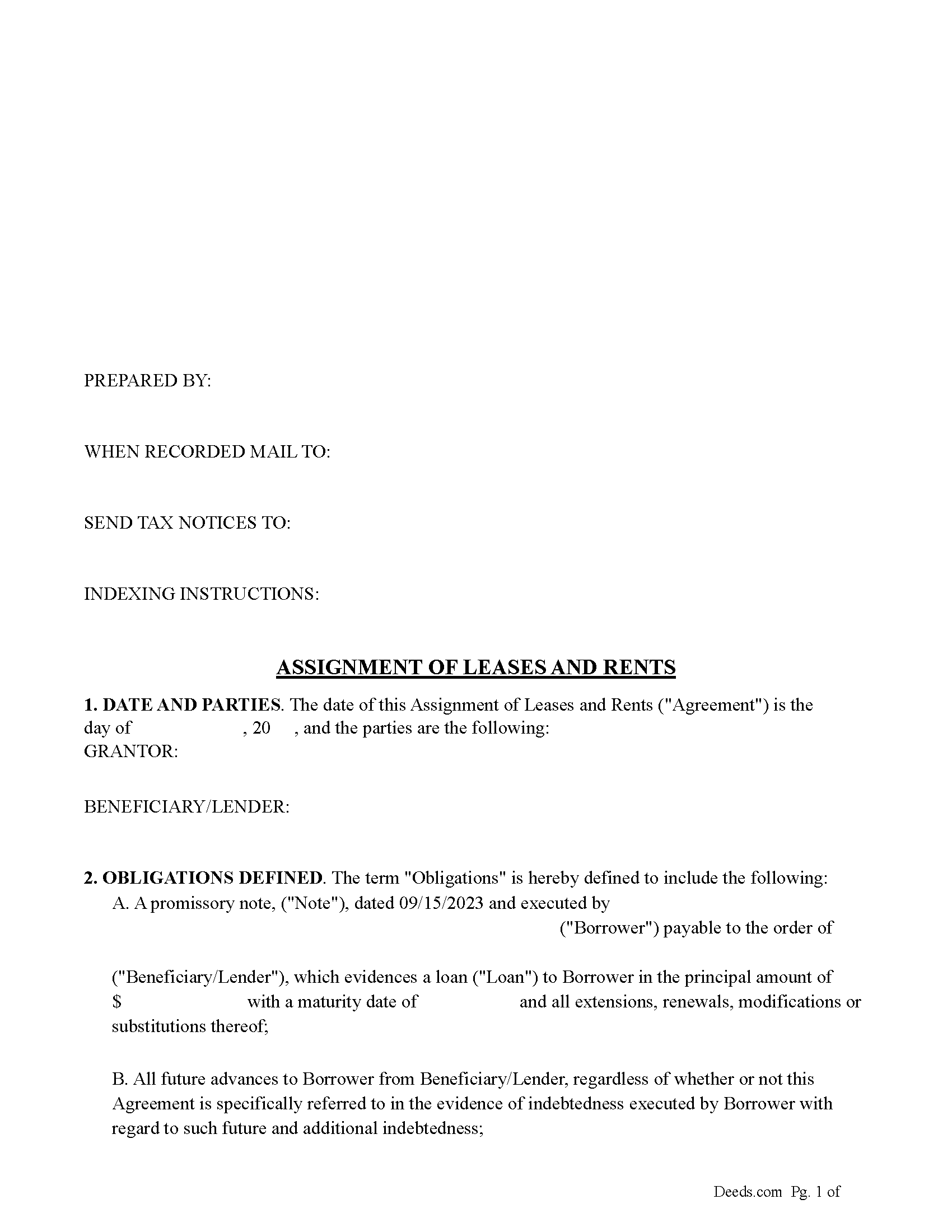
Hinds County Assignment of Leases and Rents Form
Fill in the blank form formatted to comply with all recording and content requirements.
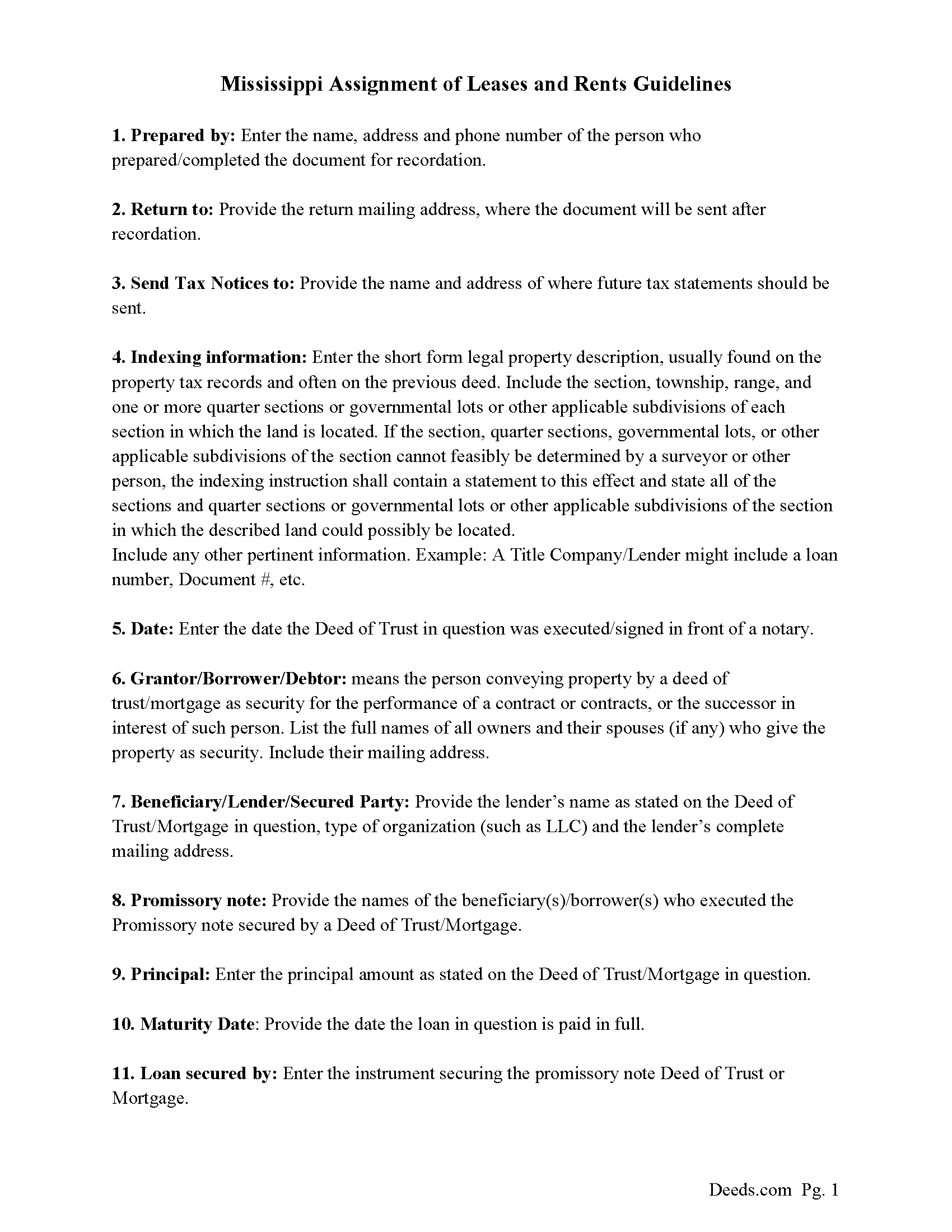
Hinds County Guidelines for Assignment of Leases and Rents
Line by line guide explaining every blank on the form.
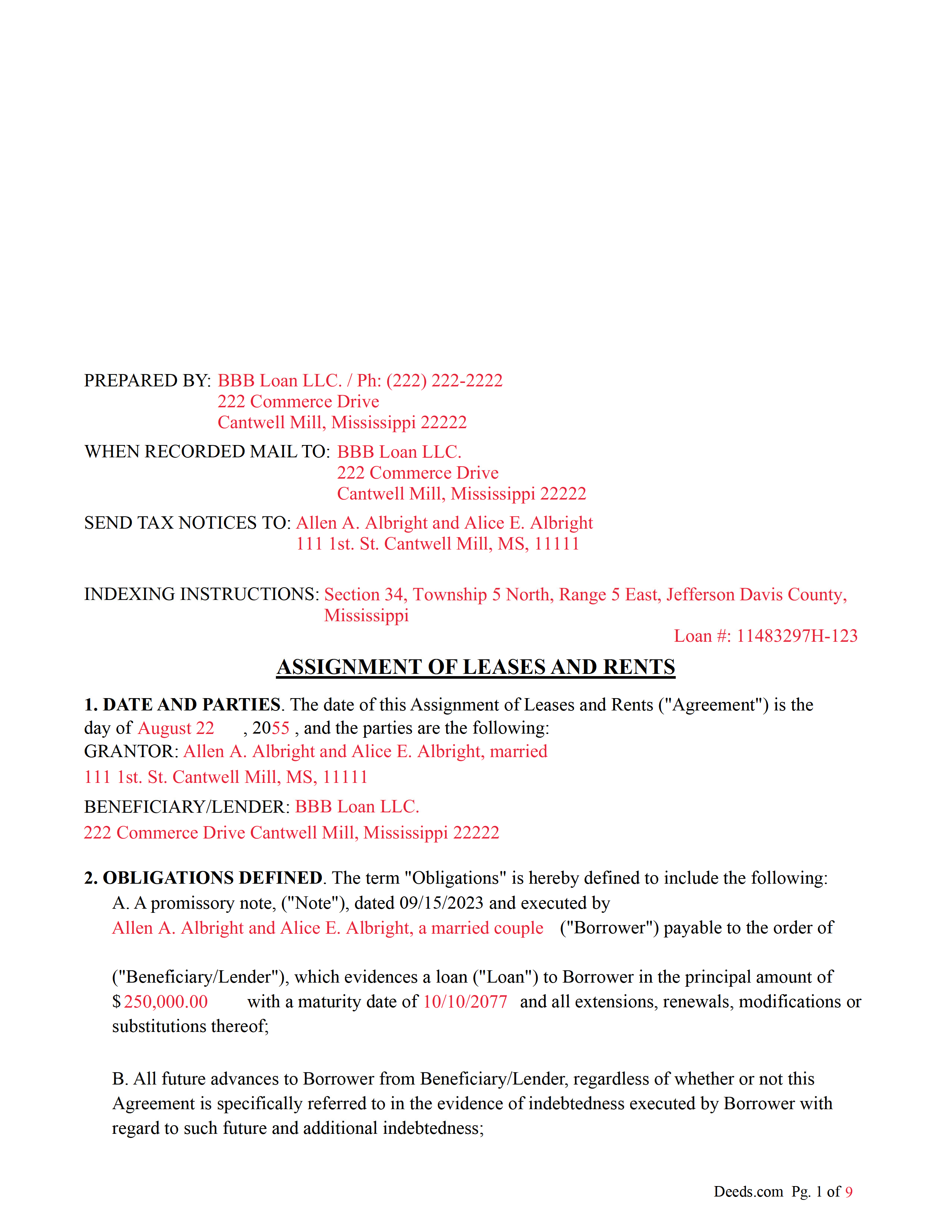
Hinds County Completed Example of the Assignment of Leases and Rents Document
Example of a properly completed form for reference.
All 3 documents above included • One-time purchase • No recurring fees
Immediate Download • Secure Checkout
Additional Mississippi and Hinds County documents included at no extra charge:
Where to Record Your Documents
Chancery Clerk - First Judicial District
Jackson, Mississippi 39201 / 39205-0686
Hours: 8:00am-5:00pm M-F
Phone: (601) 968-6508
Chancery Clerk - Second Judicial District
Raymond, Mississippi 39154
Hours: 8:00am-5:00pm M-F
Phone: (601) 857-8055
Recording Tips for Hinds County:
- Bring your driver's license or state-issued photo ID
- Ensure all signatures are in blue or black ink
- Check margin requirements - usually 1-2 inches at top
- Leave recording info boxes blank - the office fills these
- Make copies of your documents before recording - keep originals safe
Cities and Jurisdictions in Hinds County
Properties in any of these areas use Hinds County forms:
- Bolton
- Byram
- Clinton
- Edwards
- Jackson
- Pocahontas
- Raymond
- Terry
- Tougaloo
- Utica
Hours, fees, requirements, and more for Hinds County
How do I get my forms?
Forms are available for immediate download after payment. The Hinds County forms will be in your account ready to download to your computer. An account is created for you during checkout if you don't have one. Forms are NOT emailed.
Are these forms guaranteed to be recordable in Hinds County?
Yes. Our form blanks are guaranteed to meet or exceed the applicable formatting requirements used for recording in Hinds County, including margin requirements, font requirements, and other layout standards. This guarantee applies to formatting, not to the legal sufficiency of information entered by the user or the suitability of a form for a particular transaction.
Can I reuse these forms?
Yes. You can reuse the forms for your personal use. For example, if you have multiple properties in Hinds County you only need to order once.
What do I need to use these forms?
The forms are PDFs that you fill out on your computer. The free Adobe Acrobat Reader is recommended, and most PDF apps also work. You do NOT enter your property information online - you download the blank forms and complete them privately on your own computer.
Are there any recurring fees?
No. This is a one-time purchase. Nothing to cancel, no memberships, no recurring fees.
How much does it cost to record in Hinds County?
Recording fees in Hinds County vary. Contact the recorder's office at (601) 968-6508 for current fees.
Questions answered? Let's get started!
This form induces the Beneficiary/Lender to make a Loan (Deed of Trust or Mortgage) to the Borrower(s). This is done by the Borrower(s)/Grantor(s) making the following representations and warranties:
A. Grantor has good title to the Leases and Rents and good right to assign them, and no other
person has any right in them;
B. Grantor has duly performed all of the terms of the Leases that Grantor is obligated to perform;
C. Grantor has not previously assigned or encumbered the Leases or the Rents and will not further
assign or encumber the Leases or future Rents;
D. No Rents for any period subsequent to the current month have been collected, and no payment of
Rents has been compromised.
E. Grantor has not received any funds from any lessee ("Lessee") under the Leases in excess of one
month's rent for which credit has not been made on account for accrued Rents, and if any such funds
have been received a copy of said account has been delivered to Beneficiary/Lender, and any copy of such account that has been delivered to Beneficiary/Lender is true and complete. The term "Lessee" in this Agreement shall include all persons or entities obligated to Grantor under the Leases;
F. No Lessee is presently in default of any of the terms of the Leases, except as identified in
any Non Disturbance, Subordination and Attornment Agreements delivered to Beneficiary/Lender concurrently with this Agreement;
G. Grantor has not and will not waive or otherwise compromise any obligation of Lessee under any of the Leases and will enforce the performance of every obligation to be performed by the Lessees
under the Leases;
H. Grantor has derived or will derive material benefit from the Loan made to Borrower.
Executed/signed by grantor(s)/borrower(s) this instrument allows holders of a Deed of Trust or Mortgage to collect existing leases and/or rents if a default happens.
It allows the lender/beneficiary right to collect and receive all revenue ("Rents") from the Leases now due or which may become due (the term "Rents" in this Agreement includes, but is not limited to, the following: accounts, revenues, issues, profits, rents, minimum rents, percentage rents, additional rents, common area maintenance charges, parking charges, real estate taxes, other applicable taxes, security deposits, insurance premium contributions, liquidate damages following default, cancellation premiums, "loss of rents" insurance or other proceeds, and all rights and claims which Grantor may have against any person under the terms of the leases, including proceeds from any of the above).
(Mississippi Assignment Package includes form, guidelines, and completed example) For use in Mississippi only
Important: Your property must be located in Hinds County to use these forms. Documents should be recorded at the county recording office listed above.
This Assignment of Leases and Rents meets all recording requirements specific to Hinds County.
Our Promise
The documents you receive here are guaranteed to meet or exceed the applicable Hinds County recording format requirements. If there is a rejection caused by our formatting, we will correct the issue or refund your payment. This guarantee applies to document formatting only and does not extend to information entered by the user, the selection of the form, or the legal effect of the completed document.
Save Time and Money
Get your Hinds County Assignment of Leases and Rents form done right the first time with Deeds.com Uniform Conveyancing Blanks. At Deeds.com, we understand that your time and money are valuable resources, and we don't want you to face a penalty fee or rejection imposed by a county recorder for submitting nonstandard documents. We constantly review and update our forms to meet rapidly changing state and county recording requirements for roughly 3,500 counties and local jurisdictions.
4.8 out of 5 - ( 4,828 Reviews )
Altaray S. 5 out of 5 stars
Really fast turn around time, and was provided exactly what I was looking for this time. This is my first experience with this site. It would have been cool to also get a document depicting/describing a property line, but like I said before, exactly what I was looking for this time.
Thank you so much for your feedback Altaray, we really appreciate it.
Joseh R. 5 out of 5 stars
Very pleased! Forms easy to understand and use. Thank you!
Thank you for your feedback. We really appreciate it. Have a great day!
Alexis R. 5 out of 5 stars
Excellent service and reasonable fees. Highly recommend this company.
We appreciate your business and value your feedback. Thank you. Have a wonderful day!
Richard B. 4 out of 5 stars
Had trouble filling in the forms not very user friendly. The text always had to be manipulated to look in the best place. Could not easily move existing text to look more professional with the text being inserted.
Thank you for your feedback. We really appreciate it. Have a great day!
Kim H. 5 out of 5 stars
Great site. quick turnaround and communication. I needed an exception that they told me I needed and where to get the info within hours. I returned warranty deed with exception and the deed was recorded the same day! Great turnaround!
Thank you for your feedback. We really appreciate it. Have a great day!
Arthur M. 5 out of 5 stars
Efficient and easy to use. Thanks.
Thank you!
Rodrigo M. 5 out of 5 stars
Excellent service
Thank you!
Rachel C. 5 out of 5 stars
Excellent information, and form source.
Thank you!
Traci K. 5 out of 5 stars
Thk u for the forms I needed so badly I really appreciate.
We appreciate your business and value your feedback. Thank you. Have a wonderful day!
Melvin F. 5 out of 5 stars
Was a little frustrated first using your site, but due to my mental state, I expected that! Got what I needed, thank you very much.
Thank you for your feedback. We really appreciate it. Have a great day!
Dyanna B. 5 out of 5 stars
Got what I needed. Easy access.
Thank you for your positive words! We’re thrilled to hear about your experience.
Michael M. 5 out of 5 stars
Easy to follow directions and instructions to properly and legally fill-in the Deed that I requested. It was also very easy and convenient. If I was going to employ an Attorney or Legal Documents Preparer, they would easily charge me between $150 to $225 a Deed! For the cost of $19.97, anyone would pursue this price! Thank you, Deeds.com for a wonderful and terrific experience! I'm going to need you again to change Titles for my other Investment Properties.
Thank you for your feedback. We really appreciate it. Have a great day!
HEATHER M. 5 out of 5 stars
The guide I needed was very easy to understand and the template was easy to complete. I had a property attorney review the deed before I had it registered and she was impressed. She said she couldn't have written it better herself! Definitely worth the money instead of paying high dollar attorney fees for a simple task.
Your feedback is greatly appreciated. Thank you for taking the time to share your experience!
Carolyn D. 5 out of 5 stars
The sight provided exactly what I needed and was easy to use. I was able to download the type of Deed I used and was completely satisfied with the website.
Thank you!
Dr Martin A. 5 out of 5 stars
Easy to use...great service
Thank you for the kind words, Dr. Martin! We're delighted you found our service easy to use. We appreciate you taking the time to share your experience!