Winston County Certificate of Trust Form
Last validated October 26, 2026 by our Forms Development TeamFormatted for recording in Winston County, for property anywhere in the county: rural and unincorporated areas as well as Louisville, Noxapater.
- 3 documents included
- Immediate PDF download
- Formatting guarantee
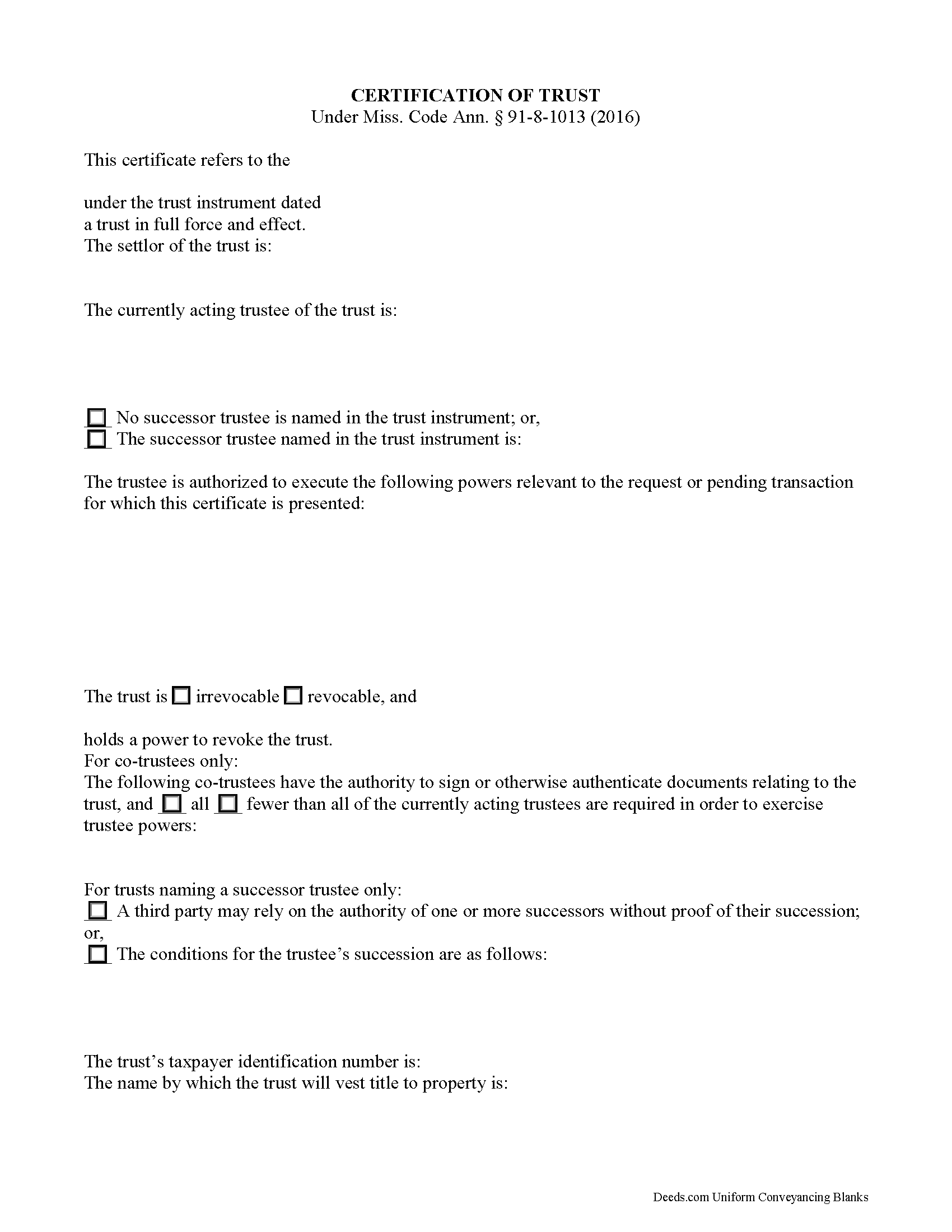
Winston County Certificate of Trust Form
Fill in the blank form formatted to comply with all recording and content requirements.
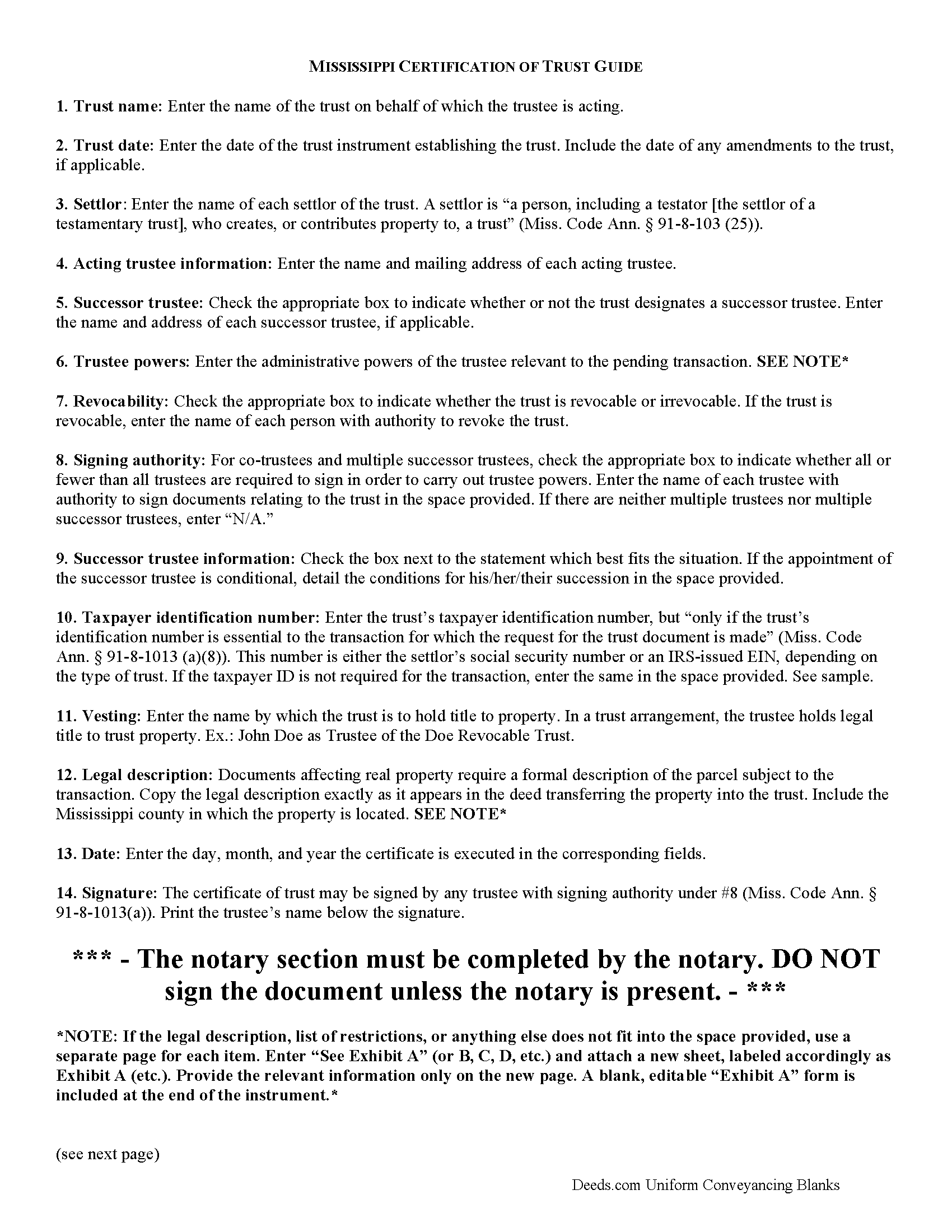
Winston County Certificate of Trust Guide
Line by line guide explaining every blank on the form.
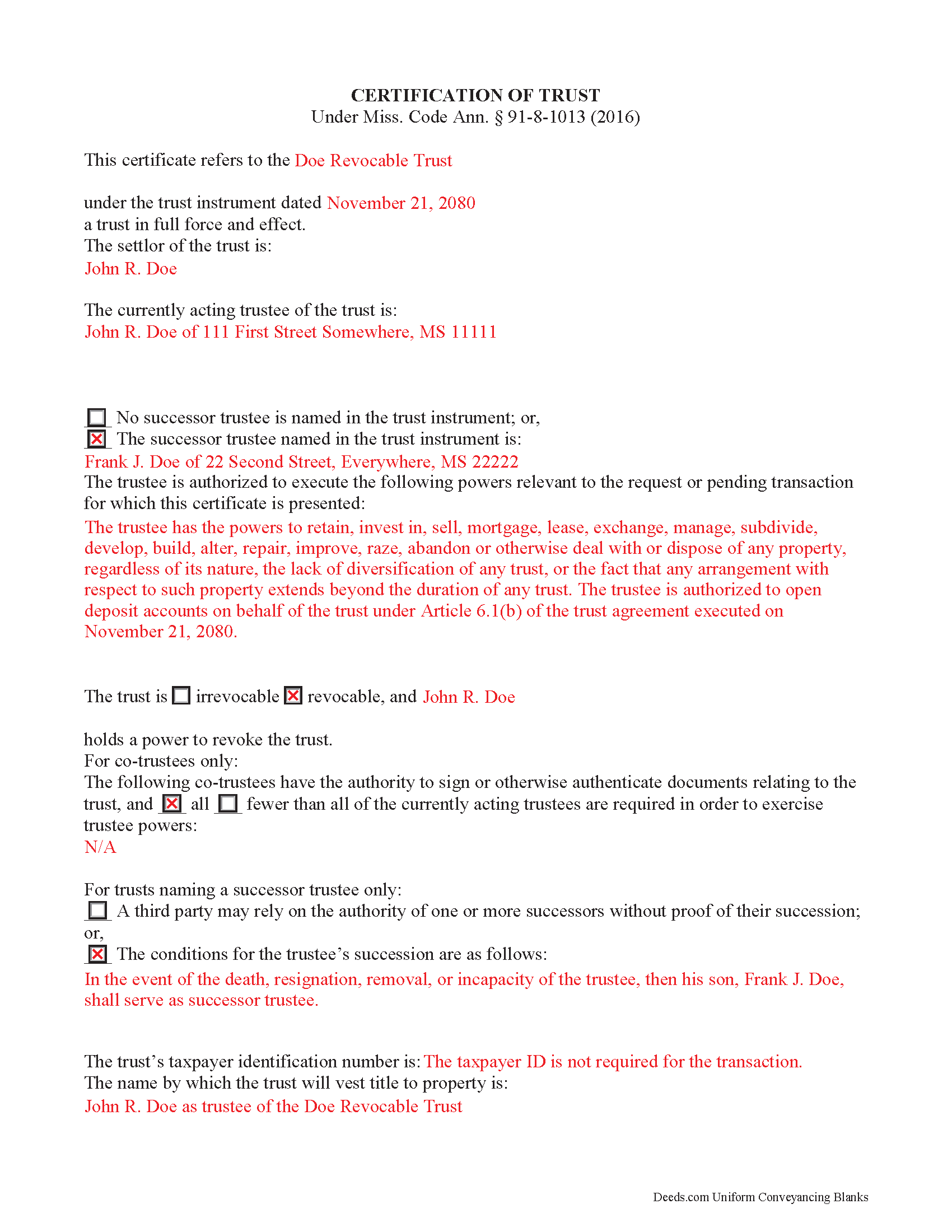
Winston County Completed Example of the Certificate of Trust Document
Example of a properly completed form for reference.
All 3 documents above included • One-time purchase • No recurring fees
Immediate Download • Secure Checkout
Additional Mississippi and Winston County documents included at no extra charge:
Where to Record Your Documents
Winston County Chancery Clerk
Louisville, Mississippi 39339
Hours: 8:00 to 5:00 M-F
Phone: (662) 773-3631
Recording Tips for Winston County:
- Bring your driver's license or state-issued photo ID
- Ensure all signatures are in blue or black ink
- Documents must be on 8.5 x 11 inch white paper
- Double-check legal descriptions match your existing deed
- Verify all names are spelled correctly before recording
Cities and Jurisdictions in Winston County
Properties in any of these areas use Winston County forms:
- Louisville
- Noxapater
Hours, fees, requirements, and more for Winston County
How do I get my forms?
Forms are available for immediate download after payment. The Winston County forms will be in your account ready to download to your computer. An account is created for you during checkout if you don't have one. Forms are NOT emailed.
Are these forms guaranteed to be recordable in Winston County?
Yes. Our form blanks are guaranteed to meet or exceed the applicable formatting requirements used for recording in Winston County, including margin requirements, font requirements, and other layout standards. This guarantee applies to formatting, not to the legal sufficiency of information entered by the user or the suitability of a form for a particular transaction.
Can I reuse these forms?
Yes. You can reuse the forms for your personal use. For example, if you have multiple properties in Winston County you only need to order once.
What do I need to use these forms?
The forms are PDFs that you fill out on your computer. The free Adobe Acrobat Reader is recommended, and most PDF apps also work. You do NOT enter your property information online - you download the blank forms and complete them privately on your own computer.
Are there any recurring fees?
No. This is a one-time purchase. Nothing to cancel, no memberships, no recurring fees.
How much does it cost to record in Winston County?
Recording fees in Winston County vary. Contact the recorder's office at (662) 773-3631 for current fees.
Questions answered? Let's get started!
Using a Certification of Trust in Mississippi
The certificate of trust is codified under the Mississippi Trust Code at Miss. Code Ann. 91-8-1013. This certified document is an abstract of the trust instrument, a generally unrecorded document executed by a settlor and containing the trust's full provisions.
A trustee presents the certification of trust when entering into transactions with persons other than trust beneficiaries. It offers proof that the trust exists and the trustee has the authority to enter into the transaction on behalf of the trust. The section of the Mississippi Code covering the certification of trust offers protection to parties dealing with trustees, even if they fail to request a trust certificate (Miss. Code Ann. 91-8-1013(e)).
In a trust arrangement, a trustee administers a trust estate transferred to the trust by a settlor, for the benefit of a third person or party, called the beneficiary. When the trustee conducts business with someone outside of the trust relationship, the certification of trust allows the trustee to maintain the trust's privacy; the identity of trust beneficiaries, the disclosure of which is not essential to the transaction, remains undisclosed.
The form requires a statement of affirmation that the trust exists and the date of its formation. The document includes the trust's identification number only "if it is essential to the transaction for which the request for the trust document is made" (Miss. Code Ann. 91-8-1013(a)(8)). It discloses the trust's settlor, acting trustee, and anyone with a power to revoke the trust, if applicable. The document provides the name of any successor trustee with either a description of the conditions for his succession, or a statement that the recipient may rely on the authority of successor trustee without proof of succession.
Certificates for trusts with multiple trustees include a section that names all trustees who have signing power under the trust, and identifies whether or not all of them are needed in order to conduct trustee powers.
Because the certificate is presented pursuant to a specific transaction, the form requires a description of the trustee's managerial powers relevant to the request. When the certificate affects real property, the document provides the legal description of the parcel or parcels subject to the transaction. It also describes the name by which the trust will hold title to (vest) property.
Any acting trustee with signing authority as cited in the body of the instrument can sign the certificate in the presence of a notary public. The trustee certifies "that ... the trust has not been revoked, modified, or amended in any manner that would cause the representations contained in the certification of trust to be incorrect" (Miss. Code Ann. 91-8-1013(a)(10)). All statements in the certification of trust are deemed correct, and a recipient is not liable for acting on the information contained within (Miss. Code Ann. 91-8-1013(d)).
Recipients presented with a certificate may ask the trustee for additional information to clarify any ambiguities in the certificate (Miss. Code Ann. 91-8-1013(f)). Trustees, of their own accord, may provide copies of portions of the trust instrument and/or trust amendments, but are not required to do so (Miss. Code Ann. 91-8-1013(c)).
Trust law can be complicated, so contact an attorney with questions about using a certificate of trust or trusts in Mississippi.
(Mississippi COT Package includes form, guidelines, and completed example)
Important: Your property must be located in Winston County to use these forms. Documents should be recorded at the county recording office listed above.
This Certificate of Trust meets all recording requirements specific to Winston County.
Our Promise
The documents you receive here are guaranteed to meet or exceed the applicable Winston County recording format requirements. If there is a rejection caused by our formatting, we will correct the issue or refund your payment. This guarantee applies to document formatting only and does not extend to information entered by the user, the selection of the form, or the legal effect of the completed document.
Save Time and Money
Get your Winston County Certificate of Trust form done right the first time with Deeds.com Uniform Conveyancing Blanks. At Deeds.com, we understand that your time and money are valuable resources, and we don't want you to face a penalty fee or rejection imposed by a county recorder for submitting nonstandard documents. We constantly review and update our forms to meet rapidly changing state and county recording requirements for roughly 3,500 counties and local jurisdictions.
4.8 out of 5 - ( 4,845 Reviews )
Robert L. 5 out of 5 stars
Fairly easy to use process and somewhat reasonably priced. Printed guide and sample filled in can be very helpful, too.
Thank you for your feedback. We really appreciate it. Have a great day!
MARY LACEY M. 5 out of 5 stars
Deeds.com consistently provides excellent service at a fair price, and we rely and are thankful them for assisting with our recording needs.
Thank you, Mary! We truly appreciate your kind words and continued trust in Deeds.com. It means a lot to us to be part of your recording process, and we’re always here to help whenever you need us.
Yvette D. 5 out of 5 stars
Excellent service and customer support. Thank you for your help and time.
Thank you!
Deborah B. 5 out of 5 stars
EVERYTHING WENT WELL, HAD NO PROBLEMS DOWNLOADING MY FORMS. THE ORDER QUICK AND EASY. THANKS IF I EVER NEED AND OF THESES FORMS AGAIN I WILL BE BACK.
Thanks Deborah, we really appreciate your feedback.
Anita C. 5 out of 5 stars
I found this site when looking for help filing a quitclaim deed to change my property deed to my married name. I received the correct forms, an example filled out, and a guide specific to my state. I have already submitted it for review to my county assessor's office (they were extremely helpful also) and it looks as if it should sail through. Thank you Deeds.com!
Thank you for your feedback. We really appreciate it. Have a great day!
Deborah D. 5 out of 5 stars
What I thought was gonna be a long drawn out tedious process was literally 10min tops... The help was quick and a load off. Thanks y'all.
We appreciate your business and value your feedback. Thank you. Have a wonderful day!
Steve C. 5 out of 5 stars
Everything I had hoped for. Easy and formatted correctly.
We welcome your positive feedback and are thrilled to have met your expectations. Thank you for choosing our services.
Robert B. 5 out of 5 stars
Everything worked Fine. I wish there was an John Doe type of an example for the Tax form.
Thank you!
Patricia R. 5 out of 5 stars
Great Transaction. Easy to follow instructions!
We appreciate your business and value your feedback. Thank you. Have a wonderful day!
Betty G. 5 out of 5 stars
I was very impressed with your site! My experience was excellent. Made my quest an easy one. Thank you!
Thank you so much Betty. We appreciate you!
William K. 5 out of 5 stars
I filled out the Xfer on Death Deed and turned it in to the County Recorder - everything went well. I did NOT like the Huge Print over like a stamp of "DEEDS.COM" on some of the material - it just made it hard to read.
Thank you for your feedback. We really appreciate it. Have a great day!
Charles S. 5 out of 5 stars
Easy to set up and fast service.
We appreciate your business and value your feedback. Thank you. Have a wonderful day!
Alberta P. 5 out of 5 stars
form was east to use...instructions came in handy.
Thank you for your feedback. We really appreciate it. Have a great day!
Frank W. 5 out of 5 stars
Everything worked smoothly
Thank you!
Javoura G. 5 out of 5 stars
Great was not hard at all to do and process only wished it told how much it cost to actually submit the forms
Thank you for your feedback. We really appreciate it. Have a great day!