Tunica County Quitclaim Deed (Married Grantor with Non-Owner Spouse Joinder) Form
Last validated October 4, 2026 by our Forms Development TeamFormatted for recording in Tunica County, for property anywhere in the county: rural and unincorporated areas as well as Dundee, Robinsonville, Sledge, Tunica.
- 3 documents included
- Immediate PDF download
- Formatting guarantee
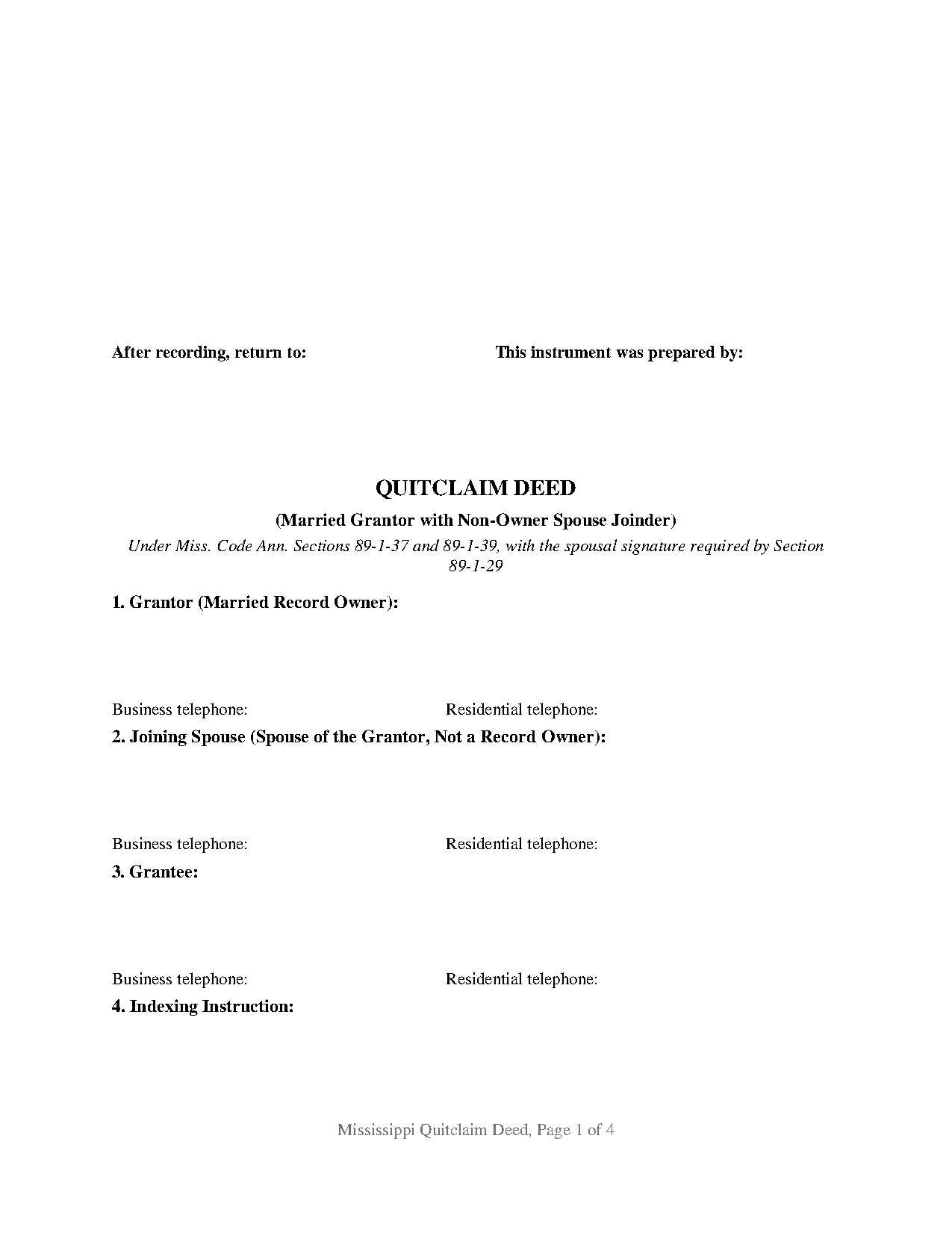
Tunica County Quitclaim Deed (Married Grantor with Non-Owner Spouse Joinder) Form
Fill in the blank Quitclaim Deed (Married Grantor with Non-Owner Spouse Joinder) form formatted to comply with all Mississippi recording and content requirements.
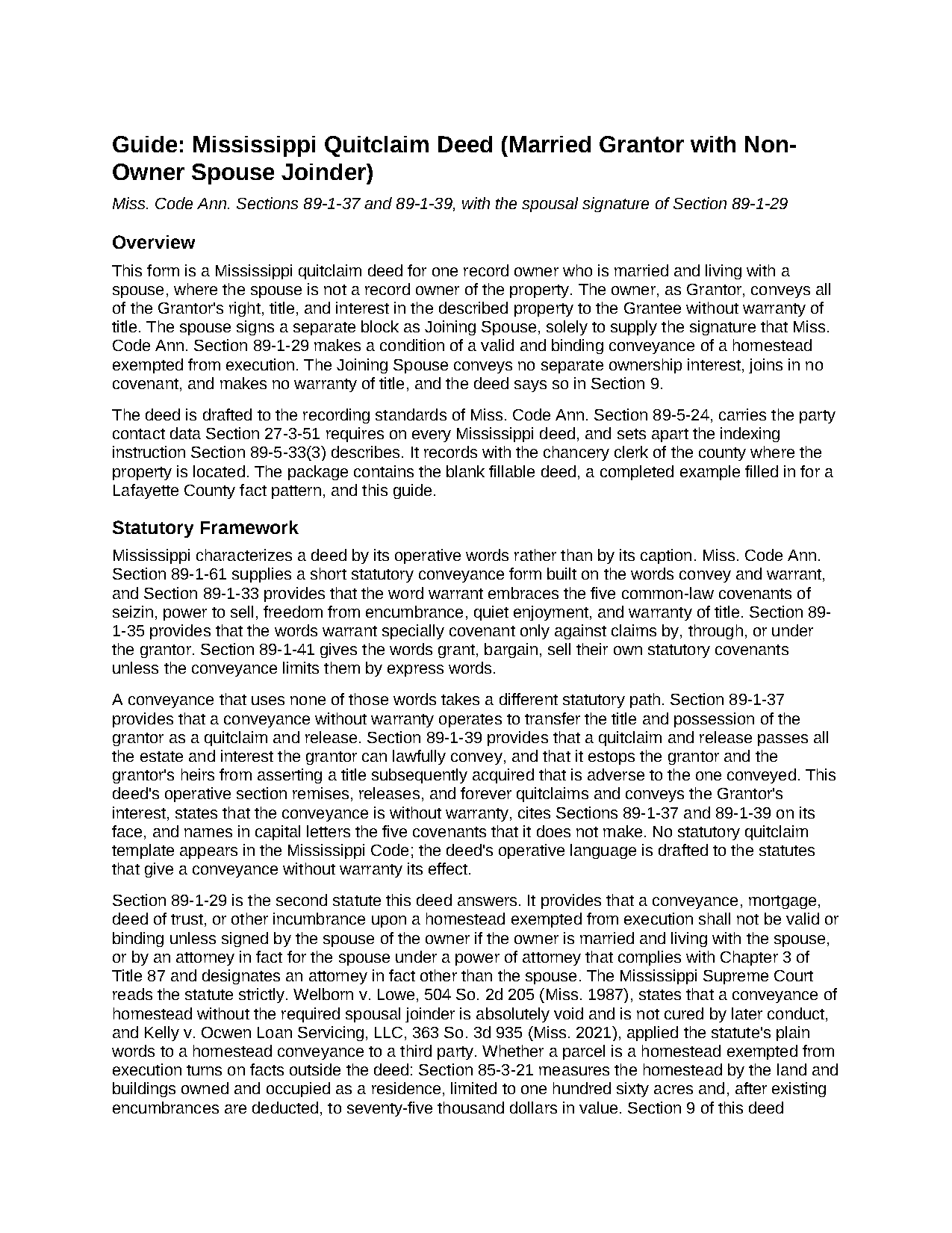
Tunica County Quitclaim Deed (Married Grantor with Non-Owner Spouse Joinder) Guide
Line by line guide explaining every blank on the Quitclaim Deed (Married Grantor with Non-Owner Spouse Joinder) form.
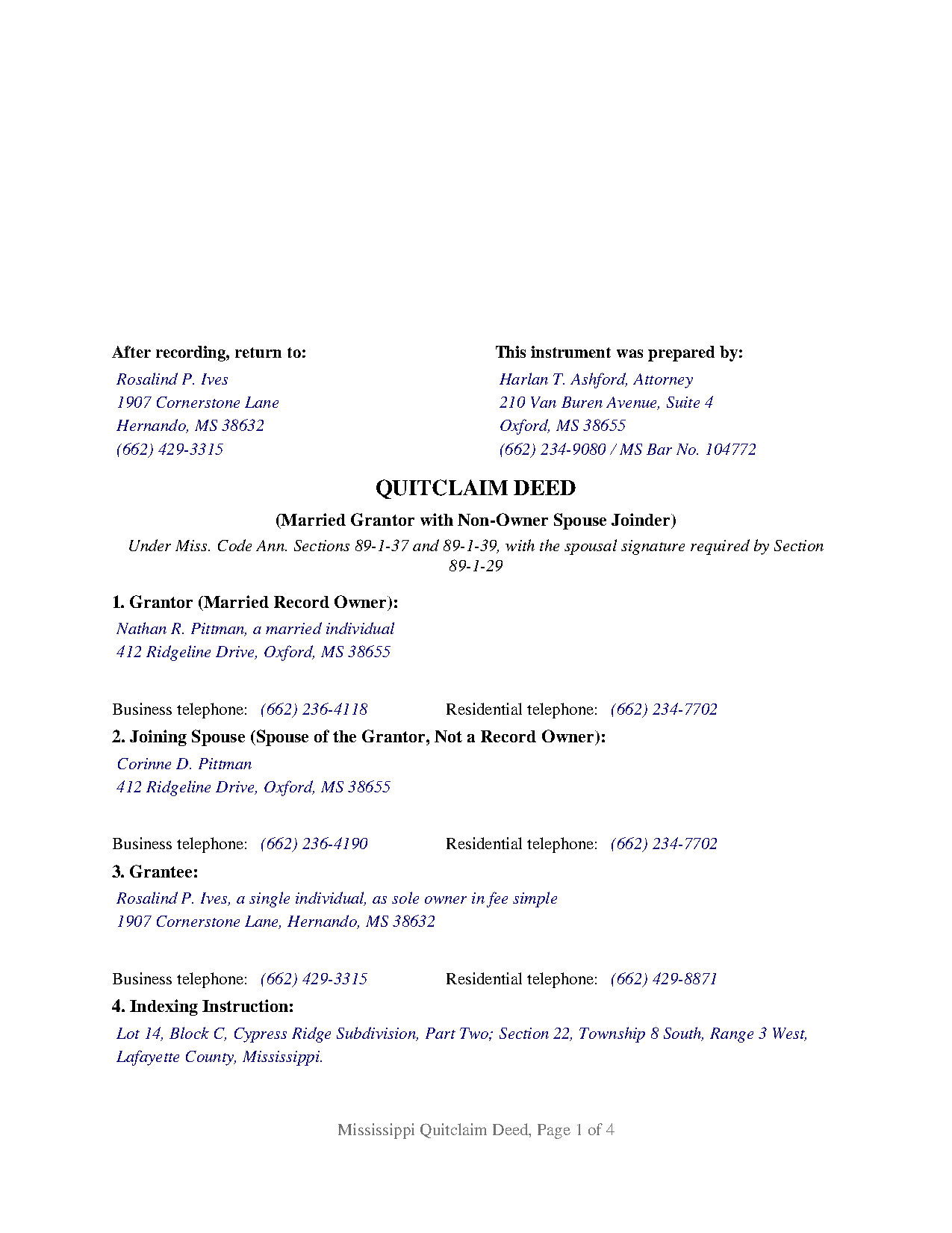
Tunica County Completed Example of the Quitclaim Deed (Married Grantor with Non-Owner Spouse Joinder) Document
Example of a properly completed Mississippi Quitclaim Deed (Married Grantor with Non-Owner Spouse Joinder) document for reference.
All 3 documents above included • One-time purchase • No recurring fees
Immediate Download • Secure Checkout
Additional Mississippi and Tunica County documents included at no extra charge:
Where to Record Your Documents
Tunica County Chancery Clerk
Tunica, Mississippi 38676
Hours: 8:00 to 12:00 and 1:00 to 5:00 Monday through Friday
Phone: (662) 363-2451
Recording Tips for Tunica County:
- Bring your driver's license or state-issued photo ID
- Ensure all signatures are in blue or black ink
- Ask about their eRecording option for future transactions
- Avoid the last business day of the month when possible
- Both spouses typically need to sign if property is jointly owned
Cities and Jurisdictions in Tunica County
Properties in any of these areas use Tunica County forms:
- Dundee
- Robinsonville
- Sledge
- Tunica
Hours, fees, requirements, and more for Tunica County
How do I get my forms?
Forms are available for immediate download after payment. The Tunica County forms will be in your account ready to download to your computer. An account is created for you during checkout if you don't have one. Forms are NOT emailed.
Are these forms guaranteed to be recordable in Tunica County?
Yes. Our form blanks are guaranteed to meet or exceed the applicable formatting requirements used for recording in Tunica County, including margin requirements, font requirements, and other layout standards. This guarantee applies to formatting, not to the legal sufficiency of information entered by the user or the suitability of a form for a particular transaction.
Can I reuse these forms?
Yes. You can reuse the forms for your personal use. For example, if you have multiple properties in Tunica County you only need to order once.
What do I need to use these forms?
The forms are PDFs that you fill out on your computer. The free Adobe Acrobat Reader is recommended, and most PDF apps also work. You do NOT enter your property information online - you download the blank forms and complete them privately on your own computer.
Are there any recurring fees?
No. This is a one-time purchase. Nothing to cancel, no memberships, no recurring fees.
How much does it cost to record in Tunica County?
Recording fees in Tunica County vary. Contact the recorder's office at (662) 363-2451 for current fees.
Questions answered? Let's get started!
Title stands in one spouse's name, and Mississippi still asks for two signatures on the deed. This fillable Mississippi quitclaim deed prepares that instrument: one married record owner conveys, without warranty, whatever interest the owner holds, and the owner's spouse signs a second block for the single purpose of answering Miss. Code Ann. Section 89-1-29. The spouse conveys nothing and warrants nothing, and the deed says so in its own operative language.
A second signature that conveys nothing
The joining spouse is not a grantor on this form. Section 2 identifies that person as the grantor's spouse and not a record owner, and Section 9 fixes the reach of the signature: the spouse signs solely to supply the spousal signature Section 89-1-29 calls for, conveys no separate ownership interest, joins in no covenant, and makes no warranty of title. A title examiner reading the record therefore sees both what the second signature answers and what it does not assert.
Why the statute asks for the signature
Mississippi conditions the validity of an incumbrance or conveyance of a homestead exempted from execution on the signature of the owner's spouse, where the owner is married and living with that spouse. Whether a parcel answers that description turns on facts outside the deed: Section 85-3-21 measures the homestead by land and buildings owned and occupied as a residence, capped at one hundred sixty acres and, once liens come off the value, at seventy-five thousand dollars. Guessing wrong is expensive, since the Mississippi Supreme Court treats a homestead conveyance made without the spouse's signature as void from the beginning. Section 9 removes the guess by reciting that the spouse signs whether or not the property is such a homestead.
What the quitclaim itself carries
The operative section remises, releases, and forever quitclaims the owner's right, title, and interest, with no warranty words. Section 89-1-37 gives language of that kind the character of a quitclaim and release, and Section 89-1-39 cuts off a later claim by the grantor or the grantor's heirs under an after-acquired title. Recorded deeds of trust, judgment liens, easements, and mineral reservations ride through untouched, and a capitalized line names the five covenants Section 89-1-33 packs into the word warrant and states that neither signer makes any of them.
One owner, one joining spouse, two certificates
The form recites exactly one grantor and exactly one joining spouse, with a signature block for each and a separate notarial certificate for each in the wording of the short forms at Section 89-3-7(2), so the two appearances may happen weeks apart or in different counties. The receiving side stays open: Section 3 takes one grantee or several, and the guide walks each ownership form the state recognizes for grantees, starting from the tenancy in common Section 89-1-7 supplies by default. Land deeded to one spouse before the marriage and now moving to a co-heir, a boundary strip released to a neighbor after a survey, and residence property in one name where an examiner has called for the spousal signature present the record this deed recites. The form is not set up for two people who both hold record title, for an unmarried sole owner, or for a spouse who does hold title and so conveys an interest of that spouse's own.
Details the chancery clerk looks for
Page one keeps its top three inches clear for the clerk and carries below that reserve everything Section 89-5-24(2) assigns to the first page: the return address, the preparer, the title, the name, mailing address, and telephone numbers of the owner, the joining spouse, and the grantee, and the indexing instruction, with the legal description following on page two under the statute's continuation sentence. Section 27-3-51 is what attaches the address and telephone data to a recorded deed, and Section 89-5-33(3) is why the indexing instruction has a numbered section of its own. Recording costs twenty-five dollars for five pages or fewer under Section 25-7-9, a dollar more where a county has adopted an archive fee; this deed prints in four pages. No statewide transfer tax or sales validation form travels with it.
Searches for a quit claim deed with spousal joinder, in the two-word spelling, land here. Three files download with it: the blank deed as a fillable PDF, a filled Lafayette County example running from page one through the second certificate, and a plain-language guide to the numbered sections, the homestead signature, and recording. These materials describe Mississippi law generally and are not legal advice.
Important: Your property must be located in Tunica County to use these forms. Documents should be recorded at the county recording office listed above.
This Quitclaim Deed (Married Grantor with Non-Owner Spouse Joinder) meets all recording requirements specific to Tunica County.
Our Promise
The documents you receive here are guaranteed to meet or exceed the applicable Tunica County recording format requirements. If there is a rejection caused by our formatting, we will correct the issue or refund your payment. This guarantee applies to document formatting only and does not extend to information entered by the user, the selection of the form, or the legal effect of the completed document.
Save Time and Money
Get your Tunica County Quitclaim Deed (Married Grantor with Non-Owner Spouse Joinder) form done right the first time with Deeds.com Uniform Conveyancing Blanks. At Deeds.com, we understand that your time and money are valuable resources, and we don't want you to face a penalty fee or rejection imposed by a county recorder for submitting nonstandard documents. We constantly review and update our forms to meet rapidly changing state and county recording requirements for roughly 3,500 counties and local jurisdictions.
4.8 out of 5 - ( 4,829 Reviews )
Donna B. 5 out of 5 stars
Really liked the quick access to documents. Great service, thanks.
Thank you Donna, we appreciate you taken the time to leave your feedback. Have a great day!
Delba O. 5 out of 5 stars
This was the easiest process ever. Thank you for making this so easy. No hassle, just upload your docs, pay the invoice and done. It didn't even take 2 business days to get my deed recorded. If I ever need to record anything I will definitely use your services again.
We appreciate your business and value your feedback. Thank you. Have a wonderful day!
Ronald W. 5 out of 5 stars
User friendly, but couldn't find the information needed.
Thank you for your feedback. We really appreciate it. Have a great day!
Teresa F. 5 out of 5 stars
Great! Received documents to download immediately and was able to do the needed with the information and instructions. Thank you
Thank you!
Donna W. 5 out of 5 stars
Answered all of my questions and was very easy to use. I will use Deeds.com to do all of my real estate forms from now on. Thanks.
Thank you!
gary c. 5 out of 5 stars
process was easy and simple to do
Thank you for your feedback. We really appreciate it. Have a great day!
Sheilah C. 5 out of 5 stars
So far very good. I will know more when I complete the forms and submit them.
Thank you!
Lori N. 5 out of 5 stars
I ordered the document I needed and it was available for download within a half hour. Very pleased, thanks!
We appreciate your business and value your feedback. Thank you. Have a wonderful day!
Audra M. 5 out of 5 stars
It was easy to e-record and will/would recommend it to everyone.
Thank you for your feedback. We really appreciate it. Have a great day!
Andrew T. 5 out of 5 stars
The process was incredibly simple from start to finish. Someone from the team even sent a message to double check part of my document was filled out correctly. Will be bringing my business here in the future!
It was a pleasure serving you. Thank you for the positive feedback!
Jesse C. 5 out of 5 stars
I had a little problem understanding how to copie and use.
Thank you for your feedback Jesse. If you are having any issues please contact us so our customer care department can help you out.
Robson A. 5 out of 5 stars
Very easy & efficient to use! I would have had to drive an hour to the county office. So glad this worked instead! You should advertise more....if I hadn't done research I would never have known about your service.
Thank you!
Christine S. 5 out of 5 stars
Very good site! I found everything I needed right here on Deeds.com. Excellent quality forms, easy access, perfect delivery, reasonable price
We appreciate your business and value your feedback. Thank you. Have a wonderful day!
Charles F. 5 out of 5 stars
I found the information easy to understand, and the forms to be correct for my needs.
Your insights are invaluable to us and help us strive for better service. Thank you for taking the time to share your thoughts.
Daniel B. 5 out of 5 stars
easy to use and upload.
We are delighted to have been of service. Thank you for the positive review!