Tunica County Quitclaim Deed (Individual Grantor by Attorney-in-Fact or POA) Form
Last validated October 4, 2026 by our Forms Development TeamFormatted for recording in Tunica County, for property anywhere in the county: rural and unincorporated areas as well as Dundee, Robinsonville, Sledge, Tunica.
- 3 documents included
- Immediate PDF download
- Formatting guarantee
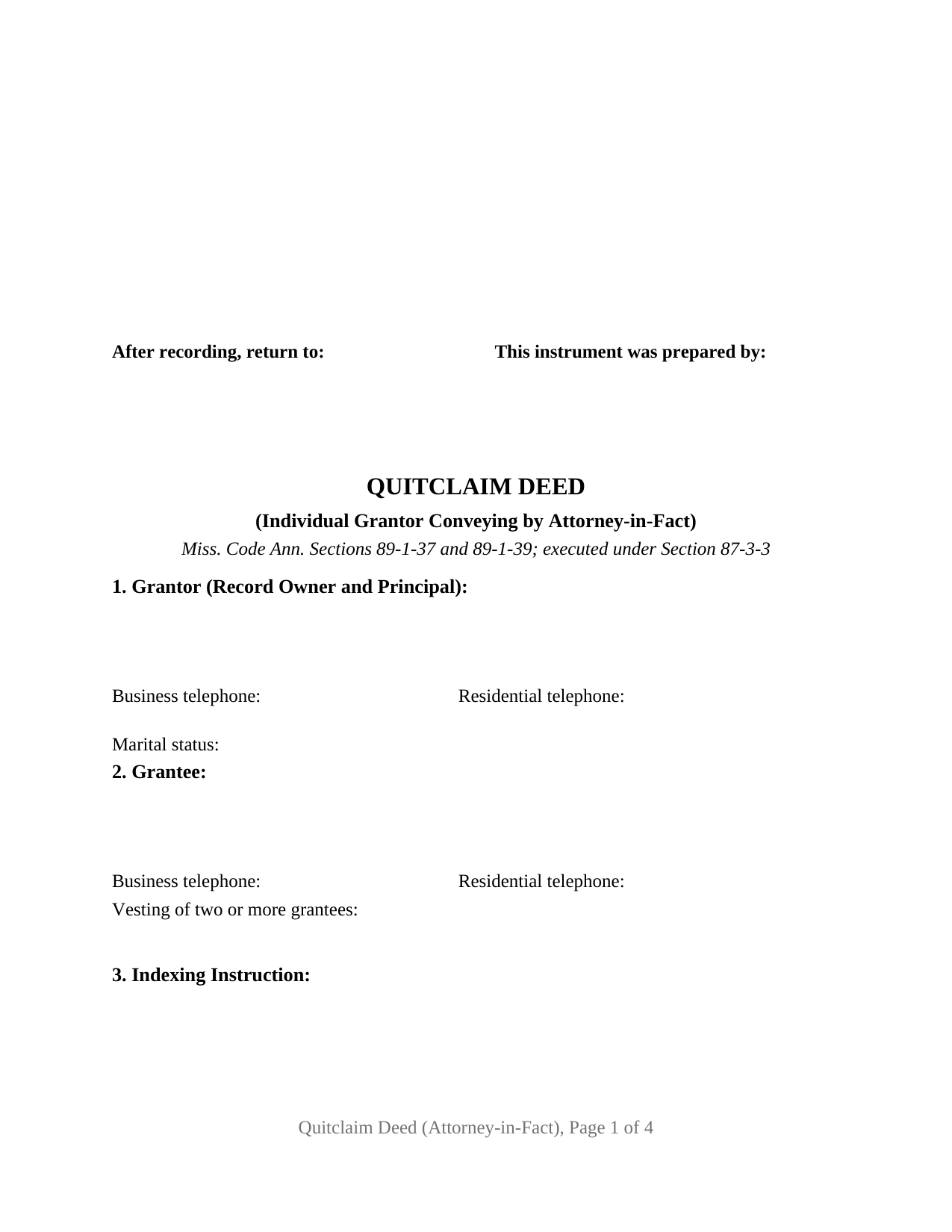
Tunica County Quitclaim Deed (Individual Grantor by Attorney-in-Fact or POA) Form
Fill in the blank Quitclaim Deed (Individual Grantor by Attorney-in-Fact or POA) form formatted to comply with all Mississippi recording and content requirements.
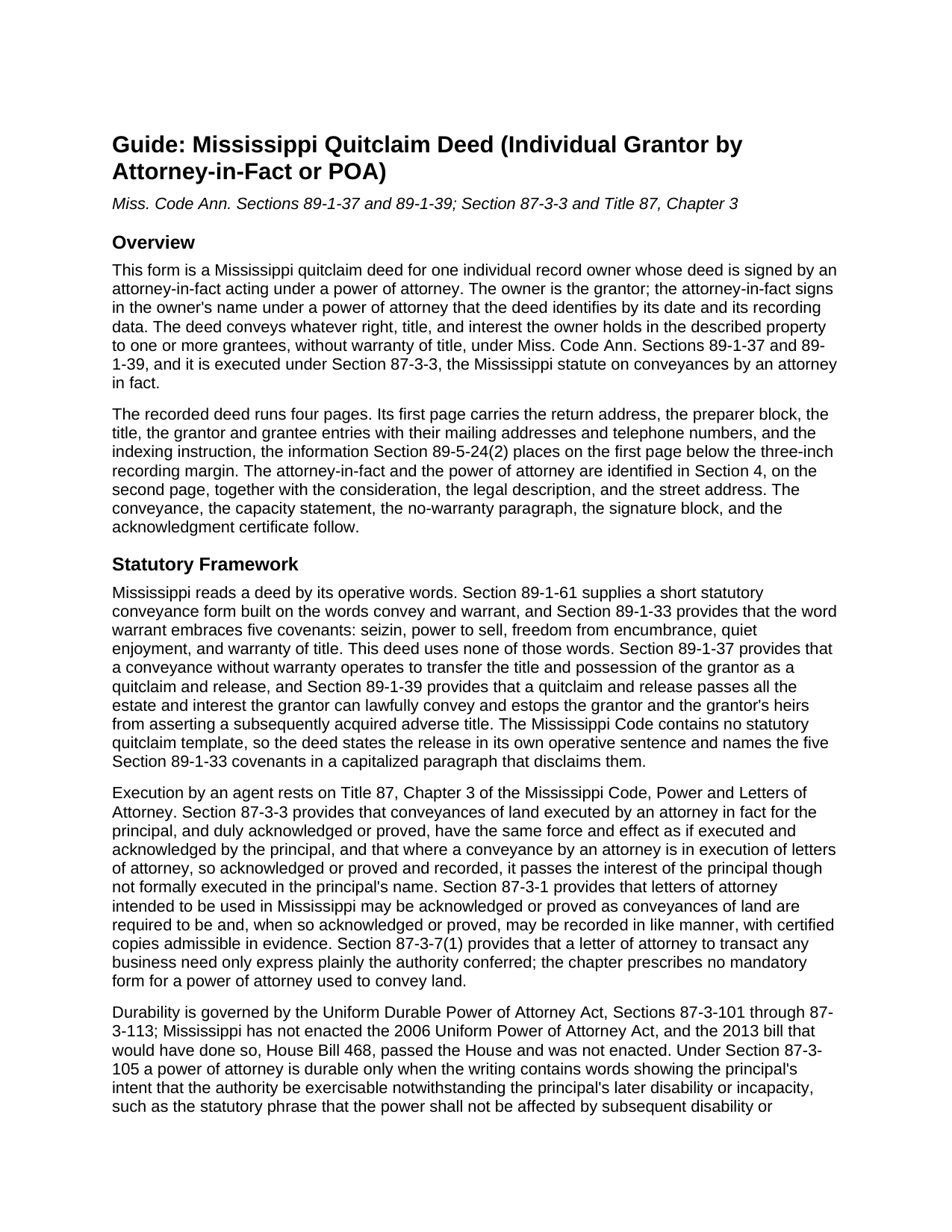
Tunica County Quitclaim Deed (Individual Grantor by Attorney-in-Fact or POA) Guide
Line by line guide explaining every blank on the Quitclaim Deed (Individual Grantor by Attorney-in-Fact or POA) form.
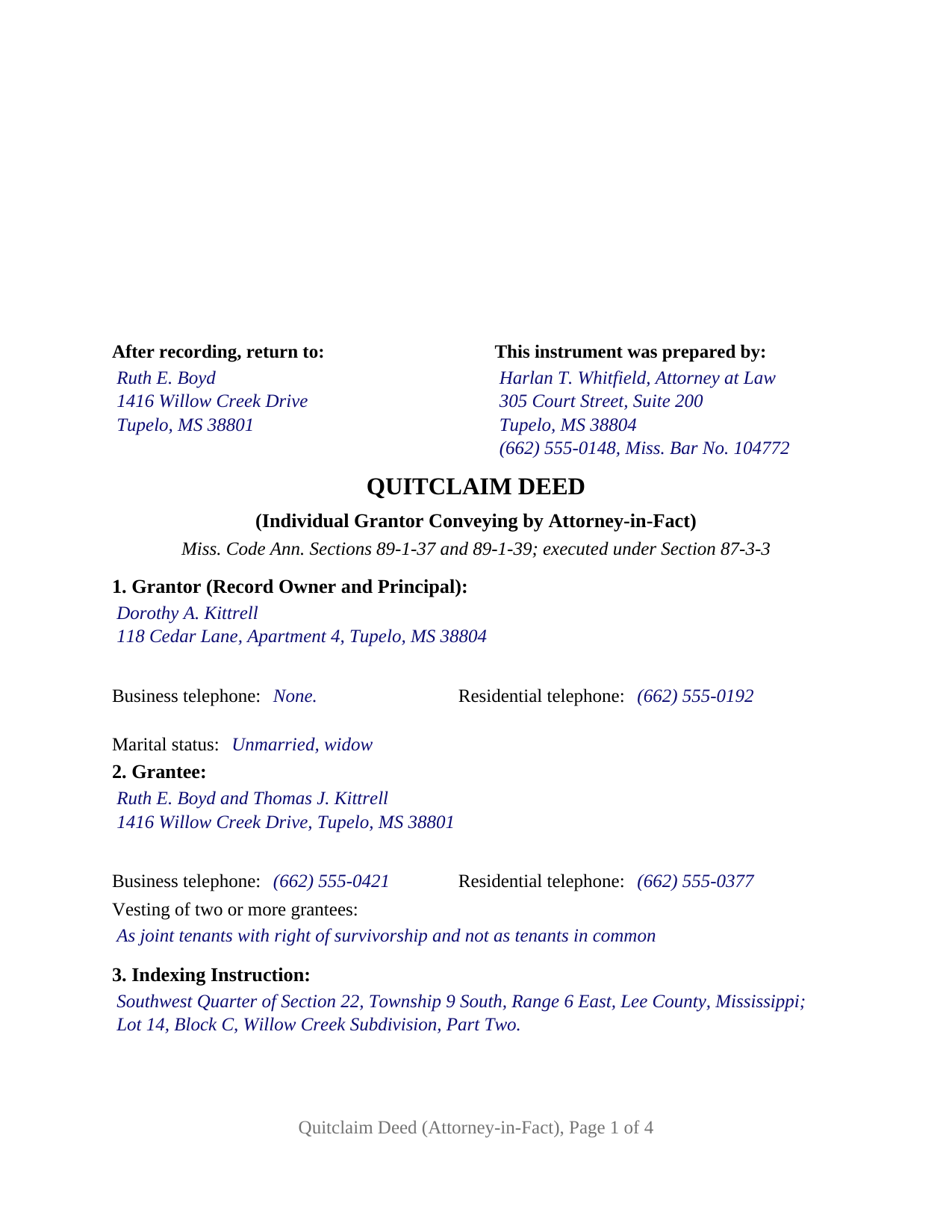
Tunica County Completed Example of the Quitclaim Deed (Individual Grantor by Attorney-in-Fact or POA) Document
Example of a properly completed Mississippi Quitclaim Deed (Individual Grantor by Attorney-in-Fact or POA) document for reference.
All 3 documents above included • One-time purchase • No recurring fees
Immediate Download • Secure Checkout
Additional Mississippi and Tunica County documents included at no extra charge:
Where to Record Your Documents
Tunica County Chancery Clerk
Tunica, Mississippi 38676
Hours: 8:00 to 12:00 and 1:00 to 5:00 Monday through Friday
Phone: (662) 363-2451
Recording Tips for Tunica County:
- Bring your driver's license or state-issued photo ID
- Ensure all signatures are in blue or black ink
- Ask for certified copies if you need them for other transactions
- Ask if they accept credit cards - many offices are cash/check only
- Check that your notary's commission hasn't expired
Cities and Jurisdictions in Tunica County
Properties in any of these areas use Tunica County forms:
- Dundee
- Robinsonville
- Sledge
- Tunica
Hours, fees, requirements, and more for Tunica County
How do I get my forms?
Forms are available for immediate download after payment. The Tunica County forms will be in your account ready to download to your computer. An account is created for you during checkout if you don't have one. Forms are NOT emailed.
Are these forms guaranteed to be recordable in Tunica County?
Yes. Our form blanks are guaranteed to meet or exceed the applicable formatting requirements used for recording in Tunica County, including margin requirements, font requirements, and other layout standards. This guarantee applies to formatting, not to the legal sufficiency of information entered by the user or the suitability of a form for a particular transaction.
Can I reuse these forms?
Yes. You can reuse the forms for your personal use. For example, if you have multiple properties in Tunica County you only need to order once.
What do I need to use these forms?
The forms are PDFs that you fill out on your computer. The free Adobe Acrobat Reader is recommended, and most PDF apps also work. You do NOT enter your property information online - you download the blank forms and complete them privately on your own computer.
Are there any recurring fees?
No. This is a one-time purchase. Nothing to cancel, no memberships, no recurring fees.
How much does it cost to record in Tunica County?
Recording fees in Tunica County vary. Contact the recorder's office at (662) 363-2451 for current fees.
Questions answered? Let's get started!
Mississippi answers the agent-signed deed question in one sentence of its power of attorney chapter, and this fillable quitclaim deed is built on it. One individual record owner is the grantor; the signer is that owner's attorney-in-fact, under a power of attorney the deed identifies by date and recording data. What passes is whatever interest the owner holds, without warranty.
A deed the owner never signs
Miss. Code Ann. Section 87-3-3, Conveyances by attorney in fact, does two things. A conveyance of land executed by an attorney in fact for the principal, duly acknowledged or proved, has the same force and effect as if the principal had signed and acknowledged it. Its second clause reaches the signature line itself: where a conveyance by an attorney is in execution of letters of attorney acknowledged or proved and recorded, it passes the principal's interest though not formally executed in the principal's name. Section 8 borrows that phrase, reciting a conveyance made in execution of the power of attorney identified in Section 4.
Why the form asks where the power of attorney is recorded
Section 87-3-1 lets letters of attorney used in this state be acknowledged or proved as a land conveyance is, then recorded in like manner. That is how the protection in Section 87-3-3 becomes available, so Mississippi practice files the power of attorney with the chancery clerk of the county where the land lies, often alongside the deed. Section 4 collects the result: the agent's name and address, the date of the power of attorney, and its recording reference. Scope stays with that document, which Section 87-3-7(1) says need only express plainly the authority conferred; it is recorded separately and not included.
Durability, and the day the agent signs
Mississippi never adopted the 2006 uniform act on powers of attorney. Agency over property runs on the older Uniform Durable Power of Attorney Act, Sections 87-3-101 through 87-3-113, under which Section 87-3-105 makes a power durable only where express words say so. Section 87-3-107 binds the principal for acts done under a durable power during incapacity, and Section 87-3-111 shields good-faith action taken without actual knowledge of a revocation or of the principal's death.
What the conveyance moves, and what stays put
No warranty words appear in the operative section. Section 89-1-37 makes a conveyance without warranty words operate as a quitclaim and release of the title and possession the grantor holds, and Section 89-1-39 hands on every estate that grantor could lawfully part with, shutting off a later claim under a title acquired afterward. Section 10 names in capitals the five covenants Section 89-1-33 keeps inside the word warrant and disclaims each.
One owner, one agent, one certificate
The form recites one grantor and one signer. A single signature block carries the signer's capacity on its printed name line, followed by one notarial certificate in the Section 89-3-7(2) short-form wording, whose representative acknowledgment names the individual who appeared and the principal acted for. Section 2 takes one grantee or several, with a vesting entry beneath the names. An owner living out of state while a Mississippi parcel stays in that owner's name, an owner whose durable power is operating during incapacity, and an owner abroad releasing a fractional interest through an agent all present the agency conveyance this deed recites. It is not set up for two record owners, for a company as principal, for an agent holding record title, for a guardian acting under a court order, or as a homestead conveyance by a married owner living with a spouse, which Section 89-1-29 makes a two-signature deed. A search for a quit claim deed signed under a POA, in the two-word spelling, arrives here.
Drafted to the chancery clerk's intake
Page one keeps its top three inches free for the clerk, and everything Section 89-5-24(2) assigns to that page sits beneath the reserve: preparer block, return address, title, the owner and grantee entries with the address and telephone data of Section 27-3-51, and the Section 89-5-33(3) indexing instruction, holding Section 3 to itself. The legal description opens page two under the statute's continuation sentence. The deed prints in four pages, inside the twenty-five dollar charge Section 25-7-9 sets for five.
Three files download together: the blank deed as a fillable PDF, a completed Lee County example running from preparer block to certificate, and a plain-language guide to the numbered sections, the power of attorney entries, and recording. The materials are informational and are not legal advice.
Important: Your property must be located in Tunica County to use these forms. Documents should be recorded at the county recording office listed above.
This Quitclaim Deed (Individual Grantor by Attorney-in-Fact or POA) meets all recording requirements specific to Tunica County.
Our Promise
The documents you receive here are guaranteed to meet or exceed the applicable Tunica County recording format requirements. If there is a rejection caused by our formatting, we will correct the issue or refund your payment. This guarantee applies to document formatting only and does not extend to information entered by the user, the selection of the form, or the legal effect of the completed document.
Save Time and Money
Get your Tunica County Quitclaim Deed (Individual Grantor by Attorney-in-Fact or POA) form done right the first time with Deeds.com Uniform Conveyancing Blanks. At Deeds.com, we understand that your time and money are valuable resources, and we don't want you to face a penalty fee or rejection imposed by a county recorder for submitting nonstandard documents. We constantly review and update our forms to meet rapidly changing state and county recording requirements for roughly 3,500 counties and local jurisdictions.
4.8 out of 5 - ( 4,842 Reviews )
Kevin P. 5 out of 5 stars
Just what my parents and I have been looking for to do a Quit Deed to transfer property into my name.
Thank you!
Joan B. 5 out of 5 stars
So quick and easy! No searching for a parking place or waiting in line. Thank you!
We appreciate your business and value your feedback. Thank you. Have a wonderful day!
Patrick U. 5 out of 5 stars
Great product. They processed and transmitted the deed promptly. A small question I had was answered quickly and professionally. I would use again if the need arises and will recommend to friends.
Your feedback is greatly appreciated. Thank you for taking the time to share your experience!
DEBORAH H. 5 out of 5 stars
This is my fourth try, and I hope my form is complete and acceptable.
Your feedback is greatly appreciated. Thank you for taking the time to share your experience!
Brenda D. 5 out of 5 stars
Very easy to use once I found it.
Thank you!
Dave W. 5 out of 5 stars
Very handy when clueless about filling out a form. Saved hours of research.
Your appreciative words mean the world to us. Thank you and we look forward to serving you again!
Darrell W. 5 out of 5 stars
Fast and easy to use. Nice to have available online.
Thank you for your feedback. We really appreciate it. Have a great day!
Aleksander M. 5 out of 5 stars
So far all is perfect! Thank you for all your help!
Thank you!
Rick L. 5 out of 5 stars
I love it! Very convenience.
Thank you!
Hinz H. 4 out of 5 stars
Prompt accurate service
Thank you!
Cynthia B. 5 out of 5 stars
So simple to e-record my two documents. The communication was fast and very helpful. Thank you so much!
Thank you for your feedback. We really appreciate it. Have a great day!
Ed H. 5 out of 5 stars
I filled out the Kansas form and presented it to the Clerk of Deeds in Rawlins Co and there were no problems and no expensive attorney involved for a simple transaction.
Your feedback is greatly appreciated. Thank you for taking the time to share your experience!
James S. 2 out of 5 stars
Order Process: 5 Stars - very easy Material Received: 2 Stars Issues: 1. Printing- Document would not print in format displayed. Format would continually shrink to approx 2/3 size thus not useable for formal doc submission to County Records office. 2. Document Format- Data insertion fields (addresses) were not of correct size for data input. I needed a 4 line input space but was limited to only 3 lines. Also, Date field (year) was mis-oriented in-so-much that the 3rd digit (inputted) overlapped on 2nd digit (pre-printed) and also was of noticeably different font. 3. Useability- Hand-written input space provided (for Notary) was deficient in space and spacing. It was a challenge to utilize the space available to complete fully and maintain legibility. Overall - the document worked marginally as advertised, I did need to re-write the entire document myself. It is a good concept but I'd recommend that Deeds company improve the downloaded forms for actual useability, readability, functionability. regards, Jim S
Thank you for your feedback. We really appreciate it. Have a great day!
Steve V. 5 out of 5 stars
Quick and easy. Quite the time saver.
Thanks, Steve! We're glad to hear the process was quick and easy—and that it saved you time. That’s exactly what we aim for!
Clarence H. 5 out of 5 stars
Deeds.com had exactly the forms I needed! One of the easiest sites to navigate. Well worth the money, and I didn't have to fill out the form first in order to get it delivered. Free isn't always best! Thanks Deeds.com for a flawless transaction!
Clarence, thank you for the great review. We’re glad you found the forms you needed, had an easy time navigating the site, and were happy with the transaction. We appreciate your business.