Jefferson County Quitclaim Deed Form
Last validated October 8, 2026 by our Forms Development TeamFormatted for recording in Jefferson County, for property anywhere in the county: rural and unincorporated areas as well as Basin, Boulder, Cardwell, Clancy, Jefferson City, Whitehall.
- 3 documents included
- Immediate PDF download
- Formatting guarantee
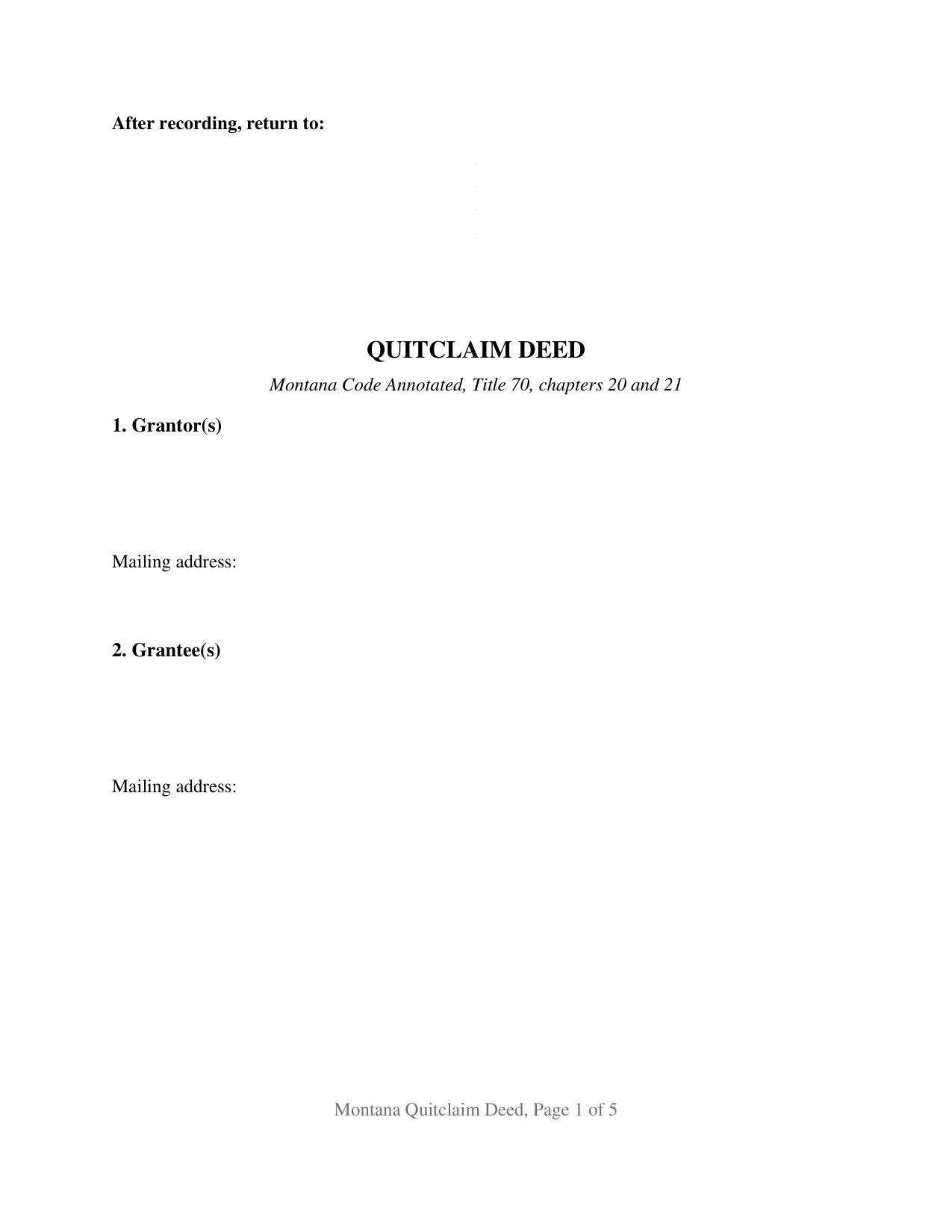
Jefferson County Quitclaim Deed Form
Fill in the blank Quitclaim Deed form formatted to comply with all Montana recording and content requirements.

Jefferson County Quitclaim Deed Guide
Line by line guide explaining every blank on the Quitclaim Deed form.
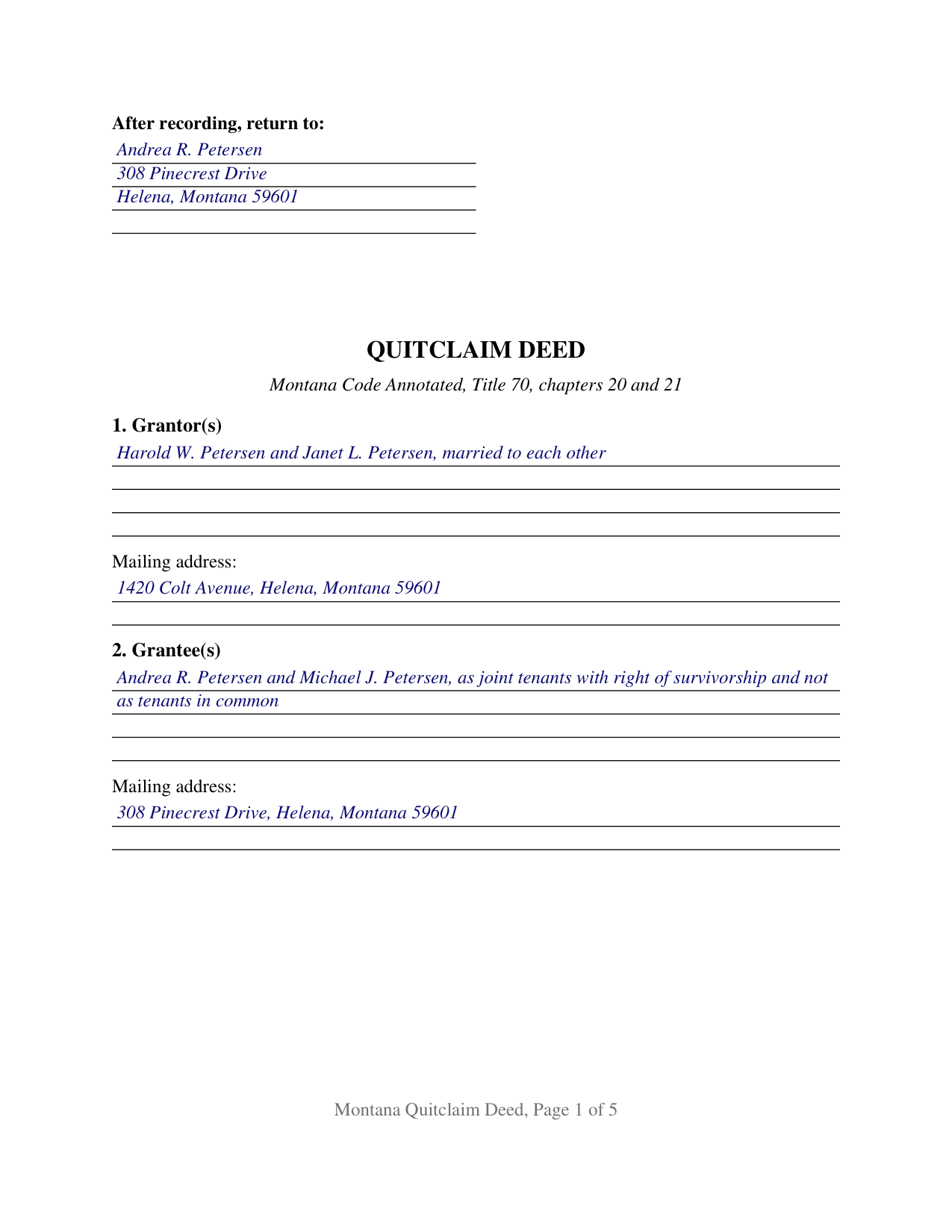
Jefferson County Completed Example of the Quitclaim Deed Document
Example of a properly completed Montana Quitclaim Deed document for reference.
All 3 documents above included • One-time purchase • No recurring fees
Immediate Download • Secure Checkout
Additional Montana and Jefferson County documents included at no extra charge:
Where to Record Your Documents
Jefferson County Clerk / Recorder
Boulder, Montana 59632
Hours: 8:00 to 12:00 & 1:00 to 5:00 Mon-Fri
Phone: (406) 225-4020
Recording Tips for Jefferson County:
- Bring your driver's license or state-issued photo ID
- Ensure all signatures are in blue or black ink
- Recorded documents become public record - avoid including SSNs
- Recording fees may differ from what's posted online - verify current rates
- Request a receipt showing your recording numbers
Cities and Jurisdictions in Jefferson County
Properties in any of these areas use Jefferson County forms:
- Basin
- Boulder
- Cardwell
- Clancy
- Jefferson City
- Whitehall
Hours, fees, requirements, and more for Jefferson County
How do I get my forms?
Forms are available for immediate download after payment. The Jefferson County forms will be in your account ready to download to your computer. An account is created for you during checkout if you don't have one. Forms are NOT emailed.
Are these forms guaranteed to be recordable in Jefferson County?
Yes. Our form blanks are guaranteed to meet or exceed the applicable formatting requirements used for recording in Jefferson County, including margin requirements, font requirements, and other layout standards. This guarantee applies to formatting, not to the legal sufficiency of information entered by the user or the suitability of a form for a particular transaction.
Can I reuse these forms?
Yes. You can reuse the forms for your personal use. For example, if you have multiple properties in Jefferson County you only need to order once.
What do I need to use these forms?
The forms are PDFs that you fill out on your computer. The free Adobe Acrobat Reader is recommended, and most PDF apps also work. You do NOT enter your property information online - you download the blank forms and complete them privately on your own computer.
Are there any recurring fees?
No. This is a one-time purchase. Nothing to cancel, no memberships, no recurring fees.
How much does it cost to record in Jefferson County?
Recording fees in Jefferson County vary. Contact the recorder's office at (406) 225-4020 for current fees.
Questions answered? Let's get started!
Montana keeps a rule about names that deed forms rarely mention. Under Montana Code Annotated Section 70-20-109, an owner whose name has changed since taking title sets forth, in the later conveyance, the name in which title was derived, and the section attaches a fifty dollar penalty collected for the county's common schools. This Montana quitclaim deed answers that with open party blocks: the names are written by the parties rather than preprinted by the form, so a former name, a status, or a second owner goes onto the page as the record calls for it.
Names the way the index wants them
The grantor block runs four lines and carries whatever the vesting deed and the intervening years require: two owners, or a formerly known as recital. The grantee block does the same work on the receiving side, with room for the words that fix how two grantees take title. One entry there is an acceptance condition rather than a nicety, because Section 7-4-2618 keeps a deed off the record altogether unless the grantee's post-office address is contained in the instrument.
The covenant word this deed leaves out
Montana ties its implied deed covenants to a single word. Section 70-20-304 provides that a conveyance passing a fee or possessory title with the word grant implies two covenants and no others, unless the instrument restrains them in express terms: one against the grantor's own earlier conveyance of the same estate, and one against encumbrances the grantor made or suffered. The operative sentence of this quit claim deed never reaches for that word. Each grantor remises, releases, and forever quitclaims; the implied covenants are restrained on the face of the deed; and the instrument states that it does not purport to grant the property in fee simple within the meaning of Section 70-20-302, so a title the grantor picks up afterward stays with the grantor. No statutory quitclaim form exists in Montana, and the state's Supreme Court reads a deed's character from the document as a whole.
How two grantees take title
The grantee designation matters more here than the phrase suggests. Section 70-1-314 makes an interest created in favor of several persons an interest in common unless it is acquired in partnership or declared a joint interest under Section 70-1-307, so a deed naming two grantees and saying nothing else leaves them holding as tenants in common. Survivorship takes two statutes: Section 70-1-307 asks for the joint tenancy to be expressly declared, and Section 70-20-310 gives the right of survivorship effect by virtue of the grant that contains it.
The configuration: one or two names on each side
The form recites natural persons signing in their own right, in any of four counts: one grantor to one grantee, one to two, two to one, and two to two. Section 9 carries two signature blocks, and an acknowledgment certificate on the Montana short form at Section 1-5-610 follows each of them, so signers may appear on different days or before different officers; on a single-grantor conveyance the second block and its certificate are left blank. Nothing about marital status, ownership status, or the form of co-ownership is preprinted anywhere on the instrument, which is what lets one document carry a sole owner and a pair of co-owners without a checkbox. The form is not set up for a signer executing in an entity office, for a trustee or personal representative conveying in a fiduciary capacity, for an agent signing under a power of attorney, or for three or more owners on either side.
What the recording counter looks for
Page one reserves its top three inches for the stamp and prints the return name and address in the upper left corner, where Section 7-4-2636 assigns them. Recording costs 20 dollars for a first page and 10 dollars for each page after it, for documents recorded on or after October 1, 2025, with an added 10 dollars where a document departs from the state standards. The Realty Transfer Certificate that Montana asks for with an instrument evidencing a transfer keeps the price information on a confidential filing; it is a Department of Revenue form, prepared separately and not included here.
The download carries this quitclaim deed as a fillable PDF, a completed example worked out for a Lewis and Clark County conveyance in Helena, and a plain language guide covering each numbered section, the statutes behind them, the signing formality, and recording. The materials are informational and are not legal advice.
Important: Your property must be located in Jefferson County to use these forms. Documents should be recorded at the county recording office listed above.
This Quitclaim Deed meets all recording requirements specific to Jefferson County.
Our Promise
The documents you receive here are guaranteed to meet or exceed the applicable Jefferson County recording format requirements. If there is a rejection caused by our formatting, we will correct the issue or refund your payment. This guarantee applies to document formatting only and does not extend to information entered by the user, the selection of the form, or the legal effect of the completed document.
Save Time and Money
Get your Jefferson County Quitclaim Deed form done right the first time with Deeds.com Uniform Conveyancing Blanks. At Deeds.com, we understand that your time and money are valuable resources, and we don't want you to face a penalty fee or rejection imposed by a county recorder for submitting nonstandard documents. We constantly review and update our forms to meet rapidly changing state and county recording requirements for roughly 3,500 counties and local jurisdictions.
4.8 out of 5 - ( 4,829 Reviews )
Gwenevere J. 5 out of 5 stars
Website is very informative and user friendly!
Thank you!
Edward S. 1 out of 5 stars
The spaces do not line up correctly with the text.
Thank you for your feedback. We really appreciate it. Have a great day!
Peter W. 5 out of 5 stars
Thanks worked out great
Thank you for the follow up Peter. Have a great day!
Tajsha N. 5 out of 5 stars
I would absolutely use this service again. It was very convenient and I was pleasantly surprised at how responsive the staff was letting me know updates to my recording package. Also, my documents recorded immediately. I did have trouble uploading my document in the beginning because I didn't realize it had to be a pdf file. Once I figured that out, it was immediately accepted. Great service!
We appreciate your business and value your feedback. Thank you. Have a wonderful day!
Keri C. 5 out of 5 stars
It was confusing at first, but the customer service was excellent and fast and I got everything taken care of right away. I'll use Deeds.com even after the recorder's office is open to the public.
Thank you for your feedback. We really appreciate it. Have a great day!
Robert S. 5 out of 5 stars
Documents available immediately as advertised. Was easy to understand the guide and complete the deed form for notarization and filing for recording.
Thank you!
Linda D. 3 out of 5 stars
It was easy to download the form I wanted BUT there were 2 other options listed for "open/download." I didn't want to risk more charges for something I couldn't determine I needed so I passed them up. There were a few others listed with the option to "view" so I did that, without down-loading, and there were no additional charges. I would've liked that opportunity for 2 others that didn't offer "view" so maybe deeds.com missed a sale?
Thank you for your feedback Linda. All the documents available for download in your account are included with your payment, no additional charges.
Larry P. 5 out of 5 stars
Easy to follow step by step in completing form. Filing successful on first try. Economical cost. Would highly recommend.
We appreciate your business and value your feedback. Thank you. Have a wonderful day!
Frank C. 5 out of 5 stars
It was easy
Thank you Frank.
Joseph L. 5 out of 5 stars
Very easy to fill out and and saved a lot of extra cost by doing it ourselves and getting it notarized.
Thank you Joseph, we really appreciate your feedback.
Alice s. 5 out of 5 stars
So far so good!
Happy we could assist. Thank you for sharing your experience.
Jessica S. 1 out of 5 stars
Paid the money, but never received any information; not even an email saying they couldn't find anything.
Thank you for your feedback. Reviewing your account, looks like the property detail report you ordered was completed on December 14, 2018 at 10:56am. The report has been available for you to download in your account ever since.
Agnes I H. 5 out of 5 stars
Good knowing the price right up front...and not a FREE one you pay at the end....
We appreciate your business and value your feedback. Thank you. Have a wonderful day!
Daron S. 5 out of 5 stars
A download in word format would be a lot better than the pdf download.
Thank you for your feedback. We really appreciate it. Have a great day!
Barbara B. 5 out of 5 stars
A great help! Thank you.
Thank you!