Gosper County Assignment of Deed of Trust Form
Last validated November 18, 2026 by our Forms Development TeamFormatted for recording in Gosper County, for property anywhere in the county: rural and unincorporated areas as well as Elwood, Smithfield.
- 6 documents included
- Immediate PDF download
- Formatting guarantee
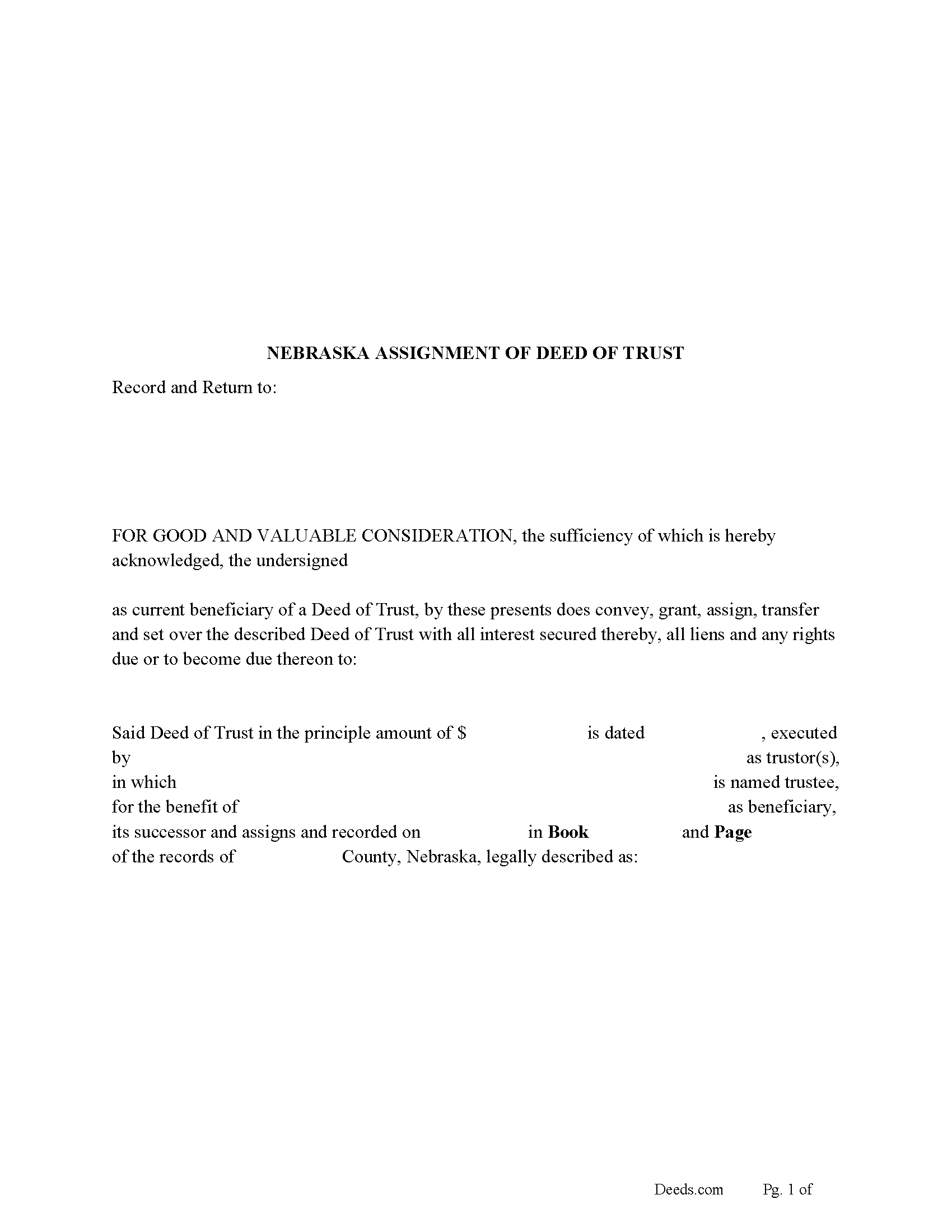
Gosper County Assignment of Deed of Trust Form
Fill in the blank form formatted to comply with all recording and content requirements.
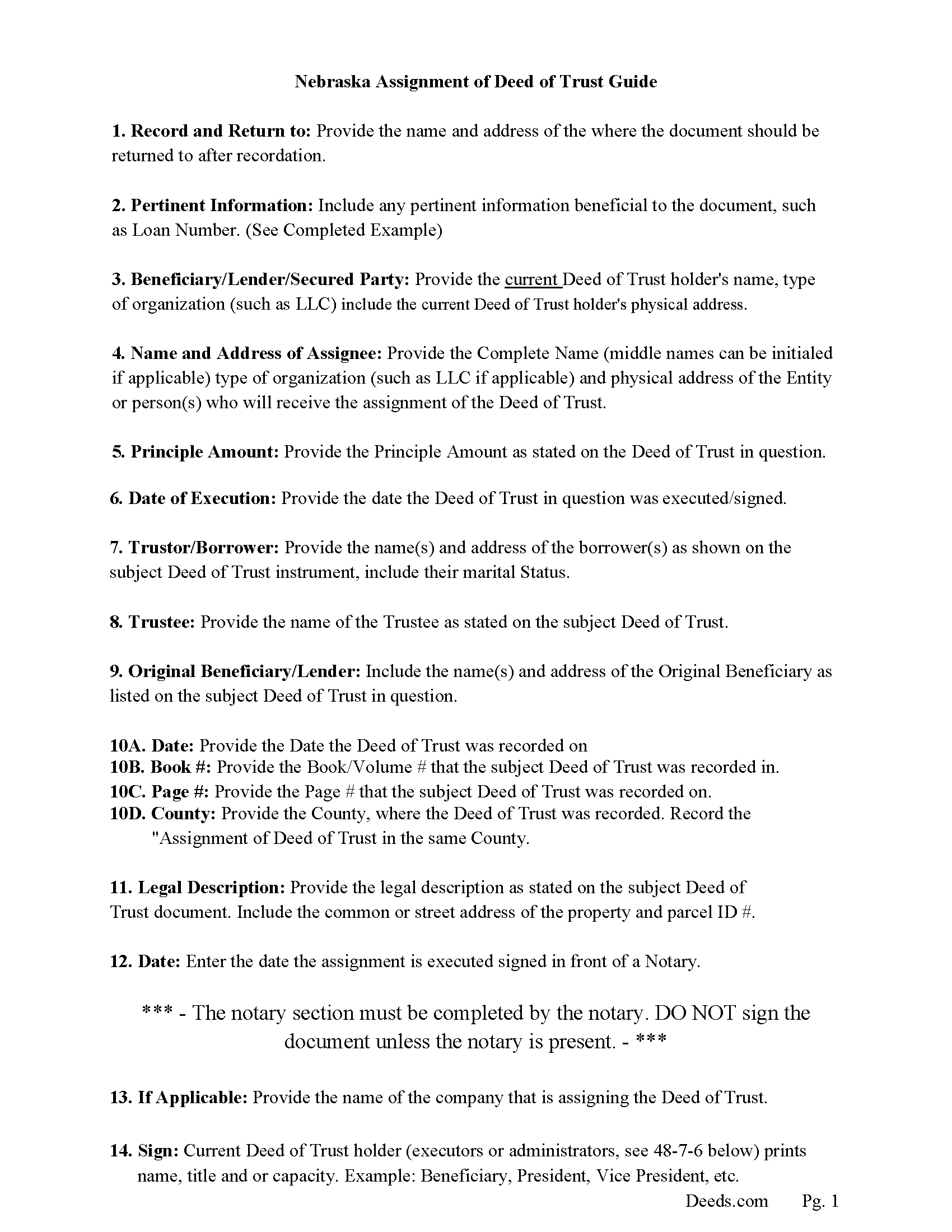
Gosper County Assignment of Deed of Trust Guidelines
Line by line guide explaining every blank on the form.
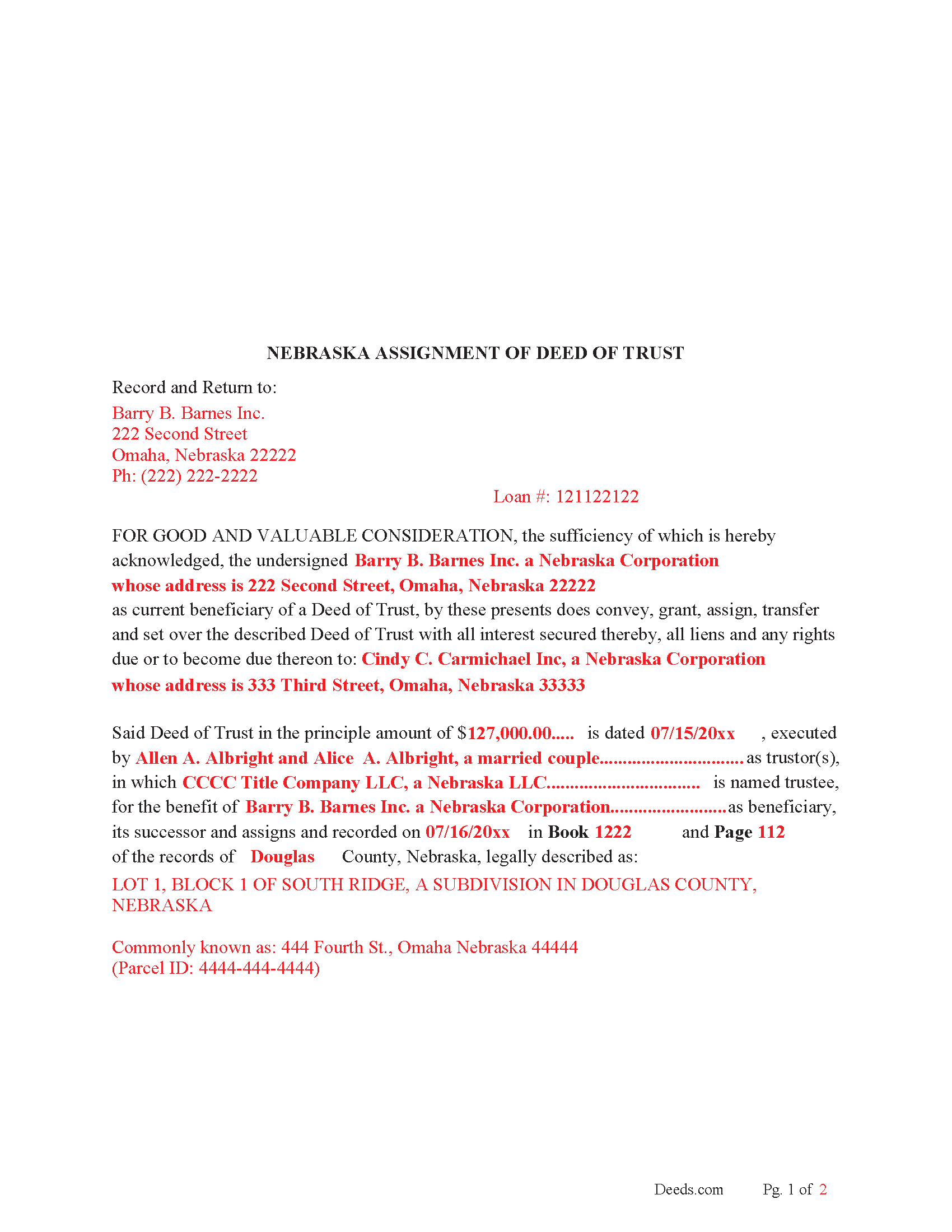
Gosper County Completed Example of the Assignment of Deed of Trust Document
Example of a properly completed form for reference.
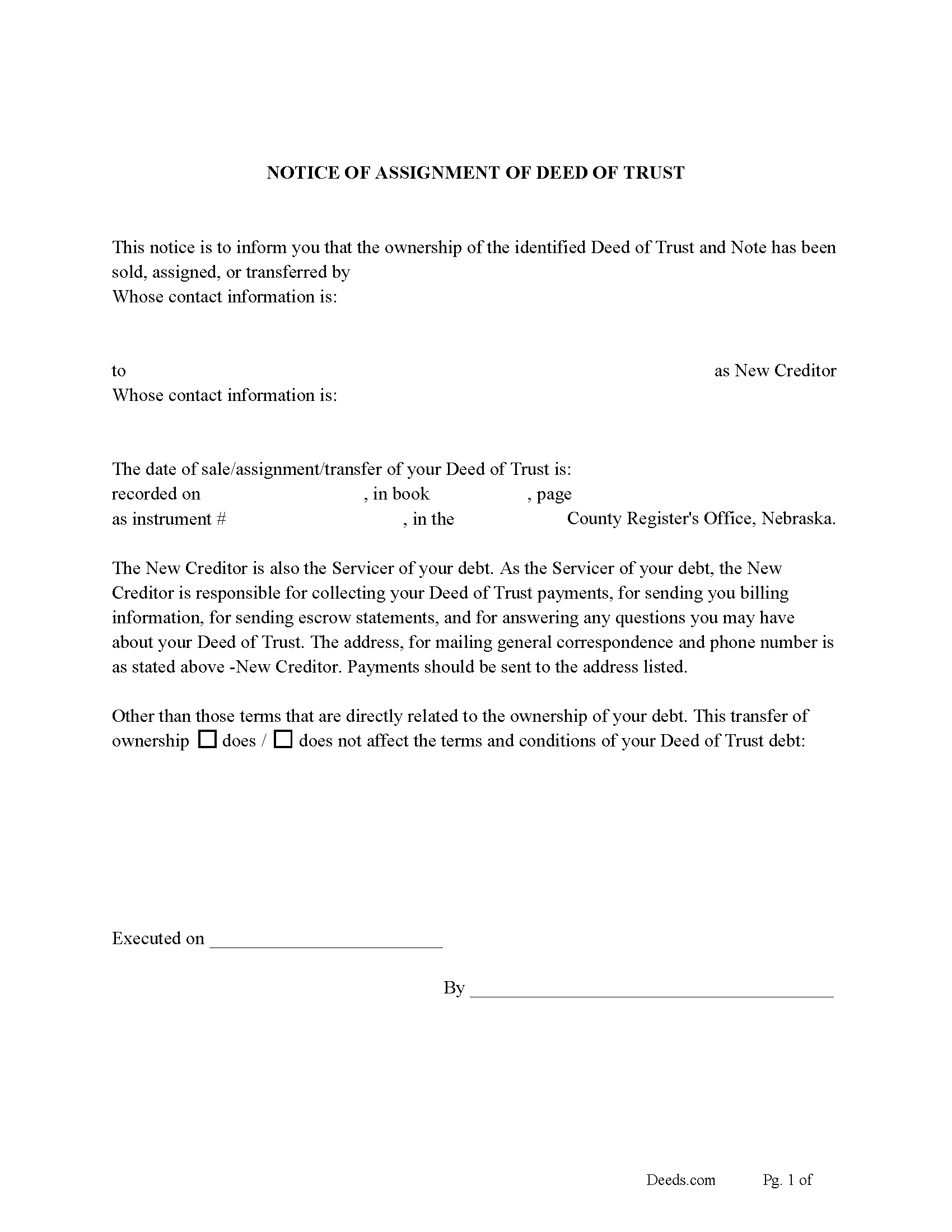
Gosper County Notice of Assignment of Deed of Trust Form
Fill in the blank form formatted to comply with content requirements.
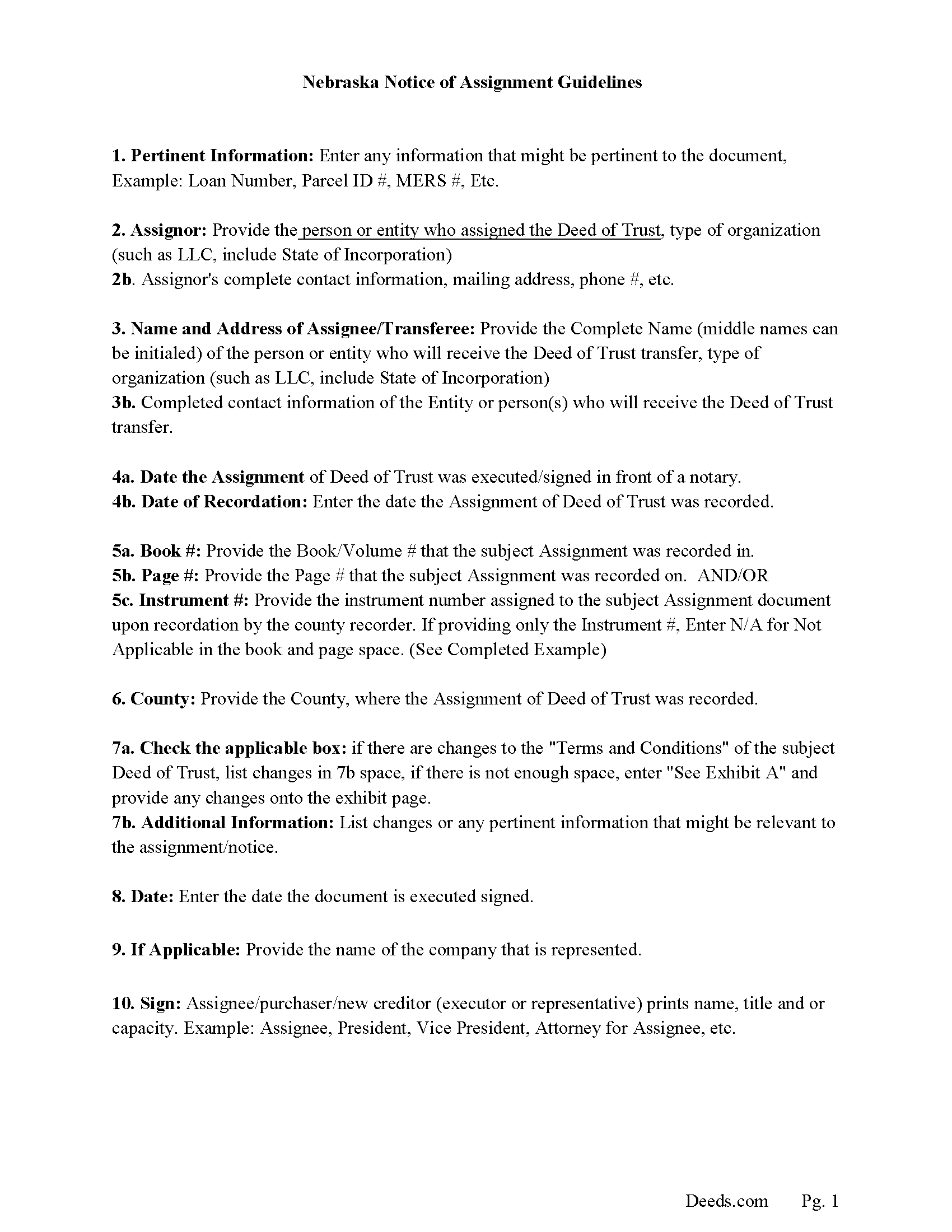
Gosper County Notice of Assignment Guidelines
Line by line guide explaining every blank on the form.
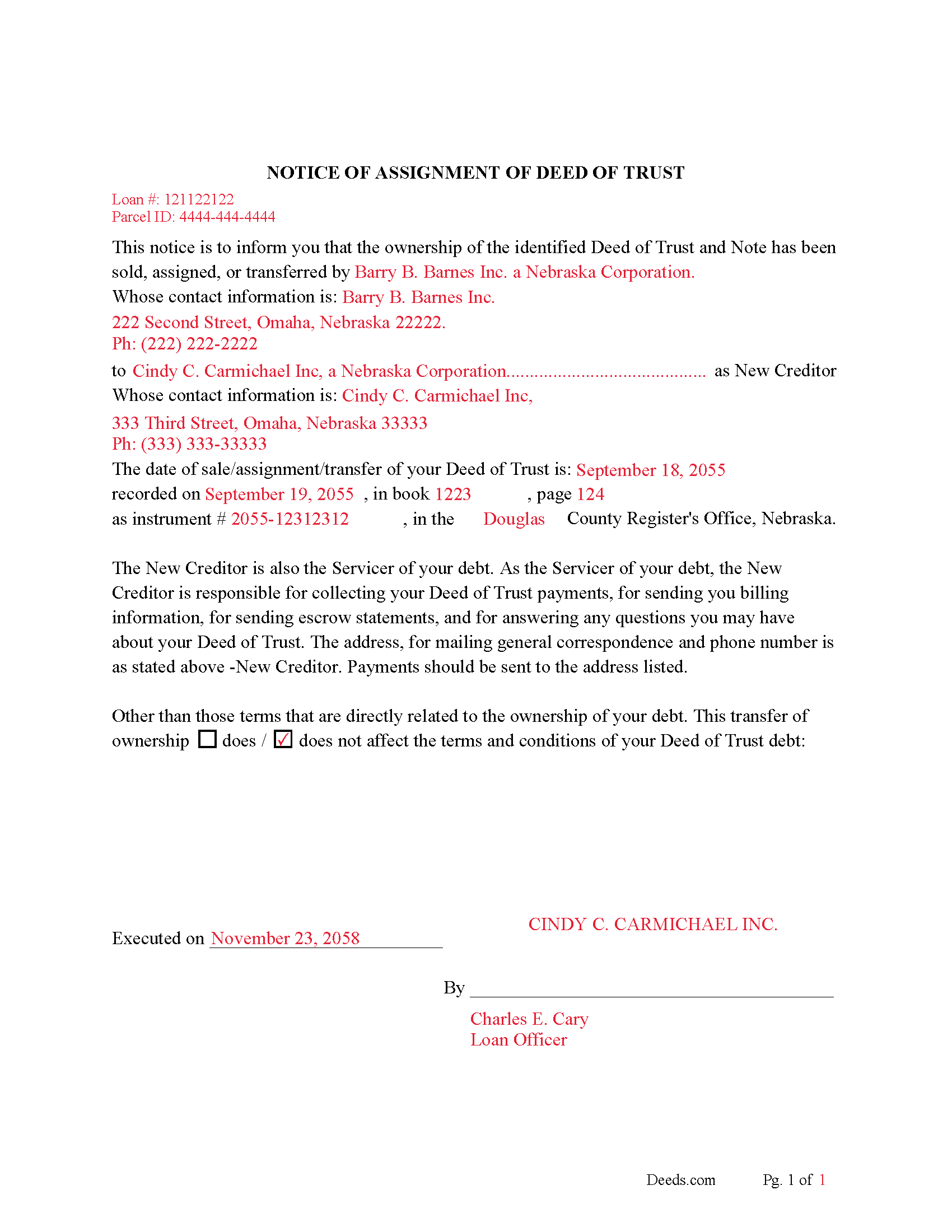
Gosper County Completed Example of Notice of Assignment Document
Example of a properly completed form for reference.
All 6 documents above included • One-time purchase • No recurring fees
Immediate Download • Secure Checkout
Additional Nebraska and Gosper County documents included at no extra charge:
Where to Record Your Documents
Gosper County Register of Deeds/Clerk
Elwood, Nebraska 68937
Hours: 8:30 to 4:30 Monday through Friday
Phone: (308) 785-2611
Recording Tips for Gosper County:
- Bring your driver's license or state-issued photo ID
- Ensure all signatures are in blue or black ink
- Ask for certified copies if you need them for other transactions
- Ask if they accept credit cards - many offices are cash/check only
- Check that your notary's commission hasn't expired
Cities and Jurisdictions in Gosper County
Properties in any of these areas use Gosper County forms:
- Elwood
- Smithfield
Hours, fees, requirements, and more for Gosper County
How do I get my forms?
Forms are available for immediate download after payment. The Gosper County forms will be in your account ready to download to your computer. An account is created for you during checkout if you don't have one. Forms are NOT emailed.
Are these forms guaranteed to be recordable in Gosper County?
Yes. Our form blanks are guaranteed to meet or exceed the applicable formatting requirements used for recording in Gosper County, including margin requirements, font requirements, and other layout standards. This guarantee applies to formatting, not to the legal sufficiency of information entered by the user or the suitability of a form for a particular transaction.
Can I reuse these forms?
Yes. You can reuse the forms for your personal use. For example, if you have multiple properties in Gosper County you only need to order once.
What do I need to use these forms?
The forms are PDFs that you fill out on your computer. The free Adobe Acrobat Reader is recommended, and most PDF apps also work. You do NOT enter your property information online - you download the blank forms and complete them privately on your own computer.
Are there any recurring fees?
No. This is a one-time purchase. Nothing to cancel, no memberships, no recurring fees.
How much does it cost to record in Gosper County?
Recording fees in Gosper County vary. Contact the recorder's office at (308) 785-2611 for current fees.
Questions answered? Let's get started!
A Deed of Trust assignment, also referred to as an "Assignment of Deed of Trust", occurs when the beneficiary/lender of the loan transfers their loan obligations to a third party. The lender usually assigns a Deed of Trust by selling it to a new bank or lender. This form can be used by the current beneficiary/lender even if the Deed of Trust in question states a different beneficiary/lender.
Current Borrowers must be notified of the assignment. Notification consists of contact information of the new creditor, recording dates, recording instrument numbers, changes in loan, etc. Included are "Notice of Assignment of Deed of Trust" forms.
The Truth and lending act requires that borrowers be notified when their Deed of Trust has been sold, transferred, or assigned to a new creditor. Generally, within 30 days to avoid up to $2,000.00 in statutory damages, plus reasonable attorney's fees. Systematic violations can reach up $500,000.00.
(Nebraska Assignment of DOT Package includes form, guidelines, and completed example) For use in Nebraska only.
Important: Your property must be located in Gosper County to use these forms. Documents should be recorded at the county recording office listed above.
This Assignment of Deed of Trust meets all recording requirements specific to Gosper County.
Our Promise
The documents you receive here are guaranteed to meet or exceed the applicable Gosper County recording format requirements. If there is a rejection caused by our formatting, we will correct the issue or refund your payment. This guarantee applies to document formatting only and does not extend to information entered by the user, the selection of the form, or the legal effect of the completed document.
Save Time and Money
Get your Gosper County Assignment of Deed of Trust form done right the first time with Deeds.com Uniform Conveyancing Blanks. At Deeds.com, we understand that your time and money are valuable resources, and we don't want you to face a penalty fee or rejection imposed by a county recorder for submitting nonstandard documents. We constantly review and update our forms to meet rapidly changing state and county recording requirements for roughly 3,500 counties and local jurisdictions.
4.8 out of 5 - ( 4,862 Reviews )
John H. 5 out of 5 stars
Great service
Thank you!
Mary N. 5 out of 5 stars
Very easy to use.
Thank you Mary.
heather i. 5 out of 5 stars
I don't pay very close attention to what I'm doing all the time which leads to mistakes. Deeds.com was helpful in correcting my error and getting me on my way.
Thank you!
Kenneth C. 5 out of 5 stars
Great forms, easy to use if you have at least a sixth grade education.
Thank you!
Jonathan F. 5 out of 5 stars
An excellent service. Makes filing deeds so much easier than having to go to the courthouse or use FedEx. I will be a customer for the rest of my legal career.
Thank you!
Andrew B. 5 out of 5 stars
Very easy to use and I appreciate the fees being charged after the submission.
Thank you!
Jan H. 5 out of 5 stars
This is a great service. It was easy to find and the instructions were complete and easy to follow.
Thank you!
GEORGE Q. 5 out of 5 stars
Assistance from the associate was good. He told me what I needed to hear and took the time to look up deeds that I was looking for. Though the deed was not available he gave me recommendation on my future calls to ask. Great personality and very helpful.
Thank you for your feedback. We really appreciate it. Have a great day!
Dreama R. 5 out of 5 stars
Awesome! I had to correct a quit claim deed and the form on your site made it very easy. Thank you
We appreciate your business and value your feedback. Thank you. Have a wonderful day!
Susann T. 5 out of 5 stars
I have been very happy with the prompt assistance that I have received from deeds.com! How refreshing this is when so often good customer service seems rare these days!
Thank you for your feedback. We really appreciate it. Have a great day!
Norbert C. 5 out of 5 stars
Great resource and everything went smoothly except email was performed through autofill prompted by the system but the autofill added a letter that gave wrong email. I can still sign in with wrong email since the system recognizes it as mine even though it is wrong. May be my fault and not the system since I did not catch the discrepancy in time. I would suggest a field that allows a correction to any misinformation prior to signing out from the initial sign on. Still think it is a great resource if all documents are processed and accepted by the pwers to be. Thanks.
Thank you!
BARBARA S. 5 out of 5 stars
Easy to use; great back-up documentation; reasonably priced.
We appreciate your business and value your feedback. Thank you. Have a wonderful day!
Linda D. 3 out of 5 stars
It was easy to download the form I wanted BUT there were 2 other options listed for "open/download." I didn't want to risk more charges for something I couldn't determine I needed so I passed them up. There were a few others listed with the option to "view" so I did that, without down-loading, and there were no additional charges. I would've liked that opportunity for 2 others that didn't offer "view" so maybe deeds.com missed a sale?
Thank you for your feedback Linda. All the documents available for download in your account are included with your payment, no additional charges.
Michael D. 5 out of 5 stars
Quick and easy!
Thank you!
John W. 5 out of 5 stars
The Staff are very helpful if needed and the process is amazingly simple and efficient!
Thank you!