Gosper County Certificate of Trust Form
Last validated October 19, 2026 by our Forms Development TeamFormatted for recording in Gosper County, for property anywhere in the county: rural and unincorporated areas as well as Elwood, Smithfield.
- 3 documents included
- Immediate PDF download
- Formatting guarantee
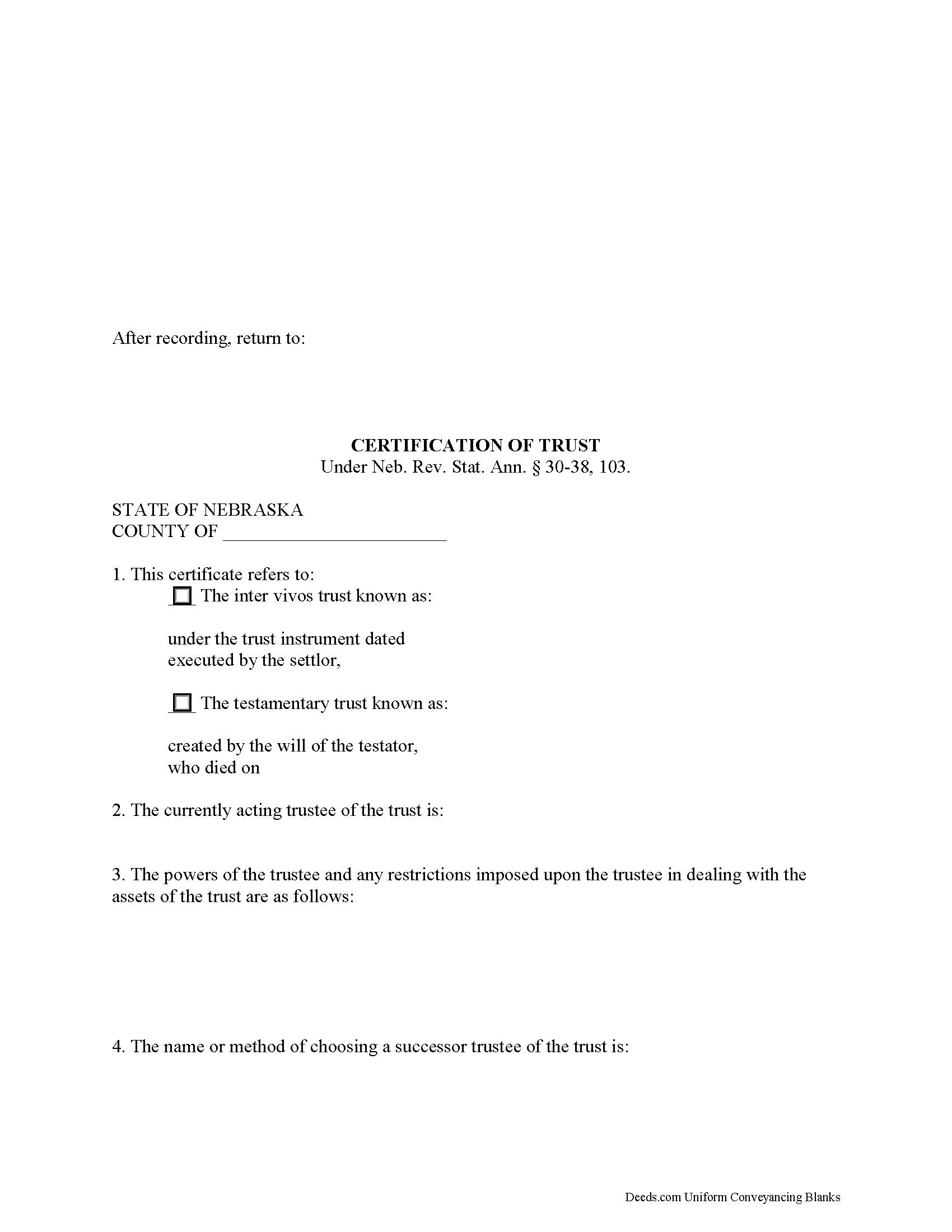
Gosper County Certificate of Trust Form
Fill in the blank form formatted to comply with all recording and content requirements.
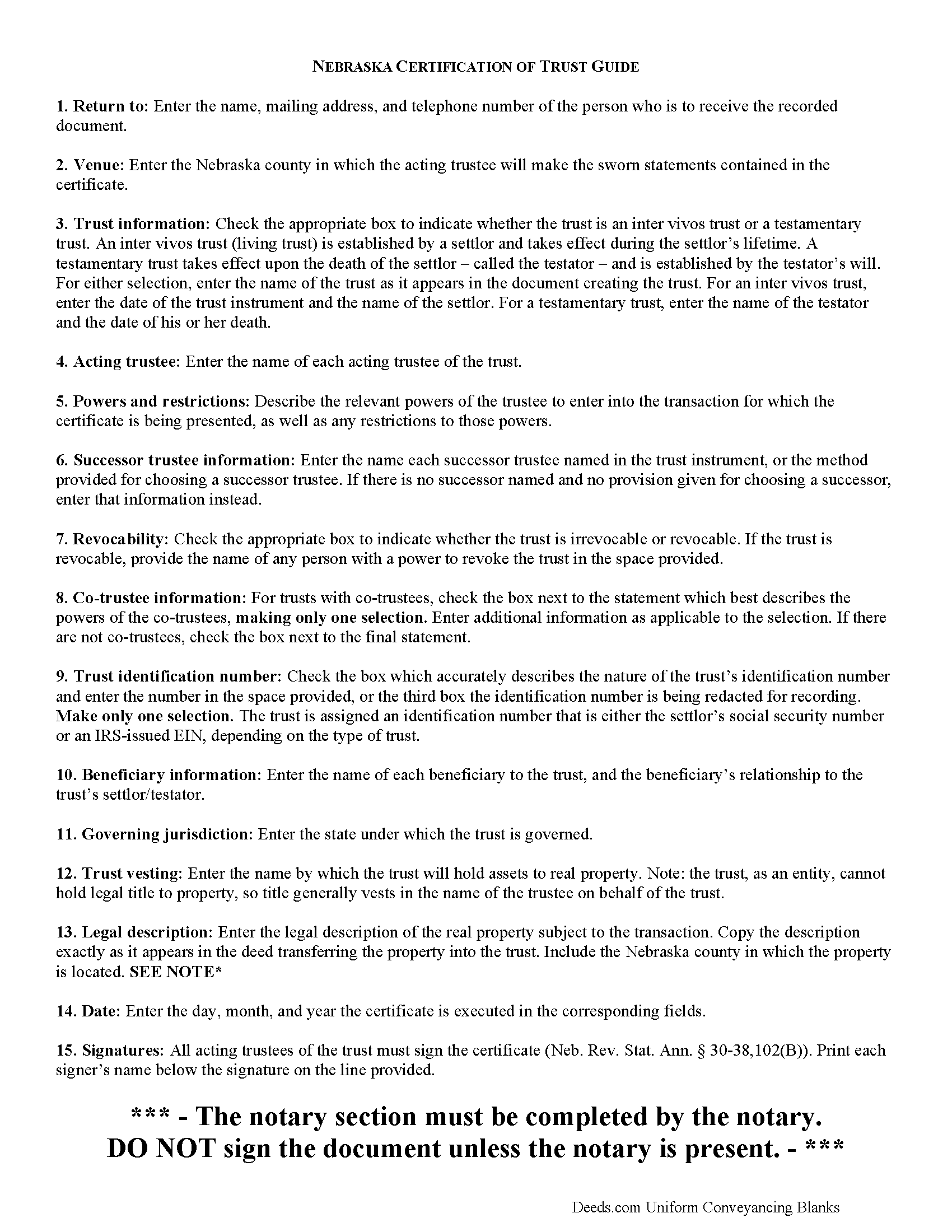
Gosper County Certificate of Trust Guide
Line by line guide explaining every blank on the form.
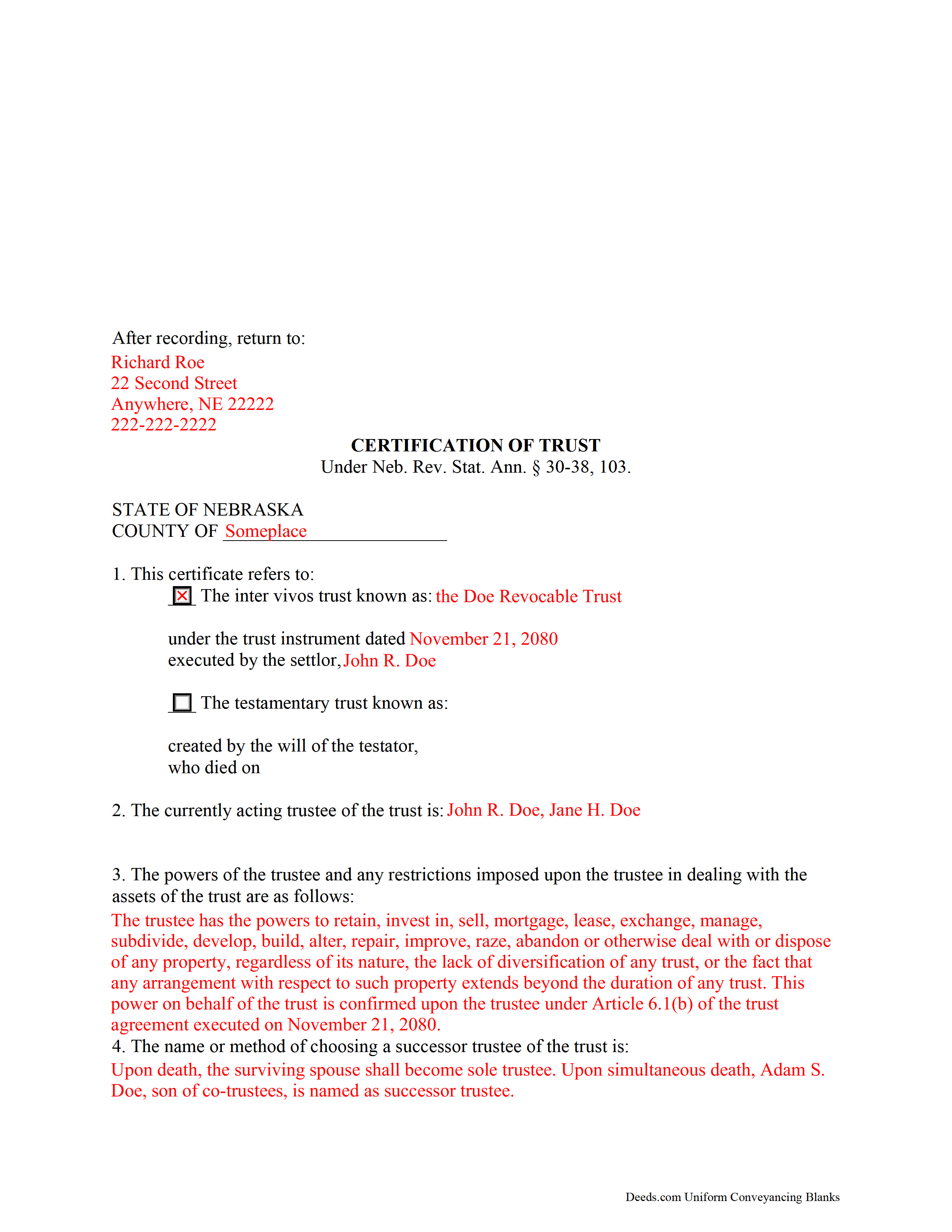
Gosper County Completed Example of the Certificate of Trust Document
Example of a properly completed form for reference.
All 3 documents above included • One-time purchase • No recurring fees
Immediate Download • Secure Checkout
Additional Nebraska and Gosper County documents included at no extra charge:
Where to Record Your Documents
Gosper County Register of Deeds/Clerk
Elwood, Nebraska 68937
Hours: 8:30 to 4:30 Monday through Friday
Phone: (308) 785-2611
Recording Tips for Gosper County:
- Bring your driver's license or state-issued photo ID
- Ensure all signatures are in blue or black ink
- Make copies of your documents before recording - keep originals safe
- Recorded documents become public record - avoid including SSNs
- Recording fees may differ from what's posted online - verify current rates
Cities and Jurisdictions in Gosper County
Properties in any of these areas use Gosper County forms:
- Elwood
- Smithfield
Hours, fees, requirements, and more for Gosper County
How do I get my forms?
Forms are available for immediate download after payment. The Gosper County forms will be in your account ready to download to your computer. An account is created for you during checkout if you don't have one. Forms are NOT emailed.
Are these forms guaranteed to be recordable in Gosper County?
Yes. Our form blanks are guaranteed to meet or exceed the applicable formatting requirements used for recording in Gosper County, including margin requirements, font requirements, and other layout standards. This guarantee applies to formatting, not to the legal sufficiency of information entered by the user or the suitability of a form for a particular transaction.
Can I reuse these forms?
Yes. You can reuse the forms for your personal use. For example, if you have multiple properties in Gosper County you only need to order once.
What do I need to use these forms?
The forms are PDFs that you fill out on your computer. The free Adobe Acrobat Reader is recommended, and most PDF apps also work. You do NOT enter your property information online - you download the blank forms and complete them privately on your own computer.
Are there any recurring fees?
No. This is a one-time purchase. Nothing to cancel, no memberships, no recurring fees.
How much does it cost to record in Gosper County?
Recording fees in Gosper County vary. Contact the recorder's office at (308) 785-2611 for current fees.
Questions answered? Let's get started!
The Nebraska certification of trust is codified at Neb. Rev. Stat. Ann. 30-38, 103 and falls under the Nebraska Uniform Trust Code, a collection of statutes adopted from the Uniform Trust Code to govern trusts in the State of Nebraska.
In Nebraska, the certification of trust is an affidavit signed by each acting trustee of the trust, containing sworn statements made in the presence of a notary public. The certificate verifies the existence of the trust and is an abstract of relevant provisions of the trust in lieu of the entire trust instrument.
The document may be presented by a trustee or requested by any person doing business with a trustee, particularly in transactions involving real property (though failure to request a certificate of trust is not considered an "improper act" under 30-38,106). As the trust itself cannot hold title, the trustee acts as a representative of the trust. When the transaction for which the certificate of trust is presented or requested involves real property, the legal description of the parcel subject to the transaction should be included.
The certificate of trust may be used by trustees of both living trusts and testamentary trusts. For a living trust, the certificate requires the date of the trust instrument's execution and the identity of the trust's settlor. For a testamentary trust, the certificate gives the death date of the decedent and the testator's identity. In Nebraska, a certificate of trust requires the identity of the beneficiary or beneficiaries of the trust and their relationship to the settlor or testator, as well.
Essential information contained in the certificate includes the name of the currently acting trustee and a description of the trustee's relevant powers, and any restrictions on those powers in dealing with the trust's assets. In addition, the certificate identifies any successor trustee named by the trust instrument (or will, in the case of a testamentary trust), or the procedure given for choosing a successor trustee, if any exists.
If more than one person is an appointed trustee, the document requires details regarding co-trustees' authority to exercise powers. For example, a trust's provisions might specify a single trustee in charge of certain duties, and require that trustee to handle those duties solely. Or, the trust may stipulate that trustees are to act and sign documents jointly.
Additional requirements for the document include the name under which the trust will take and hold assets, the trust's identification number, and the name of the state or other jurisdiction under which the trust was formed. Trusts can further be categorized into revocable or irrevocable trusts, so the certificate should identify whether or not the trust can be revoked, and by whom it is revocable.
Finally, the document requires a notice that the trust has not been revoked or amended so as to cause the statements contained within to be incorrect, and that all the acting trustees have signed the certificate. Recipients of a certificate may rely upon the statements contained within as factual (Neb. Rev. Stat. Ann. 30-38,105). The presentation of a certificate of trust, however, does not prevent the recipient from requesting the excerpts from the trust instrument conferring the relevant powers to act in the pending transaction unto the trustee ( 30-38,104).
Aside from the above requirements, the certificate should meet all prerequisites for recording documents affecting real property in the State of Nebraska. Consult a lawyer with any questions about certifications and trusts in Nebraska, as each situation is unique.
(Nebraska COT Package includes form, guidelines, and completed example)
Important: Your property must be located in Gosper County to use these forms. Documents should be recorded at the county recording office listed above.
This Certificate of Trust meets all recording requirements specific to Gosper County.
Our Promise
The documents you receive here are guaranteed to meet or exceed the applicable Gosper County recording format requirements. If there is a rejection caused by our formatting, we will correct the issue or refund your payment. This guarantee applies to document formatting only and does not extend to information entered by the user, the selection of the form, or the legal effect of the completed document.
Save Time and Money
Get your Gosper County Certificate of Trust form done right the first time with Deeds.com Uniform Conveyancing Blanks. At Deeds.com, we understand that your time and money are valuable resources, and we don't want you to face a penalty fee or rejection imposed by a county recorder for submitting nonstandard documents. We constantly review and update our forms to meet rapidly changing state and county recording requirements for roughly 3,500 counties and local jurisdictions.
4.8 out of 5 - ( 4,847 Reviews )
Jeffrey L. 5 out of 5 stars
I like using Deeds.com for all of our out-of-state deeds because they make the process almost completely hassle free for us and our clients. I am confident that the service they provide for us is the absolute best anywhere. Because of Deeds.com, we look great to our clients and our people enjoy a level of trust that other firms do not offer them.
Thank you for your feedback. We really appreciate it. Have a great day!
Virginia C. 5 out of 5 stars
I had a nice surprise seeing how fast the process was to download in a safe manner the documents. The example and guide to fill the original document are very valuable to facilitate the filling in. Thank you!!
Thank you for your feedback. We really appreciate it. Have a great day!
Gordon J. 5 out of 5 stars
The experience was generally very satisfactory. I was able to fill out the Trust Deed and send it via email no problem. However, I was not able to send the filled out form of the Note. It always erased my fill-ins when it was sent. I found that very frustrating.
Thank you, Gordon. Glad the Trust Deed worked well. Issues like the one you reported with the Note can sometimes be related to how the file is opened or sent. Using Adobe Reader to fill, save, and send the form is recommended. We also pass along all feedback like this to our team to confirm there are no issues.
Mary Ann G. 2 out of 5 stars
Couldn't find the deed form that I needed. Needs to have a short summary to determine the correct form.
Sorry to hear that Mary Ann, we appreciate your feedback.
Anthony P. 5 out of 5 stars
Documents exactly as described, no complaints.
Thank you!
Ivory J. 5 out of 5 stars
Haven't processed any deed documents so far. I do agree that Deed.com website browsing tool will be helpful.
Thank you!
Mary H. 5 out of 5 stars
Your site was very informative and I was able to instantly and easily download the documents that I needed. I could not be happier with your service. Thank You Mary Harju
Thank you Mary, we really appreciate your feedback.
Edward L. 5 out of 5 stars
Excellent web site with just the right documents. Filled a very important need in less tha 2 minutes time.
We appreciate your business and value your feedback. Thank you. Have a wonderful day!
Robert H. 5 out of 5 stars
Easy to use and understand. I am glad to have found this resource.
Your appreciative words mean the world to us. Thank you and we look forward to serving you again!
Denise G. 5 out of 5 stars
It would be helpful if an email was sent to notify you of any additional invoices needed, documents were accepted and/or recorded. It is not always convenient to check your website on a daily basis to determine the status of the requesting recordings.
Thank you for your feedback. We really appreciate it. Have a great day!
Melody L. 3 out of 5 stars
Beware, you cannot save the information you typed and change it later. It will be a PDF upon saving. So if you need corrections...you have to start all over!
Thank you for your feedback. We really appreciate it. Have a great day!
Vickie M. 5 out of 5 stars
The website was easy to use even for me with little computer knowledge.
We appreciate your business and value your feedback. Thank you. Have a wonderful day!
Missie R. 5 out of 5 stars
Very fast and professionally handled.
Thank you!
Rip V. 1 out of 5 stars
Found the forms I needed but had to type these out my self in Word since these forms do not allow any information to be saved. I understand you want this to be proprietary information but you failed to deliver a usable product. I printed this template and built my own in microsoft word. Good examples and instructions with poor execution. I lost hours of typing and nearly lost real estate deals due to these documents not being in a format ready to use. Will be using another service next time or buying these as guides alone.
Thank you for taking the time to leave your feedback. Sorry to hear of the struggle you had using our forms. We will look into the issues you reported to see what we can do to provide a better product. For your trouble we have provided a full refund of your order.
Joseph P. 5 out of 5 stars
I purchased the Affidavit of Surviving Joint Tenant document and found the whole package of documents to be useful and practical. Successfully recorded!!! While the fillable PDF files are good enough, I personally prefer a Word document as it is easier to modify font or spacing.
We appreciate your business and value your feedback. Thank you. Have a wonderful day!