Mineral County Quitclaim Deed (Married Couple as Grantors) Form
Last validated September 30, 2026 by our Forms Development TeamFormatted for recording in Mineral County, for property anywhere in the county or independent city: rural and unincorporated areas as well as Hawthorne, Luning, Mina, Schurz.
- 3 documents included
- Immediate PDF download
- Formatting guarantee
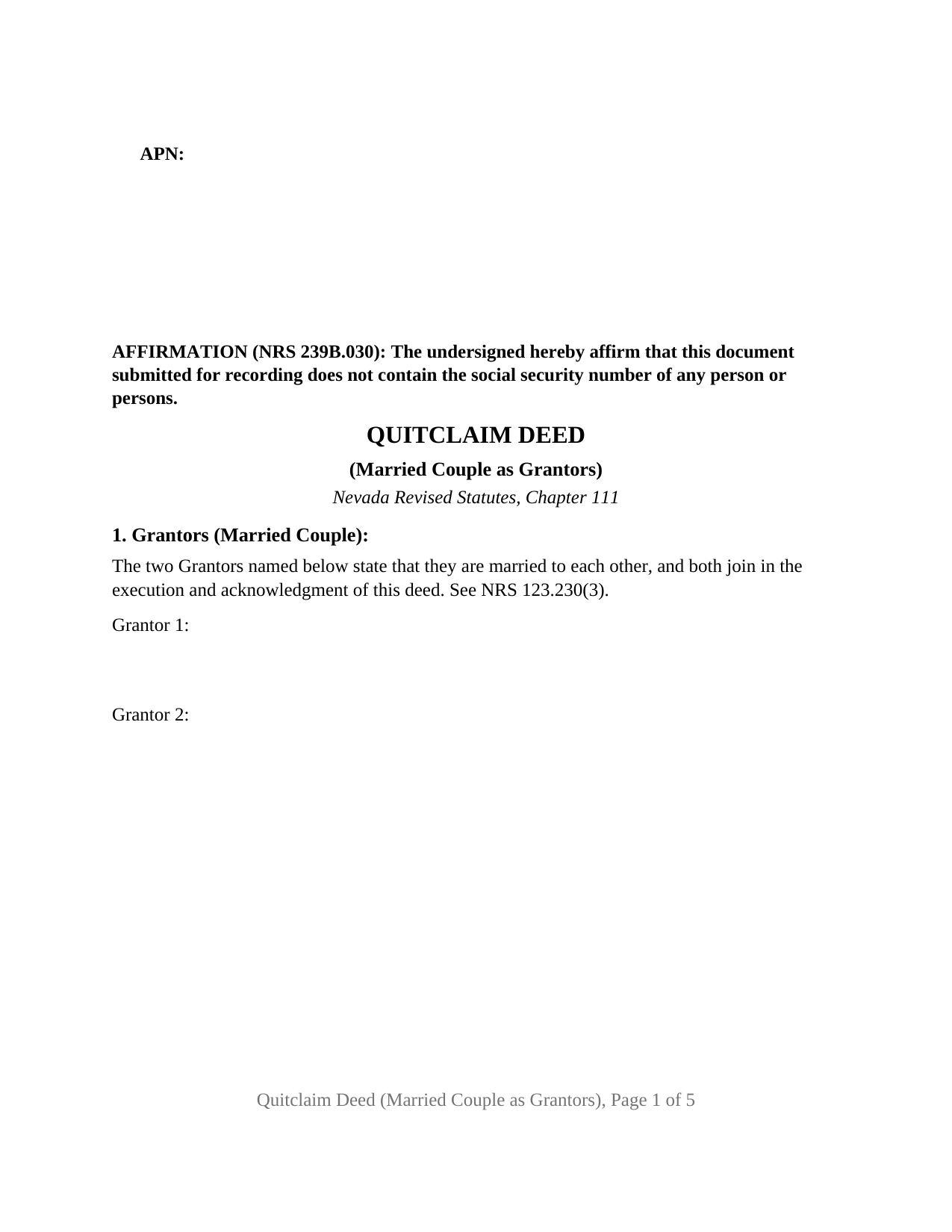
Mineral County Quitclaim Deed (Married Couple as Grantors) Form
Fill in the blank Quitclaim Deed (Married Couple as Grantors) form formatted to comply with all Nevada recording and content requirements.
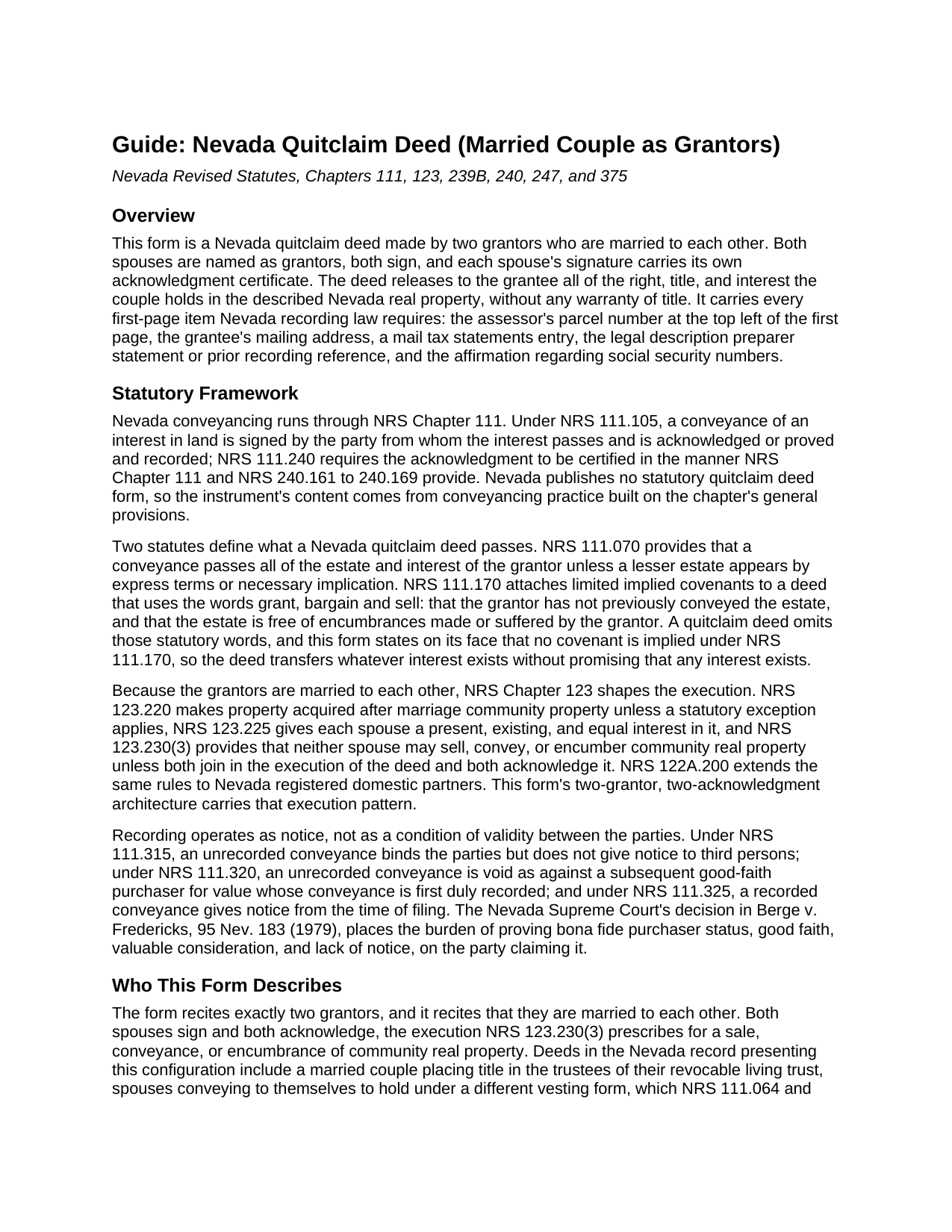
Mineral County Quitclaim Deed (Married Couple as Grantors) Guide
Line by line guide explaining every blank on the Quitclaim Deed (Married Couple as Grantors) form.
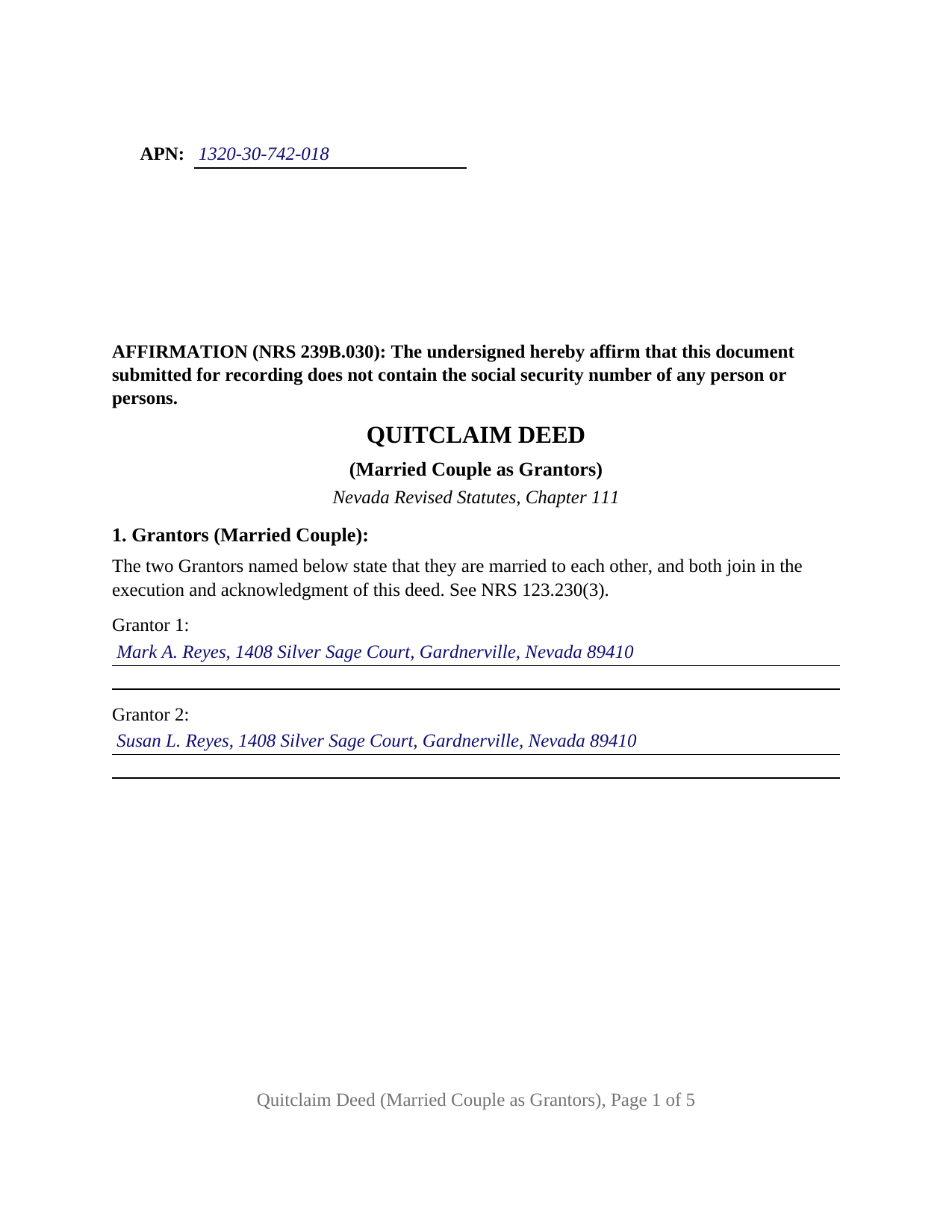
Mineral County Completed Example of the Quitclaim Deed (Married Couple as Grantors) Document
Example of a properly completed Nevada Quitclaim Deed (Married Couple as Grantors) document for reference.
All 3 documents above included • One-time purchase • No recurring fees
Immediate Download • Secure Checkout
Additional Nevada and Mineral County documents included at no extra charge:
Where to Record Your Documents
Mineral County Recorder/Auditor
Hawthorne, Nevada 89415
Hours: 8:00 to 5:00 M-F
Phone: (775) 945-3676
Recording Tips for Mineral County:
- Bring your driver's license or state-issued photo ID
- Ensure all signatures are in blue or black ink
- Ask if they accept credit cards - many offices are cash/check only
- Check that your notary's commission hasn't expired
- Documents must be on 8.5 x 11 inch white paper
Cities and Jurisdictions in Mineral County
Properties in any of these areas use Mineral County forms:
- Hawthorne
- Luning
- Mina
- Schurz
Hours, fees, requirements, and more for Mineral County
How do I get my forms?
Forms are available for immediate download after payment. The Mineral County forms will be in your account ready to download to your computer. An account is created for you during checkout if you don't have one. Forms are NOT emailed.
Are these forms guaranteed to be recordable in Mineral County?
Yes. Our form blanks are guaranteed to meet or exceed the applicable formatting requirements used for recording in Mineral County, including margin requirements, font requirements, and other layout standards. This guarantee applies to formatting, not to the legal sufficiency of information entered by the user or the suitability of a form for a particular transaction.
Can I reuse these forms?
Yes. You can reuse the forms for your personal use. For example, if you have multiple properties in Mineral County you only need to order once.
What do I need to use these forms?
The forms are PDFs that you fill out on your computer. The free Adobe Acrobat Reader is recommended, and most PDF apps also work. You do NOT enter your property information online - you download the blank forms and complete them privately on your own computer.
Are there any recurring fees?
No. This is a one-time purchase. Nothing to cancel, no memberships, no recurring fees.
How much does it cost to record in Mineral County?
Recording fees in Mineral County vary. Contact the recorder's office at (775) 945-3676 for current fees.
Questions answered? Let's get started!
Both halves of a married couple sign the Nevada Quitclaim Deed (Married Couple as Grantors): the form recites two grantors who state that they are married to each other, prints a signature line for each spouse, and closes with an acknowledgment certificate for each signature. It is a Nevada quitclaim deed, the instrument also searched as a quit claim or quick claim form, prepared for the specific case in which the two people giving up an interest are spouses. The marital configuration is printed into Section 1 itself, not left to inference from the names.
A deed built around the marriage
Nevada treats most property acquired during a marriage as community property, and NRS 123.230(3) permits a sale, conveyance, or encumbrance of community real property only when both spouses join in executing the instrument and both acknowledge it. This form's architecture answers that statute point for point: a printed sentence in the grantor section reciting that the two grantors are married to each other and that both join in the deed's execution and acknowledgment, a signature line for each spouse with the printed name NRS 247.190 places beneath every signature, and a separate NRS 240.166 short form certificate for each spouse, so the two acknowledgments may happen on different days or in front of different notarial officers. Nevada record patterns wearing this shape include a couple moving title into the trustees of their revocable living trust, and spouses deeding to themselves to take back under an express vesting declaration, the route NRS 111.064 and NRS 111.065 open for changing how a married couple holds. The form recites exactly two grantors who are married to each other; a sole owner's release, or a conveyance by co-owners with no marital relation between them, presents a configuration this form is not set up to carry.
Whatever the couple holds, and nothing promised
The operative sentence remises, releases, and forever quitclaims. Because the deed avoids the words grant, bargain and sell, the limited covenants NRS 111.170 attaches to those words never arise, and the form says so expressly on its face. NRS 111.070 supplies the measure of the transfer: every interest the grantors hold at delivery passes, unless the deed's own terms carve out less. The grantee therefore takes the couple's actual position in the title, whatever the record makes it.
Recorder items, already in position
Nevada's shall-not-record statute, NRS 111.312, is satisfied on the face of the form: the assessor's parcel number line occupies the top left corner of page one, the grantee entry holds the required mailing address, a numbered section directs where tax statements go, and another carries the preparer statement or prior recording reference required when a legal description runs in metes and bounds. The NRS 239B.030 social security number affirmation opens the document, and the sheet itself follows NRS 247.110: letter size, the upper right of page one left blank for the recorder's label, one inch margins, and black type comfortably above the statutory minimum.
Spouses, trusts, and the Declaration of Value
A State of Nevada Declaration of Value rides with the deed to the recorder's counter, and the real property transfer tax is computed and collected before the deed is accepted. Most Nevada counties collect $1.95 on each $500 of value; Washoe and Churchill collect $2.05, and Clark collects $2.55. Married-couple transfers frequently land in the exemption list of NRS 375.090: an interspousal transfer is an exempt category, and a transfer of title to or from a trust without consideration is exempt when a certificate of trust is presented at the time of transfer, the exemption matching this form's completed example, in which a Douglas County couple deeds the family lot to themselves as trustees. A claimed exemption later disallowed draws the NRS 375.030 penalty and interest, a sequence the guide lays out.
Inside the download
The package holds the fillable deed for a married couple, a completed example worked through a Douglas County trust-funding fact pattern, and a guide covering every numbered section, the ways Nevada grantees may hold title, notarization for each spouse, and the recording steps. The Declaration of Value is a state form submitted separately and is not included. These materials describe Nevada law in general terms and are informational only; they are not legal advice, and a Nevada attorney can say how the rules bear on a particular title or marriage.
Important: Your property must be located in Mineral County to use these forms. Documents should be recorded at the county or independent city recording office listed above.
This Quitclaim Deed (Married Couple as Grantors) meets all recording requirements specific to Mineral County.
Our Promise
The documents you receive here are guaranteed to meet or exceed the applicable Mineral County recording format requirements. If there is a rejection caused by our formatting, we will correct the issue or refund your payment. This guarantee applies to document formatting only and does not extend to information entered by the user, the selection of the form, or the legal effect of the completed document.
Save Time and Money
Get your Mineral County Quitclaim Deed (Married Couple as Grantors) form done right the first time with Deeds.com Uniform Conveyancing Blanks. At Deeds.com, we understand that your time and money are valuable resources, and we don't want you to face a penalty fee or rejection imposed by a county recorder for submitting nonstandard documents. We constantly review and update our forms to meet rapidly changing state and county recording requirements for roughly 3,500 counties and local jurisdictions.
4.8 out of 5 - ( 4,832 Reviews )
Arnold R. 5 out of 5 stars
this online service worked efficiently and as quickly as the registry allowed it to record new deeds. Thank you for providing services
Thank you for your feedback. We really appreciate it. Have a great day!
Barbara S. 5 out of 5 stars
I found your site easy to use, though I would prefer an option to download to MWords but Adobe works well. The cost is very, very reasonable and provides documents I didn't know were needed. I would recommend this to anyone trying to deal with legal documents.
Thank you!
Neira S. 5 out of 5 stars
No problem with Recorders Office using your document. It is now completed and recorded.
Thank you Neira, have a wonderful day!
Justin F. 5 out of 5 stars
Provided the template and guide I was looking for. Reasonable pricing,
Thank you!
Stanley C. 5 out of 5 stars
Amazingly simple, easy to download and use. Excellent service, Thank You
Thank you!
Samuel T. 5 out of 5 stars
So far, so good. explanations provided for the forms and instructions on how I should proceed were clear as a bell, and it was nice to get immediate delivery of the forms. I'll be looking for other ways to take advantage of this site, for sure.
Thank you!
Jerry K G. 5 out of 5 stars
I got what I asked for, almost instantly.
Thank you!
Doris M G. 5 out of 5 stars
Excellent. Everything has gone well and the deed guide has helped so much. Thank you.
Thank you for your feedback. We really appreciate it. Have a great day!
gary c. 5 out of 5 stars
process was easy and simple to do
Thank you for your feedback. We really appreciate it. Have a great day!
Lisa B. 5 out of 5 stars
Awesome service. User friendly, simple, easy and quick to fill out with instructions and sample copy and print.
Thank you Lisa, we appreciate your feedback.
James C. 5 out of 5 stars
An excellent resource for users.
Thank you!
Ann M. 5 out of 5 stars
I was extremely pleased with how easy this process was, and how quickly my document was recorded. I will definitely use this again!
We appreciate your business and value your feedback. Thank you. Have a wonderful day!
Qingqiu H. 5 out of 5 stars
I ordered the wrong forms at first because I'm an idiot and didn't do my research. When I told the customer service about my error they were understanding.
Thank you for your feedback. We really appreciate it. Have a great day!
Joseph S. 5 out of 5 stars
The website was very easy to use. I rate it a five star
Thank you for your feedback. We really appreciate it. Have a great day!
John T. 5 out of 5 stars
Great site, I was able to navigate with ease. We appreciate all those who contributed in making this possible
Thank you!