Grafton County Fiduciary Deed Form
Last validated October 12, 2026 by our Forms Development TeamFormatted for recording in Grafton County, for property anywhere in the county: rural and unincorporated areas as well as Ashland, Bath, Bethlehem, Bristol, Campton, Canaan, Enfield, Enfield Center and 31 more.
- 3 documents included
- Immediate PDF download
- Formatting guarantee
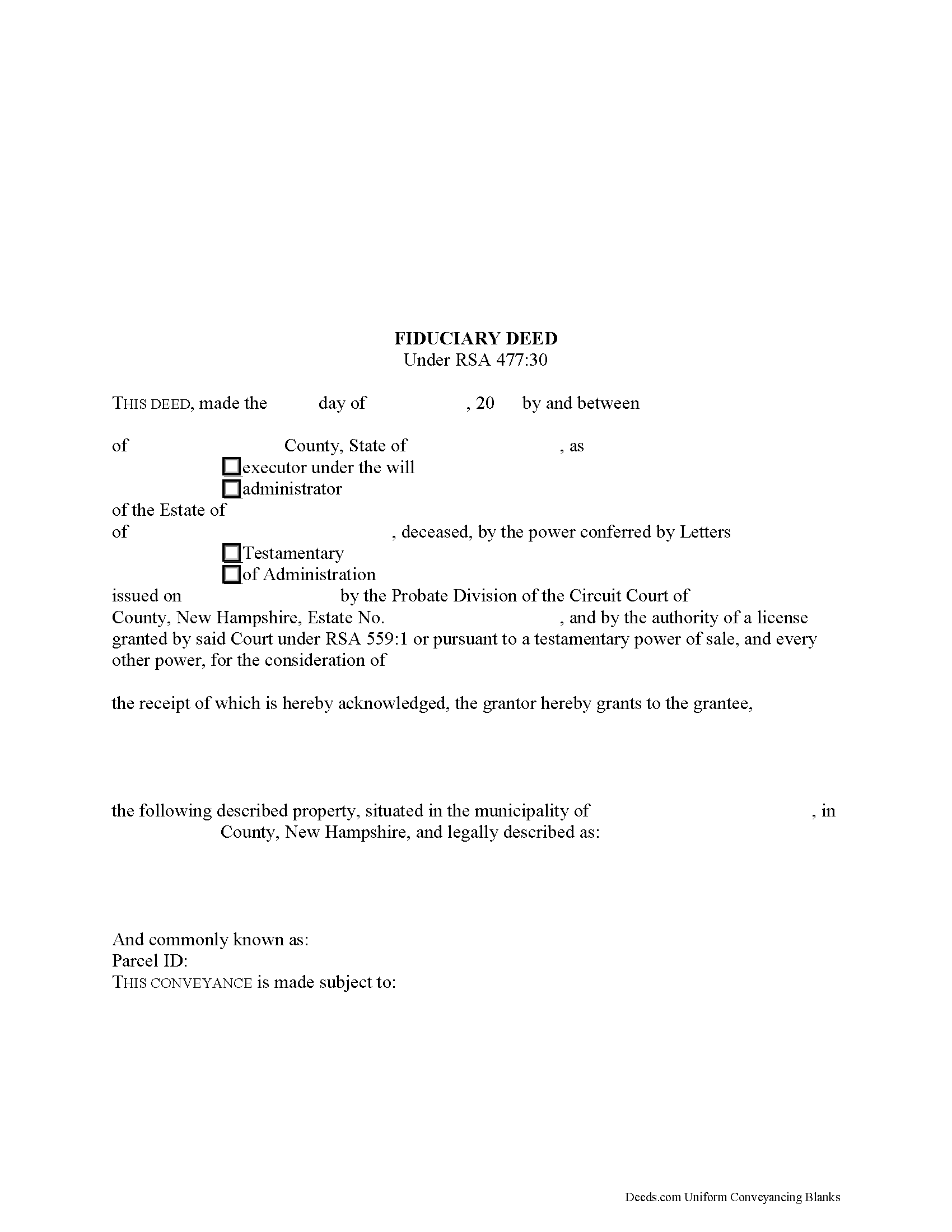
Grafton County Fiduciary Deed Form
Fill in the blank form formatted to comply with all recording and content requirements.
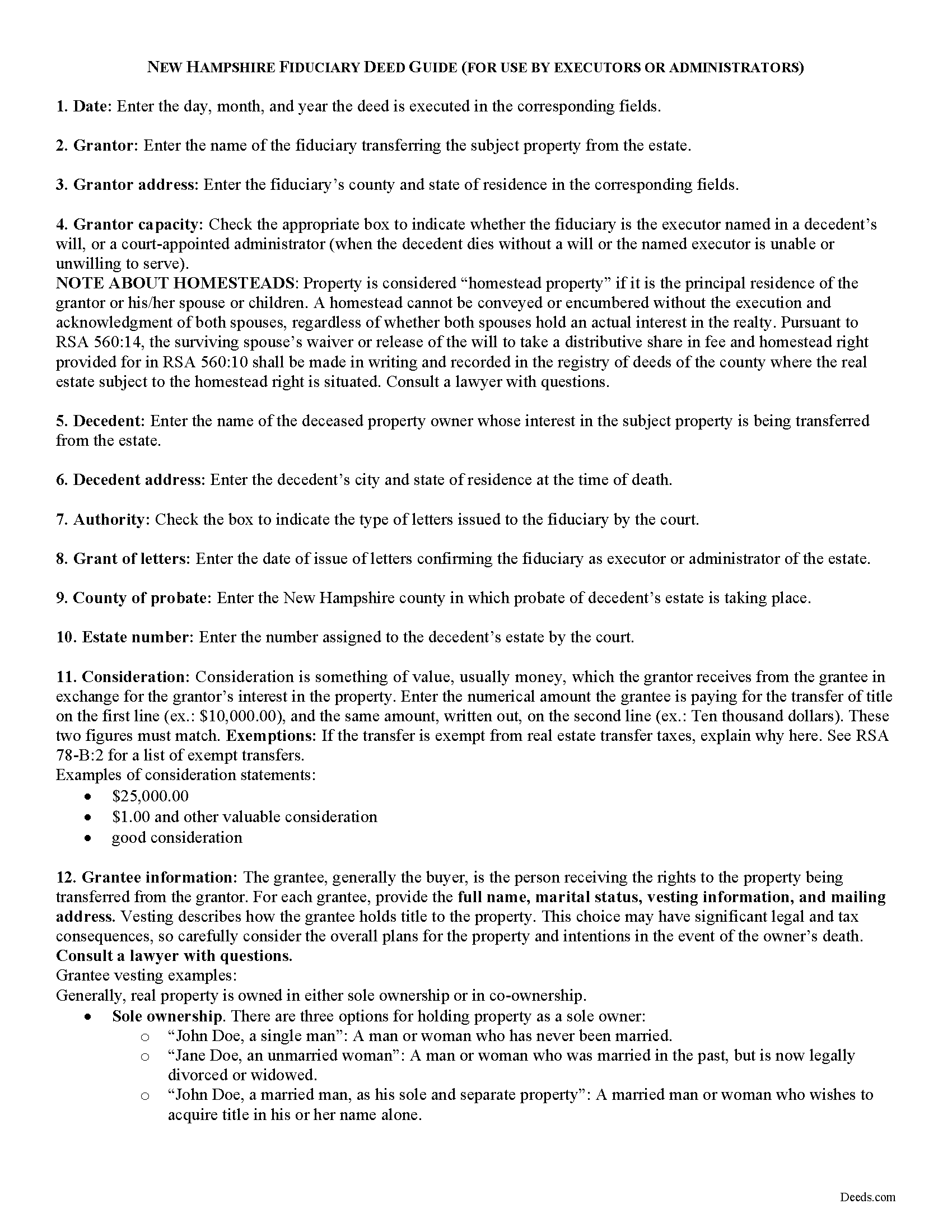
Grafton County Fiduciary Deed Guide
Line by line guide explaining every blank on the form.
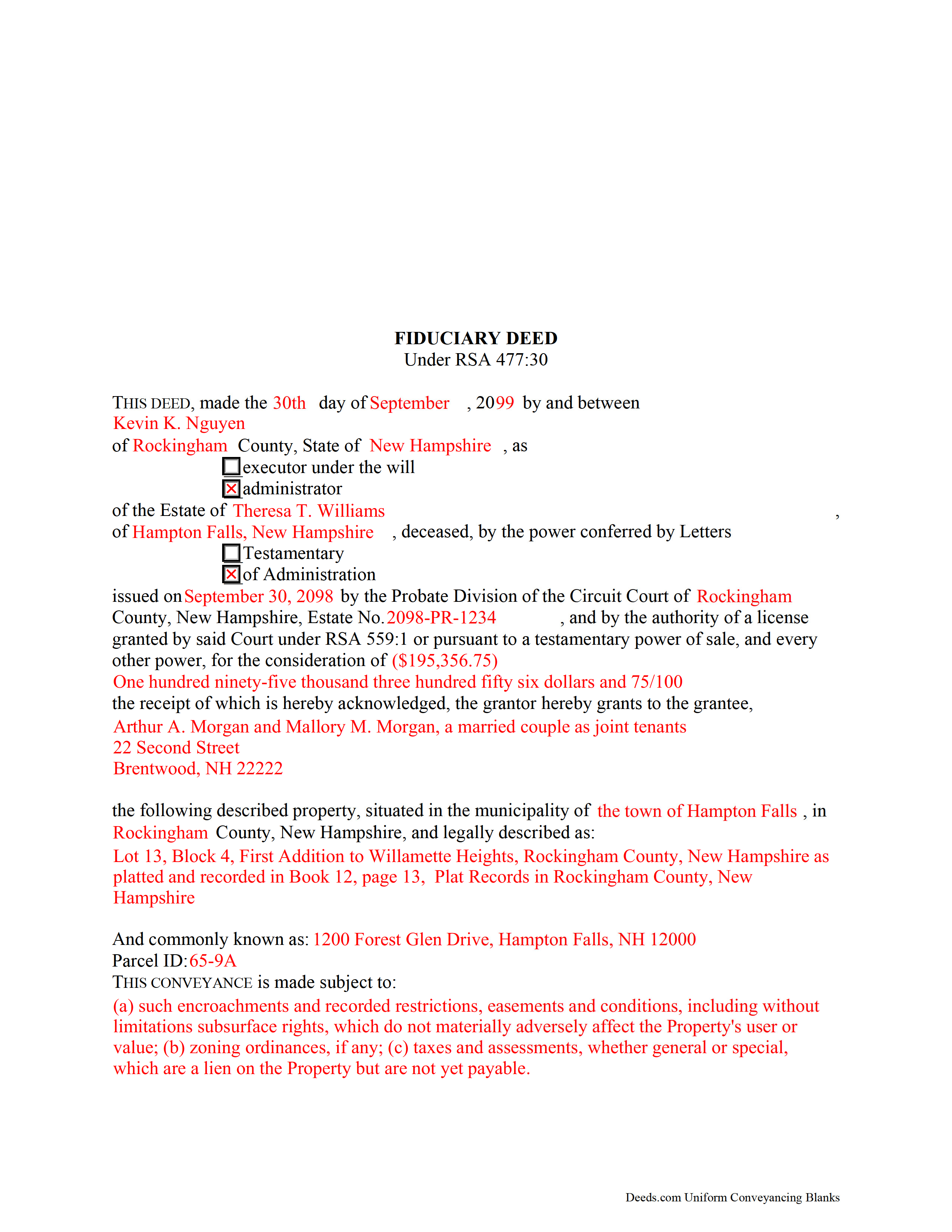
Grafton County Completed Example of the Fiduciary Deed Document
Example of a properly completed form for reference.
All 3 documents above included • One-time purchase • No recurring fees
Immediate Download • Secure Checkout
Additional New Hampshire and Grafton County documents included at no extra charge:
Where to Record Your Documents
Registry of Deeds
North Haverhill, New Hampshire 03774
Hours: 8:00am - 4:00pm M-F / Recording until 3:30 PM
Phone: (603) 787-6921
Recording Tips for Grafton County:
- Bring your driver's license or state-issued photo ID
- Ensure all signatures are in blue or black ink
- Documents must be on 8.5 x 11 inch white paper
- Double-check legal descriptions match your existing deed
- Verify all names are spelled correctly before recording
Cities and Jurisdictions in Grafton County
Properties in any of these areas use Grafton County forms:
- Ashland
- Bath
- Bethlehem
- Bristol
- Campton
- Canaan
- Enfield
- Enfield Center
- Etna
- Franconia
- Glencliff
- Grafton
- Hanover
- Haverhill
- Hebron
- Holderness
- Lebanon
- Lincoln
- Lisbon
- Littleton
- Lyme
- Lyme Center
- Monroe
- North Haverhill
- North Woodstock
- Orford
- Piermont
- Pike
- Plymouth
- Rumney
- Stinson Lake
- Sugar Hill
- Thornton
- Warren
- Waterville Valley
- Wentworth
- West Lebanon
- Woodstock
- Woodsville
Hours, fees, requirements, and more for Grafton County
How do I get my forms?
Forms are available for immediate download after payment. The Grafton County forms will be in your account ready to download to your computer. An account is created for you during checkout if you don't have one. Forms are NOT emailed.
Are these forms guaranteed to be recordable in Grafton County?
Yes. Our form blanks are guaranteed to meet or exceed the applicable formatting requirements used for recording in Grafton County, including margin requirements, font requirements, and other layout standards. This guarantee applies to formatting, not to the legal sufficiency of information entered by the user or the suitability of a form for a particular transaction.
Can I reuse these forms?
Yes. You can reuse the forms for your personal use. For example, if you have multiple properties in Grafton County you only need to order once.
What do I need to use these forms?
The forms are PDFs that you fill out on your computer. The free Adobe Acrobat Reader is recommended, and most PDF apps also work. You do NOT enter your property information online - you download the blank forms and complete them privately on your own computer.
Are there any recurring fees?
No. This is a one-time purchase. Nothing to cancel, no memberships, no recurring fees.
How much does it cost to record in Grafton County?
Recording fees in Grafton County vary. Contact the recorder's office at (603) 787-6921 for current fees.
Questions answered? Let's get started!
The fiduciary deed is a statutory form under RSA 477:30. In the context of estate administration, a fiduciary is either an executor of a will or a court-selected administrator appointed when the decedent dies without a will or an executor cannot serve.
Execute a fiduciary deed to convey realty from an estate to a purchaser following a sale of real estate. The executing fiduciary must have a license to sell real property granted by the court, or granted a power of sale by the decedent's will.
Alternately, use a fiduciary deed to distribute property to a person entitled by will or by law to receive it from the decedent's estate, pursuant to a decree for distribution by the court.
Fiduciary deeds convey realty in fee simple to their named grantee with the following covenants: that the grantor was duly authorized to make the sale of the premises; that the grantor has complied with statutory requirements of sale; and that the grantor will warrant and defend the title against the lawful claims of persons by, from, or under him or her in his or her representative capacity.
The deed identifies the capacity of the grantor (in this case, either executor or administrator) and names the decedent and probate information. The deed also recites any consideration given for the transfer, and contains a legal description of the subject property. The document must meet all requirements for form and content of documents affecting title to real property in the State of New Hampshire. The acting fiduciary must sign the deed in the presence of a notary public before recording in the registry of deeds in the county wherein the property is located.
Consult an attorney licensed in the State of New Hampshire with questions regarding probate procedures in the state.
(New Hampshire FD Package includes form, guidelines, and completed example)
Important: Your property must be located in Grafton County to use these forms. Documents should be recorded at the county recording office listed above.
This Fiduciary Deed meets all recording requirements specific to Grafton County.
Our Promise
The documents you receive here are guaranteed to meet or exceed the applicable Grafton County recording format requirements. If there is a rejection caused by our formatting, we will correct the issue or refund your payment. This guarantee applies to document formatting only and does not extend to information entered by the user, the selection of the form, or the legal effect of the completed document.
Save Time and Money
Get your Grafton County Fiduciary Deed form done right the first time with Deeds.com Uniform Conveyancing Blanks. At Deeds.com, we understand that your time and money are valuable resources, and we don't want you to face a penalty fee or rejection imposed by a county recorder for submitting nonstandard documents. We constantly review and update our forms to meet rapidly changing state and county recording requirements for roughly 3,500 counties and local jurisdictions.
4.8 out of 5 - ( 4,831 Reviews )
Stuart P. 5 out of 5 stars
Easy and fast. I'll use this service for all my recordings
We appreciate your business and value your feedback. Thank you. Have a wonderful day!
KELLY S. 5 out of 5 stars
very happy. I will use you for all my needed documents thanks for being here
We appreciate your business and value your feedback. Thank you. Have a wonderful day!
Kimberly S. 5 out of 5 stars
Worked very well. Seamless process with helpful directions.
Thank you for your feedback. We really appreciate it. Have a great day!
Kerrin S. 5 out of 5 stars
Wow, this was so easy & helpful. I didn't get it finished in time for recording, so I'm still waiting on that part, but the rest was simple and straight-forward. Thanks!
Thank you!
Shantu S. 5 out of 5 stars
Easy to follow directions and complete the Deed.
Thank you!
Tamara B. 5 out of 5 stars
Simple and easy to use
Your feedback means a lot to us. Thank you.
Barbara E. 5 out of 5 stars
I'm not sure if KVH is the identity to the person who helped me. I hope it is so you know just how much she helped She was great and very patient with me and with Wayne County Register of Deeds. I'm am really glad I had her on my team in this long endeavor.
Thank you for the kinds words Barbara. We appreciate you.
James A. 5 out of 5 stars
Thanks for you help to get me out of a quick problem. Downloads were great. I recommend this service for the arcane situations of legal angst.
We appreciate your business and value your feedback. Thank you. Have a wonderful day!
Michael W. 5 out of 5 stars
Excellent product. I am so happy I found Deeds.com!
Thank you for your feedback. We really appreciate it. Have a great day!
GEORGE Q. 5 out of 5 stars
Assistance from the associate was good. He told me what I needed to hear and took the time to look up deeds that I was looking for. Though the deed was not available he gave me recommendation on my future calls to ask. Great personality and very helpful.
Thank you for your feedback. We really appreciate it. Have a great day!
yvonne e. 1 out of 5 stars
Poor communication. Confusing charges. (Waiting for explanation) overall, not thrilled and at this point would not recommend.
Sorry to hear of your confusion. We've gone ahead and canceled your order. We do hope that you find something more suitable to your needs elsewhere. Have a wonderful day.
Jane C. 5 out of 5 stars
I wasn't sure what I was looking for initially so I printed out the wrong thing. Had to pay again to get the right one but much less expensive than getting it from a lawyer. Our military lawyers will make the forms official but they don't have the forms. Hope this makes things easier for our children when we pass. Thank you for offering this service.
Thank you for taking the time to leave your feedback. We have canceled and refunded the payment for your first order. We don't want you to pay for something you're not going to use. Have an amazing day.
Peggy R. 5 out of 5 stars
Thank you it was quick and easy
Thank you!
Giustino C. 5 out of 5 stars
I am pleased with this electronic service in making a time sensitive deed transfer since very few options exist currently with the Covid 19 Crisis. This was the only rapid and available option to record the deed transfer and the fee was reasonable. I was able to upload my notarized and executed document and had a record number as well as the official document within 24 hours. It was simple and easy to use. Thank you deeds.com!!
Thank you Giustino, glad we could help.
Sheryl Kae Y. 4 out of 5 stars
Really good forms, no complaints.
We appreciate your business and value your feedback. Thank you. Have a wonderful day!