Belknap County Quitclaim Deed (Corrective) Form
Last validated October 14, 2026 by our Forms Development TeamFormatted for recording in Belknap County, for property anywhere in the county: rural and unincorporated areas as well as Alton, Alton Bay, Barnstead, Belmont, Center Barnstead, Center Harbor, Gilford, Gilmanton and 8 more.
- 3 documents included
- Immediate PDF download
- Formatting guarantee
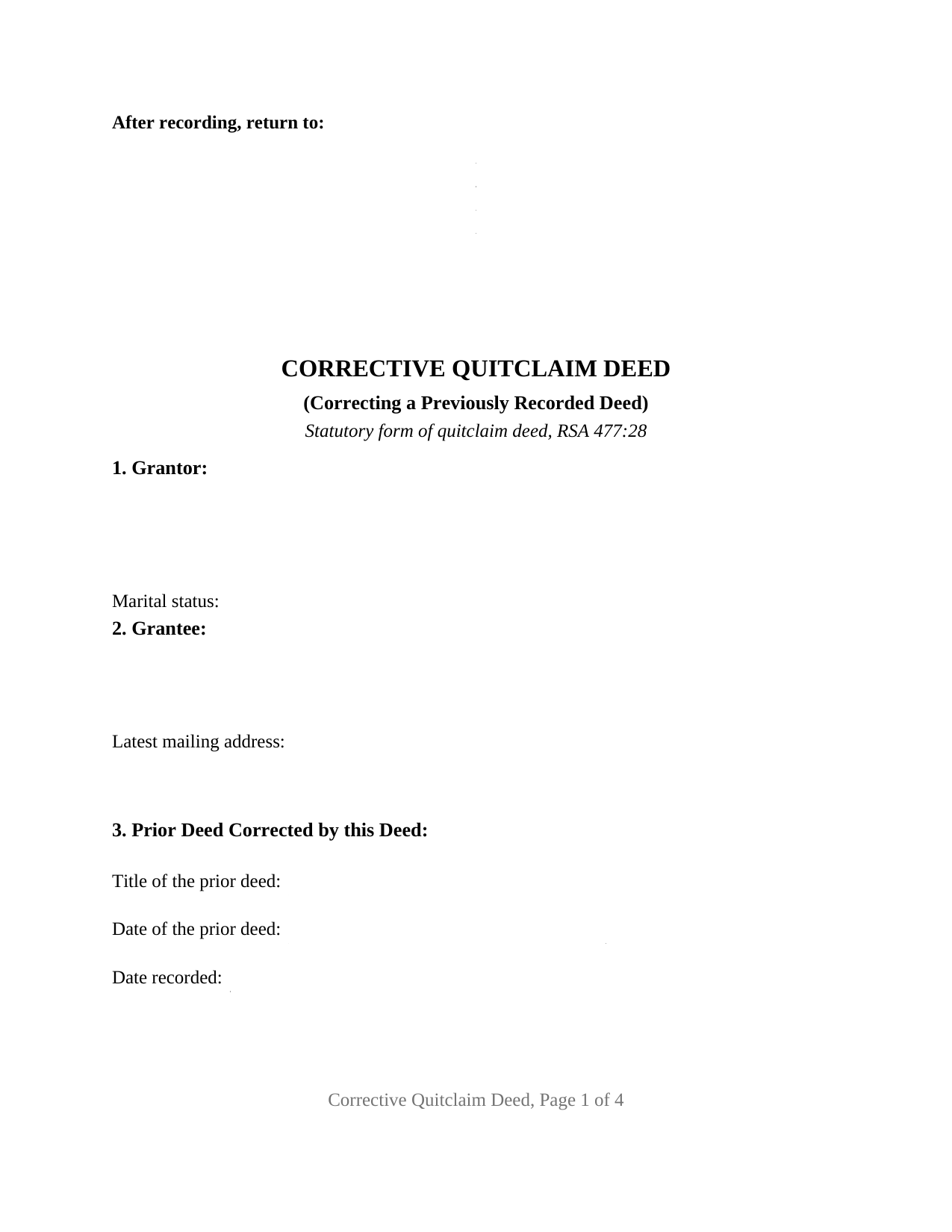
Belknap County Quitclaim Deed (Corrective) Form
Fill in the blank Quitclaim Deed (Corrective) form formatted to comply with all New Hampshire recording and content requirements.
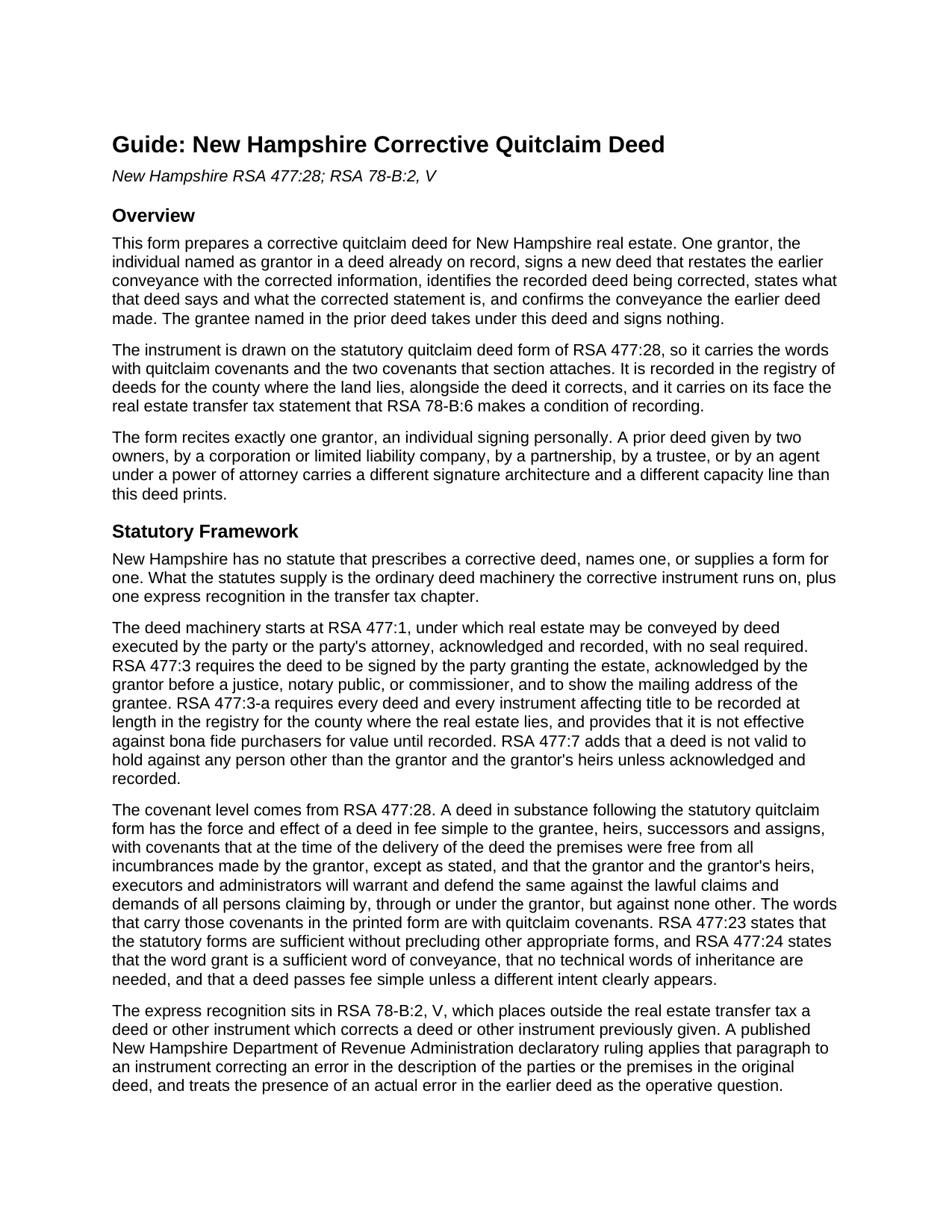
Belknap County Quitclaim Deed (Corrective) Guide
Line by line guide explaining every blank on the Quitclaim Deed (Corrective) form.
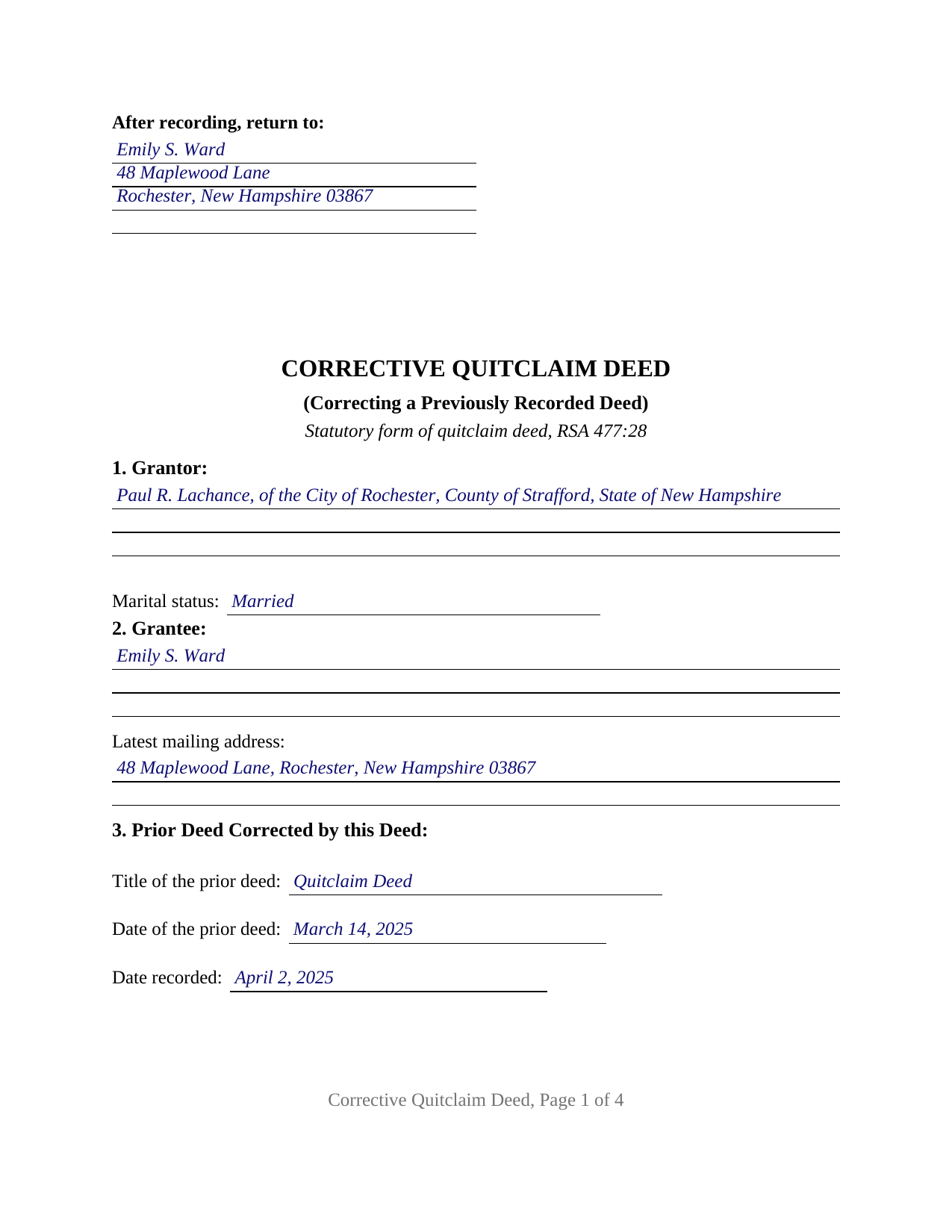
Belknap County Completed Example of the Quitclaim Deed (Corrective) Document
Example of a properly completed New Hampshire Quitclaim Deed (Corrective) document for reference.
All 3 documents above included • One-time purchase • No recurring fees
Immediate Download • Secure Checkout
Additional New Hampshire and Belknap County documents included at no extra charge:
Where to Record Your Documents
Register of Deeds
Laconia, New Hampshire 03246-1343
Hours: 8:30 to 4:00 M-F / Stop Recording at 3:45 pm
Phone: 603-527-5420 & 5421
Recording Tips for Belknap County:
- Bring your driver's license or state-issued photo ID
- Ensure all signatures are in blue or black ink
- Check margin requirements - usually 1-2 inches at top
- Leave recording info boxes blank - the office fills these
- Make copies of your documents before recording - keep originals safe
Cities and Jurisdictions in Belknap County
Properties in any of these areas use Belknap County forms:
- Alton
- Alton Bay
- Barnstead
- Belmont
- Center Barnstead
- Center Harbor
- Gilford
- Gilmanton
- Gilmanton Iron Works
- Laconia
- Lochmere
- Meredith
- New Hampton
- Sanbornton
- Tilton
- Winnisquam
Hours, fees, requirements, and more for Belknap County
How do I get my forms?
Forms are available for immediate download after payment. The Belknap County forms will be in your account ready to download to your computer. An account is created for you during checkout if you don't have one. Forms are NOT emailed.
Are these forms guaranteed to be recordable in Belknap County?
Yes. Our form blanks are guaranteed to meet or exceed the applicable formatting requirements used for recording in Belknap County, including margin requirements, font requirements, and other layout standards. This guarantee applies to formatting, not to the legal sufficiency of information entered by the user or the suitability of a form for a particular transaction.
Can I reuse these forms?
Yes. You can reuse the forms for your personal use. For example, if you have multiple properties in Belknap County you only need to order once.
What do I need to use these forms?
The forms are PDFs that you fill out on your computer. The free Adobe Acrobat Reader is recommended, and most PDF apps also work. You do NOT enter your property information online - you download the blank forms and complete them privately on your own computer.
Are there any recurring fees?
No. This is a one-time purchase. Nothing to cancel, no memberships, no recurring fees.
How much does it cost to record in Belknap County?
Recording fees in Belknap County vary. Contact the recorder's office at 603-527-5420 & 5421 for current fees.
Questions answered? Let's get started!
Every other deed in a New Hampshire chain of title moves ownership forward. This one looks backward, at an instrument already on record: it names that deed by book and page, sets out what the recorded text says and what it was meant to say, and re-executes the conveyance in corrected form. The fillable form prepares that instrument under RSA 477:28 for one individual grantor named in the deed being corrected.
The Deed That Points at Another Deed
Three numbered sections carry the correcting architecture. Section 3 identifies the recorded deed by title, date, recording date, registry, and book and page or document number, then names the parties as that deed named them, a misspelling included. Section 4 sets out the recorded statement being corrected, and Section 5 sets out the corrected statement. A later examiner who pulls both instruments finds the same item stated twice, in two documents indexed under the same names.
No New Hampshire Statute Writes This One
New Hampshire has no corrective deed chapter and no corrective deed form. It runs on ordinary deed machinery instead: the grantor's signature and acknowledgment under RSA 477:3, recording at length under RSA 477:3-a. Where a corrective instrument does appear by name is the tax chapter. RSA 78-B:2, V places outside the real estate transfer tax a deed or other instrument which corrects a deed or other instrument previously given, and a published Department of Revenue Administration declaratory ruling applies that paragraph to an instrument correcting an error in the description of the parties or the premises in the original deed. RSA 78-B:6 stops a recording that carries neither tax indicia nor a statement that the transaction is outside the tax, so Section 10 prints that statement with its paragraph cited.
The Ten Year Statute That Does Not Reach a Misspelled Name
RSA 477:16 validates an instrument on record in the proper county for 10 years that is defective for want of a stated consideration, an acknowledgment, a valid acknowledgment, witnesses, or a seal. The list is closed, the clock is long, and the section preserves rights acquired by grantees, assignees, or incumbrancers during those years. An error in a party's name, in the description of the land, or in the interest conveyed sits outside it, and that gap is where a corrective deed does its work.
One Grantor, One Certificate, a Grantee Who Signs Nothing
The form recites exactly one grantor, the individual named as grantor in the recorded deed, signing personally, with a marital status entry. One signature line follows, its printed name blank answering RSA 478:4-a, I(c), and one acknowledgment certificate in the RSA 456-B:8 short form for an individual capacity; the grantee, named as corrected, takes under the deed and signs nothing. Patterns that present this configuration in the record include a deed that misspells the grantee's surname, a deed that drops a generational suffix, and a deed whose description departs from the plan it was drawn from. A deed given by two owners, by an entity, by a trustee, or by an agent under a power of attorney carries a different capacity line than this one prints.
Covenants, and What a Correction Cannot Reach
The words with quitclaim covenants carry the two promises RSA 477:28 defines: that at delivery the premises were free from all incumbrances made by the grantor, except as Section 8 states, and a defense against claims by, through, or under the grantor. The operative section adds the limits that keep the instrument a correction rather than a transfer: it conveys no interest beyond the interest the earlier deed conveyed and states no additional consideration. A person who acquired an interest between the two recordings answers to RSA 477:3-a and the notice rules of the recording act, and a real disagreement about the bargain belongs to the superior court under RSA 498:5-a, where reformation takes the clear proof standard of Gagnon v. Pronovost, 97 N.H. 58 (1951).
The download delivers the corrective quitclaim deed as a fillable PDF, a completed example filled in for a Strafford County deed that named the grantee as Emily S. Word rather than Emily S. Ward, and a plain language guide to the eleven numbered sections, the signing formalities, and the recording steps. Searchers reach this instrument as a correction deed or a corrective deed, and often type quit claim as two words, though RSA 477:28 prints quitclaim. This package describes New Hampshire law in general terms and is not legal advice.
Important: Your property must be located in Belknap County to use these forms. Documents should be recorded at the county recording office listed above.
This Quitclaim Deed (Corrective) meets all recording requirements specific to Belknap County.
Our Promise
The documents you receive here are guaranteed to meet or exceed the applicable Belknap County recording format requirements. If there is a rejection caused by our formatting, we will correct the issue or refund your payment. This guarantee applies to document formatting only and does not extend to information entered by the user, the selection of the form, or the legal effect of the completed document.
Save Time and Money
Get your Belknap County Quitclaim Deed (Corrective) form done right the first time with Deeds.com Uniform Conveyancing Blanks. At Deeds.com, we understand that your time and money are valuable resources, and we don't want you to face a penalty fee or rejection imposed by a county recorder for submitting nonstandard documents. We constantly review and update our forms to meet rapidly changing state and county recording requirements for roughly 3,500 counties and local jurisdictions.
4.8 out of 5 - ( 4,829 Reviews )
Pamela L. 5 out of 5 stars
The packet was very comprehensive and easy to use (I had just one question that wasn't clearly explained). II appreciate that the forms are kept up to date.
We appreciate your business and value your feedback. Thank you. Have a wonderful day!
Tim R. 5 out of 5 stars
Quick and efficient
Thank you Tim, we appreciate your feedback.
Michael M. 5 out of 5 stars
This company gets it right! All the forms you need for your jurisdiction along with guides, and more
Thank you for your feedback. We really appreciate it. Have a great day!
Patricia H. 5 out of 5 stars
The process was so easy and result was excellent and expedient. I will definitely recommend your company for future recording needs.
Thank you!
Heleena C. 5 out of 5 stars
The free additional forms that came with the form I ordered were invaluable as well. Worth every penny!
We appreciate your business and value your feedback. Thank you. Have a wonderful day!
Patrick N. 5 out of 5 stars
I was very satisfied with your service. Prompt, and thorough. Price was reasonable. Will use your service again when needed.
Thank you for your feedback. We really appreciate it. Have a great day!
RICKY N. 5 out of 5 stars
Fast Speedy great communication worry-free
Thank you!
Dana H. 5 out of 5 stars
Thanks for making this process a seamless one! I love Deeds.com and will recommend it to others!
Thank you for your feedback. We really appreciate it. Have a great day!
Beatrice V. 5 out of 5 stars
I was in despair as I needed to file two (2) very important documents with the County. Due to Covid the office was closed and my only recourse was to E-Fie with a service provider. I was fortunate enough to hear about Deeds.com. They were specific, courteous, patient and most of all productive. My documents will take awhile for the final filing but that is because the County happens to have a slow turn around time. Otherwise, I am now relieved that this part is over. Thank you Deeds.com. You are awesome.
Thank you for the kinds words Beatrice.
Meridith B. 5 out of 5 stars
Well, When I got the question right I got the answers right from Claim Deed. In the end it all worked out very, very good. I'm pleased with the deed and the price was very fair. Thank you for answering all my crazy questions. Now all we have to do is go to UPS and sign it. Thank, again.
Thank you!
Laura L. 5 out of 5 stars
The website looks good and probably like it is easy to use, but I needed a deed in lieu and couldn't fine one.
Thank you for your feedback. We really appreciate it. Have a great day!
David G. 5 out of 5 stars
Thanks got what I needed
Thank you David, glad to hear that.
Amy R. 5 out of 5 stars
Forms I was looking for were easy to find, easy to download and accessible at any time in my account.
We are grateful for your feedback and looking forward to serving you again. Thank you!
Lori A. 5 out of 5 stars
It was quick and easy. A little expensive but convient
We appreciate your business and value your feedback. Thank you. Have a wonderful day!
Lane C. 5 out of 5 stars
The documents worked perfectly! Thanks
Thank you for your feedback. We really appreciate it. Have a great day!