Hillsborough County Trustee Certificate Form
Last validated October 13, 2026 by our Forms Development TeamFormatted for recording in Hillsborough County, for property anywhere in the county: rural and unincorporated areas as well as Amherst, Antrim, Bedford, Bennington, Brookline, Francestown, Goffstown, Greenfield and 20 more.
- 3 documents included
- Immediate PDF download
- Formatting guarantee
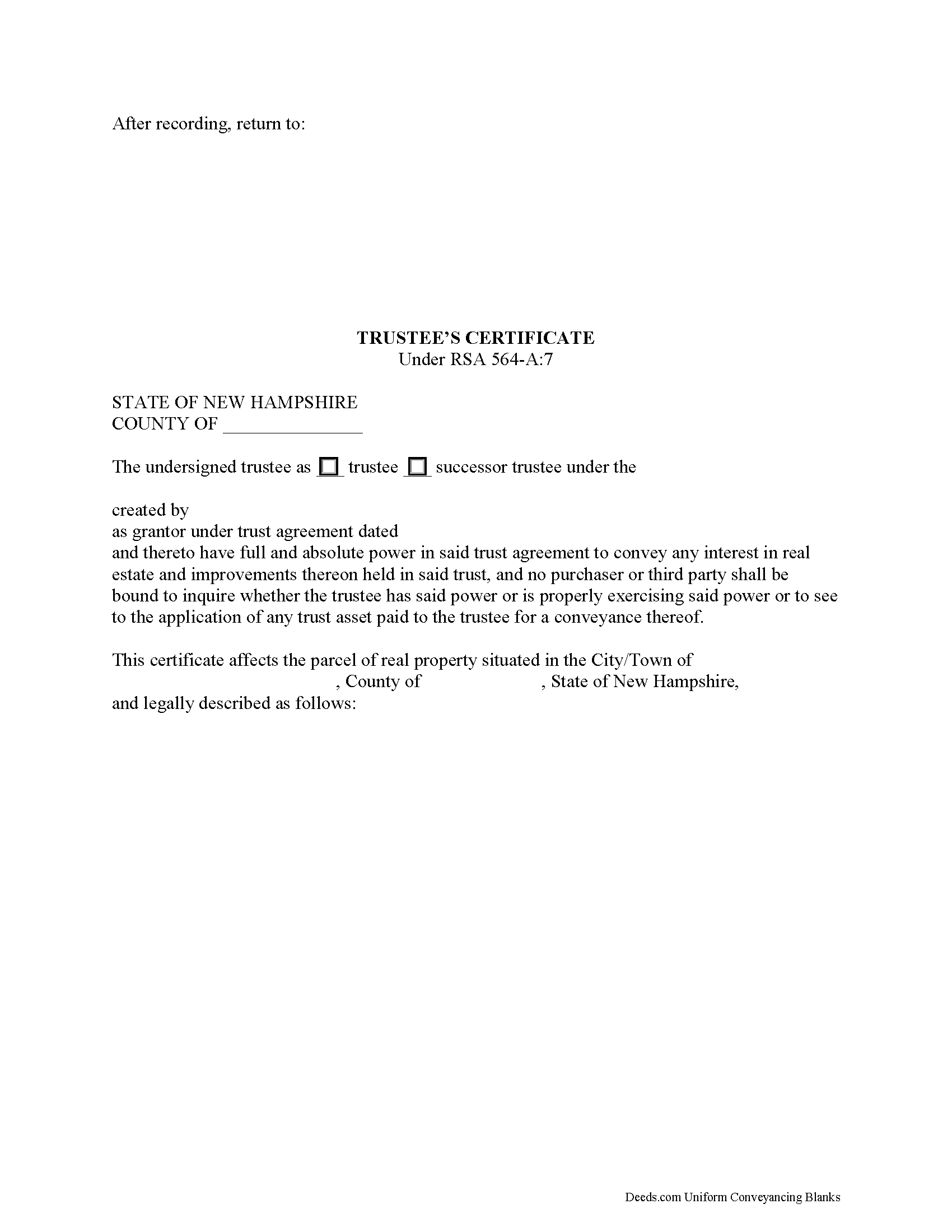
Hillsborough County Trustee Certificate Form
Fill in the blank form formatted to comply with all recording and content requirements.
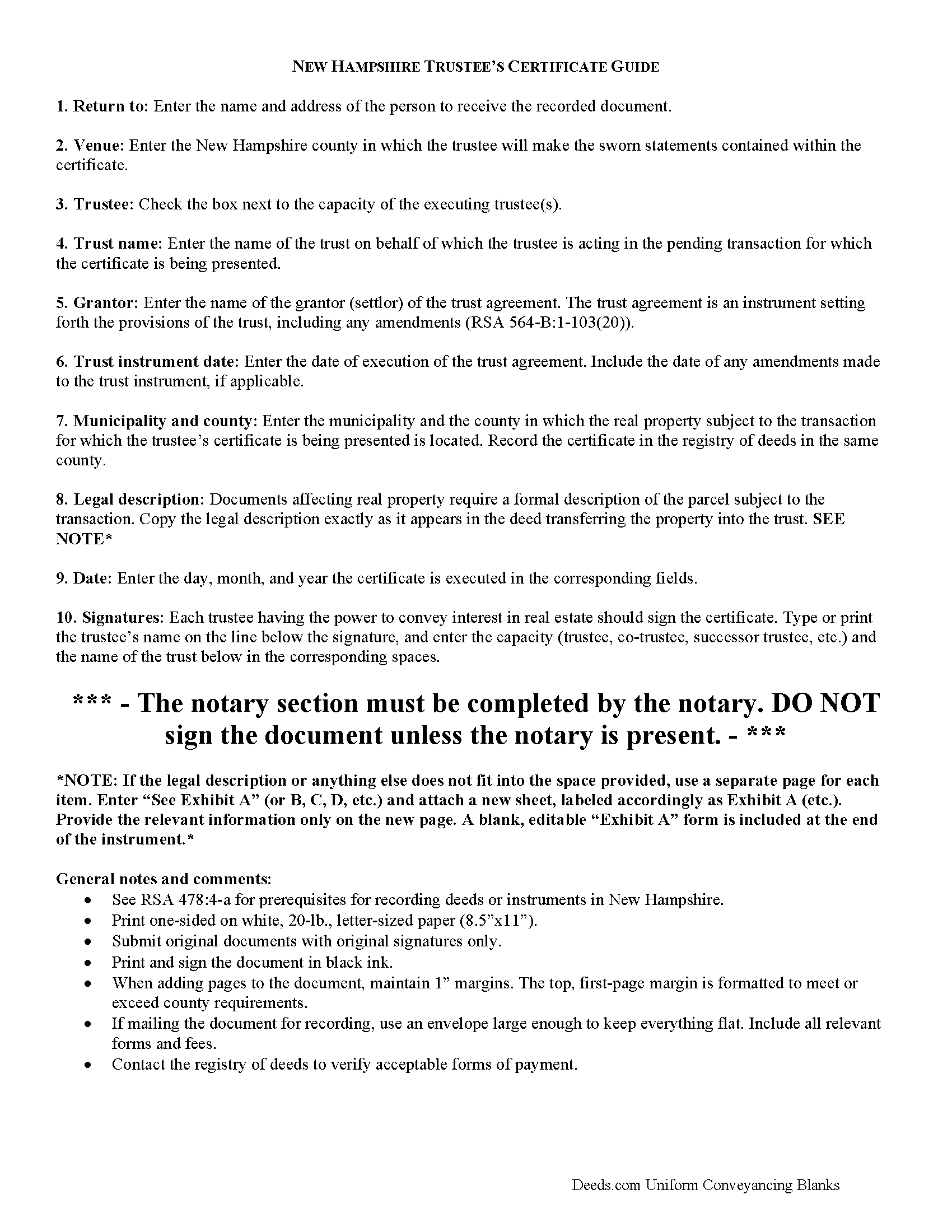
Hillsborough County Trustee Certificate Guide
Line by line guide explaining every blank on the form.
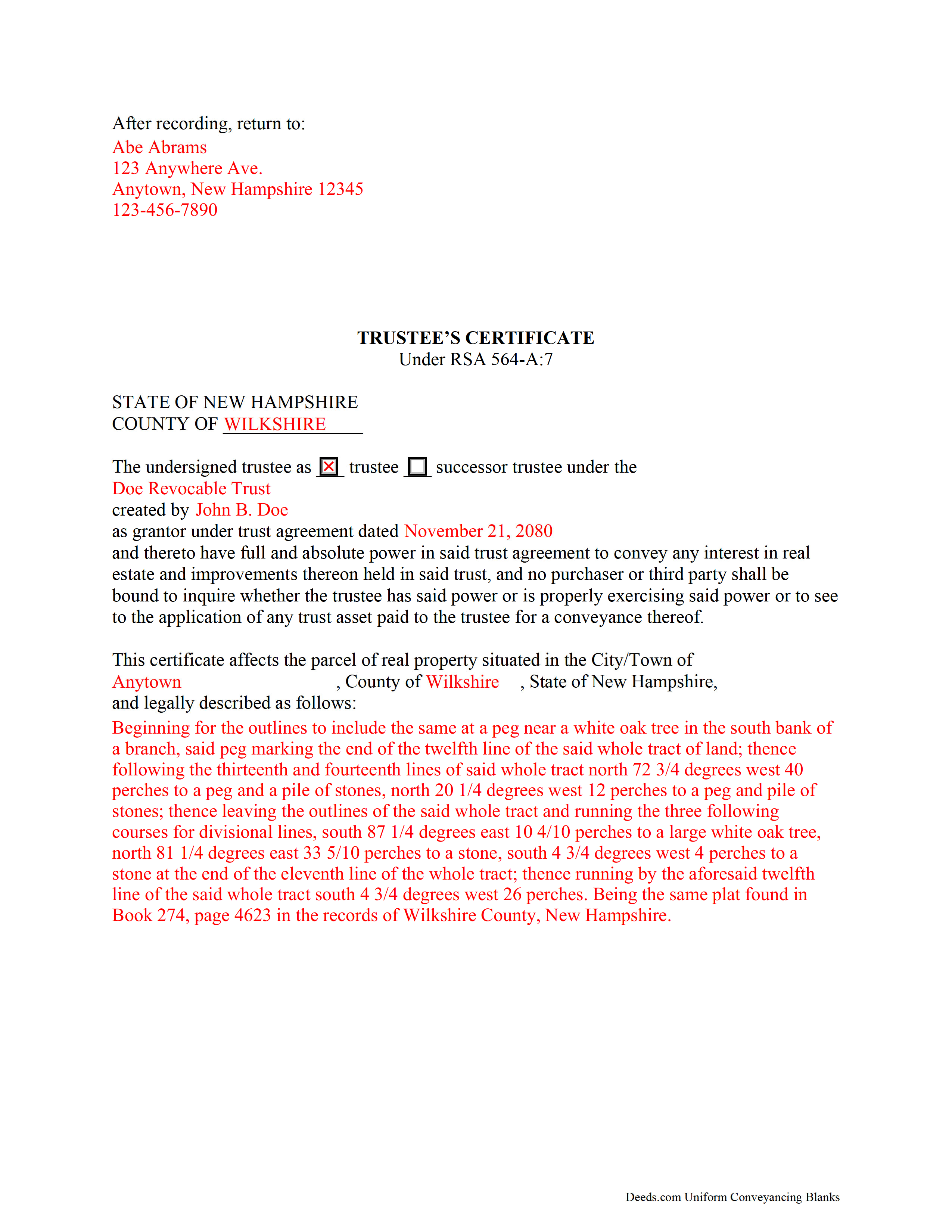
Hillsborough County Completed Example of the Trustee Certificate Document
Example of a properly completed form for reference.
All 3 documents above included • One-time purchase • No recurring fees
Immediate Download • Secure Checkout
Additional New Hampshire and Hillsborough County documents included at no extra charge:
Where to Record Your Documents
Registry of Deeds
Nashua, New Hampshire 03061
Hours: Monday through Friday 8:00 am - 3:45 pm / Recording until 3:45 pm
Phone: (603) 882-6933
Recording Tips for Hillsborough County:
- Bring your driver's license or state-issued photo ID
- Ensure all signatures are in blue or black ink
- Avoid the last business day of the month when possible
- Both spouses typically need to sign if property is jointly owned
- Bring extra funds - fees can vary by document type and page count
Cities and Jurisdictions in Hillsborough County
Properties in any of these areas use Hillsborough County forms:
- Amherst
- Antrim
- Bedford
- Bennington
- Brookline
- Francestown
- Goffstown
- Greenfield
- Greenville
- Hancock
- Hillsborough
- Hollis
- Hudson
- Litchfield
- Lyndeborough
- Manchester
- Merrimack
- Milford
- Mont Vernon
- Nashua
- New Boston
- New Ipswich
- Pelham
- Peterborough
- Temple
- Weare
- West Peterborough
- Wilton
Hours, fees, requirements, and more for Hillsborough County
How do I get my forms?
Forms are available for immediate download after payment. The Hillsborough County forms will be in your account ready to download to your computer. An account is created for you during checkout if you don't have one. Forms are NOT emailed.
Are these forms guaranteed to be recordable in Hillsborough County?
Yes. Our form blanks are guaranteed to meet or exceed the applicable formatting requirements used for recording in Hillsborough County, including margin requirements, font requirements, and other layout standards. This guarantee applies to formatting, not to the legal sufficiency of information entered by the user or the suitability of a form for a particular transaction.
Can I reuse these forms?
Yes. You can reuse the forms for your personal use. For example, if you have multiple properties in Hillsborough County you only need to order once.
What do I need to use these forms?
The forms are PDFs that you fill out on your computer. The free Adobe Acrobat Reader is recommended, and most PDF apps also work. You do NOT enter your property information online - you download the blank forms and complete them privately on your own computer.
Are there any recurring fees?
No. This is a one-time purchase. Nothing to cancel, no memberships, no recurring fees.
How much does it cost to record in Hillsborough County?
Recording fees in Hillsborough County vary. Contact the recorder's office at (603) 882-6933 for current fees.
Questions answered? Let's get started!
New Hampshire Trustee's Certificate for Real Property Transactions
In a trust arrangement, a grantor (settlor) conveys property to another person, called the trustee, for the benefit of another, called the beneficiary. As the trust is not a physical entity, it cannot hold title to property, and so a trustee acts as the trust's representative. The trustee administers the trust's assets pursuant to the terms set forth in the trust instrument. When property is conveyed out of the trust by the trustee, the transaction may need validation.
Codified at RSA 564-A:7, the trustee's certificate is a statutory form that protects third parties dealing with a trustee in transactions affecting real property. When recorded by a trustee in the registry of deeds in the county where the subject real estate is located, the certificate gives notice to all persons "that the trustee named therein and the trustee's successors have full and absolute power to convey any interest in real estate and improvements thereon held by the trustee," without further inquiry (564-A:7(II)). A certificate executed by a successor trustee has the same effect as the original certificate (564-A:7(III)).
The trustee's certificate contains the name of each trustee executing the document, the trust on behalf of which the trustee is acting, the trust's settlor (called the grantor), and the date of the trust instrument. The certificate is "executed with the formalities required for a deed of real property by the trustee," which includes a legal description of the real property held in trust (564-A:7(III)). Each trustee should sign the document in the presence of a notary public before recording in the registry of deeds in the county where the property is located.
Consult a lawyer with questions regarding trusts and trustee's certificates in New Hampshire.
(New Hampshire TC Package includes form, guidelines, and completed example)
Important: Your property must be located in Hillsborough County to use these forms. Documents should be recorded at the county recording office listed above.
This Trustee Certificate meets all recording requirements specific to Hillsborough County.
Our Promise
The documents you receive here are guaranteed to meet or exceed the applicable Hillsborough County recording format requirements. If there is a rejection caused by our formatting, we will correct the issue or refund your payment. This guarantee applies to document formatting only and does not extend to information entered by the user, the selection of the form, or the legal effect of the completed document.
Save Time and Money
Get your Hillsborough County Trustee Certificate form done right the first time with Deeds.com Uniform Conveyancing Blanks. At Deeds.com, we understand that your time and money are valuable resources, and we don't want you to face a penalty fee or rejection imposed by a county recorder for submitting nonstandard documents. We constantly review and update our forms to meet rapidly changing state and county recording requirements for roughly 3,500 counties and local jurisdictions.
4.8 out of 5 - ( 4,830 Reviews )
Erik G. 5 out of 5 stars
Great...
Thank you!
Kimberly E. 2 out of 5 stars
It was very easy to order,download, and print. The only issue I have is that the guide that came with my form really did not help me filling it out. I feel the explanations could have been better and suited more for the standard person. I was still confused when filling it out and will probably have to get a lawyer to make sure it's filled out correctly
Thank you for your feedback. We really appreciate it. Have a great day!
Priscilla M. 5 out of 5 stars
Instructions are easy to follow which make filling out the forms easy and simple. I would definitely recommend Deeds.com.
Thank you!
Phillip B. 5 out of 5 stars
Nice. Quick and very easy to find and download the exact forms I needed.
Thank you for your feedback. We really appreciate it. Have a great day!
Steven S. 5 out of 5 stars
Very convenient and great tool for my real estate business. I'm a fan and will be a repeat customer.
We appreciate your business and value your feedback. Thank you. Have a wonderful day!
MARIO D S. 5 out of 5 stars
Well worth the $20.00 for the Transfer on Death Deed, if you are willing to do the leg work to notarize and record the deed. Money well spent and money well saved. The value is in the short, bullet type instructions and State specific forms and requirements.
Thank you!
Margaret D. 5 out of 5 stars
They deliver!
Thank you!
Matilde A. 5 out of 5 stars
Very easy to navigate... will be back to use!
Thank you for your feedback. We really appreciate it. Have a great day!
Vince D. 5 out of 5 stars
Great product and service, really makes me rethink the value I provide to my customers.
Thank you!
Paul F. 5 out of 5 stars
Excellent - no reservations. I used them on a Sunday and had my info on Monday. Not only did they execute the order flawlessly, the fixed my screw up* immediately. *I hit refresh before the "secured" page transmitted, so I created (2) two orders of the same item.
Thanks for the review Paul, glad you were happy with the service and staff. Our staff is pretty good at catching the few duplicate orders that get through.
Ron D. 5 out of 5 stars
No choice since the county does not seem to provide info you supplied.
Thank Ron, have a great day!
WJ H. 5 out of 5 stars
The Quit Claim Deed for the state of Ohio worked for me, saving me the cost of an attorney doing it. O.K., maybe that wouldn't have amounted to more than a few hundred dollars, but anywhere I thought I could save money (and learn something new on top of it) is something I want to do. That said, be forwarned. While I'm not an attorney I'm not averse to spending many hours researching the lingo found in this kind of form and thoroughly understanding exactly how everything has to be filled in. I should add that my ex-wife and I remain friends and she was the one giving me the property/house (thus, technically I filled out the forms on her behalf). Because there was no personal conflict, it made it easier to undertake. Lastly, what others have said about the county office where you must file a Quit Claim Deed not being helpful, that's true in the sense that they do not want to be instructing non-attorneys on filling out the necessary forms. I did take a preliminary draft set of the forms to the county office but was VERY CAREFUL about explaining that I only needed a couple of questions answered about procedure for submitting the final documents. They were helpful once I made it clear I wasn't asking them for "legal advice". And their help was critical as the final submittals requires stopping at three different offices (MapDocuments, Auditor and finally the Recorder's office). So I say thank you to Deeds.com. Their service for the Quit Claim Deed was invaluable.
We appreciate your business and value your feedback. Thank you. Have a wonderful day!
Kathy C. 5 out of 5 stars
Lee County, FL did accept the "Satisfaction of Mortgage" form. It was easy to fill out except for a couple of areas. Your fill in areas need to accommodate for whatever space needed for the pertinent information we as customers have to fill out. As individuals, banks have their own. Example when there are more than 1 party and information needed. Example of Document #; I was 1 number short (using Exhibit A was ridiculous.) So I had to write in the # after printing. Very unprofessional looking on a legal document. Just saying. Also, in Lee County, FL your document # is called "Instrument #, not said in your instructions. Hope this information helps for updates on your forms.
Thank you for your feedback. We really appreciate it. Have a great day!
david h. 5 out of 5 stars
very convenient...
Thank you!
Robert h. 5 out of 5 stars
excellent and simple to use. Great price for this.
Thank you Robert! We really appreciate your feedback.