Cape May County Assignment of Mortgage Form
Last validated October 5, 2026 by our Forms Development TeamFormatted for recording in Cape May County, for property anywhere in the county: rural and unincorporated areas as well as Avalon, Cape May, Cape May Court House, Cape May Point, Dennisville, Goshen, Green Creek, Marmora and 13 more.
- 6 documents included
- Immediate PDF download
- Formatting guarantee
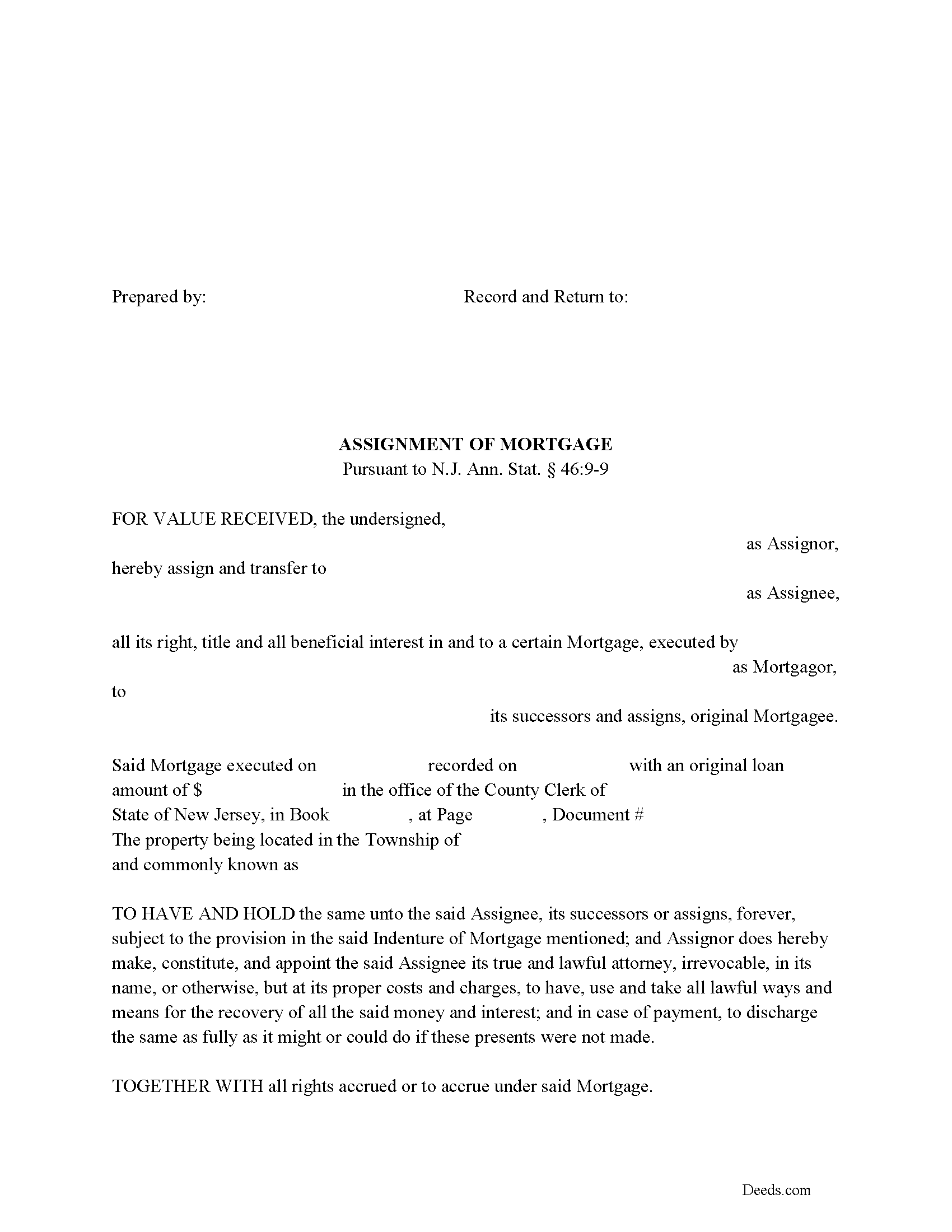
Cape May County Assignment of Mortgage Form
Fill in the blank form formatted to comply with all recording and content requirements.
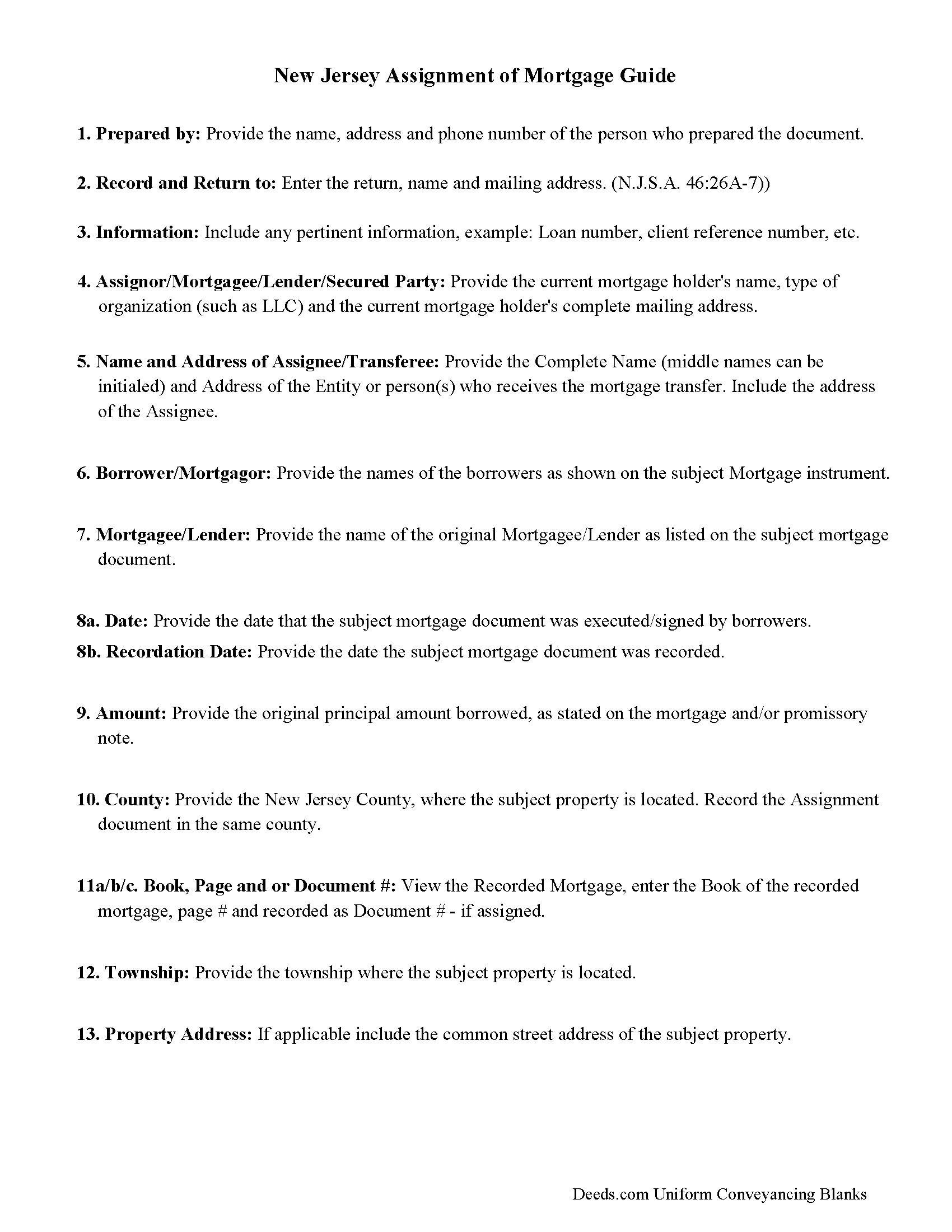
Cape May County Assignment of Mortgage Guidelines
Line by line guide explaining every blank on the form.
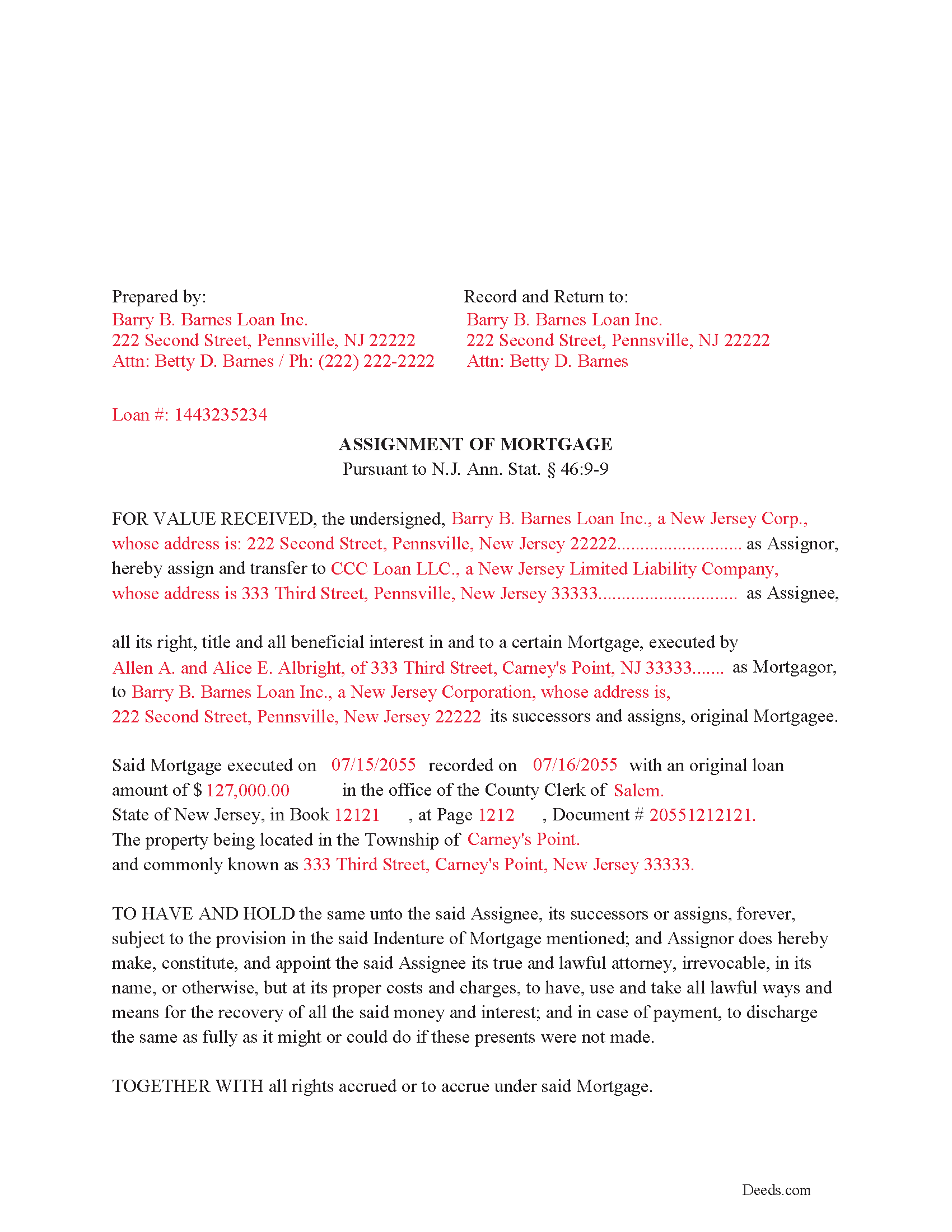
Cape May County Completed Example of the Assignment of Mortgage Document
Example of a properly completed form for reference.
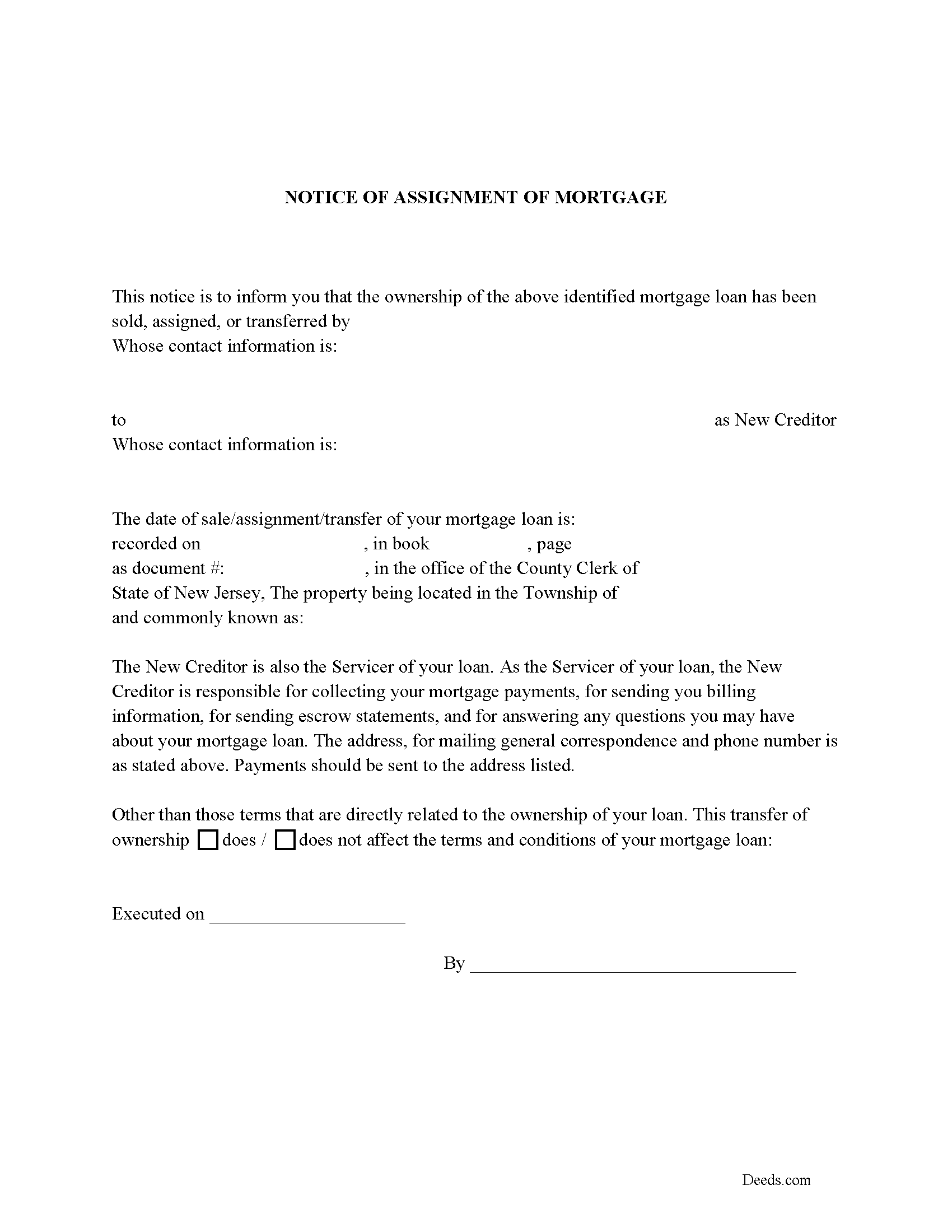
Cape May County Notice of Assignment of Mortgage Form
Fill in the blank form formatted to comply with content requirements.
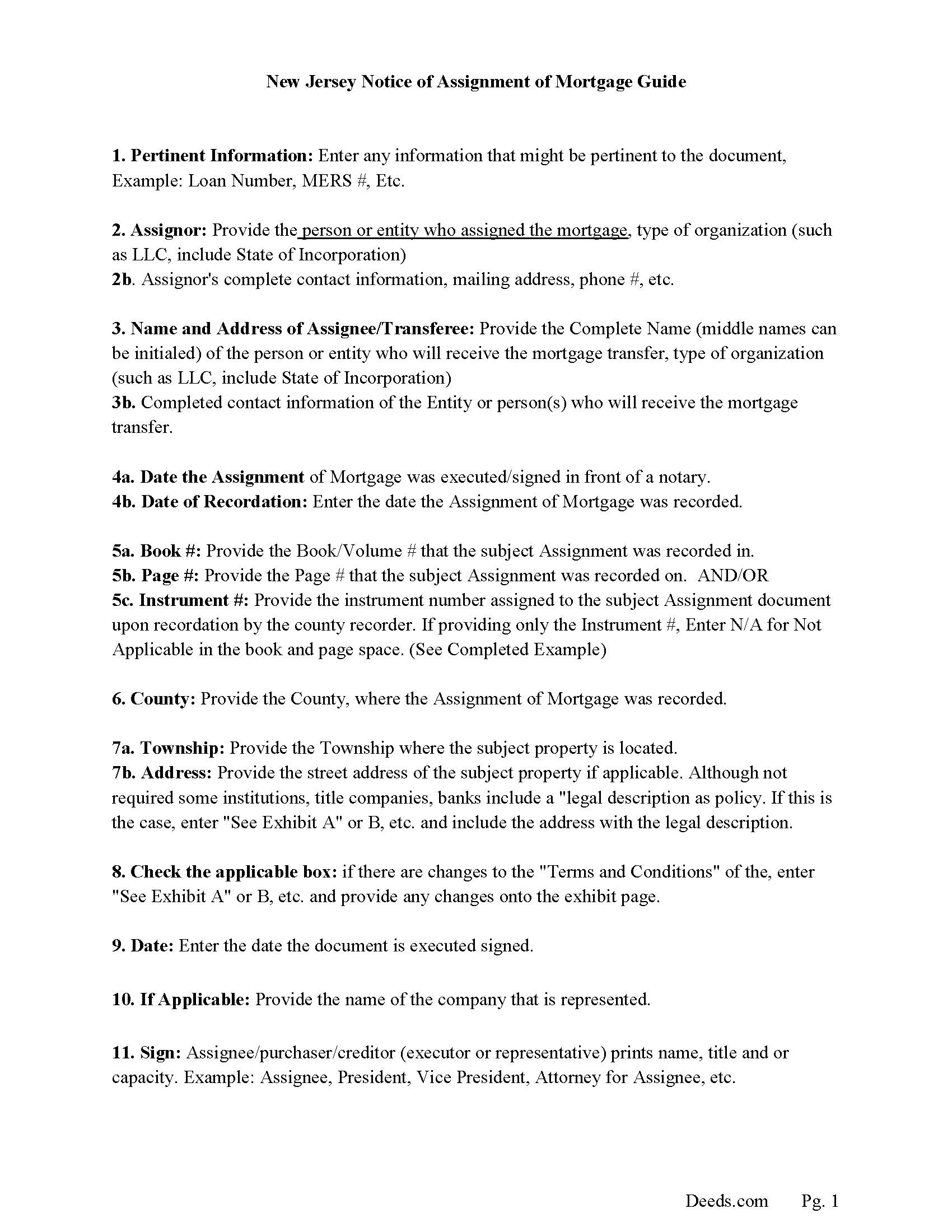
Cape May County Notice of Assignment Guidelines
Line by line guide explaining every blank on the form.
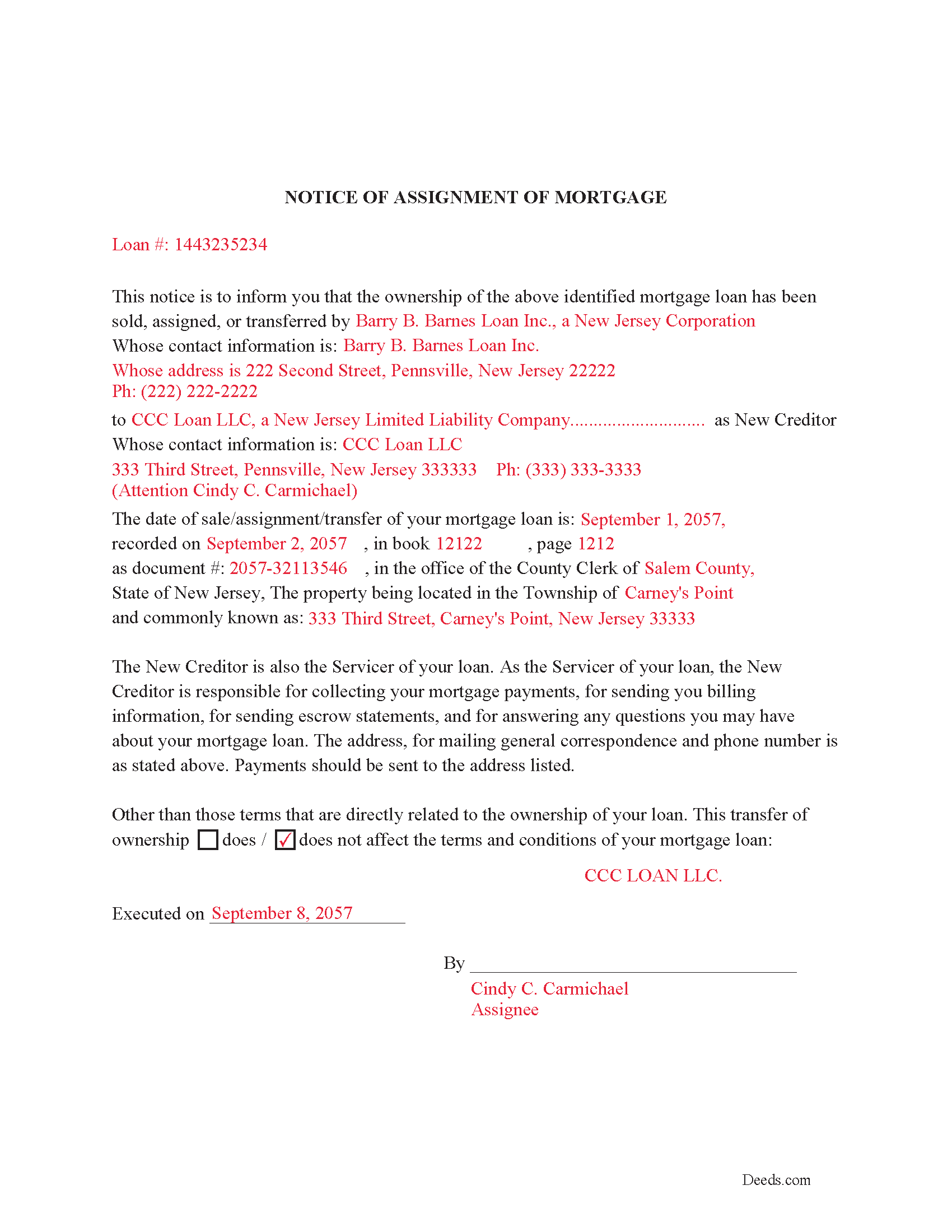
Cape May County Completed Example of Notice of Assignment Document
Example of a properly completed form for reference.
All 6 documents above included • One-time purchase • No recurring fees
Immediate Download • Secure Checkout
Additional New Jersey and Cape May County documents included at no extra charge:
Where to Record Your Documents
Cape May County Clerk
Cape May Court House, New Jersey 08210-5000
Hours: 8:30 to 4:30 M-F
Phone: (609) 465-1010
Recording Tips for Cape May County:
- Bring your driver's license or state-issued photo ID
- Ensure all signatures are in blue or black ink
- Ask if they accept credit cards - many offices are cash/check only
- Check that your notary's commission hasn't expired
- Documents must be on 8.5 x 11 inch white paper
Cities and Jurisdictions in Cape May County
Properties in any of these areas use Cape May County forms:
- Avalon
- Cape May
- Cape May Court House
- Cape May Point
- Dennisville
- Goshen
- Green Creek
- Marmora
- Ocean City
- Ocean View
- Rio Grande
- Sea Isle City
- South Dennis
- South Seaville
- Stone Harbor
- Strathmere
- Tuckahoe
- Villas
- Whitesboro
- Wildwood
- Woodbine
Hours, fees, requirements, and more for Cape May County
How do I get my forms?
Forms are available for immediate download after payment. The Cape May County forms will be in your account ready to download to your computer. An account is created for you during checkout if you don't have one. Forms are NOT emailed.
Are these forms guaranteed to be recordable in Cape May County?
Yes. Our form blanks are guaranteed to meet or exceed the applicable formatting requirements used for recording in Cape May County, including margin requirements, font requirements, and other layout standards. This guarantee applies to formatting, not to the legal sufficiency of information entered by the user or the suitability of a form for a particular transaction.
Can I reuse these forms?
Yes. You can reuse the forms for your personal use. For example, if you have multiple properties in Cape May County you only need to order once.
What do I need to use these forms?
The forms are PDFs that you fill out on your computer. The free Adobe Acrobat Reader is recommended, and most PDF apps also work. You do NOT enter your property information online - you download the blank forms and complete them privately on your own computer.
Are there any recurring fees?
No. This is a one-time purchase. Nothing to cancel, no memberships, no recurring fees.
How much does it cost to record in Cape May County?
Recording fees in Cape May County vary. Contact the recorder's office at (609) 465-1010 for current fees.
Questions answered? Let's get started!
Use this form to assign an existing mortgage to another entity per NJ Rev Stat 46:9-9 which states: 46:9-9. All mortgages on real estate in this State, and all covenants and stipulations therein contained, shall be assignable at law by writing, whether sealed or not, and any such assignment shall pass and convey the estate of the assignor in the mortgaged premises, and the assignee may sue thereon in his own name, but, in any such action by the assignee, there shall be allowed all just set-offs and other defenses against the assignor that would have been allowed in any action brought by the assignor and existing before notice of such assignment.
Current Borrowers must be notified of the assignment. Notification consists of contact information of the new creditor, recording dates, recording instrument numbers, changes in loan, etc. Included are "Notice of Assignment of Mortgage" forms.
The Truth and lending act requires that borrowers be notified when their Mortgage has been sold, transferred, or assigned to a new creditor. Generally, within 30 days to avoid up to $2,000.00 in statutory damages, plus reasonable attorney's fees. Systematic violations can reach up $500,000.00.
(New Jersey AOM Package includes form, guidelines, and completed example) For use in New Jersey only.
Important: Your property must be located in Cape May County to use these forms. Documents should be recorded at the county recording office listed above.
This Assignment of Mortgage meets all recording requirements specific to Cape May County.
Our Promise
The documents you receive here are guaranteed to meet or exceed the applicable Cape May County recording format requirements. If there is a rejection caused by our formatting, we will correct the issue or refund your payment. This guarantee applies to document formatting only and does not extend to information entered by the user, the selection of the form, or the legal effect of the completed document.
Save Time and Money
Get your Cape May County Assignment of Mortgage form done right the first time with Deeds.com Uniform Conveyancing Blanks. At Deeds.com, we understand that your time and money are valuable resources, and we don't want you to face a penalty fee or rejection imposed by a county recorder for submitting nonstandard documents. We constantly review and update our forms to meet rapidly changing state and county recording requirements for roughly 3,500 counties and local jurisdictions.
4.8 out of 5 - ( 4,828 Reviews )
Cherif T. 5 out of 5 stars
I wish every state offered such an easy and economical download of these forms. You were reasonable in price, I received one of every form you offered along with instructions, and it made my day so easy. Why pay a lawyer a fortune for these simple (almost) everyday forms when you can do it all for less than $20. Thank you for being reasonable, well organized, and available for common use! Cherif T.
Thank you!
Gail W. 5 out of 5 stars
Deeds.com had the forms I needed, along with completed examples. Fast download. Easy to use site. Thanks!
Thank you!
Gloria H. 5 out of 5 stars
Very content with the service received. The document was recorded in the city in no time. Will definitely use Deeds.com again in the near future.
Thank you!
Aleksander M. 5 out of 5 stars
So far all is perfect! Thank you for all your help!
Thank you!
Glenda C. 4 out of 5 stars
It was easy to find what I was looking for. The instructions were easy to follow. The example given was most beneficial in completing form.
We appreciate your business and value your feedback. Thank you. Have a wonderful day!
Lisa J. 5 out of 5 stars
I ordered a Lis Pendens form and it was exactly what I needed. Saved me a lot of time since I am self representing. Already filed it at courthouse! No problem!
Thank you for your feedback. We really appreciate it. Have a great day!
Patricia G. 5 out of 5 stars
Oh my goodness! Y'all are an answer to prayers! You provided all the forms necessary in one convenient packet, and at a VERY reasonable price! I can't thank y'all enough for helping my family & myself with what could've been a difficult and expensive situation! God bless you for your time and talent!
We appreciate your business and value your feedback. Thank you. Have a wonderful day!
laura w. 5 out of 5 stars
I found Deeds to be okay except I was hoping it would give me a title or deed to my house if I would have known I would have just got a warranty deed I probably would not have pay the money but it's still worth it
Thank you for your feedback. We really appreciate it. Have a great day!
Dina B. 5 out of 5 stars
The web cite is very easy to navigate through making a document process simple to obtain.
Thank you!
Cecilia C. 5 out of 5 stars
So very easy to follow & the cost of the packet was reasonable.
We appreciate your business and value your feedback. Thank you. Have a wonderful day!
Michael H. 5 out of 5 stars
Site was easy to understand and use. Service was prompt. Good job Montgomery County!
Thank you!
lee s. 4 out of 5 stars
Over all quality of document was good. The issue I had was where it states claimant did not have a contract with the owner or their agent. I did have a contract with their agent, and there was no option for both. So had improvise.
Thank you for your feedback. We really appreciate it. Have a great day!
Susan A. 5 out of 5 stars
The warranty deed form, the explanation and the example were well worth the price, as they gave me more confidence I was filling the deed out correctly. I cross referenced all of it with the county registrars website and the previous warranty deed.
We appreciate your business and value your feedback. Thank you. Have a wonderful day!
Christopher M. 5 out of 5 stars
Awesome company. Fast, friendly, professional.
We are delighted to have been of service. Thank you for the positive review!
Kelly S. 5 out of 5 stars
Fast, easy, responsive.
Thank you!