Quay County Affidavit of Deceased Joint Tenant Form
Last validated October 26, 2026 by our Forms Development TeamFormatted for recording in Quay County, for property anywhere in the county: rural and unincorporated areas as well as Bard, House, Logan, Mcalister, Nara Visa, Quay, San Jon, Tucumcari.
- 3 documents included
- Immediate PDF download
- Formatting guarantee
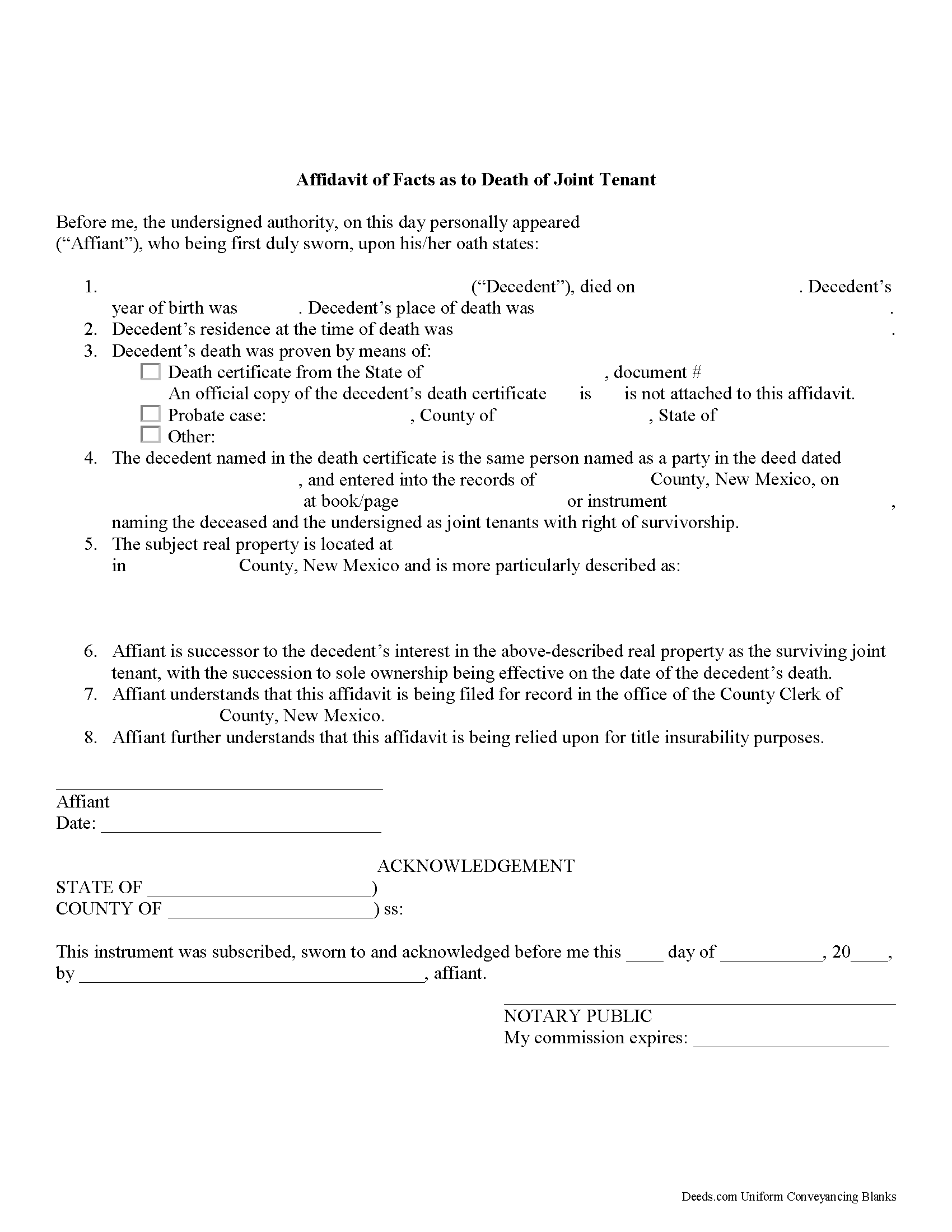
Quay County Affidavit of Deceased Joint Tenant Form
Fill in the blank form formatted to comply with all recording and content requirements.
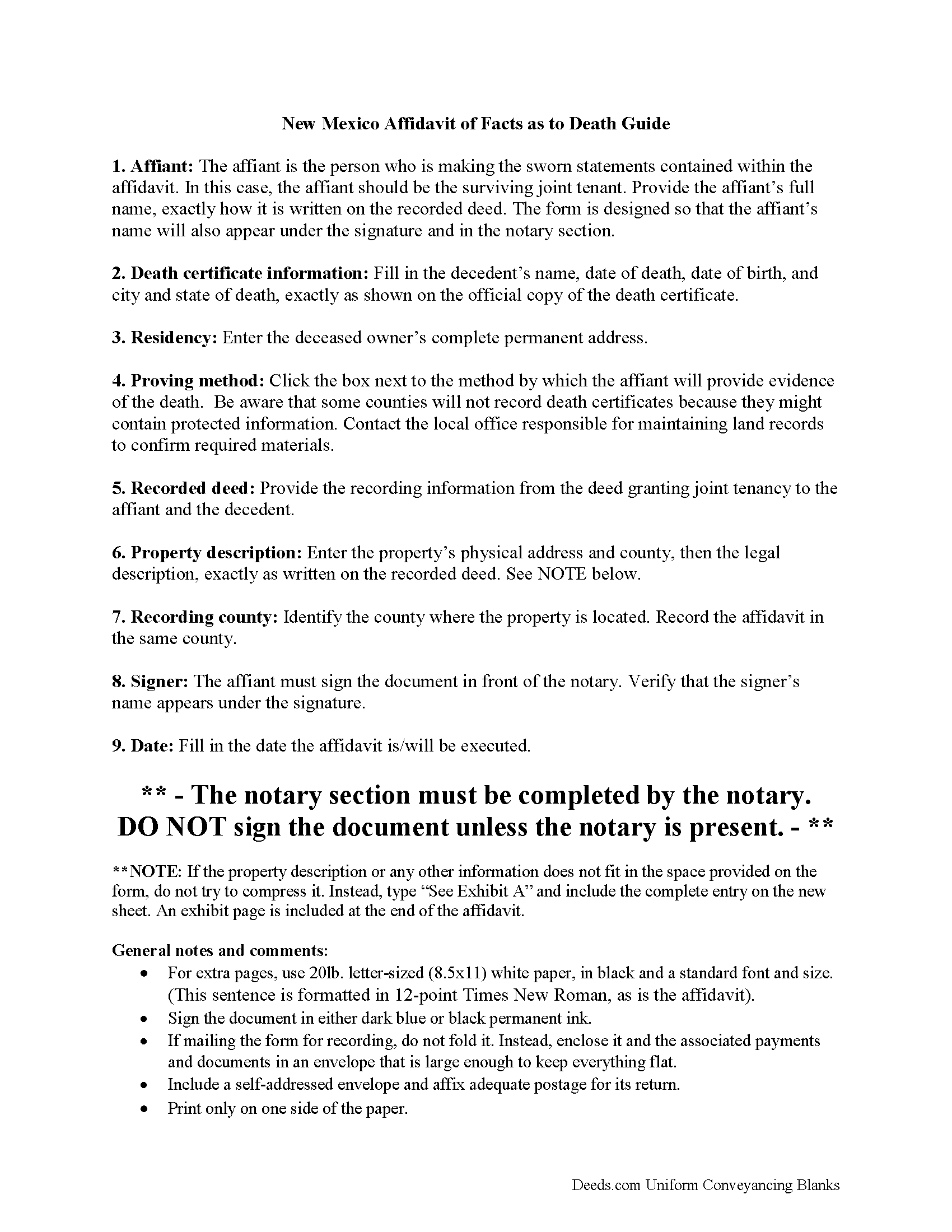
Quay County Affidavit of Deceased Joint Tenant Guide
Line by line guide explaining every blank on the form.
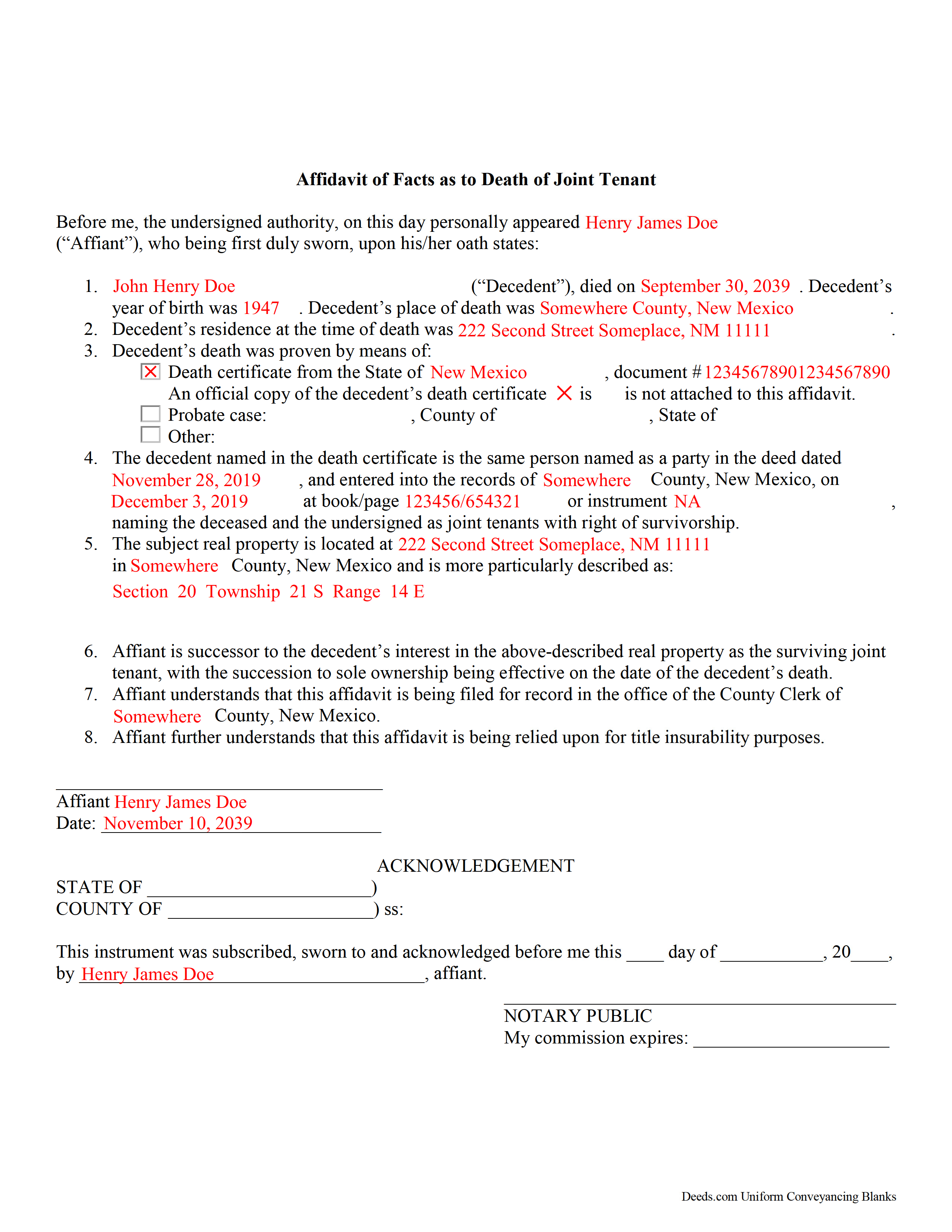
Quay County Completed Example of the Affidavit of Deceased Joint Tenant Document
Example of a properly completed form for reference.
All 3 documents above included • One-time purchase • No recurring fees
Immediate Download • Secure Checkout
Additional New Mexico and Quay County documents included at no extra charge:
Where to Record Your Documents
Quay County Clerk
Tucumcari, New Mexico 88401
Hours: 8:00am - 12:00 & 1:00 - 5:00pm M-F
Phone: (575) 461-0510
Recording Tips for Quay County:
- Bring your driver's license or state-issued photo ID
- Ensure all signatures are in blue or black ink
- Verify all names are spelled correctly before recording
- White-out or correction fluid may cause rejection
- Ask about their eRecording option for future transactions
Cities and Jurisdictions in Quay County
Properties in any of these areas use Quay County forms:
- Bard
- House
- Logan
- Mcalister
- Nara Visa
- Quay
- San Jon
- Tucumcari
Hours, fees, requirements, and more for Quay County
How do I get my forms?
Forms are available for immediate download after payment. The Quay County forms will be in your account ready to download to your computer. An account is created for you during checkout if you don't have one. Forms are NOT emailed.
Are these forms guaranteed to be recordable in Quay County?
Yes. Our form blanks are guaranteed to meet or exceed the applicable formatting requirements used for recording in Quay County, including margin requirements, font requirements, and other layout standards. This guarantee applies to formatting, not to the legal sufficiency of information entered by the user or the suitability of a form for a particular transaction.
Can I reuse these forms?
Yes. You can reuse the forms for your personal use. For example, if you have multiple properties in Quay County you only need to order once.
What do I need to use these forms?
The forms are PDFs that you fill out on your computer. The free Adobe Acrobat Reader is recommended, and most PDF apps also work. You do NOT enter your property information online - you download the blank forms and complete them privately on your own computer.
Are there any recurring fees?
No. This is a one-time purchase. Nothing to cancel, no memberships, no recurring fees.
How much does it cost to record in Quay County?
Recording fees in Quay County vary. Contact the recorder's office at (575) 461-0510 for current fees.
Questions answered? Let's get started!
Removing a Deceased Joint Tenant from a New Mexico Real Estate Title
New Mexico's statutes define joint tenancy at 47-1-36. This law states that a "joint tenancy in real property is one owned by two or more persons, each owning the whole and an equal undivided share, by a title created by a single devise or conveyance, when expressly declared . . . to be a joint tenancy." Property titled in this manner cannot be passed in a will; instead, a deceased joint tenant's share is distributed equally amongst the survivors as a function of law until only one person holds the property in sole ownership.
While technically accurate, this description oversimplifies the situation. What happens when it's time to sell the property? Unless the local recording office cross-references death notices with real estate records, the deceased owner's name still appears on the title. This inaccuracy can create confusion during a title search and slow down the transfer process. In addition, outdated ownership information might interfere with property tax billing, which could lead to unnecessary fees and/or penalties.
The surviving owner(s) may prevent these potential issues with a simple step: when one joint tenant dies, the other(s) can execute and record an affidavit of facts as to death with the local recording office. It is possible to address this at the time of sale, but it makes sense to handle it within a short time after the owner's death because the necessary documentation is more likely to be easily accessible. This action keeps property records up-to-date, verifies the owner's interest and rights to the title, and ensures smoother transfers in the future.
Each circumstance is unique, so please contact an attorney with questions or for complex situations.
(New Mexico Affidavit of DJT Package includes form, guidelines, and completed example)
Important: Your property must be located in Quay County to use these forms. Documents should be recorded at the county recording office listed above.
This Affidavit of Deceased Joint Tenant meets all recording requirements specific to Quay County.
Our Promise
The documents you receive here are guaranteed to meet or exceed the applicable Quay County recording format requirements. If there is a rejection caused by our formatting, we will correct the issue or refund your payment. This guarantee applies to document formatting only and does not extend to information entered by the user, the selection of the form, or the legal effect of the completed document.
Save Time and Money
Get your Quay County Affidavit of Deceased Joint Tenant form done right the first time with Deeds.com Uniform Conveyancing Blanks. At Deeds.com, we understand that your time and money are valuable resources, and we don't want you to face a penalty fee or rejection imposed by a county recorder for submitting nonstandard documents. We constantly review and update our forms to meet rapidly changing state and county recording requirements for roughly 3,500 counties and local jurisdictions.
4.8 out of 5 - ( 4,855 Reviews )
Don M. 5 out of 5 stars
Easy to set up account. If I am presented with a chance to review the service, I will do that after I have received it.
Thank you!
KATHLEEN S. 5 out of 5 stars
Excellent service, great feedback and recommendations by the deed preparer, and I really appreciate the personalized service. The website is amazing, everything is well thought out, and all messages are saved, clear and easy to read. I wish my website was so easy to navigate! Seriously, the person who worked on my account is awesome. They made recommendations about what to include and what not to include. They didn't make me feel dumb for asking questions about out-of-state service and filing procedures, and I will be using Deeds.com exclusively on my cases. Five stars !
We appreciate your business and value your feedback. Thank you. Have a wonderful day!
Luwana C. 5 out of 5 stars
I think the Website takes out a lot of leg work, Makes it easier to take care of paperwork 10 times faster.
We appreciate your business and value your feedback. Thank you. Have a wonderful day!
Marilyn C. 5 out of 5 stars
Fillable documents, after a download, would be helpful. Very good to have all these forms online and accessible for an overall fee.
Thank you!
Kermit S. 5 out of 5 stars
Very easy to use.
Thank you for your feedback. We really appreciate it. Have a great day!
Laurie S. 5 out of 5 stars
This was super easy and fast!
We appreciate your business and value your feedback. Thank you. Have a wonderful day!
ALI T. 5 out of 5 stars
It is very easy to use Deeds.Com to perform eRecording. The case staff are very professional and punctual. My eRecording package was completed within a day where it usually takes months. Thank You
We appreciate your business and value your feedback. Thank you. Have a wonderful day!
Michael L. 5 out of 5 stars
Easy and quick. I will always use this efficient service even if the recorders office opens again!
We appreciate your business and value your feedback. Thank you. Have a wonderful day!
Philip C. 5 out of 5 stars
The product I purchased looks great and I added Adobe to be able to copy it, but for some reason I can't,so I will delete Adobe and then try again to copy what i paid for. I have all the PDFS' and my computer and printer are fairly new (windows 10),I should have tried to copy it first, I'll get it! Thanks
Thank you for your feedback. We really appreciate it. Have a great day!
Cynthia R. 5 out of 5 stars
Fantastic efiling service! The transaction went very smoothly. Thanks!
Thank you!
Angela B. 5 out of 5 stars
Great forms! Quick, easy, and to the point. The completed document, when printed out, looks really professional.
We appreciate your business and value your feedback. Thank you. Have a wonderful day!
Louise S. 5 out of 5 stars
The form was easy to download and complete however you should be able to convert to a word document.
Thank you for your feedback. We really appreciate it. Have a great day!
Brenda B. 5 out of 5 stars
Excellent transaction.
Thank you Brenda.
Barbara H. 5 out of 5 stars
So far so good. Thanks for making this easy and affordable.
Thank you for your feedback. We really appreciate it. Have a great day!
Bridgit L. 5 out of 5 stars
I must admit I was a bit hesitant to record a document online, but I am impressed by how quickly the process took from the initial sign-on, uploading and recording! I will definitely use your services again.
We appreciate your business and value your feedback. Thank you. Have a wonderful day!