Granville County Quitclaim Deed (Individual Grantor by Attorney-in-Fact) Form
Last validated October 21, 2026 by our Forms Development TeamFormatted for recording in Granville County, for property anywhere in the county: rural and unincorporated areas as well as Bullock, Butner, Creedmoor, Oxford, Stem, Stovall.
- 3 documents included
- Immediate PDF download
- Formatting guarantee
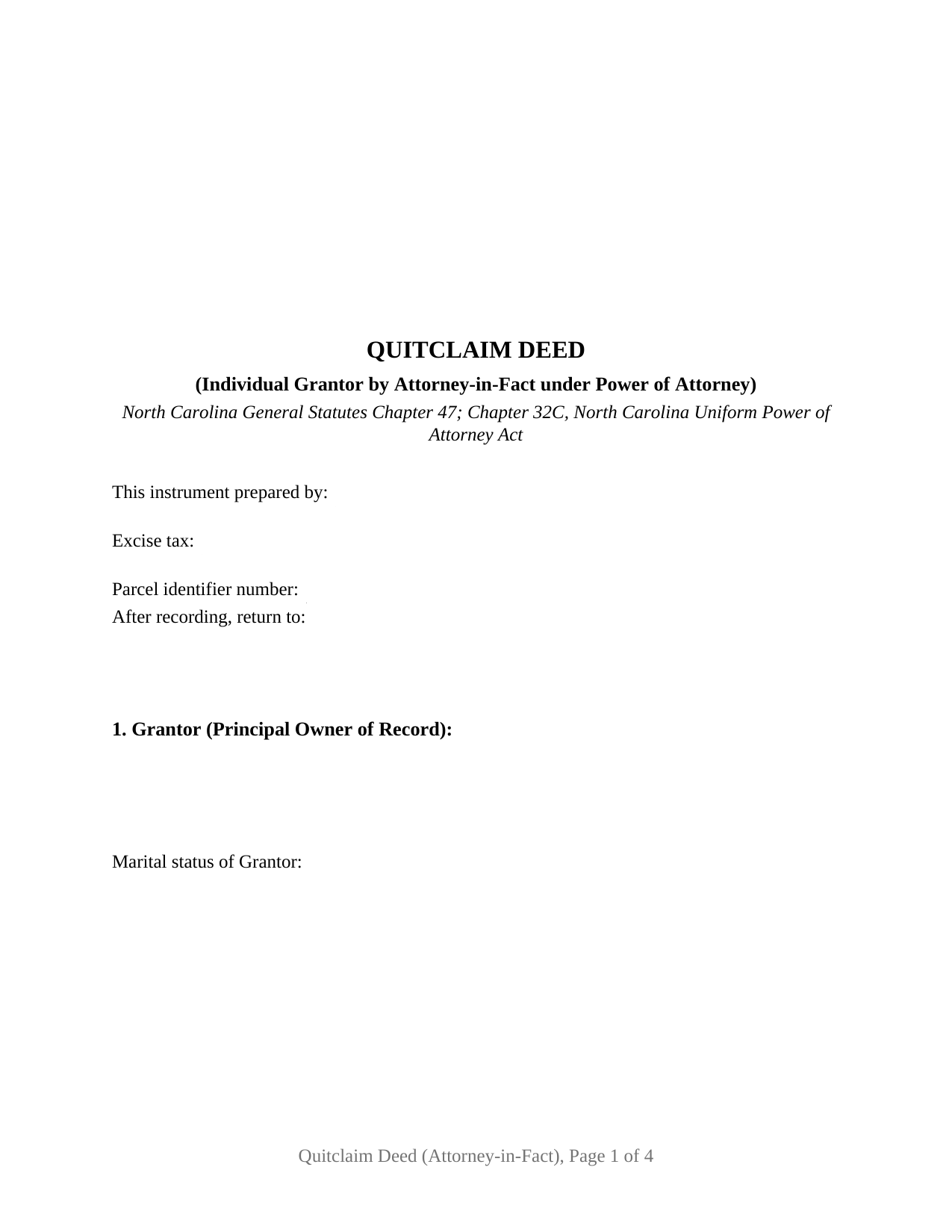
Granville County Quitclaim Deed (Individual Grantor by Attorney-in-Fact) Form
Fill in the blank Quitclaim Deed (Individual Grantor by Attorney-in-Fact) form formatted to comply with all North Carolina recording and content requirements.
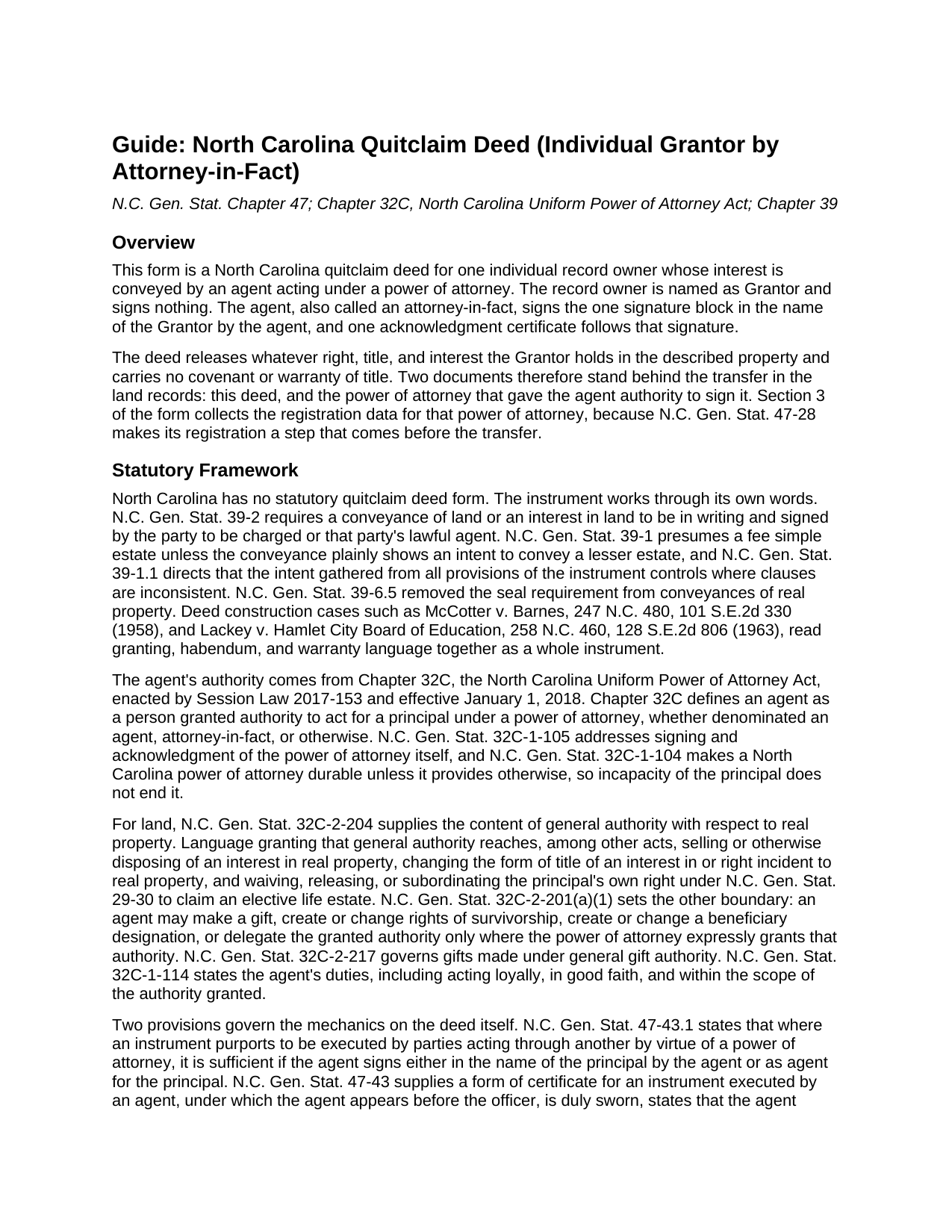
Granville County Quitclaim Deed (Individual Grantor by Attorney-in-Fact) Guide
Line by line guide explaining every blank on the Quitclaim Deed (Individual Grantor by Attorney-in-Fact) form.
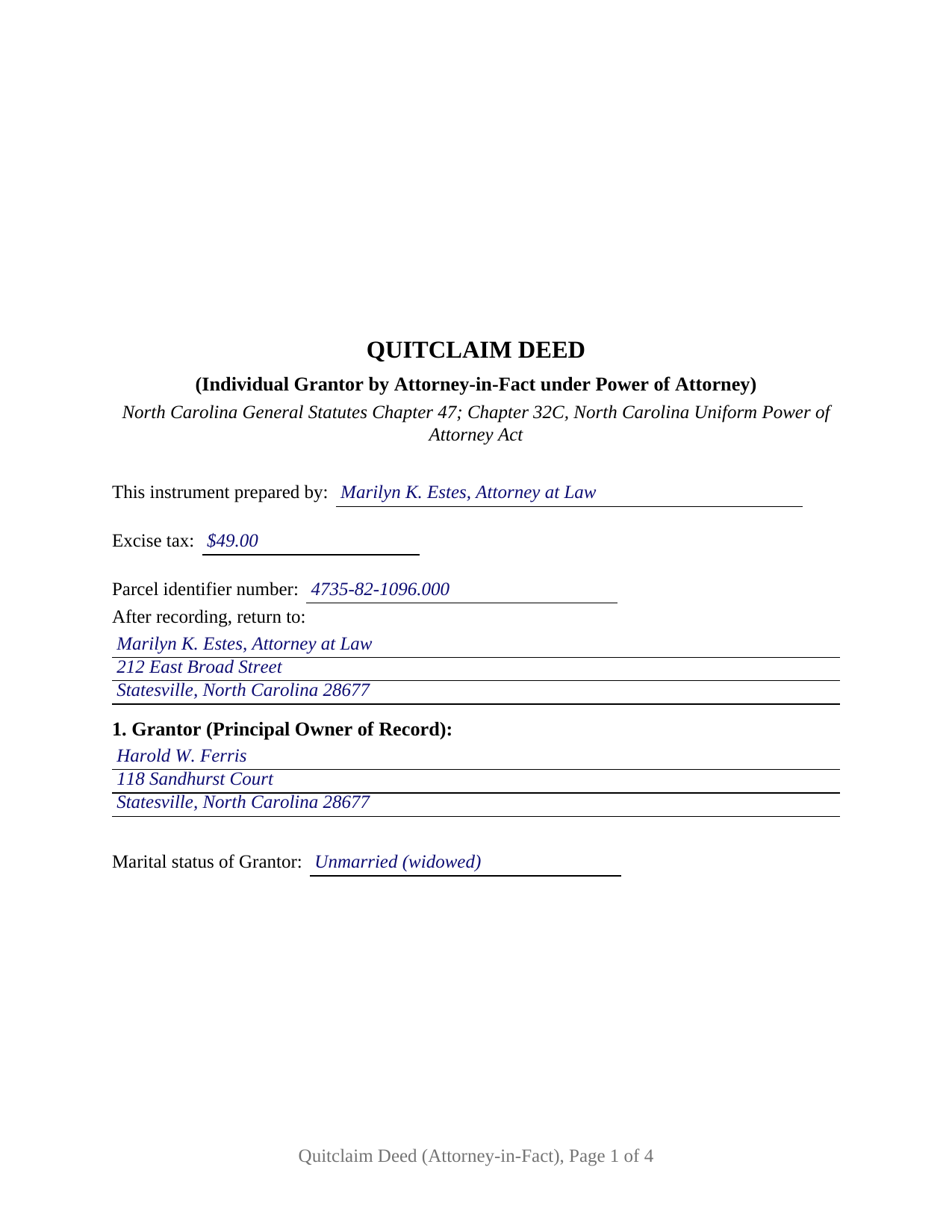
Granville County Completed Example of the Quitclaim Deed (Individual Grantor by Attorney-in-Fact) Document
Example of a properly completed North Carolina Quitclaim Deed (Individual Grantor by Attorney-in-Fact) document for reference.
All 3 documents above included • One-time purchase • No recurring fees
Immediate Download • Secure Checkout
Additional North Carolina and Granville County documents included at no extra charge:
Where to Record Your Documents
Granville County Register of Deeds
Oxford, North Carolina 27565
Hours: 8:30 to 4:30 M-F
Phone: (919) 693-6314
Recording Tips for Granville County:
- Bring your driver's license or state-issued photo ID
- Ensure all signatures are in blue or black ink
- Request a receipt showing your recording numbers
- Ask about accepted payment methods when you call ahead
- Ask for certified copies if you need them for other transactions
Cities and Jurisdictions in Granville County
Properties in any of these areas use Granville County forms:
- Bullock
- Butner
- Creedmoor
- Oxford
- Stem
- Stovall
Hours, fees, requirements, and more for Granville County
How do I get my forms?
Forms are available for immediate download after payment. The Granville County forms will be in your account ready to download to your computer. An account is created for you during checkout if you don't have one. Forms are NOT emailed.
Are these forms guaranteed to be recordable in Granville County?
Yes. Our form blanks are guaranteed to meet or exceed the applicable formatting requirements used for recording in Granville County, including margin requirements, font requirements, and other layout standards. This guarantee applies to formatting, not to the legal sufficiency of information entered by the user or the suitability of a form for a particular transaction.
Can I reuse these forms?
Yes. You can reuse the forms for your personal use. For example, if you have multiple properties in Granville County you only need to order once.
What do I need to use these forms?
The forms are PDFs that you fill out on your computer. The free Adobe Acrobat Reader is recommended, and most PDF apps also work. You do NOT enter your property information online - you download the blank forms and complete them privately on your own computer.
Are there any recurring fees?
No. This is a one-time purchase. Nothing to cancel, no memberships, no recurring fees.
How much does it cost to record in Granville County?
Recording fees in Granville County vary. Contact the recorder's office at (919) 693-6314 for current fees.
Questions answered? Let's get started!
The person who signs this deed is not the person named as its Grantor. Here an agent holding a power of attorney conveys for the record owner: one agent signature made in the owner's name, one certificate written for that signature, and a release of whatever interest the owner holds, with no covenant of title attached. The fillable form is set up for that configuration alone, on land located in North Carolina.
The authority reaches the record before the deed does
Most deeds reach a North Carolina registry alone. This one arrives second. Under G.S. 47-28, before any transfer of real property executed by an agent empowered by a Chapter 32C power of attorney, that power of attorney or a certified copy of it is registered where the principal is domiciled or where the land lies. When the deed is then recorded in a different county, it carries the book, page, and county of that registration, and Section 3 of the form collects those entries with both dates. Subsection (b) softens the sequence: registration after the deed is allowed where the agent was empowered when the conveyance was made.
One signature, made in the owner's name
G.S. 47-43.1 accepts two shapes for the signature: in the name of the principal by the agent, or as agent for the principal. This deed prints the first, and says in a sentence of its own that the agent signs in that capacity and not individually. The form recites one record owner as Grantor with a marital status line, one agent, one grantee side, one signature block, and one acknowledgment certificate beneath it. Positions in the records that present this configuration include an owner living in another state whose agent closes a sale here, an owner on extended assignment abroad whose agent signs at the closing table, and a successor agent finishing a transfer the first agent left off. The form is not set up for two record owners, an entity grantor, an owner signing personally, or a joining spouse line.
A certificate written for an agent's signature
North Carolina writes a certificate for this instrument. In the G.S. 47-43 form the agent appears before the officer and, being duly sworn, states that the agent executed the instrument on behalf of the principal, identifies where the power of attorney is recorded, and acknowledges its due execution for the purposes expressed. The certificate here carries that substance, so an oath and an acknowledgment are taken together, and G.S. 10B-40(g) treats the Chapter 47 forms as compliant with Chapter 10B.
Where Chapter 32C draws its lines
General authority over real property under G.S. 32C-2-204 reaches selling or otherwise disposing of an interest in land and changing the form of title. Two entries on this deed can cross into authority that G.S. 32C-2-201(a)(1) places behind an express grant: a transfer for no consideration, which is a gift, and a grantee clause creating survivorship between two grantees. G.S. 32C-1-110 ends a power of attorney at the death of the principal. The guide walks those provisions and the Chapter 41 vesting menu the grantee blank opens.
A release, not a promise about title
No North Carolina statute prescribes a quitclaim form, so the words do the work: the deed remises, releases, and forever quitclaims whatever right, title, and interest the Grantor holds, with no covenant of title, express or implied. Under G.S. 39-1 a conveyance passes a fee simple estate unless it plainly shows a lesser one, enlarging nothing. Searchers find it as a quit claim deed, a quitclaim, or a non-warranty deed; whatever the label, deeds of trust and easements ride through.
What page one reports
Beneath the three inch stamp space of G.S. 161-14(b), with the instrument type named under it, page one gathers the drafter name that G.S. 47-17.1 puts on a first page, the excise figure set by the G.S. 105-228.30 rate and reported under G.S. 105-228.32, a parcel identifier blank for the county systems of G.S. 161-30, and the return address. Registration in the county holding the land is the moment G.S. 47-18 makes the release good against lien creditors and later purchasers for value.
Inside the purchase: this deed as a fillable PDF, an example filled in for an Iredell County release signed by an agent under a registered power of attorney, and a plain language guide covering each section, the registration and authority statutes, excise treatment, and recording. It describes North Carolina law in general terms and is not legal advice.
Important: Your property must be located in Granville County to use these forms. Documents should be recorded at the county recording office listed above.
This Quitclaim Deed (Individual Grantor by Attorney-in-Fact) meets all recording requirements specific to Granville County.
Our Promise
The documents you receive here are guaranteed to meet or exceed the applicable Granville County recording format requirements. If there is a rejection caused by our formatting, we will correct the issue or refund your payment. This guarantee applies to document formatting only and does not extend to information entered by the user, the selection of the form, or the legal effect of the completed document.
Save Time and Money
Get your Granville County Quitclaim Deed (Individual Grantor by Attorney-in-Fact) form done right the first time with Deeds.com Uniform Conveyancing Blanks. At Deeds.com, we understand that your time and money are valuable resources, and we don't want you to face a penalty fee or rejection imposed by a county recorder for submitting nonstandard documents. We constantly review and update our forms to meet rapidly changing state and county recording requirements for roughly 3,500 counties and local jurisdictions.
4.8 out of 5 - ( 4,836 Reviews )
Jay P. 5 out of 5 stars
Great site, even for Tech dummies like me. Easy to use and VERY prompt! Thanks!
Thank you for your feedback. We really appreciate it. Have a great day!
Thomas N. 5 out of 5 stars
TODD Form would not print surveyor degrees character (superscript "o") in Exhibit A. It also would not print the "Return Address" or "Prepared By" entries with my middle name as your example showed.
Thank you for your feedback. We really appreciate it. Have a great day!
Oldemar T. 5 out of 5 stars
You guys simplified my life. You offer very convenient services. Thank you.
Thank you!
Heidi G. 5 out of 5 stars
I have not yet actually completed the entire process. However, the preliminary documents, ability to try them and ease of filling them out is pretty nice, so far.
Thank you!
sara g. 5 out of 5 stars
THIS WAS A USER FRIENDLY FORM, WAS ABLE TO COMPLETE WITHIN A SHORT TIME. THANK YOU
We appreciate your business and value your feedback. Thank you. Have a wonderful day!
Thomas D. 2 out of 5 stars
The documents themselves are fine and the information provided with them is helpful. I find the actual processing of the documents, however, to be difficult particularly once the document has been saved. First, I note that the box for the date only allows entry of the last 2 digits of the year. Unfortunately, my download only allows me to enter one of the 2 digits required. When I delete it repeatedly, it eventually allows both digits to be entered but puts them in extremely small text and in superscrypt. I have not found a solution to this problem and am not sure the deed can even be recorded with this problem. Another problem is that if you try to revise the document after you have saved it the curser goes to the end of the line after each key entry. This means that there basically is no way to efficiently save the document for reworking later since you will have to delete everything you have entered in the text box unless you only need to make a single keystroke change or are willing to replace the curser after each entry. Try that with a long property description! Please note that I am using a Mac to prepare my documents and perhaps this is part of an "incompatibility problem". However, I didn't see a disclaimer regarding Mac use and so would expect the documents to perform correctly. Overall, I give the program a "2 star" rating because I am experiencing significant difficulties in entering dates in the documents even before saving them and because saving your work for later revision appears to be basically unworkable.
Thank you for your feedback Thomas, we appreciate you being specific about the issues you encountered. Adobe and Mac have a fairly long history of issues working together.
Gerald N. 5 out of 5 stars
Very nice website!
Thank you!
Daniel C. 2 out of 5 stars
The fill-in pdf produced a messy document and several of the fields too small to accommodate the text. A tailorable MS Word document would have been far better. I would not recommend using this product.
Thank you for taking the time to share your feedback. We’re sorry to hear that the fill-in PDF did not meet your expectations, particularly with regard to formatting and field sizing.
Based on your comments, we will be reviewing the document to see where improvements can be made. Feedback like yours is genuinely helpful in identifying areas where our forms can be clearer and easier to use.
We’ve gone ahead and canceled your order and refunded your payment in full, so there’s no expectation that you use a product you wouldn’t feel comfortable recommending.
Dapo L. 5 out of 5 stars
The team is very responsive and gets the job done. Thank you.
We appreciate your business and value your feedback. Thank you. Have a wonderful day!
David W. 5 out of 5 stars
Excellent and customer friendly as well...ty
Thank you for your feedback. We really appreciate it. Have a great day!
John H. 5 out of 5 stars
works nice
Thank you!
Gary F. 5 out of 5 stars
5 star review. Was able to order and download what I wanted in just a few minutes without any glitches.
Thank you for your feedback. We really appreciate it. Have a great day!
Chase J. 5 out of 5 stars
This is the best service. It has made my life so easy when I have to record things with the county! Thanks so much for such a streamlined no hassle process.
We appreciate your business and value your feedback. Thank you. Have a wonderful day!
Geraldine B. 5 out of 5 stars
Top notch real estate forms. Easy to use, printed out nice, and the guide and example are priceless. You're not going to find anything better anywhere.
Thank you for the kind words Geraldine! Have an incredible day!
Gloria L. 5 out of 5 stars
Quick and simple process! I wish I would have used them sooner!
Thank you for your feedback. We really appreciate it. Have a great day!