Cumberland County Quitclaim Deed (Individual Grantor) Form
Last validated October 22, 2026 by our Forms Development TeamFormatted for recording in Cumberland County, for property anywhere in the county: rural and unincorporated areas as well as Cumberland, Falcon, Fayetteville, Fort Bragg, Hope Mills, Linden, Pope A F B, Spring Lake and 2 more.
- 3 documents included
- Immediate PDF download
- Formatting guarantee
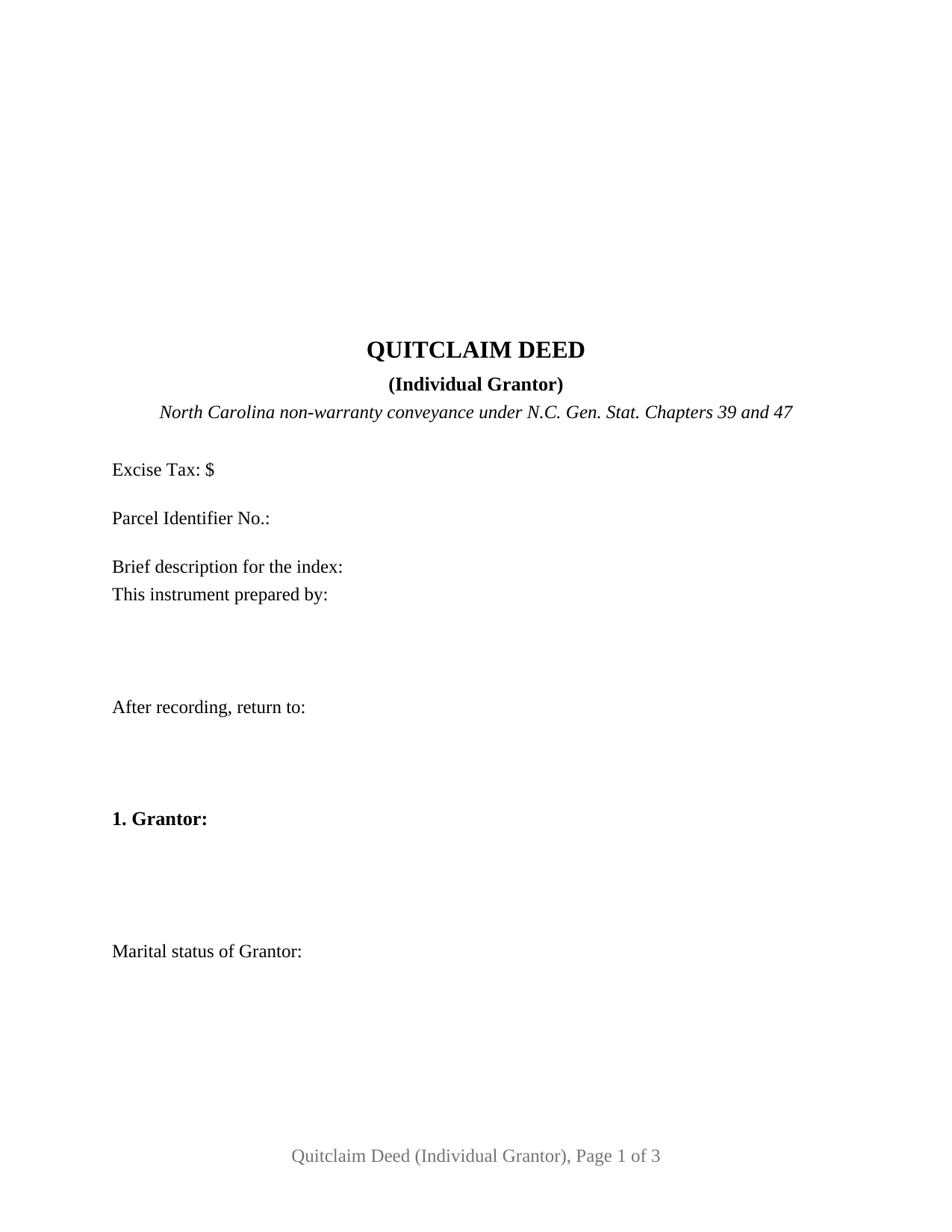
Cumberland County Quitclaim Deed (Individual Grantor) Form
Fill in the blank Quitclaim Deed (Individual Grantor) form formatted to comply with all North Carolina recording and content requirements.
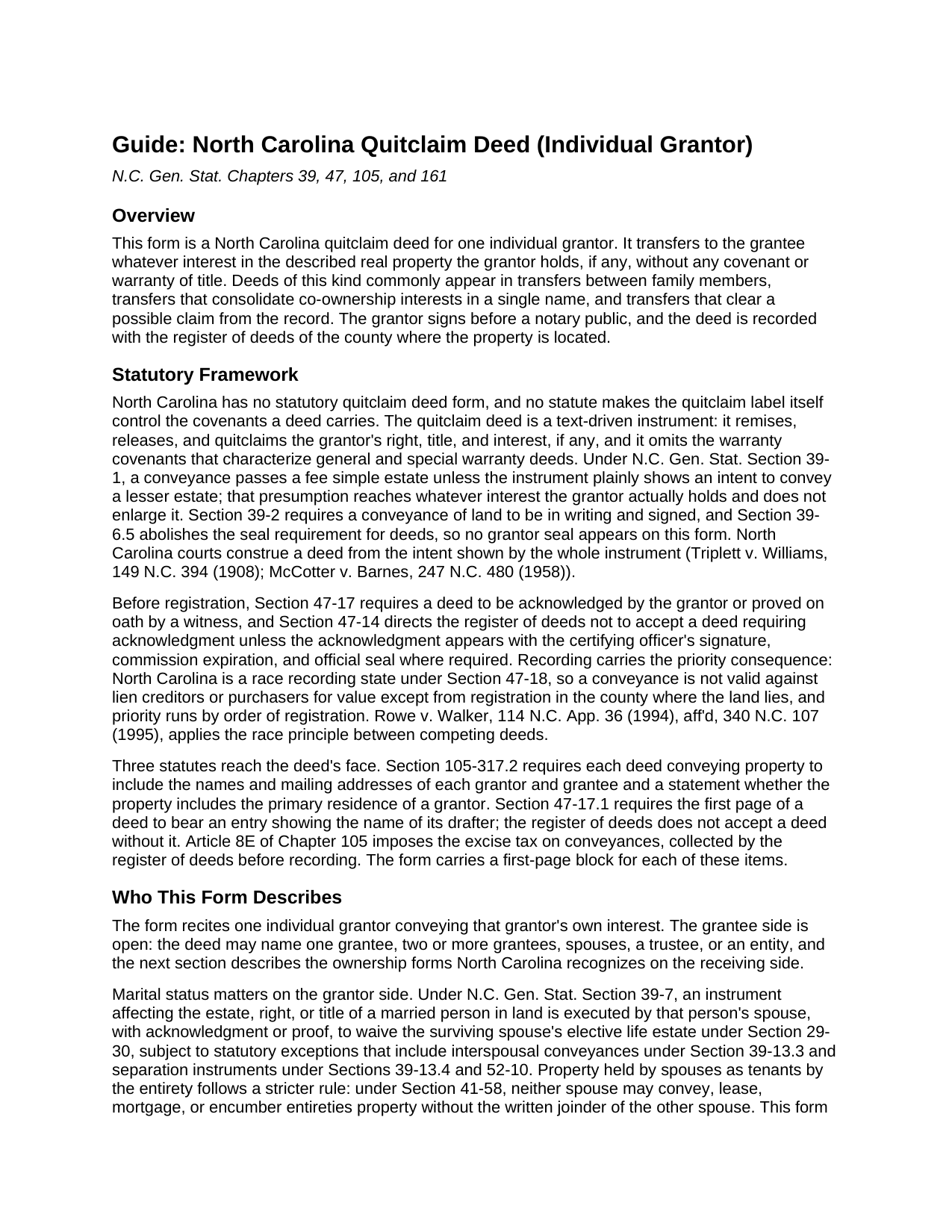
Cumberland County Quitclaim Deed (Individual Grantor) Guide
Line by line guide explaining every blank on the Quitclaim Deed (Individual Grantor) form.
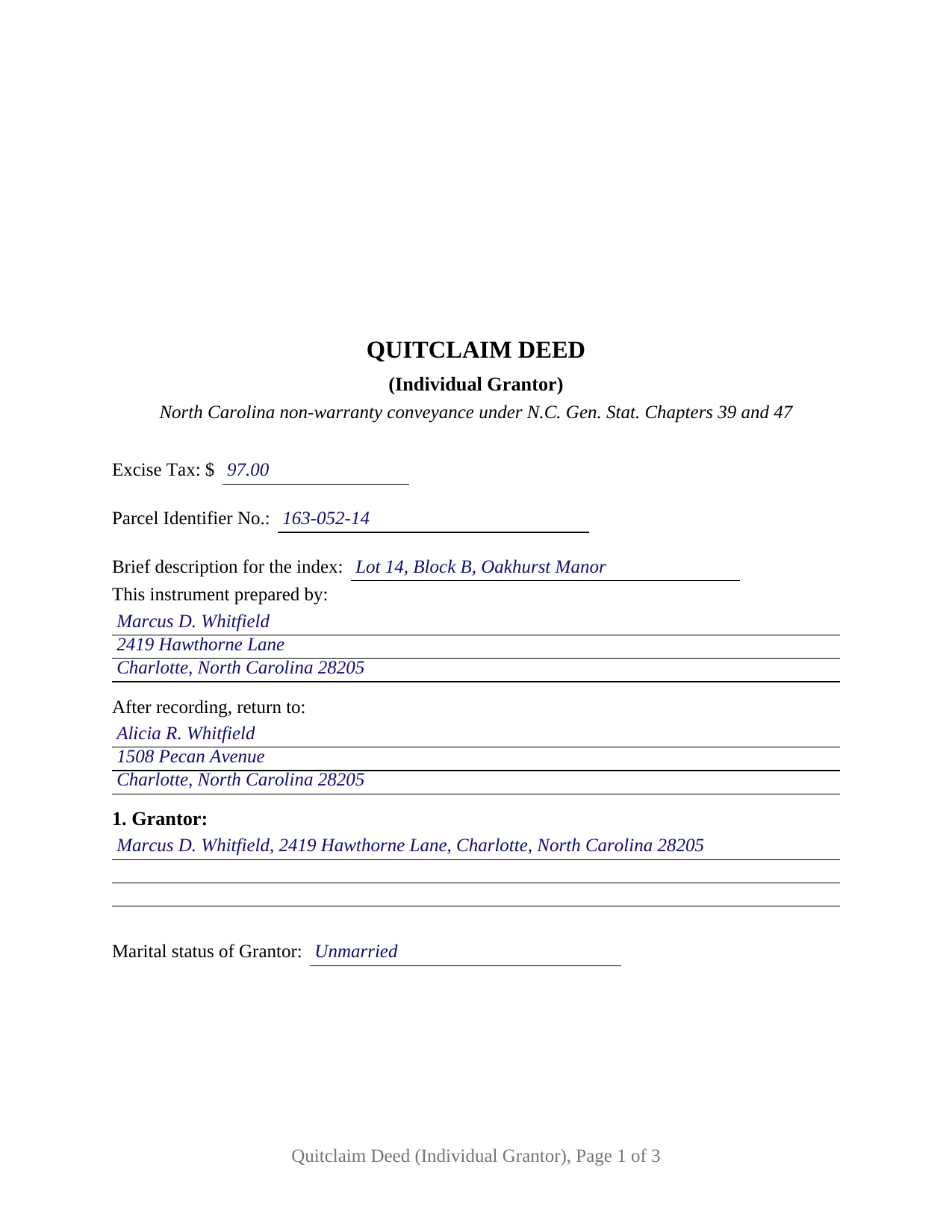
Cumberland County Completed Example of the Quitclaim Deed (Individual Grantor) Document
Example of a properly completed North Carolina Quitclaim Deed (Individual Grantor) document for reference.
All 3 documents above included • One-time purchase • No recurring fees
Immediate Download • Secure Checkout
Additional North Carolina and Cumberland County documents included at no extra charge:
Where to Record Your Documents
Cumberland County Register of Deeds
Fayetteville, North Carolina 28301 / 28302
Hours: 8:00am-5:00pm M-F
Phone: (910) 678-7775 or 678-7783
Recording Tips for Cumberland County:
- Bring your driver's license or state-issued photo ID
- Ensure all signatures are in blue or black ink
- Verify all names are spelled correctly before recording
- White-out or correction fluid may cause rejection
- Ask about their eRecording option for future transactions
Cities and Jurisdictions in Cumberland County
Properties in any of these areas use Cumberland County forms:
- Cumberland
- Falcon
- Fayetteville
- Fort Bragg
- Hope Mills
- Linden
- Pope A F B
- Spring Lake
- Stedman
- Wade
Hours, fees, requirements, and more for Cumberland County
How do I get my forms?
Forms are available for immediate download after payment. The Cumberland County forms will be in your account ready to download to your computer. An account is created for you during checkout if you don't have one. Forms are NOT emailed.
Are these forms guaranteed to be recordable in Cumberland County?
Yes. Our form blanks are guaranteed to meet or exceed the applicable formatting requirements used for recording in Cumberland County, including margin requirements, font requirements, and other layout standards. This guarantee applies to formatting, not to the legal sufficiency of information entered by the user or the suitability of a form for a particular transaction.
Can I reuse these forms?
Yes. You can reuse the forms for your personal use. For example, if you have multiple properties in Cumberland County you only need to order once.
What do I need to use these forms?
The forms are PDFs that you fill out on your computer. The free Adobe Acrobat Reader is recommended, and most PDF apps also work. You do NOT enter your property information online - you download the blank forms and complete them privately on your own computer.
Are there any recurring fees?
No. This is a one-time purchase. Nothing to cancel, no memberships, no recurring fees.
How much does it cost to record in Cumberland County?
Recording fees in Cumberland County vary. Contact the recorder's office at (910) 678-7775 or 678-7783 for current fees.
Questions answered? Let's get started!
One signer, one signature line, one acknowledgment certificate: this fillable North Carolina quitclaim deed is set up for a single individual grantor releasing whatever interest he or she holds in real property located in the state. The deed transfers the grantor's right, title, and interest, if any, to the named grantee without any covenant or warranty of title.
A release of interest, not a promise of title
North Carolina statutes supply no quitclaim deed form, so the instrument works through its own text. This deed remises, releases, and forever quitclaims the grantor's interest, then states expressly that it conveys without covenant or warranty of title and only the interest, if any, the grantor holds. Under N.C. Gen. Stat. Section 39-1, a conveyance passes a fee simple estate unless the deed plainly shows a lesser one; the presumption reaches whatever the grantor actually owns and enlarges nothing. That architecture places the quitclaim, also searched as a quit claim deed or non-warranty deed, at the opposite pole from a general warranty deed: the grantee receives the grantor's position in the title, exactly as it stands in the record.
One grantor, one certificate
The form recites exactly one individual grantor: a single signature line, a printed-name line for the register's index, and one acknowledgment certificate carrying the substance of the statutory certificate in G.S. 10B-41. A marital status line in the grantor section records the status the grantor asserts. Patterns that present this single-signer configuration in the record include one heir releasing an inherited interest to a co-heir, a former co-owner conveying a fractional share so title consolidates in a single name, and an individual releasing a stray interest that surfaced in a title search. The form is not set up for two grantors signing together, for spousal joinder on a married grantor's conveyance, or for property spouses hold as tenants by the entirety, which moves only with the written joinder of both spouses under G.S. 41-58; the guide describes those signing rules and where they come from.
The first page carries North Carolina's recording data
Several North Carolina statutes read the face of a deed, and the form's first page collects what they look for in one block. G.S. 47-17.1 makes a drafter entry on the first page a condition of acceptance by the register of deeds, so the This instrument prepared by line sits at the top. The excise tax line reports the conveyance tax of one dollar per five hundred dollars of consideration under G.S. 105-228.30, which the register collects before recording; gifts without consideration fall within the exempt classes of G.S. 105-228.29. A parcel identifier line serves the county indexing systems authorized by G.S. 161-30. In the body, the deed states the names and mailing addresses of the parties and whether the property includes the primary residence of a grantor, the content G.S. 105-317.2 requires of every North Carolina deed.
Recording in a race state
North Carolina's recording act is a pure race statute. Under G.S. 47-18, a deed is not valid against lien creditors or purchasers for value until it is registered in the county where the land lies, and priority between competing instruments follows the order of registration. Recording fees are uniform statewide, twenty-six dollars for the first fifteen pages of a deed plus four dollars for each additional page under G.S. 161-10. The form follows the format standards of G.S. 161-14(b): letter size paper, a three inch blank recording space at the top of the first page with the instrument type stated at the top, generous margins, and black type well above the statute's nine point legibility floor, so the deed records at the standard fee rather than the nonstandard-document rate.
What arrives in the package
The package contains the quitclaim deed as a fillable PDF, a completed example showing the deed filled in for a realistic Mecklenburg County fact pattern, and a plain language guide that walks through every numbered section, the excise tax and county-level prerequisites, and the recording steps. The materials describe North Carolina law in general terms and are not legal advice.
Important: Your property must be located in Cumberland County to use these forms. Documents should be recorded at the county recording office listed above.
This Quitclaim Deed (Individual Grantor) meets all recording requirements specific to Cumberland County.
Our Promise
The documents you receive here are guaranteed to meet or exceed the applicable Cumberland County recording format requirements. If there is a rejection caused by our formatting, we will correct the issue or refund your payment. This guarantee applies to document formatting only and does not extend to information entered by the user, the selection of the form, or the legal effect of the completed document.
Save Time and Money
Get your Cumberland County Quitclaim Deed (Individual Grantor) form done right the first time with Deeds.com Uniform Conveyancing Blanks. At Deeds.com, we understand that your time and money are valuable resources, and we don't want you to face a penalty fee or rejection imposed by a county recorder for submitting nonstandard documents. We constantly review and update our forms to meet rapidly changing state and county recording requirements for roughly 3,500 counties and local jurisdictions.
4.8 out of 5 - ( 4,842 Reviews )
James L. 5 out of 5 stars
Intimidating subject made exceedingly simple.
Thank you for your positive words! We’re thrilled to hear about your experience.
Dean L. 3 out of 5 stars
The template isn't that easy to work with, with you have to type out large amounts of text. Also copy and paste doesn't seem to work. Furthermore, the code listed on the guide is out of date. However, the DQC is decent in that it has all the required fields you need.
Thank you for your feedback. We really appreciate it. Have a great day!
Joyce D. 5 out of 5 stars
Great service. Fast and efficient.
Thank you!
Kathleen M. 5 out of 5 stars
Your Service was excellent. Very responsive. Thank you.
Thank you!
Mary-Ann K. 5 out of 5 stars
Very pleasantly pleased so far. Hope to hear from the town registrar Transfer On Death Deed accepted. Wish all legal proceedings were so simple . . .
Thank you for your feedback. We really appreciate it. Have a great day!
Sharon C. 5 out of 5 stars
Easy process considering not too technical savvy!
We appreciate your business and value your feedback. Thank you. Have a wonderful day!
NORA F. 5 out of 5 stars
The guide was so helpful, really made filing out the form easy. Thanks!
Thank you for your feedback. We really appreciate it. Have a great day!
Diane O. 5 out of 5 stars
Filling out forms was easy....so far, I am happy !
We appreciate your business and value your feedback. Thank you. Have a wonderful day!
Willaim B. 5 out of 5 stars
Love Deeds.com They have saved me so much time. Prompt responds to all my questions. Highly recommend
Thank you for choosing our service. We appreciate your review.
brian p. 4 out of 5 stars
Good, easy to use, quit claim form worked as expected.
We appreciate your business and value your feedback. Thank you. Have a wonderful day!
Alan S. 5 out of 5 stars
Great job! Fast and easy. Terrific communications.
Thank you!
Terry K. 1 out of 5 stars
Thought from the reviews and claims, it would be able to do our quit claim deed. Maybe for simple situations it works but ours required more room for the description and parcel numbers. Ended up being a total waste of $40.00. Wouldn't buy again. It is no better than the free forms you can find online.
Hi Terry, thanks for the feedback. Your order was canceled and fully refunded. To clarify for other customers: our quitclaim deed package includes an exhibit/attachment page for legal descriptions and parcel numbers that run long, with instructions on when and how to use it, this is a standard approach for multi-page legal descriptions and is accepted by recorders.
Gary K. 4 out of 5 stars
Straightforward and pretty easy to use. The only downside is that there is no way to contact them directly. The number on the website is answered only by a voicemail with no return calls. Pricing seems fair compared to other services and much more efficient that filing "over the counter."
Thank you for your feedback. We really appreciate it. Have a great day!
Laura L. 5 out of 5 stars
Used a form from this service. Best part about these forms is that they don't let you get in trouble by removing or changing things that should not be changed. It's easy to look at something and think why is this margin so big, why is this field so small and want to change it only to find out it is incredibly important. That's why they are the deed document pros.
Thank you for the thoughtful review! We're so glad to hear you found our forms reliable and well-structured. It’s true—what might look like an odd margin or a small field is often there for a very specific legal or recording reason. We’ve seen how small changes can lead to big headaches, which is why we design our documents to be both user-friendly and compliant with strict recording standards. We really appreciate you recognizing the care that goes into each one. Thanks again for choosing us!
Regina A. 5 out of 5 stars
I needed to look for a recorded document and found what I was looking for. Thank you for the great service.
Thank you for your feedback. We really appreciate it. Have a great day!