Grand Forks County Certificate of Trust Form
Last validated October 14, 2026 by our Forms Development TeamFormatted for recording in Grand Forks County, for property anywhere in the county: rural and unincorporated areas as well as Arvilla, Emerado, Gilby, Grand Forks, Grand Forks Afb, Inkster, Larimore, Manvel and 5 more.
- 3 documents included
- Immediate PDF download
- Formatting guarantee
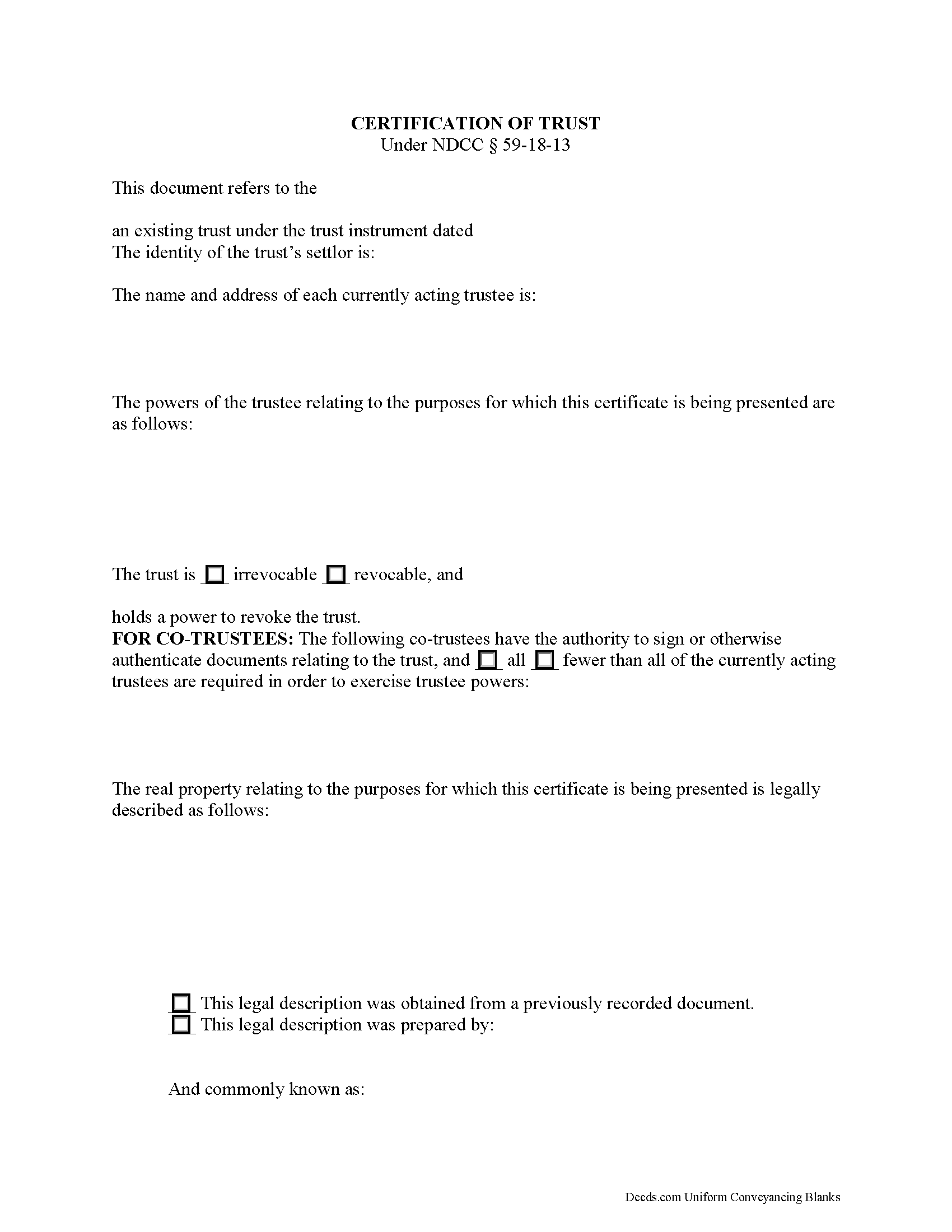
Grand Forks County Certificate of Trust Form
Fill in the blank form formatted to comply with all recording and content requirements.
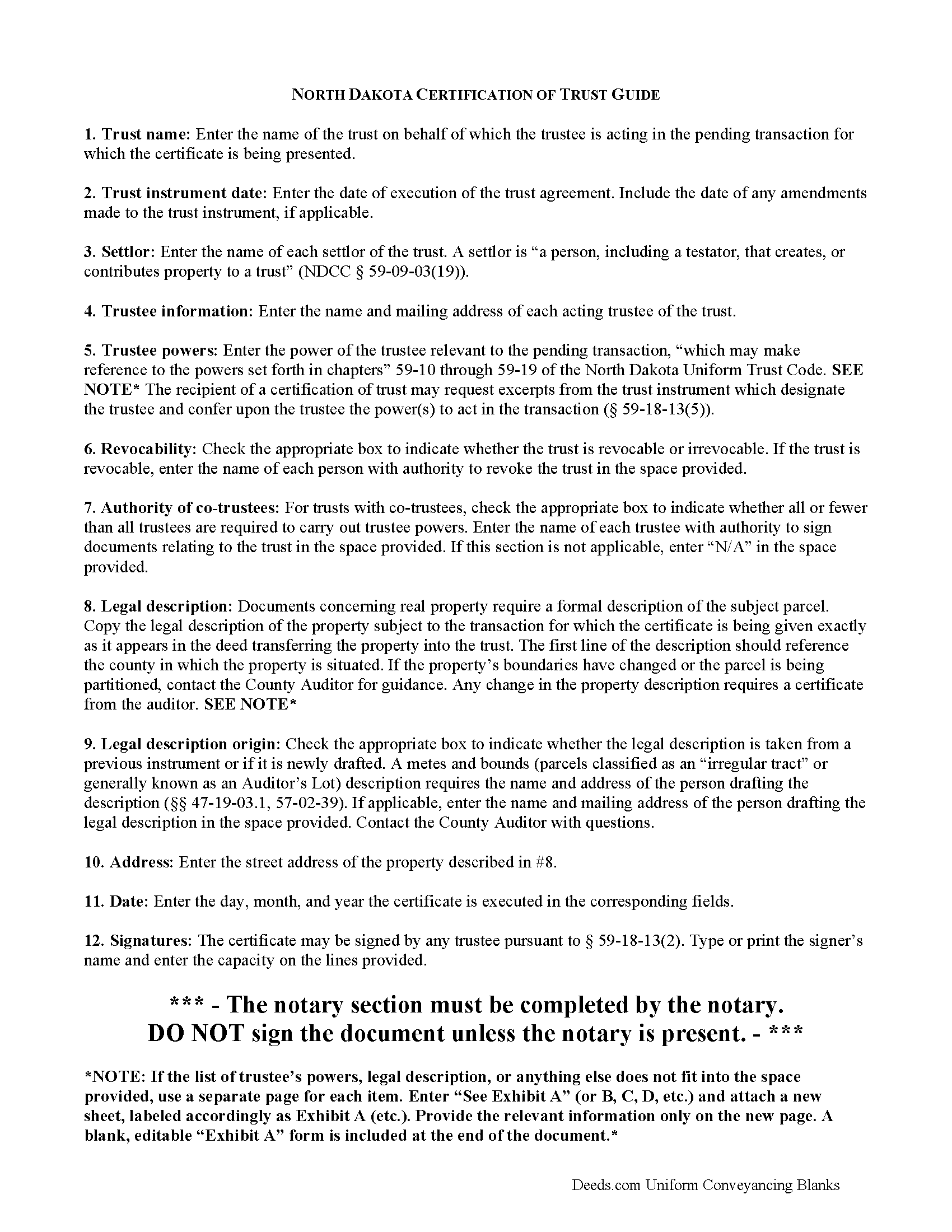
Grand Forks County Certificate of Trust Guide
Line by line guide explaining every blank on the form.
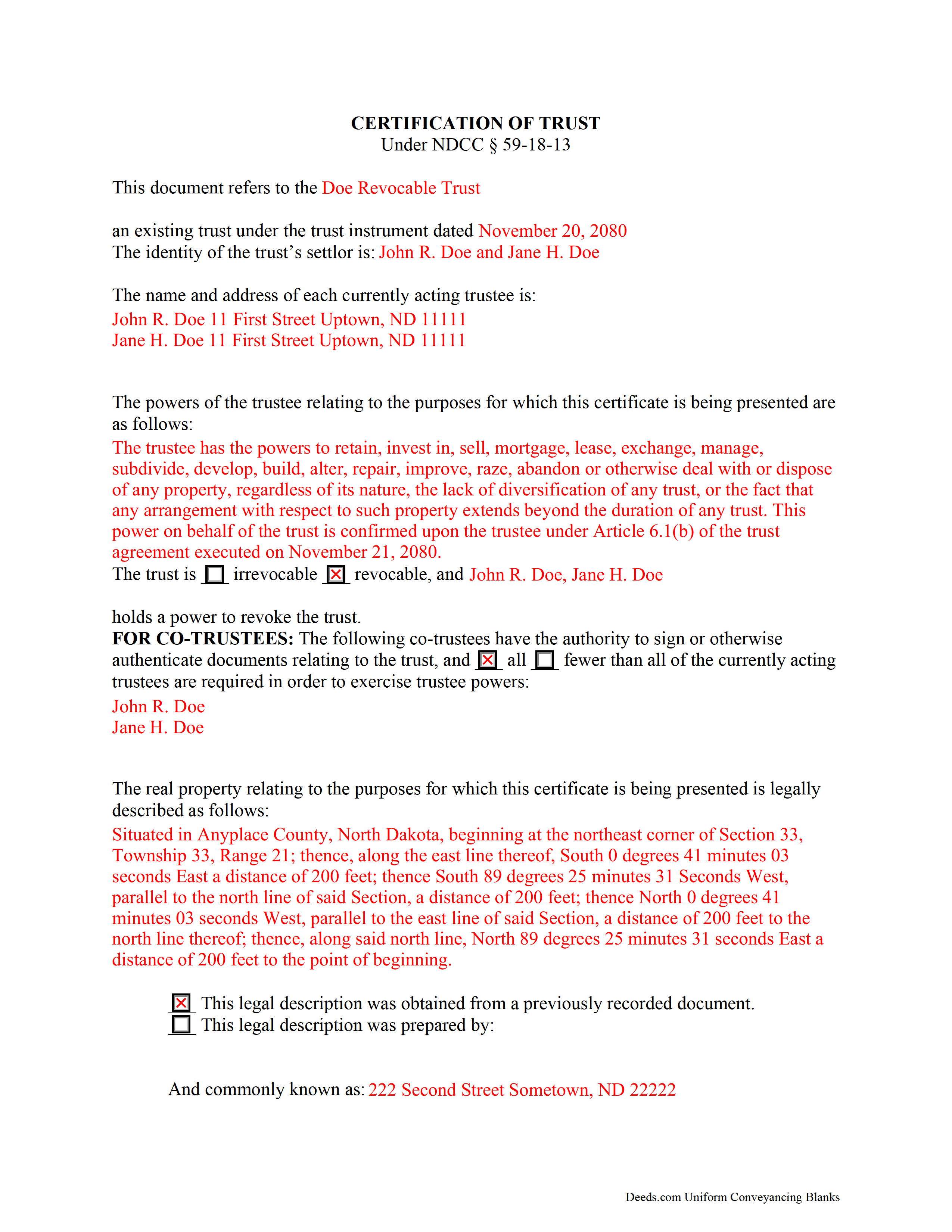
Grand Forks County Completed Example of the Certificate of Trust Document
Example of a properly completed form for reference.
All 3 documents above included • One-time purchase • No recurring fees
Immediate Download • Secure Checkout
Additional North Dakota and Grand Forks County documents included at no extra charge:
Where to Record Your Documents
Grand Forks County Recorder
Grand Forks, North Dakota 58206-5066
Hours: 8:00 to 5:00 M-F / Recording until 4:30
Phone: (701) 780-8262, 8263, 8261
Recording Tips for Grand Forks County:
- Bring your driver's license or state-issued photo ID
- Ensure all signatures are in blue or black ink
- Double-check legal descriptions match your existing deed
- Verify all names are spelled correctly before recording
- White-out or correction fluid may cause rejection
Cities and Jurisdictions in Grand Forks County
Properties in any of these areas use Grand Forks County forms:
- Arvilla
- Emerado
- Gilby
- Grand Forks
- Grand Forks Afb
- Inkster
- Larimore
- Manvel
- Mekinock
- Niagara
- Northwood
- Reynolds
- Thompson
Hours, fees, requirements, and more for Grand Forks County
How do I get my forms?
Forms are available for immediate download after payment. The Grand Forks County forms will be in your account ready to download to your computer. An account is created for you during checkout if you don't have one. Forms are NOT emailed.
Are these forms guaranteed to be recordable in Grand Forks County?
Yes. Our form blanks are guaranteed to meet or exceed the applicable formatting requirements used for recording in Grand Forks County, including margin requirements, font requirements, and other layout standards. This guarantee applies to formatting, not to the legal sufficiency of information entered by the user or the suitability of a form for a particular transaction.
Can I reuse these forms?
Yes. You can reuse the forms for your personal use. For example, if you have multiple properties in Grand Forks County you only need to order once.
What do I need to use these forms?
The forms are PDFs that you fill out on your computer. The free Adobe Acrobat Reader is recommended, and most PDF apps also work. You do NOT enter your property information online - you download the blank forms and complete them privately on your own computer.
Are there any recurring fees?
No. This is a one-time purchase. Nothing to cancel, no memberships, no recurring fees.
How much does it cost to record in Grand Forks County?
Recording fees in Grand Forks County vary. Contact the recorder's office at (701) 780-8262, 8263, 8261 for current fees.
Questions answered? Let's get started!
Codified at N. D. Cent. Code 59-18-13 as part of the North Dakota Uniform Trust Code, the certification of trust is a document containing essential information about a trust. A trustee can present a certificate when entering transactions on behalf of a trust. As the name suggests, the form certifies the trust's existence and the trustee's authority to conduct business in the trust's name, and its recipient may rely upon the facts contained within it without further inquiry ( 59-18-13(6)).
A trust is an arrangement whereby a settlor (or grantor) transfers property to another person (trustee) to be held for the benefit of third (beneficiary). The trust is governed by the terms expressed in the trust instrument, a (generally) unrecorded document that designates the trustee, contains the scope of the trust's assets, and identifies the trust's beneficiaries. Some types of trust take effect during the settlor's lifetime (inter vivos trust), and others take effect upon the death of the settlor (testator), as provided for by a will (testamentary trust).
In North Dakota, the certification states that the trust exists and provides the trust's name and effective date of the trust instrument. In addition, it identifies each person who has contributed property to the trust as a settlor and gives the name and address of the currently acting trustee. The trustee's powers relevant to the pending transaction are enumerated; reference may be made to the statutory trustee powers codified at chapters 59-09 through 59-19 of the North Dakota Uniform Trust Code. The recipient of a certification of trust can request copies of excerpts from the trust instrument designating the trustee and conferring the power to act in the business at hand ( 59-18-13(5)).
The certificate also defines the trust as either irrevocable or revocable, and names who, if any, holds a power to revoke the trust. If the trust has co-trustees, the certificate states whether or not all trustees are required in order to carry out trustee powers. It also specifies, by name, which trustees can authorize trust documents. Finally, the document contains a statement that the trust has not been revoked, modified, or amended in any way that would falsify the statements made within.
Generally, it is unnecessary to provide a certificate of trust alongside conveyances of property from trustees in North Dakota, as the "trustee of a trust that holds title to real property is presumed to have the power to sell, convey, and encumber the real property unless restrictions on that power appear in the records of the county recorder" ( 47-10-26).
However, some situations may warrant an accompanying certificate, such as when a trustee is incorrectly identified on the deed into trust, or the trustee named on the current deed has been replaced [1]. When property deeded into a trust is erroneously titled in the name of the trust rather than the trustee of the trust, the subsequent conveyance out of the trust may be validated if the trustee's identity "is reasonably ascertainable from the conveyance or from other information of public record," such as a certification of trust ( 47-19-42.1). When used in transactions involving real property, the certificate should provide a legal description of the subject property.
The certificate must be signed by a trustee in the presence of a notary public. If recording is applicable to the situation, the certificate may be recorded through the recorder's office. Consult a lawyer with any questions.
(North Dakota COT Package includes form, guidelines, and completed example)
Important: Your property must be located in Grand Forks County to use these forms. Documents should be recorded at the county recording office listed above.
This Certificate of Trust meets all recording requirements specific to Grand Forks County.
Our Promise
The documents you receive here are guaranteed to meet or exceed the applicable Grand Forks County recording format requirements. If there is a rejection caused by our formatting, we will correct the issue or refund your payment. This guarantee applies to document formatting only and does not extend to information entered by the user, the selection of the form, or the legal effect of the completed document.
Save Time and Money
Get your Grand Forks County Certificate of Trust form done right the first time with Deeds.com Uniform Conveyancing Blanks. At Deeds.com, we understand that your time and money are valuable resources, and we don't want you to face a penalty fee or rejection imposed by a county recorder for submitting nonstandard documents. We constantly review and update our forms to meet rapidly changing state and county recording requirements for roughly 3,500 counties and local jurisdictions.
4.8 out of 5 - ( 4,842 Reviews )
Filomena G. 5 out of 5 stars
very helpful
Thank you!
RICK M. 5 out of 5 stars
great
Thank you!
Joe L. 5 out of 5 stars
Great service, and fast.
We appreciate your business and value your feedback. Thank you. Have a wonderful day!
Roger E. 5 out of 5 stars
I have not yet used the product, but am confident that I will like it, because of this prompt request for a product review.
Thank you for your feedback. We really appreciate it. Have a great day!
Angela L. 5 out of 5 stars
AWESOME!
Thank you!
Greg R. 5 out of 5 stars
I really had no problem navigating the forms. It was helpful!
Appreciate you taking the time to share that, Greg. Glad it was a smooth experience
PAMELA D. 5 out of 5 stars
great response!! Thank you
Thank you!
Jodi W. 1 out of 5 stars
Absolutely horrible service and experience. Would not recommend to anyone. If there was an option to select a zero star rating I would have. I am sure this review will not be posted.
Thank you for your feedback Jodi.
Jennifer T. 5 out of 5 stars
I got instant access to the exact forms I needed! The guide to completing the form was very thorough and easy to understand. I am very thankful for this service!
Thank you for the kind words Jennifer. We appreciate you!
John B. 5 out of 5 stars
Forms are as advertised and easy to access.
Thank you for your feedback. We really appreciate it. Have a great day!
Katherine M. 5 out of 5 stars
Easy smooth process to get a legal Maine template - thanks for providing
Thank you for your feedback. We really appreciate it. Have a great day!
Jim H. 5 out of 5 stars
Well written form, and the guidance document and example supplied were very helpful.
Thank you!
Nicole M. 5 out of 5 stars
This is my very first use with your company. I submitted my package and within the hour you had responded with an Invoice for me to pay so you could proceed with my recording. So far I am very impressed! Thank you.
Thank you for your feedback. We really appreciate it. Have a great day!
Rysta W. 5 out of 5 stars
Very easy to use and great price.
Thank you for your feedback. We really appreciate it. Have a great day!
Timothy N. 5 out of 5 stars
Extremely easy and fast recording of real estate records. I was impressed that it was less than 6 hours from the time I uploaded the document to Deeds.com to receiving confirmation that it was recorded by the county clerk. I would highly recommend this service to save you time and quickly get documents recorded!
Thank you for your feedback. We really appreciate it. Have a great day!