Steele County Quitclaim Deed (Corrective) Form
Last validated September 28, 2026 by our Forms Development TeamFormatted for recording in Steele County, for property anywhere in the county: rural and unincorporated areas as well as Finley, Hope, Luverne, Sharon.
- 3 documents included
- Immediate PDF download
- Formatting guarantee
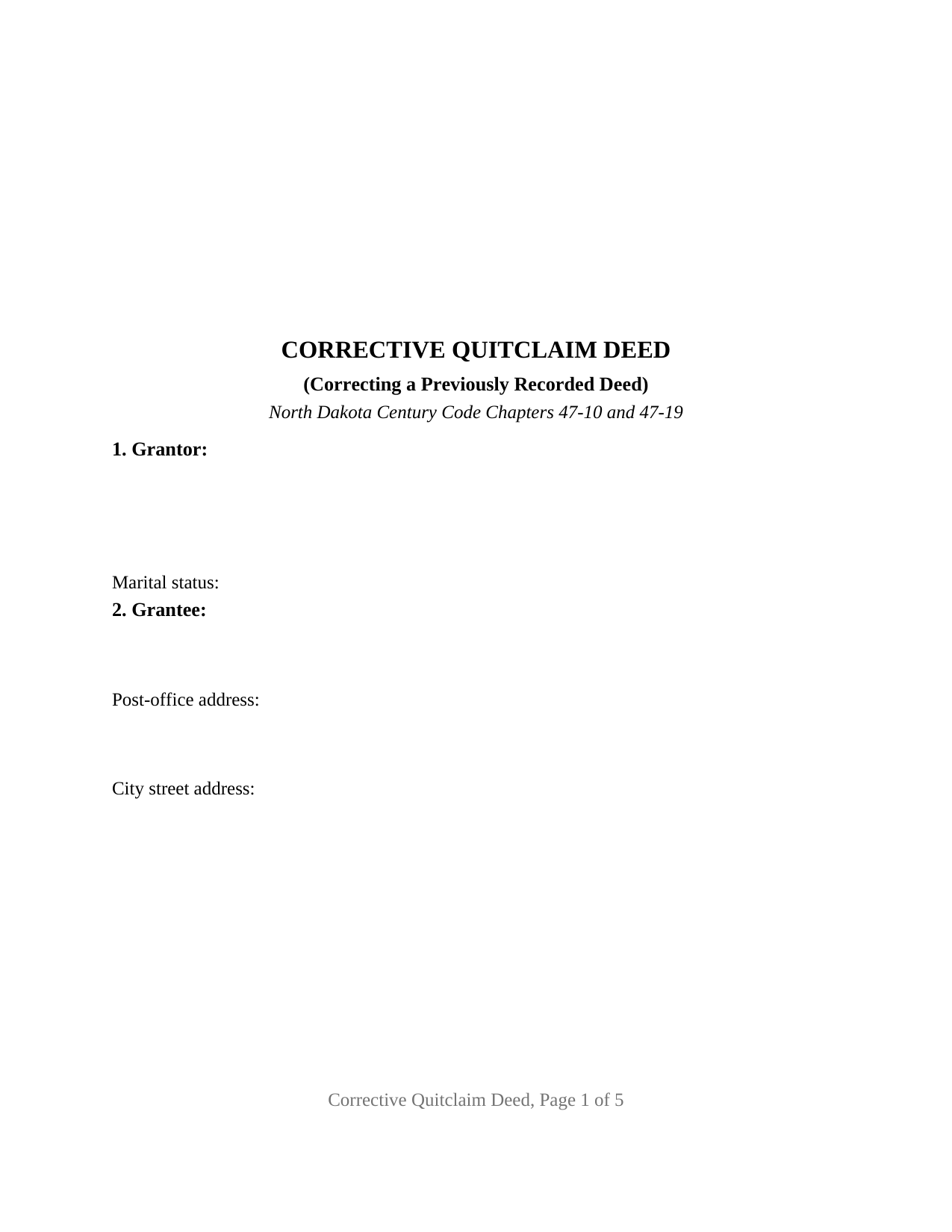
Steele County Quitclaim Deed (Corrective) Form
Fill in the blank Quitclaim Deed (Corrective) form formatted to comply with all North Dakota recording and content requirements.
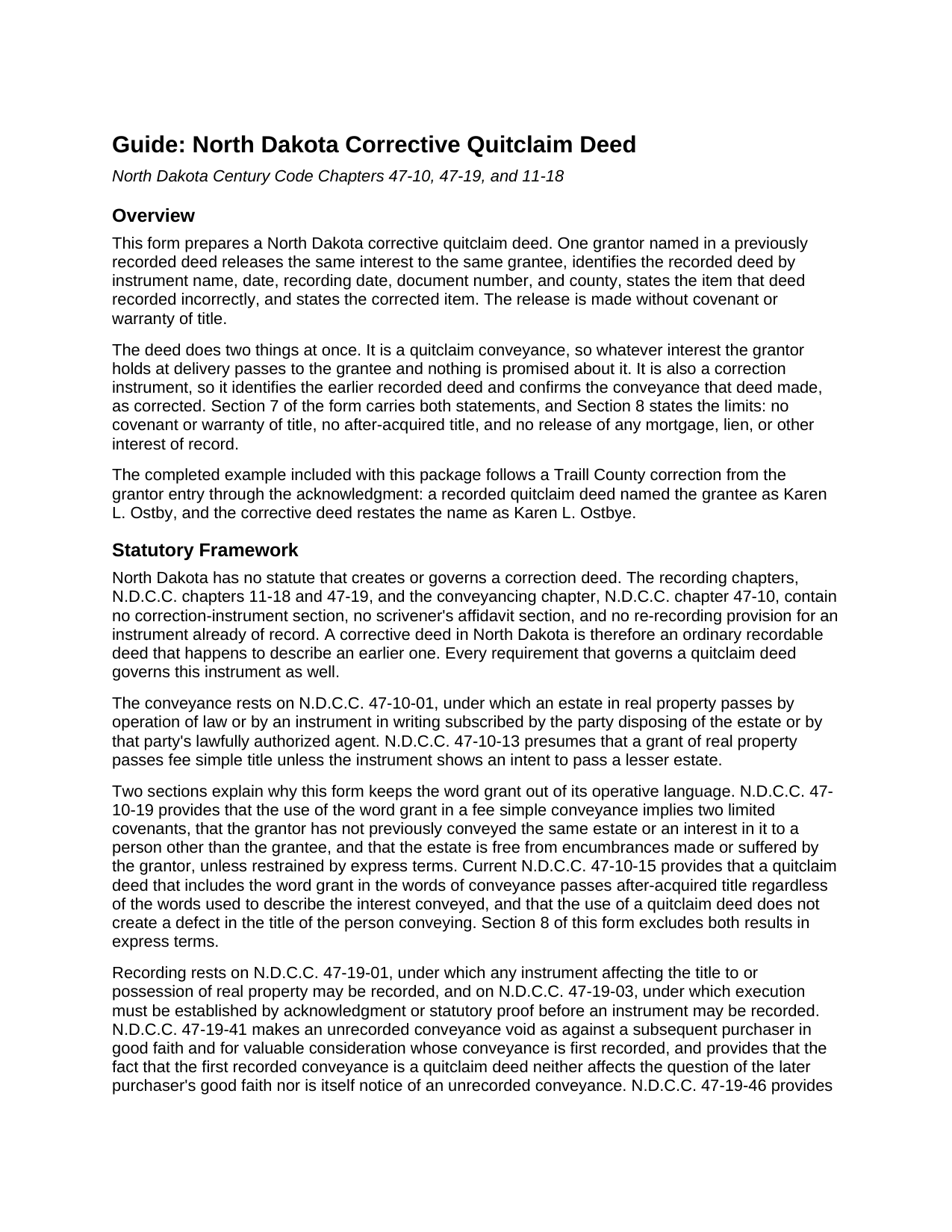
Steele County Quitclaim Deed (Corrective) Guide
Line by line guide explaining every blank on the Quitclaim Deed (Corrective) form.
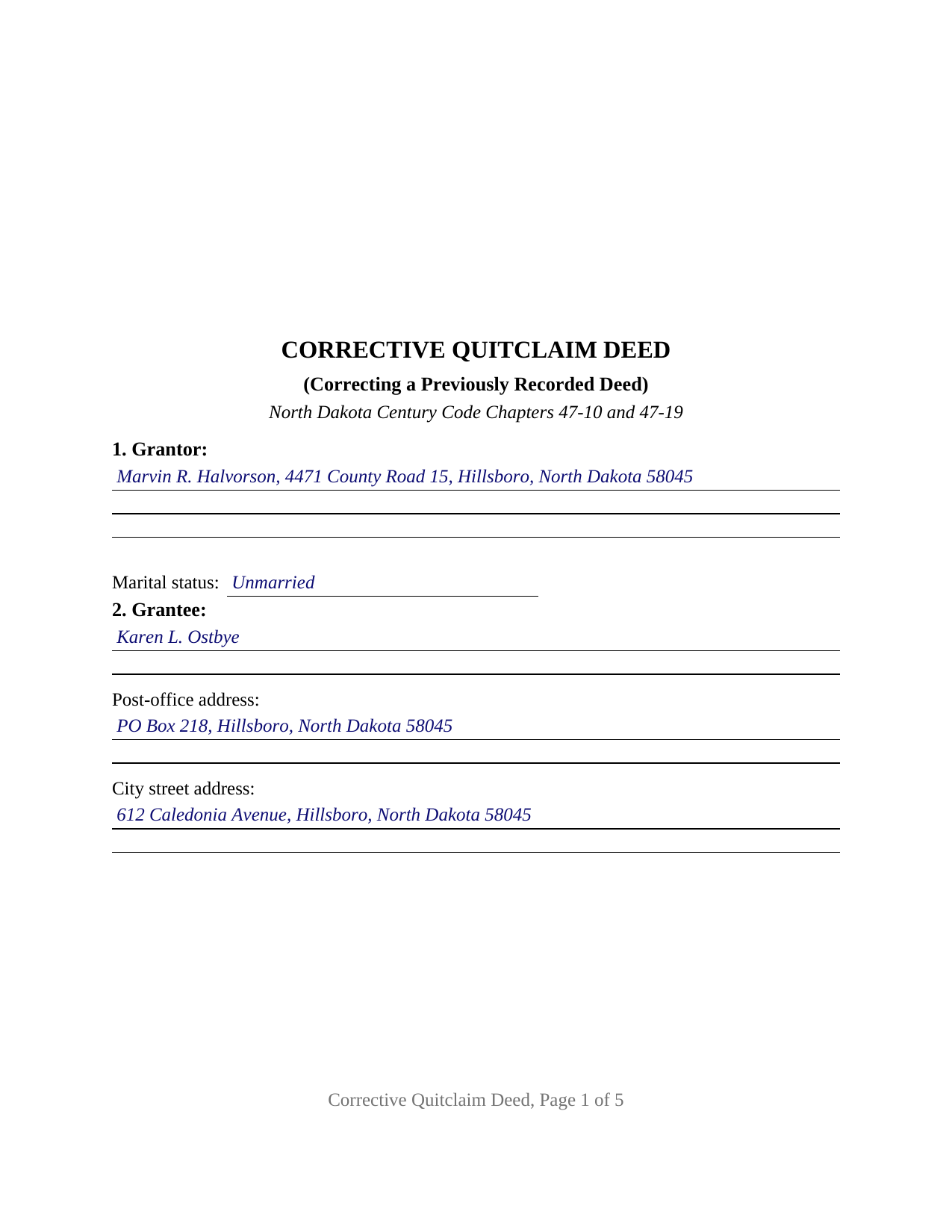
Steele County Completed Example of the Quitclaim Deed (Corrective) Document
Example of a properly completed North Dakota Quitclaim Deed (Corrective) document for reference.
All 3 documents above included • One-time purchase • No recurring fees
Immediate Download • Secure Checkout
Additional North Dakota and Steele County documents included at no extra charge:
Where to Record Your Documents
Steele County Recorder
Finley, North Dakota 58230-0296
Hours: 8:00 to 12:00 & 1:00 to 4:30 Mon-Fri
Phone: (701) 524-2152
Recording Tips for Steele County:
- Bring your driver's license or state-issued photo ID
- Ensure all signatures are in blue or black ink
- Ask for certified copies if you need them for other transactions
- Ask if they accept credit cards - many offices are cash/check only
- Check that your notary's commission hasn't expired
Cities and Jurisdictions in Steele County
Properties in any of these areas use Steele County forms:
- Finley
- Hope
- Luverne
- Sharon
Hours, fees, requirements, and more for Steele County
How do I get my forms?
Forms are available for immediate download after payment. The Steele County forms will be in your account ready to download to your computer. An account is created for you during checkout if you don't have one. Forms are NOT emailed.
Are these forms guaranteed to be recordable in Steele County?
Yes. Our form blanks are guaranteed to meet or exceed the applicable formatting requirements used for recording in Steele County, including margin requirements, font requirements, and other layout standards. This guarantee applies to formatting, not to the legal sufficiency of information entered by the user or the suitability of a form for a particular transaction.
Can I reuse these forms?
Yes. You can reuse the forms for your personal use. For example, if you have multiple properties in Steele County you only need to order once.
What do I need to use these forms?
The forms are PDFs that you fill out on your computer. The free Adobe Acrobat Reader is recommended, and most PDF apps also work. You do NOT enter your property information online - you download the blank forms and complete them privately on your own computer.
Are there any recurring fees?
No. This is a one-time purchase. Nothing to cancel, no memberships, no recurring fees.
How much does it cost to record in Steele County?
Recording fees in Steele County vary. Contact the recorder's office at (701) 524-2152 for current fees.
Questions answered? Let's get started!
Most deeds describe land. This one also describes a deed. A North Dakota corrective quitclaim deed identifies a specific recorded instrument by document number, states the item that instrument recorded incorrectly, states the corrected item, and releases the same interest to the same grantee a second time, with no covenant or warranty of title behind it.
An instrument North Dakota never wrote a statute for
Searching the Century Code for a correction deed provision comes up empty. Chapter 11-18 governs the recorder, chapter 47-19 governs record title, chapter 47-10 governs conveyances, and none of the three carries a correction instrument section or a re-recording provision for a document already of record. That absence shapes the form: a corrective deed here is an ordinary recordable deed that happens to describe an earlier one. It answers to Section 47-10-01 as a writing subscribed by the party disposing of the estate, reaches the record under Section 47-19-01, and takes its priority from Section 47-19-41.
Two sections do the correcting
Section 3 identifies the earlier instrument by title, date, recording date, document number, and county, all of it read off the recorder's stamp or the county index. Section 4 then takes two entries: the item exactly as the recorded deed states it, and the item as corrected. A misspelled surname, a dropped middle initial, a transposed digit in a lot number. Setting both versions side by side leaves the examiner reading that record years later looking at what changed, rather than inferring it.
One grantor, one grantee, the same interest
The form recites exactly one grantor and exactly one grantee, both being the parties named in the deed under correction, so the new instrument indexes under the same names. It carries one signature block, one acknowledgment certificate, and a marital status line, which answers Section 47-18-05: a married person's homestead is conveyed only through an instrument that husband and wife both execute and acknowledge, a two-signature pattern this configuration does not recite. Section 7 marks the outer edge of the instrument, conveying no interest greater than the earlier deed conveyed and releasing no mortgage or lien. Adding a grantee, dropping one, or enlarging the land described is a conveyancing act rather than a correction, and a release signed by two owners, by an entity, or by an agent follows a different architecture.
The word left out
The operative words are remises, releases, and forever quitclaims, and grant is not among them. The omission does two jobs: Section 47-10-19 reads two limited covenants into that word, and current Section 47-10-15 sends after-acquired title through a quitclaim carrying it. Section 8 excludes both results in terms. Easements, severed minerals, restrictions, mortgages, and tax liens ride through a correction exactly as they rode through the deed being corrected.
When the original grantor cannot sign again
This instrument depends on the original grantor signing a second time. Where that is unavailable, or where someone took an interest in good faith and for value between the two recordings, North Dakota routes the problem elsewhere. Section 32-04-17 lets a court revise a written instrument for fraud or mutual mistake, without prejudice to rights third persons acquired in good faith and for value, and Estate of Vaage, 2016 ND 32, 875 N.W.2d 527, describes the clear and convincing proof that takes. Sections 47-19-11 and 47-19-12 open a recorded affidavit instead for a name variation or a homestead question. Each is prepared and recorded on its own, apart from this package.
What the recorder checks before the stamp
Section 9 prints the certification Section 11-18-02.2 puts on the face of a North Dakota deed, taking either the consideration paid or the exempting subdivision of subsection 6, where subdivision h reaches property transferred by quitclaim deed. Section 6 prints the drafter statement of Section 47-19-03.1, whose closing phrase covers a metes and bounds description copied from the instrument being corrected. The county auditor certifies transfer and taxes under Section 11-18-02 first, the statutory fee opens at twenty dollars through six pages, and the state levies no deed or transfer tax. Searches written as quit claim deed correction, or as correction deed, land on this configuration.
The download holds three files: the blank corrective quitclaim deed as a fillable PDF, a completed example filled in for a Traill County name correction, and a guide covering every numbered section, the ownership forms open to grantees, and the recording path. These materials describe North Dakota law in general terms and are not legal advice.
Important: Your property must be located in Steele County to use these forms. Documents should be recorded at the county recording office listed above.
This Quitclaim Deed (Corrective) meets all recording requirements specific to Steele County.
Our Promise
The documents you receive here are guaranteed to meet or exceed the applicable Steele County recording format requirements. If there is a rejection caused by our formatting, we will correct the issue or refund your payment. This guarantee applies to document formatting only and does not extend to information entered by the user, the selection of the form, or the legal effect of the completed document.
Save Time and Money
Get your Steele County Quitclaim Deed (Corrective) form done right the first time with Deeds.com Uniform Conveyancing Blanks. At Deeds.com, we understand that your time and money are valuable resources, and we don't want you to face a penalty fee or rejection imposed by a county recorder for submitting nonstandard documents. We constantly review and update our forms to meet rapidly changing state and county recording requirements for roughly 3,500 counties and local jurisdictions.
4.8 out of 5 - ( 4,831 Reviews )
Karen K. 5 out of 5 stars
Deeds was very easy to use. I thought it might take weeks to complete, but the whole process was completed in just a few hours. I am very satisfied with my experience and would use them again
Thank you for your feedback. We really appreciate it. Have a great day!
James B. 5 out of 5 stars
Does everything I expected it to do. Very helpful. It is in compliance with applicable Nevada State regulations
Thank you for your feedback. We really appreciate it. Have a great day!
Ginger M. 5 out of 5 stars
Deeds.com shares alot of useful information for home owners home buyers and investors i give it a thumbs up
We appreciate your business and value your feedback. Thank you. Have a wonderful day!
jeann p. 5 out of 5 stars
The site was extremely helpful.
We are delighted to have been of service. Thank you for the positive review!
Clinton M. 5 out of 5 stars
Very informative. I submitted my form.The county accepted it. Thank you.
Thank you for your feedback. We really appreciate it. Have a great day!
William G M. 5 out of 5 stars
This site is very easy to use.
Thank you!
Kitty H. 5 out of 5 stars
I have had it reviewed by a mortgage broker and a title manager and both said it was done correctly! Your product and the instructions are what made this possible. It took me several hours as I continued to review your information. I just finished printing and ready to file. Yeah! Thanks! Highly recommend the product!
We appreciate your business and value your feedback. Thank you. Have a wonderful day!
Cynthia H. 5 out of 5 stars
The entire process was simple and easy, from purchasing, downloading and saving the documents.
We appreciate your business and value your feedback. Thank you. Have a wonderful day!
Joyce B. 5 out of 5 stars
Very easy to purchase and download.
Thank you!
Kristina H. 5 out of 5 stars
Everything I needed to complete my release of lien was easy to obtain from Deed.com - and the example and instructions were helpful as well. The website is simple and efficient. Thanks!
We appreciate your business and value your feedback. Thank you. Have a wonderful day!
Darrell W. 5 out of 5 stars
Fast and easy to use. Nice to have available online.
Thank you for your feedback. We really appreciate it. Have a great day!
Tram V. 5 out of 5 stars
This is quick, easy, and very reasonably priced. I wish I found this site before doing my living trust. I had the company who does my trust do the transfer deed and they charged an additional $329 for the deed alone.
Thank you for your feedback. We really appreciate it. Have a great day!
William S. 5 out of 5 stars
Assuming that the downloads went without a hitch, the system was easy to follow and execute.
Thank you!
Ismael R. 5 out of 5 stars
Very informative and acess was instant and precise.
Great to hear — thank you for taking the time to write a review.
Rebecca H. 5 out of 5 stars
I thought the forms were reasonably priced, the instructions included in the packet were thorough, and the examples helpful. Thank you for the additional CDR forms too. I contacted the Recorder's office via email with a question and Jennifer Bowser answered promptly. Job well done! However, when I delivered the deed and Real Property Transfer Declaration to the Clerk's office in Lafayette, the clerk was unfamiliar with the Declaration document being submitted and it took some time to convince her to submit the form without charging the recording fee. She even tried to phone the recorder's office for clarification, but no one answered. There then was an additional form at that office that I had to complete called Recording Request/Transmittal Form. I would suggest including that form with instructions in your on-line packet to speed up the process when a Deed is delivered to the County Clerk's satellite office. I do not expect every clerk to know all the particulars of recording requirements but a little knowledge wouldn't hurt.
Thank you for your feedback. We really appreciate it. Have a great day!