Rolette County Special Warranty Deed Form
Last validated October 30, 2026 by our Forms Development TeamFormatted for recording in Rolette County, for property anywhere in the county: rural and unincorporated areas as well as Agate, Belcourt, Dunseith, Mylo, Rolette, Rolla, Saint John.
- 3 documents included
- Immediate PDF download
- Formatting guarantee
Rolette County Special Warranty Deed Form
Fill in the blank form formatted to comply with all recording and content requirements.
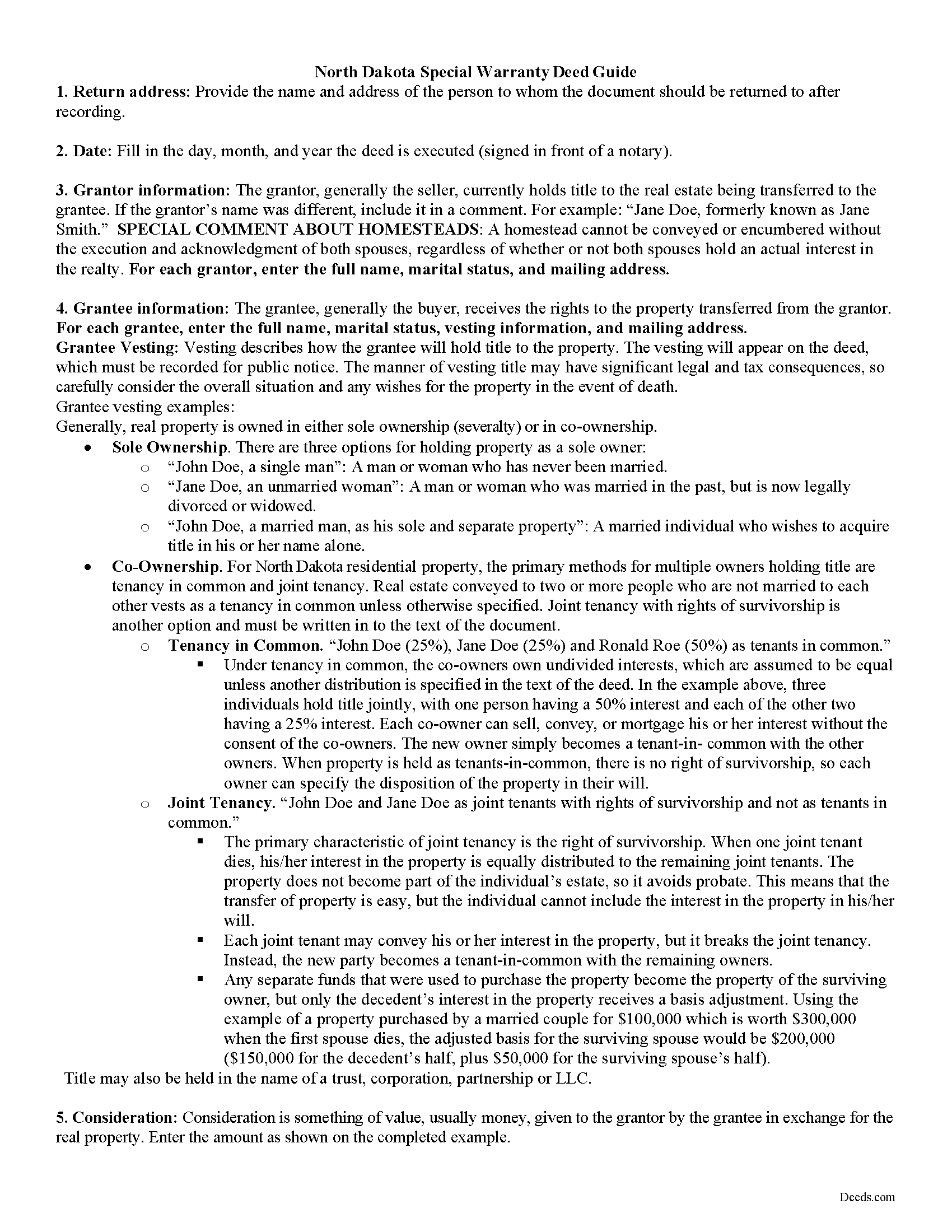
Rolette County Special Warranty Deed Guide
Line by line guide explaining every blank on the form.
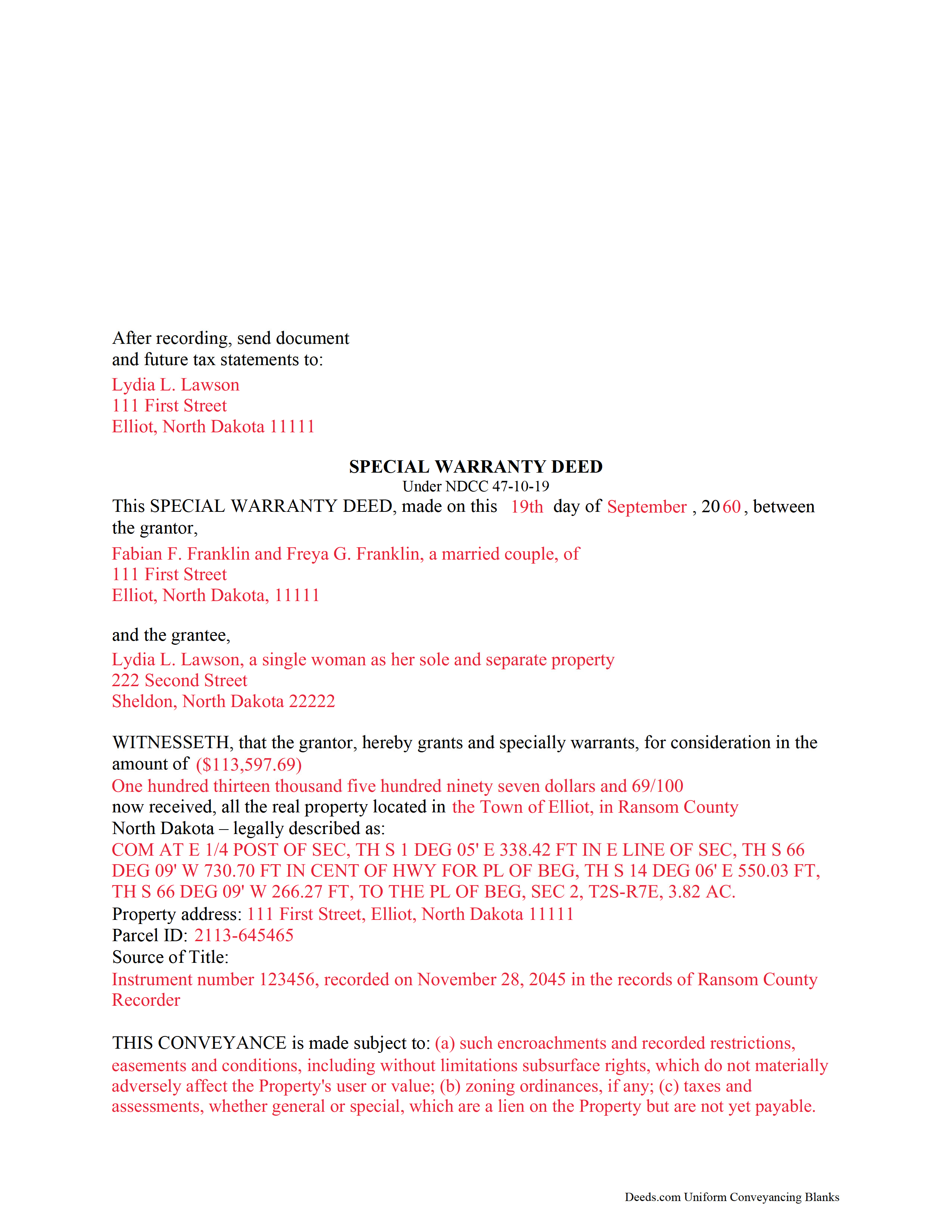
Rolette County Completed Example of the Special Warranty Deed Document
Example of a properly completed form for reference.
All 3 documents above included • One-time purchase • No recurring fees
Immediate Download • Secure Checkout
Additional North Dakota and Rolette County documents included at no extra charge:
Where to Record Your Documents
Rolette County Recorder
Rolla, North Dakota 58367
Hours: 8:30 to 12:30 & 1:00 to 4:30 M-F
Phone: (701) 477-3166
Recording Tips for Rolette County:
- Bring your driver's license or state-issued photo ID
- Ensure all signatures are in blue or black ink
- Bring extra funds - fees can vary by document type and page count
- Check margin requirements - usually 1-2 inches at top
- Leave recording info boxes blank - the office fills these
Cities and Jurisdictions in Rolette County
Properties in any of these areas use Rolette County forms:
- Agate
- Belcourt
- Dunseith
- Mylo
- Rolette
- Rolla
- Saint John
Hours, fees, requirements, and more for Rolette County
How do I get my forms?
Forms are available for immediate download after payment. The Rolette County forms will be in your account ready to download to your computer. An account is created for you during checkout if you don't have one. Forms are NOT emailed.
Are these forms guaranteed to be recordable in Rolette County?
Yes. Our form blanks are guaranteed to meet or exceed the applicable formatting requirements used for recording in Rolette County, including margin requirements, font requirements, and other layout standards. This guarantee applies to formatting, not to the legal sufficiency of information entered by the user or the suitability of a form for a particular transaction.
Can I reuse these forms?
Yes. You can reuse the forms for your personal use. For example, if you have multiple properties in Rolette County you only need to order once.
What do I need to use these forms?
The forms are PDFs that you fill out on your computer. The free Adobe Acrobat Reader is recommended, and most PDF apps also work. You do NOT enter your property information online - you download the blank forms and complete them privately on your own computer.
Are there any recurring fees?
No. This is a one-time purchase. Nothing to cancel, no memberships, no recurring fees.
How much does it cost to record in Rolette County?
Recording fees in Rolette County vary. Contact the recorder's office at (701) 477-3166 for current fees.
Questions answered? Let's get started!
A special warranty deed can be used to transfer title to real property in North Dakota. The statutory form for a grant of real property, as presented in 47-10-06 of the North Dakota Century Code, can be used for a special warranty deed. From the use of the word "grant" in a real estate deed, the following covenants are implied, unless restrained by specific terms in the deed: (1) That previous to the execution of the conveyance, the grantor has not conveyed the same estate or any right, title, or interest therein to any person other than the grantee, and (2) That the estate is, at the time of execution of the conveyance, free from encumbrances done, made, or suffered by the grantor or any person claiming under the grantor (47-10-19.). A special warranty deed also includes a covenant from the grantor to defend the title against only the claims and demands of the grantor and those claiming by, through, or under the grantor.
In order to be recorded in North Dakota, a special warranty deed must be signed and acknowledged by the grantor, and must also contain original signatures (47-19-03). If the deed has not been acknowledged as required, it can be proved by a subscribing witness (47-10-05). A special warranty deed can be proved or acknowledged at any place in North Dakota before a judge or clerk of the Supreme Court or a notary public (47-19-13). Other authorized officers in North Dakota, such as a mayor of a city, a recorder, or a county auditor, are able to take acknowledgments or proof only within their district (47-19-14). An officer taking proof or acknowledgment must endorse or attach a certificate to the deed , which should be in substantially the form provided in 47-19-27 of the NDCC (47-19-25, 26). A deed acknowledged out-of-state and in accordance with the laws of such state will be accepted for recording in North Dakota (47-19-35). In order to be recorded, some special warranty deeds will need to have an auditor's certificate of transfer and a completed Statement of Full Consideration (11-18-02 and 11-18-02.2).
Once a special warranty deed has been duly signed and acknowledged, the act of recording will serve as constructive notice of the contents of the instrument, as it appears of record, to all persons (47-19-19). A special warranty deed should be recorded in the office of the county recorder in the county where the property is located. An unrecorded special warranty deed is void against any subsequent purchaser in good faith, and for a valuable consideration, of the same real estate or portion thereof, whose conveyance is first deposited with the recorder and subsequently recorded, whether it is entitled to be recorded or not, or as against any attachment levied thereon or any judgment lawfully obtained at the suit of any party, against the person in whose name the title to such land appears of record, prior to the recording of such conveyance (47-19-41). If a special warranty deed is not recorded, it will be valid between the parties thereto and those who have notice of the instrument (47-19-46).
(North Dakota SWD Package includes form, guidelines, and completed example)
Important: Your property must be located in Rolette County to use these forms. Documents should be recorded at the county recording office listed above.
This Special Warranty Deed meets all recording requirements specific to Rolette County.
Our Promise
The documents you receive here are guaranteed to meet or exceed the applicable Rolette County recording format requirements. If there is a rejection caused by our formatting, we will correct the issue or refund your payment. This guarantee applies to document formatting only and does not extend to information entered by the user, the selection of the form, or the legal effect of the completed document.
Save Time and Money
Get your Rolette County Special Warranty Deed form done right the first time with Deeds.com Uniform Conveyancing Blanks. At Deeds.com, we understand that your time and money are valuable resources, and we don't want you to face a penalty fee or rejection imposed by a county recorder for submitting nonstandard documents. We constantly review and update our forms to meet rapidly changing state and county recording requirements for roughly 3,500 counties and local jurisdictions.
4.8 out of 5 - ( 4,842 Reviews )
Christina P. 5 out of 5 stars
Fantastic!! The gals at Deeds really seem to have their stuff together! Great Forms, easy, exhaustive, and most importantly... accepted at the recorder the FIRST TIME!
Thank you so much for your review! Your feedback is highly appreciated, and we look forward to assisting you again in the future!
George L. W. 5 out of 5 stars
Where have you been all my life?
Thank you!
Jo Anne M. 5 out of 5 stars
good I think
Thank you!
Miles B. 5 out of 5 stars
Fast, professional work at a great price.
We appreciate your business and value your feedback. Thank you. Have a wonderful day!
alena t. 5 out of 5 stars
It was quick and easy to print and download the forms I needed.
We appreciate your business and value your feedback. Thank you. Have a wonderful day!
Vicki C. 5 out of 5 stars
I purchased a Deed on Death for Washington State. Very user friendly site. Thank you 5star
Thank you for your feedback. We really appreciate it. Have a great day!
MIchael T. 5 out of 5 stars
very helpful in a trouble free manner.
Thank you!
constance t. 5 out of 5 stars
Excellent service!
We appreciate your business and value your feedback. Thank you. Have a wonderful day!
William C. 5 out of 5 stars
Excellent service. Reasonably priced. Highly recommend.
Thank you for your feedback. We really appreciate it. Have a great day!
John H. 5 out of 5 stars
I haven't begun yet, but this looks like what I need.
Thank you!
Susan J. 5 out of 5 stars
very fast service. immediate response and kept me informed along the way. the county was not cooperating and this was communicated to me and my fee was refunded, just like that. will definitely use this company again
Thank you!
Lutalo O. 5 out of 5 stars
Great tool for finding the best real estate forms!
We appreciate your business and value your feedback. Thank you. Have a wonderful day!
Deirdre M. 5 out of 5 stars
Good documents good price saved me a lot of money and time.
Thanks for the feedback Deirdre, we appreciate it.
Archie POA G. 5 out of 5 stars
got what I ordered, as expected, in good time
Thank you!
Alexandra M. 5 out of 5 stars
Needed a Limited Power of Attorney form for a real estate transaction in another state. Proper form came up immediately and was fairly easy to complete. I think the sample completed form should have been more completely explained in layman's language instead of legalese (such as person granting permission instead of grantor or something like your name and address and the person who will be signing on your behalf) but since the form was one price no matter how many ways it was printed out, it was fine. I just filled it out several ways and had it notarized and sent it to my sister. Whichever combination is appropriate she and the lawyer will have. I found the site easy to navigate
We appreciate your business and value your feedback. Thank you. Have a wonderful day!