Franklin County Affidavit of Confirmation (Married Beneficiaries) Form
Last validated October 23, 2026 by our Forms Development TeamFormatted for recording in Franklin County, for property anywhere in the county: rural and unincorporated areas as well as Amlin, Blacklick, Brice, Canal Winchester, Columbus, Dublin, Galloway, Grove City and 7 more.
- 3 documents included
- Immediate PDF download
- Formatting guarantee
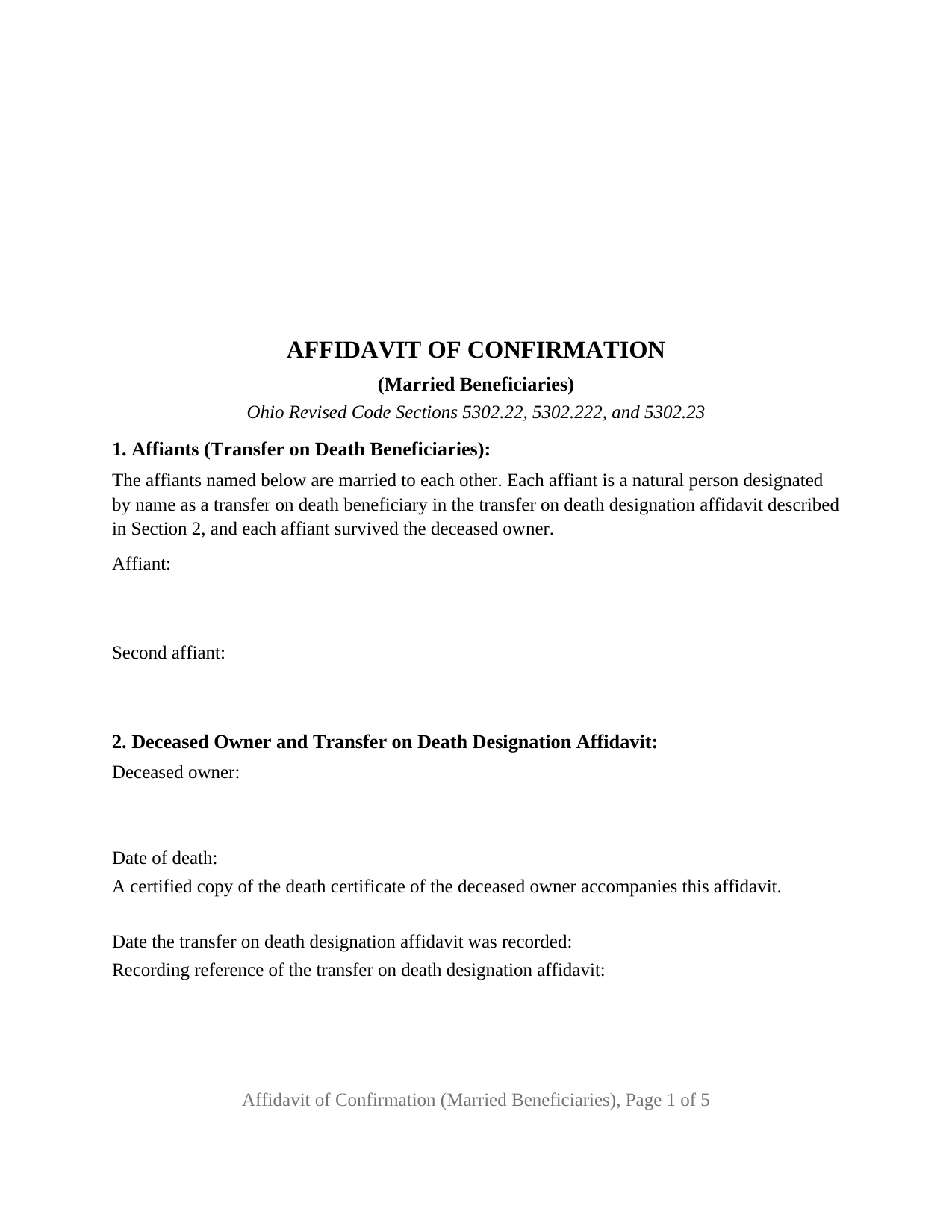
Franklin County Affidavit of Confirmation (Married Beneficiaries) Form
Fill in the blank Affidavit of Confirmation (Married Beneficiaries) form formatted to comply with all Ohio recording and content requirements.
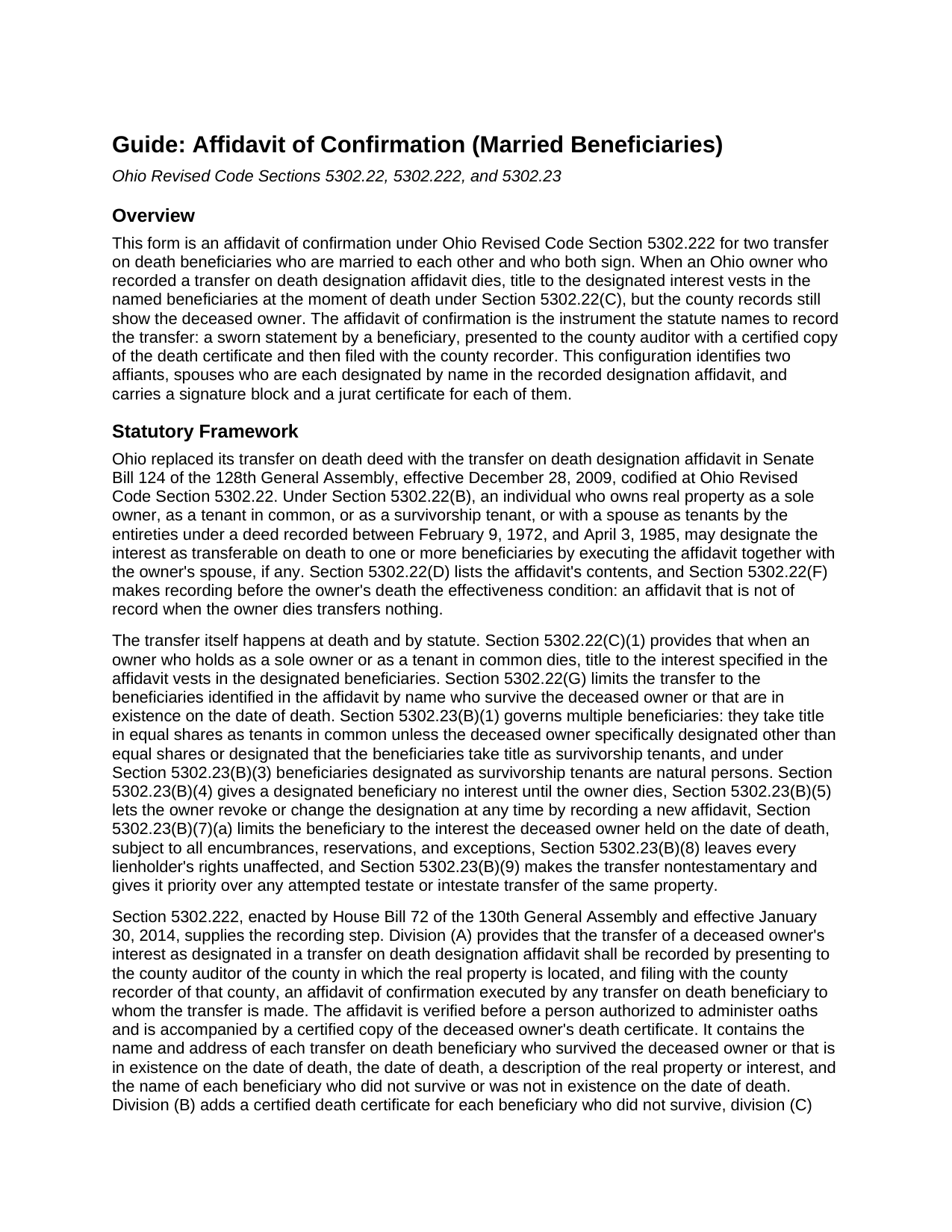
Franklin County Affidavit of Confirmation (Married Beneficiaries) Guide
Line by line guide explaining every blank on the Affidavit of Confirmation (Married Beneficiaries) form.
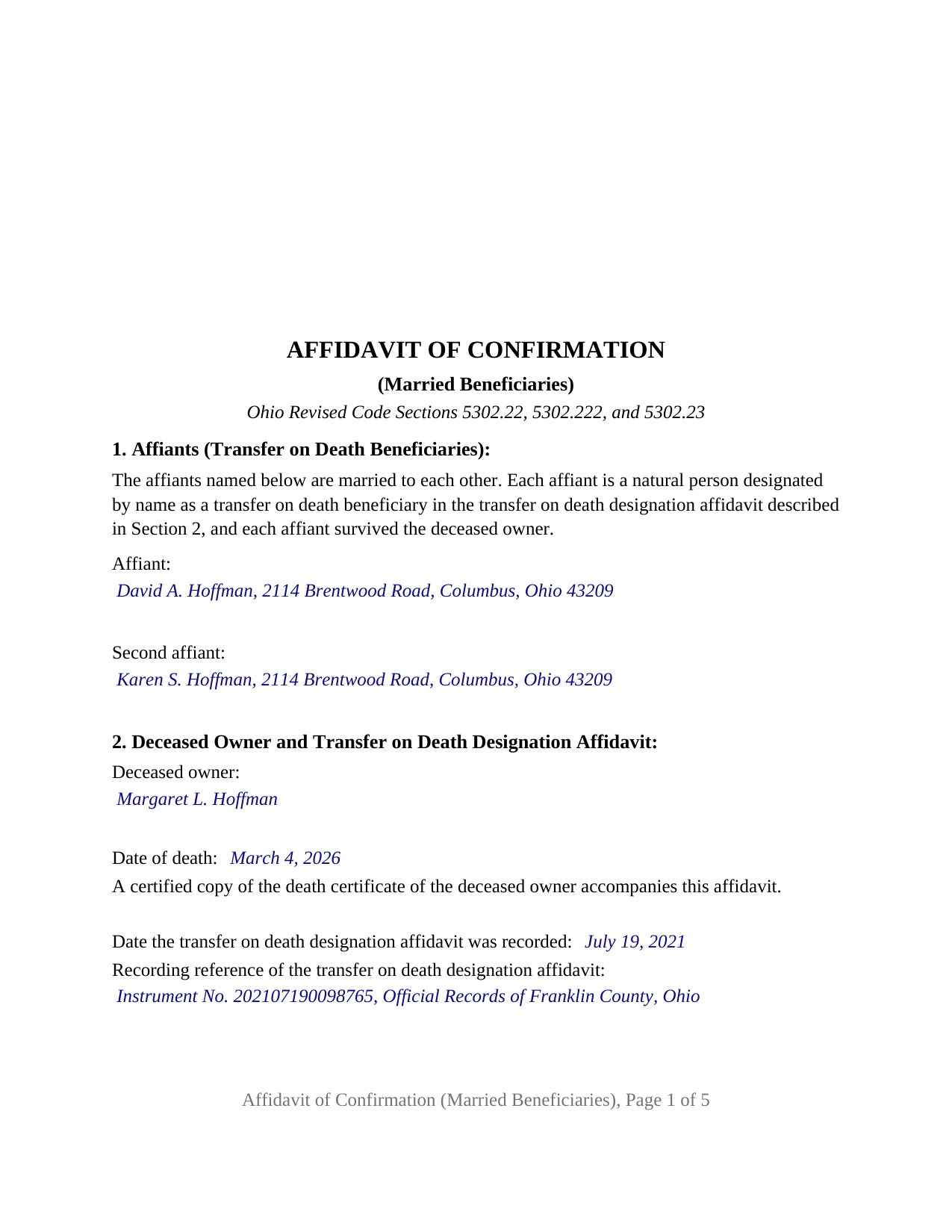
Franklin County Completed Example of the Affidavit of Confirmation (Married Beneficiaries) Document
Example of a properly completed Ohio Affidavit of Confirmation (Married Beneficiaries) document for reference.
All 3 documents above included • One-time purchase • No recurring fees
Immediate Download • Secure Checkout
Additional Ohio and Franklin County documents included at no extra charge:
Where to Record Your Documents
Franklin County Recorder
Columbus, Ohio 43215
Hours: 8:00 to 5:00 M-F
Phone: 614-525-3930
Recording Tips for Franklin County:
- Bring your driver's license or state-issued photo ID
- Ensure all signatures are in blue or black ink
- Check that your notary's commission hasn't expired
- Documents must be on 8.5 x 11 inch white paper
- Double-check legal descriptions match your existing deed
Cities and Jurisdictions in Franklin County
Properties in any of these areas use Franklin County forms:
- Amlin
- Blacklick
- Brice
- Canal Winchester
- Columbus
- Dublin
- Galloway
- Grove City
- Groveport
- Harrisburg
- Hilliard
- Lockbourne
- New Albany
- Reynoldsburg
- Westerville
Hours, fees, requirements, and more for Franklin County
How do I get my forms?
Forms are available for immediate download after payment. The Franklin County forms will be in your account ready to download to your computer. An account is created for you during checkout if you don't have one. Forms are NOT emailed.
Are these forms guaranteed to be recordable in Franklin County?
Yes. Our form blanks are guaranteed to meet or exceed the applicable formatting requirements used for recording in Franklin County, including margin requirements, font requirements, and other layout standards. This guarantee applies to formatting, not to the legal sufficiency of information entered by the user or the suitability of a form for a particular transaction.
Can I reuse these forms?
Yes. You can reuse the forms for your personal use. For example, if you have multiple properties in Franklin County you only need to order once.
What do I need to use these forms?
The forms are PDFs that you fill out on your computer. The free Adobe Acrobat Reader is recommended, and most PDF apps also work. You do NOT enter your property information online - you download the blank forms and complete them privately on your own computer.
Are there any recurring fees?
No. This is a one-time purchase. Nothing to cancel, no memberships, no recurring fees.
How much does it cost to record in Franklin County?
Recording fees in Franklin County vary. Contact the recorder's office at 614-525-3930 for current fees.
Questions answered? Let's get started!
Two spouses named together as the transfer on death beneficiaries of Ohio real estate can place the transfer of record with one sworn instrument that both of them sign. This Ohio Affidavit of Confirmation (Married Beneficiaries) is that instrument under Ohio Revised Code Section 5302.222: an affidavit by two affiants who are married to each other, each named in the recorded transfer on death designation affidavit, presented to the county auditor and filed with the county recorder after the owner's death.
Two beneficiaries, one affidavit, two oaths
Section 5302.222(A) has the transfer recorded by an affidavit of confirmation executed by any transfer on death beneficiary to whom the transfer is made, verified before a person authorized to administer oaths. This form has both spouses swear. Its first section prints the configuration as fixed text: the affiants are married to each other, each is designated by name in the designation affidavit, and each survived the deceased owner. Both names and mailing addresses go on the face of the instrument for the auditor's tax list under Section 319.20. The form carries two signature blocks, headed AFFIANT and SECOND AFFIANT, and two jurat certificates, one for each spouse, so the oaths may be taken on different days or before different officers.
How the spouses hold title afterward
The affidavit of confirmation does not decide how the couple owns the property; the deceased owner's designation affidavit already did. Under Section 5302.23(B)(1), two or more transfer on death beneficiaries take title in equal shares as tenants in common unless the owner designated other than equal shares or designated the beneficiaries as survivorship tenants. The form's confirmation section states that the beneficiaries take title in the shares and in the manner stated in the designation affidavit: a survivorship designation carries the home to the surviving spouse at the first of their deaths, while one without survivorship language leaves each spouse an undivided half. No tenancy by the entireties results, since Section 5302.22(A)(4) recognizes that estate only under deeds recorded between 1972 and 1985, and dower under Section 2103.02 attaches to each spouse's share.
What the sworn statements carry
Section 5302.222 lists the affidavit's contents rather than printing a form, and the form follows the list. The deceased owner and the recorded designation affidavit are identified by name, date of death, and recording reference, with fixed text stating that the designation was recorded before the death and that no later affidavit revoked or changed it. The property section carries the legal description, parcel number, street address, and prior instrument reference; a fourth section lists any other beneficiaries, who do not sign. The operative section has no blanks: the affiants, each first duly sworn, make the affidavit of confirmation under Section 5302.222 to record the transfer on death of the deceased owner's interest, subject to all encumbrances, reservations, and exceptions. A knowingly false statement is falsification under Section 5302.222(E).
The couples this configuration describes
A parent who named a son and daughter-in-law as the beneficiaries of the family home, and an aunt who named a niece and the niece's husband as the beneficiaries of a rental duplex, present the two-affiant pattern the form states. The form is not set up as an affidavit by one beneficiary signing alone, by a trustee or an entity, by a contingent beneficiary taking the place of one who died first, or for a transfer that waited for the last death among survivorship tenants. In practice the instrument is also called a TOD affidavit of confirmation.
Auditor, then recorder
The affidavit goes first to the county auditor of the county where the property lies, with a certified copy of the owner's death certificate and the Section 319.202 conveyance fee statement, and then to the county recorder, who provides the Medicaid estate recovery form Section 5302.221 prescribes and records the affidavit under Section 5302.222(C). The form follows the Section 317.114 standard, with twelve point body text and the three inch blank top margin on the first page, and carries the preparer statement Section 317.111 requires. Its five pages record for $58 at the statewide fee under Sections 317.32 and 317.36, before any county surcharge.
The package includes the fillable affidavit of confirmation, a completed example filled in for a Franklin County couple, and the guide that describes every section, both jurats, and the path through the auditor's and recorder's offices. This description and the guide treat the form and the Ohio statutes that govern it in general terms only; neither is legal advice.
Important: Your property must be located in Franklin County to use these forms. Documents should be recorded at the county recording office listed above.
This Affidavit of Confirmation (Married Beneficiaries) meets all recording requirements specific to Franklin County.
Our Promise
The documents you receive here are guaranteed to meet or exceed the applicable Franklin County recording format requirements. If there is a rejection caused by our formatting, we will correct the issue or refund your payment. This guarantee applies to document formatting only and does not extend to information entered by the user, the selection of the form, or the legal effect of the completed document.
Save Time and Money
Get your Franklin County Affidavit of Confirmation (Married Beneficiaries) form done right the first time with Deeds.com Uniform Conveyancing Blanks. At Deeds.com, we understand that your time and money are valuable resources, and we don't want you to face a penalty fee or rejection imposed by a county recorder for submitting nonstandard documents. We constantly review and update our forms to meet rapidly changing state and county recording requirements for roughly 3,500 counties and local jurisdictions.
4.8 out of 5 - ( 4,832 Reviews )
David N. 5 out of 5 stars
It worked well for me. Now I need the actual lien form
Thank you!
Jacqueline B. 5 out of 5 stars
The service was very clear and direct. I was able to get everything I need right now. Your website is set up well. Thank you
Thank you for your feedback. We really appreciate it. Have a great day!
Thomas B. 5 out of 5 stars
My deeds were filed with Pinellas County Florida with a simple process and with no problems. 5 star for sure.
We appreciate your business and value your feedback. Thank you. Have a wonderful day!
John C N. 5 out of 5 stars
Just the website I needed. Very detailed and efficient.
Thank you for taking the time to provide your feedback John, we really appreciate it. Have an amazing day!
virginia a. 4 out of 5 stars
Thank you for the prompt instructions on the download and installation. The only problem I had was trying to input data into the form once I renamed the form.and saved it. I was unable to change the size of the font and was very frustrated. In the end I finally had to redo the entire form through Word using your format.
Thank you!
John B. 4 out of 5 stars
I purchased the Notice of Completion form because the City of Chula Vista did not have a "fillable" version of this form on their website. The Deeds.com version of this form is somewhat different than the City's version (8 numbered paragraphs vs. 11 numbered paragraphs.) However, it contains the same information in a different format. This form provided more blank space to fill in important items- like a long ownership name- than the version on the City's website. The recorder's office was satisfied with this form as I hand-delivered it to the Recorder's Office and they approved it for recording. Overall, I found this form easy to use and found the extra blank space for writing on the form helpful. My one comment for possible improvement is: it would be even more helpful (particularly for attorney users) to have strike-out capability. I would have liked having the ability to strike-out inapplicable portions of long awkward sentences. Still, I would use this form again.
Your feedback means a lot to us. Thank you.
Lisa M. 5 out of 5 stars
Excellent service!!
We appreciate your business and value your feedback. Thank you. Have a wonderful day!
Chris D. 5 out of 5 stars
Easy and affordable. I would recommend deeds.com
Thank you!
Alan K. 5 out of 5 stars
All I needed was a simple Certificate of Trust. Deeds.com had a template for exactly what I needed. I didn't have to make an appt with an attorney, wait for one to be available, nor pay a ridiculous amount for a standardized document. Super easy.
Thank you for your feedback. We really appreciate it. Have a great day!
Claudia S. 5 out of 5 stars
Very user friendly! Processing is very fast. I would highly recommend using Deed's.
We appreciate your business and value your feedback. Thank you. Have a wonderful day!
Robert H. 5 out of 5 stars
Excellent service and site. Easy to use. Finding the required forms was easy.
We appreciate your business and value your feedback. Thank you. Have a wonderful day!
Sylvia H. 5 out of 5 stars
Thank you so very much for such an easy experience.
Thank you for your feedback. We really appreciate it. Have a great day!
Robert M. 5 out of 5 stars
Best site of its kind I have ever found. Informative, intuitive, and best of all, everything worked on the first try. I will be HAPPY to recommend it. --- A retired full prof of business administration
We appreciate your business and value your feedback. Thank you. Have a wonderful day!
ralph m. 5 out of 5 stars
Overall the experience was pleasant and the services were delivered In a timely fashion
Thank you Ralph. Have a great day!
David W. 5 out of 5 stars
Excellent assistance provided by your forms, guide and example.
Thank you!