Montgomery County Affidavit of Confirmation Form
Last validated October 22, 2026 by our Forms Development TeamFormatted for recording in Montgomery County, for property anywhere in the county: rural and unincorporated areas as well as Brookville, Clayton, Dayton, Englewood, Farmersville, Germantown, Miamisburg, New Lebanon and 2 more.
- 3 documents included
- Immediate PDF download
- Formatting guarantee
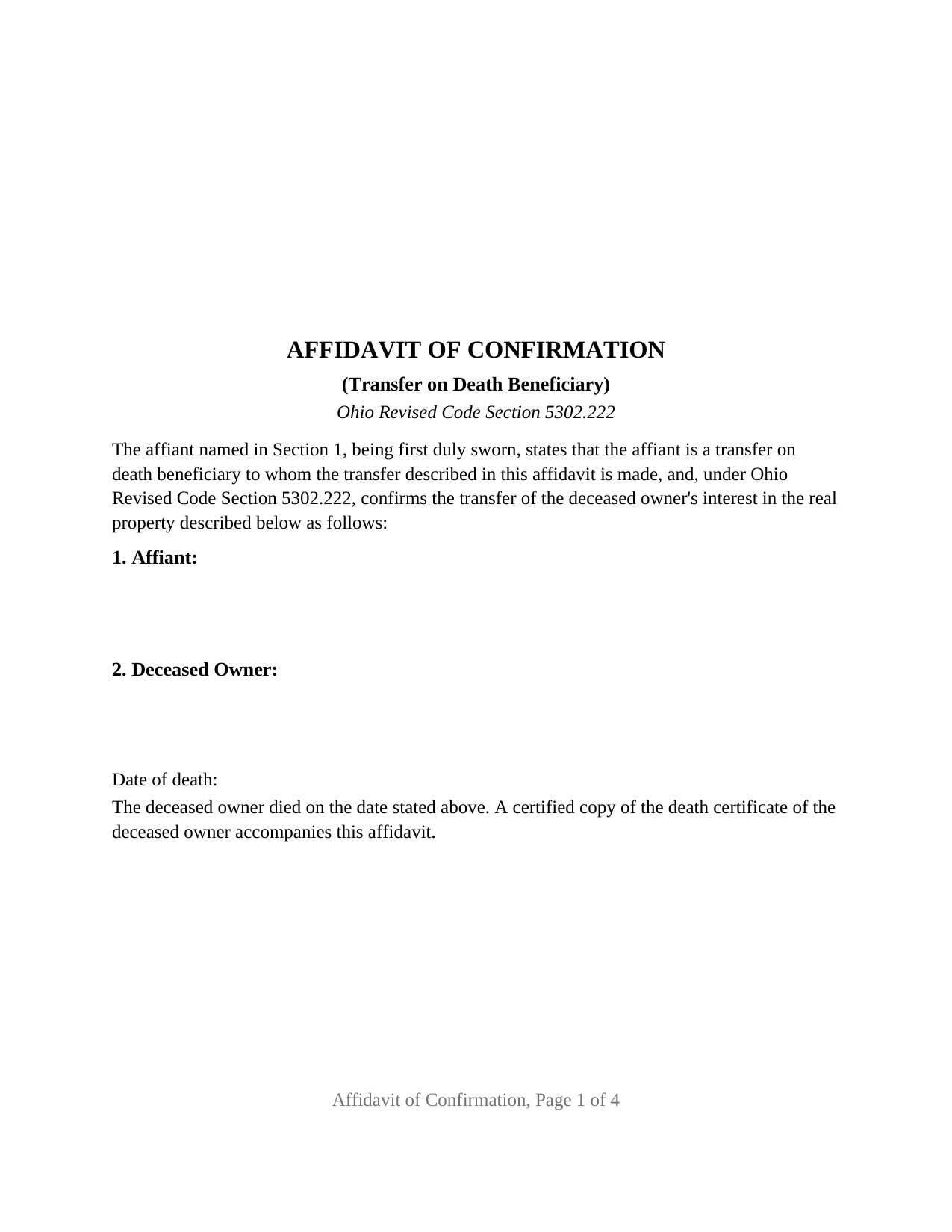
Montgomery County Affidavit of Confirmation Form
Fill in the blank Affidavit of Confirmation form formatted to comply with all Ohio recording and content requirements.
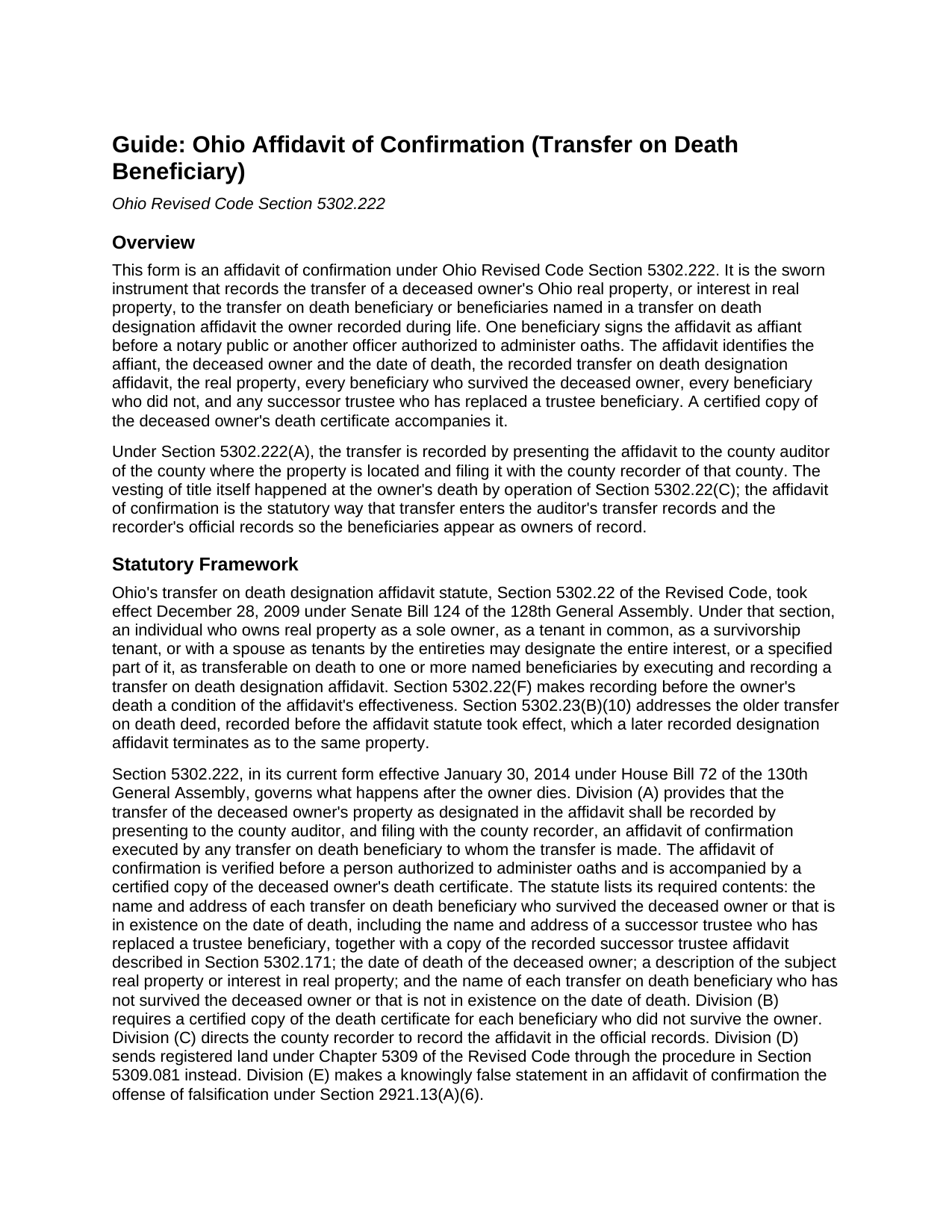
Montgomery County Affidavit of Confirmation Guide
Line by line guide explaining every blank on the Affidavit of Confirmation form.
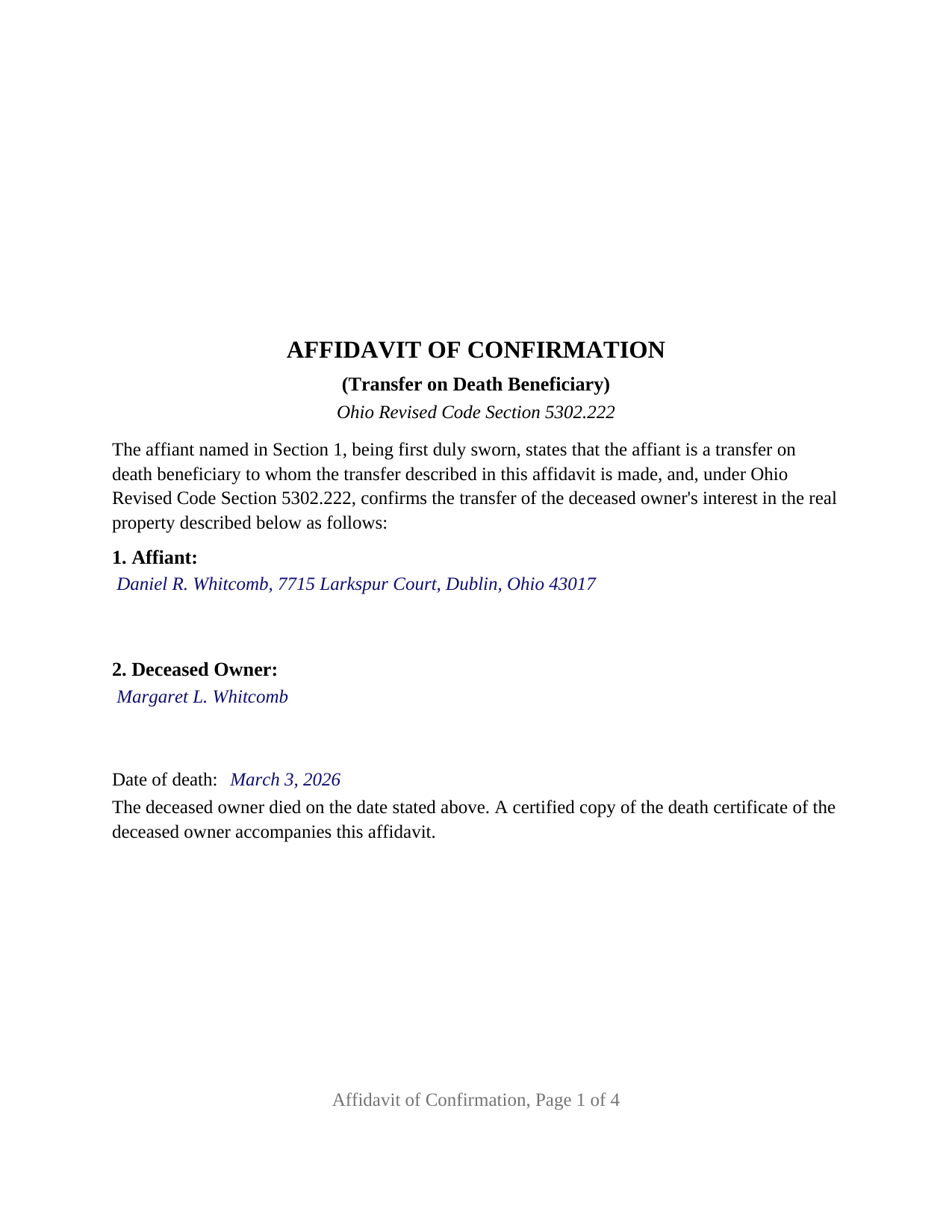
Montgomery County Completed Example of the Affidavit of Confirmation Document
Example of a properly completed Ohio Affidavit of Confirmation document for reference.
All 3 documents above included • One-time purchase • No recurring fees
Immediate Download • Secure Checkout
Additional Ohio and Montgomery County documents included at no extra charge:
Where to Record Your Documents
Montgomery County Recorder
Dayton, Ohio 45422-1387
Hours: 8:00 a.m. - 5:00 p.m. Monday - Friday / Documents recorded 8:00 – 4:00
Phone: (937) 225-4275
Recording Tips for Montgomery County:
- Bring your driver's license or state-issued photo ID
- Ensure all signatures are in blue or black ink
- Request a receipt showing your recording numbers
- Ask about accepted payment methods when you call ahead
- Ask for certified copies if you need them for other transactions
Cities and Jurisdictions in Montgomery County
Properties in any of these areas use Montgomery County forms:
- Brookville
- Clayton
- Dayton
- Englewood
- Farmersville
- Germantown
- Miamisburg
- New Lebanon
- Phillipsburg
- Vandalia
Hours, fees, requirements, and more for Montgomery County
How do I get my forms?
Forms are available for immediate download after payment. The Montgomery County forms will be in your account ready to download to your computer. An account is created for you during checkout if you don't have one. Forms are NOT emailed.
Are these forms guaranteed to be recordable in Montgomery County?
Yes. Our form blanks are guaranteed to meet or exceed the applicable formatting requirements used for recording in Montgomery County, including margin requirements, font requirements, and other layout standards. This guarantee applies to formatting, not to the legal sufficiency of information entered by the user or the suitability of a form for a particular transaction.
Can I reuse these forms?
Yes. You can reuse the forms for your personal use. For example, if you have multiple properties in Montgomery County you only need to order once.
What do I need to use these forms?
The forms are PDFs that you fill out on your computer. The free Adobe Acrobat Reader is recommended, and most PDF apps also work. You do NOT enter your property information online - you download the blank forms and complete them privately on your own computer.
Are there any recurring fees?
No. This is a one-time purchase. Nothing to cancel, no memberships, no recurring fees.
How much does it cost to record in Montgomery County?
Recording fees in Montgomery County vary. Contact the recorder's office at (937) 225-4275 for current fees.
Questions answered? Let's get started!
When an Ohio property owner who recorded a transfer on death designation affidavit dies, title passes to the named beneficiaries at that moment by operation of law. The paperwork does not follow on its own: the county auditor and county recorder still show the deceased owner until a beneficiary records an affidavit of confirmation under Ohio Revised Code Section 5302.222. This fillable form prepares that affidavit for Ohio real property.
The transfer happened at death; the affidavit puts it on record
Ohio's transfer on death designation affidavit, the instrument Section 5302.22 substituted for the older transfer on death deed in 2009, vests title in the designated beneficiaries when the owner dies, without probate. Section 5302.222 supplies the recording step: the transfer is recorded by presenting to the county auditor, and filing with the county recorder of the county where the property is located, an affidavit of confirmation executed by any transfer on death beneficiary to whom the transfer is made, verified before a person authorized to administer oaths and accompanied by a certified copy of the deceased owner's death certificate.
The affidavit of confirmation is therefore a sworn statement, not a deed. It confirms, for the public record, who died, when, under which recorded designation affidavit, what property is involved, and who takes it.
One beneficiary swears for every beneficiary
Section 5302.222 lets any beneficiary to whom the transfer is made execute the affidavit, so the form carries one affiant, one signature line, and one jurat. The affidavit still names everyone: the statute requires the name and address of each transfer on death beneficiary who survived the deceased owner or that is in existence on the date of death, and the name of each beneficiary who did not survive. The form gives each list its own section, and a third section for a successor trustee who has replaced a beneficiary named solely as trustee of a trust, whom Section 5302.22(G) treats as the beneficiary in existence at death.
Shares are not written into the affidavit. Under Section 5302.23(B)(1), two or more beneficiaries take in equal shares as tenants in common unless the designation affidavit stated other shares or a survivorship tenancy, and a contingent beneficiary takes the share of a named beneficiary who did not survive.
What the sworn statements cover
Beyond the four items the statute lists, the form's fixed statements recite the facts that make the transfer complete: that the designation affidavit was recorded before the owner's death, the condition Section 5302.22(F) places on its effectiveness; that the affiant knows of no later recorded designation affidavit revoking or changing the beneficiaries, the revocation method Section 5302.23(B)(5) provides; and that, where the owner held as a survivorship tenant or as a tenant by the entireties, the deceased owner was the last surviving tenant, since Section 5302.22(C) vests title in the beneficiaries only at that death. Section 5302.222(E) makes a knowingly false statement in the affidavit the offense of falsification.
Through the auditor, then the recorder
The sequence is fixed by the statute: auditor first, recorder second. At the auditor's counter the affidavit travels with a DTE 100EX statement of reason for exemption from the conveyance fee, or a DTE 100 where no exemption is claimed, and the certified death certificate; the auditor's conveyance standards under Section 319.203 govern the legal description and parcel number. The form carries the parcel number, the prior instrument reference Section 319.20 requires, and a mailing address for each beneficiary. The recorder then records the affidavit in the official records under Section 5302.222(C). The document is laid out to Ohio's standard format statute, Section 317.114, with the three inch blank first-page margin reserved for county endorsements, 12 point type over the 10 point minimum, and the preparer statement Section 317.111 requires.
A jurat, not an acknowledgment
Because the affidavit is sworn, the certificate below the signature is a jurat in the form Section 147.542 accepts, with the state and county venue, the date, the affiant's name, and the officer's signature, printed name, seal, and commission expiration. The guide covers an affidavit sworn outside Ohio under Section 147.51 and what an online notarization adds to the certificate.
The package includes the fillable affidavit of confirmation, a completed example filled in for a Franklin County fact pattern with two surviving beneficiaries, and the guide that walks through every numbered section and the auditor and recorder steps. The description and the guide describe the form and the governing Ohio statutes in general terms; they are not legal advice.
Important: Your property must be located in Montgomery County to use these forms. Documents should be recorded at the county recording office listed above.
This Affidavit of Confirmation meets all recording requirements specific to Montgomery County.
Our Promise
The documents you receive here are guaranteed to meet or exceed the applicable Montgomery County recording format requirements. If there is a rejection caused by our formatting, we will correct the issue or refund your payment. This guarantee applies to document formatting only and does not extend to information entered by the user, the selection of the form, or the legal effect of the completed document.
Save Time and Money
Get your Montgomery County Affidavit of Confirmation form done right the first time with Deeds.com Uniform Conveyancing Blanks. At Deeds.com, we understand that your time and money are valuable resources, and we don't want you to face a penalty fee or rejection imposed by a county recorder for submitting nonstandard documents. We constantly review and update our forms to meet rapidly changing state and county recording requirements for roughly 3,500 counties and local jurisdictions.
4.8 out of 5 - ( 4,845 Reviews )
Stephen K. 5 out of 5 stars
The forms were correct and the instructions and Completed sample were very helpful. I filled it out and filed it at the county office, they didn't question anything. Thank you.
Thank you!
David P. 5 out of 5 stars
You make the recording/registration process easy to follow - the value to price ratio is awesome!
We appreciate your business and value your feedback. Thank you. Have a wonderful day!
Frazer W. 5 out of 5 stars
Deeds.com does a great job getting our legal documents filed with the D.C. Recorder of Deeds. Frazer Walton, Jr. Law Office of Frazer Walton, Jr.
Your appreciative words mean the world to us. Thank you.
Alvera A. 5 out of 5 stars
Very easy to find my documents, download and print them!
We appreciate your business and value your feedback. Thank you. Have a wonderful day!
Victor K. 3 out of 5 stars
The form I needed was correct and paginated as required. It was accepted w/o penalties. I was not happy about the information which I found way too scant. One sample form does not cover enough possibilities, more would be helpful. The instruction page is a bit better but sometimes it is not clear enough - sometimes it is not clear what the numbered items in the form correspond to. There is no guidance about the process and it would take very little to provide it. Example about "description", say where to find. There is a bunch of "free forms" attached but no guide on which are needed and when. Example: at the counter I was given a paper "conveyance" form and asked to fill it - I did not know it was needed and what it did and so I had not d
Thank you for your feedback. We really appreciate it. Have a great day!
Laurel D. 5 out of 5 stars
This is a great service. I can't believe how fast my document was recorded!
Thank you for your feedback. We really appreciate it. Have a great day!
Victoria Y. 5 out of 5 stars
Great response and painless. Very easy to use
Thank you for your feedback. We really appreciate it. Have a great day!
Kevin C. 5 out of 5 stars
Easy to use but the quit claim deep looked old and dated. The example of how to fill out should have asterisks stating what is need and what can be skipped
Thank you for your feedback. We really appreciate it. Have a great day!
Dana L. 5 out of 5 stars
So far, so good! Love you guys!
We appreciate your business and value your feedback. Thank you. Have a wonderful day!
Dave M. 5 out of 5 stars
Service as needed. A bit expensive.
Thank you for your feedback. We really appreciate it. Have a great day!
Ashley H. 5 out of 5 stars
Thank you for the quick response time messaging back and forth to get this completed, and also the fairly speedy e-recording! Excellent customer service!!!
We appreciate your business and value your feedback. Thank you. Have a wonderful day!
Ronald T H. 5 out of 5 stars
Wow ! Easy to use. Thanks Ron Holt
We appreciate your business and value your feedback. Thank you. Have a wonderful day!
Catherine B. 5 out of 5 stars
Trying to get a hold of someone in the office is very difficult. This made it so much easier, thank you!
Thank you for your feedback. We really appreciate it. Have a great day!
PETER C. 5 out of 5 stars
The process was quick and simple to follow. Very efficient way to document Deeds.
Thank you!
Randy H. 5 out of 5 stars
Love this has all forms you need
We appreciate your business and value your feedback. Thank you. Have a wonderful day!