Darke County Affidavit of Survivorship (Trustee Beneficiary) Form
Last validated October 23, 2026 by our Forms Development TeamFormatted for recording in Darke County, for property anywhere in the county: rural and unincorporated areas as well as Ansonia, Arcanum, Gettysburg, Greenville, Hollansburg, New Madison, New Weston, North Star and 7 more.
- 3 documents included
- Immediate PDF download
- Formatting guarantee
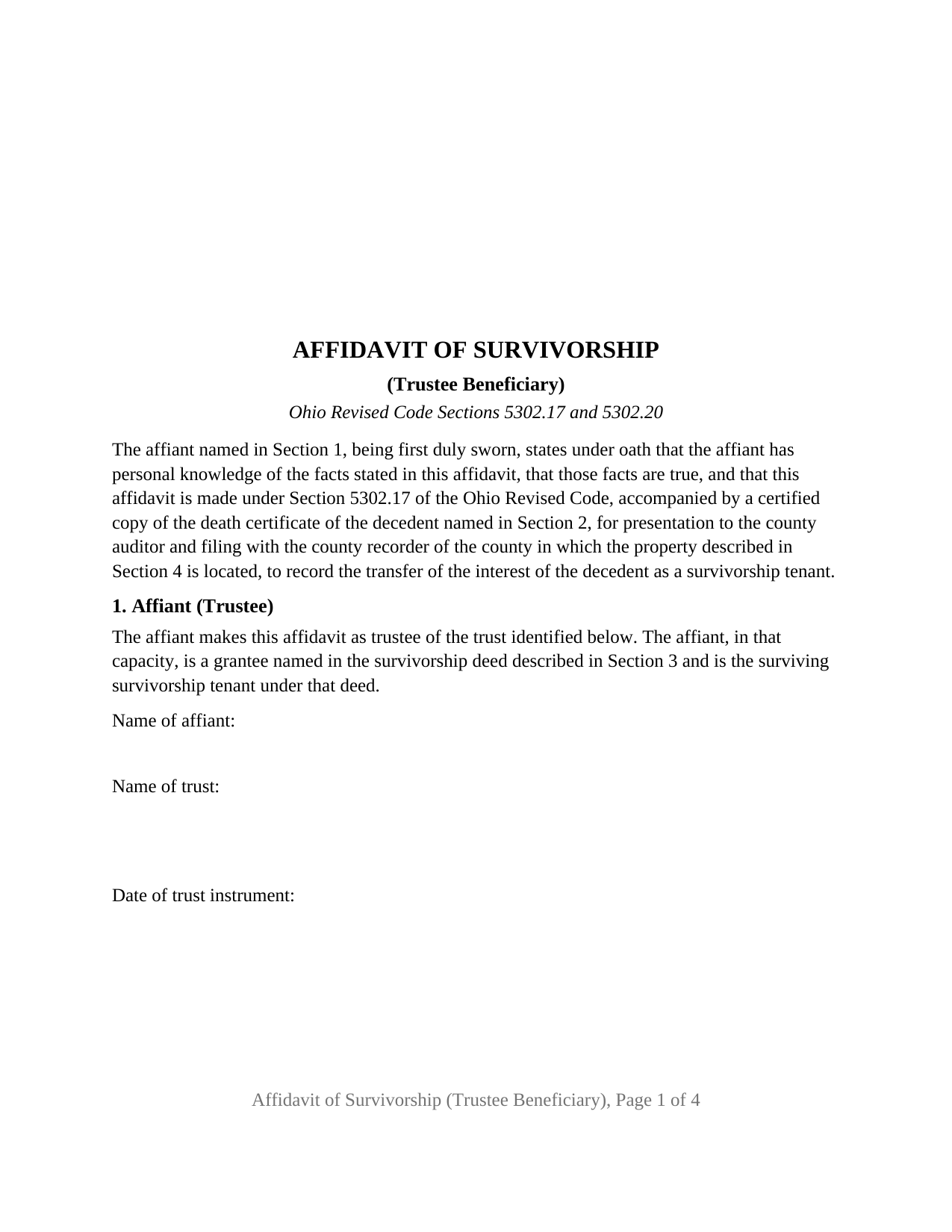
Darke County Affidavit of Survivorship (Trustee Beneficiary) Form
Fill in the blank Affidavit of Survivorship (Trustee Beneficiary) form formatted to comply with all Ohio recording and content requirements.
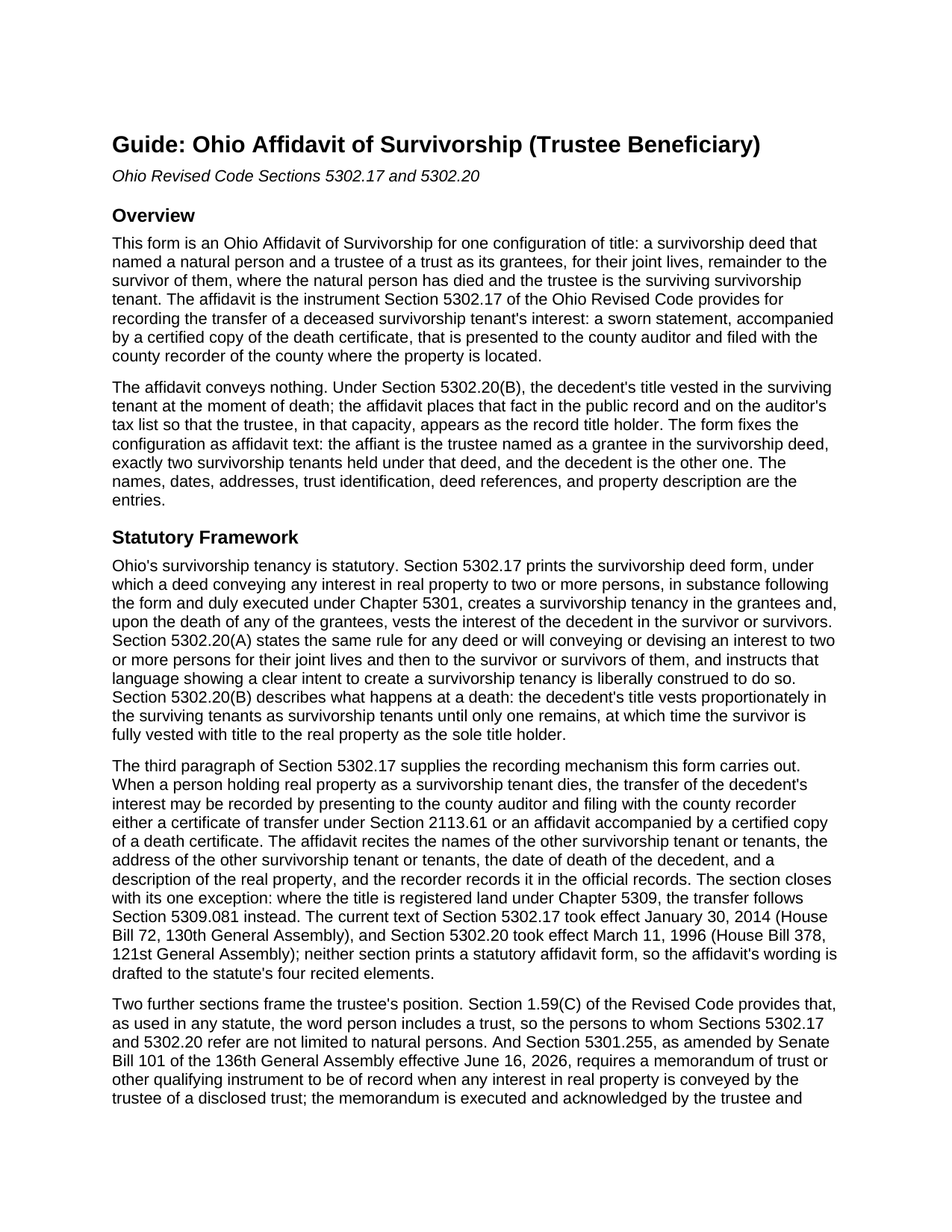
Darke County Affidavit of Survivorship (Trustee Beneficiary) Guide
Line by line guide explaining every blank on the Affidavit of Survivorship (Trustee Beneficiary) form.
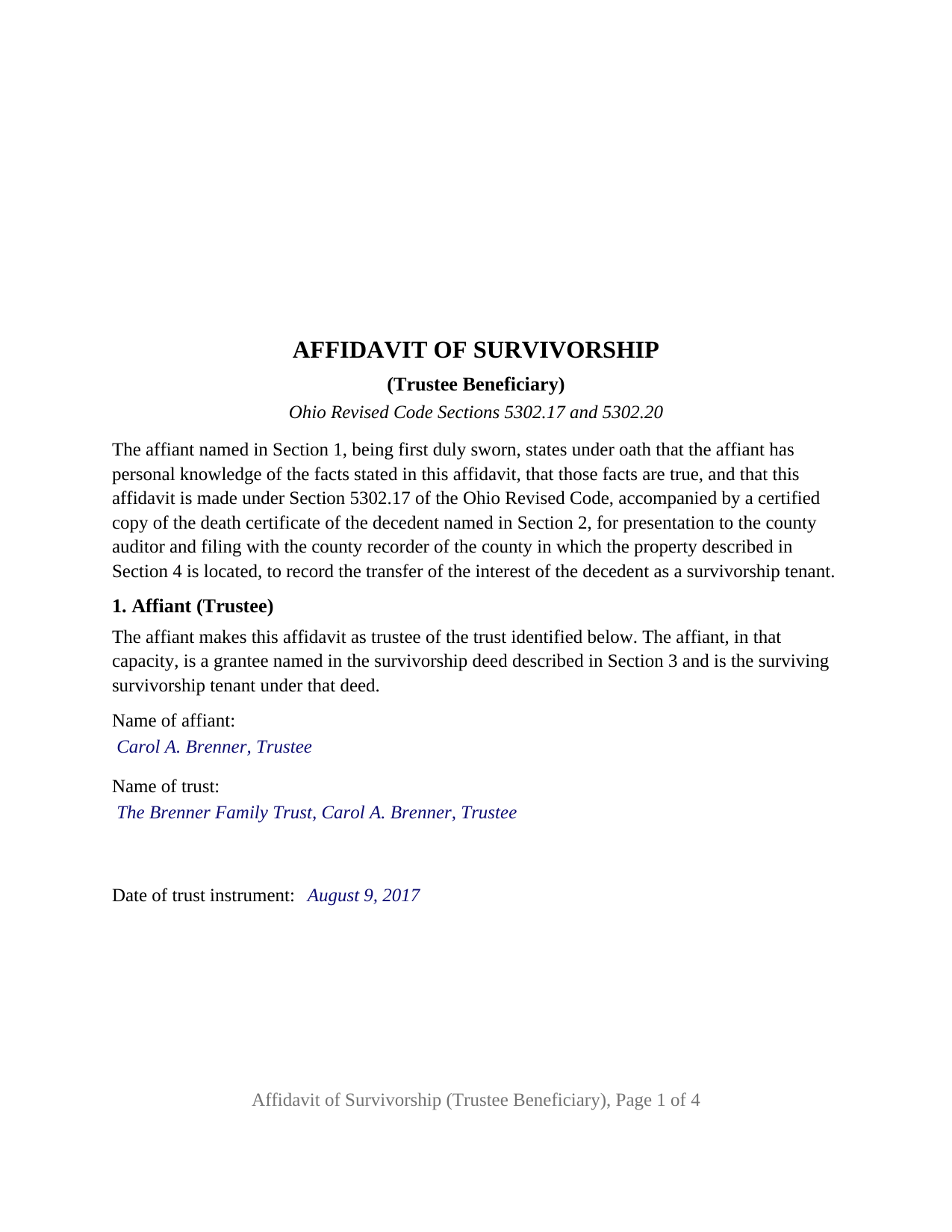
Darke County Completed Example of the Affidavit of Survivorship (Trustee Beneficiary) Document
Example of a properly completed Ohio Affidavit of Survivorship (Trustee Beneficiary) document for reference.
All 3 documents above included • One-time purchase • No recurring fees
Immediate Download • Secure Checkout
Additional Ohio and Darke County documents included at no extra charge:
Where to Record Your Documents
Darke County Recorder
Greenville, Ohio 45331
Hours: 8:30 to 4:30 Monday through Friday
Phone: 937-547-7390
Recording Tips for Darke County:
- Bring your driver's license or state-issued photo ID
- Ensure all signatures are in blue or black ink
- Make copies of your documents before recording - keep originals safe
- Recorded documents become public record - avoid including SSNs
- Recording fees may differ from what's posted online - verify current rates
Cities and Jurisdictions in Darke County
Properties in any of these areas use Darke County forms:
- Ansonia
- Arcanum
- Gettysburg
- Greenville
- Hollansburg
- New Madison
- New Weston
- North Star
- Osgood
- Palestine
- Pitsburg
- Rossburg
- Union City
- Versailles
- Yorkshire
Hours, fees, requirements, and more for Darke County
How do I get my forms?
Forms are available for immediate download after payment. The Darke County forms will be in your account ready to download to your computer. An account is created for you during checkout if you don't have one. Forms are NOT emailed.
Are these forms guaranteed to be recordable in Darke County?
Yes. Our form blanks are guaranteed to meet or exceed the applicable formatting requirements used for recording in Darke County, including margin requirements, font requirements, and other layout standards. This guarantee applies to formatting, not to the legal sufficiency of information entered by the user or the suitability of a form for a particular transaction.
Can I reuse these forms?
Yes. You can reuse the forms for your personal use. For example, if you have multiple properties in Darke County you only need to order once.
What do I need to use these forms?
The forms are PDFs that you fill out on your computer. The free Adobe Acrobat Reader is recommended, and most PDF apps also work. You do NOT enter your property information online - you download the blank forms and complete them privately on your own computer.
Are there any recurring fees?
No. This is a one-time purchase. Nothing to cancel, no memberships, no recurring fees.
How much does it cost to record in Darke County?
Recording fees in Darke County vary. Contact the recorder's office at 937-547-7390 for current fees.
Questions answered? Let's get started!
When the survivor under an Ohio survivorship deed is a trustee, the affidavit that removes the deceased tenant from the record leaves a trust, acting through its trustee, holding the whole title. This Ohio Affidavit of Survivorship (Trustee Beneficiary) prepares that sworn statement under Section 5302.17 of the Ohio Revised Code for a trustee named as a grantee in the survivorship deed who now stands as the surviving survivorship tenant.
A trust in the survivor's position
Ohio's survivorship tenancy runs between persons, and Section 1.59(C) of the Revised Code reads the word person in any statute to include a trust. A survivorship deed can therefore convey to an individual and to a named trustee, for their joint lives, remainder to the survivor of them, and Section 5302.20 then works as it does for any two grantees: at the individual's death, that tenant's title vests in the remaining tenant as the sole title holder. Here the remaining tenant holds for a trust, so the record and the auditor's tax list need the trustee, identified by name and by the trust, as the person in whom the decedent's title vested. This affidavit supplies exactly that, with the trustee signing in the trustee capacity and the trust identified by name and by the date of its instrument.
What the trustee swears to
The form fixes the configuration as printed text. Section 1 states that the affiant makes the affidavit as trustee of the identified trust, was named as a grantee in the survivorship deed, and is the surviving survivorship tenant. Section 3 identifies the deed by date, recording date, recording reference, and county, and recites that it conveyed to the decedent and to the trustee for their joint lives, remainder to the survivor of them, with no other survivorship tenant under it. Section 5 recites the vesting Section 5302.20(B) gives the death and carries the surviving tenant's name and address, which Section 5302.17 requires. The names, dates, references, and property description are the blanks. The trustee signs once, under the heading AFFIANT, AS TRUSTEE, and the officer who administers the oath completes the jurat, with venue lines for the state and county where the oath is taken.
The memorandum of trust comes later
The affidavit is not a conveyance by the trustee, so the memorandum of trust that Section 5301.255 requires to be of record when a trustee conveys an interest in real property, in the form Senate Bill 101 of the 136th General Assembly gave it effective June 16, 2026, does not condition the filing of the affidavit. It governs the next step: when the trustee later sells, mortgages, or otherwise conveys the property, a memorandum stating the trustee's name and address, the trust's execution date, and the trustee's powers over real property is of record, prepared separately and not included in this package. The form describes the trustee named in the deed, still serving; where that trustee has died, resigned, or been replaced, Section 5302.171 provides a successor trustee affidavit, likewise prepared separately and not included in this package.
One trustee, one oath, two county offices
The form is the trustee-survivor configuration of this affidavit: exactly two survivorship tenants under the deed, one of them the trustee, with the individual tenant deceased; one affiant signing in a representative capacity; one jurat certificate; and a vesting recital naming the trustee, for the trust, as the sole title holder. A parent and the trustee of the parent's revocable trust on one survivorship deed, and a co-owner who held with the trustee of a sibling's trust, present the pattern this affidavit recites. The form is not set up as the affidavit for three or more survivorship tenants, for a successor trustee who was not named in the deed, for a transfer on death beneficiary under Section 5302.222, or for registered land under Chapter 5309, each a different recital. Section 5302.17 sends the completed affidavit, with a certified copy of the death certificate, to the county auditor and then to the county recorder where the property lies; the guide walks through the auditor's exemption statement, the transfer fee, and the recorder's per-page fees.
The package includes the fillable affidavit, a completed example filled in for a realistic Hamilton County fact pattern with a named family trust, and the guide that walks through every numbered section and the auditor and recorder steps. This description and the guide describe the form and the governing Ohio statutes in general terms; they are not legal advice.
Important: Your property must be located in Darke County to use these forms. Documents should be recorded at the county recording office listed above.
This Affidavit of Survivorship (Trustee Beneficiary) meets all recording requirements specific to Darke County.
Our Promise
The documents you receive here are guaranteed to meet or exceed the applicable Darke County recording format requirements. If there is a rejection caused by our formatting, we will correct the issue or refund your payment. This guarantee applies to document formatting only and does not extend to information entered by the user, the selection of the form, or the legal effect of the completed document.
Save Time and Money
Get your Darke County Affidavit of Survivorship (Trustee Beneficiary) form done right the first time with Deeds.com Uniform Conveyancing Blanks. At Deeds.com, we understand that your time and money are valuable resources, and we don't want you to face a penalty fee or rejection imposed by a county recorder for submitting nonstandard documents. We constantly review and update our forms to meet rapidly changing state and county recording requirements for roughly 3,500 counties and local jurisdictions.
4.8 out of 5 - ( 4,832 Reviews )
Marcus V. 5 out of 5 stars
Awesome and perfect.
We are thankful for your continued support and feedback, which inspire us to continuously improve. Thank you..
Dana H. 5 out of 5 stars
Thanks for making this process a seamless one! I love Deeds.com and will recommend it to others!
Thank you for your feedback. We really appreciate it. Have a great day!
Ray L. 5 out of 5 stars
This was my first time using Deeds.com It was very easy to understand and use. I was pleasantly suprised.
We appreciate your business and value your feedback. Thank you. Have a wonderful day!
Robin G. 5 out of 5 stars
Very Pleased. Was so easy and No hidden cost. Second time I have used their services. Would not use any other deed website.
We appreciate your business and value your feedback. Thank you. Have a wonderful day!
Jenny E. 5 out of 5 stars
I thought the website was good. But once I paid the money and downloaded the papers I needed for Grays Harbor. I had to end up calling a escrow company that we had worked with only to find out that they work with a slightly different version. The escrow company was kind enough to email me the version Grays Harbor recommends and uses. There is a chance I could use theses in the future.
Thank you for your feedback. We really appreciate it. Have a great day!
Wendy S. 4 out of 5 stars
Good template that met my needs. Much better than another draft template that I found on another site. Would have been helpful if the template had been provided in a Word format instead of PDF so that I could remove the sections that are not applicable.
We appreciate your business and value your feedback. Thank you. Have a wonderful day!
Vallerie M. 5 out of 5 stars
Amazing! Great prompt service and follow up. I couldn’t be happier
We are grateful for your engagement and feedback, which help us to serve you better. Thank you for being an integral part of our community.
Karen H. 5 out of 5 stars
Saves a trip to the Recorders Office!
It was a pleasure serving you. Thank you for the positive feedback!
Michael A. 5 out of 5 stars
very easy to use
Great to hear — thank you for taking the time to write a review.
Eileen B. 5 out of 5 stars
I was quoted $525 to do the exact same thing from Deeds.com for only $25. Seems like a no brainer to me!
Thank you for your feedback. We really appreciate it. Have a great day!
Ryan B. 5 out of 5 stars
This was a very quick and convenient way to complete one of the tasks for my divorce that I imagined would be extremely difficult. Thank you deeds.com for making a difficult situation bearable.
We appreciate your business and value your feedback. Thank you. Have a wonderful day!
Dyanna B. 5 out of 5 stars
Got what I needed. Easy access.
Thank you for your positive words! We’re thrilled to hear about your experience.
Susan B. 4 out of 5 stars
I guess I got what I paid for. The site said I would be able to download blank PDF forms that I could fill out on my computer. I expected fillable forms, like I download for taxes. Instead the forms I got could only be completed by using Adobe Sign and Fill tools. These are much harder to use than fillable forms.
Thank you for your feedback. We really appreciate it. Have a great day!
Mary S. 5 out of 5 stars
I am so excited to find this site. Thank you
Thank you Mary. We appreciate your enthusiasm, have a great day!
Philip C. 5 out of 5 stars
The product I purchased looks great and I added Adobe to be able to copy it, but for some reason I can't,so I will delete Adobe and then try again to copy what i paid for. I have all the PDFS' and my computer and printer are fairly new (windows 10),I should have tried to copy it first, I'll get it! Thanks
Thank you for your feedback. We really appreciate it. Have a great day!