Knox County Disclaimer of Interest (Guardian or Conservator) Form
Last validated October 23, 2026 by our Forms Development TeamFormatted for recording in Knox County, for property anywhere in the county: rural and unincorporated areas as well as Bladensburg, Brinkhaven, Centerburg, Danville, Fredericktown, Gambier, Howard, Martinsburg and 2 more.
- 3 documents included
- Immediate PDF download
- Formatting guarantee
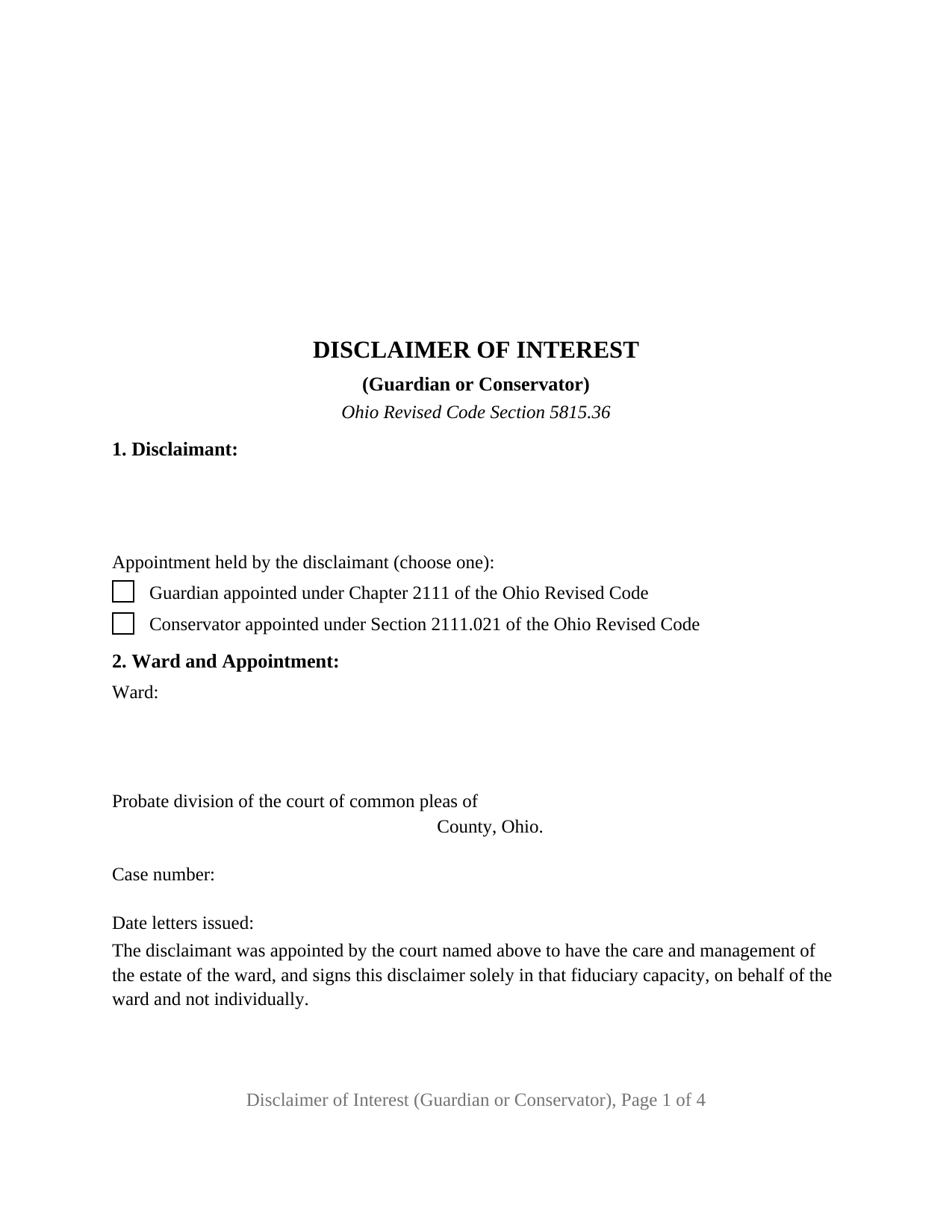
Knox County Disclaimer of Interest (Guardian or Conservator) Form
Fill in the blank Disclaimer of Interest (Guardian or Conservator) form formatted to comply with all Ohio recording and content requirements.
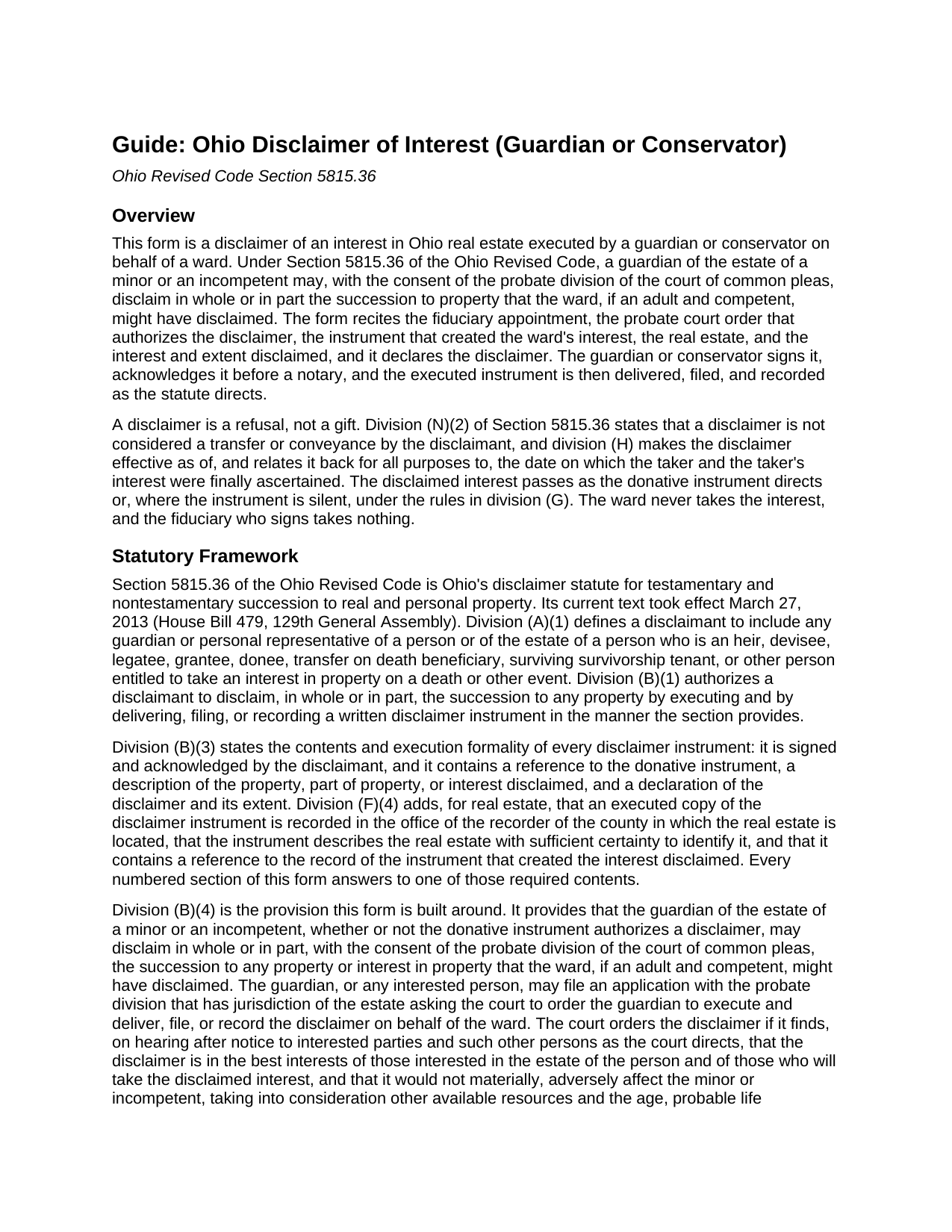
Knox County Disclaimer of Interest (Guardian or Conservator) Guide
Line by line guide explaining every blank on the Disclaimer of Interest (Guardian or Conservator) form.
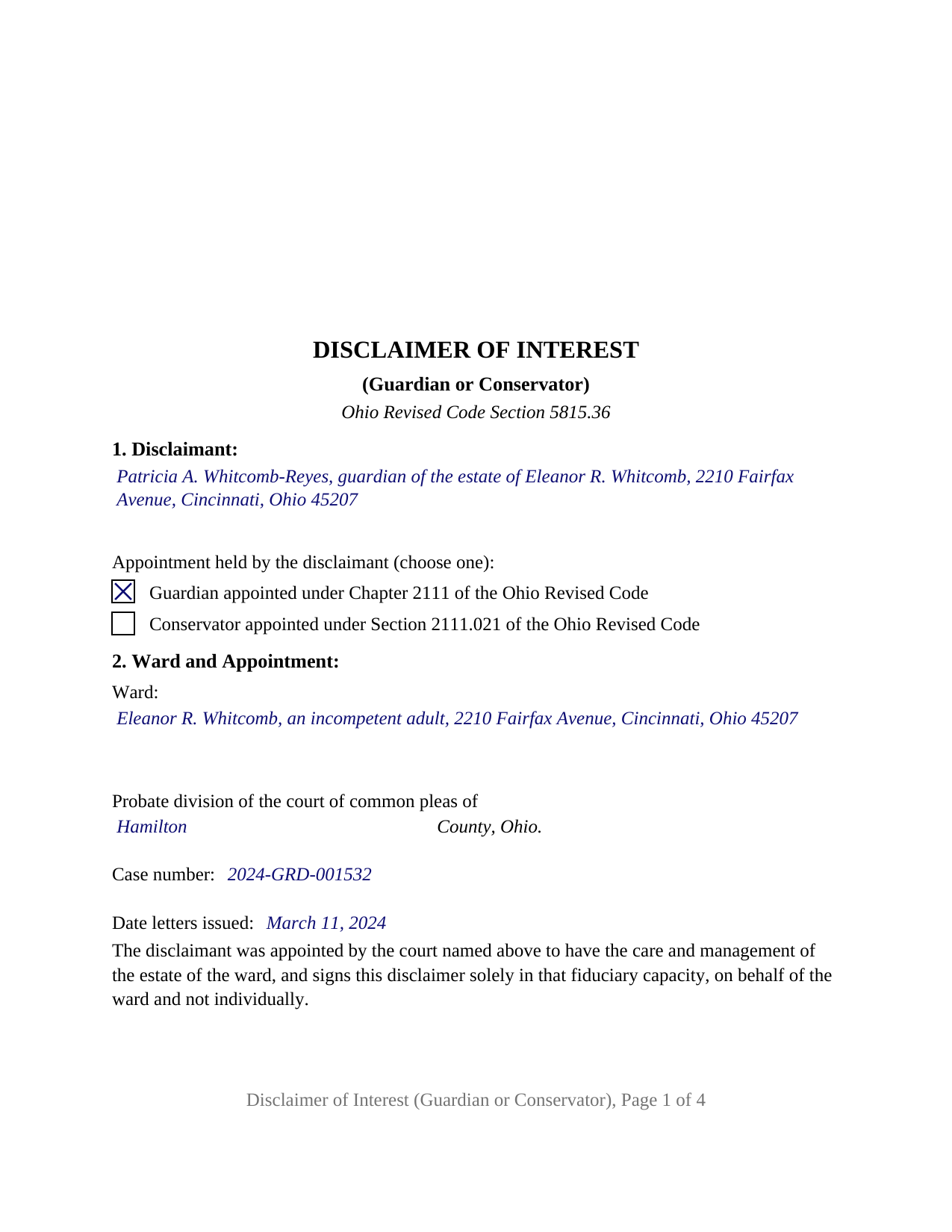
Knox County Completed Example of the Disclaimer of Interest (Guardian or Conservator) Document
Example of a properly completed Ohio Disclaimer of Interest (Guardian or Conservator) document for reference.
All 3 documents above included • One-time purchase • No recurring fees
Immediate Download • Secure Checkout
Additional Ohio and Knox County documents included at no extra charge:
Where to Record Your Documents
Knox County Recorder
Mt. Vernon, Ohio 43050
Hours: 8:00 a.m. - 4:00 p.m. Monday - Friday
Phone: 740-393-6755
Recording Tips for Knox County:
- Bring your driver's license or state-issued photo ID
- Ensure all signatures are in blue or black ink
- Ask if they accept credit cards - many offices are cash/check only
- Check that your notary's commission hasn't expired
- Documents must be on 8.5 x 11 inch white paper
Cities and Jurisdictions in Knox County
Properties in any of these areas use Knox County forms:
- Bladensburg
- Brinkhaven
- Centerburg
- Danville
- Fredericktown
- Gambier
- Howard
- Martinsburg
- Mount Liberty
- Mount Vernon
Hours, fees, requirements, and more for Knox County
How do I get my forms?
Forms are available for immediate download after payment. The Knox County forms will be in your account ready to download to your computer. An account is created for you during checkout if you don't have one. Forms are NOT emailed.
Are these forms guaranteed to be recordable in Knox County?
Yes. Our form blanks are guaranteed to meet or exceed the applicable formatting requirements used for recording in Knox County, including margin requirements, font requirements, and other layout standards. This guarantee applies to formatting, not to the legal sufficiency of information entered by the user or the suitability of a form for a particular transaction.
Can I reuse these forms?
Yes. You can reuse the forms for your personal use. For example, if you have multiple properties in Knox County you only need to order once.
What do I need to use these forms?
The forms are PDFs that you fill out on your computer. The free Adobe Acrobat Reader is recommended, and most PDF apps also work. You do NOT enter your property information online - you download the blank forms and complete them privately on your own computer.
Are there any recurring fees?
No. This is a one-time purchase. Nothing to cancel, no memberships, no recurring fees.
How much does it cost to record in Knox County?
Recording fees in Knox County vary. Contact the recorder's office at 740-393-6755 for current fees.
Questions answered? Let's get started!
When the person entitled to inherit Ohio real estate is a minor or an adult under guardianship, the refusal of that inheritance cannot come from the ward. Section 5815.36(B)(4) of the Ohio Revised Code places the decision with the probate division of the court of common pleas and the signature with the guardian of the ward's estate, who disclaims on the ward's behalf only after the court, on hearing after notice, consents and orders the disclaimer. This form prepares that instrument for an interest in Ohio real estate: one guardian or conservator signs it in the fiduciary capacity the form recites, under an order the form identifies by date and case number.
A court order, not a fiduciary's choice
Division (B)(4) sets two findings the court makes before ordering the disclaimer: that it is in the best interests of those interested in the ward's estate and of those who will take the disclaimed interest, and that it would not materially, adversely affect the minor or incompetent, considering other resources and the ward's age, probable life expectancy, condition, and anticipated needs. Section 3 of the form recites that order by its date of entry and case number, so the recorded instrument carries its authority on its face.
Guardian of the estate, or conservator
A guardian under Chapter 2111 is appointed for a minor or an incompetent and has the care and management of the ward's estate. A conservator under Section 2111.021 is appointed on the voluntary petition of a competent adult who is physically infirm, and that section applies the guardianship-of-the-estate provisions of the Revised Code to the conservatorship. Section 1 of the form prints both appointments beside a pair of boxes, and the letters of appointment show which box is marked; the recital that follows states that the signature is given solely in that fiduciary capacity, on behalf of the ward and not individually.
What the ward never receives
Division (H) makes the disclaimer effective as of the date the taker and the interest were finally ascertained, so the ward is never seized of the real estate; division (F)(4) adds that a spouse of a disclaimant has no dower or other interest in the real estate disclaimed, and the form carries no spousal line. The ward's own right to disclaim also survives the guardianship: division (D)(3) lets a ward who turns eighteen or regains competency disclaim afterward without repaying benefits received in the meantime, even where a guardian applied and the court declined to consent.
The contents the statute names
Division (B)(3) requires the instrument to be signed and acknowledged and to contain a reference to the donative instrument, a description of the interest disclaimed, and a declaration of the disclaimer and its extent; division (F)(4) adds a legal description sufficient to identify the land and a reference to the record of the instrument that created the interest. The form answers each in its own numbered section, including a free-form statement of the interest and extent disclaimed, the whole or a described part, and a fixed declaration in which the disclaimant disclaims the succession of the ward, retains no power to revoke, and makes no direction as to disposition; the share then passes as the donative instrument provides or under division (G) as though the ward had predeceased.
One fiduciary, one certificate, three destinations
The form recites exactly one disclaimant, the guardian or conservator of one ward, with one signature block and one acknowledgment certificate whose by-line holds the fiduciary's name and title. A ward with two co-guardians, a personal representative disclaiming for a decedent's estate, an attorney-in-fact acting under a power of attorney, and a person disclaiming in that person's own right each present a different recital and are not set up on this form. After signing, division (F) sends the instrument to the title holder, the county recorder, or the probate division depending on the donative instrument, and in every real estate case an executed copy is recorded with the recorder of the county where the land lies, laid out to the Section 317.114 standard.
The package includes the fillable disclaimer form, a completed example filled in for a realistic Hamilton County guardianship fact pattern, and the guide that walks through every numbered section, the court order, and the delivery, filing, and recording steps. This description and the guide describe the form and the governing Ohio statutes in general terms; they are not legal advice.
Important: Your property must be located in Knox County to use these forms. Documents should be recorded at the county recording office listed above.
This Disclaimer of Interest (Guardian or Conservator) meets all recording requirements specific to Knox County.
Our Promise
The documents you receive here are guaranteed to meet or exceed the applicable Knox County recording format requirements. If there is a rejection caused by our formatting, we will correct the issue or refund your payment. This guarantee applies to document formatting only and does not extend to information entered by the user, the selection of the form, or the legal effect of the completed document.
Save Time and Money
Get your Knox County Disclaimer of Interest (Guardian or Conservator) form done right the first time with Deeds.com Uniform Conveyancing Blanks. At Deeds.com, we understand that your time and money are valuable resources, and we don't want you to face a penalty fee or rejection imposed by a county recorder for submitting nonstandard documents. We constantly review and update our forms to meet rapidly changing state and county recording requirements for roughly 3,500 counties and local jurisdictions.
4.8 out of 5 - ( 4,856 Reviews )
Sheryl B. 5 out of 5 stars
Great forms. Just what I needed.
We appreciate your business and value your feedback. Thank you. Have a wonderful day!
Larry S. 5 out of 5 stars
I think it needs to be easier to enlarge print to fit an 8"x12" sheet of paper. Printing off samples is difficult to read as it is too small
Thank you for your feedback. We really appreciate it. Have a great day!
Dretha W. 5 out of 5 stars
Ordered the fill in the blank form for a deed. Very professional looking but more importantly, correct for my recording office. It was recorded with no question. The guide was a big help in completed the deed.
Great to hear Dretha. We appreciate you taking the time to leave your feedback. Have a wonderful day!
MARY LACEY M. 5 out of 5 stars
Great service! Recording was smooth and swiftly performed. Deeds.com is an excellent service.
We are delighted to have been of service. Thank you for the positive review!
Angela J M. 5 out of 5 stars
Quick turnaround (about 24hrs) easy process.
Thank you for your feedback. We really appreciate it. Have a great day!
Thomas S. 1 out of 5 stars
Not good. The blanks on the form, supposedly especially tailored for the specific county, didn't have enough space for a document name or the doc #. I had to retype the whole doc myself.
Thank you for your feedback. We’re sorry the form did not provide enough room for the prior document information you needed to enter. We have canceled the order and reversed the payment. We are also reviewing the field spacing for the prior document title and recording number so we can improve the form. No further action is needed from you.
Charles E. M. 5 out of 5 stars
5 stars...thanks for your fast and professional assistance. Charles
Thank you!
Vickey W. 5 out of 5 stars
Your company was great, you all walked me through every step of the process. With the pandemic and the inability to go into the DC Recorder of Deeds office. I look forward to working with you in the future.
Thank you for your feedback. We really appreciate it. Have a great day!
Christina P. 5 out of 5 stars
Fantastic!! The gals at Deeds really seem to have their stuff together! Great Forms, easy, exhaustive, and most importantly... accepted at the recorder the FIRST TIME!
Thank you so much for your review! Your feedback is highly appreciated, and we look forward to assisting you again in the future!
ROBERT M. 5 out of 5 stars
Lots of Info. Forms seem straightforward. Easy to Fill out.
Thank you for your feedback. We really appreciate it. Have a great day!
Abram A. 5 out of 5 stars
Very easy to navigate around and to obtain desired forms and service.
We appreciate your business and value your feedback. Thank you. Have a wonderful day!
Charles H. 5 out of 5 stars
Website is user-friendly and very helpful, butI will have to wait until I submit my documents to the Clerk of Court to see if they are acceptable.
Thank you for your feedback. We really appreciate it. Have a great day!
Joseph B. 1 out of 5 stars
Multiple attempts to straight answers to very simple straight forward questions about why my submission is not being accepted have gone unanswered. It's been two days and no answer that solves my problem.
Sorry we were unable to assist you Joseph. We do hope that you find something more suitable to your needs elsewhere. Have a wonderful day.
Nancy A. 5 out of 5 stars
This is an excellent resource. I was surprised because the price is so low I thought the products might be inferior. Not only were were the requested documents high quality, additional unrequested documents were added to my order that I didn't realize I would need until I read them. I especially appreciate that all the documents were specific to my county. I highly recommend using deeds.com.
Your satisfaction with our services is of utmost importance to us. Thank you for letting us know how we did!
Thomas D. 2 out of 5 stars
The documents themselves are fine and the information provided with them is helpful. I find the actual processing of the documents, however, to be difficult particularly once the document has been saved. First, I note that the box for the date only allows entry of the last 2 digits of the year. Unfortunately, my download only allows me to enter one of the 2 digits required. When I delete it repeatedly, it eventually allows both digits to be entered but puts them in extremely small text and in superscrypt. I have not found a solution to this problem and am not sure the deed can even be recorded with this problem. Another problem is that if you try to revise the document after you have saved it the curser goes to the end of the line after each key entry. This means that there basically is no way to efficiently save the document for reworking later since you will have to delete everything you have entered in the text box unless you only need to make a single keystroke change or are willing to replace the curser after each entry. Try that with a long property description! Please note that I am using a Mac to prepare my documents and perhaps this is part of an "incompatibility problem". However, I didn't see a disclaimer regarding Mac use and so would expect the documents to perform correctly. Overall, I give the program a "2 star" rating because I am experiencing significant difficulties in entering dates in the documents even before saving them and because saving your work for later revision appears to be basically unworkable.
Thank you for your feedback Thomas, we appreciate you being specific about the issues you encountered. Adobe and Mac have a fairly long history of issues working together.