Marion County Disclaimer of Interest (Trustee) Form
Last validated October 23, 2026 by our Forms Development TeamFormatted for recording in Marion County, for property anywhere in the county: rural and unincorporated areas as well as Caledonia, Green Camp, La Rue, Marion, Martel, Morral, New Bloomington, Prospect and 1 more.
- 3 documents included
- Immediate PDF download
- Formatting guarantee
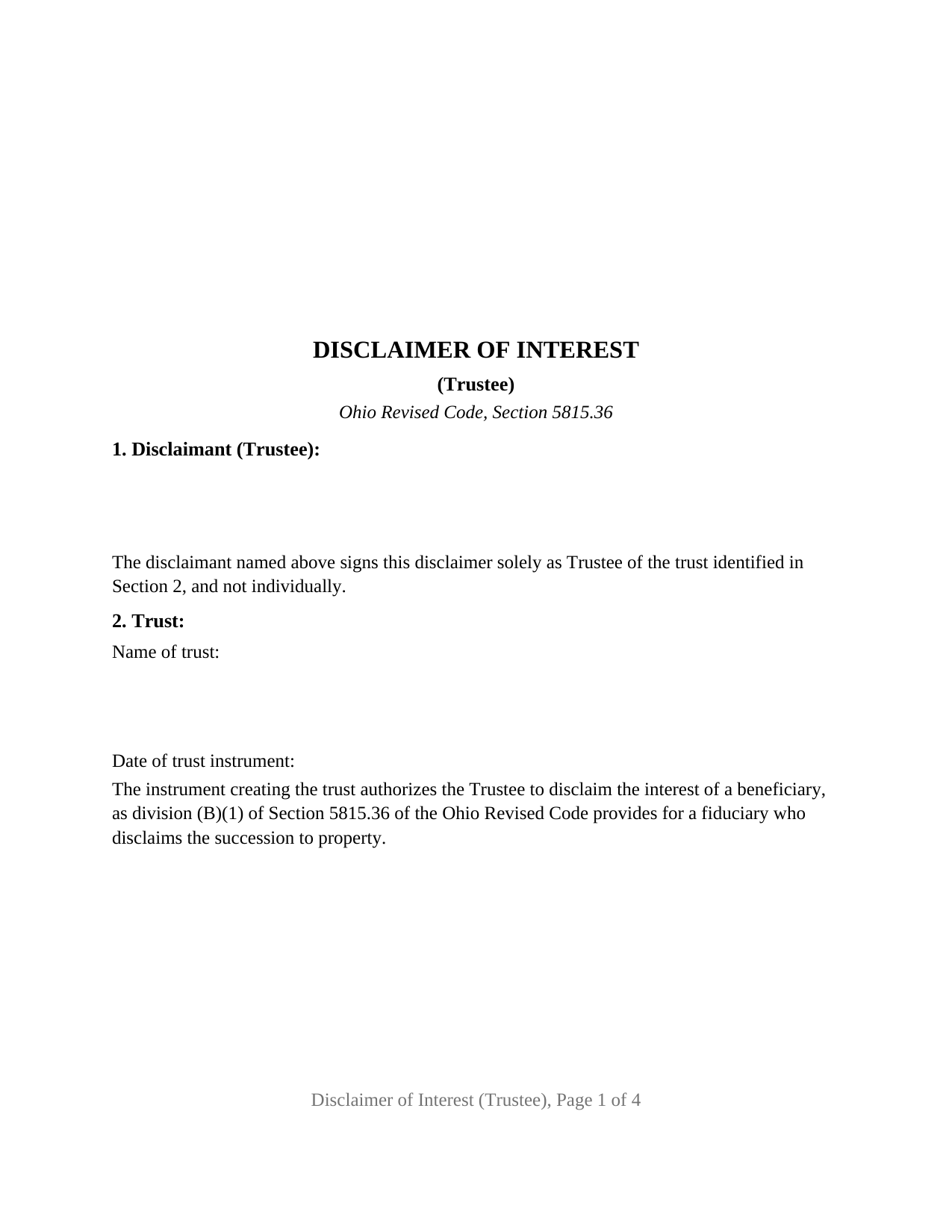
Marion County Disclaimer of Interest (Trustee) Form
Fill in the blank Disclaimer of Interest (Trustee) form formatted to comply with all Ohio recording and content requirements.
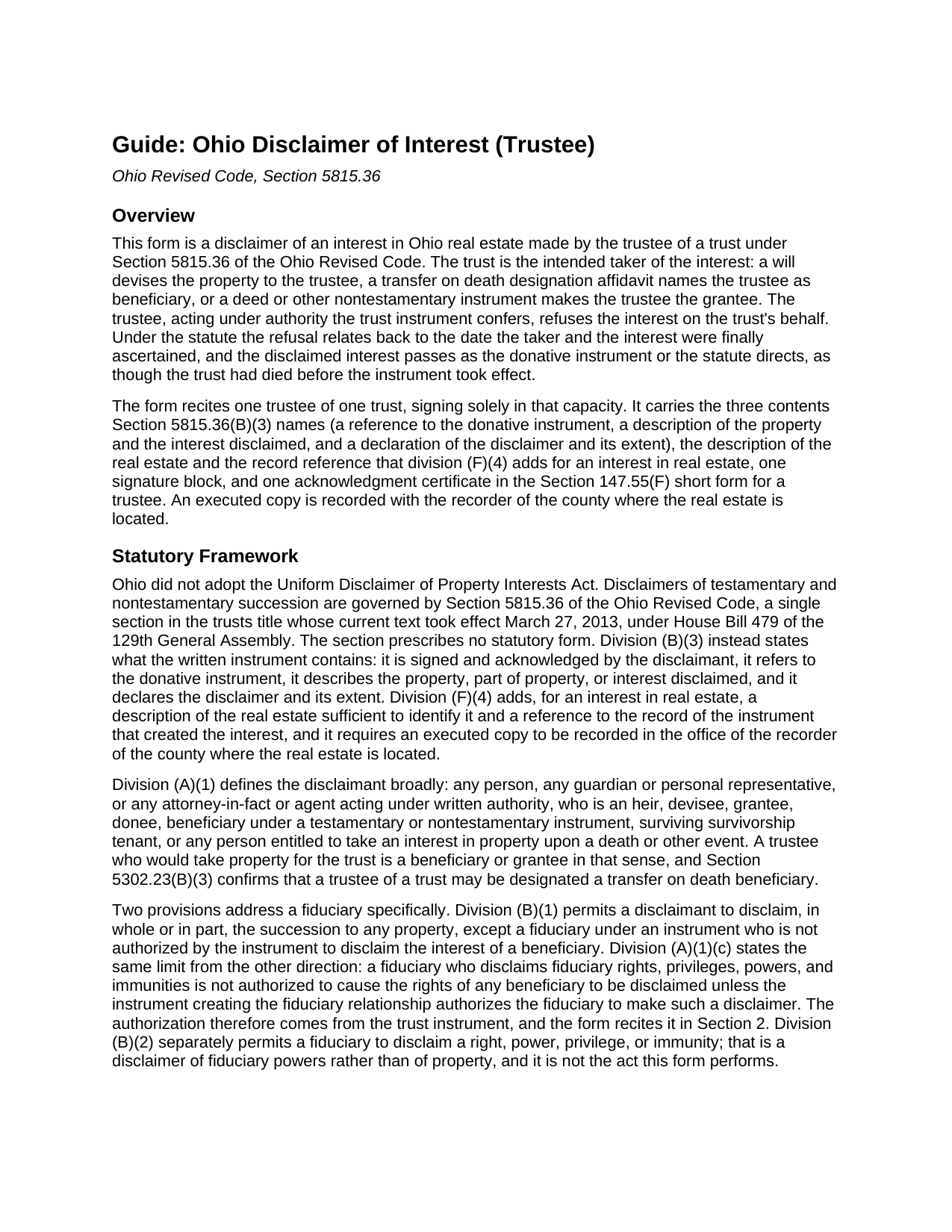
Marion County Disclaimer of Interest (Trustee) Guide
Line by line guide explaining every blank on the Disclaimer of Interest (Trustee) form.
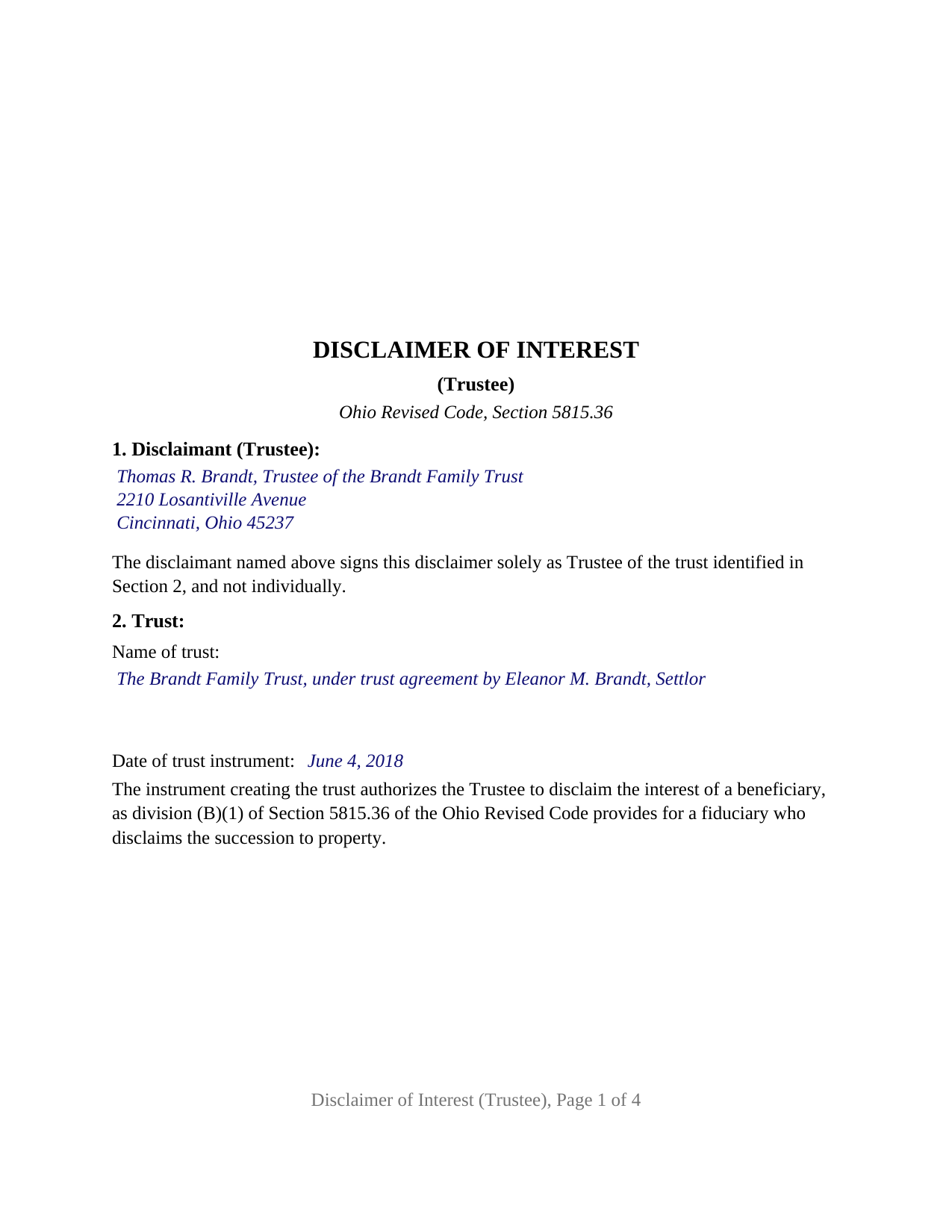
Marion County Completed Example of the Disclaimer of Interest (Trustee) Document
Example of a properly completed Ohio Disclaimer of Interest (Trustee) document for reference.
All 3 documents above included • One-time purchase • No recurring fees
Immediate Download • Secure Checkout
Additional Ohio and Marion County documents included at no extra charge:
Where to Record Your Documents
Marion County Recorder
Marion, Ohio 43302
Hours: 8:30am - 4:30pm M-F
Phone: 740-223-4100
Recording Tips for Marion County:
- Bring your driver's license or state-issued photo ID
- Ensure all signatures are in blue or black ink
- Request a receipt showing your recording numbers
- Ask about accepted payment methods when you call ahead
- Ask for certified copies if you need them for other transactions
Cities and Jurisdictions in Marion County
Properties in any of these areas use Marion County forms:
- Caledonia
- Green Camp
- La Rue
- Marion
- Martel
- Morral
- New Bloomington
- Prospect
- Waldo
Hours, fees, requirements, and more for Marion County
How do I get my forms?
Forms are available for immediate download after payment. The Marion County forms will be in your account ready to download to your computer. An account is created for you during checkout if you don't have one. Forms are NOT emailed.
Are these forms guaranteed to be recordable in Marion County?
Yes. Our form blanks are guaranteed to meet or exceed the applicable formatting requirements used for recording in Marion County, including margin requirements, font requirements, and other layout standards. This guarantee applies to formatting, not to the legal sufficiency of information entered by the user or the suitability of a form for a particular transaction.
Can I reuse these forms?
Yes. You can reuse the forms for your personal use. For example, if you have multiple properties in Marion County you only need to order once.
What do I need to use these forms?
The forms are PDFs that you fill out on your computer. The free Adobe Acrobat Reader is recommended, and most PDF apps also work. You do NOT enter your property information online - you download the blank forms and complete them privately on your own computer.
Are there any recurring fees?
No. This is a one-time purchase. Nothing to cancel, no memberships, no recurring fees.
How much does it cost to record in Marion County?
Recording fees in Marion County vary. Contact the recorder's office at 740-223-4100 for current fees.
Questions answered? Let's get started!
A trust can be next in line for Ohio real estate it does not want: a transfer on death designation affidavit names the trustee as beneficiary, a will devises a parcel to the trust, or a deed makes the trustee the grantee of land that carries more liability than value. This form prepares the instrument by which the trustee refuses that interest on the trust's behalf under Section 5815.36 of the Ohio Revised Code, signed and acknowledged by one trustee in that capacity alone.
Authority that comes from the trust instrument
Section 5815.36 lets most takers disclaim at will, but it treats a fiduciary differently. Division (B)(1) permits a disclaimant to disclaim the succession to property in whole or in part, except a fiduciary under an instrument who is not authorized by the instrument to disclaim the interest of a beneficiary, and division (A)(1)(c) repeats the limit from the other side. The authorization lives in the trust agreement or the will that created the trust, and Section 2 of this form recites it in a fixed sentence beneath the trust's name and date. The instrument follows the Section 5815.36 procedure, with its relation back under division (H) and its final and binding effect under division (M).
The successor trustee stands in
Ohio's transfer on death statute anticipates the trustee named in an affidavit no longer serving. Section 5302.22(G) provides that where the person designated solely as trustee of a trust has died, resigned, or been replaced by the owner's death, the successor trustee is the beneficiary in existence on that date even though the affidavit never names the successor. Section 1 of the form takes the successor's name and the words Successor Trustee in the same blank. When that trustee disclaims, Section 5302.23(B)(1) carries the interest to the contingent beneficiary the affidavit names and, where none exists, into the owner's probate estate.
Contents the statute dictates
No official Ohio form exists for a disclaimer. Division (B)(3) lists the contents of the written instrument, division (F)(4) adds two more for real estate, and the form carries each: the donative instrument and its record reference, the real estate described with certainty, the interest disclaimed and the extent of the disclaimer, and the declaration itself. Section 6 performs the act in fixed text: the trustee disclaims irrevocably and without any power to revoke, the condition division (E)(1) attaches to an effective disclaimer, has accepted no benefit of the interest, and makes no direction as to where it goes, leaving division (G) and the donative instrument to decide. The trustee's marital status plays no part, and no spouse signs.
One trustee, one trust, one certificate
The form recites exactly one trustee of exactly one trust, a natural person serving as trustee or successor trustee, with one signature block and one acknowledgment certificate carrying the Section 147.55(F) short form for a public officer, trustee, or personal representative, whose name blank holds the trustee's name and title. A trustee of a family trust declining a parcel the settlor's transfer on death affidavit left to the trust, so that the affidavit's contingent beneficiary takes it instead, presents the pattern this form recites. Co-trustees disclaiming together, a bank or other entity trustee signing through an officer, a trustee disclaiming fiduciary powers under division (B)(2), and a guardian or personal representative disclaiming with probate court consent under division (B)(4) follow different patterns.
Where the executed copy goes
An executed copy is recorded with the recorder of the county where the land lies, on pages formatted to Section 317.114, which this form meets with 12 point type. For a transfer on death interest the instrument is also filed with that recorder; for an interest under a will it is filed in the probate division with a copy delivered to the personal representative; for an interest under a deed or other nontestamentary instrument it is delivered to the person holding legal title or possession. Each step comes before the trust accepts any benefit of the interest.
Three deliverables make up the package: the fillable trustee disclaimer form, a completed example worked through a Hamilton County fact pattern, and the guide, which takes up each numbered section in turn together with the statutory delivery and filing paths and the recording steps. Neither this description nor the guide applies the Ohio statutes to a particular trust or parcel, and neither is legal advice.
Important: Your property must be located in Marion County to use these forms. Documents should be recorded at the county recording office listed above.
This Disclaimer of Interest (Trustee) meets all recording requirements specific to Marion County.
Our Promise
The documents you receive here are guaranteed to meet or exceed the applicable Marion County recording format requirements. If there is a rejection caused by our formatting, we will correct the issue or refund your payment. This guarantee applies to document formatting only and does not extend to information entered by the user, the selection of the form, or the legal effect of the completed document.
Save Time and Money
Get your Marion County Disclaimer of Interest (Trustee) form done right the first time with Deeds.com Uniform Conveyancing Blanks. At Deeds.com, we understand that your time and money are valuable resources, and we don't want you to face a penalty fee or rejection imposed by a county recorder for submitting nonstandard documents. We constantly review and update our forms to meet rapidly changing state and county recording requirements for roughly 3,500 counties and local jurisdictions.
4.8 out of 5 - ( 4,830 Reviews )
John W. 5 out of 5 stars
The Staff are very helpful if needed and the process is amazingly simple and efficient!
Thank you!
Rod G. 5 out of 5 stars
You guys have it DOWN!! You made it easy to navigate your site and services. You explained things effectively. You are helpful and fast. NO WAY would even entertain using a different deed/ document recording service. I'll be back! Thank you. Rod
We appreciate your business and value your feedback. Thank you. Have a wonderful day!
George A. 5 out of 5 stars
Excellent Service.
Thank you for your feedback. We really appreciate it. Have a great day!
Patrick A. 5 out of 5 stars
Real value. Excellent forms, guidance & samples. Included Homestead Exemption form & info are also valuable & greatly appreciated.
Thank you for your feedback. We really appreciate it. Have a great day!
MIchelle S. 4 out of 5 stars
You had the generic document that I was looking for Yay! The "example" page was helpful and reassuring. The auto input sections of my document looked ok until i printed it and then it appeared to be out of alignment which is why my rating is lowered to 4 stars it would be nice to have the ability to correct the title (created by me) when downloading PDFs for an e-filing
Thank you for your feedback. We really appreciate it. Have a great day!
Jamie B. 5 out of 5 stars
Deeds.com made the recording of our Deed in a county where we do not reside, VERY easy! Customer service was great with all my questions answered immediately via my account portal. Very user friendly service! I wish the available documents were a little less pricey, but all in all, to get the job done right, I'll probably utilize the document downloads in the future.
Thank you for your feedback. We really appreciate it. Have a great day!
Mary Ann H V. 5 out of 5 stars
I'm very happy with your service! It saved me, at least, hundreds of dollars vs. going through a lawyer in a different state.
We appreciate your business and value your feedback. Thank you. Have a wonderful day!
Dave M. 5 out of 5 stars
Service as needed. A bit expensive.
Thank you for your feedback. We really appreciate it. Have a great day!
Samantha S. 5 out of 5 stars
I really appreciated Deeds.com. It was quick and easy to use. Saved me substantial time completing my deed recording.
Thank you for your feedback. We really appreciate it. Have a great day!
ROSALYN L. 5 out of 5 stars
I just now downloaded the forms. So far, so good.
Thank you for your feedback. We really appreciate it. Have a great day!
Julie A. 5 out of 5 stars
This process was so easy. I am pleased with efficiency and ease of it all.
Thank you!
silvia m. 5 out of 5 stars
Used the forms for a quitclaim deed. Worked great! Also, big bonus to have the extra forms available, needed a couple of them. Highly recommend...
We appreciate your business and value your feedback. Thank you. Have a wonderful day!
SUSAN R. 5 out of 5 stars
So easy to download and print. Also the examples are very helpful.
Thank you for your feedback. We really appreciate it. Have a great day!
DONNA P. 5 out of 5 stars
Deeds.com was quick, efficient, and cost effective. Deeds.com works with individuals where I found other companies only offer services to title companies, settlement companies, etc. Thank you Deeds.com!
Thank you for your feedback. We really appreciate it. Have a great day!
DONALD S. 5 out of 5 stars
Using the Administrators Deed, pay attention to "Exhibit A". The blank will allow you to type a full legal description BUT it will not save it. Use "Exhibit A" to type the legal description. The form was great and I filed it this morning with no problems.
Thank you for your feedback. We really appreciate it. Have a great day!