Ashtabula County Memorandum of Trust (Corporate Trustee) Form
Last validated October 23, 2026 by our Forms Development TeamFormatted for recording in Ashtabula County, for property anywhere in the county: rural and unincorporated areas as well as Andover, Ashtabula, Austinburg, Conneaut, Dorset, Geneva, Jefferson, Kingsville and 8 more.
- 3 documents included
- Immediate PDF download
- Formatting guarantee
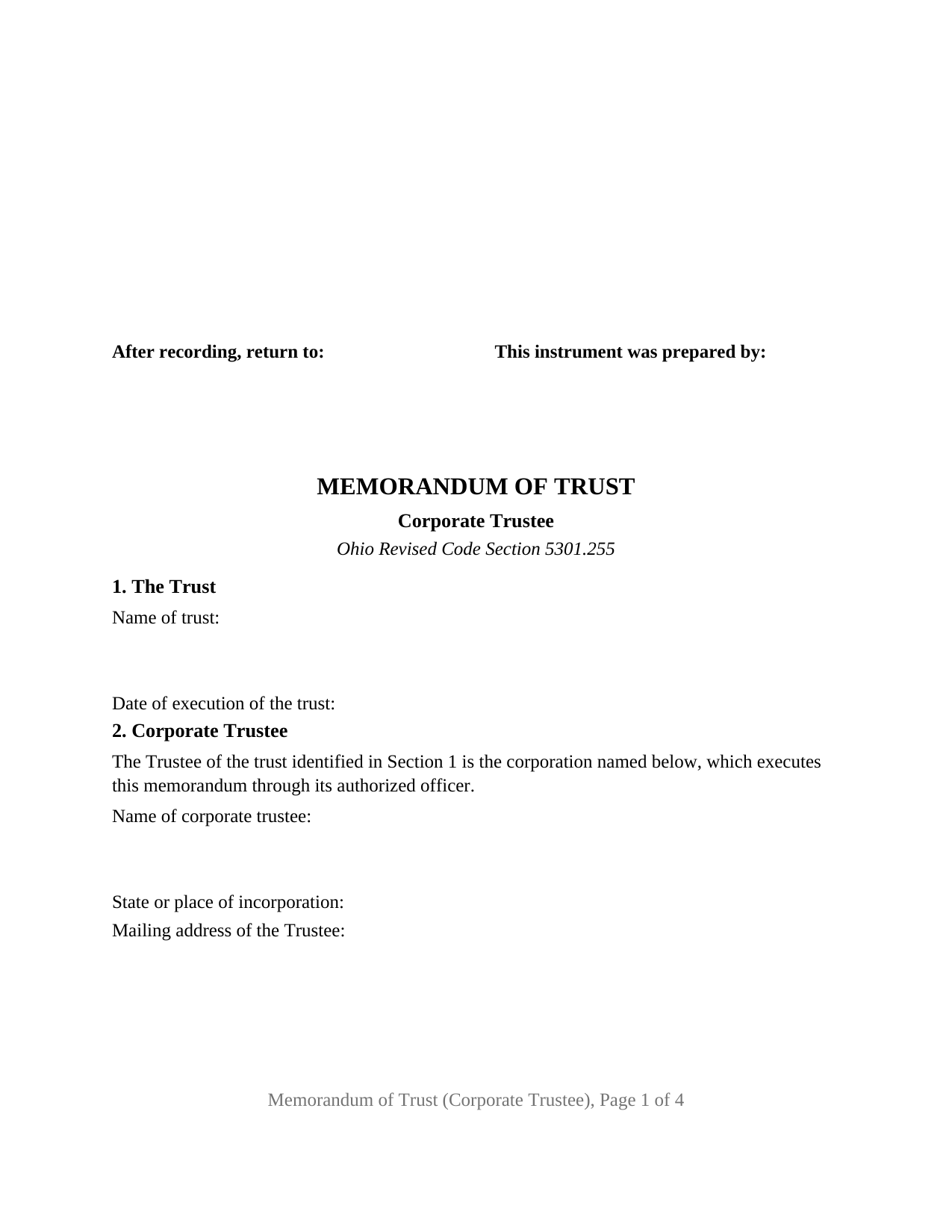
Ashtabula County Memorandum of Trust (Corporate Trustee) Form
Fill in the blank Memorandum of Trust (Corporate Trustee) form formatted to comply with all Ohio recording and content requirements.
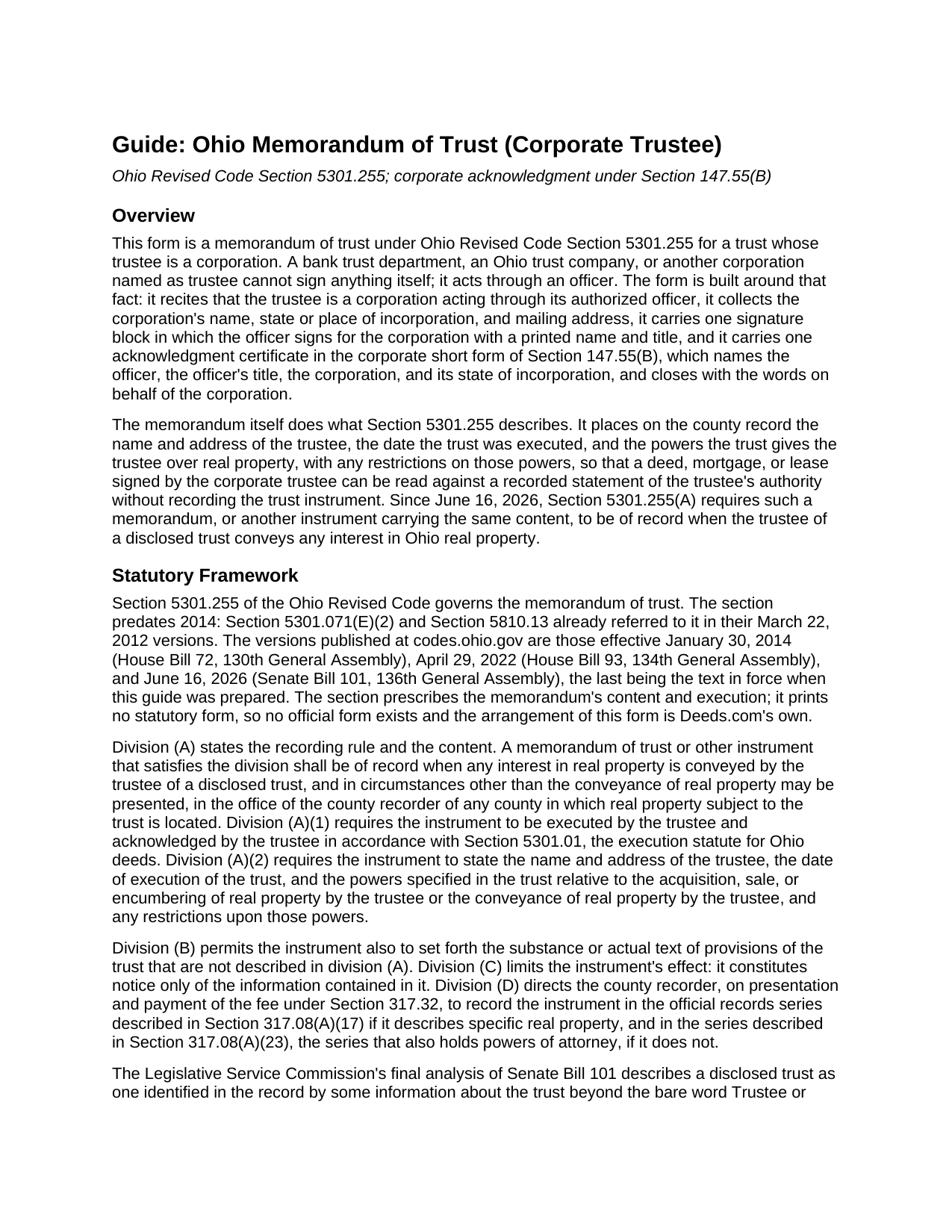
Ashtabula County Memorandum of Trust (Corporate Trustee) Guide
Line by line guide explaining every blank on the Memorandum of Trust (Corporate Trustee) form.
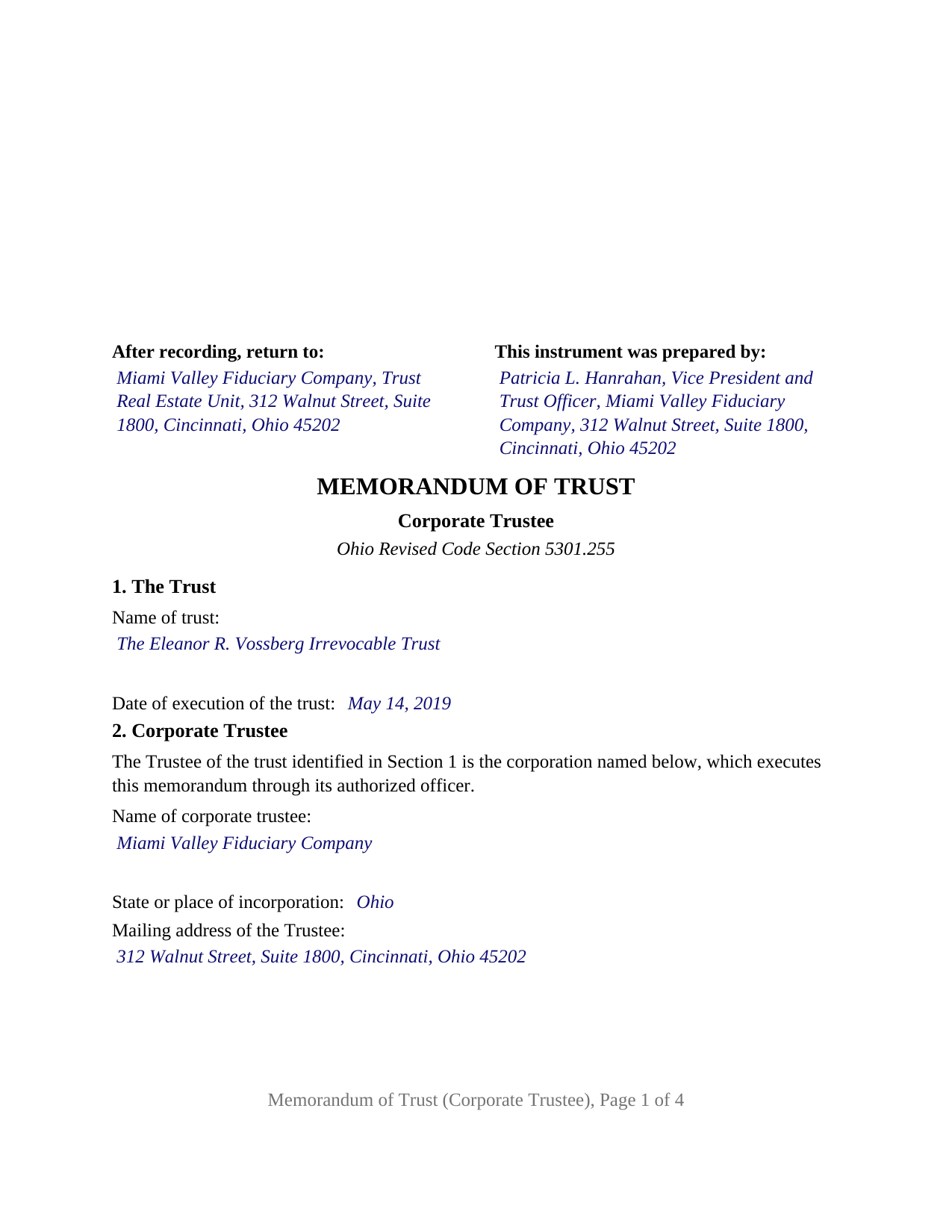
Ashtabula County Completed Example of the Memorandum of Trust (Corporate Trustee) Document
Example of a properly completed Ohio Memorandum of Trust (Corporate Trustee) document for reference.
All 3 documents above included • One-time purchase • No recurring fees
Immediate Download • Secure Checkout
Additional Ohio and Ashtabula County documents included at no extra charge:
Where to Record Your Documents
Ashtabula County Recorder
Jefferson, Ohio 44047
Hours: 8:00 to 12:00 and 1:00 to 4:30 Monday through Friday
Phone: (440) 576-3767
Recording Tips for Ashtabula County:
- Bring your driver's license or state-issued photo ID
- Ensure all signatures are in blue or black ink
- Documents must be on 8.5 x 11 inch white paper
- Double-check legal descriptions match your existing deed
- Verify all names are spelled correctly before recording
Cities and Jurisdictions in Ashtabula County
Properties in any of these areas use Ashtabula County forms:
- Andover
- Ashtabula
- Austinburg
- Conneaut
- Dorset
- Geneva
- Jefferson
- Kingsville
- North Kingsville
- Orwell
- Pierpont
- Rock Creek
- Rome
- Unionville
- Williamsfield
- Windsor
Hours, fees, requirements, and more for Ashtabula County
How do I get my forms?
Forms are available for immediate download after payment. The Ashtabula County forms will be in your account ready to download to your computer. An account is created for you during checkout if you don't have one. Forms are NOT emailed.
Are these forms guaranteed to be recordable in Ashtabula County?
Yes. Our form blanks are guaranteed to meet or exceed the applicable formatting requirements used for recording in Ashtabula County, including margin requirements, font requirements, and other layout standards. This guarantee applies to formatting, not to the legal sufficiency of information entered by the user or the suitability of a form for a particular transaction.
Can I reuse these forms?
Yes. You can reuse the forms for your personal use. For example, if you have multiple properties in Ashtabula County you only need to order once.
What do I need to use these forms?
The forms are PDFs that you fill out on your computer. The free Adobe Acrobat Reader is recommended, and most PDF apps also work. You do NOT enter your property information online - you download the blank forms and complete them privately on your own computer.
Are there any recurring fees?
No. This is a one-time purchase. Nothing to cancel, no memberships, no recurring fees.
How much does it cost to record in Ashtabula County?
Recording fees in Ashtabula County vary. Contact the recorder's office at (440) 576-3767 for current fees.
Questions answered? Let's get started!
When a bank trust department or an Ohio trust company holds real property as trustee, the memorandum of trust it records has to be signed by a corporation, and a corporation signs only through an officer. This form prepares an Ohio memorandum of trust under Ohio Revised Code Section 5301.255 for exactly that trustee: one corporation, acting through one authorized officer, acknowledged in the corporate short form of Section 147.55(B).
A corporation signs as trustee, through one officer
Section 2 of the form recites, as fixed text, that the trustee of the trust identified in Section 1 is the corporation named below, which executes the memorandum through its authorized officer. The blanks collect the corporation's name, its state or place of incorporation, and its mailing address. The signature block names the corporation again, followed by the words as Trustee, by, and the officer signs beneath with a printed name, a date, and a title line, so the signature reads as the corporation's act. The officer's authority comes from the corporation's own governance, which is not recorded, and there is no seal line: under Section 1701.13(B), failure to affix a corporate seal does not affect the validity of an instrument.
The corporate certificate under Section 147.55(B)
Ohio prints its short-form acknowledgments by capacity. Section 147.55(B) names the officer and that person's title, the corporation, its state or place of incorporation, and closes with the words on behalf of the corporation. The certificate on this form is that form: the by-line holds the officer's name and title together, and two further blanks hold the corporation's name and its state or place of incorporation, matching Section 2. For a national banking association, chartered under federal law rather than by a state, the place of incorporation is the United States.
What a trust company puts of record
The memorandum carries the content Section 5301.255(A)(2) requires: the trustee's name and address, the date the trust was executed, and the trustee's powers to acquire, sell, encumber, or convey real property, together with any restrictions on those powers. Section 3 receives the powers and restrictions as the trust instrument states them, identified by article and section. Section 4 is the optional space Section 5301.255(B) allows for the substance or text of further trust provisions, where a corporate trustee most often sets out the designation of a successor institution. Section 5, also optional, describes a specific parcel, and under Section 5301.255(D) a memorandum that describes a parcel is recorded with the instruments affecting it.
Who serves as a corporate trustee in Ohio
Chapter 1111 of the Revised Code limits trust business in Ohio to corporations: a trust company licensed under Section 1111.06, and a national bank or federal savings association exercising fiduciary powers granted by the Office of the Comptroller of the Currency, which Section 1111.03 permits to act in Ohio as trustee. Since June 16, 2026, Section 5301.255(A) requires a memorandum with this content to be of record when the trustee of a disclosed trust conveys any interest in real property.
One corporate trustee, one officer, one certificate
The form recites exactly one corporate trustee and carries one signature block and one acknowledgment certificate. A bank trust department administering an irrevocable trust funded with a settlor's former residence, and a corporate successor trustee that took over from a family member, present the pattern this memorandum recites. The form is not set up as a memorandum for an individual trustee, for two cotrustees, or for a limited liability company serving as trustee, each of which takes a different Section 147.55 certificate, nor for a corporation executing through an attorney in fact or through two signing officers. Because a corporation has no spouse and the memorandum transfers no interest, the instrument carries nothing about dower.
The package includes the fillable memorandum of trust form, a completed example filled in for a realistic Hamilton County fact pattern with an Ohio trust company as trustee, and the guide that walks through every numbered section, the corporate certificate, and the recording process. This description and the guide describe the form and the governing Ohio statutes in general terms and are not legal advice.
Important: Your property must be located in Ashtabula County to use these forms. Documents should be recorded at the county recording office listed above.
This Memorandum of Trust (Corporate Trustee) meets all recording requirements specific to Ashtabula County.
Our Promise
The documents you receive here are guaranteed to meet or exceed the applicable Ashtabula County recording format requirements. If there is a rejection caused by our formatting, we will correct the issue or refund your payment. This guarantee applies to document formatting only and does not extend to information entered by the user, the selection of the form, or the legal effect of the completed document.
Save Time and Money
Get your Ashtabula County Memorandum of Trust (Corporate Trustee) form done right the first time with Deeds.com Uniform Conveyancing Blanks. At Deeds.com, we understand that your time and money are valuable resources, and we don't want you to face a penalty fee or rejection imposed by a county recorder for submitting nonstandard documents. We constantly review and update our forms to meet rapidly changing state and county recording requirements for roughly 3,500 counties and local jurisdictions.
4.8 out of 5 - ( 4,829 Reviews )
Beth O. 5 out of 5 stars
Easy peasy! Thank y'all so much.
Thank you!
John G. 5 out of 5 stars
Applied for my Notice of Commencement to be recorded and it went very smoothly and fast. Will use again if a need irises. Thank You
Thank you for your feedback John, glad we could help.
Heather G. 5 out of 5 stars
This entire process was painless. I couldn't be happier with how simple and easy it was to get the document I needed.
We’re so glad the process was smooth and easy, Heather—thanks for sharing your experience!
Leslie S. 5 out of 5 stars
The site was quick and easy to find information I needed. It also provided extra paperwork that would assist me.
We appreciate your business and value your feedback. Thank you. Have a wonderful day!
Armando B. 5 out of 5 stars
This was so simple to get around your web site. Guide was easy to follow. Great experience. Would use again.
Thank you for your feedback. We really appreciate it. Have a great day!
Susan B. 4 out of 5 stars
I guess I got what I paid for. The site said I would be able to download blank PDF forms that I could fill out on my computer. I expected fillable forms, like I download for taxes. Instead the forms I got could only be completed by using Adobe Sign and Fill tools. These are much harder to use than fillable forms.
Thank you for your feedback. We really appreciate it. Have a great day!
Theresa B. 4 out of 5 stars
Will review after I attempt to complete. I like your site. Im very nervous to try this Hope not outdated information. Will let you know if filing goes okay.
Thank you!
GLENN A M. 5 out of 5 stars
I loved the easy to understand and use system, very user friendly.
Thank you!
Shelly D. 5 out of 5 stars
Excellent
Thank you!
Thomas D. 5 out of 5 stars
The site is fine with one exception. About half the pdf files I downloaded were corrupted. I could not open them or view their contents. Fortunately, the link continued to work, so after I discovered this, I downloaded the corrupted files again, and they now seem fine. I do not know if my computer or the website caused this odd problem.
Thank you for your feedback. We really appreciate it. Have a great day!
Jim H. 5 out of 5 stars
Well written form, and the guidance document and example supplied were very helpful.
Thank you!
Willard V. 3 out of 5 stars
While it's nice to get all the forms and info in one package for a reasonable cost, the fixed format of the form does not allow for a lengthy meet and bounds property description for real property. Also, the Cover Sheet has big fillable sections with no instructions about what's supposed to go there. I tried the "Contact Us" link, but all it does is spin saying it's trying verify the security of my connection. Looks like I;m going to have to create my own deed in MS Word instead of just filling in the blacks of the PDF file that I downloaded. Bummer!
Your feedback is a crucial part of our dedication to ongoing improvement. Thank you for your insightful comments.
JoAnn S. 5 out of 5 stars
Easy to process orders.
Thank you!
Annie R. 5 out of 5 stars
Excellent service. Documents easy to understand and use.
We appreciate your business and value your feedback. Thank you. Have a wonderful day!
Sharon M. 5 out of 5 stars
I will be going through title, so didn't order deed, but I think your website is wonderful. It's great to offer online services, such a great time saving for me with my work. Thank you, Sharon M.
Thank you for taking the time to leave your feedback Sharon, we really appreciate it. Have a fantastic day!