Scioto County Memorandum of Trust (Individual Trustee) Form
Last validated November 12, 2026 by our Forms Development TeamFormatted for recording in Scioto County, for property anywhere in the county: rural and unincorporated areas as well as Franklin Furnace, Friendship, Haverhill, Lucasville, Mc Dermott, Minford, Otway, Portsmouth and 5 more.
- 3 documents included
- Immediate PDF download
- Formatting guarantee
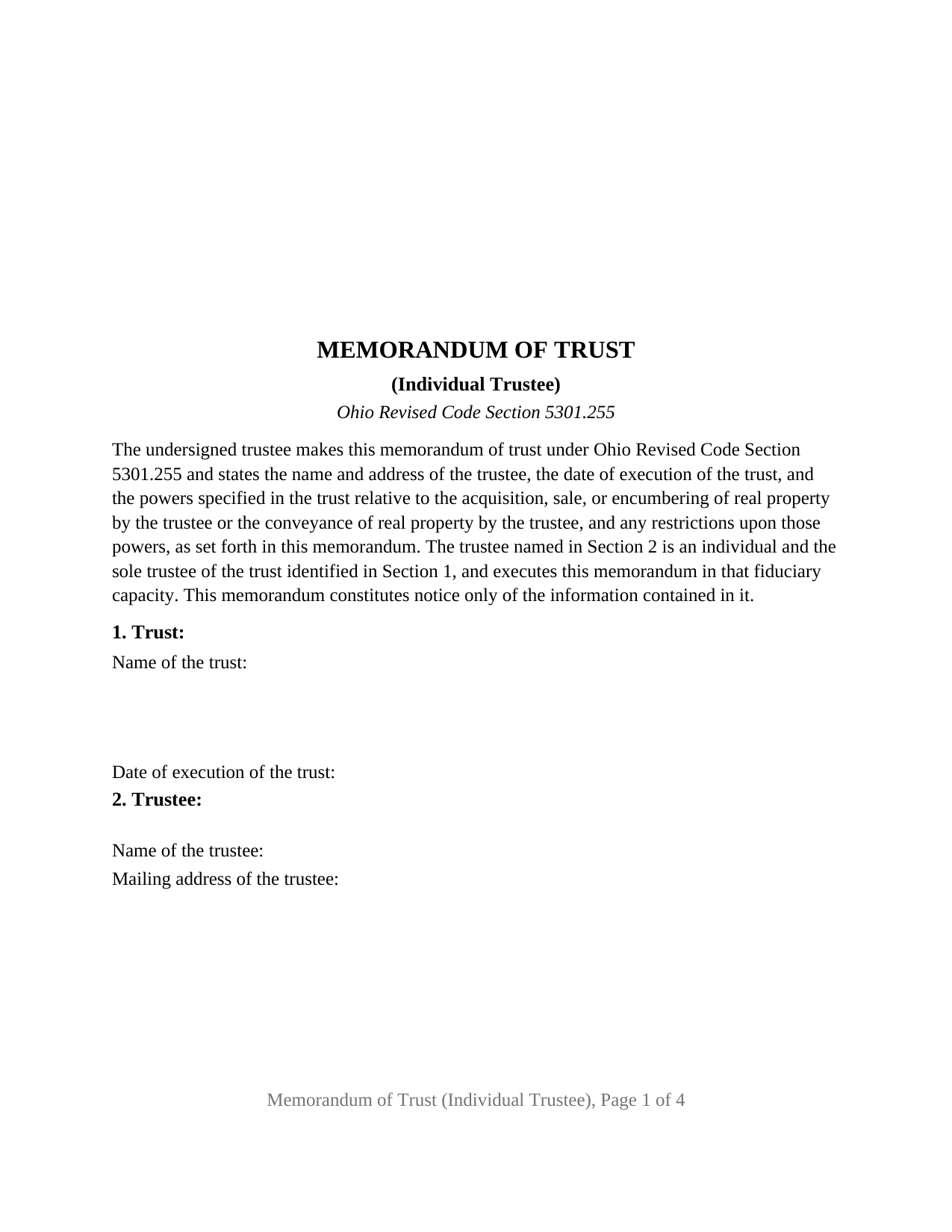
Scioto County Memorandum of Trust (Individual Trustee) Form
Fill in the blank Memorandum of Trust (Individual Trustee) form formatted to comply with all Ohio recording and content requirements.
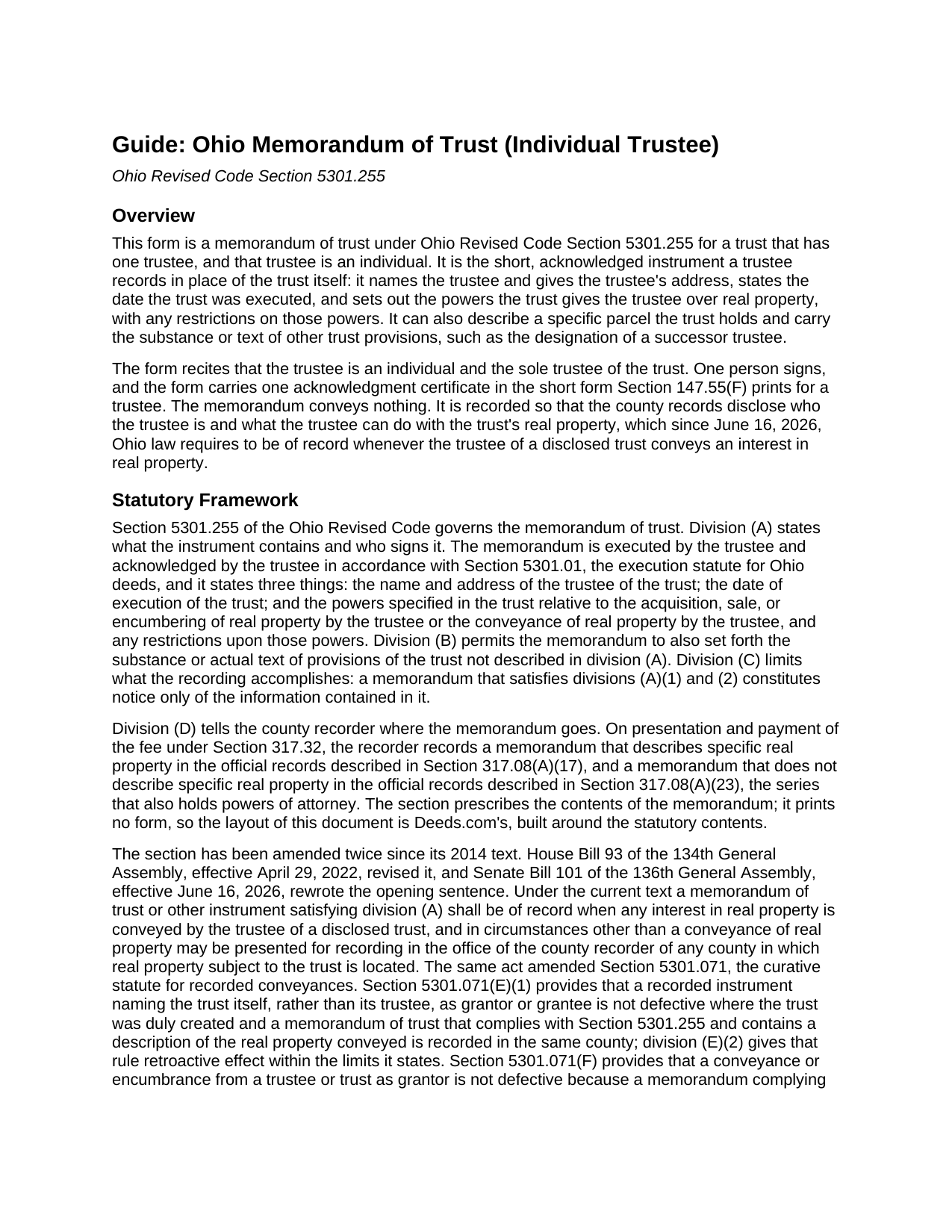
Scioto County Memorandum of Trust (Individual Trustee) Guide
Line by line guide explaining every blank on the Memorandum of Trust (Individual Trustee) form.
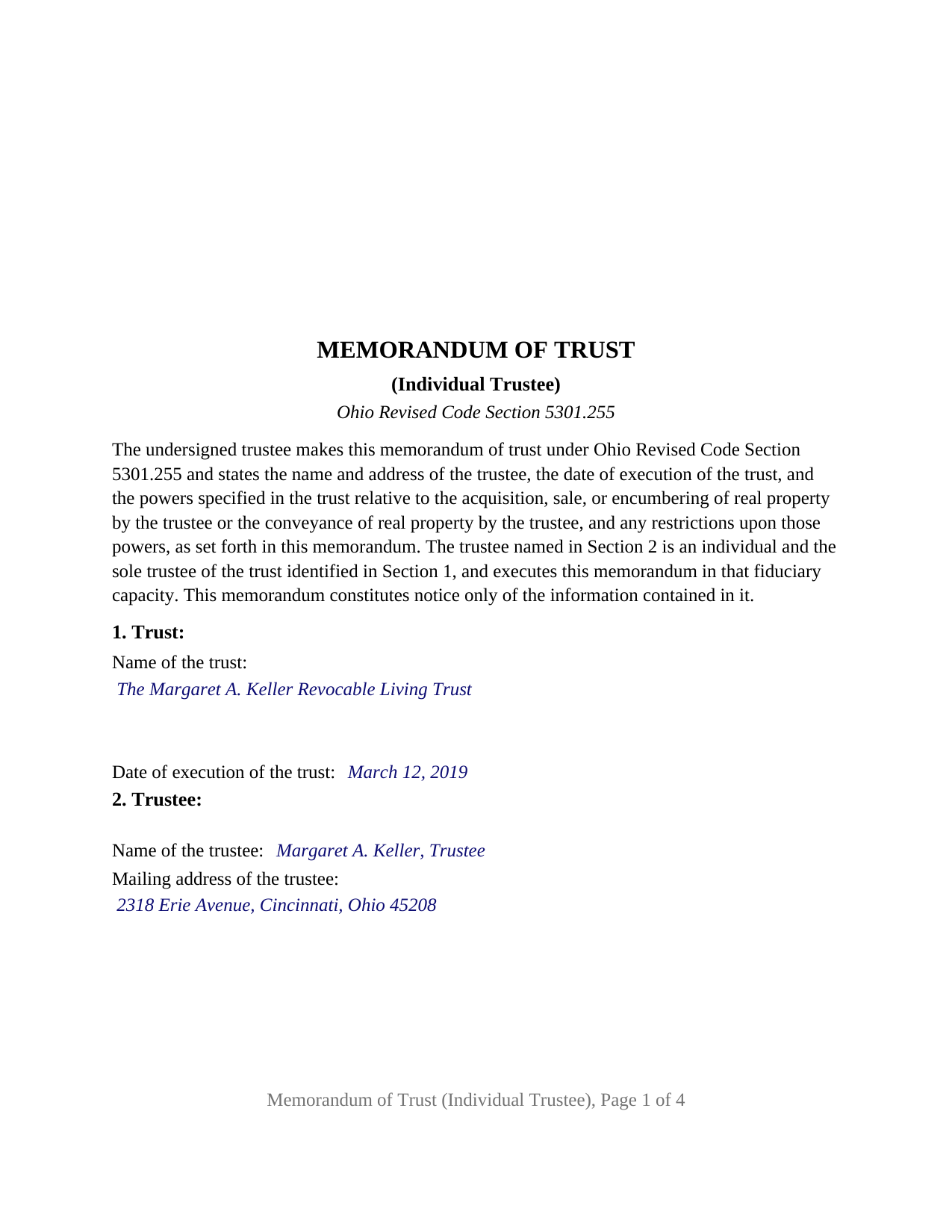
Scioto County Completed Example of the Memorandum of Trust (Individual Trustee) Document
Example of a properly completed Ohio Memorandum of Trust (Individual Trustee) document for reference.
All 3 documents above included • One-time purchase • No recurring fees
Immediate Download • Secure Checkout
Additional Ohio and Scioto County documents included at no extra charge:
Where to Record Your Documents
Scioto County Recorder
Portsmouth, Ohio 45662
Hours: 8:00am - 4:30pm Monday - Friday // No filing after 4:00pm
Phone: 740-355-8304
Recording Tips for Scioto County:
- Bring your driver's license or state-issued photo ID
- Ensure all signatures are in blue or black ink
- Make copies of your documents before recording - keep originals safe
- Recorded documents become public record - avoid including SSNs
- Recording fees may differ from what's posted online - verify current rates
Cities and Jurisdictions in Scioto County
Properties in any of these areas use Scioto County forms:
- Franklin Furnace
- Friendship
- Haverhill
- Lucasville
- Mc Dermott
- Minford
- Otway
- Portsmouth
- Rarden
- Scioto Furnace
- South Webster
- West Portsmouth
- Wheelersburg
Hours, fees, requirements, and more for Scioto County
How do I get my forms?
Forms are available for immediate download after payment. The Scioto County forms will be in your account ready to download to your computer. An account is created for you during checkout if you don't have one. Forms are NOT emailed.
Are these forms guaranteed to be recordable in Scioto County?
Yes. Our form blanks are guaranteed to meet or exceed the applicable formatting requirements used for recording in Scioto County, including margin requirements, font requirements, and other layout standards. This guarantee applies to formatting, not to the legal sufficiency of information entered by the user or the suitability of a form for a particular transaction.
Can I reuse these forms?
Yes. You can reuse the forms for your personal use. For example, if you have multiple properties in Scioto County you only need to order once.
What do I need to use these forms?
The forms are PDFs that you fill out on your computer. The free Adobe Acrobat Reader is recommended, and most PDF apps also work. You do NOT enter your property information online - you download the blank forms and complete them privately on your own computer.
Are there any recurring fees?
No. This is a one-time purchase. Nothing to cancel, no memberships, no recurring fees.
How much does it cost to record in Scioto County?
Recording fees in Scioto County vary. Contact the recorder's office at 740-355-8304 for current fees.
Questions answered? Let's get started!
One trustee, one signature, one certificate. This form prepares an Ohio memorandum of trust under Ohio Revised Code Section 5301.255 for a trust administered by a single individual trustee: the instrument recites that the person signing is an individual and the sole trustee of the named trust, and it puts the trustee's name and address, the date the trust was executed, and the trustee's real property powers into the county records without recording the trust itself.
A sole trustee's memorandum, start to finish
The form fixes its configuration as instrument text rather than leaving it to a blank. Section 2 opens with the statement that the trustee named there is an individual and the sole trustee of the trust identified in Section 1 and executes the memorandum in that fiduciary capacity; the name and mailing address follow. The signature area carries a single TRUSTEE block, and one acknowledgment certificate follows it, worded in the Section 147.55(F) short form for a trustee. Nothing on the instrument contemplates a second signer.
The pattern that presents this configuration most often in Ohio records is the settlor of a revocable living trust serving as its own trustee, with the residence deeded into the trust and the memorandum recorded ahead of any later deed from the trustee. A successor trustee who has taken office alone after the original trustee's death or resignation presents the same pattern and completes the form as the current trustee. What the form is not set up as: a trust with cotrustees, whose memorandum carries every cotrustee's signature and certificate; a bank or trust company trustee, which executes through an officer under the corporate acknowledgment form; or an attorney in fact signing for the trustee.
What the record learns, and what it does not
Section 5301.255(A) fixes the required contents, and the form's first three sections carry them: the trust and its execution date, the trustee and the trustee's address, and the powers the trust gives the trustee to acquire, sell, encumber, and convey real property, with any restrictions on those powers copied from the trust instrument. Section 4 is optional and carries what division (B) permits, the substance or text of further trust provisions, most often the successor trustee designation. Division (C) draws the line on the other side: the memorandum constitutes notice only of the information contained in it, so a power or restriction left out of the memorandum is not disclosed by the recording.
Section 5 is optional as well, and completing it decides the recorder's filing. A memorandum that describes a specific parcel, with the legal description, parcel number, and prior deed reference copied from the deed into the trustee, is recorded in the series Section 317.08(A)(17) names and indexed against that parcel; a memorandum with no parcel description goes into the Section 317.08(A)(23) series with the powers of attorney.
Of record before the trustee's deed
Since June 16, 2026, under Senate Bill 101 of the 136th General Assembly, a memorandum satisfying division (A) shall be of record when a trustee of a disclosed trust conveys any interest in Ohio real property. Section 5301.071(F) adds a four-year cure for a trustee's deed recorded without one; a memorandum recorded while the trustee holds the parcel keeps that question from arising. The instrument is sometimes called an abstract of trust or a trust memorandum; the certification of trust under Section 5810.13, furnished privately to a lender or buyer, is a different document.
Signing and recording in Ohio
The trustee signs and acknowledges the memorandum under Section 5301.01, the execution rule for an Ohio deed, before a notary public or another officer that section names; no subscribing witnesses are involved. Because the memorandum conveys, mortgages, and leases nothing, Ohio's dower statute does not reach it, and no spouse signs. The county recorder takes it on the Section 317.32 fee, $34 for the first two pages and $8 for each page after that before any county preservation surcharge, with no auditor transfer stamp and no conveyance fee statement, since it is not a deed. The form is laid out to the Section 317.114 standard format, so the $20 nonstandard format charge does not apply.
The package includes the fillable memorandum of trust form, a completed example built on a Hamilton County fact pattern with one individual trustee, and the guide covering each numbered section, execution, and recording. The description and the guide explain the form and the Ohio statutes behind it in general terms and are not legal advice.
Important: Your property must be located in Scioto County to use these forms. Documents should be recorded at the county recording office listed above.
This Memorandum of Trust (Individual Trustee) meets all recording requirements specific to Scioto County.
Our Promise
The documents you receive here are guaranteed to meet or exceed the applicable Scioto County recording format requirements. If there is a rejection caused by our formatting, we will correct the issue or refund your payment. This guarantee applies to document formatting only and does not extend to information entered by the user, the selection of the form, or the legal effect of the completed document.
Save Time and Money
Get your Scioto County Memorandum of Trust (Individual Trustee) form done right the first time with Deeds.com Uniform Conveyancing Blanks. At Deeds.com, we understand that your time and money are valuable resources, and we don't want you to face a penalty fee or rejection imposed by a county recorder for submitting nonstandard documents. We constantly review and update our forms to meet rapidly changing state and county recording requirements for roughly 3,500 counties and local jurisdictions.
4.8 out of 5 - ( 4,853 Reviews )
Steven S. 5 out of 5 stars
Very convenient and great tool for my real estate business. I'm a fan and will be a repeat customer.
We appreciate your business and value your feedback. Thank you. Have a wonderful day!
David Q. 5 out of 5 stars
Very easy...great service.
Thank you!
Melody S. 4 out of 5 stars
Although I was given quite a bit of information, I wanted my property title. I was not informed of what I would receive before I paid for this service.
Thank you!
William H. 5 out of 5 stars
It was quick and easy to download the forms I need to modify a property deed. No problems n the least.
We appreciate your business and value your feedback. Thank you. Have a wonderful day!
Terri L. 5 out of 5 stars
Great Tool! Very easy to complete.
We appreciate your business and value your feedback. Thank you. Have a wonderful day!
Wanda R. 5 out of 5 stars
Very satisfied with the ease of using your database. Excellent place to get help with deeds.
We appreciate your business and value your feedback. Thank you. Have a wonderful day!
RONNIE C. 5 out of 5 stars
Excellent service and the time the documents send back to me was also excellent
Thank you!
Sean M. 5 out of 5 stars
This was exactly what I needed. For $25-$30 it gave me the formatted document I needed and made it so easy to input the info. I wouldn't recommend it to someone who has no clue what they're doing, but for somebody who knows all the info and just needs a formatted page to input it onto, this is perfect.
We appreciate your business and value your feedback. Thank you. Have a wonderful day!
Josephine H. 5 out of 5 stars
Wonderful site. Pretty complete and super easy to use. Thank you.
Thank you for your feedback. We really appreciate it. Have a great day!
Alex J. 5 out of 5 stars
Very simple to use. I am a private homeowner with no experience in such things and it was very easy to do which was quite a relief. Thank you.
We appreciate your business and value your feedback. Thank you. Have a wonderful day!
Margaret D. 5 out of 5 stars
They deliver!
Thank you!
Shellie J. 5 out of 5 stars
Documents are great and easy to use, just wish there was a page helping to know where to mail documents to with an amount since it tells you mailing in is an option.
Thank you for your feedback. We really appreciate it. Have a great day!
Brenda K R. 5 out of 5 stars
Hello, I like how easy the form is to follow. I'm unsure however of how to proceed as what I am trying to do is have my name added to the deed so in event of death I have ownership.
Thank you for your feedback. We really appreciate it. Have a great day!
Lori A. 5 out of 5 stars
My county accessors office recommended this site. My Uncle passed away and did not leave a will and I needed to have his deed transferred into my name. I was able to do it using the sample Deeds.com provided. I used it as a guide to fill out the paperwork that I printed off of the Deeds.com site. I had no problem when I went to the county and turned in the paperwork and the clerk said everything looked great.
Thank you so much for taking the time to share your experience Lori. We are deeply sorry for your loss and understand how challenging managing affairs can be during such a difficult time. It's heartening to hear that our resources were helpful to you in transferring your uncle's deed into your name.
We strive to make complex processes more accessible and manageable, and your feedback affirms the value of our work. Knowing that the county assessor's office recommended us and that the clerk found everything in order with your paperwork is incredibly gratifying.
Andre W. 5 out of 5 stars
I was very please with their professionalism and dedication. The young lady that was working with me was AWESOME. i could not thank her enough.
Thank you!