Gallia County Quitclaim Deed (Individual Grantor) Form
Last validated November 11, 2026 by our Forms Development TeamFormatted for recording in Gallia County, for property anywhere in the county: rural and unincorporated areas as well as Bidwell, Cheshire, Crown City, Gallipolis, Kerr, Patriot, Rio Grande, Thurman and 1 more.
- 3 documents included
- Immediate PDF download
- Formatting guarantee
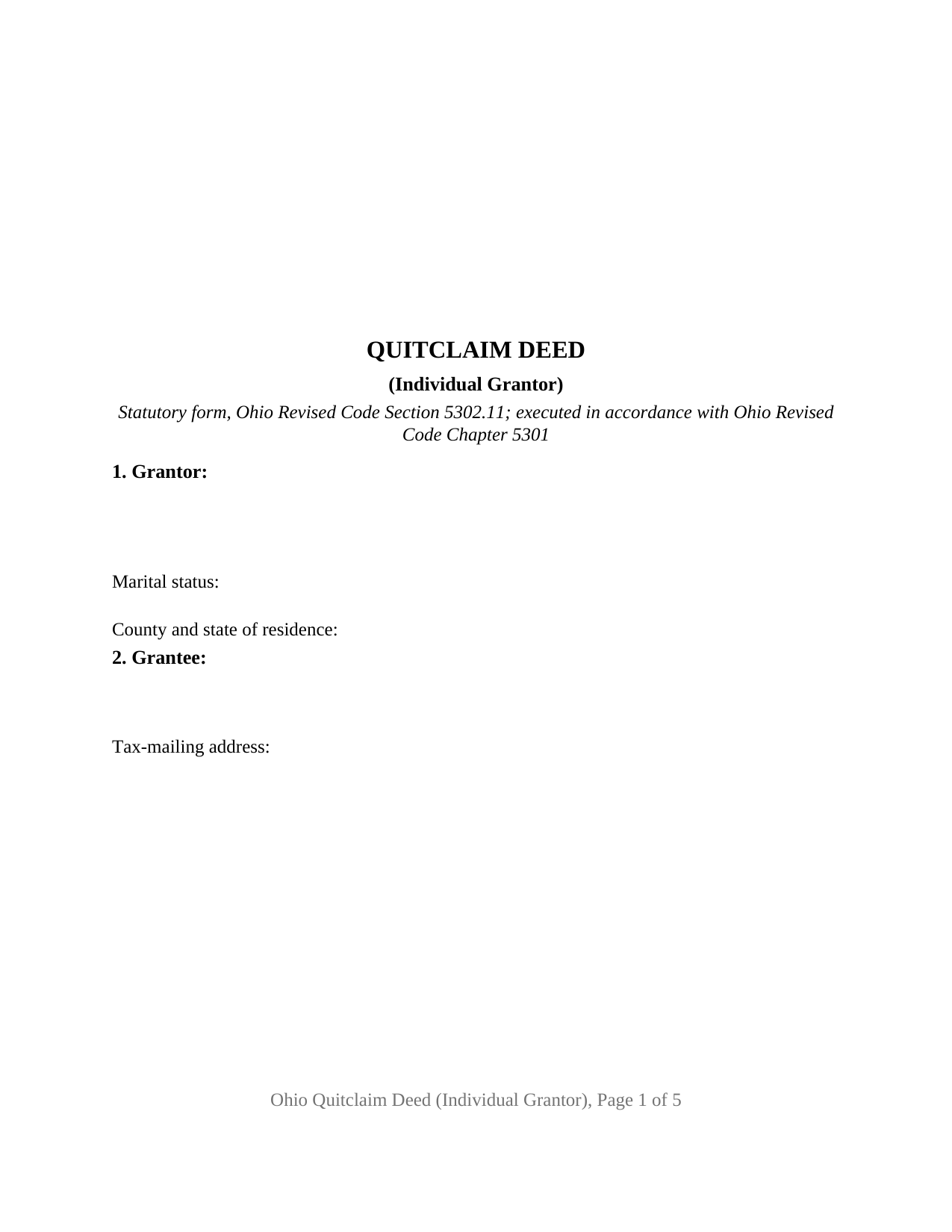
Gallia County Quitclaim Deed (Individual Grantor) Form
Fill in the blank Quitclaim Deed (Individual Grantor) form formatted to comply with all Ohio recording and content requirements.
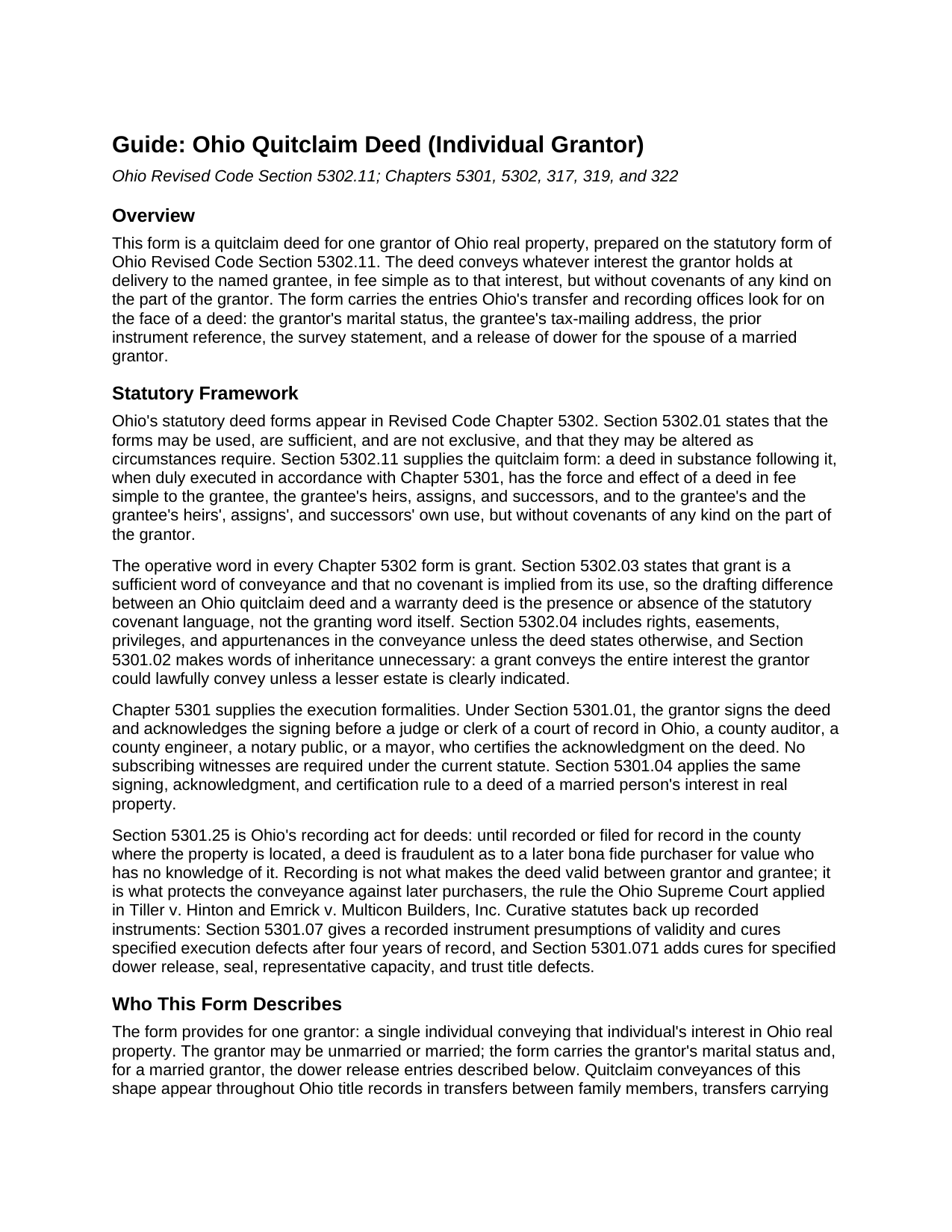
Gallia County Quitclaim Deed (Individual Grantor) Guide
Line by line guide explaining every blank on the Quitclaim Deed (Individual Grantor) form.
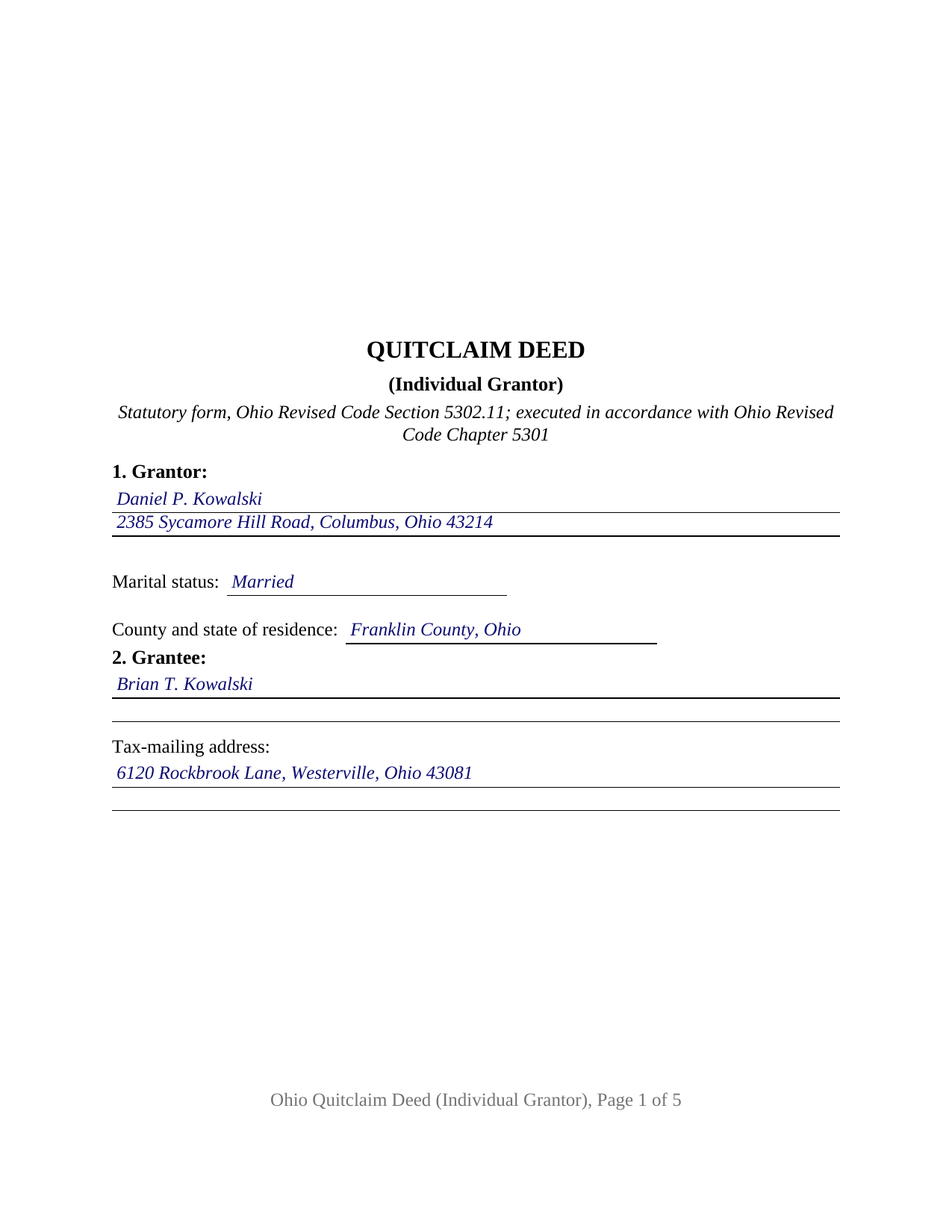
Gallia County Completed Example of the Quitclaim Deed (Individual Grantor) Document
Example of a properly completed Ohio Quitclaim Deed (Individual Grantor) document for reference.
All 3 documents above included • One-time purchase • No recurring fees
Immediate Download • Secure Checkout
Additional Ohio and Gallia County documents included at no extra charge:
Where to Record Your Documents
Gallia County Recorder
Gallipolis, Ohio 45631
Hours: 8:00 a.m. - 4:00 p.m. Monday - Friday
Phone: 740-446-4612 Ext.1246
Recording Tips for Gallia County:
- Bring your driver's license or state-issued photo ID
- Ensure all signatures are in blue or black ink
- Check margin requirements - usually 1-2 inches at top
- Leave recording info boxes blank - the office fills these
- Make copies of your documents before recording - keep originals safe
Cities and Jurisdictions in Gallia County
Properties in any of these areas use Gallia County forms:
- Bidwell
- Cheshire
- Crown City
- Gallipolis
- Kerr
- Patriot
- Rio Grande
- Thurman
- Vinton
Hours, fees, requirements, and more for Gallia County
How do I get my forms?
Forms are available for immediate download after payment. The Gallia County forms will be in your account ready to download to your computer. An account is created for you during checkout if you don't have one. Forms are NOT emailed.
Are these forms guaranteed to be recordable in Gallia County?
Yes. Our form blanks are guaranteed to meet or exceed the applicable formatting requirements used for recording in Gallia County, including margin requirements, font requirements, and other layout standards. This guarantee applies to formatting, not to the legal sufficiency of information entered by the user or the suitability of a form for a particular transaction.
Can I reuse these forms?
Yes. You can reuse the forms for your personal use. For example, if you have multiple properties in Gallia County you only need to order once.
What do I need to use these forms?
The forms are PDFs that you fill out on your computer. The free Adobe Acrobat Reader is recommended, and most PDF apps also work. You do NOT enter your property information online - you download the blank forms and complete them privately on your own computer.
Are there any recurring fees?
No. This is a one-time purchase. Nothing to cancel, no memberships, no recurring fees.
How much does it cost to record in Gallia County?
Recording fees in Gallia County vary. Contact the recorder's office at 740-446-4612 Ext.1246 for current fees.
Questions answered? Let's get started!
An Ohio quitclaim deed conveys whatever interest the grantor holds in real property, without covenants of any kind. This version of the form prepares that conveyance for a single grantor under Ohio Revised Code Section 5302.11, with the marital status line, the grantee's tax-mailing address, the prior instrument reference, and the release of dower entries that Ohio county transfer offices look for on the face of a deed.
A conveyance without covenants
Ohio wrote its quitclaim form into statute. A deed in substance following Section 5302.11, executed in accordance with Chapter 5301, has the force and effect of a deed in fee simple to the grantee, but without covenants of any kind on the part of the grantor. The word grant carries the conveyance, and Section 5302.03 confirms that no covenant is implied from it, so the grantee receives exactly the interest the grantor holds, subject to whatever encumbrances travel with the title. That mechanism is why this instrument, searched about as often as a quit claim deed as under its statutory spelling, appears constantly in Ohio family transfers, conveyances carrying out a divorce decree, corrective deeds, and transfers consolidating fractional interests in a single name.
One grantor, and the dower line Ohio still draws
The form recites a single grantor, states the grantor's marital status, and carries a numbered release of dower section with a second signature line and its own acknowledgment certificate. Ohio remains a dower state: Section 2103.02 of the Revised Code gives a spouse a life estate in one third of the real property of which the other spouse held an estate of inheritance during the marriage, so the deed of a married grantor conventionally carries the spouse's release, the sentence the statutory quitclaim form itself supplies. An unmarried grantor signs alone, and the dower entries stay blank. The form recites exactly one individual grantor; co-owner, entity, and fiduciary conveyances present different execution patterns.
No subscribing witnesses appear on the form, because Section 5301.01 requires signing and acknowledgment before a notary public or other authorized officer and nothing more. A printed name line sits under each signature, matching Section 317.11, which keeps an illegibly signed instrument out of the record unless the signer's name appears legibly beneath the signature.
The auditor comes before the recorder
Recording an Ohio deed is a two stop path. The deed goes first to the county auditor with a real property conveyance fee statement, form DTE 100, or the DTE 100EX exemption statement for transfers exempt under Section 319.54(G)(3). The auditor collects the statewide conveyance fee of ten cents per one hundred dollars of value, never less than one dollar, plus any county permissive transfer tax of up to thirty cents per one hundred dollars under Chapter 322, enters the transfer under Section 319.20, and stamps the deed; Section 317.22 keeps an unstamped deed of absolute conveyance out of the record. The county recorder then records it, at thirty-four dollars for the first two pages and eight dollars for each additional page under Sections 317.32 and 317.36, with a preservation surcharge of up to five dollars added in some counties.
The form is drawn to the standard document format of Section 317.114: a three inch blank top margin on the first page reserved for recording endorsements, one inch margins on the sides and bottom, an inch and a half at the top of later pages, and type above the statutory 10 point minimum, so it records without the twenty dollar nonstandard format fee. It also carries the two entries Section 319.20 requires before the auditor transfers a parcel, the grantee's tax-mailing address and the prior instrument reference, along with the Section 5301.25(B) survey statement line for a conveyance that follows a boundary survey.
What the download delivers
The purchase delivers three pieces: the Ohio quitclaim deed for an individual grantor as a fillable PDF, a completed example showing the deed filled in for a Franklin County fact pattern, and a plain language guide that walks through every numbered section, the signing and dower rules, the ways Ohio grantees may hold title, and the auditor and recorder steps in order. The materials describe Ohio law and this form in general terms; they are not legal advice.
Important: Your property must be located in Gallia County to use these forms. Documents should be recorded at the county recording office listed above.
This Quitclaim Deed (Individual Grantor) meets all recording requirements specific to Gallia County.
Our Promise
The documents you receive here are guaranteed to meet or exceed the applicable Gallia County recording format requirements. If there is a rejection caused by our formatting, we will correct the issue or refund your payment. This guarantee applies to document formatting only and does not extend to information entered by the user, the selection of the form, or the legal effect of the completed document.
Save Time and Money
Get your Gallia County Quitclaim Deed (Individual Grantor) form done right the first time with Deeds.com Uniform Conveyancing Blanks. At Deeds.com, we understand that your time and money are valuable resources, and we don't want you to face a penalty fee or rejection imposed by a county recorder for submitting nonstandard documents. We constantly review and update our forms to meet rapidly changing state and county recording requirements for roughly 3,500 counties and local jurisdictions.
4.8 out of 5 - ( 4,867 Reviews )
Steve M. 5 out of 5 stars
I was only able to download the QC form. Had to print the other docs
Thank you for your feedback. We really appreciate it. Have a great day!
kathy d. 5 out of 5 stars
very easy make sense instructions. Thank you.
Thank you for your feedback Kathy. Have an amazing day!
Teri B. 5 out of 5 stars
Glad to have all of the helpful extra information, even though they don't answer all questions for all situations. So, I accessed public records and asked questions at the auditor's office. Also, on my Mac computer, filling out the actual deed form is a challenge because the screen jumps to the last page everytime I try to type a few letters or hit the return key, so I'm rollling back up to the first 2 pages after most keystrokes. A bit annoying. Overall, happy to have these form options are available! There is really no need to wait and pay for an attorney when all the information needed is available via public records. Fill in the blanks!
Thanks so much for the feedback Teri. There are known issues between Adobe and Mac, we try to work around them as much as possible. Have a wonderful day!
Alison B. 5 out of 5 stars
The Deed of trust form was fine but the promissory note was less user friendly since I needed to change a few things that were fixed in the template. I ended up using white-out after I got no response when I emailed the help site that was provided in one of your emails, so it looks a little odd but should be usable
Thank you for your feedback. We really appreciate it. Have a great day!
Norma M. 5 out of 5 stars
this is great because it saves money and gets the job done
Thank you for your feedback. We really appreciate it. Have a great day!
charles c. 5 out of 5 stars
Great service, well worth the $15 fee. Especially helpful was the review of my documentation and the quick responses. Recommending it to associates who might need this service.
Thank you for your feedback. We really appreciate it. Have a great day!
Ernest K. 5 out of 5 stars
Im an out of state realtor, but couldnt believe how quick and easy the process was. Recieved my deed within 15 min of submission. I will be referring clients to this service.
Thank you!
Ronnie W T. 5 out of 5 stars
Very fast and efficient as soon as we paid for the document, it was downloaded to us immediately.
We appreciate your business and value your feedback. Thank you. Have a wonderful day!
Lorraine F. 2 out of 5 stars
I followed the instructions to download the form for my Mac, typed in the legal description of the real property but the space provided for it would not expand so I just typed the form into Word as a document. While I appreciate having the form to work with it would have been a breeze if it worked properly.
Your insights are invaluable to us and help us strive for better service. Thank you for taking the time to share your thoughts.
Duncan M. 2 out of 5 stars
Forms are fine, but the inability to download a completed form is not. Nor is the ability to convert to another format. Everytime I went to download, the form erased. I didn't have a printer available, so everything I did was to waste.
Thank you for your feedback Duncan. The blank forms should be downloaded first and then completed on your computer.
Diana M. 5 out of 5 stars
First time user - process went very smooth and fast. It took me a little to find my messages. At first I didn't know you process documents other than deeds so maybe you should consider putting on your home page that it's not only for deeds - it's for any document that needs recording. :)
Thank you for your feedback. We really appreciate it. Have a great day!
Danny W. 5 out of 5 stars
download complete..I am happy with results. Correct document for the state and my application, and it was a simple transaction.
We appreciate your business and value your feedback. Thank you. Have a wonderful day!
Van S. 5 out of 5 stars
Easy to use...very informative...ttook care of exactly what I was looking for.
Thank you for your feedback. We really appreciate it. Have a great day!
Jan H. 5 out of 5 stars
This is a great service. It was easy to find and the instructions were complete and easy to follow.
Thank you!
Gary S. 5 out of 5 stars
Thank you! Quick, timely and excellent quality document!
Thank you for your feedback. We really appreciate it. Have a great day!