Vinton County Release and Satisfaction of Mortgage (Corrective) Form
Last validated October 28, 2026 by our Forms Development TeamFormatted for recording in Vinton County, for property anywhere in the county: rural and unincorporated areas as well as Creola, Hamden, Mc Arthur, New Plymouth, Ray, Wilkesville, Zaleski.
- 3 documents included
- Immediate PDF download
- Formatting guarantee
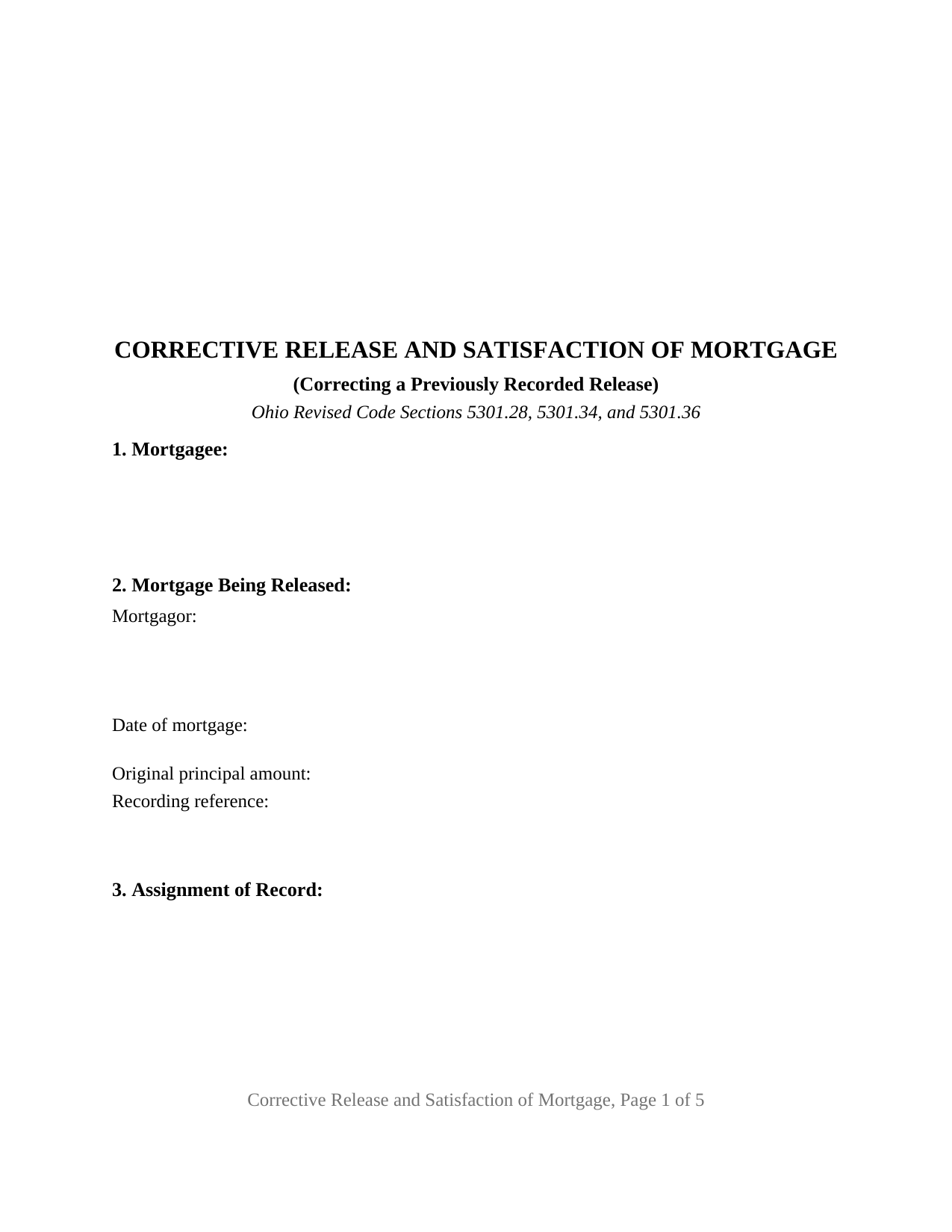
Vinton County Release and Satisfaction of Mortgage (Corrective) Form
Fill in the blank Release and Satisfaction of Mortgage (Corrective) form formatted to comply with all Ohio recording and content requirements.
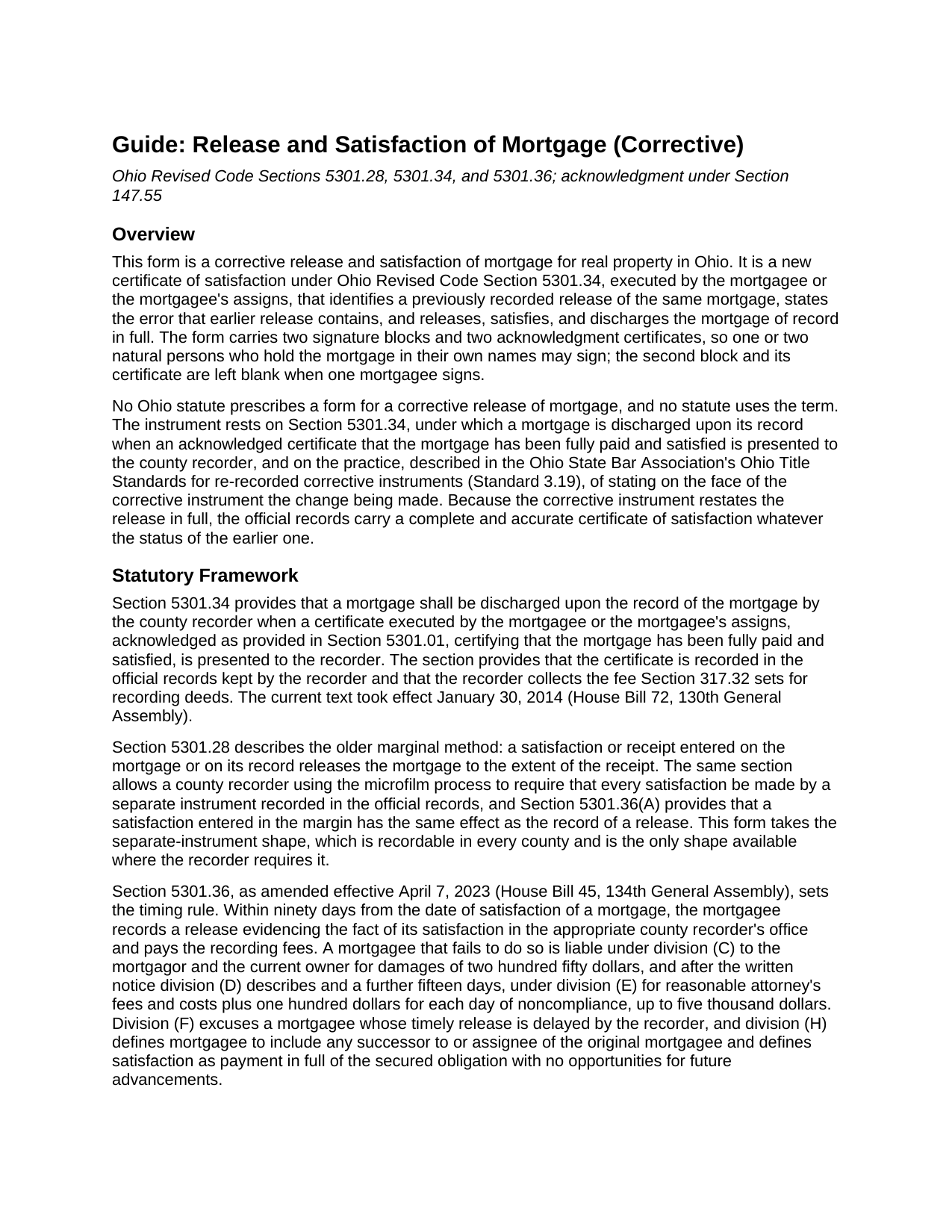
Vinton County Release and Satisfaction of Mortgage (Corrective) Guide
Line by line guide explaining every blank on the Release and Satisfaction of Mortgage (Corrective) form.
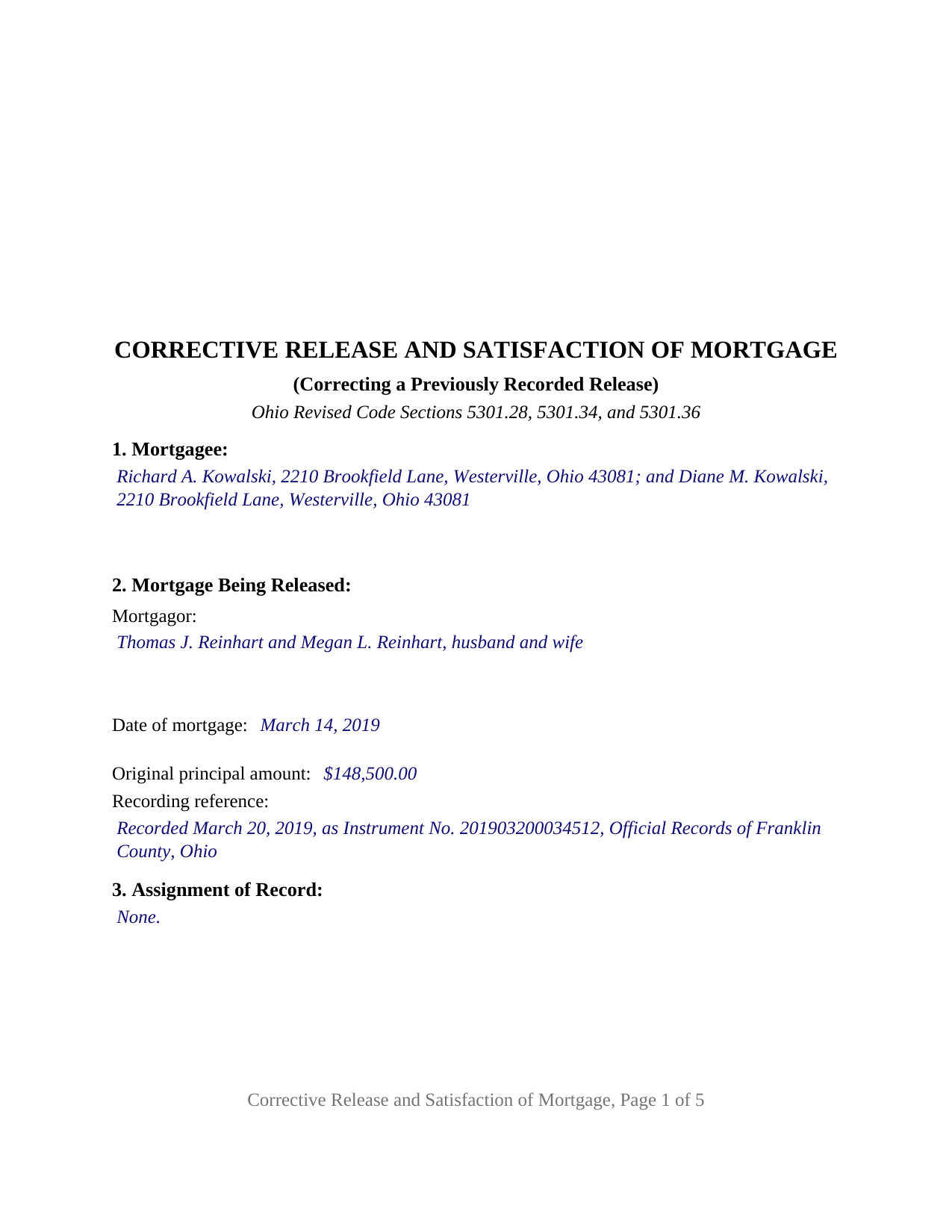
Vinton County Completed Example of the Release and Satisfaction of Mortgage (Corrective) Document
Example of a properly completed Ohio Release and Satisfaction of Mortgage (Corrective) document for reference.
All 3 documents above included • One-time purchase • No recurring fees
Immediate Download • Secure Checkout
Additional Ohio and Vinton County documents included at no extra charge:
Where to Record Your Documents
Vinton County Recorder
McArthur, Ohio 45651
Hours: 8:30 - 12:00 & 1:00 - 4:00 Monday through Friday
Phone: 740-596-4314
Recording Tips for Vinton County:
- Bring your driver's license or state-issued photo ID
- Ensure all signatures are in blue or black ink
- Ask if they accept credit cards - many offices are cash/check only
- Check that your notary's commission hasn't expired
- Documents must be on 8.5 x 11 inch white paper
Cities and Jurisdictions in Vinton County
Properties in any of these areas use Vinton County forms:
- Creola
- Hamden
- Mc Arthur
- New Plymouth
- Ray
- Wilkesville
- Zaleski
Hours, fees, requirements, and more for Vinton County
How do I get my forms?
Forms are available for immediate download after payment. The Vinton County forms will be in your account ready to download to your computer. An account is created for you during checkout if you don't have one. Forms are NOT emailed.
Are these forms guaranteed to be recordable in Vinton County?
Yes. Our form blanks are guaranteed to meet or exceed the applicable formatting requirements used for recording in Vinton County, including margin requirements, font requirements, and other layout standards. This guarantee applies to formatting, not to the legal sufficiency of information entered by the user or the suitability of a form for a particular transaction.
Can I reuse these forms?
Yes. You can reuse the forms for your personal use. For example, if you have multiple properties in Vinton County you only need to order once.
What do I need to use these forms?
The forms are PDFs that you fill out on your computer. The free Adobe Acrobat Reader is recommended, and most PDF apps also work. You do NOT enter your property information online - you download the blank forms and complete them privately on your own computer.
Are there any recurring fees?
No. This is a one-time purchase. Nothing to cancel, no memberships, no recurring fees.
How much does it cost to record in Vinton County?
Recording fees in Vinton County vary. Contact the recorder's office at 740-596-4314 for current fees.
Questions answered? Let's get started!
An Ohio mortgage release that cites the wrong instrument number, misstates a name, or leaves out the parcel number sits in the county's official records as a certificate that points at the wrong thing. This form prepares a corrective release and satisfaction of mortgage for Ohio real property: a new certificate of satisfaction under Ohio Revised Code Section 5301.34 that identifies the earlier release, states the error it contains, and releases the mortgage again in full.
A second certificate, stated in full
Section 5301.34 discharges a mortgage upon its record when the mortgagee, or the mortgagee's assigns, presents an acknowledged certificate that the mortgage has been fully paid and satisfied. Ohio has no statute written for a corrective release, so the corrective instrument is simply that certificate made again, completely and accurately, with one addition: it names the release already of record and says what was wrong with it. The instrument restates the whole release rather than amending the earlier recording word by word, so the record carries a complete certificate whatever the status of the first one, and it confirms the earlier release to the extent that release was effective rather than revoking it.
What the earlier release got wrong
Section 4 of the form is the corrective heart of the instrument. It identifies the earlier release by title, date, and recording reference, and it carries a plain statement of the error corrected and the correct information: a mortgage recording reference transposed by two digits, a mortgagor's name misspelled, a legal description or parcel number omitted or copied from the wrong parcel. Stating the change on the face of a corrective instrument is the practice the Ohio State Bar Association's Ohio Title Standards describe for corrective re-recordings, and it lets a later examiner read the two instruments together. The curative statutes stay in the background: Section 5301.291 provides that a release is not defective for a fiduciary's individual signature, a certificate on a separate sheet, or late recording, and Section 5301.07 cures defects of execution after four years of record, but an error in the content of the release is outside those sections, and that is the error this instrument addresses.
One or two mortgagees, each with a certificate
The form carries two signature blocks, headed MORTGAGEE and SECOND MORTGAGEE (if applicable), and a separate acknowledgment certificate for each, so two mortgagees may sign on different dates or before different notaries, and a single mortgagee leaves the second block and certificate blank. A seller who financed a sale and took back a mortgage, and a couple named together as mortgagees, present the patterns this form recites. Section 3 records any assignment of record through which the signer holds the mortgage, and the form prints nothing about marital status or capacity. It is not set up as a first release where none is of record, as a partial release, which Ohio treats as a separate instrument, or for a bank, company, trust, estate, or attorney-in-fact, each of which signs in a representative capacity under a different statutory acknowledgment form.
Recording in the county where the land lies
The signed and acknowledged original goes to the county recorder of the county in which the property is located and is recorded in the official records, where the recorder also discharges the mortgage on its record. A release passes through no auditor transfer and carries no conveyance fee. Section 5301.36 gives a mortgagee ninety days from satisfaction to record a release, with statutory damages for a mortgagee who does not; a release recorded on time but recorded wrong is what the corrective instrument answers. The statewide recording fee under Sections 317.32 and 317.36 is thirty-four dollars for the first two pages and eight dollars for each page after that, plus a county preservation surcharge of up to five dollars and four dollars for each marginal reference the instrument sets out. The form is laid out to the Section 317.114 standard, with the three-inch blank top margin on the first page, one-inch side and bottom margins, and twelve point type, and it carries the preparer's name Section 317.111 requires.
The package includes the fillable form, a completed example filled in for a realistic Franklin County fact pattern, and the guide that walks through every numbered section and the Ohio statutes behind it. This description and the guide describe the form and the governing statutes in general terms; they are not legal advice.
Important: Your property must be located in Vinton County to use these forms. Documents should be recorded at the county recording office listed above.
This Release and Satisfaction of Mortgage (Corrective) meets all recording requirements specific to Vinton County.
Our Promise
The documents you receive here are guaranteed to meet or exceed the applicable Vinton County recording format requirements. If there is a rejection caused by our formatting, we will correct the issue or refund your payment. This guarantee applies to document formatting only and does not extend to information entered by the user, the selection of the form, or the legal effect of the completed document.
Save Time and Money
Get your Vinton County Release and Satisfaction of Mortgage (Corrective) form done right the first time with Deeds.com Uniform Conveyancing Blanks. At Deeds.com, we understand that your time and money are valuable resources, and we don't want you to face a penalty fee or rejection imposed by a county recorder for submitting nonstandard documents. We constantly review and update our forms to meet rapidly changing state and county recording requirements for roughly 3,500 counties and local jurisdictions.
4.8 out of 5 - ( 4,837 Reviews )
darryl c. 5 out of 5 stars
very easy to use website
Thank you!
Dakota H. 5 out of 5 stars
Brilliant idea. Beats working with an attorney who charges $250+ per hour. Thanks.
Thank you!
Carol W. 2 out of 5 stars
The only reason for the low review was I could not find the form that I needed.
Sorry to hear that we did not have what you needed. We hope you found it somewhere. Have a wonderful day.
Janet J. 5 out of 5 stars
These forms were very easy to both download and print, as well as fill out on the site and then print. The instructions are clear and concise. We have not yet been to the County to file them, but we are expecting no issues.
We appreciate your business and value your feedback. Thank you. Have a wonderful day!
Colleen P. 3 out of 5 stars
It was frustrating to get the scans done but that might have been due to a learning curve. After 4 tries they were accepted. I couldn't figure out how to delete or close the failed attempts. Waiting to see if Recorder office has changed the title.
Thank you for your feedback. We really appreciate it. Have a great day!
Michael T. 5 out of 5 stars
Good site. Two things to note. 1. The Documentary Transfer Tax Exemption sheet, the word "computer" is used when I think it should be "computed" Error in state form? 2. The California Trust Guide could have a watermark which is less distracting. Kind of hard to read the print with the DEEDS.COM logo so prominent.
Thank you for your feedback. We really appreciate it. Have a great day!
Larry P. 5 out of 5 stars
Very nice, they include a guide download that tells you all the lawyer speak!! I'll be using them again.
Thank you for your feedback. We really appreciate it. Have a great day!
Douglas D. 5 out of 5 stars
WOW! What a great service! Incredibly fast (just under 3 hours from creating the package to getting a receipt from the county recorder!) Will definitely use this service again!
We appreciate your business and value your feedback. Thank you. Have a wonderful day!
Norbert C. 5 out of 5 stars
Great resource and everything went smoothly except email was performed through autofill prompted by the system but the autofill added a letter that gave wrong email. I can still sign in with wrong email since the system recognizes it as mine even though it is wrong. May be my fault and not the system since I did not catch the discrepancy in time. I would suggest a field that allows a correction to any misinformation prior to signing out from the initial sign on. Still think it is a great resource if all documents are processed and accepted by the pwers to be. Thanks.
Thank you!
Dr. Shenetta M. 5 out of 5 stars
The process was simple, and I am thankful for the turnaround time. Thank you for the help!
We are overjoyed to read your appreciative words regarding your experience with our eRecording service. It's rewarding to know that the simplicity of our process and the prompt turnaround time met your expectations.
Your acknowledgement is a great motivator for us to continue enhancing our services. Our goal is to always provide a seamless and efficient experience to our valued customers like you.
Thank you once again for your kind feedback. We are here to assist you anytime you need, and we look forward to serving you again in the near future!
Cherif T. 5 out of 5 stars
I wish every state offered such an easy and economical download of these forms. You were reasonable in price, I received one of every form you offered along with instructions, and it made my day so easy. Why pay a lawyer a fortune for these simple (almost) everyday forms when you can do it all for less than $20. Thank you for being reasonable, well organized, and available for common use! Cherif T.
Thank you!
Deborah C. 5 out of 5 stars
I would recommend these forms to others.
Thank you!
john o. 5 out of 5 stars
very simple to use
Thank you!
JOYCE R. 5 out of 5 stars
I am a tax attorney and had worked as a Valuation Engineer with Internal Revenue Service. I can access (almost immediately) complete title reports and transactions history of real estate transfers. It is a joy to have access to your valuable service. JOYCE REBHUN,JD,MBA,PhD,EA
Thank you for your feedback. We really appreciate it. Have a great day!
Nathan M. 5 out of 5 stars
It had the info, but when I would type into the document the items I needed in adobe all that would print out was the info I typed and none of the document information.
Thank you!