Geauga County Satisfaction of Assignment of Leases and Rents Form
Last validated October 30, 2026 by our Forms Development TeamFormatted for recording in Geauga County, for property anywhere in the county: rural and unincorporated areas as well as Burton, Chagrin Falls, Chardon, Chesterland, East Claridon, Huntsburg, Middlefield, Montville and 4 more.
- 3 documents included
- Immediate PDF download
- Formatting guarantee
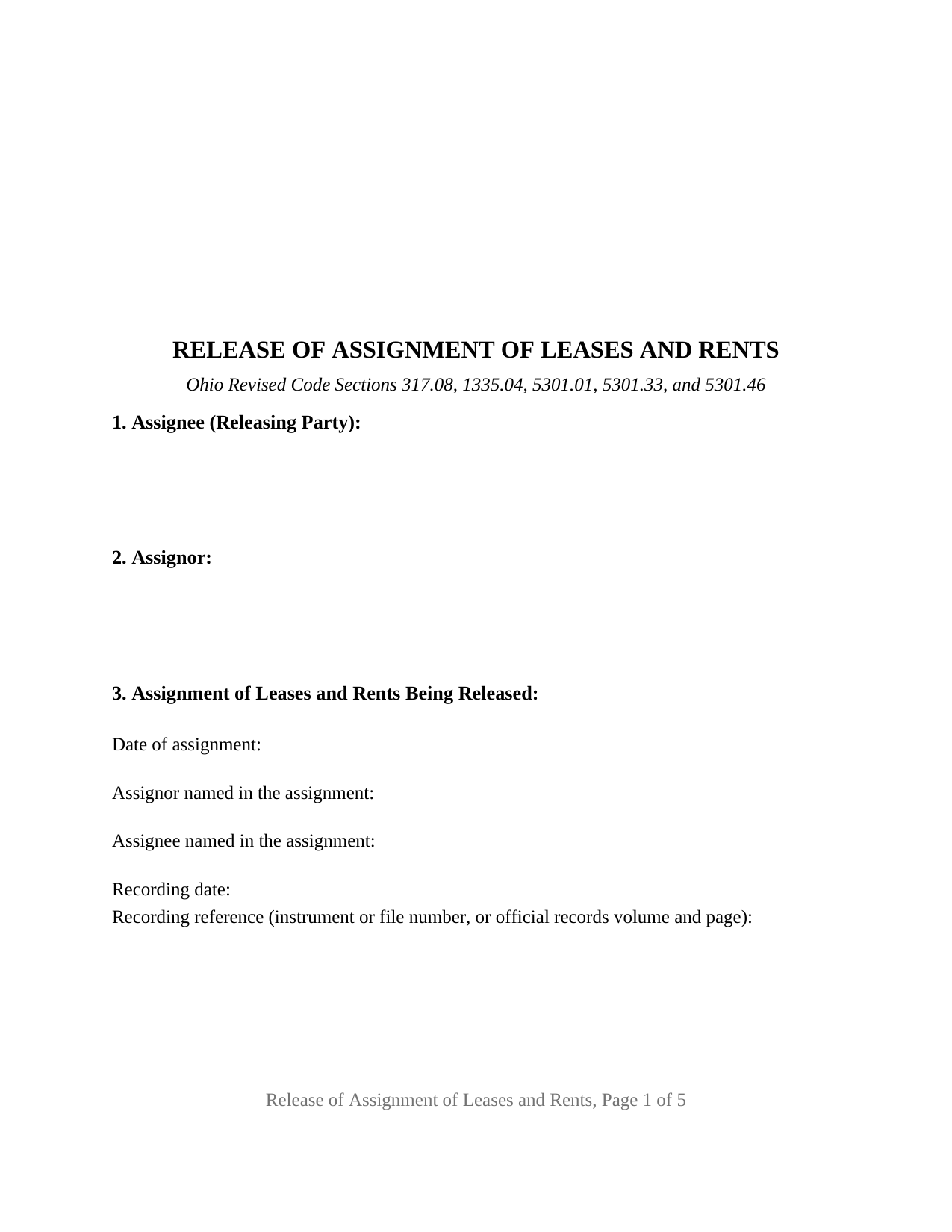
Geauga County Satisfaction of Assignment of Leases and Rents Form
Fill in the blank Satisfaction of Assignment of Leases and Rents form formatted to comply with all Ohio recording and content requirements.
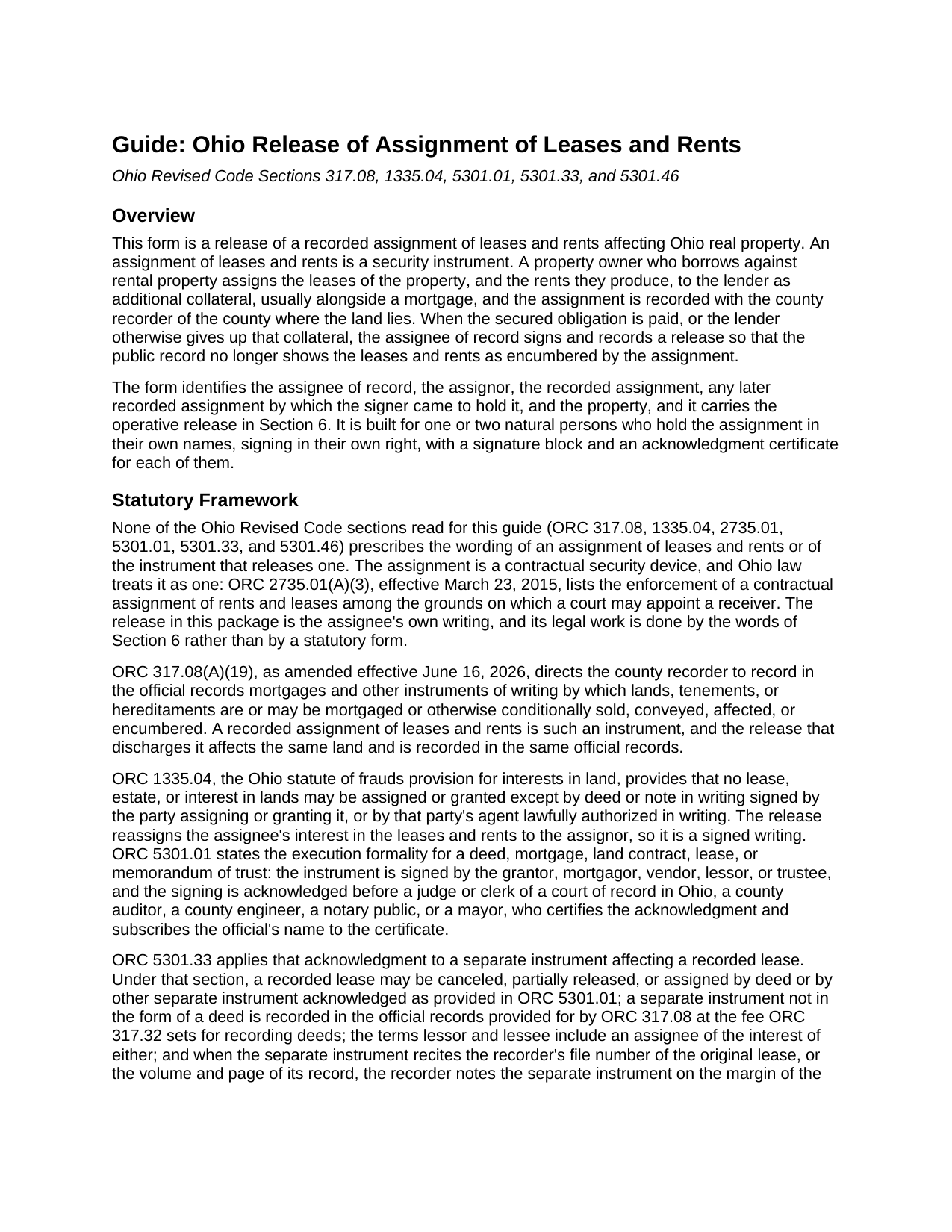
Geauga County Satisfaction of Assignment of Leases and Rents Guide
Line by line guide explaining every blank on the Satisfaction of Assignment of Leases and Rents form.
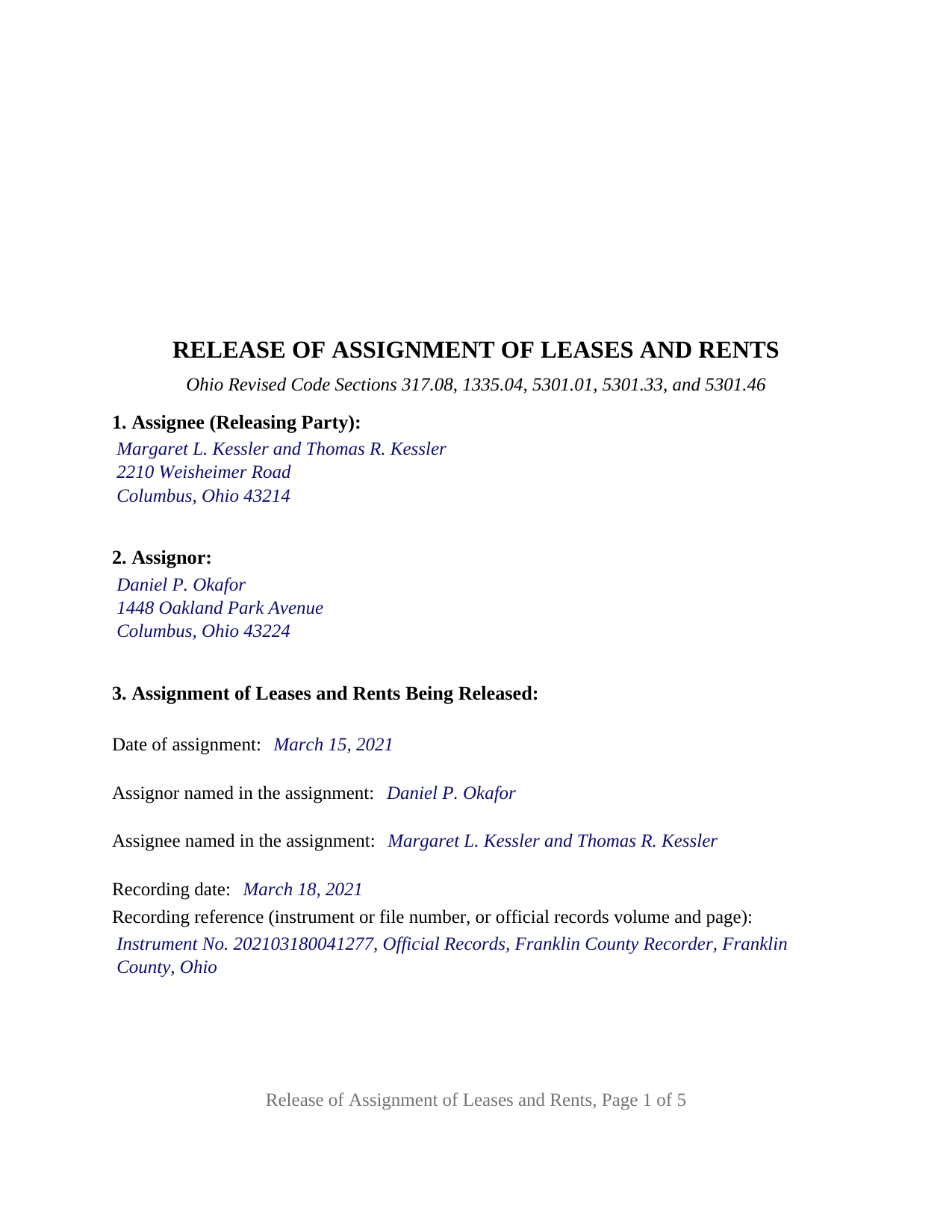
Geauga County Completed Example of the Satisfaction of Assignment of Leases and Rents Document
Example of a properly completed Ohio Satisfaction of Assignment of Leases and Rents document for reference.
All 3 documents above included • One-time purchase • No recurring fees
Immediate Download • Secure Checkout
Additional Ohio and Geauga County documents included at no extra charge:
Where to Record Your Documents
Geauga County Recorder
Chardon, Ohio 44024
Hours: 8:00 a.m. - 4:30 p.m. Monday - Friday / Recording until 4:15 pm
Phone: 440-285-2222 ext 2020 or 279-2020 (direct line)
Recording Tips for Geauga County:
- Bring your driver's license or state-issued photo ID
- Ensure all signatures are in blue or black ink
- Recorded documents become public record - avoid including SSNs
- Recording fees may differ from what's posted online - verify current rates
- Request a receipt showing your recording numbers
Cities and Jurisdictions in Geauga County
Properties in any of these areas use Geauga County forms:
- Burton
- Chagrin Falls
- Chardon
- Chesterland
- East Claridon
- Huntsburg
- Middlefield
- Montville
- Newbury
- Novelty
- Parkman
- Thompson
Hours, fees, requirements, and more for Geauga County
How do I get my forms?
Forms are available for immediate download after payment. The Geauga County forms will be in your account ready to download to your computer. An account is created for you during checkout if you don't have one. Forms are NOT emailed.
Are these forms guaranteed to be recordable in Geauga County?
Yes. Our form blanks are guaranteed to meet or exceed the applicable formatting requirements used for recording in Geauga County, including margin requirements, font requirements, and other layout standards. This guarantee applies to formatting, not to the legal sufficiency of information entered by the user or the suitability of a form for a particular transaction.
Can I reuse these forms?
Yes. You can reuse the forms for your personal use. For example, if you have multiple properties in Geauga County you only need to order once.
What do I need to use these forms?
The forms are PDFs that you fill out on your computer. The free Adobe Acrobat Reader is recommended, and most PDF apps also work. You do NOT enter your property information online - you download the blank forms and complete them privately on your own computer.
Are there any recurring fees?
No. This is a one-time purchase. Nothing to cancel, no memberships, no recurring fees.
How much does it cost to record in Geauga County?
Recording fees in Geauga County vary. Contact the recorder's office at 440-285-2222 ext 2020 or 279-2020 (direct line) for current fees.
Questions answered? Let's get started!
When an Ohio rental property is financed, the closing often produces two recorded instruments instead of one: the mortgage, and a separate assignment of leases and rents that hands the lender the leases and the rent stream as additional collateral. This Ohio Release of Assignment of Leases and Rents is the second of those two: the instrument by which the assignee of record discharges the recorded assignment and reassigns the leases and rents to the owner who gave them.
Two instruments at the closing, two releases at the payoff
A mortgage satisfaction speaks to the mortgage and to nothing else. The assignment of leases and rents is a different instrument, recorded under its own number and indexed under its own parties, and it stays of record after the mortgage is released until an instrument addressed to it is recorded. Ohio Revised Code Section 317.08(A)(19) places mortgages and the other instruments by which land is affected or encumbered in the recorder's official records, and a release of an assignment of leases and rents goes into those same records, beside the assignment it ends.
Searched as a satisfaction of assignment of rents, a discharge of assignment of leases and rents, or a termination of assignment of rents, the act is the same: the holder of the collateral gives it back of record. The assignee, as holder of record, releases, discharges, and terminates the assignment, and releases, reassigns, and quitclaims to the assignor all of the assignee's right, title, and interest in the leases, rents, income, issues, and profits it carried. A second sentence confines the instrument to that one assignment; the mortgage satisfaction is a separate instrument, prepared and recorded separately and not included in this package.
What the release reassigns, and what it leaves alone
The form reaches the security interest and nothing more. It does not touch the leases themselves, which continue between the landlord and the tenants exactly as written, and it gives no tenant any direction about where to pay. It recites no payoff figure and operates by its own words whatever the reason for it.
Why the parcel number and the township are on the form
Ohio counties that keep sectional indexes under ORC 317.20 require a release made by separate instrument to describe the property well enough to index it. ORC 5301.46 names the items: the permanent parcel number, if there is one, together with the section, range, tract, subdivision, addition, lot, quarter, and municipal corporation, town, or township. The property section carries the legal description copied from the recorded assignment, the parcel number, the municipal corporation or township, and the street address, and the form identifies the released assignment by date, parties, and recording reference, the cross-reference ORC 5301.33 uses when the recorder notes a separate instrument on the margin of the original record.
Execution follows the Ohio acknowledgment pattern: ORC 5301.01 names the officers who take an acknowledgment, ORC 5301.33 attaches that acknowledgment to a separate instrument affecting a recorded lease, and the certificates print the ORC 147.55(A) short form for an individual signing in the individual's own right.
One or two assignees signing in their own names
The form is the general configuration for natural-person holders. It carries one free-form block for the assignee of record, a second for the assignor, two signature blocks headed ASSIGNEE and SECOND ASSIGNEE (if applicable), and a separate acknowledgment certificate for each signature, so two holders may acknowledge on different dates or before different notaries. A private lender who took the assignment alone, and a couple who financed a rental property from their own funds, present the patterns this form recites; on a single-assignee release the second block and its certificate stay blank. The form is not set up as a release by a bank or other entity signing through an officer, by a trustee, by an attorney-in-fact, or by three or more holders, and it releases the whole assignment rather than part of it.
The package includes the fillable release of assignment of leases and rents, a completed example filled in for a Franklin County rental property with two assignees and one assignor, and the guide that walks through every section, the governing Ohio statutes, and county recording practice. This description and the guide describe the form and the law in general terms and are not legal advice.
Important: Your property must be located in Geauga County to use these forms. Documents should be recorded at the county recording office listed above.
This Satisfaction of Assignment of Leases and Rents meets all recording requirements specific to Geauga County.
Our Promise
The documents you receive here are guaranteed to meet or exceed the applicable Geauga County recording format requirements. If there is a rejection caused by our formatting, we will correct the issue or refund your payment. This guarantee applies to document formatting only and does not extend to information entered by the user, the selection of the form, or the legal effect of the completed document.
Save Time and Money
Get your Geauga County Satisfaction of Assignment of Leases and Rents form done right the first time with Deeds.com Uniform Conveyancing Blanks. At Deeds.com, we understand that your time and money are valuable resources, and we don't want you to face a penalty fee or rejection imposed by a county recorder for submitting nonstandard documents. We constantly review and update our forms to meet rapidly changing state and county recording requirements for roughly 3,500 counties and local jurisdictions.
4.8 out of 5 - ( 4,850 Reviews )
Marilyn W. 5 out of 5 stars
The Mineral Deed transfer form was pretty good. Could have used more info in the guide about where to find legal property descriptions and source of title. Also more space on the pdf for entering return addresses - there was room for only one; I needed three. I will be sending the form to the County Courthouse soon. I hope it works.
Thank you for your feedback. We really appreciate it. Have a great day!
Maday G. 5 out of 5 stars
The service was easy and fast. Definitely much better than the regular process directly at the County's office.
We appreciate your business and value your feedback. Thank you. Have a wonderful day!
Scott A. 2 out of 5 stars
The information and instructions provided is thorough and great. But, the fill-in-the-blanks form does not work well and is very frustrating. The font size of the information I was adding on each individual line varies and is determined by the number of characters entered on that individual line. So the font size is different on each line. And the number of lines is fixed making it impossible to fill in the full legal name of the trust I needed to fill out the form for. My needs are somewhat unusual, but the form should have been designed to be flexible enough to handle it. A blank paper form would have been more useful.
Thank you for your feedback. We really appreciate it. Have a great day!
Leatrice K. 5 out of 5 stars
I am how simple this site is to use. I am so thankful to be able to do this and not have to worry about traveling downtown. Thank you.
We appreciate your business and value your feedback. Thank you. Have a wonderful day!
Roberta H. 5 out of 5 stars
Awesome service, amazing speed Thanks
We appreciate your business and value your feedback. Thank you. Have a wonderful day!
Katherine M. 5 out of 5 stars
Easy smooth process to get a legal Maine template - thanks for providing
Thank you for your feedback. We really appreciate it. Have a great day!
Byron M. 5 out of 5 stars
This is a great service and a time saver for the company. We get fast responses and a detailed explanation if something additional is needed.
Thank you for your feedback. We really appreciate it. Have a great day!
Thomas R. 5 out of 5 stars
First time user. Was pleased with the easy of use and the step-by-step directions provided by the website.
We are motivated by your feedback to continue delivering excellence. Thank you!
Carlin L. 5 out of 5 stars
I have yet to have my Certification of Trust notarized nor have I gone to my bank to see if it's acceptable I hope it will be it was rather easy to do thank you so much.
Thank you for your feedback Carlin.
James M. 5 out of 5 stars
Clear and easy instructions! Prompt notices of steps and status. Great job! I wish all counties in all states were this easy!
Thank you for your feedback. We really appreciate it. Have a great day!
Robert K. 5 out of 5 stars
This document was exactly what I needed and with the corresponding sample I was easily able to complete it. This saved me a lot of money by not having to hire an attorney to fill out a form. Thank you!
Thank you for your feedback. We really appreciate it. Have a great day!
Carol H. 5 out of 5 stars
Easy to understand, quick access, inexpensive, and I took it to my registrar's office and he said the warranty deed was good to go. Thanks for saving me a bundle in lawyer's fees.
We appreciate your business and value your feedback. Thank you. Have a wonderful day!
Louise M. 5 out of 5 stars
Amazing fast service. From the U.K. I was unable to get a check in U.S. dollars. This solved my problem as I was able to make payment with a card. So much faster than sending the documents from the U.K. via the postal service. Easy to use site, very quickly processed. Highly recommend
Thank you for your feedback. We really appreciate it. Have a great day!
Arthur H. 5 out of 5 stars
Deeds.com was informative, quick, and complete. Found everything I needed complete with instructions and examples. Easy to use and understand. And VERY reasonably priced.
We appreciate your business and value your feedback. Thank you. Have a wonderful day!
Willie S. 5 out of 5 stars
So easy and fast. Since covid-19 is here, this option is perfect.
Thank you!