Lake County Survivorship Deed (Married Grantor with Non-Owner Spouse Joinder) Form
Last validated October 21, 2026 by our Forms Development TeamFormatted for recording in Lake County, for property anywhere in the county: rural and unincorporated areas as well as Eastlake, Grand River, Madison, Mentor, Painesville, Perry, Wickliffe, Willoughby.
- 3 documents included
- Immediate PDF download
- Formatting guarantee
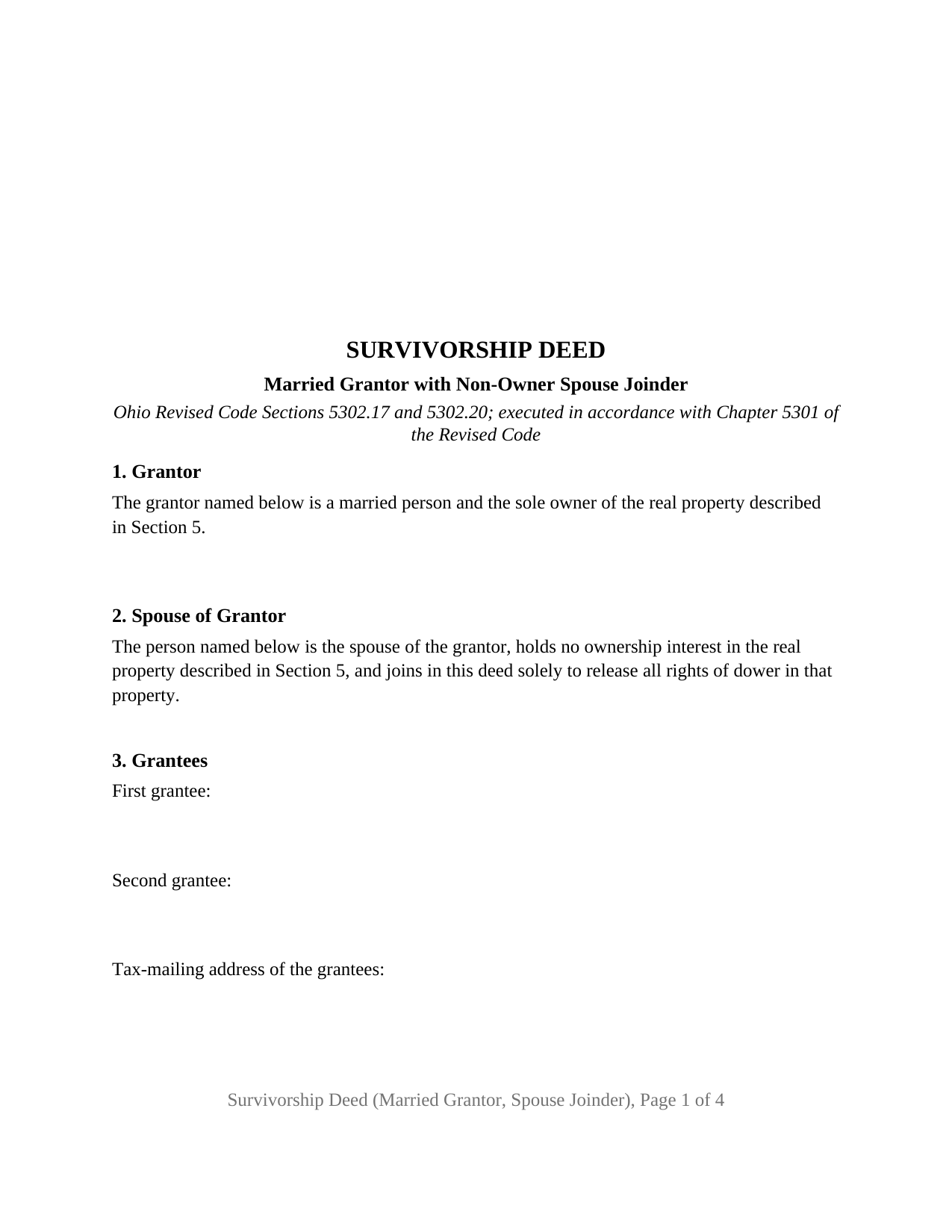
Lake County Survivorship Deed (Married Grantor with Non-Owner Spouse Joinder) Form
Fill in the blank Survivorship Deed (Married Grantor with Non-Owner Spouse Joinder) form formatted to comply with all Ohio recording and content requirements.
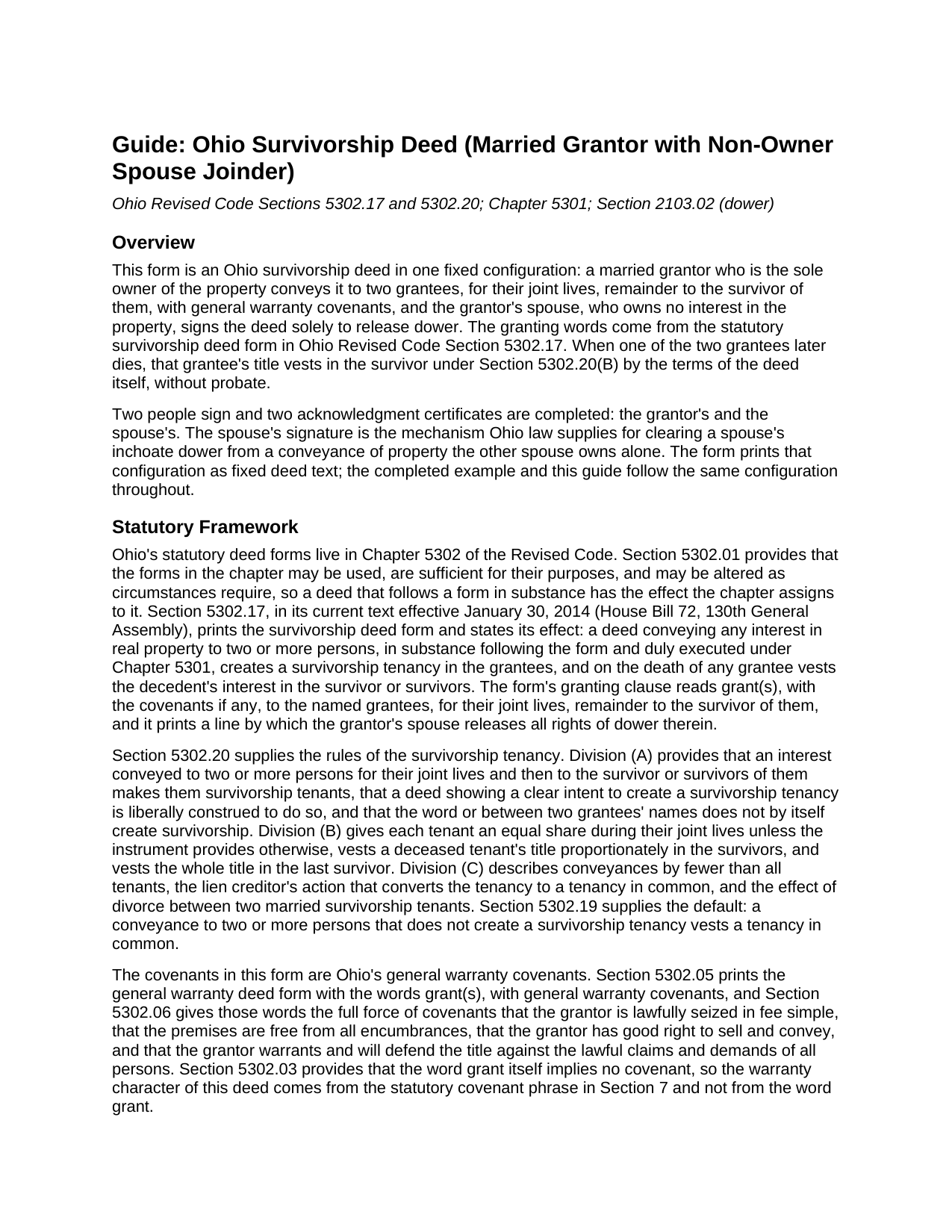
Lake County Survivorship Deed (Married Grantor with Non-Owner Spouse Joinder) Guide
Line by line guide explaining every blank on the Survivorship Deed (Married Grantor with Non-Owner Spouse Joinder) form.
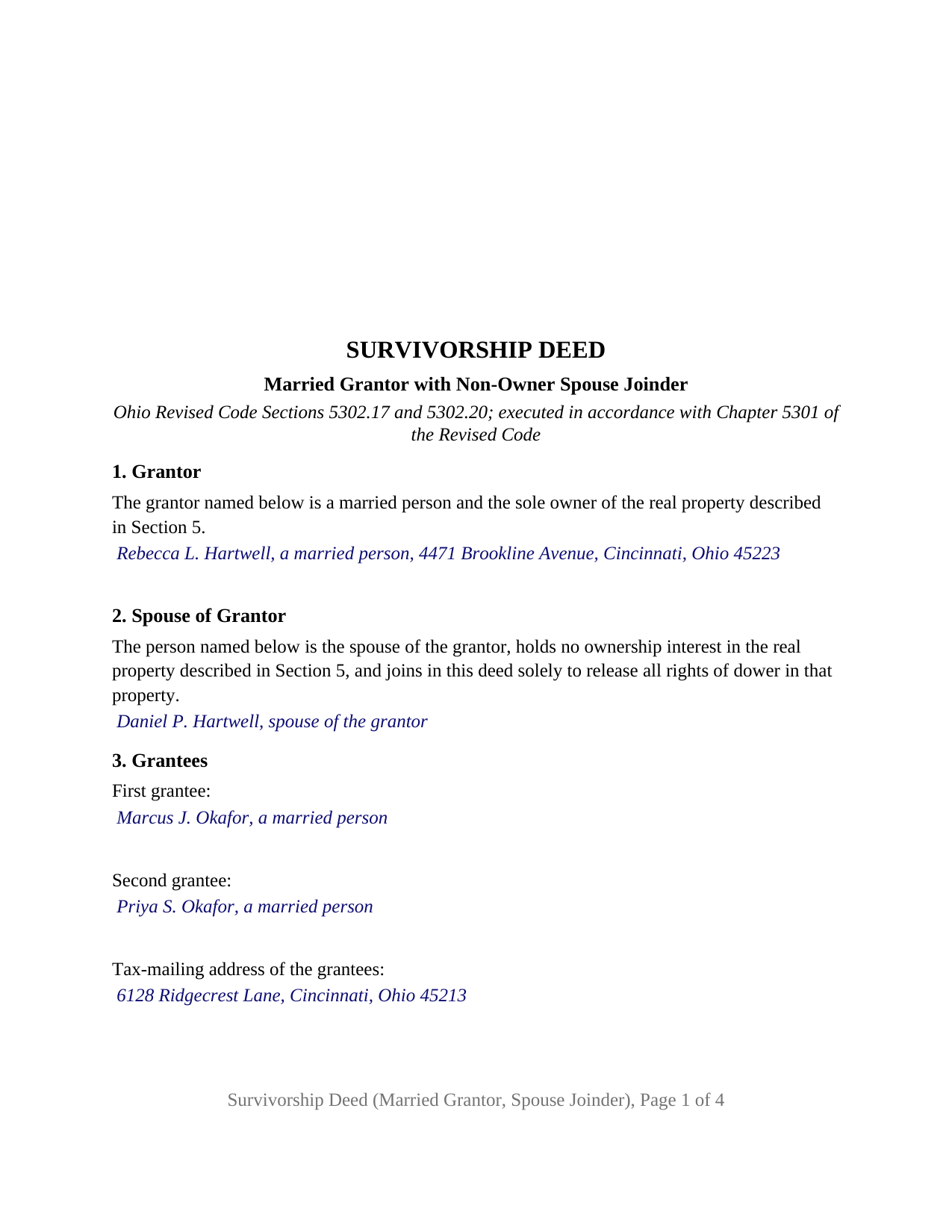
Lake County Completed Example of the Survivorship Deed (Married Grantor with Non-Owner Spouse Joinder) Document
Example of a properly completed Ohio Survivorship Deed (Married Grantor with Non-Owner Spouse Joinder) document for reference.
All 3 documents above included • One-time purchase • No recurring fees
Immediate Download • Secure Checkout
Additional Ohio and Lake County documents included at no extra charge:
Where to Record Your Documents
Lake County Recorder
Painesville, Ohio 44077
Hours: 8:00 to 4:00 M-F
Phone: 440-350-2510 or (800) 899-LAKE (5253) Ext. 2510
Recording Tips for Lake County:
- Bring your driver's license or state-issued photo ID
- Ensure all signatures are in blue or black ink
- Leave recording info boxes blank - the office fills these
- Make copies of your documents before recording - keep originals safe
- Recorded documents become public record - avoid including SSNs
Cities and Jurisdictions in Lake County
Properties in any of these areas use Lake County forms:
- Eastlake
- Grand River
- Madison
- Mentor
- Painesville
- Perry
- Wickliffe
- Willoughby
Hours, fees, requirements, and more for Lake County
How do I get my forms?
Forms are available for immediate download after payment. The Lake County forms will be in your account ready to download to your computer. An account is created for you during checkout if you don't have one. Forms are NOT emailed.
Are these forms guaranteed to be recordable in Lake County?
Yes. Our form blanks are guaranteed to meet or exceed the applicable formatting requirements used for recording in Lake County, including margin requirements, font requirements, and other layout standards. This guarantee applies to formatting, not to the legal sufficiency of information entered by the user or the suitability of a form for a particular transaction.
Can I reuse these forms?
Yes. You can reuse the forms for your personal use. For example, if you have multiple properties in Lake County you only need to order once.
What do I need to use these forms?
The forms are PDFs that you fill out on your computer. The free Adobe Acrobat Reader is recommended, and most PDF apps also work. You do NOT enter your property information online - you download the blank forms and complete them privately on your own computer.
Are there any recurring fees?
No. This is a one-time purchase. Nothing to cancel, no memberships, no recurring fees.
How much does it cost to record in Lake County?
Recording fees in Lake County vary. Contact the recorder's office at 440-350-2510 or (800) 899-LAKE (5253) Ext. 2510 for current fees.
Questions answered? Let's get started!
On this Ohio survivorship deed, the second signature belongs to someone who owns nothing. The grantor is a married person who holds the property alone; the grantor's spouse has no title to convey but signs solely to release dower, and the deed carries that spouse into Section 2, a SPOUSE OF GRANTOR signature block, and a second acknowledgment certificate. Two grantees take as survivorship tenants under Ohio Revised Code Section 5302.17, so the survivor holds the whole title when the first grantee dies. This form prepares that deed, with general warranty covenants, for Ohio real property.
Why a spouse who owns nothing still signs
Ohio kept dower. Section 2103.02 endows a spouse with a life estate in one third of the real property of which the other spouse was seized as an estate of inheritance during the marriage, and preserves it in property the owner conveyed during the marriage unless the other spouse relinquished it. A deed from a married sole owner that the spouse never signed leaves an inchoate dower claim behind it. Section 5301.04 applies the signing and acknowledgment rules of Section 5301.01 to a deed of a married person's interest, and Section 5301.071(A) cures a recorded conveyance that omits a specific release where the spouse executed it under Section 5301.01. The statutory form prints a line for the release; this deed fills it with a fixed sentence in Section 7, the spouse of the grantor named in Section 2 releases all rights of dower therein, and has the spouse sign and acknowledge.
The configuration the deed recites
Section 1 recites, as fixed deed text, that the grantor is a married person and the sole owner of the described property; the only blank is the grantor's name and address. Section 2 recites that the person named is the spouse of the grantor, holds no ownership interest in the property, and joins solely to release all rights of dower; the only blank is the spouse's name. Section 3 names two grantees and the tax-mailing address Section 319.20 puts on an instrument presented for auditor transfer. Section 8 carries two signature blocks, GRANTOR and SPOUSE OF GRANTOR, each followed by its own certificate in the Section 147.55(A) short form wording, so the two may acknowledge on different dates or before different officers.
A married homeowner selling a house titled in that owner's name alone to a buying couple, and a married parent who inherited a property individually and conveys it to two adult children, present the pattern this deed recites. It is not set up as a deed from two spouses who both hold title, from an unmarried owner, from a trustee or an attorney-in-fact, or to one grantee or to three or more.
What the two grantees receive
The granting clause in Section 7 conveys to the first grantee and the second grantee, for their joint lives, remainder to the survivor of them, which under Section 5302.20(A) makes them survivorship tenants. At the first death the decedent's title vests in the survivor under Section 5302.20(B), outside probate. Section 5302.17 does not condition the survivorship on the grantees being married, and the deed creates no estate by the entireties, which Section 5302.21 preserves only for deeds recorded before April 4, 1985. The general warranty covenants, which Section 5302.06 reads as covenants of seisin, freedom from encumbrances, good right to convey, and warranty against the lawful claims of all persons, are the grantor's alone, carved back by the matters listed in Section 6; the release of dower is the spouse's act.
Auditor first, recorder second
A sale from a married sole owner to a couple is a fee-paid conveyance: the DTE 100 statement goes to the county auditor under Section 319.202 with the state fee under Section 319.54(G)(3) and any county permissive tax under Chapter 322. Under Section 317.22 the recorder accepts the deed only after the auditor's stamp and transfer endorsement are on it, and some counties, Hamilton among them, route the description through the county engineer first. The deed follows the Section 317.114 format standard and carries the Section 317.111 preparer statement.
The package includes the fillable survivorship deed form in this married grantor and spouse joinder configuration, a completed example filled in for a Hamilton County sale, and the guide, which explains each section and the path from auditor to recorder. This description and the guide treat the form and the Ohio statutes behind it in general terms only; they are not legal advice.
Important: Your property must be located in Lake County to use these forms. Documents should be recorded at the county recording office listed above.
This Survivorship Deed (Married Grantor with Non-Owner Spouse Joinder) meets all recording requirements specific to Lake County.
Our Promise
The documents you receive here are guaranteed to meet or exceed the applicable Lake County recording format requirements. If there is a rejection caused by our formatting, we will correct the issue or refund your payment. This guarantee applies to document formatting only and does not extend to information entered by the user, the selection of the form, or the legal effect of the completed document.
Save Time and Money
Get your Lake County Survivorship Deed (Married Grantor with Non-Owner Spouse Joinder) form done right the first time with Deeds.com Uniform Conveyancing Blanks. At Deeds.com, we understand that your time and money are valuable resources, and we don't want you to face a penalty fee or rejection imposed by a county recorder for submitting nonstandard documents. We constantly review and update our forms to meet rapidly changing state and county recording requirements for roughly 3,500 counties and local jurisdictions.
4.8 out of 5 - ( 4,829 Reviews )
Carolyn D. 5 out of 5 stars
The sight provided exactly what I needed and was easy to use. I was able to download the type of Deed I used and was completely satisfied with the website.
Thank you for your feedback. We really appreciate it. Have a great day!
Kimberly W. 5 out of 5 stars
Thank you for making this process so convenient.
Thank you for your feedback. We really appreciate it. Have a great day!
Shirley T. 4 out of 5 stars
Quit Claim deed for North Carolina did not include all of the information I needed (two separate notary sections), but I was able to re-create another notary section in Word, and then insert it in the appropriate place after printing both documents. Otherwise, the document worked as described.
Thank you for your feedback. We really appreciate it. Have a great day!
Vallerie M. 5 out of 5 stars
Amazing! Great prompt service and follow up. I couldn’t be happier
We are grateful for your engagement and feedback, which help us to serve you better. Thank you for being an integral part of our community.
james B. 5 out of 5 stars
Downloaded quickly and saved to hard drive easily. I then opened in Adobe Acrobat Reader DC then was able to enter and save data in appropriate blanks. Yes, worth $22.
We appreciate your business and value your feedback. Thank you. Have a wonderful day!
Sharon D. 4 out of 5 stars
I found all the forms I needed to complete a Quit Claim Deed on Deeds.com. All the forms are available for download to fill in on my laptop computer. So far the experience has been very good. My only issue would be that the Quit Claim instructions could be more thorough and easier to understand. I am guessing that the State of New Jersey made up the instructions? Unfortunately this has cost me a huge amount of extra time to parse out EXACTLY the terms I need to write on the Quit Claim Deed form. I haven't started the Tax Forms, but hope they will be more straightforward. In general, I DO recommend Deeds.com!
Thanks for the recommendation, Sharon. We appreciate you flagging the New Jersey instructions, and we'll review them with an eye toward making things clearer and more straightforward. Feedback like yours is how we keep improving.
Michael P. 5 out of 5 stars
excellent and timely service.
Thank you!
Lori W. 5 out of 5 stars
Disclaimer letter was just what I needed. Download worked without a hitch.
Thank you for your feedback Lori, we really appreciate it. Have a fantastic day!
Richard A. 5 out of 5 stars
Great product. It would be better if the document files were not embedded within other files. It made downloading a little confusing. The titles of the forms did not match exactly word for word, which required a lot of back and forth to make sure I had downloaded the proper document. What would be great is if once you download a document, the hyperlink changed color, or somehow denoted the document had been downloaded. Just a suggestion. You have my email address if you have questions. STILL! Five stars for you guys. I would not let that hiccup dissuade me from buying any form package from you guys. Thanks!
Thank you for your feedback. We really appreciate it. Have a great day!
Lila L. 5 out of 5 stars
Everyone was very responsive and helpful. Thank you. I give you a 5!!
We appreciate your business and value your feedback. Thank you. Have a wonderful day!
David M. 5 out of 5 stars
Very easy to use and modify if necessary. Spot on with each county requirement for recording and Notarizing
Thank you for your feedback. We really appreciate it. Have a great day!
Pauline C. 5 out of 5 stars
Everything that was stated to be included in my order was complete. Very satisfied
Thank you for your positive words! We’re thrilled to hear about your experience.
Mary H. 5 out of 5 stars
Great source for forms acceptable to the county.
We appreciate your business and value your feedback. Thank you. Have a wonderful day!
Lynnellen S. 2 out of 5 stars
My rating is not a 5. Although it had good instructions, it would NOT print the whole document no matter how many times I inputted the names. I ended up writing it in to complete. I also recommend putting it on one page. I had to pay an additional fees per page and if I had to notarize it, why did I have to find 2 witnesses as well. I deserve a discount for the time I spent repeatedly putting the same data. I was trying to save money since Im on social security only. It didnt. Get it to work correctly
Thank you for your feedback Lynnellen. Sorry to hear of your struggle with our document. We've gone ahead and refunded your payment. Hope you have a wonderful day.
Jeffrey W. 5 out of 5 stars
You should add a button to cancel a package. I uploaded a document for e-recording, but wanted to cancel because I got a more clear copy.
Thank you!