Noble County Unconditional Lien Waiver Form
Last validated October 30, 2026 by our Forms Development TeamFormatted for recording in Noble County, for property anywhere in the county: rural and unincorporated areas as well as Ava, Belle Valley, Caldwell, Dexter City, Sarahsville, Summerfield.
- 3 documents included
- Immediate PDF download
- Formatting guarantee

Noble County Unconditional Lien Waiver Form
Fill in the blank Unconditional Lien Waiver form formatted to comply with all Ohio recording and content requirements.
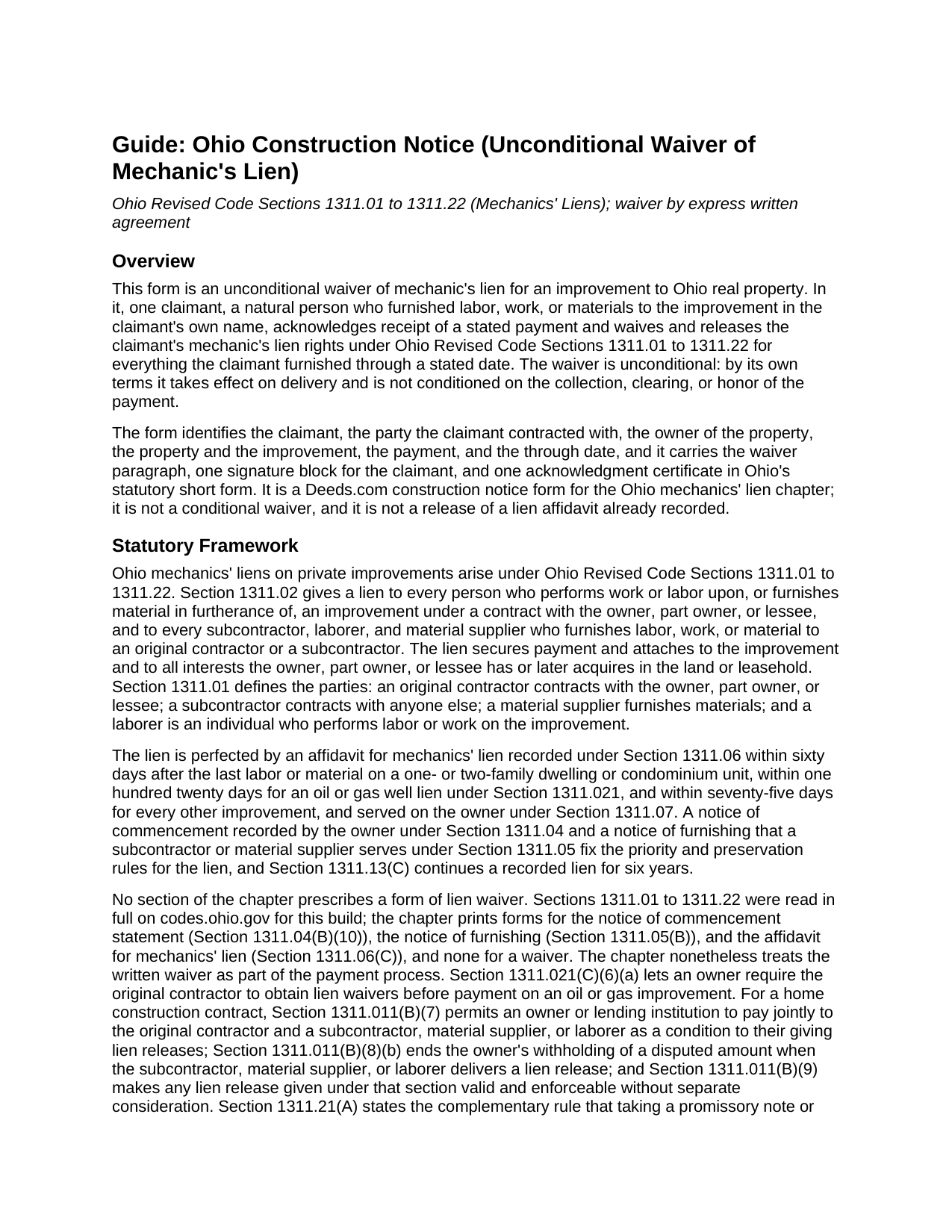
Noble County Unconditional Lien Waiver Guide
Line by line guide explaining every blank on the Unconditional Lien Waiver form.
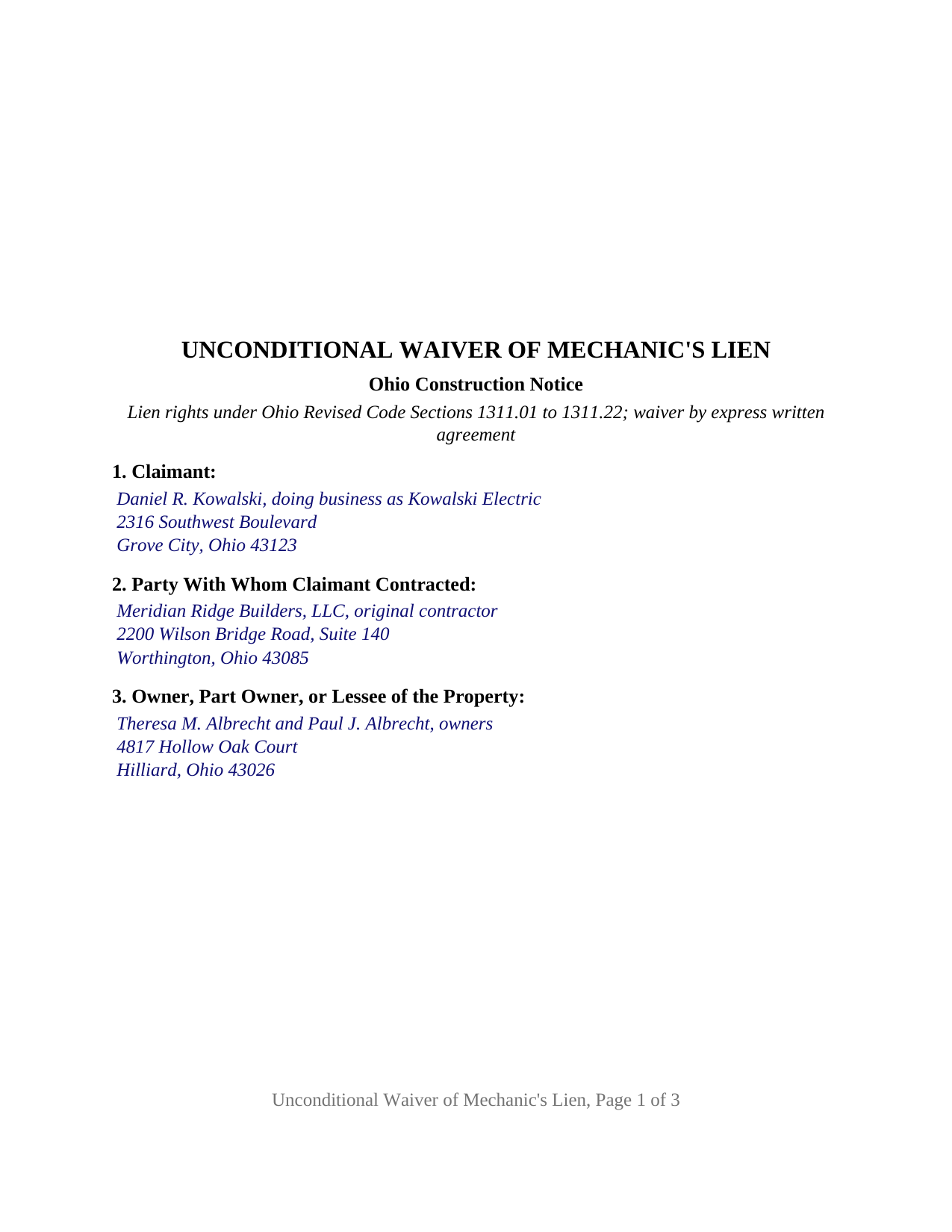
Noble County Completed Example of the Unconditional Lien Waiver Document
Example of a properly completed Ohio Unconditional Lien Waiver document for reference.
All 3 documents above included • One-time purchase • No recurring fees
Immediate Download • Secure Checkout
Additional Ohio and Noble County documents included at no extra charge:
Where to Record Your Documents
Noble County Recorder
Caldwell, Ohio 43724
Hours: 8:00-4:00 Mon-Wed; 8:00-12:00 Thurs; 8:00-6:00 Fri
Phone: (740) 732-4319
Recording Tips for Noble County:
- Bring your driver's license or state-issued photo ID
- Ensure all signatures are in blue or black ink
- Ask about their eRecording option for future transactions
- Avoid the last business day of the month when possible
- Both spouses typically need to sign if property is jointly owned
Cities and Jurisdictions in Noble County
Properties in any of these areas use Noble County forms:
- Ava
- Belle Valley
- Caldwell
- Dexter City
- Sarahsville
- Summerfield
Hours, fees, requirements, and more for Noble County
How do I get my forms?
Forms are available for immediate download after payment. The Noble County forms will be in your account ready to download to your computer. An account is created for you during checkout if you don't have one. Forms are NOT emailed.
Are these forms guaranteed to be recordable in Noble County?
Yes. Our form blanks are guaranteed to meet or exceed the applicable formatting requirements used for recording in Noble County, including margin requirements, font requirements, and other layout standards. This guarantee applies to formatting, not to the legal sufficiency of information entered by the user or the suitability of a form for a particular transaction.
Can I reuse these forms?
Yes. You can reuse the forms for your personal use. For example, if you have multiple properties in Noble County you only need to order once.
What do I need to use these forms?
The forms are PDFs that you fill out on your computer. The free Adobe Acrobat Reader is recommended, and most PDF apps also work. You do NOT enter your property information online - you download the blank forms and complete them privately on your own computer.
Are there any recurring fees?
No. This is a one-time purchase. Nothing to cancel, no memberships, no recurring fees.
How much does it cost to record in Noble County?
Recording fees in Noble County vary. Contact the recorder's office at (740) 732-4319 for current fees.
Questions answered? Let's get started!
An Ohio unconditional waiver of mechanic's lien gives up a claimant's lien rights the moment it is delivered, whether or not the check behind it ever clears. This form prepares that waiver for one claimant, a natural person who furnished labor, work, or materials to an improvement on Ohio real property in the claimant's own name, releasing the claimant's lien rights under Ohio Revised Code Sections 1311.01 to 1311.22 for everything furnished through a stated date in exchange for a stated payment.
A waiver that does not wait for the check to clear
The word unconditional is the whole point of this document. The waiver paragraph acknowledges receipt of the payment entered in Section 5 and states that the waiver takes effect on delivery and is not conditioned on the collection, clearing, or honor of any check or other payment. A conditional waiver holds its effect back until the money arrives; this one does not, which is why a paying party asks for the unconditional lien waiver after funds have actually moved.
Two entries fix the reach of the waiver
Ohio prescribes no lien waiver form. Sections 1311.01 to 1311.22 print forms for the notice of commencement, the notice of furnishing, and the lien affidavit, and leave the waiver to the parties' written agreement; Section 1311.21(A) adds that taking a note or other security waives nothing absent a written agreement that it does. Ohio courts read that agreement by its plain words. In Thompson Thrift Constr. v. Lynn, 2017-Ohio-1530, the Fifth District held that partial unconditional waivers released the labor and materials due and owing through their effective dates and left untouched the retainage and change-order amounts that had not yet come due. The two entries that fix the reach of this form are therefore the amount of payment received and the through date. The waiver paragraph ties itself to both, states that nothing furnished after the through date is waived, and states that retainage not included in the payment and not yet due on that date is not waived.
What the form recites
The form is set up for one claimant signing in the claimant's own right, including an individual doing business under a trade name, and it carries one signature block headed CLAIMANT and one acknowledgment certificate in the individual short form of Revised Code Section 147.55(A), with the venue, signature, printed name, and commission details Section 147.542(F) lists. Sections 1 through 3 identify the claimant, the party the claimant contracted with, and the owner, part owner, or lessee; Section 4 locates the land and describes the improvement; Section 5 holds the payment and the through date; and Section 6 is the fixed waiver paragraph with no blanks. The claimant may be an original contractor, subcontractor, material supplier, or laborer. A corporation or limited liability company signing through an officer or member, an attorney-in-fact, or two claimants on one waiver each present a different pattern from the one this form recites. No Ohio statute sets an execution formality for a lien waiver; the acknowledgment certificate is house architecture, not a statutory requirement.
Delivered, not recorded
A lien waiver in Ohio does its work by delivery. The lien chapter describes the lien release as a document the claimant gives to the owner, original contractor, or lender in the course of payment, and for a home construction contract Section 1311.011(B)(9) makes a lien release valid and enforceable without separate consideration. Nothing in the chapter requires a waiver to be recorded, the recorder's list in Section 317.08(A) names mechanic's lien affidavits but not waivers, and Section 317.13(B)(1) lets a recorder decline a document the Revised Code does not authorize for record. The form is nonetheless drawn to the Section 317.114 recording format, with a three inch blank top margin on page one and twelve point type, and carries the Section 317.111 preparer block. Where an affidavit for mechanics' lien is already of record, clearing the record takes a release under Section 1311.20, which is prepared and recorded separately and is not included in this package.
The package includes the fillable waiver form, a completed example filled in for a Franklin County electrical subcontract, and the guide that walks through every numbered section, the Ohio lien statutes the waiver operates under, and how the signed waiver is delivered. The description and the guide describe the form and the governing law in general terms; they are not legal advice.
Important: Your property must be located in Noble County to use these forms. Documents should be recorded at the county recording office listed above.
This Unconditional Lien Waiver meets all recording requirements specific to Noble County.
Our Promise
The documents you receive here are guaranteed to meet or exceed the applicable Noble County recording format requirements. If there is a rejection caused by our formatting, we will correct the issue or refund your payment. This guarantee applies to document formatting only and does not extend to information entered by the user, the selection of the form, or the legal effect of the completed document.
Save Time and Money
Get your Noble County Unconditional Lien Waiver form done right the first time with Deeds.com Uniform Conveyancing Blanks. At Deeds.com, we understand that your time and money are valuable resources, and we don't want you to face a penalty fee or rejection imposed by a county recorder for submitting nonstandard documents. We constantly review and update our forms to meet rapidly changing state and county recording requirements for roughly 3,500 counties and local jurisdictions.
4.8 out of 5 - ( 4,867 Reviews )
Sherri P. 3 out of 5 stars
I thought it was easy, but I wish it were faster. I uploaded my document Monday night (after 5pm) and got my invoice the next morning Tuesday paid it right away. and my document was not sent to me as recorded until Wednesday morning even though it was recorded the day earlier at 8:30am. So there was a delay of almost 24 hours letting me know that my document was recorded. So if they could speed that up so that we knew exactly when it got recorded immediately I would give it a million stars
Thank you!
Connie C. 4 out of 5 stars
I thought the process was fairly easy. The price was reasonable. I had a slight problem, some of the words were missing from one page of the documents when I printed it. However, after I saved it to my computer, I was able to print the page in full.
Thank you for your feedback. We really appreciate it. Have a great day!
Thomas S. 5 out of 5 stars
Very nice.
Thank you!
A. S. 3 out of 5 stars
First, I am glad that you gave a blank copy, an example copy, and a 'guide'. It made it much easier to do. Overall I was very happy with your products and organization... however, things got pretty confusing and I have a pretty 'serious' law background in Real Estate and Civil law. With that said, I spent about 10+ hours getting my work done, using the Deed of Trust and Promissory note from you and there were a few problems: First, it would be FANTASTIC if you actually aligned your guide to actually match the Deed or Promissory Note. What I mean is that if the Deed says 'section (E)' then your guide shouldn't be 'randomly' numbered as 1,2,3, for advice/instructions, but should EXACTLY match 'section (E)'. Some places you have to 'hunt' for what you are looking for, and if you did it based on my suggestion, you wouldn't need to 'hunt' and it would avoid confusion. 2nd: This one really 'hurt'... you had something called the 'Deed of Trust Master Form' yet you had basically no information on what it was or how to use it. The only information you had was a small section at the top of the 'Short Form Deed of Trust Guide'. Holy Cow, was that 'section' super confusing. I still don't know if I did it correctly, but your guide says only put a return address on it and leave the rest of the 16 or so page Deed of Trust beneath it blank... and then include your 'Deed of Trust' (I had to assume the short form deed that I had just created) as part of it. I had to assume that I had to print off the entire 17 page or so title page and blank deed. I also had to assume that the promissory note was supposed to be EXHIBIT A or B on the Short Form Deed. It would be great if someone would take a serious look at that short section in your 'Short Form Deed of Trust Guide' and realize that those of us using your products are seriously turning this into a county clerk to file and that most of us, probably already have a property that has an existing Deed... or at least can find one in the county records if necessary... and make sure that you make a distinction between the Deed for the property that already exists, versus the Deed of Trust and Promissory note that we are trying to file. Thanks.
Thank you for your feedback. We'll have staff review the document for clarity. Have a great day!
Francisco C. 5 out of 5 stars
well first time my company is using and this what can say. excellent service im very happy, you guys did my job very professional and quickly so congratulations... i will recommend to every one.
We appreciate your business and value your feedback. Thank you. Have a wonderful day!
Martha D. 5 out of 5 stars
Excellent website. I found exactly what I was looking for!
Thank you!
Cathy W. 5 out of 5 stars
Easy to use and fee is reasonable.
Thank you!
Jack B. 5 out of 5 stars
The service was fast, but I didn't learn about the results until I logged in. I would have liked to get email when the report was finished.
Thank you for your feedback. We really appreciate it. Have a great day!
Armando R. 5 out of 5 stars
Great service, quick and affordable. Thank you!
Thank you!
Craig M. 5 out of 5 stars
Fantastic! So much easier than going and recording it at the recorders office!
Glad we could help Craig, thanks for the kind words.
XIN Y. 5 out of 5 stars
Great e-Recording service. Fast and convenient! All done in the comfort of my home. Love it!!!
We appreciate your business and value your feedback. Thank you. Have a wonderful day!
GEORGE Q. 5 out of 5 stars
Assistance from the associate was good. He told me what I needed to hear and took the time to look up deeds that I was looking for. Though the deed was not available he gave me recommendation on my future calls to ask. Great personality and very helpful.
Thank you for your feedback. We really appreciate it. Have a great day!
Larry P. 5 out of 5 stars
Love your site. I found just what I needed and it was so easy. Saved me countless time and effort. Worth every penny.
We appreciate your business and value your feedback. Thank you. Have a wonderful day!
Kimberly F. 5 out of 5 stars
Wow! This process was incredibly easy and no commitments to monthly memberships.
Thanks for the kind words Kimberly. Have an amazing day!
Patricia R. 3 out of 5 stars
Very quick to respond with the obvious answers. I asked what form to use when adding my daughter to deed. Answer: talk to an attorney duh.
Thank you!