Wallowa County Quitclaim Deed (Divorce) Form
Last validated October 9, 2026 by our Forms Development TeamFormatted for recording in Wallowa County, for property anywhere in the county: rural and unincorporated areas as well as Enterprise, Imnaha, Joseph, Lostine, Wallowa.
- 3 documents included
- Immediate PDF download
- Formatting guarantee
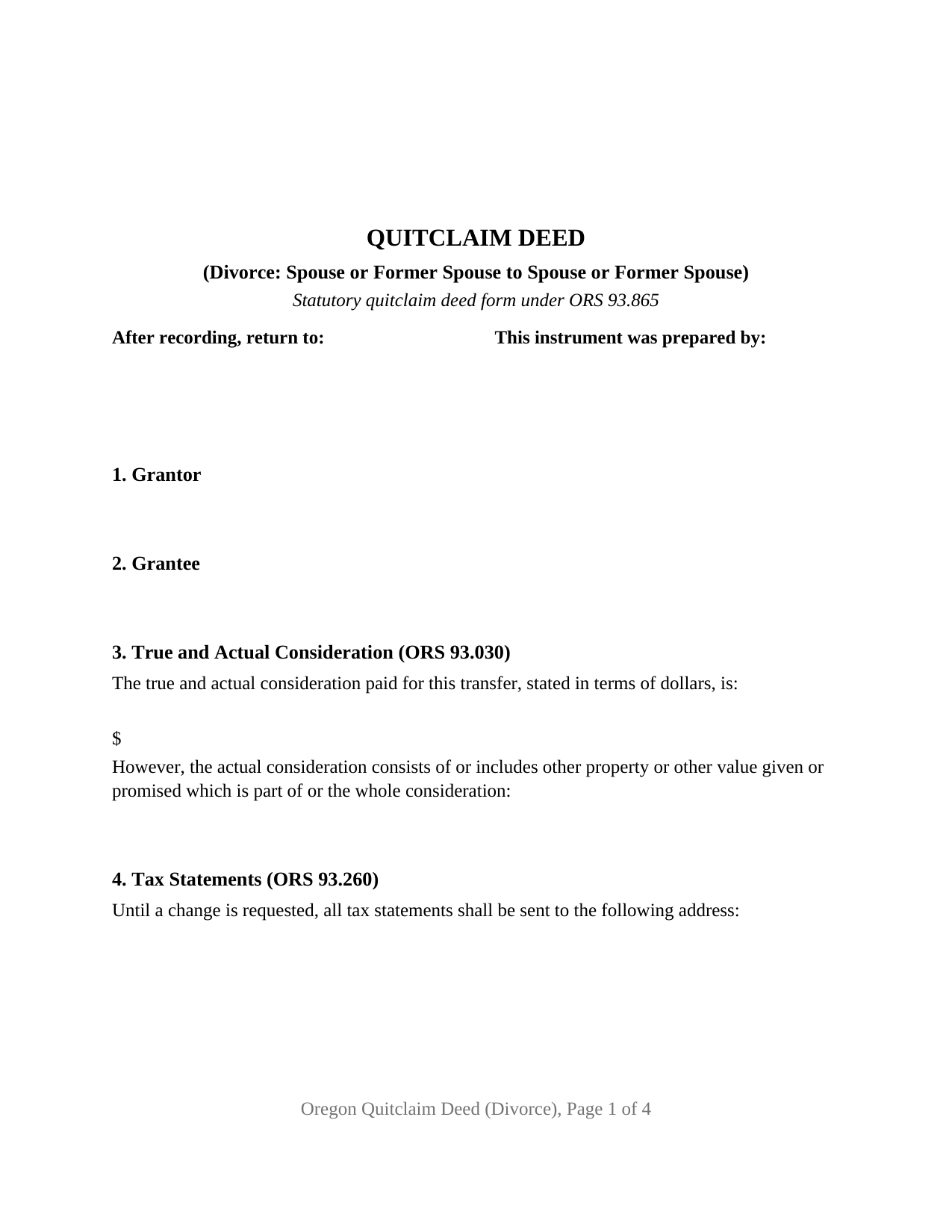
Wallowa County Quitclaim Deed (Divorce) Form
Fill in the blank Quitclaim Deed (Divorce) form formatted to comply with all Oregon recording and content requirements.
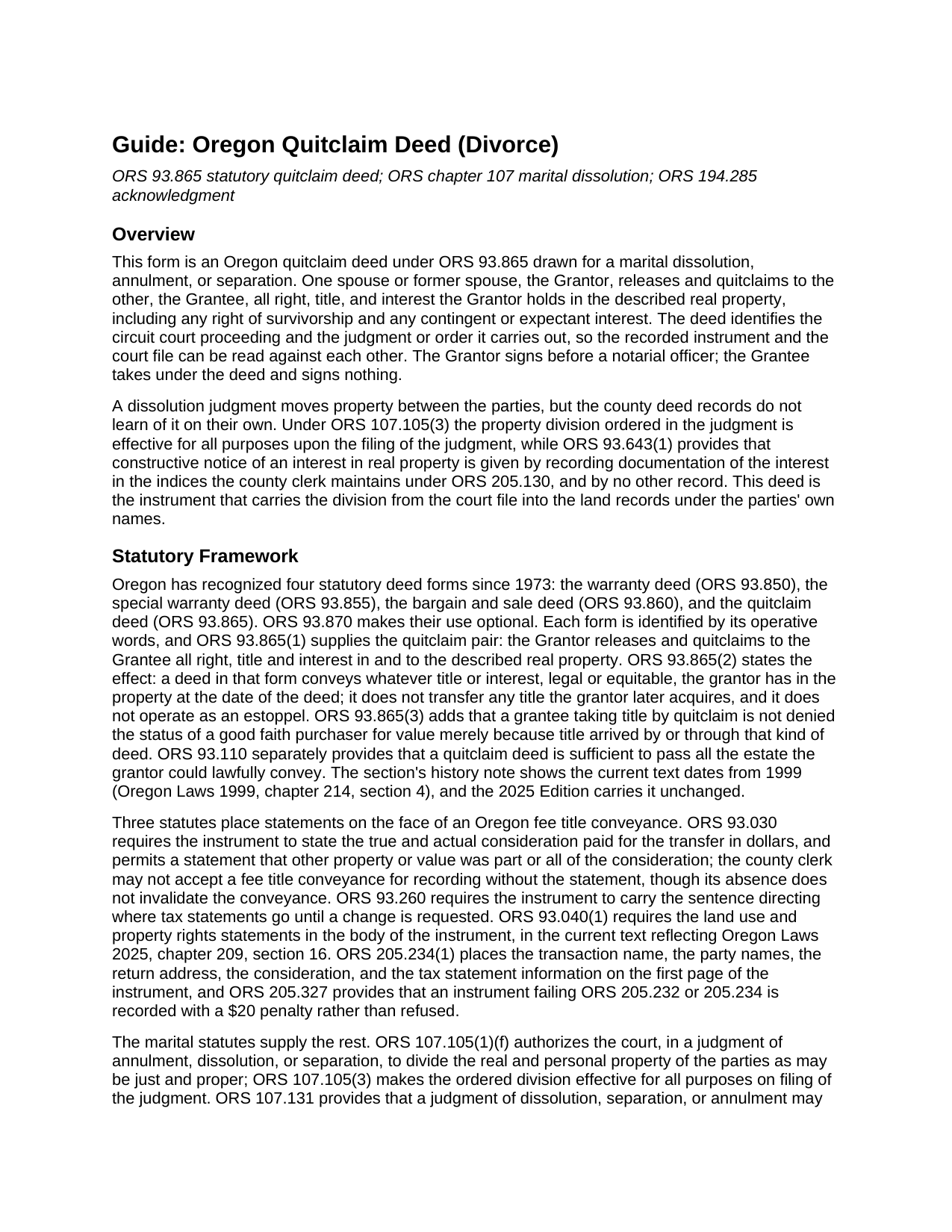
Wallowa County Quitclaim Deed (Divorce) Guide
Line by line guide explaining every blank on the Quitclaim Deed (Divorce) form.
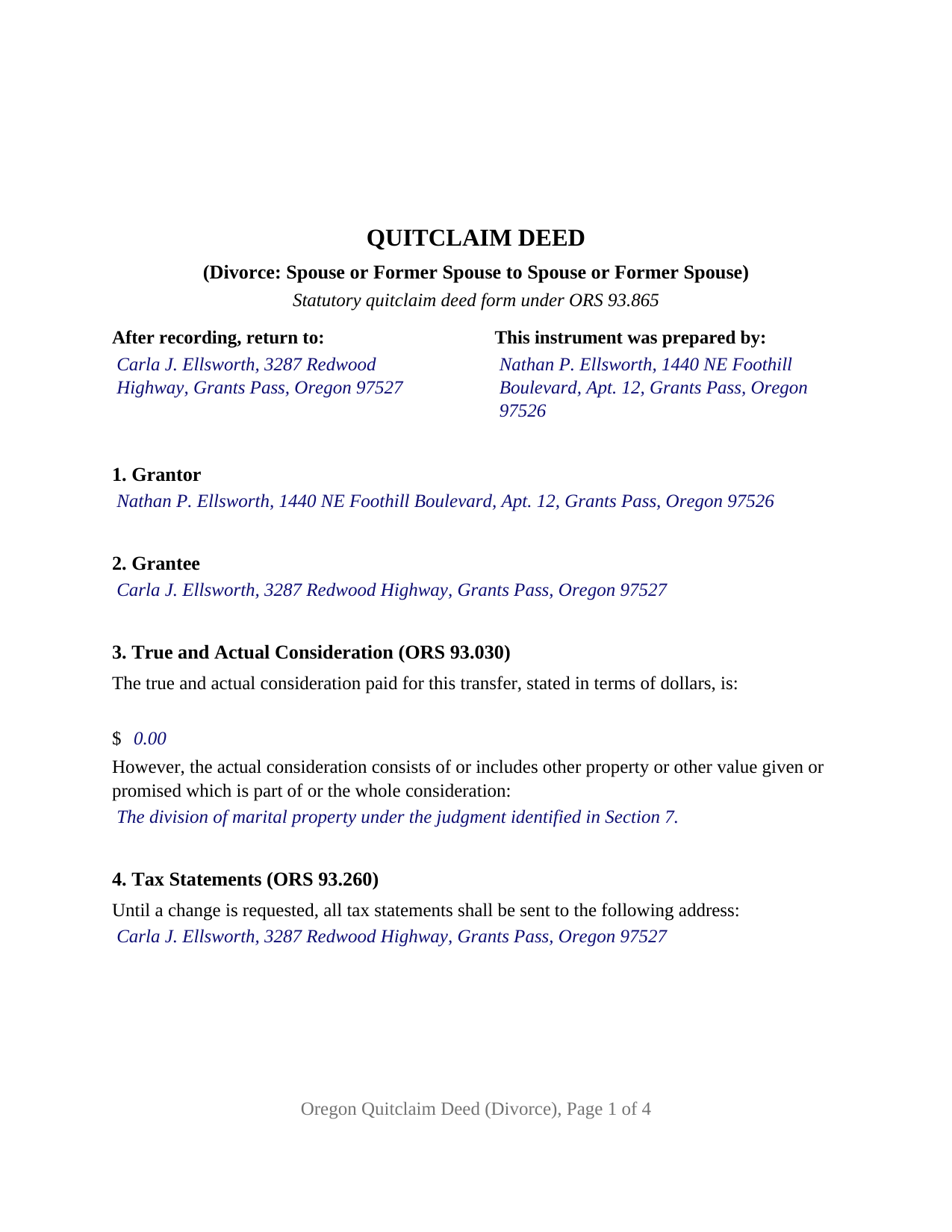
Wallowa County Completed Example of the Quitclaim Deed (Divorce) Document
Example of a properly completed Oregon Quitclaim Deed (Divorce) document for reference.
All 3 documents above included • One-time purchase • No recurring fees
Immediate Download • Secure Checkout
Additional Oregon and Wallowa County documents included at no extra charge:
Where to Record Your Documents
Wallowa County Clerk
Enterprise, Oregon 97828
Hours: 8:30 to 5:00 M-F / Recording until 4:30
Phone: (541) 426-4543
Recording Tips for Wallowa County:
- Bring your driver's license or state-issued photo ID
- Ensure all signatures are in blue or black ink
- Ask about accepted payment methods when you call ahead
- Ask for certified copies if you need them for other transactions
- Ask if they accept credit cards - many offices are cash/check only
Cities and Jurisdictions in Wallowa County
Properties in any of these areas use Wallowa County forms:
- Enterprise
- Imnaha
- Joseph
- Lostine
- Wallowa
Hours, fees, requirements, and more for Wallowa County
How do I get my forms?
Forms are available for immediate download after payment. The Wallowa County forms will be in your account ready to download to your computer. An account is created for you during checkout if you don't have one. Forms are NOT emailed.
Are these forms guaranteed to be recordable in Wallowa County?
Yes. Our form blanks are guaranteed to meet or exceed the applicable formatting requirements used for recording in Wallowa County, including margin requirements, font requirements, and other layout standards. This guarantee applies to formatting, not to the legal sufficiency of information entered by the user or the suitability of a form for a particular transaction.
Can I reuse these forms?
Yes. You can reuse the forms for your personal use. For example, if you have multiple properties in Wallowa County you only need to order once.
What do I need to use these forms?
The forms are PDFs that you fill out on your computer. The free Adobe Acrobat Reader is recommended, and most PDF apps also work. You do NOT enter your property information online - you download the blank forms and complete them privately on your own computer.
Are there any recurring fees?
No. This is a one-time purchase. Nothing to cancel, no memberships, no recurring fees.
How much does it cost to record in Wallowa County?
Recording fees in Wallowa County vary. Contact the recorder's office at (541) 426-4543 for current fees.
Questions answered? Let's get started!
A dissolution judgment can move Oregon land between the parties, and the county deed records will not hear about it. ORS 107.105(3) makes the property division effective for all purposes upon the filing of the judgment, while ORS 93.643 gives constructive notice of an interest in real property only through recordation in the county indices maintained under ORS 205.130, and through no other record. This form prepares the instrument that carries a division out of the court file and into the land records: an Oregon quitclaim deed under ORS 93.865, indexed in some counties as a quit claim deed, running from one spouse or former spouse to the other.
Two records, two audiences
The circuit court file settles matters between the parties. The land records answer a different question, put by a lender underwriting a refinance and by a buyer's title company: who owns this parcel of record. That search runs through the grantor and grantee indexes of ORS 205.160, under the names of the people who signed, and ORS 93.640 measures priority from the filing. Oregon does admit the judgment itself, since ORS 93.680(1)(b) lists judgments of courts in this state requiring the execution of a conveyance of real estate among the instruments entitled to be recorded in the record of deeds; a certified copy comes from the court and is recorded separately from this package. A deed reaches the same shelf under the parties' own names.
The divorce configuration
One party signs, and Section 7 is where this form parts company with an ordinary release: it takes the court, the case number, the judgment or order, and the date of entry, so the recorded deed and the court file can be read against each other. Where the deed is signed at the settlement stage before anything is entered, that blank reads None entered. Section 8 releases all right, title and interest of the grantor and names what a marriage leaves behind in the record: any right of survivorship, and any contingent or expectant interest, the interests ORS 107.131 contemplates when a judgment requires conveyance or release to effectuate a division of assets. The grantee takes under the deed and signs nothing, so the signature area carries one block and one certificate in the individual short form of ORS 194.285. A party awarded the residence who wants the record to show it before a refinance, a party signing while the case is still open, and an old vesting that surfaces years afterward when the property goes on the market all present the single signer pattern this deed recites. Two grantors signing together, an agent under a power of attorney, a trustee, a personal representative, and an entity officer each state a different capacity and take certificate wording this form does not draw.
What the release reaches, and what it leaves behind
ORS 93.865(2) measures the operative words against the grantor's actual holding on the date of the deed: legal or equitable title passes, nothing acquired afterward follows it, no estoppel arises, and no covenant of title is given. Where the parties held as tenants by the entirety, the estate ORS 93.180(1)(b) creates for two grantees married to each other, the survivorship travels with the release. Debt does not travel at all. A trust deed, a judgment lien and a recorded easement outlive the transfer, and the promissory note stays where it was, which is why a refinance and a deed are two separate errands.
Consideration, statements, and the county counter
The dollar figure ORS 93.030 calls for sits on page one beside the statutory alternative line for other property or value, which a property division commonly uses; the ORS 93.260 sentence routes the annual tax statement; and the ORS 93.040 land use and property rights statements print in capitals in the body. Charges are county figures, a number of them reset on July 1, 2026 after Oregon Laws 2025 chapter 98 removed the ceiling on the Public Land Corner Preservation fee. No transfer tax reaches an Oregon deed statewide, and in Washington County, home of the one grandfathered levy, the published exemption categories reach transfers ordered in a dissolution.
Three files arrive with the purchase: the fillable divorce quitclaim deed, an example filled in for a Josephine County release following a general judgment of dissolution, and a guide walking each numbered section, the certificate, and the trip to the clerk. These materials describe Oregon law in general terms and are not legal advice.
Important: Your property must be located in Wallowa County to use these forms. Documents should be recorded at the county recording office listed above.
This Quitclaim Deed (Divorce) meets all recording requirements specific to Wallowa County.
Our Promise
The documents you receive here are guaranteed to meet or exceed the applicable Wallowa County recording format requirements. If there is a rejection caused by our formatting, we will correct the issue or refund your payment. This guarantee applies to document formatting only and does not extend to information entered by the user, the selection of the form, or the legal effect of the completed document.
Save Time and Money
Get your Wallowa County Quitclaim Deed (Divorce) form done right the first time with Deeds.com Uniform Conveyancing Blanks. At Deeds.com, we understand that your time and money are valuable resources, and we don't want you to face a penalty fee or rejection imposed by a county recorder for submitting nonstandard documents. We constantly review and update our forms to meet rapidly changing state and county recording requirements for roughly 3,500 counties and local jurisdictions.
4.8 out of 5 - ( 4,830 Reviews )
Ronald C. 5 out of 5 stars
My goal was to find the Covenant, Conditions, and Restrictions for my HOA. From what I can read, these documents should be attached to our Deed (single family, patio home in New Hanover County). I am not sure if I have a copy of my Deed. I would need to check my Safe Deposit Box. Unfortunately, I was not successful at finding these documents from your Website. If you can help me find them, I would appreciate that.
It is most common to obtain a copy of CC&Rs directly from the HOA. Alternatively, they are also usually a matter of public record recorded with the local recorder and you can obtain a copy there.
Christopher B. 5 out of 5 stars
great
Thanks for your feedback. We’re glad we could help.
Rachel S. 5 out of 5 stars
It would be nice to get a reply in a small window that says "Your request package has been submitted." That way I can log out and wait for the email. I do love the efficient service.
Thank you!
Willaim B. 5 out of 5 stars
Love Deeds.com They have saved me so much time. Prompt responds to all my questions. Highly recommend
Thank you for choosing our service. We appreciate your review.
Joshua P. 5 out of 5 stars
Easy fill in the blanks form. Just FYI make sure you have a copy of whatever deed you are changing and the tax records. You will want the language to be identical.
Thank you for your feedback. We really appreciate it. Have a great day!
Randy H. 5 out of 5 stars
Love this has all forms you need
We appreciate your business and value your feedback. Thank you. Have a wonderful day!
David R. 5 out of 5 stars
Very straightfoward and simple process. The submission of my artifact was completed within a half hour. The best part for me was the coverage/service-area that it included my jurisdiction
We are delighted to have been of service. Thank you for the positive review!
Mary G. 5 out of 5 stars
Deeds.com was a fast and easy site to use the staff answered my questions online efficiently
Thank you!
Daniel L. 5 out of 5 stars
so far appears to meet my needs!
Thank you for your feedback. We really appreciate it. Have a great day!
Angela A. 5 out of 5 stars
The forms, instructions and example of the completed Interspousal Transfer Deed was very helpful. I was able to complete all necessary forms quickly and bring them to the County Recorder's Office for filing with no problems. It was a great relief, and I didn't even need to hire an attorney. Thank you!
We appreciate your business and value your feedback. Thank you. Have a wonderful day!
Leo H. 5 out of 5 stars
The deed was very easy to use and the material provided were helpful in completing the form. We haven't filed it yet, but I assume that all will go well.
We appreciate your business and value your feedback. Thank you. Have a wonderful day!
Craig H. 5 out of 5 stars
Awesome service! It was so quick and easy.
Thank you for your feedback. We really appreciate it. Have a great day!
Robin B. 5 out of 5 stars
Nice and easy
Thank you!
Donald T. 5 out of 5 stars
very user friendly. includes an example you can reference, and explanation of terms, which helps greatly in understanding.
Thank you!
Home For Life S. 5 out of 5 stars
Covers everything; very pleased.
Thank you!