Wallowa County Quitclaim Deed (Married Grantor with Non-Owner Spouse Joinder) Form
Last validated October 9, 2026 by our Forms Development TeamFormatted for recording in Wallowa County, for property anywhere in the county: rural and unincorporated areas as well as Enterprise, Imnaha, Joseph, Lostine, Wallowa.
- 3 documents included
- Immediate PDF download
- Formatting guarantee
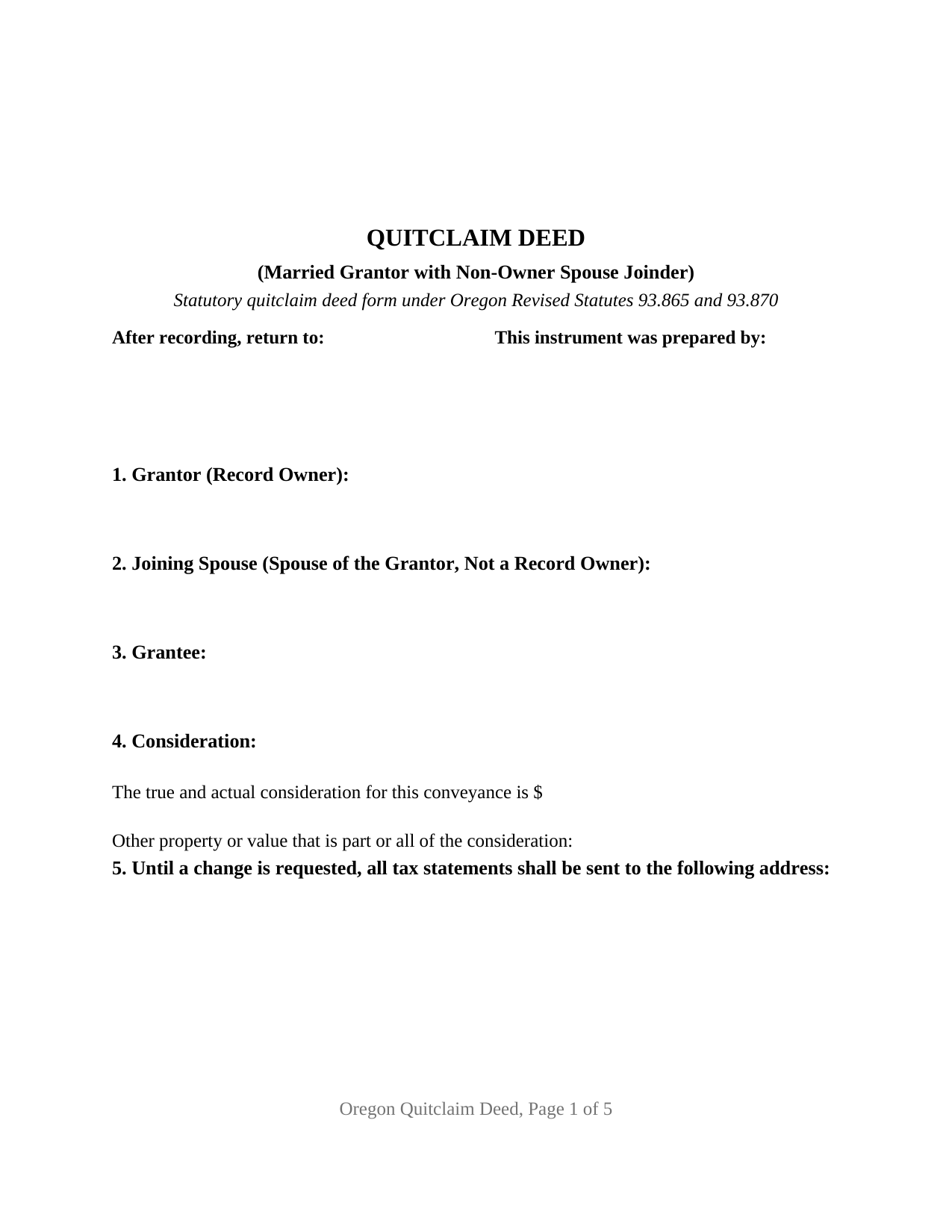
Wallowa County Quitclaim Deed (Married Grantor with Non-Owner Spouse Joinder) Form
Fill in the blank Quitclaim Deed (Married Grantor with Non-Owner Spouse Joinder) form formatted to comply with all Oregon recording and content requirements.
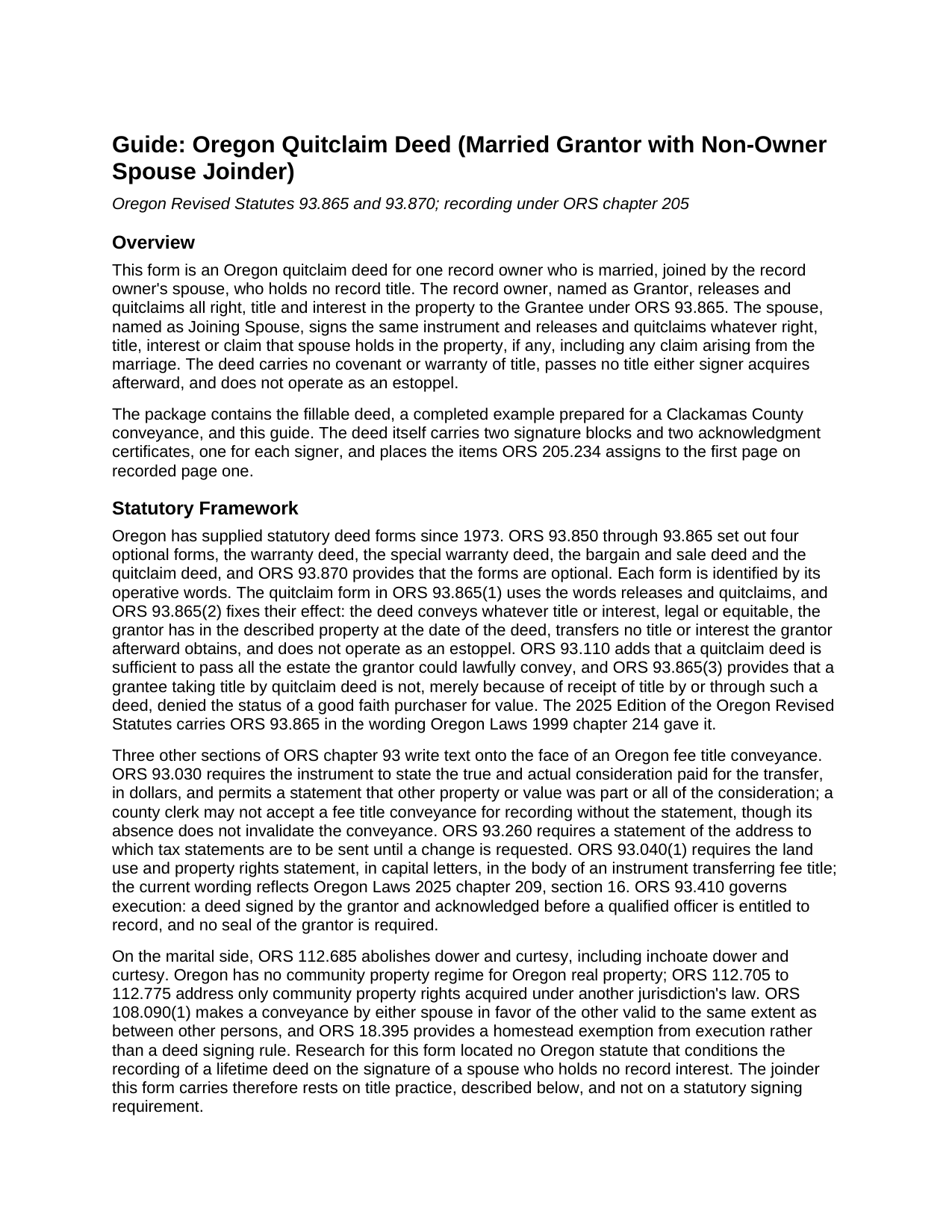
Wallowa County Quitclaim Deed (Married Grantor with Non-Owner Spouse Joinder) Guide
Line by line guide explaining every blank on the Quitclaim Deed (Married Grantor with Non-Owner Spouse Joinder) form.
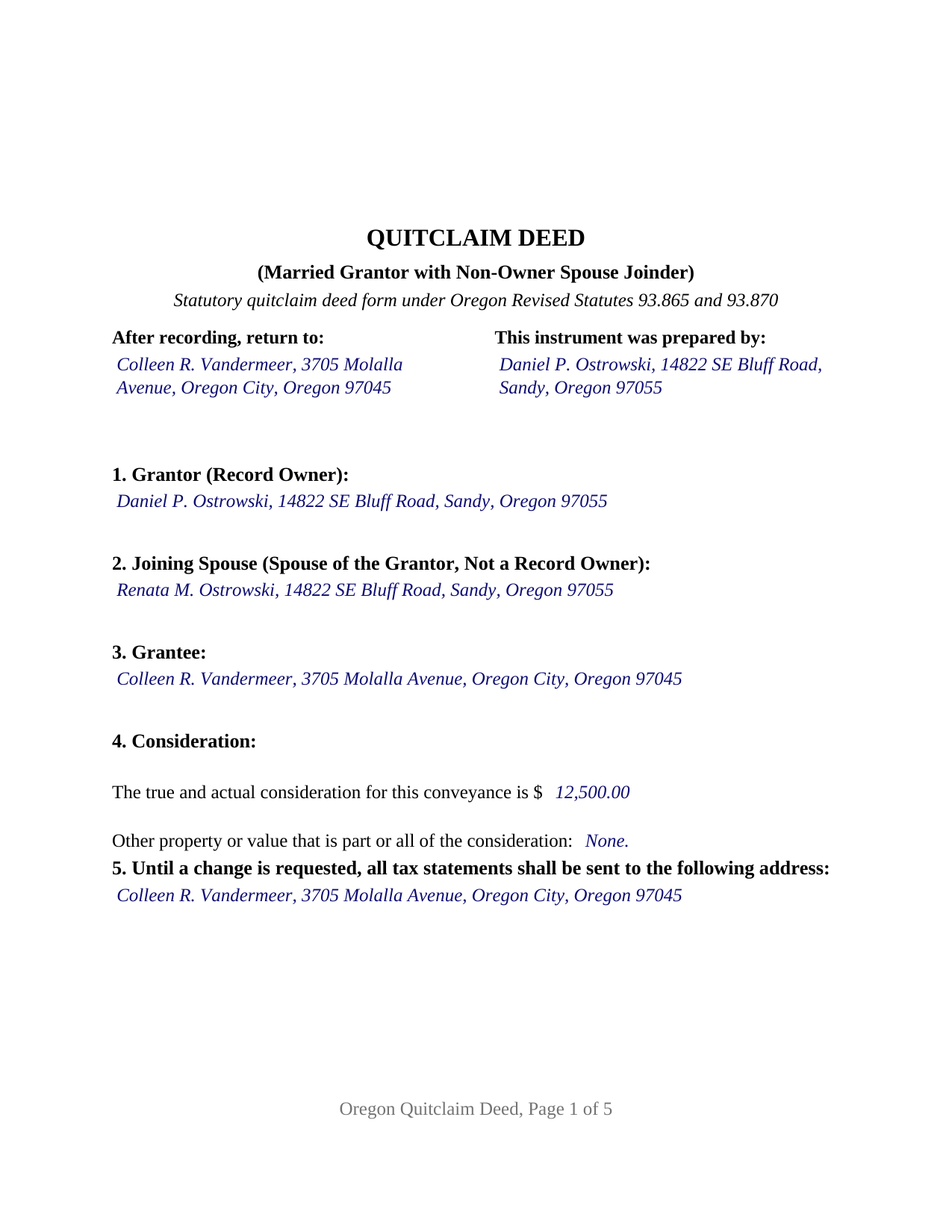
Wallowa County Completed Example of the Quitclaim Deed (Married Grantor with Non-Owner Spouse Joinder) Document
Example of a properly completed Oregon Quitclaim Deed (Married Grantor with Non-Owner Spouse Joinder) document for reference.
All 3 documents above included • One-time purchase • No recurring fees
Immediate Download • Secure Checkout
Additional Oregon and Wallowa County documents included at no extra charge:
Where to Record Your Documents
Wallowa County Clerk
Enterprise, Oregon 97828
Hours: 8:30 to 5:00 M-F / Recording until 4:30
Phone: (541) 426-4543
Recording Tips for Wallowa County:
- Bring your driver's license or state-issued photo ID
- Ensure all signatures are in blue or black ink
- White-out or correction fluid may cause rejection
- Ask about their eRecording option for future transactions
- Avoid the last business day of the month when possible
Cities and Jurisdictions in Wallowa County
Properties in any of these areas use Wallowa County forms:
- Enterprise
- Imnaha
- Joseph
- Lostine
- Wallowa
Hours, fees, requirements, and more for Wallowa County
How do I get my forms?
Forms are available for immediate download after payment. The Wallowa County forms will be in your account ready to download to your computer. An account is created for you during checkout if you don't have one. Forms are NOT emailed.
Are these forms guaranteed to be recordable in Wallowa County?
Yes. Our form blanks are guaranteed to meet or exceed the applicable formatting requirements used for recording in Wallowa County, including margin requirements, font requirements, and other layout standards. This guarantee applies to formatting, not to the legal sufficiency of information entered by the user or the suitability of a form for a particular transaction.
Can I reuse these forms?
Yes. You can reuse the forms for your personal use. For example, if you have multiple properties in Wallowa County you only need to order once.
What do I need to use these forms?
The forms are PDFs that you fill out on your computer. The free Adobe Acrobat Reader is recommended, and most PDF apps also work. You do NOT enter your property information online - you download the blank forms and complete them privately on your own computer.
Are there any recurring fees?
No. This is a one-time purchase. Nothing to cancel, no memberships, no recurring fees.
How much does it cost to record in Wallowa County?
Recording fees in Wallowa County vary. Contact the recorder's office at (541) 426-4543 for current fees.
Questions answered? Let's get started!
Only one spouse is on title, and both spouses sign. That is the architecture of this Oregon quitclaim deed: the record owner releases and quitclaims the property under ORS 93.865, and the person married to that owner, who holds no record title at all, signs the same instrument to give up whatever claim that spouse might have in it.
A signature Oregon law does not ask for
Oregon gives a spouse who is not on title remarkably little to sign away. Dower and curtesy, inchoate versions included, are abolished by ORS 112.685. Oregon runs no community property regime, so marriage does not convert one spouse's separately held land into shared property. And no located Oregon statute conditions the recording of a lifetime deed on the signature of a spouse holding no record interest, homestead or not; ORS 18.395 shields a homestead from creditors, not from a deed.
The signature gets asked for anyway, by the people who examine title rather than by the legislature. A title company that finds a married owner on a vesting deed can except the possible interest of that spouse, and a purchaser or lender may want the question answered inside the instrument. This form answers it there, on its own signature line and under its own certificate.
What the joining spouse actually releases
The joinder is not a consent or an approval. It is a second quitclaim. Section 8 has the joining spouse release and quitclaim all right, title, interest and claim of that spouse, if any, including any claim arising from the marriage. ORS 93.865(2) fixes what those words accomplish: whatever title or interest, legal or equitable, a signer holds at the date of the deed passes, nothing acquired afterward passes, no estoppel arises, and no warranty of title is given. Where the joining spouse holds nothing, nothing moves and the record shows the release. Where that spouse does hold something, the release reaches it with no need to describe or value it.
One record owner, one joining spouse
Section 1 names a single record owner as Grantor, and Section 2 names the Joining Spouse, the Grantor's spouse who is not a record owner. Section 10 carries two labeled signature blocks with printed name and date lines, and two certificates follow in the short form wording of ORS 194.285, one per signer, so each may appear before a notarial officer separately. The two certificate layout is this form's own architecture, the Oregon short form being written for one or more individuals.
Property held separately because it arrived before the marriage or came by gift or inheritance during it, a title report that flags the interest of a record owner's spouse before closing, and a lender conditioning funding on the signature of the spouse off title all present the one owner plus joinder pattern this deed recites. The form recites exactly one record owner and one joining spouse, both signing personally; a sole owner with nobody joining, two record owners signing as co-grantors, and a signer acting as trustee, personal representative, or attorney-in-fact each follow a different pattern than this form carries.
First page, and then the county clerk
ORS 205.234 tells an Oregon recorder what belongs on page one, and this quit claim deed is laid out around that list: the after recording delivery block, the party names, the ORS 93.030 consideration in dollars with its statutory line for other property or value, and the ORS 93.260 tax statement sentence. The land use and property rights statement of ORS 93.040 prints in capital letters in the body. ORS 205.232 sets ten point as the floor for type; this deed prints letter size at twelve point, the top two inches of page one left clear for the recording label.
Filing happens with the clerk of the county where the land sits, and promptness matters: under the race notice rule of ORS 93.640 a conveyance left off the record is void against a later good faith purchaser for value who records first. Costs are county figures, several of which moved upward on the first of July in 2026 after a 2025 change to the county Public Land Corner Preservation fee. Oregon imposes no transfer tax on a deed, Washington County grandfathered in.
The download delivers the fillable spouse joinder quitclaim deed, a completed example prepared for a Clackamas County conveyance, and a guide to every numbered section, both certificates, and the recording steps. The materials describe Oregon law in general terms and are not legal advice.
Important: Your property must be located in Wallowa County to use these forms. Documents should be recorded at the county recording office listed above.
This Quitclaim Deed (Married Grantor with Non-Owner Spouse Joinder) meets all recording requirements specific to Wallowa County.
Our Promise
The documents you receive here are guaranteed to meet or exceed the applicable Wallowa County recording format requirements. If there is a rejection caused by our formatting, we will correct the issue or refund your payment. This guarantee applies to document formatting only and does not extend to information entered by the user, the selection of the form, or the legal effect of the completed document.
Save Time and Money
Get your Wallowa County Quitclaim Deed (Married Grantor with Non-Owner Spouse Joinder) form done right the first time with Deeds.com Uniform Conveyancing Blanks. At Deeds.com, we understand that your time and money are valuable resources, and we don't want you to face a penalty fee or rejection imposed by a county recorder for submitting nonstandard documents. We constantly review and update our forms to meet rapidly changing state and county recording requirements for roughly 3,500 counties and local jurisdictions.
4.8 out of 5 - ( 4,853 Reviews )
Stephen D. 5 out of 5 stars
I recommend you add a box "Add another document or package." The way it is now confused me, so I uploaded the same document two more times, thinking the upload failed the first two times.
Thank you for your feedback Stephen.
Deabra A. 4 out of 5 stars
Your Quitdeed form was easy to understand with the guidelines provided and an example of an already completed form to see how you should complete your form. The price is reasonable for a do it yourself.
Thank you, Deabra. We’re glad the form and examples made the process clear and that you found it a good value for a do-it-yourself option.
Diane W. 3 out of 5 stars
The forms were immediately available for download, which was nice. However, I was not impressed by the lack of several features: 1) there was no way to edit set text in the form, such as where it says you should consult an attorney. That is not necessary for recording the deed and I wanted to deleted it, but could not. 2) Also, under the "Notes" section, there is a limited area to write; I tried adding a fuller explanation of something, but the form would not accept or include it when I printed the final document. The form may do the job, but it's not very sophisticated or elegant.
Thank you for your feedback. We really appreciate it. Have a great day!
Samuel M. 4 out of 5 stars
it was convenient to have a starting place, however, though the property is in Colorado, the probate is in Iowa, so I had to create my own document because you locked my capacity to edit the form I paid for. If I pay for it, I should be able to edit everything including non fill in text. I could not open it in word, as I normally could.
Thank you for your feedback. We really appreciate it. Have a great day!
Michael W. 5 out of 5 stars
Staff was very diligent in pointing out multiple errors I had made on filing the District of Columbia's confusing form for tax exemption in a marital property exchange.
We’re always here to help. Thank you for your feedback.
William Q. 5 out of 5 stars
The website and information is fine. The proof in the pudding, of course, is whether the forms I used now will provide the results I want if the changes are challenged at some future date.
Thank you for your feedback. We really appreciate it. Have a great day!
Karen B. 5 out of 5 stars
Completed although having the sample really helped. Now to file.
Thank you for your feedback. We really appreciate it. Have a great day!
Jennifer M. 5 out of 5 stars
Consistent and quick. This site saves me so much time away from my desk. It's a great resource for my small business!
We appreciate your business and value your feedback. Thank you. Have a wonderful day!
Jennifer A M. 5 out of 5 stars
Great service; very easy and simple, especially as an individual that needed only one (1) document recorded with my municipality.
Thank you!
Herbert R. 5 out of 5 stars
Your website was very helpful. Hopefully, I will have it completed correctly prior to use.
Thank you for your feedback. We really appreciate it. Have a great day!
Lynn S. 5 out of 5 stars
Great service. I did not have to put much thought into the process!!! Worth the $15.00 extra!!
Thank you for your feedback. We really appreciate it. Have a great day!
Carolyn D. 5 out of 5 stars
The sight provided exactly what I needed and was easy to use. I was able to download the type of Deed I used and was completely satisfied with the website.
Thank you!
Deirdre M. 5 out of 5 stars
Thank for you guidance to amend & correct & recover my home with evidence you provide in Dead Fraud. I'll keep you updated.
Thank you!
Patricia J. 5 out of 5 stars
So simple. Thank you.
Thank you Patricia.
Molly A. 5 out of 5 stars
Super easy to download and Deeds dot com had the documents I was looking for and set up in a manner that the County Government office would accept. Nice! Thank you, Deeds!
Thank you for your feedback. We really appreciate it. Have a great day!